
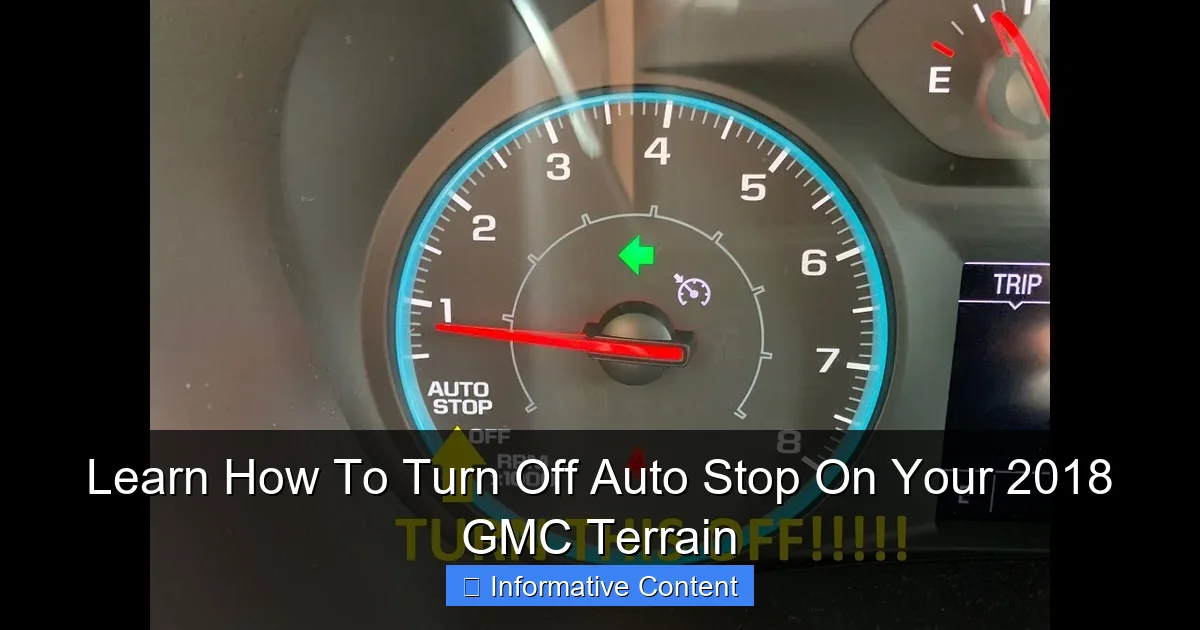
Featured image for how-to-turn-off-auto-stop-on-2018-gmc-terrain
Image source: i.ytimg.com
To turn off the Auto Stop feature on your 2018 GMC Terrain, press the “A-off” button on your center console each time you start the vehicle. This action disables the system for your current drive, preventing the engine from automatically shutting down at stops. While not permanently deactivated, this quick step immediately restores a seamless driving experience by eliminating unwanted interruptions.
In This Article
- 1 Learn How To Turn Off Auto Stop On Your 2018 GMC Terrain
- 1.1 Key Takeaways
- 1.2 📑 Table of Contents
- 1.3 What Is Auto Stop-Start and Why Does It Exist?
- 1.4 Common Reasons Drivers Disable Auto Stop-Start
- 1.5 Official Methods to Turn Off Auto Stop-Start on Your 2018 GMC Terrain
- 1.6 Aftermarket Solutions for Permanently Disabling Auto Stop-Start
- 1.7 Pros and Cons of Disabling Auto Stop-Start
- 1.8 Maintaining Your 2018 GMC Terrain After Modifications
- 1.9 Comparing Your Options to Turn Off Auto Stop
- 1.10 Wrapping It All Up
- 1.11 Frequently Asked Questions
- 1.11.1 What is the auto stop feature on my 2018 GMC Terrain?
- 1.11.2 How do I turn off auto stop on my 2018 GMC Terrain?
- 1.11.3 Is there a way to permanently disable auto stop?
- 1.11.4 Why does my auto stop not engage sometimes?
- 1.11.5 Can I use a fuse to turn off auto stop permanently?
- 1.11.6 Does turning off auto stop affect my warranty or fuel efficiency?
Learn How To Turn Off Auto Stop On Your 2018 GMC Terrain
Hey there! If you’re like me, you probably love your 2018 GMC Terrain for its sleek design and comfy ride. But there’s one feature that might have you scratching your head—or maybe even gritting your teeth. I’m talking about the auto stop-start system. You know, that moment when your engine quietly shuts off at a red light, only to jerk back to life when you lift your foot off the brake.
I remember the first time it happened to me. I was in heavy traffic on a hot summer day, and every time the engine stopped, the air conditioning seemed to waver. It felt unsettling, like the car was playing a game of hide-and-seek with its own power. If you’ve been searching for a way to regain control, you’re in the right place. This guide will walk you through everything you need to know about how to turn off auto stop on your 2018 GMC Terrain.
Think of this as a friendly chat from one Terrain owner to another. We’ll explore why this feature exists, how to disable it using official methods, and even look at aftermarket solutions. By the end, you’ll have all the info to make the best choice for your driving style. Let’s dive in!
Key Takeaways
- Use the dashboard button: Press it to temporarily disable auto stop.
- Disable is drive-cycle specific: Auto stop reactivates after restarting the engine.
- Permanent deactivation requires tools: Consider aftermarket bypass modules for a lasting fix.
- Understand fuel savings: Auto stop improves mileage by reducing idle time.
- Check manual first: Always refer to the owner’s manual for official guidance.
- Consult a professional: For permanent changes to avoid voiding your warranty.
📑 Table of Contents
- What Is Auto Stop-Start and Why Does It Exist?
- Common Reasons Drivers Disable Auto Stop-Start
- Official Methods to Turn Off Auto Stop-Start on Your 2018 GMC Terrain
- Aftermarket Solutions for Permanently Disabling Auto Stop-Start
- Pros and Cons of Disabling Auto Stop-Start
- Maintaining Your 2018 GMC Terrain After Modifications
- Comparing Your Options to Turn Off Auto Stop
- Wrapping It All Up
What Is Auto Stop-Start and Why Does It Exist?
Before we get into the nitty-gritty of turning it off, let’s understand what auto stop-start is all about. In simple terms, it’s a system designed to save fuel and reduce emissions. When you come to a complete stop, like at a traffic light, the engine temporarily turns off. The moment you release the brake or press the accelerator, it restarts instantly.
The Technology Behind Auto Stop-Start
Your 2018 GMC Terrain uses a smart combination of sensors and a robust starter motor to make this happen. It monitors your brake pedal, battery charge, and even cabin temperature to decide when to activate. It’s not a glitch—it’s a carefully engineered feature that’s become common in modern vehicles.
Environmental and Fuel Efficiency Benefits
From a big-picture view, auto stop-start is great for the planet. By reducing idle time, it cuts down on carbon dioxide emissions. GMC claims it can improve fuel economy by a small percentage, which adds up over time. So, while it might be annoying, it’s there for a good reason.
Common Reasons Drivers Disable Auto Stop-Start
Now, why would anyone want to turn off such a well-intentioned feature? Well, in real-world driving, it can be more frustrating than helpful. Here are some reasons I’ve heard from other Terrain owners—and experienced myself.
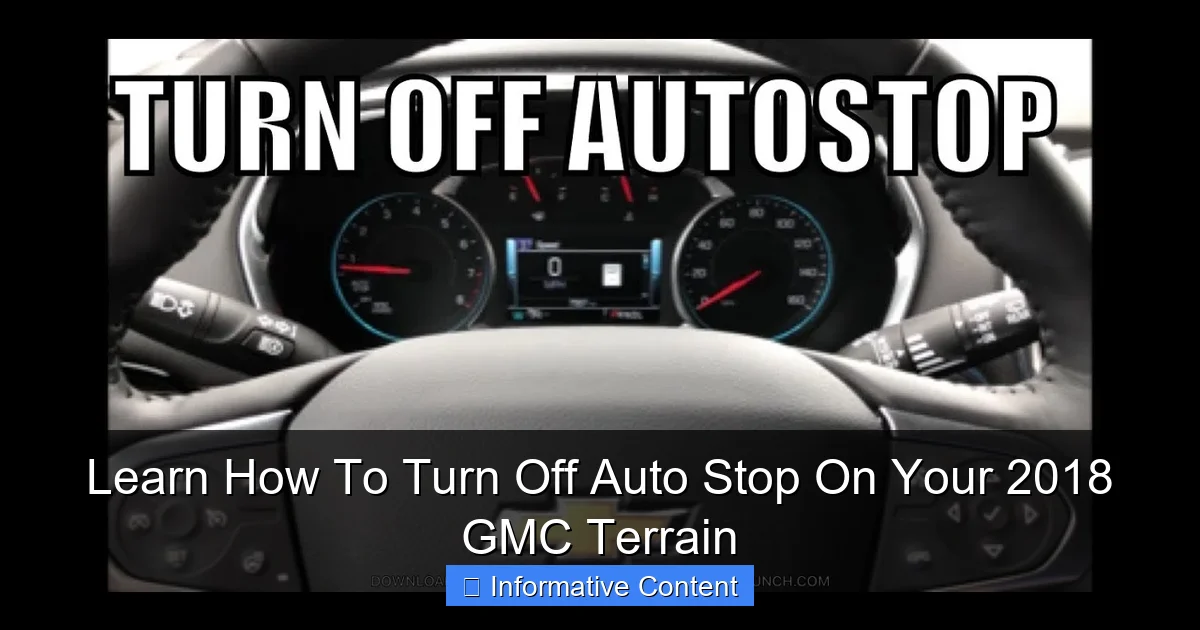
Visual guide about how-to-turn-off-auto-stop-on-2018-gmc-terrain
Image source: i.ytimg.com
Annoyance and Driving Experience
The constant on-and-off can feel jarring, especially in stop-and-go traffic. Some drivers find the slight delay in restarting unsettling, particularly when making quick turns or merging. For me, it’s that split-second lag that sometimes makes me feel less in control.
Concerns About Battery and Starter Life
Many worry that all that extra cycling could wear out the battery or starter faster. While GMC designs these parts to handle the load, it’s a valid concern. If you live in a hot climate like I do, where the AC is always running, the system might activate less, but the fear remains.
Official Methods to Turn Off Auto Stop-Start on Your 2018 GMC Terrain
Here’s the part you’ve been waiting for: how to actually turn off auto stop on your 2018 GMC Terrain. GMC provides a few built-in ways to do this, though they might not be permanent. Let’s break them down.
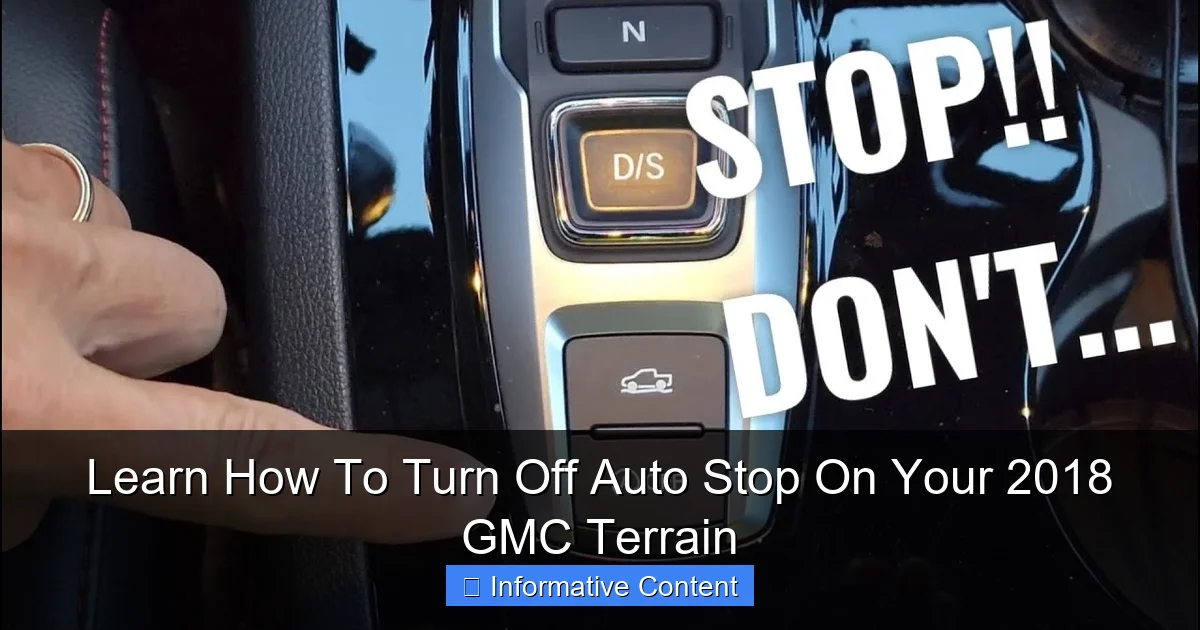
Visual guide about how-to-turn-off-auto-stop-on-2018-gmc-terrain
Image source: i.ytimg.com
Using the Auto Stop-Start Disable Button
This is the easiest method. Look on your center console, near the gear shifter or climate controls. You should see a button with an “A” inside a circular arrow. Press it once to disable the system for that drive cycle. A light on the button will usually illuminate to confirm it’s off. But remember, when you restart your Terrain, it will default back on.
Adjusting Settings via the Infotainment System
Some 2018 Terrains might allow you to tweak settings through the touchscreen. Go to “Settings” or “Vehicle” menu and look for “Auto Stop” or “Engine” options. You might find a toggle to disable it, but this varies by trim level. If it’s there, you can turn it off until you change it back.
Temporary vs. Permanent Disabling
It’s important to note that these official methods are temporary. GMC doesn’t offer a factory setting to permanently turn off auto stop on the 2018 GMC Terrain. This is likely to ensure compliance with emissions standards. So, if you want a lasting solution, you might need to look elsewhere.
Aftermarket Solutions for Permanently Disabling Auto Stop-Start
If you’re tired of pressing that button every time you drive, aftermarket products can help. These are devices that remember your preference and keep the system off. Always prioritize safety and check compatibility with your specific Terrain model.

Visual guide about how-to-turn-off-auto-stop-on-2018-gmc-terrain
Image source: i.ytimg.com
Auto Stop-Start Eliminator Modules
These are small plug-and-play modules that connect to your vehicle’s wiring, usually under the dashboard or near the button. They trick the system into thinking the disable button is always pressed. Brands like “AutoStop Eliminator” offer kits for the 2018 GMC Terrain. Installation is often DIY-friendly.
Professional Installation vs. DIY
If you’re not comfortable with car electronics, have a professional install it. It might cost extra, but it ensures everything works correctly. For DIY folks, follow the instructions carefully. I tried one myself, and it took about 20 minutes with basic tools. Just be gentle with the connectors!
Pros and Cons of Disabling Auto Stop-Start
Before you make any changes, weigh the pros and cons. Disabling auto stop isn’t a one-size-fits-all decision. Here’s a balanced look based on my experience and research.
Advantages of Turning Off Auto Stop
First, you get a smoother driving experience without the engine cycling. It can reduce wear on your nerves in heavy traffic. Also, if you have aftermarket accessories like dash cams, they won’t lose power briefly during stops. For many, it’s about personal comfort and control.
Potential Drawbacks and Considerations
On the flip side, you might see a slight drop in fuel economy—think maybe 1-2% in city driving. There’s also the environmental impact. Plus, if your Terrain is under warranty, modifying the system could void coverage for related parts. Always check with your dealer first.
Maintaining Your 2018 GMC Terrain After Modifications
If you do decide to turn off auto stop on your 2018 GMC Terrain, keep your vehicle in top shape. Simple habits can prevent issues down the road.
Battery Care and Maintenance
Since the auto stop system relies on a healthy battery, monitor its charge regularly. Even with the system off, get your battery tested annually. A weak battery can cause other electrical gremlins, so stay proactive.
Ensuring Vehicle Warranty Compliance
To avoid warranty headaches, document any aftermarket installations. Use reputable products and keep receipts. If you’re unsure, talk to your GMC service center. They might offer insights or even alternative solutions.
Comparing Your Options to Turn Off Auto Stop
To help you decide, here’s a quick data table summarizing the main methods to turn off auto stop on your 2018 GMC Terrain. This should give you a clear picture of what each involves.
| Method | Cost | Ease of Use | Permanence | Notes |
|---|---|---|---|---|
| Dashboard Button | Free | Very Easy | Temporary (per drive cycle) | Default factory option; must be pressed each time. |
| Infotainment Settings | Free | Moderate | Semi-Permanent (until changed) | Not available on all trims; check your menu. |
| Aftermarket Module | $50-$150 | Moderate to Hard | Permanent | DIY or professional install; may affect warranty. |
| Professional Tuning | $100-$300 | Hard | Permanent | Requires specialist; can fully disable system. |
This table should help you weigh your choices. For example, if you want a quick fix, the button is free but repetitive. For a set-it-and-forget-it solution, an aftermarket module might be worth the investment.
Wrapping It All Up
We’ve covered a lot of ground on how to turn off auto stop on your 2018 GMC Terrain. From understanding why it exists to exploring official and aftermarket methods, you now have the knowledge to take action. Remember, it’s your vehicle, and your comfort matters.
Whether you choose to press that button every day or install a module for convenience, make sure it aligns with your driving needs. Always prioritize safety and check with experts if you’re unsure. I hope this guide has been helpful and saved you some frustration. Happy driving, and enjoy your Terrain on your own terms!
Frequently Asked Questions
What is the auto stop feature on my 2018 GMC Terrain?
The auto stop feature, also known as auto start-stop, is designed to save fuel by automatically shutting off the engine when the vehicle is stopped, such as at a traffic light. It restarts the engine when you release the brake pedal, but some drivers prefer to disable it for a smoother driving experience.
How do I turn off auto stop on my 2018 GMC Terrain?
To turn off auto stop, press the auto stop disable button on your dashboard, typically located near the gear shifter or center console. This temporarily deactivates the feature for the current ignition cycle, so you may need to press it again after restarting the vehicle.
Is there a way to permanently disable auto stop?
There is no factory setting to permanently disable auto stop on the 2018 GMC Terrain. However, some aftermarket devices or fuse modifications can be used, but these may affect other systems and should be installed with professional guidance.
Why does my auto stop not engage sometimes?
Auto stop may not activate due to conditions like low battery charge, extreme temperatures, or if the engine is not at optimal operating temperature. Additionally, high demands from accessories like air conditioning can prevent the system from engaging.
Can I use a fuse to turn off auto stop permanently?
Yes, some owners disable auto stop by pulling fuse F48 in the underhood fuse block, but this can impact other electrical functions. Always consult your owner’s manual or a mechanic to avoid unintended issues with your vehicle.
Does turning off auto stop affect my warranty or fuel efficiency?
Using the factory button to turn off auto stop does not void your warranty, but aftermarket modifications might. While disabling it may reduce fuel savings in stop-and-go traffic, the impact on overall efficiency is typically minimal for most drivers.

At CarLegit, we believe information should be clear, factual, and genuinely helpful. That’s why every guide, review, and update on our website is created with care, research, and a strong focus on user experience.