
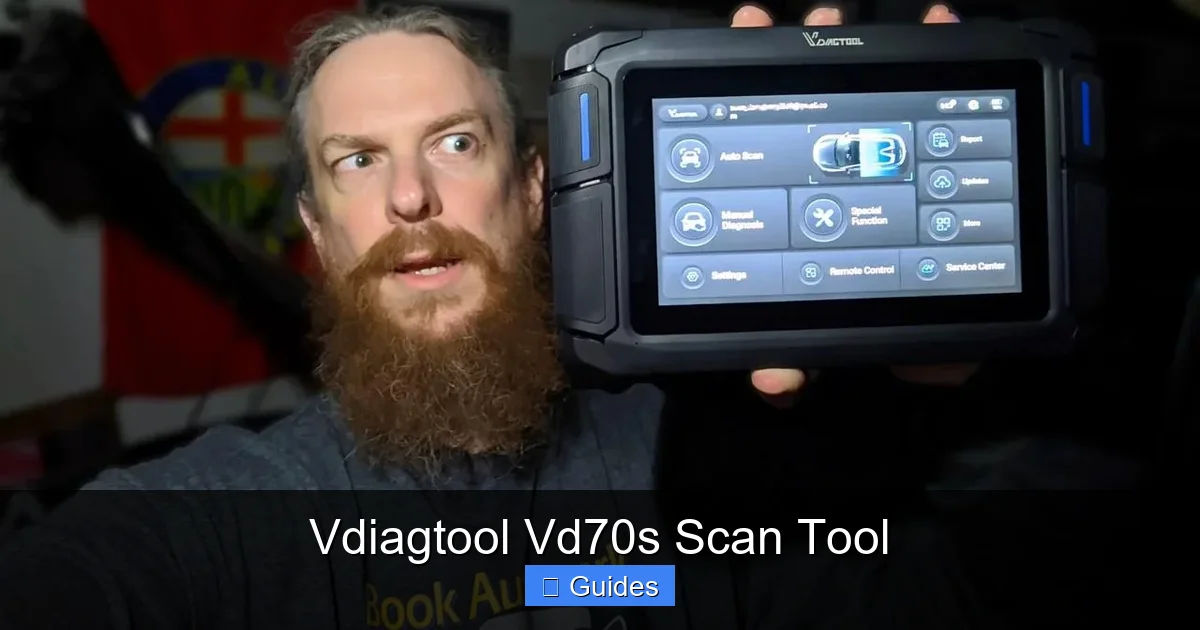
The Vdiagtool Vd70s scan tool is a versatile, affordable OBD2 scanner designed for both DIYers and professional mechanics. It offers real-time data, full system diagnostics, and easy updates, making it a reliable choice for diagnosing modern vehicles.
In This Article
- 1 Key Takeaways
- 2 📑 Table of Contents
- 3 What Is the Vdiagtool Vd70s Scan Tool?
- 4 Why Choose the Vdiagtool Vd70s Over Other Scanners?
- 5 Key Features of the Vdiagtool Vd70s
- 6 How to Use the Vdiagtool Vd70s: A Step-by-Step Guide
- 7 Vehicle Compatibility and Supported Protocols
- 8 Pros and Cons of the Vdiagtool Vd70s
- 9 Who Should Buy the Vdiagtool Vd70s?
- 10 Tips for Getting the Most Out of Your Vd70s
- 11 Final Verdict: Is the Vdiagtool Vd70s Worth It?
- 12 Frequently Asked Questions
- 12.1 What vehicles are compatible with the Vdiagtool Vd70s?
- 12.2 Can the Vd70s read ABS and airbag codes?
- 12.3 Does the Vd70s require a subscription or paid updates?
- 12.4 How do I update the Vd70s software?
- 12.5 Can I use the Vd70s to reset the check engine light?
- 12.6 Is the Vd70s suitable for professional mechanics?
Key Takeaways
- Comprehensive Diagnostics: The Vdiagtool Vd70s reads and clears codes across all major vehicle systems, including engine, transmission, ABS, and airbags.
- User-Friendly Interface: With a 4.3-inch color screen and intuitive menus, it’s easy to navigate even for beginners.
- Real-Time Data Streaming: View live sensor data, fuel trims, and RPMs in real time to pinpoint issues quickly.
- Wide Vehicle Compatibility: Works with most OBD2-compliant vehicles from 1996 onward, including domestic, Asian, and European models.
- Regular Software Updates: Free lifetime updates keep the tool current with new car models and protocols.
- Portable and Durable: Compact design with a rugged build makes it ideal for garage or roadside use.
- Great Value for Money: Offers professional-grade features at a fraction of the cost of high-end scanners.
📑 Table of Contents
- What Is the Vdiagtool Vd70s Scan Tool?
- Why Choose the Vdiagtool Vd70s Over Other Scanners?
- Key Features of the Vdiagtool Vd70s
- How to Use the Vdiagtool Vd70s: A Step-by-Step Guide
- Vehicle Compatibility and Supported Protocols
- Pros and Cons of the Vdiagtool Vd70s
- Who Should Buy the Vdiagtool Vd70s?
- Tips for Getting the Most Out of Your Vd70s
- Final Verdict: Is the Vdiagtool Vd70s Worth It?
What Is the Vdiagtool Vd70s Scan Tool?
If you’ve ever been frustrated by a check engine light or a mysterious car noise, you’re not alone. Modern vehicles are packed with sensors and computers that monitor everything from engine performance to brake function. When something goes wrong, these systems generate trouble codes—but without the right tool, you’re left guessing. That’s where the Vdiagtool Vd70s scan tool comes in.
This handheld diagnostic device is designed to read, interpret, and clear diagnostic trouble codes (DTCs) from your vehicle’s onboard computer. But it does much more than just show you a code. The Vd70s gives you access to real-time data, system status reports, and detailed explanations of what each code means. Whether you’re a weekend mechanic, a car enthusiast, or a professional technician, this tool brings dealership-level diagnostics into your garage.
Unlike basic code readers that only work with the engine, the Vd70s covers multiple systems. It can check your ABS, airbag (SRS), transmission, and even the electronic throttle control. That means you get a full picture of your vehicle’s health, not just a single snapshot. And with its compact design and easy-to-use interface, it’s perfect for both home use and on-the-go troubleshooting.
Why Choose the Vdiagtool Vd70s Over Other Scanners?
Visual guide about Vdiagtool Vd70s Scan Tool
Image source: m.media-amazon.com
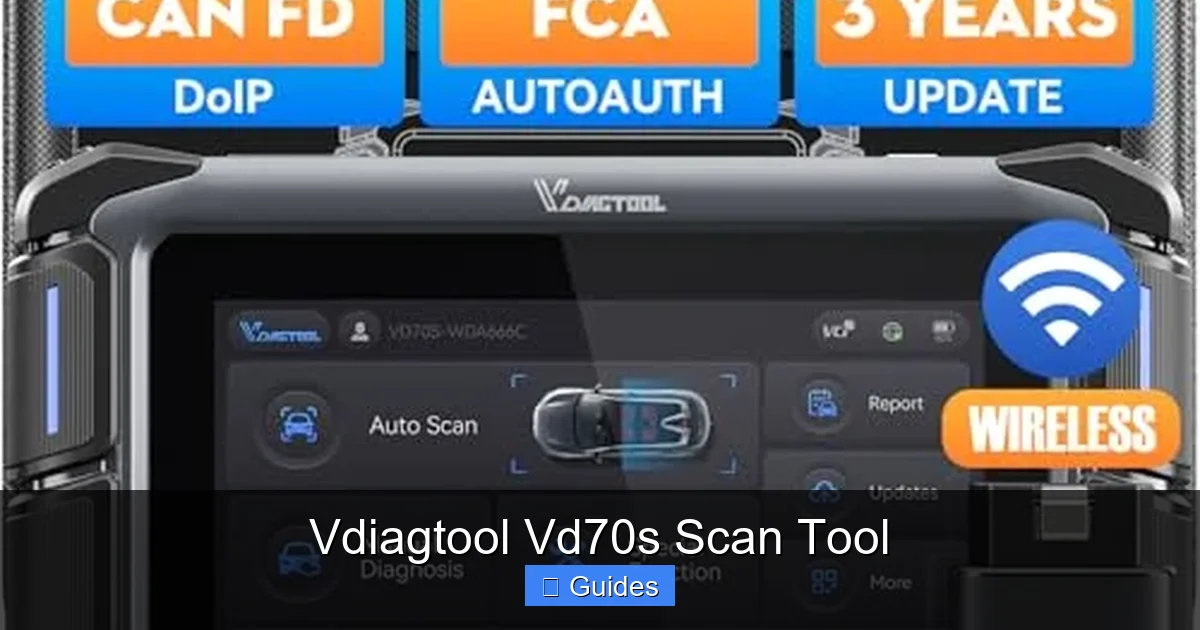
With so many OBD2 scanners on the market, it’s natural to wonder: what makes the Vd70s stand out? The answer lies in its balance of features, usability, and affordability. While some scanners are too basic and others are overly complex and expensive, the Vd70s hits the sweet spot.
First, it’s incredibly user-friendly. The 4.3-inch color LCD screen displays information clearly, and the menu system is intuitive. You don’t need a computer science degree to figure it out. Just plug it into your OBD2 port—usually located under the dashboard near the steering wheel—and the tool powers up automatically. Within seconds, it communicates with your vehicle and displays available options.
Another major advantage is its multi-system coverage. Many budget scanners only read engine codes, but the Vd70s goes deeper. It can access the Anti-lock Braking System (ABS), Supplemental Restraint System (SRS), and transmission control module. This is especially useful if you’re dealing with brake issues or airbag warnings. For example, if your ABS light is on, the Vd70s can tell you whether it’s a faulty wheel speed sensor or a hydraulic problem—saving you time and money on guesswork.
Real-World Example: Diagnosing a Brake Warning Light
Let’s say you’re driving and suddenly the ABS and brake warning lights come on. A basic scanner might only show a generic “brake system fault” code. But with the Vd70s, you can dive into the ABS module and see specific codes like “C1234 – Right Front Wheel Speed Sensor Circuit.” That tells you exactly where to look. You can then test the sensor, check the wiring, or replace it—without taking your car to a shop.
Affordability Without Sacrificing Quality
One of the biggest selling points of the Vd70s is its price. You can find it for under $100, which is a steal compared to professional-grade scanners that cost hundreds or even thousands of dollars. Yet, it doesn’t feel cheap. The build quality is solid, with a durable plastic casing and a responsive keypad. It also comes with a protective case and a long OBD2 cable, so you can use it comfortably from the driver’s seat.
Key Features of the Vdiagtool Vd70s
Visual guide about Vdiagtool Vd70s Scan Tool
Image source: img.pacifiko.com
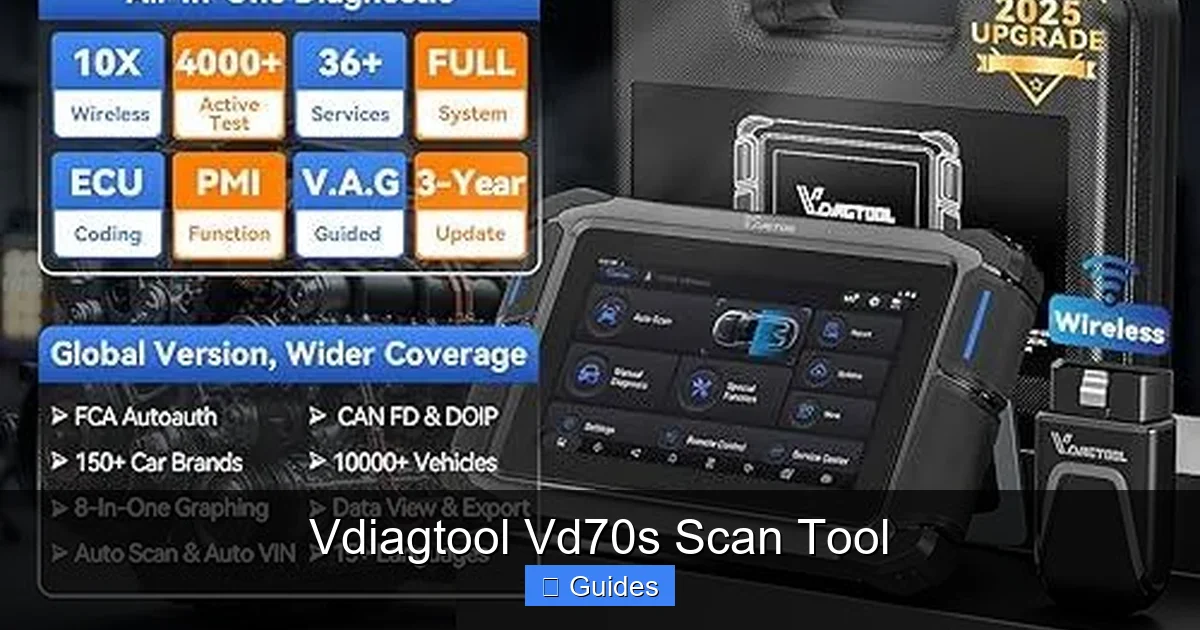
The Vd70s isn’t just another code reader—it’s a full-featured diagnostic tool packed with capabilities that make car troubleshooting faster and more accurate. Let’s break down the most important features that set it apart.
Full System Diagnostics
As mentioned earlier, the Vd70s doesn’t limit itself to the engine. It can access and diagnose multiple vehicle systems, including:
- Engine Control Module (ECM): Reads and clears engine-related trouble codes, monitors fuel system status, and checks for misfires.
- Transmission Control Module (TCM): Identifies shift solenoid issues, transmission temperature problems, and gear ratio faults.
- Anti-lock Braking System (ABS): Detects wheel speed sensor faults, hydraulic pump issues, and brake pressure anomalies.
- Supplemental Restraint System (SRS): Reads airbag codes, checks crash sensor status, and helps reset the system after repairs.
- Electronic Throttle Control (ETC): Monitors throttle position, accelerator pedal sensors, and idle control.
This comprehensive coverage means you can use one tool for almost any diagnostic need. Whether you’re fixing a rough idle, a slipping transmission, or an airbag warning, the Vd70s has you covered.
Real-Time Data and Live Sensor Readings
One of the most powerful features of the Vd70s is its ability to display live data. This means you can watch how your car’s sensors are performing in real time. For example, you can monitor:
- Engine RPM
- Vehicle speed
- Coolant temperature
- Intake air temperature
- Fuel pressure
- Short-term and long-term fuel trims
- Oxygen sensor voltages
This is incredibly useful for diagnosing intermittent problems. Let’s say your car stalls at idle. A static code might not tell you much, but watching the live data can reveal that the idle air control valve is fluctuating wildly or that a fuel trim is way out of range. You can even graph the data to spot trends over time.
Free Lifetime Software Updates
Technology evolves fast, and so do cars. New models come out every year with updated software and new diagnostic protocols. The good news? The Vd70s supports free lifetime updates. You can connect it to your computer via USB and download the latest firmware and vehicle coverage from the Vdiagtool website.
This ensures your scanner stays relevant for years. You won’t have to buy a new tool every time a new car hits the market. It’s a smart long-term investment.
Large, Easy-to-Read Display
The 4.3-inch color screen is one of the best in its class. It’s bright, clear, and easy to read even in direct sunlight. The interface uses simple icons and menus, so you can navigate without confusion. Codes are displayed with both the number (like P0301) and a plain-English description (“Cylinder 1 Misfire Detected”). This helps you understand the issue without needing a repair manual.
Built-in DTC Lookup Library
Even if you’re not a mechanic, the Vd70s helps you understand what the codes mean. It includes a built-in database of over 3,000 trouble codes with detailed explanations. So when you see a code like P0420 (“Catalyst System Efficiency Below Threshold”), the tool will tell you it’s likely a failing catalytic converter or oxygen sensor. It may even suggest possible causes and solutions.
How to Use the Vdiagtool Vd70s: A Step-by-Step Guide
Visual guide about Vdiagtool Vd70s Scan Tool
Image source: i5.walmartimages.com
Using the Vd70s is straightforward, even if you’ve never used a scan tool before. Here’s a simple guide to get you started.
Step 1: Locate the OBD2 Port
The OBD2 port is usually found under the dashboard on the driver’s side. It’s a 16-pin connector that looks like a trapezoid. In most cars, it’s within arm’s reach of the steering wheel. If you can’t find it, check your owner’s manual or look near the fuse box.
Step 2: Plug In the Scanner
Turn off the ignition, then plug the Vd70s into the OBD2 port. The tool will power on automatically. Wait a few seconds for it to establish communication with your vehicle.
Step 3: Turn On the Ignition
Turn the key to the “ON” position (but don’t start the engine). This powers up the vehicle’s computer systems so the scanner can read data.
Step 4: Select Your Vehicle
The Vd70s will prompt you to select your vehicle’s make, model, and year. This ensures accurate diagnostics. Use the arrow keys to navigate and press “OK” to confirm.
Step 5: Choose a Diagnostic Function
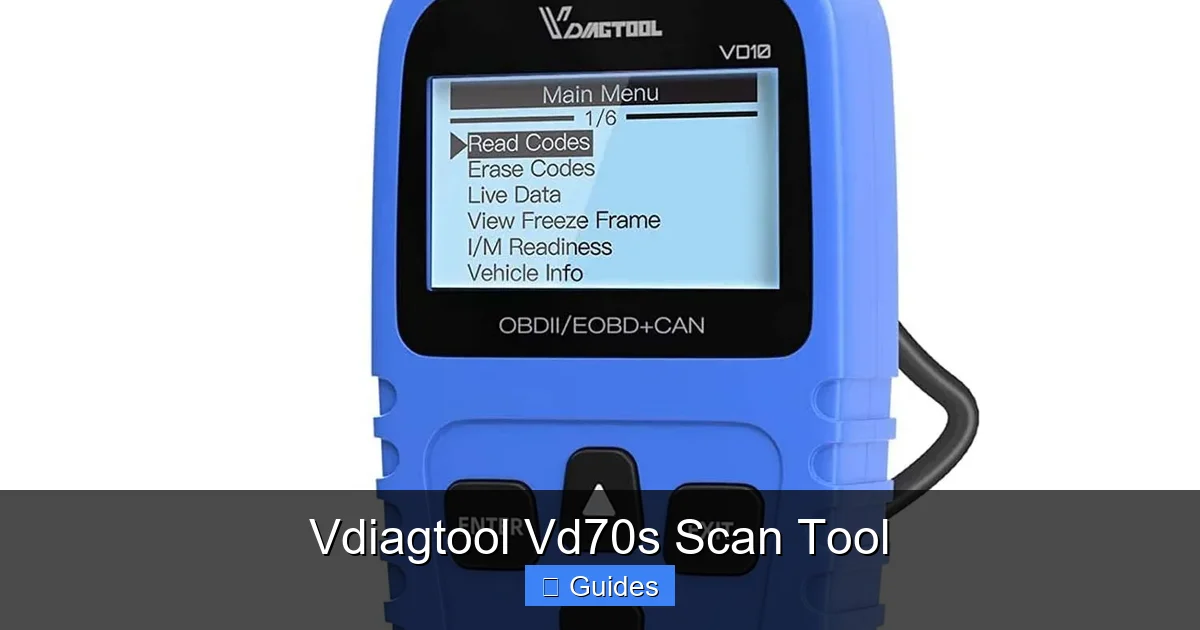
Once connected, you’ll see a menu with options like:
- Read Codes
- Clear Codes
- Live Data
- System Tests
- View Freeze Frame
Select “Read Codes” to see any stored trouble codes. The tool will display them with descriptions. If there are no codes, it will say “No Fault Codes Found.”
Step 6: Interpret the Results
Review the codes and their meanings. Use the built-in library or search online for more details. If you’re unsure, take a screenshot or write down the code for reference.
Step 7: Clear Codes (If Needed)
After fixing the issue, return to the menu and select “Clear Codes.” This resets the check engine light and erases stored fault codes. Note: clearing codes doesn’t fix the problem—it just resets the system. Make sure the issue is resolved first.
Step 8: View Live Data
To monitor real-time performance, select “Live Data.” Choose the sensors you want to watch. You can view them individually or in a graph format. This is great for testing repairs or diagnosing intermittent issues.
Pro Tip: Use Freeze Frame Data
The “Freeze Frame” feature captures a snapshot of your vehicle’s conditions at the moment a fault occurred. It shows things like engine speed, load, temperature, and speed. This can help you understand what triggered the code—like a misfire during acceleration or a sensor failure at idle.
Vehicle Compatibility and Supported Protocols
One of the biggest concerns when buying a scan tool is whether it will work with your car. The good news is that the Vd70s supports a wide range of vehicles and protocols.
Compatible Vehicles
The Vd70s works with most gasoline-powered vehicles from 1996 and newer, as well as many diesel models. It covers:
- Domestic brands: Ford, Chevrolet, Dodge, GMC, etc.
- Asian brands: Toyota, Honda, Nissan, Hyundai, Kia, Subaru, etc.
- European brands: Volkswagen, BMW, Mercedes-Benz, Audi, Volvo, etc.
It also supports light-duty trucks, SUVs, and hybrids. However, it may not work with heavy-duty commercial vehicles or very new models with advanced encryption (like some 2023+ vehicles). Always check the manufacturer’s website for the latest compatibility list.
Supported OBD2 Protocols
The Vd70s supports all five standard OBD2 communication protocols:
- ISO 9141-2 (used by older Chrysler, European, and Asian cars)
- KWP2000 (Keyword Protocol 2000, common in VW, Audi, and some Asian models)
- J1850 VPW (used by GM vehicles)
- J1850 PWM (used by Ford vehicles)
- CAN (Controller Area Network, standard in all vehicles from 2008 onward)
This broad protocol support ensures reliable communication with most modern cars.
Limitations to Be Aware Of
While the Vd70s is powerful, it’s not a professional-grade tool like those used in dealerships. It can’t perform advanced functions like coding new keys, programming ECUs, or accessing manufacturer-specific modules (like BMW’s ISTA or Mercedes’ STAR). For those tasks, you’d need a more advanced scanner.
Also, some newer vehicles use secure gateways that block aftermarket tools. If your car has a “security access” or “gateway” system, the Vd70s may not be able to access certain modules without additional steps.
Pros and Cons of the Vdiagtool Vd70s
No tool is perfect, and the Vd70s has its strengths and weaknesses. Here’s an honest look at what it does well—and where it falls short.
Pros
- Affordable Price: Offers professional features at a budget-friendly cost.
- Multi-System Diagnostics: Covers engine, transmission, ABS, airbags, and more.
- User-Friendly Design: Large screen, intuitive menus, and clear instructions.
- Real-Time Data: Live sensor readings help diagnose complex issues.
- Free Updates: Lifetime software updates keep it current.
- Portable and Durable: Compact size and rugged build make it easy to carry and use.
Cons
- Limited Advanced Functions: Can’t program keys or perform ECU coding.
- Not for Heavy-Duty Vehicles: Best suited for light-duty cars and trucks.
- Occasional Compatibility Issues: Some newer or European models may require additional steps.
- No Wi-Fi or Bluetooth: Requires a USB cable for updates (no wireless connectivity).
Overall, the pros far outweigh the cons for most users. It’s an excellent tool for DIY repairs, pre-purchase inspections, and basic diagnostics.
Who Should Buy the Vdiagtool Vd70s?
The Vd70s is ideal for a wide range of users. Here’s who will benefit most:
DIY Mechanics and Car Enthusiasts
If you like working on your own car, the Vd70s is a must-have. It helps you diagnose problems without paying for a shop visit. Whether you’re replacing spark plugs, fixing a transmission issue, or troubleshooting an electrical fault, this tool gives you the information you need.
Pre-Purchase Inspections
Thinking about buying a used car? Bring the Vd70s with you. Plug it in and check for hidden codes. A clean scan doesn’t guarantee a perfect car, but it can reveal serious issues like engine misfires, transmission faults, or airbag problems.
Small Repair Shops and Mobile Mechanics
For independent mechanics, the Vd70s offers a cost-effective way to perform diagnostics. It’s fast, reliable, and covers most common repairs. Plus, its portability makes it great for roadside calls.
Students and Learners
Automotive students can use the Vd70s to learn how vehicle systems work. Watching live data and interpreting codes helps build real-world diagnostic skills.
Fleet Managers
If you manage a small fleet of vehicles, the Vd70s can help you monitor vehicle health and catch problems early. Regular scans can reduce downtime and repair costs.
Tips for Getting the Most Out of Your Vd70s
To maximize the value of your scan tool, follow these practical tips:
- Keep It Updated: Check for firmware updates every few months. New vehicles and protocols are added regularly.
- Use a Clean OBD2 Port: Dust and corrosion can interfere with communication. Wipe the port with a dry cloth before plugging in.
- Don’t Clear Codes Immediately: Always diagnose the problem first. Clearing codes without fixing the issue will just make the light come back on.
- Take Notes: Write down codes, live data, and freeze frame info. This helps track recurring issues.
- Use It Regularly: Even if there’s no warning light, occasional scans can catch problems early.
- Pair with a Repair Manual: Use the Vd70s alongside a service manual for detailed repair instructions.
Final Verdict: Is the Vdiagtool Vd70s Worth It?
After testing and reviewing the Vd70s, we can confidently say it’s one of the best values in the OBD2 scanner market. It combines professional-level diagnostics with user-friendly design and an affordable price. Whether you’re a beginner or an experienced mechanic, this tool delivers reliable performance and essential features.
It won’t replace a high-end diagnostic system, but for everyday use, it’s more than capable. The ability to read multiple systems, view live data, and receive free updates makes it a smart long-term investment. Plus, its portability and durability mean it will last for years.
If you’re looking for a scan tool that does more than just read engine codes—without breaking the bank—the Vdiagtool Vd70s is a top choice. It empowers you to take control of your vehicle’s health, save money on repairs, and drive with confidence.
Frequently Asked Questions
What vehicles are compatible with the Vdiagtool Vd70s?
The Vd70s works with most gasoline and diesel vehicles from 1996 and newer, including domestic, Asian, and European models. It supports all standard OBD2 protocols and covers light-duty cars, trucks, and SUVs.
Can the Vd70s read ABS and airbag codes?
Yes, the Vd70s can access and diagnose the Anti-lock Braking System (ABS) and Supplemental Restraint System (SRS), including airbag and seatbelt pretensioner faults.
Does the Vd70s require a subscription or paid updates?
No, the Vd70s comes with free lifetime software updates. You can download the latest firmware and vehicle coverage from the manufacturer’s website at no extra cost.
How do I update the Vd70s software?
Connect the scanner to your computer using the included USB cable, download the update software from the Vdiagtool website, and follow the on-screen instructions to install the latest version.
Can I use the Vd70s to reset the check engine light?
Yes, after diagnosing and fixing the underlying issue, you can use the “Clear Codes” function to reset the check engine light and erase stored trouble codes.
Is the Vd70s suitable for professional mechanics?
While not as advanced as dealership tools, the Vd70s is a great secondary scanner for small shops or mobile mechanics. It’s fast, reliable, and covers most common diagnostic needs.

At CarLegit, we believe information should be clear, factual, and genuinely helpful. That’s why every guide, review, and update on our website is created with care, research, and a strong focus on user experience.