
If your Nissan Altima has a dead battery and you can’t open the trunk electronically, don’t panic—there are reliable manual and emergency methods to access it. This guide walks you through step-by-step solutions, including using the physical key, accessing the trunk release lever, and troubleshooting common issues.
In This Article
- 1 Key Takeaways
- 2 📑 Table of Contents
- 3 Introduction: Why a Dead Battery Can Leave You Stranded
- 4 Understanding How the Nissan Altima Trunk Works
- 5 Method 1: Using the Physical Key to Open the Trunk
- 6 Method 2: Accessing the Trunk from Inside the Cabin
- 7 Method 3: Jump-Starting the Vehicle to Restore Power
- 8 Method 4: Checking and Replacing the Key Fob Battery
- 9 Preventing Future Trunk Lockouts
- 10 Conclusion: Stay Calm and Use the Right Method
- 11 Frequently Asked Questions
- 11.1 Can I open the Nissan Altima trunk if the battery is completely dead?
- 11.2 Where is the trunk keyhole on a Nissan Altima?
- 11.3 What if my key fob isn’t working but the car battery is fine?
- 11.4 Can I jump-start my Altima to open the trunk?
- 11.5 Is there a way to open the trunk from inside the car?
- 11.6 Do all Nissan Altima models have a physical keyhole?
Key Takeaways
- Use the physical key: Most Nissan Altima models have a hidden keyhole near the trunk latch that allows manual unlocking when the battery is dead.
- Access the interior trunk release: If you can get inside the car, pull the trunk release lever located near the driver’s seat footwell or under the dashboard.
- Check the key fob battery: A weak key fob battery can mimic a dead car battery—replace it to restore remote trunk access.
- Jump-start the vehicle: Reconnecting power via jumper cables or a portable jump starter may restore electronic trunk functionality.
- Leverage the rear seat pass-through: Fold down the rear seats to crawl into the trunk from inside the cabin if other methods fail.
- Know your model year: Trunk release mechanisms vary slightly between Altima generations—check your owner’s manual for specifics.
- Prevent future issues: Keep a spare key fob battery and consider installing a trunk release switch inside the cabin for emergencies.
📑 Table of Contents
- Introduction: Why a Dead Battery Can Leave You Stranded
- Understanding How the Nissan Altima Trunk Works
- Method 1: Using the Physical Key to Open the Trunk
- Method 2: Accessing the Trunk from Inside the Cabin
- Method 3: Jump-Starting the Vehicle to Restore Power
- Method 4: Checking and Replacing the Key Fob Battery
- Preventing Future Trunk Lockouts
- Conclusion: Stay Calm and Use the Right Method
Introduction: Why a Dead Battery Can Leave You Stranded
Picture this: You’ve just returned from grocery shopping, arms full of bags, and you press the trunk release button on your key fob—nothing happens. You try again. Still nothing. Then it hits you: your Nissan Altima’s battery is dead. Now what? Most modern cars, including the Nissan Altima, rely heavily on electronic systems to unlock doors, start the engine, and open the trunk. When the battery dies, these features stop working, leaving you locked out of vital parts of your vehicle.
The trunk is especially tricky because it’s often controlled remotely and doesn’t have a traditional keyhole like the driver’s door. But don’t worry—Nissan designed the Altima with backup access methods for exactly this situation. Whether you’re dealing with a completely drained battery, a faulty key fob, or an electrical glitch, there are several ways to open the trunk manually. This guide will walk you through every option, from simple fixes to advanced troubleshooting, so you’re never stuck again.
Understanding How the Nissan Altima Trunk Works
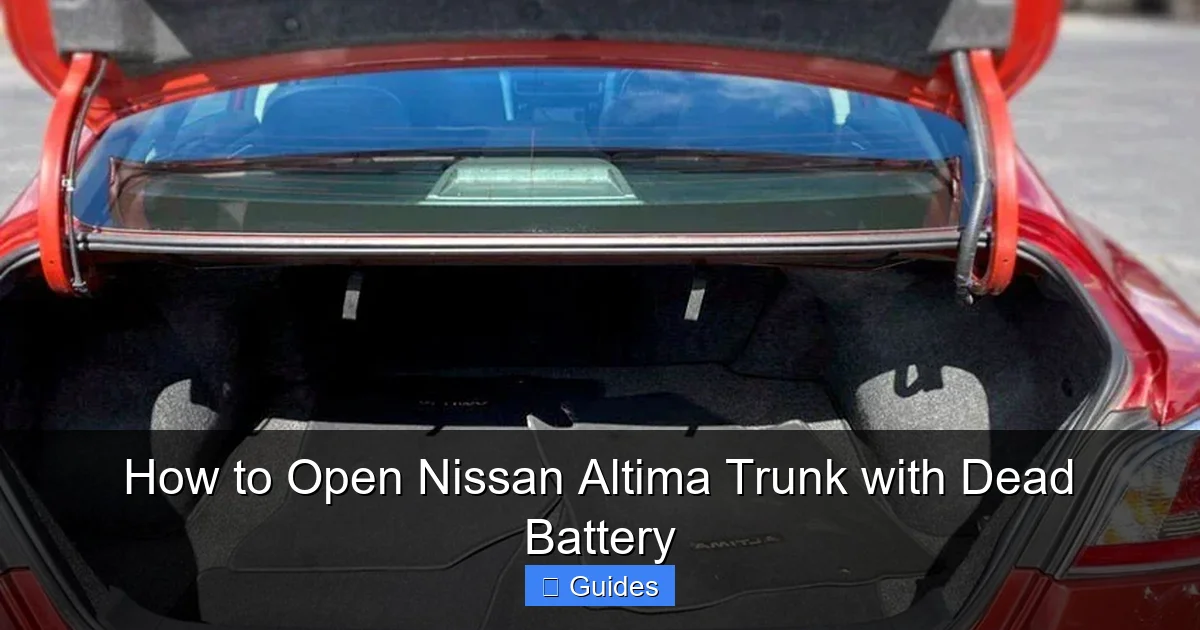
Visual guide about How to Open Nissan Altima Trunk with Dead Battery
Image source: autoowa.com
Before diving into solutions, it helps to understand how the trunk system operates in a Nissan Altima. Most models from 2007 onward use an electronic trunk release mechanism activated by the key fob, interior button, or touch sensor on the trunk lid. This system relies on power from the car’s battery to send a signal to the trunk latch, which then disengages the lock.
When the battery is dead, that power source vanishes, and the electronic signals can’t reach the latch. However, Nissan includes mechanical backups to ensure you’re never permanently locked out. These include a physical keyhole (often hidden), an interior trunk release lever, and sometimes a manual override switch. Knowing where these are located—and how to use them—can save you time, stress, and potentially hundreds of dollars in tow truck fees.
Electronic vs. Mechanical Trunk Release
The Nissan Altima uses a hybrid system: electronic for convenience, mechanical for reliability. The electronic release is convenient for daily use—just press a button and the trunk pops open. But when power is lost, the mechanical backup takes over. This dual-system design is common in modern vehicles and is meant to prevent exactly the kind of situation you’re in now.
The key is knowing which method to use when. If your key fob isn’t working, it might not be the car battery—it could be the fob’s own battery. Replacing a $5 key fob battery is much easier than calling a mechanic. Similarly, if you can get inside the car, the interior trunk release lever is often the quickest fix. Understanding these distinctions helps you troubleshoot efficiently.
Model Year Variations Matter
Not all Nissan Altimas are created equal when it comes to trunk access. For example, 2007–2012 models typically have a visible keyhole near the trunk latch, while 2013–2018 models may hide it behind a small cover. The 2019 and newer Altimas often feature a hands-free smart trunk release, which requires battery power to function.
Always check your owner’s manual for model-specific instructions. If you don’t have the manual, you can usually download a digital copy from Nissan’s official website using your VIN. Knowing your exact model year ensures you’re using the right method and avoids unnecessary frustration.
Method 1: Using the Physical Key to Open the Trunk
Visual guide about How to Open Nissan Altima Trunk with Dead Battery
Image source: nissannationpodcast.com
The most straightforward way to open a Nissan Altima trunk with a dead battery is by using the physical key. Even though modern cars emphasize keyless entry, Nissan still includes a traditional key blade in the key fob for emergencies.
Locating the Hidden Keyhole
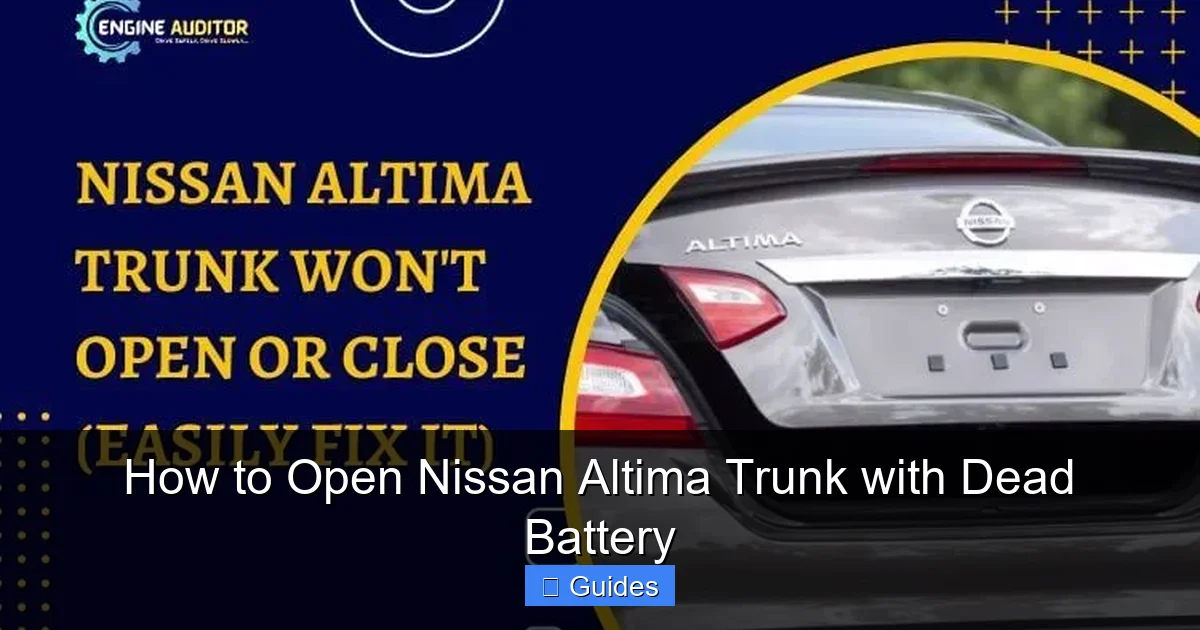
On most Nissan Altima models, the keyhole is located on the trunk lid, just below the Nissan emblem or near the center latch. It’s often covered by a small plastic cap that blends in with the trim. To find it, look for a tiny slot or depression near the latch mechanism. You may need to gently pry off the cover with a flathead screwdriver or your fingernail.
Once the cover is removed, insert the physical key into the keyhole. Turn it clockwise (usually one-quarter turn) to unlock the trunk. You should hear a click, and the trunk will pop open. This method works even with a completely dead battery because it bypasses the electronic system entirely.
Step-by-Step Instructions
- Remove the key fob from your pocket or bag.
- Locate the small release button on the side of the fob and press it to eject the physical key blade.
- Walk to the rear of the vehicle and examine the trunk lid near the latch.
- Find the hidden keyhole, often beneath a removable plastic cover.
- Insert the key and turn it clockwise until you hear a click.
- Lift the trunk lid manually.
Tip: If the key doesn’t turn easily, don’t force it. Make sure you’re inserting it the correct way—some keys only fit one direction. Also, check that the cover is fully removed; sometimes it sticks and blocks the keyhole.
What If There’s No Visible Keyhole?
On some newer Altima models (especially 2019+), the keyhole may be extremely well hidden or absent altogether. In these cases, Nissan often relies on the interior trunk release or smart key systems. If you can’t find a keyhole, move on to the next method: accessing the trunk from inside the car.
Method 2: Accessing the Trunk from Inside the Cabin
Visual guide about How to Open Nissan Altima Trunk with Dead Battery
Image source: engineauditor.com
If you can unlock the driver’s door (using the physical key or keyless entry if the fob has residual power), you may be able to open the trunk from inside the vehicle. This method is especially useful if the trunk keyhole is missing or inaccessible.
Finding the Interior Trunk Release Lever
In most Nissan Altima models, the interior trunk release is located on the driver’s side, near the footwell or under the dashboard. It’s usually a small lever or button labeled “TRUNK” or marked with a trunk icon. On some models, it’s integrated into the door panel or center console.
To use it:
- Unlock and enter the driver’s seat.
- Look for the trunk release lever—common locations include:
- Left side of the driver’s footwell
- Under the steering column
- On the door panel near the window controls
- Pull or press the lever firmly.
- The trunk should release with a loud click.
Note: This method requires that the car has at least minimal power. If the battery is completely dead, the interior electronics may not respond. However, some models have a mechanical linkage that works even without power—check your owner’s manual to confirm.
Using the Rear Seat Pass-Through (Advanced Method)
If the interior release doesn’t work and you can’t access the trunk externally, you can crawl into the trunk through the rear seats. This is a last-resort method but can be a lifesaver.
- Fold down the rear seatbacks. Most Altima models have a 60/40 split, so you may only need to fold one side.
- Look for a small latch or pull strap inside the trunk area behind the seats. This is often hidden behind a carpet flap.
- Pull the latch or strap to release the trunk from the inside.
- Once open, you can access your belongings or manually disconnect the battery to reset the system.
Warning: Only attempt this if you’re comfortable climbing into a tight space. Bring a flashlight, and avoid doing this in extreme weather or unsafe locations.
Method 3: Jump-Starting the Vehicle to Restore Power
Sometimes, the simplest solution is to restore power to the car. If the battery is only partially drained, a jump-start may be enough to reactivate the electronic trunk release.
Using Jumper Cables and Another Vehicle
- Park a working vehicle close to your Altima (but not touching).
- Turn off both engines and engage the parking brakes.
- Connect the red (positive) jumper cable to the positive terminal of the dead battery.
- Connect the other red clip to the positive terminal of the good battery.
- Connect the black (negative) clip to the negative terminal of the good battery.
- Attach the final black clip to an unpainted metal surface on your Altima (like a bolt or bracket)—this grounds the circuit.
- Start the working vehicle and let it run for 5–10 minutes.
- Try starting your Altima. If it starts, wait a few minutes for the electronics to reset.
- Test the trunk release using the key fob or interior button.
Tip: If your Altima has a push-button start, you may need to hold the key fob near the start button to start the car—even with jumper cables—because the fob’s signal is required for ignition.
Using a Portable Jump Starter
A portable jump starter is a convenient alternative to jumper cables. These battery-powered devices can jump-start your car without another vehicle.
- Turn off the ignition and all electronics.
- Connect the jump starter’s clamps to your battery terminals (red to positive, black to negative or ground).
- Turn on the jump starter and wait for it to charge the battery.
- Start your Altima.
- Once running, test the trunk release.
Portable jump starters are affordable (starting around $50) and worth keeping in your glove compartment for emergencies.
Method 4: Checking and Replacing the Key Fob Battery
Before assuming the car battery is dead, check the key fob. A weak or dead fob battery can prevent the trunk release signal from being sent—even if the car has power.
Signs of a Weak Key Fob Battery
- The key fob buttons don’t respond or work intermittently.
- The trunk release works only when the fob is very close to the car.
- The keyless entry system fails, but the physical key still works.
If you notice any of these signs, replace the fob battery. Most Nissan key fobs use a CR2032 coin cell battery, which costs less than $5 at any drugstore or electronics shop.
How to Replace the Key Fob Battery
- Locate the small seam on the side of the key fob.
- Use a flathead screwdriver or coin to gently pry the fob open.
- Remove the old battery, noting its orientation (positive side up).
- Insert the new CR2032 battery in the same position.
- Snap the fob back together.
- Test the trunk release button.
After replacing the battery, the trunk should open normally—even if the car battery is low. This simple fix resolves the issue in many cases.
Preventing Future Trunk Lockouts
Now that you’ve solved the immediate problem, it’s smart to prepare for the future. A little prevention can save you a lot of hassle down the road.
Keep a Spare Key Fob Battery
Store a spare CR2032 battery in your glove compartment or center console. Label it clearly so you (or a family member) can find it quickly in an emergency.
Install an Interior Trunk Release Switch
Some Nissan Altima owners install an aftermarket trunk release switch inside the cabin for easier access. These switches connect to the existing trunk latch and can be mounted under the dashboard or near the driver’s seat. While not necessary, they add peace of mind.
Regular Battery Maintenance
Car batteries typically last 3–5 years. Have yours tested annually, especially before winter. If your battery is old or showing signs of weakness (slow cranking, dim lights), replace it proactively.
Know Your Model’s Weak Points
Research common issues for your specific Altima model year. For example, some 2013–2015 models are known for faulty trunk latch sensors. Knowing this helps you anticipate problems and seek repairs early.
Conclusion: Stay Calm and Use the Right Method
Getting locked out of your Nissan Altima trunk due to a dead battery is frustrating—but it’s not the end of the world. With the right knowledge, you can resolve the issue quickly and safely. Whether you use the physical key, access the trunk from inside, jump-start the car, or replace the key fob battery, there’s always a solution.
The key is to stay calm, assess your options, and follow the steps carefully. Keep this guide bookmarked or printed in your car for quick reference. And remember: a little preparation—like keeping a spare battery or knowing where the trunk release lever is—can prevent a minor inconvenience from becoming a major headache.
You’ve got this. Next time your Altima’s battery dies, you’ll know exactly what to do.
Frequently Asked Questions
Can I open the Nissan Altima trunk if the battery is completely dead?
Yes, you can still open the trunk using the physical key in the hidden keyhole or by accessing the interior trunk release lever. These mechanical backups work even when the battery has no power.
Where is the trunk keyhole on a Nissan Altima?
The keyhole is usually located near the trunk latch, below the Nissan emblem. It’s often covered by a small plastic cap that you can remove with a flathead screwdriver or your fingernail.
What if my key fob isn’t working but the car battery is fine?
The issue might be a dead key fob battery. Replace the CR2032 battery inside the fob. This is a common and inexpensive fix that restores remote trunk access.
Can I jump-start my Altima to open the trunk?
Yes, jump-starting the vehicle can restore power to the electronic systems, allowing you to use the key fob or interior button to open the trunk. Use jumper cables or a portable jump starter.
Is there a way to open the trunk from inside the car?
Yes, most Altimas have an interior trunk release lever near the driver’s footwell or under the dashboard. Pull it to release the trunk mechanically.
Do all Nissan Altima models have a physical keyhole?
Most do, but some newer models (especially 2019+) may hide it well or rely more on interior releases. Check your owner’s manual for model-specific details.

At CarLegit, we believe information should be clear, factual, and genuinely helpful. That’s why every guide, review, and update on our website is created with care, research, and a strong focus on user experience.