
Resetting the mass air flow (MAF) sensor on your Nissan Altima can improve fuel efficiency, engine responsiveness, and overall performance. This guide walks you through the process safely and effectively, whether you’re a DIY enthusiast or a first-time car owner.
In This Article
- 1 Key Takeaways
- 2 📑 Table of Contents
- 3 Introduction: Why Your Nissan Altima’s MAF Sensor Matters
- 4 What Is a Mass Air Flow Sensor and How Does It Work?
- 5 Signs Your Nissan Altima’s MAF Sensor Needs Attention
- 6 Step-by-Step Guide: How to Reset the MAF Sensor on a Nissan Altima
- 7 Cleaning the MAF Sensor: A Crucial Step Before Resetting
- 8 Tips for Maintaining Your MAF Sensor and Preventing Future Issues
- 9 When to Replace the MAF Sensor Instead of Resetting
- 10 Conclusion: Keep Your Nissan Altima Running Smoothly
- 11 Frequently Asked Questions
- 11.1 How often should I reset the MAF sensor on my Nissan Altima?
- 11.2 Can I reset the MAF sensor without disconnecting the battery?
- 11.3 Will resetting the MAF sensor fix my check engine light?
- 11.4 What happens if I don’t reset the MAF sensor after cleaning?
- 11.5 Can I use regular cleaner to clean the MAF sensor?
- 11.6 How long does it take for the ECU to relearn after a reset?
Key Takeaways
- Understand the MAF sensor’s role: It measures incoming air to help the engine control unit (ECU) optimize fuel delivery.
- Recognize symptoms of a faulty MAF: Poor fuel economy, rough idling, hesitation, or a check engine light may indicate issues.
- Cleaning vs. resetting: Cleaning the sensor is often needed before a reset; use only MAF-specific cleaner.
- Reset methods vary: Options include disconnecting the battery, using an OBD2 scanner, or driving cycles.
- Post-reset driving cycle: Drive under varied conditions to allow the ECU to relearn air-fuel ratios.
- When to seek professional help: If problems persist after resetting, consult a mechanic for diagnostics.
- Regular maintenance helps: Replace air filters and inspect the MAF sensor periodically to prevent future issues.
📑 Table of Contents
- Introduction: Why Your Nissan Altima’s MAF Sensor Matters
- What Is a Mass Air Flow Sensor and How Does It Work?
- Signs Your Nissan Altima’s MAF Sensor Needs Attention
- Step-by-Step Guide: How to Reset the MAF Sensor on a Nissan Altima
- Cleaning the MAF Sensor: A Crucial Step Before Resetting
- Tips for Maintaining Your MAF Sensor and Preventing Future Issues
- When to Replace the MAF Sensor Instead of Resetting
- Conclusion: Keep Your Nissan Altima Running Smoothly
Introduction: Why Your Nissan Altima’s MAF Sensor Matters
If you’ve noticed your Nissan Altima running a little sluggish lately—maybe it’s guzzling more gas than usual, hesitating when you accelerate, or the check engine light has popped on—there’s a good chance the mass air flow (MAF) sensor is trying to tell you something. This small but mighty component plays a huge role in how your engine performs. It’s like the lungs of your car’s engine, measuring how much air is entering the combustion chamber so the engine control unit (ECU) can deliver the right amount of fuel. When it’s working properly, your Altima runs smoothly, efficiently, and responsively. But when it’s dirty, faulty, or out of sync, everything from fuel economy to acceleration can suffer.
The good news? You don’t always need to replace the MAF sensor right away. Sometimes, a simple reset—or even a thorough cleaning—can bring your Altima back to life. Resetting the MAF sensor essentially tells your car’s computer to “forget” old data and start fresh, allowing it to recalibrate based on current conditions. This process is especially helpful after cleaning the sensor, replacing the air filter, or if you’ve been driving in dusty or dirty environments. Whether you’re a seasoned DIYer or just getting comfortable under the hood, learning how to reset the mass air flow sensor on your Nissan Altima is a valuable skill that can save you time, money, and trips to the mechanic.
What Is a Mass Air Flow Sensor and How Does It Work?
Visual guide about How to Reset Mass Air Flow Sensor Nissan Altima
Image source: psychoautos.com
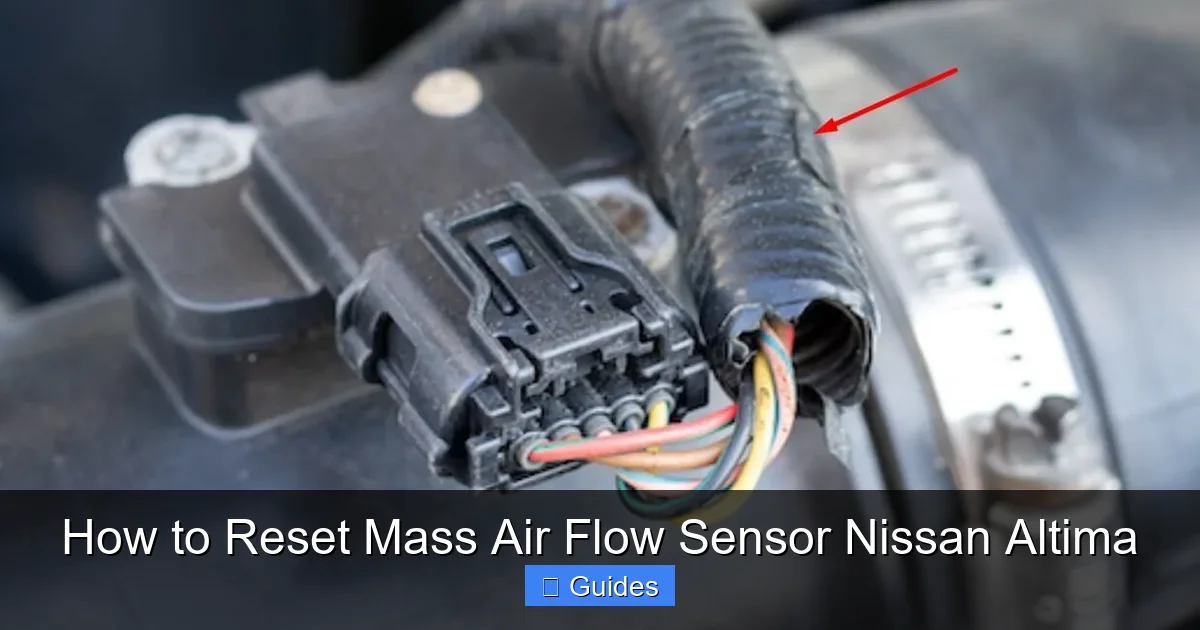
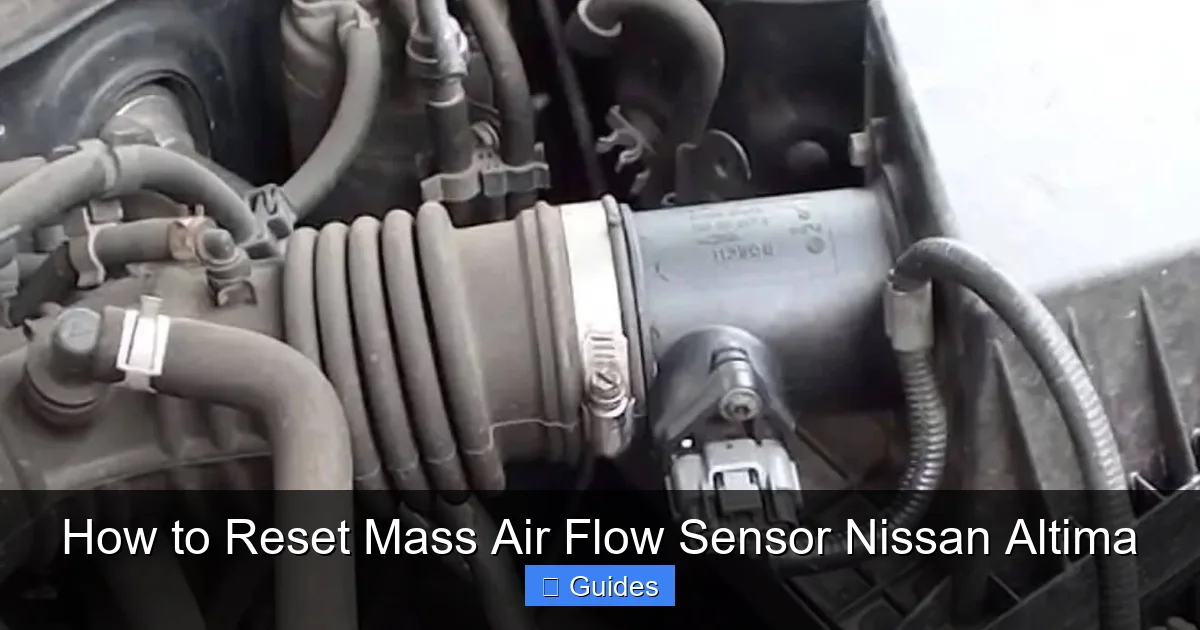
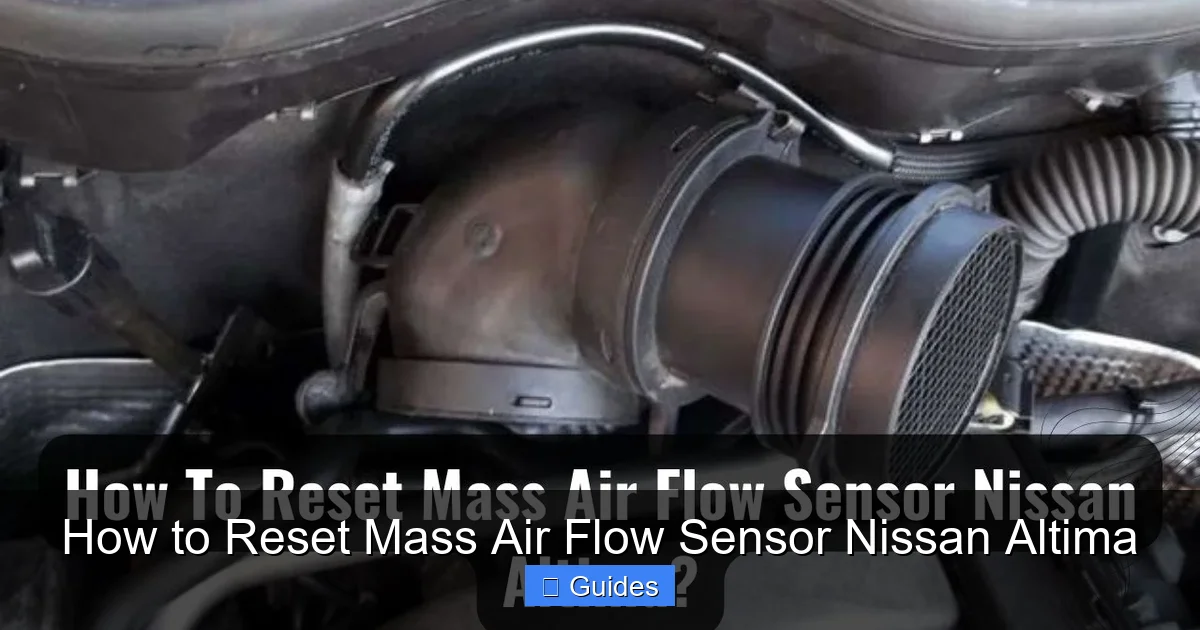
Before diving into the reset process, it’s important to understand what the MAF sensor actually does and why it’s so critical to your Nissan Altima’s performance. The mass air flow sensor is typically located in the air intake duct, between the air filter housing and the throttle body. Its main job is to measure the volume and density of air entering the engine. This information is sent in real time to the engine control unit (ECU), which uses it to calculate the correct air-fuel mixture for optimal combustion.
Inside most modern MAF sensors—like the one in your Altima—there’s a thin wire or film that heats up. As air flows over it, the wire cools down, and the sensor measures how much electrical current is needed to keep it at a constant temperature. More air flow means more cooling, which requires more current. The ECU interprets this data to adjust fuel injection timing and quantity. In simpler terms, the MAF sensor tells your car’s brain how much air is coming in so it can add just the right amount of fuel. Without accurate readings, your engine might run too rich (too much fuel) or too lean (too little fuel), leading to poor performance, increased emissions, and reduced fuel efficiency.
Over time, this sensor can get contaminated with dirt, oil, or debris from the air filter. Even a small buildup can throw off its readings. That’s why regular maintenance—like changing your air filter every 12,000 to 15,000 miles—is so important. A clean air filter protects the MAF sensor from contamination and helps ensure accurate airflow measurements. If you’ve recently replaced your air filter or cleaned the MAF sensor, resetting the system allows the ECU to adapt to the new, cleaner conditions and restore peak performance.
Signs Your Nissan Altima’s MAF Sensor Needs Attention
Visual guide about How to Reset Mass Air Flow Sensor Nissan Altima
Image source: psychoautos.com
Knowing when to reset or service your MAF sensor starts with recognizing the warning signs. While some symptoms can overlap with other engine issues, a faulty or dirty MAF sensor often presents a distinct pattern of problems. If you’re experiencing any of the following, it’s worth checking your MAF sensor before assuming a more serious issue.
One of the most common signs is poor fuel economy. If you’re suddenly filling up the gas tank more often than usual, and there’s no obvious reason like increased driving or traffic, the MAF sensor could be sending incorrect airflow data to the ECU. This can cause the engine to run rich, burning more fuel than necessary. Another red flag is rough idling—your Altima might feel shaky or unstable when stopped at a red light or in park. You might also notice hesitation or stumbling during acceleration, especially when you press the gas pedal quickly. This happens because the ECU isn’t getting accurate air flow information, so it can’t deliver the right fuel mixture at the right time.
The check engine light is another big indicator. If your dashboard light comes on, use an OBD2 scanner to check for trouble codes. Common MAF-related codes include P0101 (MAF sensor circuit range/performance), P0102 (low MAF sensor input), or P0103 (high MAF sensor input). These codes suggest the sensor isn’t reading airflow correctly. In some cases, you might also notice black smoke from the exhaust, which indicates a rich fuel mixture—again, often due to faulty MAF data. Lastly, if your Altima has trouble starting, especially when cold, or if it stalls unexpectedly, the MAF sensor could be part of the problem.
It’s worth noting that these symptoms can also be caused by other issues, such as a clogged fuel injector, faulty oxygen sensor, or vacuum leak. That’s why it’s important to diagnose the problem properly before jumping to conclusions. However, if you’ve ruled out other causes and suspect the MAF sensor, cleaning and resetting it is a low-cost, low-risk first step.
Step-by-Step Guide: How to Reset the MAF Sensor on a Nissan Altima
Visual guide about How to Reset Mass Air Flow Sensor Nissan Altima
Image source: psychoautos.com
Resetting the mass air flow sensor on your Nissan Altima is a straightforward process that can be done at home with minimal tools. There are a few different methods you can use, depending on your comfort level and the tools you have available. Below, we’ll walk you through the most effective and commonly used techniques.
Method 1: Disconnecting the Battery
One of the simplest ways to reset the MAF sensor is by disconnecting the car’s battery. This method clears the ECU’s memory, including any learned adaptations related to the MAF sensor. Here’s how to do it safely:
First, make sure your Altima is turned off and the key is removed from the ignition. Open the hood and locate the battery—it’s usually on the right side of the engine bay. Before touching anything, put on safety gloves and glasses. Using a wrench or socket set, loosen the negative (-) terminal clamp first. Always disconnect the negative cable before the positive to avoid short circuits. Once the negative cable is removed, wait at least 15 to 30 minutes. This gives the ECU enough time to fully discharge and reset. While you’re waiting, you can also clean the MAF sensor if needed (more on that below).
After the wait time, reconnect the negative terminal and tighten it securely. Start your Altima and let it idle for about 5 to 10 minutes. This allows the ECU to begin relearning basic parameters. Then, take the car for a short drive—about 10 to 15 minutes—with a mix of city and highway driving. This helps the ECU adapt to real-world conditions and recalibrate the air-fuel mixture based on the clean MAF sensor readings.
Method 2: Using an OBD2 Scanner
If you have access to an OBD2 scanner, this method is more precise and doesn’t require disconnecting the battery. OBD2 scanners are affordable and widely available at auto parts stores or online. Many modern scanners can clear trouble codes and reset adaptive learning values, including those related to the MAF sensor.
Start by plugging the OBD2 scanner into the diagnostic port, which is usually located under the dashboard on the driver’s side. Turn the ignition to the “ON” position (but don’t start the engine). Follow the scanner’s instructions to access the menu and select “Clear Codes” or “Reset ECU.” Some advanced scanners also have a “Reset Adaptations” or “Relearn Procedures” option—use this if available. Once the reset is complete, turn off the ignition and unplug the scanner.
Now, start your Altima and let it idle for a few minutes. Then, take it for a drive cycle that includes varying speeds and engine loads. This helps the ECU relearn the correct air-fuel ratios. Using an OBD2 scanner is especially helpful if you’ve already cleaned the MAF sensor and want to ensure the ECU recognizes the change.
Method 3: Driving Cycle Reset
If you don’t have tools or prefer not to disconnect the battery, you can try a driving cycle reset. This method relies on the ECU’s ability to relearn parameters over time under specific driving conditions. While it’s less immediate than the other methods, it can still be effective.
To perform a driving cycle reset, start by ensuring your Altima is fully warmed up. Then, drive under the following conditions:
– Idle for 2–3 minutes
– Accelerate to 55 mph and maintain speed for 5 minutes
– Decelerate to 20 mph without braking (let the engine slow the car)
– Repeat the acceleration and deceleration cycle 3–5 times
This sequence helps the ECU relearn airflow patterns and adjust fuel delivery accordingly. It may take a few days of normal driving for the system to fully adapt, but many drivers notice improvements in performance and fuel economy after completing this cycle.
Cleaning the MAF Sensor: A Crucial Step Before Resetting
Before you reset the MAF sensor, it’s essential to clean it—especially if it’s been contaminated. A dirty sensor can’t provide accurate readings, so resetting it won’t fix the underlying problem. Cleaning the MAF sensor is a simple process, but it requires care to avoid damaging the delicate components.
Start by locating the MAF sensor. On most Nissan Altimas, it’s mounted in the air intake duct, just after the air filter box. You’ll need to remove the air filter housing cover, which is usually held in place by clips or screws. Once the cover is off, gently disconnect the electrical connector from the MAF sensor. Be careful not to pull on the wires—press the release tab and wiggle it loose.
Next, use a specialized MAF sensor cleaner. Do not use regular brake cleaner, carburetor cleaner, or compressed air, as these can damage the sensor. MAF-specific cleaners are designed to dissolve dirt and oil without harming the sensitive wire or film inside. Spray the cleaner directly onto the sensor element, focusing on the thin wire or film. Let it air dry completely—do not wipe or touch the sensor. Reinstall the sensor, reconnect the electrical connector, and reassemble the air filter housing.
After cleaning, proceed with one of the reset methods described above. Cleaning and resetting together give you the best chance of restoring your Altima’s performance.
Tips for Maintaining Your MAF Sensor and Preventing Future Issues
Once you’ve reset your MAF sensor and your Altima is running smoothly again, it’s important to take steps to prevent future problems. Regular maintenance can extend the life of your MAF sensor and keep your engine performing at its best.
One of the easiest and most effective preventive measures is replacing your air filter on schedule. A dirty or clogged air filter allows dirt and debris to reach the MAF sensor, leading to contamination. Check your owner’s manual for the recommended replacement interval—typically every 12,000 to 15,000 miles—and stick to it. If you drive in dusty or polluted environments, consider replacing it more often.
Avoid using aftermarket air filters that claim to increase performance unless they’re high-quality and properly designed. Some low-quality filters can shed fibers or allow unfiltered air to bypass the system, which can damage the MAF sensor. Stick to OEM (original equipment manufacturer) or reputable aftermarket brands.
Also, be cautious when cleaning or servicing the engine bay. Avoid spraying water or cleaning products near the air intake or MAF sensor. Moisture and chemicals can damage the sensor or interfere with its readings. If you’re performing other maintenance tasks, cover the air intake with a clean cloth to prevent debris from entering.
Finally, pay attention to how your Altima drives. If you notice any of the symptoms mentioned earlier—poor fuel economy, rough idling, hesitation—don’t ignore them. Early detection and cleaning can prevent more serious issues down the road.
When to Replace the MAF Sensor Instead of Resetting
While cleaning and resetting can resolve many MAF sensor issues, there are times when replacement is the only solution. If your Altima continues to run poorly after cleaning and resetting the sensor, or if you’re getting persistent trouble codes, the sensor may be physically damaged or worn out.
Common signs that your MAF sensor needs replacement include:
– Consistent check engine light with MAF-related codes
– No improvement after cleaning and resetting
– Visible damage to the sensor (cracks, burns, or melted components)
– Erratic readings on an OBD2 scanner
Replacing the MAF sensor is a bit more involved than cleaning, but it’s still manageable for most DIYers. You’ll need to purchase a compatible sensor (check your Altima’s year and engine size), remove the old one, and install the new one. Always disconnect the battery before starting, and be gentle when handling the new sensor to avoid damage.
If you’re unsure whether to clean, reset, or replace, consult a trusted mechanic or use an OBD2 scanner to monitor live data. Seeing how the sensor responds under different conditions can help you make the right decision.
Conclusion: Keep Your Nissan Altima Running Smoothly
Resetting the mass air flow sensor on your Nissan Altima is a simple yet powerful way to restore engine performance, improve fuel efficiency, and eliminate frustrating drivability issues. Whether you choose to disconnect the battery, use an OBD2 scanner, or complete a driving cycle, the key is to follow the steps carefully and allow the ECU time to relearn proper air-fuel ratios. Pairing the reset with a thorough cleaning of the sensor gives you the best results and helps prevent future problems.
Remember, the MAF sensor is a critical part of your Altima’s engine management system. Taking care of it—through regular maintenance, timely cleaning, and proper resetting—can save you money on fuel and repairs in the long run. And if you ever feel unsure, don’t hesitate to consult a professional. With the right care, your Altima will continue to deliver the smooth, reliable performance you count on every day.
Frequently Asked Questions
How often should I reset the MAF sensor on my Nissan Altima?
You don’t need to reset the MAF sensor regularly unless you’ve cleaned it, replaced the air filter, or noticed performance issues. Most drivers only reset it when troubleshooting or after maintenance.
Can I reset the MAF sensor without disconnecting the battery?
Yes, you can use an OBD2 scanner or perform a driving cycle reset. These methods are effective and don’t require disconnecting the battery.
Will resetting the MAF sensor fix my check engine light?
It may, especially if the light is due to a dirty or contaminated sensor. However, if the sensor is faulty or there’s another underlying issue, the light may return.
What happens if I don’t reset the MAF sensor after cleaning?
The ECU may continue using old, inaccurate data, which can lead to poor performance. Resetting allows the system to adapt to the clean sensor.
Can I use regular cleaner to clean the MAF sensor?
No, only use MAF-specific cleaner. Other cleaners can damage the delicate sensor components.
How long does it take for the ECU to relearn after a reset?
It typically takes 10–15 minutes of driving under varied conditions for the ECU to fully relearn air-fuel ratios.

At CarLegit, we believe information should be clear, factual, and genuinely helpful. That’s why every guide, review, and update on our website is created with care, research, and a strong focus on user experience.