
Turning on your Nissan with a key remote is simple once you know the right steps. Whether you have a push-button start or a traditional ignition, this guide covers everything from battery checks to troubleshooting common issues.
In This Article
- 1 Key Takeaways
- 2 📑 Table of Contents
- 3 How to Turn on Car with Key Remote Nissan: A Complete Guide
- 4 Understanding Your Nissan Key Remote
- 5 Step-by-Step: How to Start Your Nissan with a Key Remote
- 6 Troubleshooting Common Issues
- 7 Tips for Maintaining Your Nissan Key Remote
- 8 Frequently Asked Questions (FAQs)
- 8.1 Can I start my Nissan without the key fob?
- 8.2 Why won’t my Nissan start even with the key inside?
- 8.3 How do I know if my key fob battery is low?
- 8.4 Can I use a third-party key fob for my Nissan?
- 8.5 How far can I be from my Nissan to use remote start?
- 8.6 What should I do if my key fob stops working completely?
- 9 Conclusion
- 10 Frequently Asked Questions
Key Takeaways
- Check the key fob battery: A weak battery can prevent the remote from sending signals to your Nissan.
- Ensure the key is inside the vehicle: Most modern Nissans require the key fob to be inside the cabin to start the engine.
- Use the brake pedal for push-button start: You must press the brake when pressing the start button to activate the engine.
- Know your model’s ignition type: Some Nissans use a key slot, while others have a push-button system.
- Try the emergency start method: If the key fob dies, use the physical key or backup start procedure.
- Keep the key fob away from interference: Electronics like phones or power sources can block the signal.
- Regular maintenance helps: Clean the key fob and check battery life every 6–12 months.
📑 Table of Contents
How to Turn on Car with Key Remote Nissan: A Complete Guide
So, you’ve got your Nissan keys in hand, walk up to your car, press the unlock button—and nothing happens. Or maybe the doors unlock, but when you get inside, the engine won’t start. Frustrating, right? Don’t worry—you’re not alone. Many Nissan owners face confusion when it comes to using their key remote to start the vehicle, especially with newer models that rely on push-button ignition instead of traditional keys.
The good news? Turning on your Nissan with a key remote is actually pretty straightforward once you understand how it works. Whether you drive a Nissan Altima, Rogue, Sentra, Maxima, or Pathfinder, the process is similar across most modern models. This guide will walk you through every step—from basic operation to troubleshooting when things go wrong. We’ll keep it simple, practical, and jargon-free, so you can get behind the wheel with confidence.
Understanding Your Nissan Key Remote
Before we dive into starting your car, let’s get familiar with the key remote itself. Nissan key fobs come in different styles depending on the model and year, but they generally serve the same core functions: locking, unlocking, trunk release, and engine start.
Most modern Nissans use a smart key system, also known as a proximity key. This means the key fob communicates with your car wirelessly using radio frequency signals. When you’re near the vehicle—usually within a few feet—the car detects the key and allows you to unlock the doors by touching the handle or pressing a button. Once inside, you can start the engine without ever taking the key out of your pocket or purse.
Types of Nissan Key Remotes
There are two main types of key remotes used in Nissan vehicles:
1. Traditional Key Fob with Physical Key Blade:
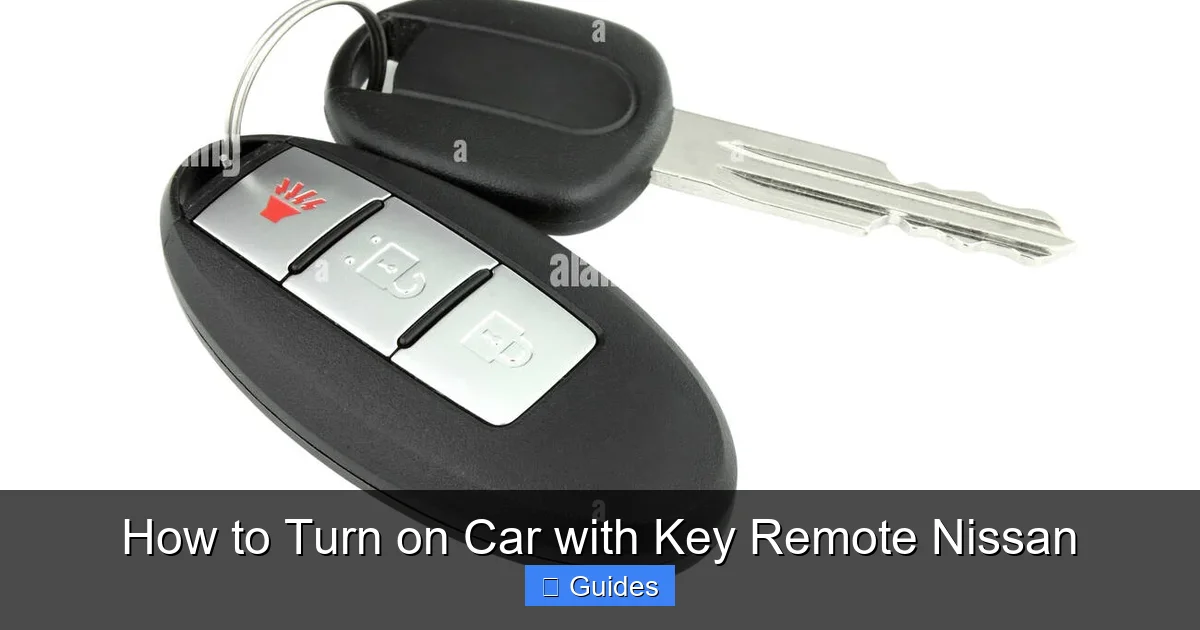
These are common in older or base-model Nissans. The fob has buttons for lock, unlock, and trunk, and includes a small metal key that can be pulled out to manually unlock the door or start the car in emergencies.
2. Smart Key Fob (Proximity Key):
Found in most newer models (2015 and later), this sleek, keyless fob has no visible metal blade. It uses advanced electronics to communicate with the car. You can keep it in your pocket while unlocking and starting the vehicle.
Both types can start the engine remotely in some models, but the method varies. For example, the Nissan Altima and Rogue often support remote start via the key fob, while older Sentras may require you to be inside the car.
Key Fob Buttons and Their Functions
Let’s break down what each button does:
- Lock Button (🔒): Locks all doors and activates the security system.
- Unlock Button (🔓): Unlocks the driver’s door (or all doors, depending on settings).
- Trunk Release (🚪): Opens the trunk or liftgate.
- Panic Button (🚨): Triggers the alarm—useful in emergencies.
- Remote Start (if equipped): Some fobs have a circular arrow or “START” button to remotely start the engine.
Knowing these functions helps you use your key remote more effectively. For instance, pressing the lock button twice might lock the doors and close the windows on some models—check your owner’s manual for model-specific features.
Step-by-Step: How to Start Your Nissan with a Key Remote
Now that you know what your key fob can do, let’s walk through the actual process of turning on your Nissan. The steps differ slightly depending on whether your car has a push-button start or a traditional ignition slot.
Starting a Nissan with Push-Button Ignition
Most modern Nissans—like the 2020+ Altima, Rogue, and Maxima—use a push-button start system. Here’s how to do it:
Step 1: Ensure the Key Fob is Inside the Vehicle
The car must detect the key fob to allow ignition. Even if the fob is in your pocket or bag, it should work—as long as it’s inside the cabin. If the car doesn’t recognize the key, you’ll see a warning light or message on the dashboard.
Step 2: Press the Brake Pedal
With your foot firmly on the brake pedal, press the “START” button (usually labeled with an icon that looks like an engine or says “START/STOP”).
Step 3: Press the Start Button
While holding the brake, press the start button once. The engine should crank and start within a few seconds.
Step 4: Release the Button and Brake
Once the engine is running, you can release the brake and start driving.
💡 Pro Tip: If the engine doesn’t start, try pressing the start button again without releasing the brake. Sometimes it takes a second attempt.
Starting a Nissan with a Traditional Key Slot
Older models like the 2010–2014 Sentra or Versa may still use a physical key slot. Here’s how to start them:
Step 1: Insert the Key
If your fob has a metal blade, pull it out and insert it into the ignition slot (usually on the right side of the steering column).
Step 2: Turn the Key to “ON”
Turn the key clockwise to the “ON” position (but don’t start the engine yet). Wait for the dashboard lights to illuminate.
Step 3: Turn to “START”
Continue turning the key to the “START” position. The engine will crank and start. Release the key once the engine is running—it will automatically return to the “ON” position.
💡 Note: Some older Nissans allow you to start the engine remotely using the key fob. Check your owner’s manual to see if your model supports this feature.
Using Remote Start (If Equipped)
Many newer Nissans come with remote start capability. This lets you start the engine from outside the car—great for warming up the engine in winter or cooling it in summer.
Here’s how to use it:
Step 1: Press the Lock Button
Press and hold the lock button on your key fob for about 2 seconds.
Step 2: Press the Remote Start Button
Within 5 seconds, press the remote start button (often a circular arrow or “START” icon). The engine should start, and the hazard lights may flash once to confirm.
Step 3: Enter the Vehicle
Once inside, press the brake and push the start button to drive away.
⚠️ Safety Note: Remote start only works if the doors are locked and the hood is closed. The engine will shut off automatically after 10–15 minutes if not driven.
Troubleshooting Common Issues
Even with the right steps, things can go wrong. Here are the most common problems and how to fix them.
Key Fob Not Working or Weak Signal
If your key fob isn’t unlocking the doors or starting the car, the battery is likely the culprit. Most Nissan key fobs use a CR2032 coin cell battery, which lasts 2–3 years.
How to Replace the Battery:
1. Locate the small notch or seam on the side of the fob.
2. Use a flathead screwdriver or coin to gently pry it open.
3. Remove the old battery and insert a new CR2032 (positive side up).
4. Snap the fob back together.
💡 Tip: Test the fob after replacement. If it still doesn’t work, the issue might be with the fob itself or the car’s receiver.
Car Doesn’t Recognize the Key Fob
If you’re inside the car and the dashboard shows “Key Not Detected” or similar, try these fixes:
- Move the key closer to the start button: Sometimes the signal is weak. Hold the fob near the start button or place it in the center console (some Nissans have a designated “key detection zone”).
- Use the emergency start method: Most smart key fobs have a hidden metal key. Insert it into the ignition slot (if available) or use the backup start procedure (see below).
- Check for interference: Keep the key away from phones, tablets, or other electronics that can block the signal.
Emergency Start Procedure
If your key fob battery dies completely and the car won’t start, don’t panic—Nissan has a backup plan.
For Push-Button Models:
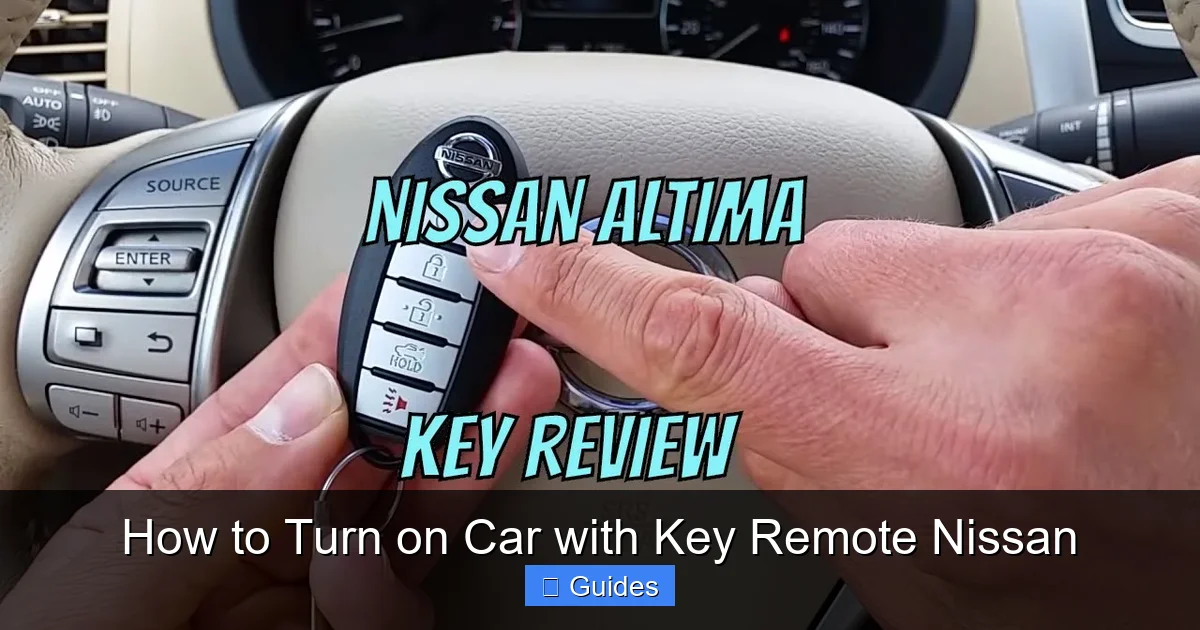
1. Locate the key symbol near the start button (usually on the side or top).
2. Hold the key fob directly against this symbol.
3. Press the start button while holding the brake.
The car should detect the key and allow ignition.
For Models with a Key Slot:
Use the physical key blade to manually start the car as described earlier.
💡 Pro Tip: Keep a spare battery in your glove box so you’re never caught off guard.
Remote Start Not Working
If remote start fails, check these:
- Is the hood closed? Remote start won’t work if the hood is open.
- Are the doors locked? The system requires all doors to be locked.
- Is the fuel low? Some models disable remote start if fuel is below 1/4 tank.
- Is the battery weak? A dying car battery can prevent remote start.
If all else fails, consult your owner’s manual or visit a Nissan dealer.
Tips for Maintaining Your Nissan Key Remote
A little care goes a long way in keeping your key fob working smoothly.
Keep It Clean
Dirt, dust, and moisture can damage the internal electronics. Wipe the fob with a dry cloth regularly. Avoid using water or cleaning sprays directly on it.
Replace the Battery on Schedule
Even if the fob still works, replace the battery every 2–3 years. A weak battery can cause intermittent issues that are hard to diagnose.
Protect It from Damage
Avoid dropping the fob or exposing it to extreme heat or cold. Don’t leave it in direct sunlight for long periods—this can drain the battery faster.
Store It Properly
When not in use, keep the key fob in a cool, dry place. Avoid storing it near magnets or electronic devices.
Use a Key Fob Cover
A silicone or leather cover can protect the buttons and prevent accidental presses. It also adds grip and reduces wear.
Frequently Asked Questions (FAQs)
Can I start my Nissan without the key fob?
Yes, but only if your model has a physical key blade or emergency start procedure. Most modern Nissans require the key fob to be inside the vehicle to start the engine.
Visual guide about How to Turn on Car with Key Remote Nissan
Image source: c8.alamy.com
Visual guide about How to Turn on Car with Key Remote Nissan
Image source: img.lazcdn.com
Visual guide about How to Turn on Car with Key Remote Nissan
Image source: i.ytimg.com
Why won’t my Nissan start even with the key inside?
This could be due to a dead key fob battery, weak car battery, or signal interference. Try replacing the fob battery or using the emergency start method.
How do I know if my key fob battery is low?
Signs include reduced range, delayed response, or the dashboard showing a “Key Not Detected” message. Replace the battery if you notice any of these.
Can I use a third-party key fob for my Nissan?
It’s not recommended. Third-party fobs may not work properly or could damage the car’s security system. Always use a genuine Nissan key fob.
How far can I be from my Nissan to use remote start?
Typically, remote start works within 100–200 feet, depending on obstacles and interference. Tall buildings or metal garages can reduce the range.
What should I do if my key fob stops working completely?
First, replace the battery. If that doesn’t work, try reprogramming the fob or visit a Nissan dealer for assistance. In emergencies, use the physical key or emergency start method.
Conclusion
Turning on your Nissan with a key remote doesn’t have to be confusing. Whether you’re using a smart key fob with push-button start or a traditional key, the process is designed to be safe, convenient, and reliable. By understanding how your key works, following the correct steps, and knowing how to troubleshoot common issues, you’ll never be stuck wondering why your car won’t start.
Remember: keep your key fob charged, clean, and protected. Replace the battery regularly, and don’t hesitate to use the emergency start method if needed. And if you’re ever unsure, your owner’s manual is your best friend—or visit a trusted Nissan service center.
With this guide, you’re now equipped to handle any key remote situation with confidence. So next time you walk up to your Nissan, press that button, and drive off with peace of mind. Safe travels!
Frequently Asked Questions
What is How To Turn On Car With Key Remote Nissan?
How To Turn On Car With Key Remote Nissan is an important topic with many practical applications.

At CarLegit, we believe information should be clear, factual, and genuinely helpful. That’s why every guide, review, and update on our website is created with care, research, and a strong focus on user experience.