
Shipping mode on a Nissan Altima is a factory setting designed to protect the battery during transport. Turning it off is essential for normal vehicle operation after delivery or servicing. This guide walks you through the process simply and safely.
In This Article
- 1 Key Takeaways
- 2 📑 Table of Contents
- 3 What Is Shipping Mode on a Nissan Altima?
- 4 Why You Need to Turn Off Shipping Mode
- 5 Signs That Shipping Mode Is Still Active
- 6 Step-by-Step Guide to Turn Off Shipping Mode
- 7 What to Do If Shipping Mode Won’t Turn Off
- 8 Preventing Shipping Mode Issues in the Future
- 9 Conclusion
- 10 Frequently Asked Questions
- 10.1 How do I know if my Nissan Altima is in shipping mode?
- 10.2 Can I drive my Altima while it’s in shipping mode?
- 10.3 Does turning off shipping mode damage the car?
- 10.4 Why won’t shipping mode turn off after I follow the steps?
- 10.5 Can a dealership turn off shipping mode for me?
- 10.6 Is shipping mode the same as sleep mode?
Key Takeaways
- What is shipping mode? A protective mode that limits electrical functions to preserve battery life during vehicle transport.
- Why turn it off? Shipping mode restricts features like infotainment, lights, and power accessories—disabling it restores full functionality.
- Common signs it’s active: Dim dashboard lights, unresponsive touchscreen, or delayed startup are key indicators.
- How to disable it: Usually involves turning the ignition on and off in a specific sequence—no tools required.
- When to check: After purchasing a new or used Altima, post-dealership service, or if electronics behave oddly.
- Safety first: Always ensure the vehicle is in park and the key fob is nearby before starting the process.
- Still stuck? Consult your owner’s manual or visit a Nissan service center if the mode won’t deactivate.
📑 Table of Contents
What Is Shipping Mode on a Nissan Altima?
Shipping mode—sometimes called “transport mode” or “delivery mode”—is a built-in feature in many modern vehicles, including the Nissan Altima. It’s designed to help preserve the car’s 12-volt battery during long-distance transport from the factory to dealerships. When a new Altima rolls off the assembly line, it may sit in storage or on a truck for days or even weeks before reaching its final destination. During that time, if all electrical systems were fully active, the battery could drain completely, leaving the car unable to start when it finally arrives.
To prevent this, Nissan engineers activate shipping mode. In this state, many of the vehicle’s electronic systems are either disabled or put into a low-power state. For example, the infotainment screen might not turn on, interior lights may not respond to door openings, and certain warning chimes or alerts could be muted. The goal is simple: keep the battery alive long enough for the car to be driven off the lot and into its new owner’s driveway.
It’s important to note that shipping mode isn’t a defect or malfunction—it’s a deliberate, helpful feature. However, if it’s not turned off after the vehicle is delivered, you might notice some odd behaviors. Your Altima might seem “sleepy” or unresponsive, especially when it comes to tech features. That’s your cue: shipping mode is still active, and it’s time to deactivate it.
Why You Need to Turn Off Shipping Mode

Visual guide about How to Turn Off Shipping Mode on Nissan Altima
Image source: thecarhow.com
Leaving shipping mode enabled isn’t dangerous, but it can be frustrating. Imagine getting into your shiny new Altima, excited to test out the Apple CarPlay or enjoy the premium sound system—only to find the screen stays black. Or maybe you open the door and expect the interior lights to come on, but nothing happens. These are classic signs that shipping mode is still running.
Beyond convenience, there are practical reasons to disable shipping mode. Many of the Altima’s advanced safety and driver-assist features rely on constant communication between electronic control units (ECUs). If those systems are in a low-power state, they might not function properly. For instance, features like blind-spot monitoring, lane departure warning, or automatic emergency braking could behave unpredictably—or not at all.
Additionally, some owners report that their key fob range is reduced while in shipping mode. You might need to stand right next to the car to unlock it, which defeats the purpose of having a remote. Over time, if the battery remains in a partially drained state due to limited charging cycles, it could shorten the overall lifespan of the battery.
Turning off shipping mode restores your Altima to its full operational state. It allows all systems to communicate normally, ensures optimal battery health, and gives you access to every feature you paid for. Think of it like waking up your car from a long nap—once it’s fully awake, everything works as intended.
Signs That Shipping Mode Is Still Active
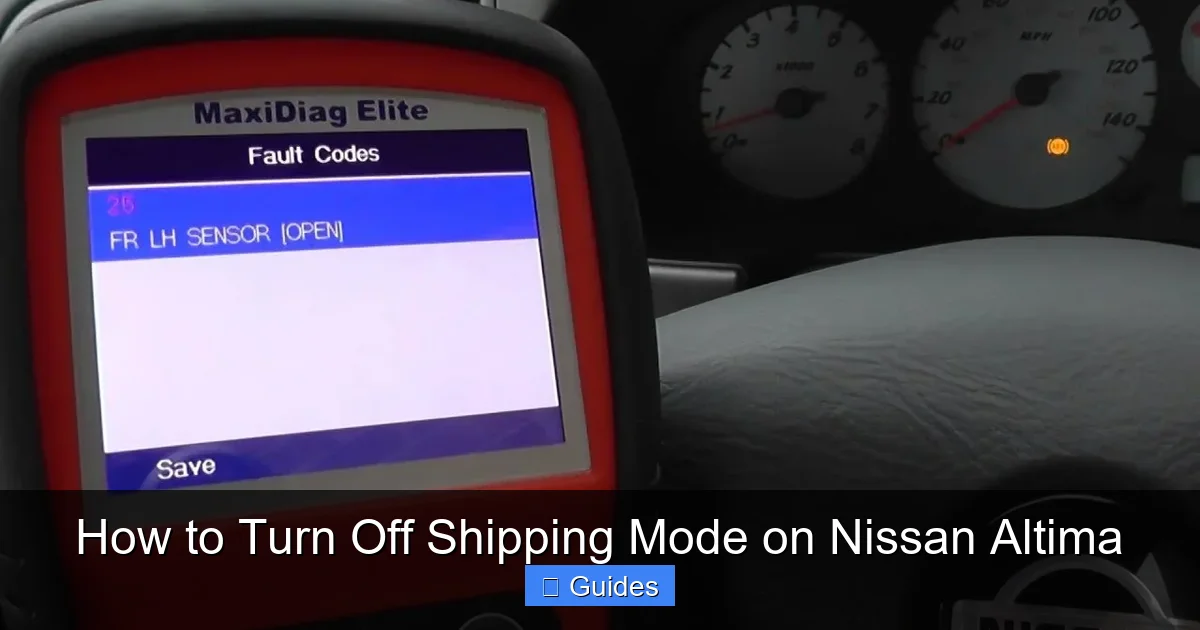
Visual guide about How to Turn Off Shipping Mode on Nissan Altima
Image source: thecarhow.com
How do you know if your Nissan Altima is still in shipping mode? While it’s common after a new purchase, it can also happen after certain dealership services or software updates. Here are the most common signs to watch for:
One of the clearest indicators is a dim or unresponsive dashboard. When you turn the key or press the start button, the instrument cluster should light up brightly with all warning lights briefly illuminating. If the display remains faint, flickers, or shows only partial information, shipping mode might be the culprit.
Another telltale sign is an inactive infotainment system. The central touchscreen may not power on at all, or it might display a blank screen even after the engine starts. Some users also notice that Bluetooth pairing fails, USB ports don’t charge devices, or the navigation system won’t load.
Interior and exterior lighting can also behave oddly. Doors might not trigger dome lights, trunk lights may not come on, and even the headlights or taillights could appear dimmer than usual. In some cases, the horn won’t sound when you press the key fob button.
You might also experience delays when starting the vehicle. Instead of the engine firing up immediately, there could be a noticeable lag—sometimes several seconds—before the car responds. This happens because the engine control module (ECM) and other critical systems are slow to wake up from their low-power state.
If you’ve recently bought a used Altima and notice any of these behaviors, don’t panic. It doesn’t necessarily mean there’s a mechanical issue. More often than not, the previous owner or dealership simply forgot to disable shipping mode. The good news? It’s usually a quick fix.
Step-by-Step Guide to Turn Off Shipping Mode

Visual guide about How to Turn Off Shipping Mode on Nissan Altima
Image source: pictures.dealer.com
Turning off shipping mode on a Nissan Altima is typically straightforward and doesn’t require any special tools. The process varies slightly depending on your model year and whether your Altima has a traditional key ignition or a push-button start, but the core steps remain similar.
For Models with Push-Button Start (Most 2013 and Newer Altimas)
Start by ensuring the vehicle is in Park and the parking brake is engaged. Make sure the key fob is inside the car—this is crucial, as the system won’t recognize the command without it.
Next, press the brake pedal and hold it down. While keeping the brake pressed, press the START/STOP button once to turn the ignition to the “ON” position. Do not start the engine—just bring the electronics online. You should see the dashboard lights illuminate.
Now, release the brake pedal. Wait about 10 seconds, then press and hold the START/STOP button for approximately 15 seconds. During this time, you may notice the dashboard lights dim or flicker—that’s normal.
After holding the button for 15 seconds, release it. Then, press the brake pedal again and press the START/STOP button to start the engine normally. Once the engine is running, check the infotainment screen and interior lights. They should now respond properly.
For Models with Traditional Key Ignition (Older Altimas)
Insert the key into the ignition and turn it to the “ON” position (but don’t start the engine). Wait about 10 seconds, allowing the electronics to power up.
Then, turn the key back to the “OFF” position. Wait another 10 seconds.
Repeat this cycle—ON for 10 seconds, OFF for 10 seconds—three times in total.
After the third cycle, turn the key to the “ON” position one final time and leave it there for about 30 seconds. You should see the dashboard stabilize and all warning lights behave normally.
Finally, start the engine as usual. Test the lights, radio, and other accessories to confirm shipping mode has been disabled.
Tips for Success
Always perform this procedure in a safe, stationary location. Never attempt to turn off shipping mode while driving.
If the first attempt doesn’t work, wait a few minutes before trying again. Sometimes the vehicle’s systems need time to reset.
Keep the key fob close—within a few feet of the driver’s seat—to ensure proper communication with the vehicle’s immobilizer system.
If your Altima has a backup key (a physical key blade), make sure it’s not inserted in the door lock during the process, as this can interfere with electronic signals.
What to Do If Shipping Mode Won’t Turn Off
Sometimes, despite following the steps correctly, shipping mode remains active. Don’t worry—this doesn’t mean your car is broken. There are a few common reasons why the process might fail, and most have simple solutions.
One possibility is a weak or dying 12-volt battery. Shipping mode relies on sufficient voltage to complete the deactivation sequence. If the battery is low—perhaps due to extended storage or a faulty charging system—the car may not respond properly. In this case, try jump-starting the vehicle or connecting a battery charger before attempting the procedure again.
Another issue could be a faulty key fob. If the fob’s battery is dead or the signal is weak, the car may not recognize the command to exit shipping mode. Replace the fob battery and try again. You can usually do this by prying open the fob with a small flathead screwdriver and swapping the coin-cell battery.
Software glitches can also interfere. Modern Altimas rely on complex software networks, and occasionally, a temporary bug can prevent mode changes. In such cases, disconnecting the negative terminal of the battery for 10–15 minutes can reset the vehicle’s electronics. After reconnecting, try the shipping mode deactivation steps again.
If none of these solutions work, it’s time to consult your owner’s manual. Nissan provides specific instructions for your exact model year, and the manual may include alternative methods or troubleshooting tips.
Finally, if you’re still stuck, visit a Nissan dealership or certified service center. Their technicians have diagnostic tools that can manually disable shipping mode and check for underlying issues. While it’s usually a simple fix, there’s no shame in seeking professional help—especially if your Altima is still under warranty.
Preventing Shipping Mode Issues in the Future
Once you’ve successfully turned off shipping mode, you’ll want to avoid accidentally reactivating it. Fortunately, shipping mode is typically only enabled at the factory or by a technician using specialized equipment. As a regular driver, you’re unlikely to trigger it unintentionally.
However, there are a few best practices to keep in mind. First, always inform your service advisor if your Altima has been in for repairs or software updates. Technicians sometimes re-enable shipping mode temporarily to test systems, and they may forget to turn it off before returning the car.
Second, if you’re buying a used Altima, ask the seller or dealership whether shipping mode has been disabled. It’s a quick question that can save you frustration down the road.
Third, keep your owner’s manual handy. It contains valuable information about your vehicle’s systems, including how to identify and resolve issues like shipping mode. Many newer Altimas also have digital manuals accessible through the infotainment system or Nissan’s website.
Lastly, stay aware of your car’s behavior. If you notice sudden changes in how the electronics respond—especially after service or a long period of inactivity—shipping mode could be the cause. Catching it early makes the fix much easier.
Conclusion
Shipping mode on the Nissan Altima is a smart, protective feature designed to keep your vehicle in top condition during transport. While it serves an important purpose, it’s essential to turn it off once your car reaches its destination. Doing so restores full functionality to your electronics, ensures optimal battery performance, and gives you access to all the features that make the Altima a great ride.
The process is usually simple and can be completed in just a few minutes using basic ignition sequences. Whether you have a push-button start or a traditional key, the steps are straightforward and don’t require any special tools. And if you run into trouble, solutions like checking the battery, replacing the fob, or visiting a service center can get you back on track.
By understanding what shipping mode is, recognizing the signs it’s active, and knowing how to disable it, you’ll enjoy a smoother, more reliable experience with your Nissan Altima. So the next time your car seems a little “sleepy,” don’t stress—just follow this guide and wake it up properly.
Frequently Asked Questions
How do I know if my Nissan Altima is in shipping mode?
If your dashboard lights are dim, the infotainment screen won’t turn on, or interior lights don’t respond, your Altima may still be in shipping mode. These are common signs that the vehicle hasn’t fully activated its electrical systems.
Can I drive my Altima while it’s in shipping mode?
Yes, you can drive it, but many features like the radio, lights, and safety systems may not work properly. It’s best to turn off shipping mode as soon as possible for full functionality.
Does turning off shipping mode damage the car?
No, it’s completely safe. In fact, disabling shipping mode is necessary for normal operation and helps maintain battery health and system performance.
Why won’t shipping mode turn off after I follow the steps?
This could be due to a weak battery, a dead key fob, or a software glitch. Try jump-starting the car, replacing the fob battery, or resetting the electronics by disconnecting the battery.
Can a dealership turn off shipping mode for me?
Yes, dealerships have the tools and knowledge to disable shipping mode quickly. If you’re unable to do it yourself, schedule a service visit.
Is shipping mode the same as sleep mode?
No. Shipping mode is a factory setting for transport, while sleep mode is a normal power-saving state the car enters when parked. Shipping mode must be manually disabled; sleep mode turns off automatically when you start the car.

At CarLegit, we believe information should be clear, factual, and genuinely helpful. That’s why every guide, review, and update on our website is created with care, research, and a strong focus on user experience.