
If your Nissan Rogue is showing a “Chassis Control System” warning light, don’t panic—this guide walks you through the most common causes and practical fixes. From simple resets to sensor replacements, we’ll help you diagnose and resolve the issue safely and affordably.
In This Article
- 1 Key Takeaways
- 2 📑 Table of Contents
- 3 Understanding the Chassis Control System in Your Nissan Rogue
- 4 Step-by-Step Guide to Diagnosing the Chassis Control System Error
- 5 Common Causes and Fixes for the Chassis Control System Error
- 6 How to Reset the Chassis Control System
- 7 When to See a Mechanic
- 8 Preventing Future Chassis Control System Errors
- 9 Conclusion
- 10 Frequently Asked Questions
- 10.1 What does the chassis control system error mean on a Nissan Rogue?
- 10.2 Can I drive my Nissan Rogue with the chassis control system warning on?
- 10.3 How much does it cost to fix a chassis control system error?
- 10.4 Will disconnecting the battery reset the chassis control system?
- 10.5 Why does my chassis control light come on after a tire rotation?
- 10.6 Can a bad alternator cause a chassis control system error?
Key Takeaways
- Understand the warning: The chassis control system manages stability, traction, and braking—so this error means one of these systems may be compromised.
- Check the basics first: Low tire pressure, loose gas caps, or a weak battery can trigger false alerts.
- Scan for trouble codes: Use an OBD2 scanner to read specific error codes and pinpoint the root cause.
- Inspect wheel speed sensors: Dirty or damaged sensors are a leading cause of chassis system errors in the Rogue.
- Reset the system properly: After repairs, a full system reset ensures the warning clears and functions restore.
- Seek professional help when needed: If electrical or module issues persist, a certified mechanic can prevent further damage.
- Prevent future issues: Regular maintenance and timely repairs reduce the risk of recurring chassis control problems.
📑 Table of Contents
- Understanding the Chassis Control System in Your Nissan Rogue
- Step-by-Step Guide to Diagnosing the Chassis Control System Error
- Common Causes and Fixes for the Chassis Control System Error
- How to Reset the Chassis Control System
- When to See a Mechanic
- Preventing Future Chassis Control System Errors
- Conclusion
Understanding the Chassis Control System in Your Nissan Rogue
The Nissan Rogue is known for its smooth ride, fuel efficiency, and advanced safety features—but like any modern vehicle, it relies heavily on complex electronic systems to keep everything running safely. One of the most critical of these is the chassis control system, a network of sensors, modules, and software that manages your SUV’s stability, traction, and braking performance.
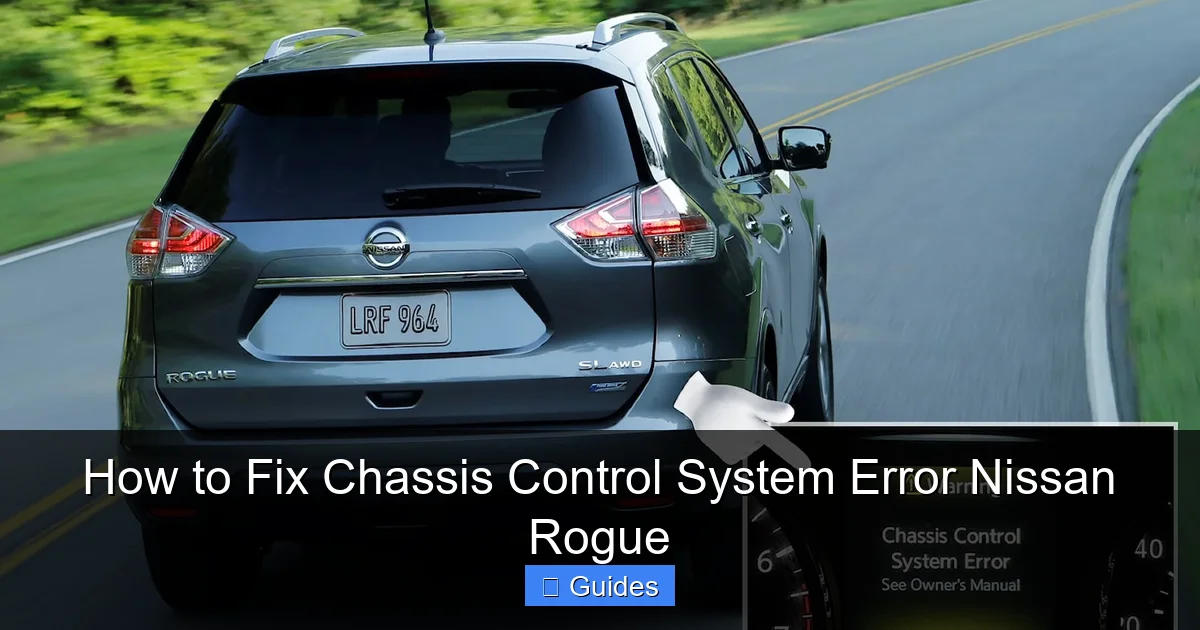
When you see the “Chassis Control System” warning light on your dashboard, it’s your vehicle’s way of saying something isn’t quite right. This isn’t just a random glitch—it’s a signal that one or more components responsible for keeping your Rogue stable and safe are malfunctioning. Ignoring it could lead to reduced handling, poor braking response, or even unsafe driving conditions, especially in wet or slippery weather.
What Does the Chassis Control System Do?
The chassis control system in the Nissan Rogue integrates several key safety technologies, including:
- Vehicle Dynamic Control (VDC): Helps prevent skidding and loss of control by applying brakes to individual wheels and reducing engine power when needed.
- Traction Control System (TCS): Prevents wheel spin during acceleration, especially on slippery surfaces.
- Anti-lock Braking System (ABS): Prevents wheel lockup during hard braking, allowing you to steer while stopping.
- Brake Assist: Detects emergency braking and applies maximum brake force automatically.
- Hill Start Assist: Keeps the brakes applied for a few seconds after you release the pedal on a hill, preventing rollback.
All these systems work together through a central control module that constantly monitors data from sensors around the vehicle. If one sensor sends an incorrect signal—or stops sending data altogether—the system may trigger a warning light and disable certain functions to protect you and the vehicle.
Why the Warning Light Appears
The “Chassis Control System” warning can appear for a variety of reasons, ranging from minor issues like a loose gas cap to more serious problems like a failing control module. In most cases, it’s not an immediate danger—but it does mean your Rogue isn’t operating at full safety capacity.
Common triggers include:
- A weak or dying 12-volt battery
- Low tire pressure or uneven tire wear
- Faulty or dirty wheel speed sensors
- Damaged wiring or connectors
- Software glitches or outdated firmware
- Malfunctioning ABS or VDC modules
Understanding these causes is the first step toward fixing the problem. The good news? Many of these issues can be resolved at home with basic tools and a little patience.
Step-by-Step Guide to Diagnosing the Chassis Control System Error
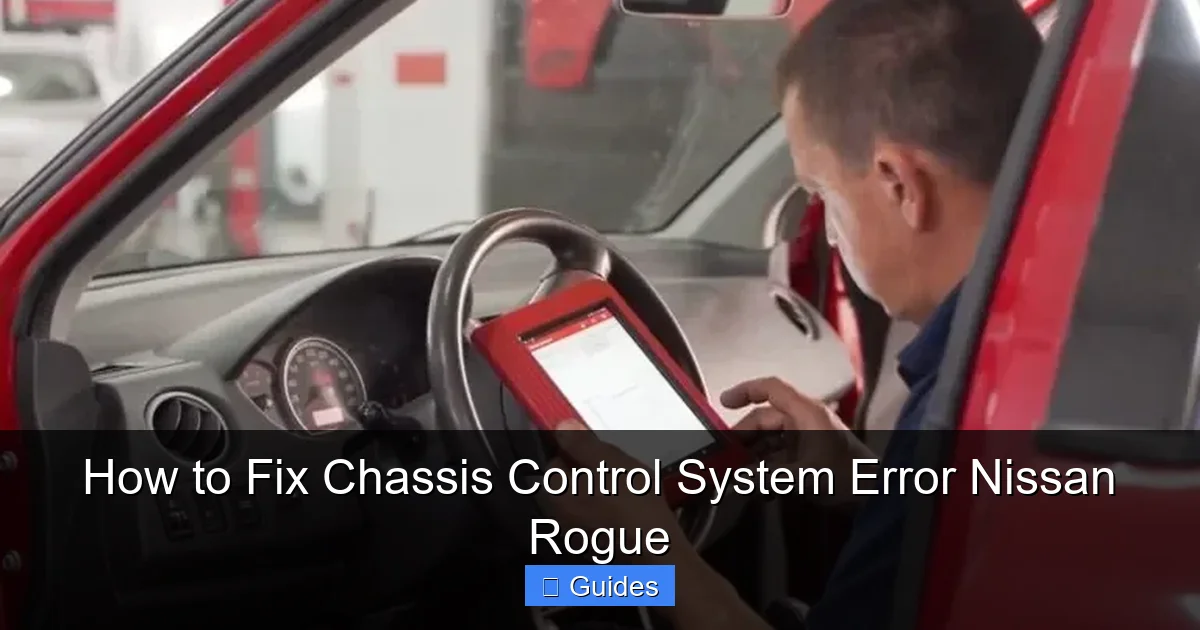
Before jumping into repairs, it’s essential to diagnose the problem accurately. Guessing can lead to unnecessary part replacements or missed issues. The best way to start is by retrieving the diagnostic trouble codes (DTCs) stored in your Rogue’s onboard computer.
Visual guide about How to Fix Chassis Control System Error Nissan Rogue
Image source: roborace.com
Use an OBD2 Scanner to Read Error Codes
Modern vehicles like the Nissan Rogue store specific error codes whenever a system fault is detected. These codes are your roadmap to the root cause. To access them, you’ll need an OBD2 scanner—a handheld device that plugs into the diagnostic port under your dashboard (usually near the driver’s knee).
Here’s how to use it:
- Turn off the engine and locate the OBD2 port (typically under the steering column).
- Plug in the scanner and turn the ignition to the “ON” position (don’t start the engine).
- Follow the scanner’s prompts to read the codes. Look for codes starting with “C” (chassis-related), such as C1100, C1101, or C1145.
- Write down all codes and clear them temporarily to see if the light returns.
Popular OBD2 scanners like the BlueDriver or Autel MaxiCOM can also provide plain-English explanations of the codes, making diagnosis much easier.
Interpreting Common Chassis Control Codes
Here are some of the most common codes you might encounter and what they mean:
- C1100 – C1103: Wheel speed sensor issues (one or more sensors not sending data).
- C1145 – C1148: ABS actuator or pump malfunction.
- C1155 – C1158: Steering angle sensor problems.
- C1170: VDC system malfunction.
- C1201: Engine control system interference (often due to a weak battery).
For example, if you get a C1101 code, it likely means the front left wheel speed sensor is faulty or dirty. This sensor is critical for ABS and traction control, so it’s a common culprit in chassis control warnings.
Check the Basics First
Before assuming a major repair is needed, rule out simple causes:
- Tire Pressure: Use a tire gauge to check all four tires. Even one underinflated tire can confuse the system. The correct PSI is listed on the driver’s door jamb.
- Tire Wear: Uneven or excessive wear can affect sensor readings. Rotate tires regularly and replace worn ones.
- Battery Health: A weak battery can cause voltage drops that trigger false warnings. Test the battery with a multimeter (should read 12.6V or higher when off).
- Gas Cap: Believe it or not, a loose or damaged gas cap can trigger multiple warning lights, including the chassis control light.
These quick checks can save you time and money. In fact, many drivers find that simply tightening the gas cap or inflating the tires resolves the issue.
Common Causes and Fixes for the Chassis Control System Error
Now that you’ve diagnosed the problem, let’s dive into the most common causes and how to fix them. We’ll cover everything from sensor cleaning to module resets, with practical tips you can follow at home.
Visual guide about How to Fix Chassis Control System Error Nissan Rogue
Image source: carnewsbox.com
1. Wheel Speed Sensor Issues
The wheel speed sensors are located at each wheel hub and monitor how fast each wheel is spinning. If one sensor fails or sends erratic data, the chassis control system can’t function properly.
Symptoms: ABS light on, traction control disabled, chassis warning light, or erratic speedometer readings.
How to Fix:
- Locate the sensor at the affected wheel (usually behind the brake rotor).
- Inspect the sensor and wiring for damage, corrosion, or loose connections.
- Clean the sensor tip with brake cleaner and a soft brush. Dirt, grease, or metal shavings can interfere with readings.
- If the sensor is damaged, replace it. Most cost between $50–$150 and take 30–60 minutes per wheel.
Pro Tip: After replacing a sensor, drive the vehicle for 10–15 minutes to allow the system to relearn the new sensor’s data.
2. Weak or Dying Battery
The chassis control system relies on stable voltage to operate. A weak battery or poor electrical connections can cause voltage drops that trigger false warnings.
Symptoms: Dim lights, slow engine crank, multiple warning lights, or intermittent electrical issues.
How to Fix:
- Test the battery voltage with a multimeter. A healthy battery should read 12.6V or higher when the engine is off.
- Check the battery terminals for corrosion. Clean them with a wire brush and baking soda solution if needed.
- Tighten all connections securely.
- If the battery is more than 3–5 years old or fails the test, replace it.
Note: After replacing the battery, you may need to reset the chassis control system (see next section).
3. Steering Angle Sensor Calibration
The steering angle sensor tells the chassis control system how far and in what direction you’re turning the wheel. If it’s misaligned or uncalibrated, the system may think the vehicle is skidding.
Symptoms: VDC light on, steering feels “off,” or warning appears after wheel alignment or tire rotation.
How to Fix:
- Use an OBD2 scanner with steering angle reset capability (many advanced scanners include this).
- Follow the scanner’s instructions to perform a calibration. This usually involves turning the wheel lock-to-lock while the ignition is on.
- Drive the vehicle straight for a few minutes to allow the system to relearn.
Warning: Never attempt this without a proper scanner. Incorrect calibration can disable safety systems.
4. Damaged Wiring or Connectors
Vibration, moisture, and road debris can damage the wiring harnesses that connect sensors to the control module. A broken wire or corroded connector can interrupt communication.
Symptoms: Intermittent warning lights, random system resets, or codes that come and go.
How to Fix:
- Visually inspect the wiring near each wheel, especially where it passes through suspension components.
- Look for frayed wires, cracked insulation, or loose connectors.
- Use electrical contact cleaner to clean connectors.
- Repair or replace damaged wires using solder and heat shrink tubing—never use electrical tape alone.
Pro Tip: Secure loose wires with zip ties to prevent future damage from rubbing.
5. Software Glitches or Module Failures
Sometimes, the issue isn’t hardware—it’s software. The chassis control module may have a bug or outdated firmware that causes false warnings.
Symptoms: Warning appears randomly, clears temporarily, or returns after a reset.
How to Fix:
- Visit a Nissan dealership or certified mechanic with factory-level diagnostic tools.
- They can check for software updates or reflash the control module.
- In rare cases, the module itself may need replacement (cost: $500–$1,200).
Note: This is usually a last resort after all other fixes fail.
How to Reset the Chassis Control System
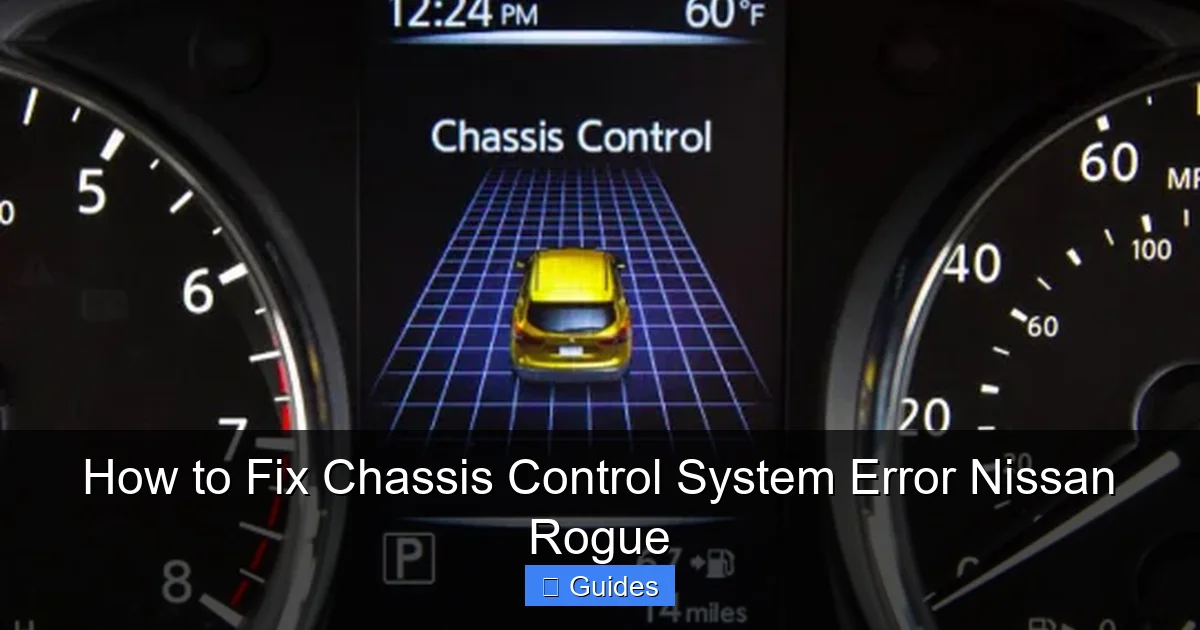
After making repairs, you’ll need to reset the chassis control system to clear the warning light and restore full functionality. A simple reset ensures the vehicle relearns sensor data and confirms the fix worked.
Visual guide about How to Fix Chassis Control System Error Nissan Rogue
Image source: griffle.com
Method 1: Use an OBD2 Scanner
The most reliable way to reset the system is with an OBD2 scanner:
- Plug the scanner into the OBD2 port.
- Turn the ignition to “ON.”
- Select “Clear Codes” or “Reset Systems.”
- Turn off the ignition and restart the vehicle.
If the warning light doesn’t return after driving for 10–15 minutes, the reset was successful.
Method 2: Disconnect the Battery (Temporary Fix)
If you don’t have a scanner, you can try disconnecting the battery:
- Turn off the engine and remove the key.
- Disconnect the negative battery terminal.
- Wait 10–15 minutes (this drains residual power from the modules).
- Reconnect the terminal and start the vehicle.
Warning: This method may not fully reset all systems and could trigger other warnings (like radio codes). Use only as a temporary solution.
Method 3: Drive Cycle Reset
Some systems reset automatically after a specific drive cycle:
- Drive at 30–40 mph for 5 minutes.
- Make several turns (left and right).
- Brake firmly at least once.
- Repeat for 15–20 minutes.
This allows the system to relearn sensor data and may clear the warning naturally.
When to See a Mechanic
While many chassis control issues can be fixed at home, some problems require professional attention. Don’t hesitate to visit a certified mechanic if:
- The warning light returns immediately after a reset.
- You suspect a faulty control module or internal ABS pump failure.
- You’re uncomfortable working with electrical systems.
- The vehicle pulls to one side or has unusual braking behavior.
- Multiple warning lights are on (e.g., ABS, VDC, and check engine).
A qualified technician has access to advanced diagnostic tools and can perform tests like brake pressure analysis or module communication checks. They can also update software and calibrate sensors with precision.
At the same time, don’t assume you need a dealership. Many independent shops specialize in Nissan vehicles and offer lower labor rates with the same expertise.
Preventing Future Chassis Control System Errors
An ounce of prevention is worth a pound of cure—especially when it comes to your vehicle’s safety systems. Here’s how to keep your Nissan Rogue’s chassis control system running smoothly:
Regular Maintenance
Follow your owner’s manual schedule for inspections and services. Pay special attention to:
- Tire rotations every 5,000–7,500 miles
- Brake inspections every 12,000 miles
- Battery testing every 2 years
- Wheel alignment checks after hitting potholes or curbs
Keep Sensors Clean
Dirt, salt, and debris can build up on wheel speed sensors, especially in winter. Wash your wheels regularly and inspect sensors during oil changes.
Avoid Rough Roads When Possible
Potholes and uneven terrain can damage sensors and wiring. Drive carefully on poorly maintained roads.
Use Quality Parts
If you replace sensors or modules, choose OEM (original equipment manufacturer) or high-quality aftermarket parts. Cheap parts may fail prematurely.
Monitor Warning Lights
Don’t ignore dashboard warnings. Address them early to prevent small issues from becoming major repairs.
Conclusion
The “Chassis Control System” warning in your Nissan Rogue can be alarming, but it’s rarely a sign of imminent danger. With the right approach, most causes can be identified and fixed quickly—often without a trip to the shop.
Start by scanning for trouble codes, checking the basics like tire pressure and battery health, and inspecting sensors and wiring. Simple fixes like cleaning a wheel speed sensor or tightening a gas cap resolve many cases. When in doubt, use an OBD2 scanner to guide your diagnosis and reset the system properly after repairs.
Remember, your Rogue’s chassis control system is there to keep you safe. By staying proactive and addressing issues early, you’ll ensure your SUV continues to deliver a smooth, stable, and secure ride for years to come.
Frequently Asked Questions
What does the chassis control system error mean on a Nissan Rogue?
The error indicates a problem with one or more safety systems like ABS, traction control, or stability control. It means your vehicle may not respond optimally in slippery or emergency driving conditions.
Can I drive my Nissan Rogue with the chassis control system warning on?
You can drive short distances cautiously, but it’s not recommended for long trips or in bad weather. The vehicle’s safety systems may be partially disabled, increasing the risk of skidding or loss of control.
How much does it cost to fix a chassis control system error?
Costs vary widely. Simple fixes like cleaning sensors or replacing a gas cap cost under $50. Sensor replacements range from $100–$300 per wheel. Module repairs can exceed $1,000 if professional service is needed.
Will disconnecting the battery reset the chassis control system?
It may clear the warning temporarily, but it’s not a reliable fix. A proper OBD2 scanner reset is recommended to ensure all systems relearn correctly and the issue doesn’t return.
Why does my chassis control light come on after a tire rotation?
Tire rotations can misalign the steering angle sensor or confuse the system if tire sizes vary slightly. A steering angle sensor calibration using an OBD2 scanner usually resolves this.
Can a bad alternator cause a chassis control system error?
Yes. A failing alternator can cause voltage fluctuations that disrupt electronic systems, including the chassis control module. Test the alternator output if you suspect electrical issues.

At CarLegit, we believe information should be clear, factual, and genuinely helpful. That’s why every guide, review, and update on our website is created with care, research, and a strong focus on user experience.