
Changing kilometers to miles on your Nissan Altima is simpler than you think. Whether you’re driving in the U.S. or just prefer imperial units, this guide walks you through every method—from dashboard controls to steering wheel buttons—so you can switch units in seconds.
In This Article
- 1 Key Takeaways
- 2 📑 Table of Contents
- 3 Introduction: Why You Might Want to Change Km to Miles on Your Nissan Altima
- 4 Understanding Your Nissan Altima’s Display System
- 5 Method 1: Using Steering Wheel Controls (2013–2024 Models)
- 6 Method 2: Using the Odometer Reset Button (2007–2012 Models)
- 7 Method 3: Using the Touchscreen (NissanConnect Systems)
- 8 Troubleshooting: What to Do If the Setting Won’t Stick
- 9 Why Unit Consistency Matters for Safe Driving
- 10 Final Thoughts: Making the Switch Easy and Stress-Free
- 11 Frequently Asked Questions
- 11.1 Can I change km to miles on a 2008 Nissan Altima?
- 11.2 Why won’t my Altima save the miles setting?
- 11.3 Does changing units affect my odometer reading?
- 11.4 Can I switch back to kilometers later?
- 11.5 Do all Nissan Altimas support unit switching?
- 11.6 Will a dealership charge me to change the units?
Key Takeaways
- Most Nissan Altimas allow unit conversion via the trip computer or settings menu. This is the most common and user-friendly method.
- Steering wheel controls are often the quickest way to access display settings. Use the “INFO” or “TRIP” button to navigate.
- Older models (pre-2013) may require using the odometer reset button. These vehicles lack digital menus but still support unit switching.
- Always check your owner’s manual for model-specific instructions. Features vary by year, trim, and region.
- If the setting doesn’t stick, try resetting the trip odometer first. This refreshes the system and often resolves glitches.
- Some Altimas with advanced infotainment systems use the touchscreen. Look for “Settings” > “Display” > “Units” on models with NissanConnect.
- Professional help is available if DIY methods fail. Visit a Nissan dealer or certified mechanic for assistance.
📑 Table of Contents
- Introduction: Why You Might Want to Change Km to Miles on Your Nissan Altima
- Understanding Your Nissan Altima’s Display System
- Method 1: Using Steering Wheel Controls (2013–2024 Models)
- Method 2: Using the Odometer Reset Button (2007–2012 Models)
- Method 3: Using the Touchscreen (NissanConnect Systems)
- Troubleshooting: What to Do If the Setting Won’t Stick
- Why Unit Consistency Matters for Safe Driving
- Final Thoughts: Making the Switch Easy and Stress-Free
Introduction: Why You Might Want to Change Km to Miles on Your Nissan Altima
So, you’ve just hopped into your Nissan Altima and noticed the speedometer is showing kilometers per hour (km/h) instead of miles per hour (mph). Maybe you’re in Canada and recently drove into the U.S., or perhaps you bought a used Altima imported from a country that uses the metric system. Whatever the reason, seeing unfamiliar units on your dashboard can be confusing—and even a little stressful when you’re trying to follow speed limits or track your fuel efficiency.
The good news? Switching from kilometers to miles on a Nissan Altima is usually a quick and straightforward process. Unlike some older cars that require special tools or dealership visits, most Altimas made in the last 15 years let you change the display units right from the driver’s seat—no mechanic needed. Whether you’re driving a 2008 model or a brand-new 2024 Altima, Nissan has designed the interface to be intuitive enough for everyday drivers to navigate.
In this guide, we’ll walk you through every possible method to change km to miles on your Nissan Altima. We’ll cover older models with analog trip computers, mid-generation vehicles with basic digital displays, and newer Altimas equipped with advanced infotainment systems. You’ll learn how to use steering wheel buttons, dashboard controls, and even touchscreen menus—all with clear, step-by-step instructions. Plus, we’ll share troubleshooting tips and expert advice to help you avoid common pitfalls.
Understanding Your Nissan Altima’s Display System
Visual guide about How to Change Km to Miles on Nissan Altima
Image source: i.ebayimg.com
Before diving into the how-to steps, it helps to understand how your Altima’s instrument cluster works. The display system—also known as the trip computer or driver information center—is the small screen (usually between the speedometer and tachometer) that shows data like trip distance, fuel economy, average speed, and outside temperature. It’s also where you’ll find the option to switch between metric (km) and imperial (miles) units.
Nissan has used several different display systems across Altima generations. Older models (2007–2012) typically feature a basic monochrome LCD screen controlled by physical buttons on the dashboard or steering wheel. These systems are simple but effective. Mid-generation Altimas (2013–2018) often include a slightly larger, more advanced display with better contrast and additional features like maintenance reminders. Newer models (2019–present) may come with full-color digital clusters or integrated touchscreen infotainment systems, especially in higher trims like the SL or Platinum.
One key thing to note: not all Altimas have the same menu structure. For example, a 2010 Altima might use a different button sequence than a 2020 model. That’s why it’s important to identify your vehicle’s approximate year and trim level before attempting to change settings. If you’re unsure, check your owner’s manual—it’s the most reliable source for model-specific instructions.
Another helpful tip: the unit setting usually applies to multiple displays. When you switch from km to miles, it affects not just the speedometer but also the odometer, trip meter, range estimate, and fuel economy readings. This ensures consistency across all driving data, so you don’t end up with mixed units confusing your trip planning.
How to Identify Your Altima’s Display Type
To determine which method to use, take a quick look at your dashboard. If you see a small screen with text like “TRIP A,” “AVG MPH,” or “RANGE,” you likely have a basic trip computer. These are common in 2007–2015 models. If your screen shows colorful icons, navigation prompts, or climate control info, you probably have a more advanced system—possibly linked to NissanConnect.
You can also check your steering wheel. Models with “INFO,” “TRIP,” or “DISP” buttons usually allow menu navigation from the wheel. If you only see audio or cruise control buttons, you may need to use the dashboard-mounted odometer reset button instead.
Method 1: Using Steering Wheel Controls (2013–2024 Models)
Visual guide about How to Change Km to Miles on Nissan Altima
Image source: images.kavak.services
If your Nissan Altima was made in 2013 or later, there’s a strong chance you can change the units using buttons on the steering wheel. This is the most convenient method, as it keeps your hands on the wheel and eyes on the road.
Start by turning on the ignition (you don’t need to start the engine, but the dashboard must be powered). Look for a button labeled “INFO,” “TRIP,” or “DISP” on the left or right side of your steering wheel. Press it once to enter the trip computer menu. You should see options like “TRIP A,” “FUEL ECONOMY,” or “MAINTENANCE.”
Use the up/down arrow buttons (often located near the “INFO” button) to scroll through the menu until you find a setting labeled “UNITS,” “DISPLAY UNITS,” or “METRIC/IMPERIAL.” Once highlighted, press the “OK” or “ENTER” button (sometimes the center of the arrow pad). You’ll then see a choice between “KM” and “MI” (or “MPH”). Select “MI” to switch to miles.
After selecting, press “OK” again to confirm. The change should take effect immediately—your speedometer, odometer, and other readings will now display in miles and miles per hour.
Example: Changing Units on a 2020 Nissan Altima SV
Let’s say you’re driving a 2020 Altima SV with a 7-inch digital display. Here’s exactly what to do:
1. Turn the ignition to “ON” (do not start the engine).
2. Press the “INFO” button on the right side of the steering wheel.
3. Use the down arrow to scroll to “SETTINGS.”
4. Press “OK,” then scroll to “DISPLAY.”
5. Select “UNITS” and choose “MILES.”
6. Press “OK” to save.
Within seconds, your speedometer will switch from km/h to mph, and your trip meter will reset to show miles driven.
Tips for Success
– If the menu disappears too quickly, press “INFO” again to re-enter.
– On some models, you may need to hold the “INFO” button for 2–3 seconds to access advanced settings.
– If you don’t see a “UNITS” option, try scrolling through all menu pages—it might be on the second or third screen.
Method 2: Using the Odometer Reset Button (2007–2012 Models)
Visual guide about How to Change Km to Miles on Nissan Altima
Image source: 2040-parts.com
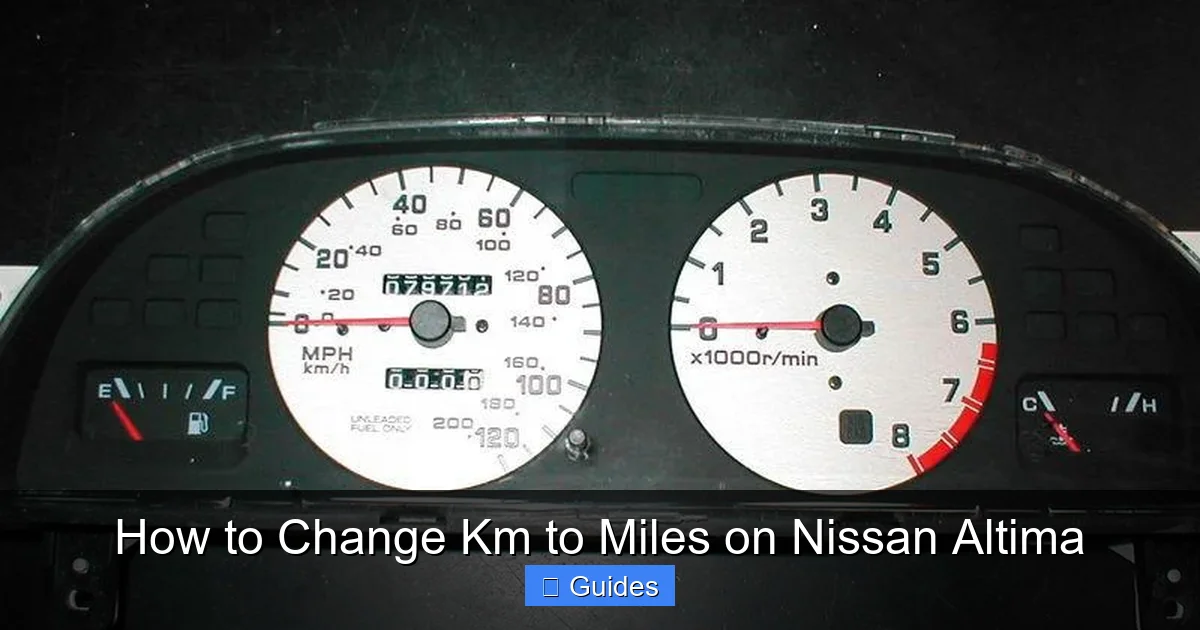
Older Nissan Altimas—particularly those from 2007 to 2012—don’t have touchscreens or advanced steering wheel menus. Instead, they rely on a simple odometer reset button located on the dashboard, usually near the speedometer or instrument cluster.
This button is typically labeled “RESET” or “TRIP,” and it’s used to reset trip meters. But it also plays a key role in changing display units. Here’s how to use it:
First, make sure the ignition is on. Then, press and hold the odometer reset button for about 5–10 seconds. While holding it, watch the trip computer screen. After a few seconds, the display should cycle through different modes—trip A, trip B, average fuel economy, etc.
Keep holding the button. Eventually, you’ll see the unit indicator (either “KM” or “MI”) flash or change. When it does, release the button. The system should now be set to the opposite unit. For example, if it was showing “KM,” it will now show “MI.”
If nothing happens after 10 seconds, try pressing the button briefly to cycle through trip modes first, then hold it again. Some models require you to be in a specific mode (like trip A) before the unit change will activate.
Example: Switching Units on a 2010 Nissan Altima
Imagine you’re driving a 2010 Altima with a basic monochrome display. Here’s the step-by-step process:
1. Turn the key to the “ON” position.
2. Make sure the trip meter is set to “TRIP A” (press the reset button briefly to cycle if needed).
3. Press and hold the reset button for 8–10 seconds.
4. Watch the screen—after a few seconds, the unit should switch from “KM” to “MI.”
5. Release the button. The change is now saved.
Note: On some 2008–2009 models, you may need to hold the button while turning the ignition on. Try this if the standard method doesn’t work.
Common Issues and Fixes
– **Button not responding?** Make sure the ignition is on—not just in accessory mode.
– **Unit won’t change?** Try resetting trip A to zero first, then attempt the unit switch.
– **Display glitches?** Turn the car off, wait 30 seconds, then try again.
Method 3: Using the Touchscreen (NissanConnect Systems)
If your Altima has a touchscreen infotainment system—especially one with NissanConnect—you can change the units directly from the display. This method is common in 2019–2024 models with higher trims (SV, SL, Platinum) and larger screens (8-inch or 9-inch).
Start by turning on the ignition and ensuring the touchscreen is active. Tap the “Settings” icon (usually a gear or wrench symbol) in the main menu. From there, look for “Display,” “Vehicle,” or “System Settings.”
Navigate to “Units” or “Measurement Units.” You’ll see options like “Metric,” “Imperial,” or “US Customary.” Select “Imperial” or “US” to switch to miles. The change should apply immediately across all displays, including the digital speedometer (if equipped) and navigation system.
Example: Changing Units on a 2022 Nissan Altima SL
Let’s walk through a real-world scenario with a 2022 Altima SL:
1. Start the car or turn the ignition to “ON.”
2. Tap the “Settings” icon on the home screen.
3. Select “Display” from the menu.
4. Tap “Units.”
5. Choose “Miles” from the list.
6. Exit settings—your speedometer and trip data now show in miles.
If your Altima has built-in navigation, changing the units here also updates the map display. Distances will now appear in miles, and route guidance will use imperial measurements. This is especially helpful if you’re traveling long distances or using real-time traffic data.
Troubleshooting: What to Do If the Setting Won’t Stick
Sometimes, despite following the steps correctly, the unit change doesn’t save or reverts back to kilometers after a few minutes. This can be frustrating, but it’s usually fixable with a few simple tricks.
First, try resetting the trip odometer. On most Altimas, go to “TRIP A” and hold the reset button until it returns to zero. Then attempt the unit change again. This refreshes the system and often resolves glitches.
If that doesn’t work, try a full system reset. Turn off the car, disconnect the negative terminal of the battery for 10–15 minutes, then reconnect it. This resets the vehicle’s computer and can clear persistent errors. (Note: This may also reset radio presets and clock settings.)
Another possibility is a software bug. Some 2016–2018 Altimas had firmware issues that prevented unit changes from saving. In these cases, a dealership can perform a free software update under warranty or recall programs.
Finally, if none of the DIY methods work, it’s time to visit a Nissan service center. There could be a hardware issue with the instrument cluster or a deeper software problem that requires professional diagnosis.
Why Unit Consistency Matters for Safe Driving
Switching from kilometers to miles isn’t just about personal preference—it’s a safety issue. In the U.S., speed limits, road signs, and GPS instructions are all in miles per hour. If your speedometer shows km/h, you could unintentionally speed or drive too slowly, increasing the risk of accidents or tickets.
For example, a 60 mph speed limit is roughly 97 km/h. If your car displays 97 as your current speed, you might think you’re obeying the law—when in reality, you’re going 60 mph, which is correct. But if you see “60” on a km/h display, you’re actually driving only 37 mph, which is dangerously slow on a highway.
Consistent units also help with trip planning. Fuel economy, range estimates, and maintenance reminders are all based on distance traveled. Mixing units can lead to miscalculations—like thinking you have 200 miles of range when you really only have 124 miles (200 km).
Final Thoughts: Making the Switch Easy and Stress-Free
Changing km to miles on your Nissan Altima doesn’t have to be complicated. With the right method—whether it’s steering wheel buttons, a dashboard reset, or a touchscreen menu—you can make the switch in under a minute. The key is knowing your model year and display type, then following the steps carefully.
Remember: always consult your owner’s manual if you’re unsure. It’s packed with model-specific instructions and can save you time and frustration. And if you run into problems, don’t hesitate to reach out to a Nissan dealer or certified technician.
Ultimately, driving should be about enjoying the journey—not worrying about confusing dashboard readings. Once you’ve switched to miles, you’ll have one less thing to think about, so you can focus on the road ahead.
Frequently Asked Questions
Can I change km to miles on a 2008 Nissan Altima?
Yes, you can. Use the odometer reset button on the dashboard. Turn the ignition on, press and hold the reset button for 8–10 seconds until the unit changes from KM to MI.
Why won’t my Altima save the miles setting?
This could be due to a software glitch or low battery voltage. Try resetting the trip odometer first. If that fails, a battery disconnect or dealership software update may be needed.
Does changing units affect my odometer reading?
No, the actual distance traveled remains the same. Only the display format changes—kilometers convert to miles (1 km ≈ 0.62 miles), but the odometer’s total count adjusts accordingly.
Can I switch back to kilometers later?
Absolutely. Just repeat the same steps and select “KM” instead of “MI.” The process is fully reversible.
Do all Nissan Altimas support unit switching?
Most models from 2007 onward do. However, some very early or region-specific versions may not allow changes. Check your owner’s manual to confirm.
Will a dealership charge me to change the units?
No. This is a simple setting that dealers can adjust for free during service visits. Some may even do it while you wait.

At CarLegit, we believe information should be clear, factual, and genuinely helpful. That’s why every guide, review, and update on our website is created with care, research, and a strong focus on user experience.