
Turning off daytime running lights (DRLs) on a Kia Forte isn’t always straightforward, but it’s possible with the right approach. This guide walks you through factory settings, fuse box modifications, and aftermarket solutions to disable DRLs without damaging your vehicle’s electrical system.
In This Article
- 1 Key Takeaways
- 2 📑 Table of Contents
- 3 Understanding Daytime Running Lights on the Kia Forte
- 4 Why Kia Forte Doesn’t Have a Simple DRL Off Switch
- 5 Method 1: Removing the DRL Fuse
- 6 Method 2: Using a DRL Disable Module
- 7 Method 3: Professional Programming or Dealership Service
- 8 Alternative: Manual Headlight Use
- 9 Safety and Legal Considerations
- 10 Conclusion
- 11 Frequently Asked Questions
- 11.1 Can I turn off DRLs on a Kia Forte using the dashboard menu?
- 11.2 Will removing the DRL fuse cause warning lights to appear?
- 11.3 Is it legal to disable DRLs in the United States?
- 11.4 Do DRL disable modules work on all Kia Forte models?
- 11.5 Can a Kia dealership turn off DRLs for me?
- 11.6 What happens if I disable DRLs and drive at night?
Key Takeaways
- DRLs are designed for safety: Daytime running lights improve visibility during daylight hours and are required in many countries, including Canada.
- Kia Forte doesn’t offer a built-in DRL off switch: Unlike some vehicles, most Kia Forte models lack a dashboard or infotainment toggle to disable DRLs.
- Fuse removal is a common method: Removing the DRL fuse from the fuse box can disable the lights, but this may trigger warning lights or affect other systems.
- Aftermarket modules provide control: Plug-and-play DRL disable modules allow you to turn DRLs on and off without permanent changes.
- Software programming may be required: Some newer Forte models (2020+) may need a professional scan tool or dealership service to adjust lighting settings.
- Check local laws before disabling: In some regions, turning off DRLs is illegal and could result in fines or inspection failures.
- Always prioritize safety: If you disable DRLs, ensure your headlights are used appropriately to maintain visibility and comply with traffic laws.
📑 Table of Contents
- Understanding Daytime Running Lights on the Kia Forte
- Why Kia Forte Doesn’t Have a Simple DRL Off Switch
- Method 1: Removing the DRL Fuse
- Method 2: Using a DRL Disable Module
- Method 3: Professional Programming or Dealership Service
- Alternative: Manual Headlight Use
- Safety and Legal Considerations
- Conclusion
Understanding Daytime Running Lights on the Kia Forte
Daytime running lights, or DRLs, are low-intensity headlights that automatically turn on when your Kia Forte is running. Unlike full headlights, DRLs are designed to make your vehicle more visible to other drivers during daylight hours—without blinding oncoming traffic. They’re a standard feature on most modern vehicles, including the Kia Forte, and are especially common in countries with strict vehicle safety regulations.
On the Kia Forte, DRLs typically illuminate the front parking lights or use a dedicated LED strip, depending on the model year and trim level. For example, the 2019–2023 Kia Forte LX and S trims use the front turn signal bulbs as DRLs, while higher trims like the EX and GT may feature LED DRL bars. These lights activate as soon as the engine starts and the parking brake is released, and they dim or turn off when the regular headlights are manually turned on.
While DRLs improve safety by reducing the chance of daytime collisions, some drivers prefer to turn them off. Reasons vary—some find the constant glow annoying, others want to reduce bulb wear, and a few simply prefer the look of their car with DRLs disabled. However, it’s important to understand that DRLs are integrated into the Forte’s electrical system, and disabling them isn’t as simple as flipping a switch.
Why Are DRLs Important?
DRLs aren’t just a cosmetic feature—they serve a critical safety function. Studies from organizations like the Insurance Institute for Highway Safety (IIHS) show that vehicles with DRLs are involved in fewer daytime multi-vehicle crashes. The lights make your car more noticeable, especially in low-contrast conditions like overcast skies, dawn, or dusk.
In Canada, DRLs have been mandatory on all new vehicles since 1990. While the U.S. doesn’t require them by federal law, many manufacturers—including Kia—include them as standard equipment. This means that even if you live in a state where DRLs aren’t legally required, your Forte likely came equipped with them from the factory.
Can You Legally Turn Off DRLs?
Before attempting to disable your DRLs, it’s crucial to check your local laws. In Canada, tampering with DRLs is illegal and can result in fines or failed vehicle inspections. In the U.S., regulations vary by state. Some states allow DRLs to be turned off, while others require them to remain functional.
Even if it’s legal in your area, consider the safety implications. Disabling DRLs reduces your vehicle’s visibility, which could increase the risk of accidents. If you do decide to turn them off, make it a habit to manually turn on your headlights during the day—especially in poor weather or low-light conditions.
Why Kia Forte Doesn’t Have a Simple DRL Off Switch
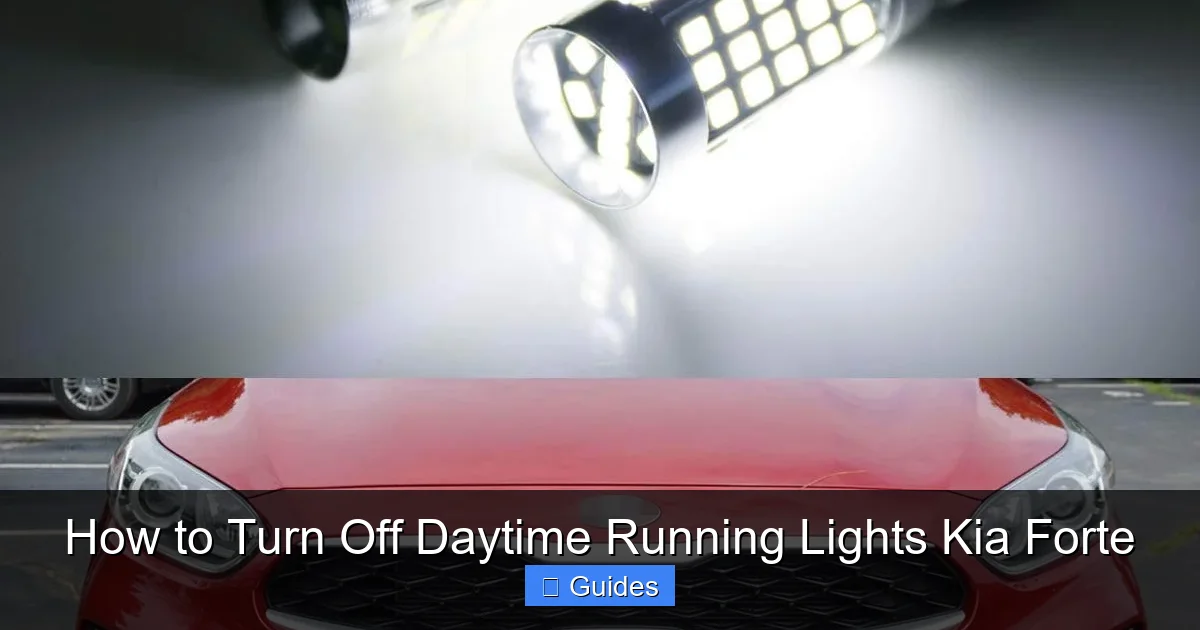
Visual guide about How to Turn Off Daytime Running Lights Kia Forte
Image source: m.media-amazon.com
One of the most frustrating things for Kia Forte owners is the lack of a built-in option to turn off DRLs. Unlike some vehicles that include a DRL disable button in the infotainment system or under the dashboard, the Forte doesn’t offer this convenience. This isn’t an oversight—it’s a design choice rooted in safety and regulatory compliance.
Kia engineers the Forte’s lighting system to meet global safety standards, and DRLs are a key part of that. The vehicle’s Body Control Module (BCM) manages the DRL function, and there’s no user-accessible setting to override it through the standard menu system. Even if you navigate through the touchscreen settings under “Vehicle” or “Lighting,” you won’t find a DRL toggle.
This can be especially annoying for drivers who park in garages or drive in areas with bright sunlight, where DRLs may seem unnecessary or even distracting. Some owners also report that DRLs contribute to premature bulb failure, especially in models that use halogen turn signals for DRL duty.
What About the “Auto Light” Setting?
Many Kia Forte models come with an “Auto Light” feature that automatically turns on the headlights when it gets dark. This is controlled by a light sensor near the windshield. However, this setting only affects the full headlights—not the DRLs. Even with Auto Light enabled, your DRLs will still shine during the day.
Some drivers mistakenly believe that turning the headlight switch to the “OFF” position will disable DRLs, but this isn’t the case. On most Forte models, DRLs remain active regardless of the headlight switch position, as long as the engine is running and the parking brake is off.
Can the Infotainment System Help?
Unfortunately, the Kia Forte’s UVO infotainment system doesn’t offer DRL controls. While you can adjust interior lighting, seat heating, and climate settings, there’s no menu option for daytime running lights. This is consistent across model years from 2014 to 2023.
Even if you have a newer Forte with a digital instrument cluster or advanced driver assistance features, the DRL function remains locked behind the BCM. This means you’ll need to explore alternative methods if you want to disable them.
Method 1: Removing the DRL Fuse
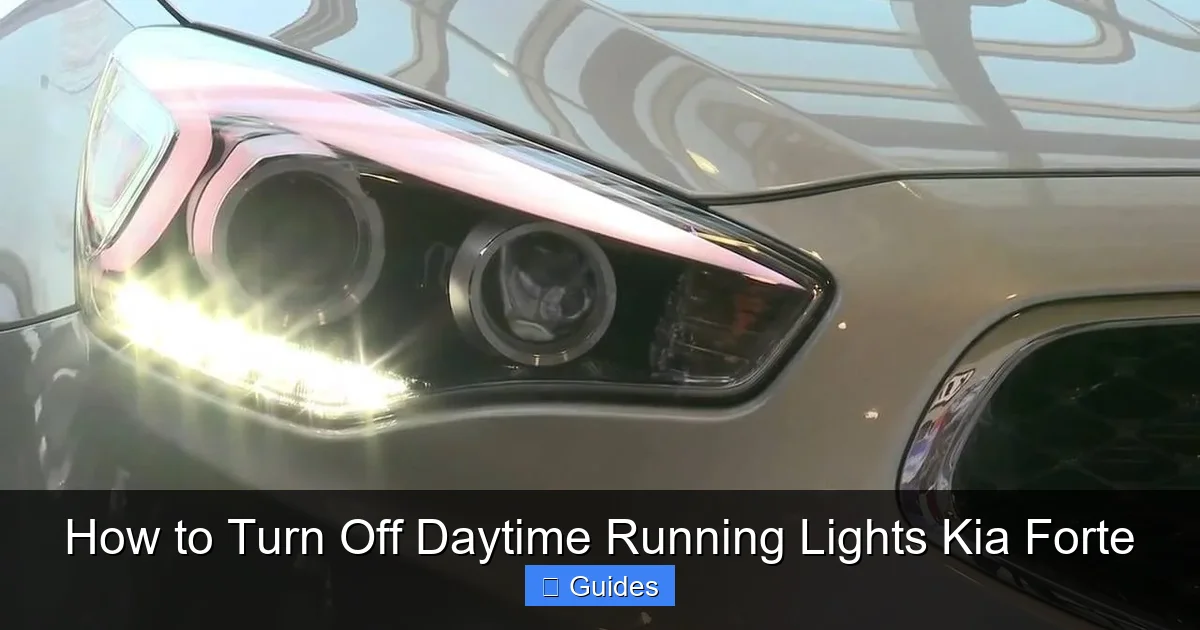
Visual guide about How to Turn Off Daytime Running Lights Kia Forte
Image source: i.ytimg.com
The most common DIY method to turn off DRLs on a Kia Forte is removing the DRL fuse from the fuse box. This is a simple, reversible process that doesn’t require special tools—just a fuse puller or a pair of needle-nose pliers.
Locating the DRL Fuse
The DRL fuse is typically located in the under-hood fuse box, also known as the engine compartment fuse box. To access it:
1. Open the hood and locate the black plastic fuse box on the driver’s side, near the battery.
2. Remove the cover by pressing the clips on the sides.
3. Inside, you’ll see a diagram on the underside of the cover that labels each fuse.
Look for a fuse labeled “DRL,” “Daytime Running Lamp,” or “Position Lamp.” On most Kia Forte models (2014–2023), this is usually a 10A or 15A mini fuse. For example, in the 2019 Forte, the DRL fuse is often fuse number 17, located in the second row.
Removing the Fuse
Once you’ve identified the correct fuse:
1. Use the fuse puller tool (usually included in the fuse box) or a pair of pliers to gently pull the fuse straight out.
2. Store the fuse in a safe place—you’ll want to reinstall it if you decide to reactivate the DRLs later.
After removing the fuse, start your car. The DRLs should no longer illuminate. However, be aware that this may trigger a warning light on your dashboard, such as the “Check Engine” light or a “Lighting System” alert. This happens because the vehicle’s computer detects an open circuit in the lighting system.
Potential Downsides of Fuse Removal
While removing the DRL fuse is effective, it’s not without drawbacks:
– **Warning lights:** As mentioned, you may see dashboard alerts. These won’t affect drivability but can be annoying.
– **Affects other lights:** In some Forte models, the DRL fuse also powers the front parking lights or side marker lights. Removing it could disable those as well.
– **Inspection issues:** If your state or province requires annual vehicle inspections, a missing DRL fuse could cause you to fail.
To minimize issues, only remove the fuse when parked and reinstall it before driving in low-light conditions. This way, you maintain safety while still having control over when the DRLs are active.
Method 2: Using a DRL Disable Module
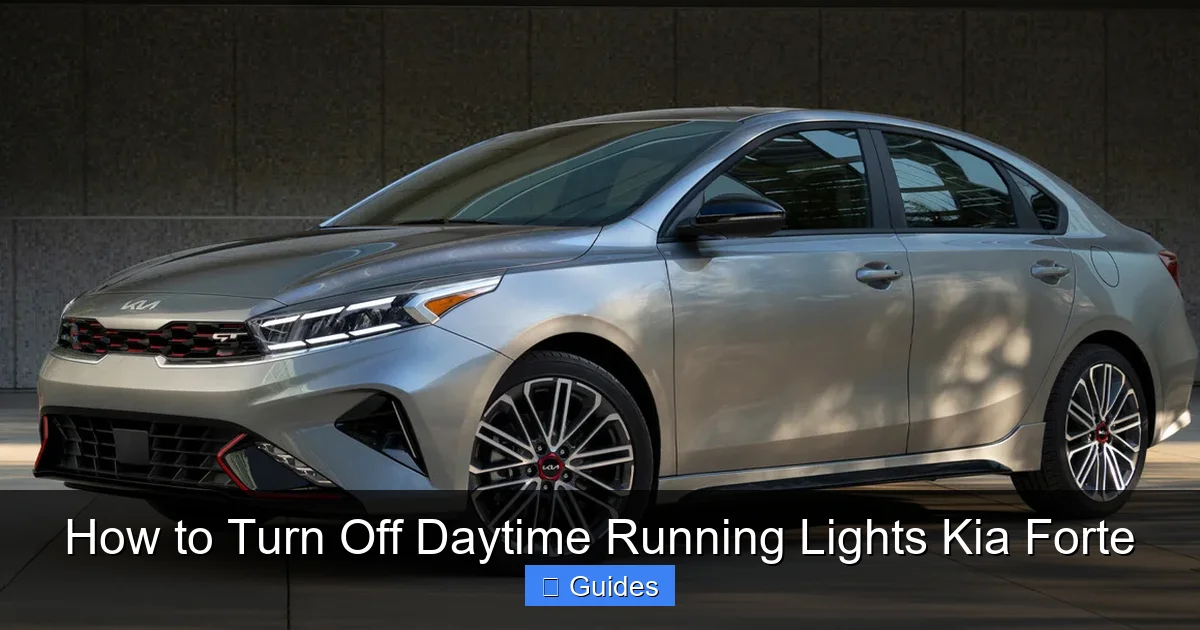
Visual guide about How to Turn Off Daytime Running Lights Kia Forte
Image source: d2v1gjawtegg5z.cloudfront.net
For a cleaner, more reliable solution, consider installing a DRL disable module. These are aftermarket devices that plug into your vehicle’s wiring harness and allow you to turn DRLs on and off with a switch or remote control.
How DRL Disable Modules Work
A DRL disable module intercepts the signal between the BCM and the DRL circuit. When activated, it cuts power to the DRLs without affecting other lighting systems. Most modules are designed to be plug-and-play, meaning no cutting or splicing of wires is required.
Popular brands include:
– **DRL Killer**
– **Lightronic DRL Disable Module**
– **AutoMaxx DRL Controller**
These modules typically install behind the dashboard or near the fuse box and come with a toggle switch that you can mount on the dash or center console.
Installation Steps
While installation varies by model, here’s a general guide:
1. **Locate the DRL wiring:** Refer to your Forte’s wiring diagram (available in the service manual or online forums) to find the DRL power wire. This is usually a white or gray wire in the harness near the headlight assembly.
2. **Disconnect the battery:** For safety, disconnect the negative terminal of the battery before working on electrical components.
3. **Install the module:** Plug the module into the DRL wire harness. Most modules use T-tap connectors or plug directly into existing sockets.
4. **Mount the switch:** Choose a convenient location for the switch, such as near the headlight controls or on the dashboard.
5. **Reconnect the battery and test:** Turn on the engine and use the switch to toggle the DRLs on and off.
Advantages of Using a Module
– **No warning lights:** Because the module doesn’t break the circuit, it won’t trigger dashboard alerts.
– **Reversible and adjustable:** You can turn DRLs on or off as needed.
– **Preserves other functions:** Parking lights and turn signals remain unaffected.
– **Professional appearance:** With proper installation, the module is nearly invisible.
This method is ideal for drivers who want flexibility without permanent modifications.
Method 3: Professional Programming or Dealership Service
For newer Kia Forte models (2020 and later), the DRL function may be controlled by software in the Body Control Module. In these cases, a simple fuse pull or aftermarket module might not work—or could cause system errors.
Why Software Matters
Modern vehicles rely heavily on software to manage lighting, safety, and comfort features. The Forte’s BCM communicates with other systems, and disabling DRLs through hardware changes can confuse the computer. This may result in error codes, malfunctioning lights, or even disabled safety features like automatic emergency braking.
Using a Professional Scan Tool
Some independent mechanics and automotive electricians have access to advanced scan tools like:
– **Kia GDS (Global Diagnostic System)**
– **Autel MaxiCOM**
– **Foxwell NT510**
These tools can access the BCM and modify lighting settings, including disabling DRLs. The process typically involves:
1. Connecting the scan tool to the OBD2 port (under the dashboard).
2. Navigating to the “Body” or “Lighting” module.
3. Changing the DRL setting from “Enabled” to “Disabled.”
This method is clean, reversible, and doesn’t require physical modifications. However, it usually costs between $50 and $150, depending on the shop.
Visiting a Kia Dealership
If you’re uncomfortable with DIY methods or aftermarket parts, your local Kia dealership can help. While they may not advertise DRL disable services, many service departments can reprogram the BCM upon request.
Be prepared to explain why you want the DRLs turned off. Some dealers may refuse due to liability concerns, especially if you live in a region where DRLs are required. However, others will accommodate the request, particularly if you sign a waiver.
Alternative: Manual Headlight Use
If you’re unable or unwilling to disable DRLs permanently, consider using your headlights manually during the day. While this doesn’t turn off the DRLs, it can reduce their brightness or make them less noticeable.
How It Works
On most Kia Forte models, when you turn the headlight switch to the “ON” position, the DRLs dim or turn off, and the full headlights illuminate. This happens because the vehicle prioritizes full lighting over DRLs.
So, if you find the DRLs too bright or distracting, simply turn on your headlights. This is especially useful in tunnels, parking garages, or during heavy rain.
Tips for Manual Use
– **Use the “Auto” setting wisely:** If your Forte has Auto Light, it will turn on headlights based on ambient light. But remember, DRLs will still be active during the day.
– **Combine with fog lights:** Some trims allow you to turn on fog lights independently, which can improve visibility without relying solely on DRLs.
– **Develop a habit:** Make it a routine to turn on headlights during the day, especially in poor weather or low-light areas.
This approach maintains safety while giving you more control over your vehicle’s lighting.
Safety and Legal Considerations
Before disabling your DRLs, take a moment to consider the broader implications. While it’s technically possible to turn them off, doing so may compromise your safety and violate local laws.
Legal Requirements by Region
– **Canada:** DRLs are mandatory. Tampering with them can result in fines up to $5,000 and failed inspections.
– **United States:** No federal law, but some states (like New York and Massachusetts) require DRLs on newer vehicles.
– **Europe:** DRLs are required on all new cars sold since 2011.
Always check your local Department of Motor Vehicles (DMV) or transportation authority for up-to-date regulations.
Safety Risks of Disabling DRLs
Disabling DRLs reduces your vehicle’s visibility, especially in conditions where other drivers might not expect a car to be present. This increases the risk of side-impact and rear-end collisions.
If you do disable DRLs, compensate by:
– Using headlights during the day
– Ensuring your brake lights and turn signals are in good condition
– Driving defensively and maintaining a safe following distance
Insurance Implications
While rare, modifying your vehicle’s lighting system could affect your insurance coverage. If an accident occurs and investigators determine that disabled DRLs contributed to reduced visibility, your claim might be challenged.
Always inform your insurer of any modifications, even if they seem minor.
Conclusion
Turning off daytime running lights on a Kia Forte is possible, but it requires careful consideration of safety, legality, and vehicle integrity. While there’s no built-in switch, methods like fuse removal, aftermarket modules, and professional programming offer viable solutions.
For most drivers, using a DRL disable module provides the best balance of control and safety. It’s reversible, doesn’t trigger warning lights, and allows you to reactivate DRLs when needed. If you’re unsure, consult a professional mechanic or Kia dealership.
Remember: DRLs exist for a reason. If you choose to disable them, make it a habit to use your headlights during the day. Your safety—and the safety of others on the road—depends on it.
Whether you’re doing it for aesthetics, bulb longevity, or personal preference, always prioritize responsible driving and compliance with local laws. With the right approach, you can customize your Kia Forte’s lighting to suit your needs without compromising safety.
Frequently Asked Questions
No, the Kia Forte does not have a built-in option in the dashboard or infotainment system to disable daytime running lights. The lighting settings menu only controls interior lights and automatic headlights, not DRLs.
Will removing the DRL fuse cause warning lights to appear?
Yes, removing the DRL fuse may trigger a “Check Engine” or “Lighting System” warning light on the dashboard. This happens because the vehicle’s computer detects an open circuit in the lighting system.
Is it legal to disable DRLs in the United States?
It depends on your state. While there’s no federal law requiring DRLs, some states like New York and Massachusetts have regulations that may prohibit disabling them. Always check your local DMV guidelines.
Do DRL disable modules work on all Kia Forte models?
Most aftermarket DRL disable modules are compatible with Kia Forte models from 2014 to 2023. However, newer models with advanced BCM software may require professional installation or programming.
Can a Kia dealership turn off DRLs for me?
Yes, many Kia dealerships can reprogram the Body Control Module to disable DRLs using specialized diagnostic tools. Contact your local service department to inquire about availability and cost.
What happens if I disable DRLs and drive at night?
Disabling DRLs only affects daytime lighting. Your regular headlights will still function normally at night. However, you should manually turn on your headlights during the day to maintain visibility and safety.

At CarLegit, we believe information should be clear, factual, and genuinely helpful. That’s why every guide, review, and update on our website is created with care, research, and a strong focus on user experience.