
Turning off the anti-theft system on your Acura TL can seem tricky, but it’s easier than you think. This guide walks you through every method—from using your key fob to resetting the immobilizer—so you can get back on the road safely and confidently.
In This Article
- 1 Key Takeaways
- 2 📑 Table of Contents
- 3 Understanding the Acura TL Anti-Theft System
- 4 Method 1: Using the Key Fob to Reset the System
- 5 Method 2: The Key Cylinder Reset Technique
- 6 Method 3: Checking and Replacing Fuses
- 7 Method 4: Disconnecting the Battery
- 8 Method 5: Using an OBD2 Scanner
- 9 When to See a Mechanic or Dealership
- 10 Preventing Future Anti-Theft Issues
- 11 Conclusion
- 12 Frequently Asked Questions
- 12.1 Why won’t my Acura TL start even with the right key?
- 12.2 How do I know if my key fob battery is low?
- 12.3 Can I drive my Acura TL if the anti-theft light is on?
- 12.4 Will disconnecting the battery erase my radio settings?
- 12.5 Can I use a generic OBD2 scanner for anti-theft issues?
- 12.6 How much does it cost to reprogram an Acura TL key?
Key Takeaways
- Understand the Acura TL Anti-Theft System: Learn how the immobilizer and security features work to protect your vehicle from unauthorized access.
- Use the Key Fob Correctly: Properly pressing and holding buttons on your remote can reset or disable the anti-theft mode.
- Try the Key Cylinder Method: Inserting and turning the physical key in the door or ignition can reset the system in older models.
- Check the Fuse Box: A blown fuse may trigger the anti-theft light—inspect and replace if necessary.
- Disconnect the Battery: A temporary power reset can clear error codes and reset the immobilizer system.
- Use an OBD2 Scanner: Advanced users can clear anti-theft codes with diagnostic tools for persistent issues.
- When to See a Mechanic: If DIY methods fail, a professional can reprogram keys or fix faulty sensors.
📑 Table of Contents
- Understanding the Acura TL Anti-Theft System
- Method 1: Using the Key Fob to Reset the System
- Method 2: The Key Cylinder Reset Technique
- Method 3: Checking and Replacing Fuses
- Method 4: Disconnecting the Battery
- Method 5: Using an OBD2 Scanner
- When to See a Mechanic or Dealership
- Preventing Future Anti-Theft Issues
- Conclusion
Understanding the Acura TL Anti-Theft System
The Acura TL is a luxury sedan known for its performance, comfort, and advanced safety features. One of the most important—and sometimes frustrating—features is its built-in anti-theft system. Designed to prevent unauthorized access and vehicle theft, this system uses a combination of electronic immobilizers, key fob communication, and dashboard alerts to keep your car secure. But what happens when the system malfunctions or locks you out? That’s when knowing how to turn off anti theft on Acura TL becomes essential.
The anti-theft system in the Acura TL primarily relies on an immobilizer. This technology communicates between your key fob and the car’s engine control unit (ECU). When you insert the key or press the start button, the ECU checks for a matching signal from the key. If it doesn’t recognize the key—or if there’s a glitch—the system activates, preventing the engine from starting. You’ll often see a flashing or solid security light on the dashboard, usually near the instrument cluster.
This system is highly effective at deterring theft, but it can also cause headaches for owners. Common triggers include a weak key fob battery, a damaged key chip, or even a simple software hiccup. In some cases, the system may activate even when you’re using the correct key. That’s why it’s important to understand not just how the system works, but also how to safely and effectively disable it when needed.
How the Immobilizer Works
At the heart of the Acura TL’s anti-theft system is the immobilizer. This electronic security device ensures that only authorized keys can start the vehicle. Each key fob contains a small transponder chip that sends a unique code to the car’s ECU. When you turn the key or press the start button, the ECU reads this code. If it matches the one stored in the system, the engine starts. If not, the fuel pump and ignition are disabled.
This process happens in milliseconds and is completely invisible during normal operation. However, if the system detects an anomaly—such as a low battery in the key fob, a damaged chip, or interference from electronic devices—it may trigger the anti-theft mode. The result? Your car won’t start, and you’re left wondering what went wrong.
Common Signs of Anti-Theft Activation
Recognizing when the anti-theft system is active is the first step toward resolving the issue. Here are some common signs:
– A flashing or solid security light on the dashboard (often labeled “SECURITY” or shown as a car with a lock icon).
– The engine cranks but doesn’t start.
– The key fob buttons don’t respond (lock, unlock, trunk release).
– The car starts briefly but then shuts off immediately.
If you notice any of these symptoms, it’s likely that the anti-theft system has been triggered. Don’t panic—most of these issues can be resolved with simple troubleshooting steps.
Method 1: Using the Key Fob to Reset the System
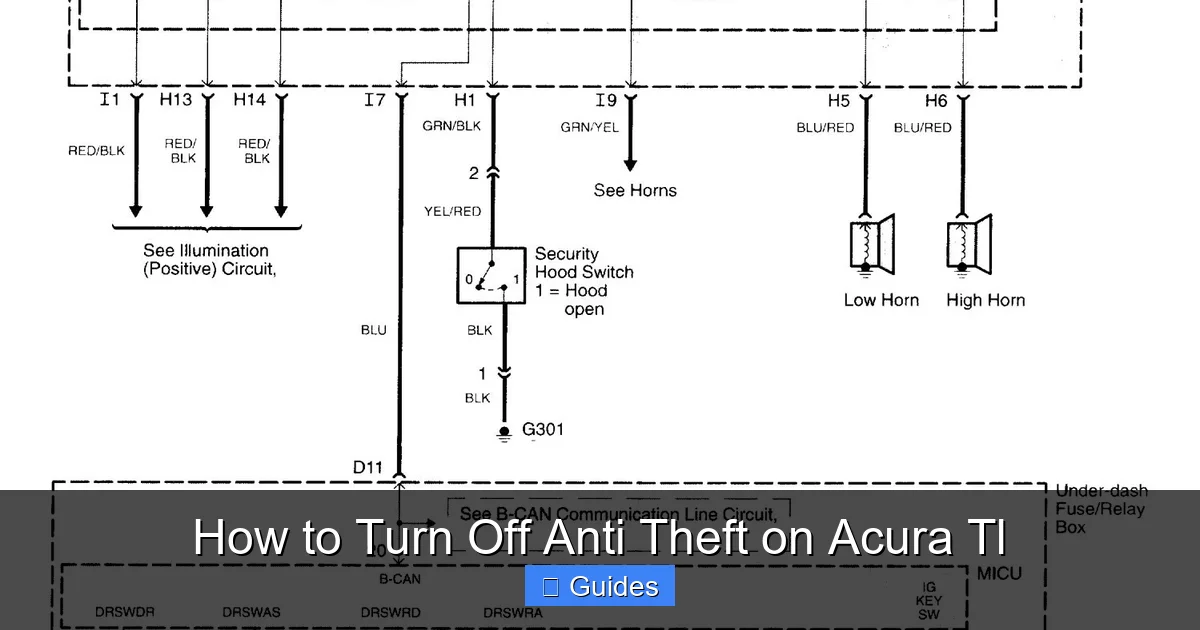
Visual guide about How to Turn Off Anti Theft on Acura Tl
Image source: carknowledge.info
One of the easiest and most effective ways to turn off anti theft on Acura TL is by using the key fob. This method works especially well if the system was activated due to a temporary glitch or low battery.
Step-by-Step Key Fob Reset
Follow these steps carefully:
1. **Stand close to your vehicle.** Make sure you’re within a few feet of the car so the key fob can communicate effectively.
2. **Press and hold the “Lock” button** on the key fob for about 10–15 seconds. This sends a continuous signal to the car’s receiver.
3. **While still holding the Lock button, press the “Unlock” button** three times. This sequence helps reset the communication between the key and the immobilizer.
4. **Release both buttons** and wait about 30 seconds.
5. **Try starting the car.** Insert the key into the ignition (or press the start button if your model has push-to-start) and see if the engine turns over.
If the security light stops flashing and the car starts normally, the anti-theft system has been successfully reset. This method works on most Acura TL models from 2004 to 2014.
Tips for Success
– Make sure the key fob battery is fresh. A weak battery can prevent proper communication.
– Avoid using the key fob near strong electronic interference, such as cell phone towers or power lines.
– If the first attempt doesn’t work, wait a few minutes and try again. Sometimes the system needs time to reset.
Method 2: The Key Cylinder Reset Technique
Visual guide about How to Turn Off Anti Theft on Acura Tl
Image source: carknowledge.info
For older Acura TL models (particularly 2004–2008), the physical key cylinder can be used to reset the anti-theft system. This method is especially useful if the key fob isn’t working or if you’ve lost it.
How to Perform the Key Cylinder Reset
1. **Insert the physical key** into the driver’s side door lock.
2. **Turn the key to the “Unlock” position** and hold it there for about 10 seconds. This signals the car that a valid key is present.
3. **Turn the key back to the neutral (center) position** and wait 5 seconds.
4. **Turn the key to the “Lock” position** and hold for another 10 seconds.
5. **Return the key to neutral** and remove it.
6. **Wait 30 seconds**, then try starting the car.
This process essentially “reintroduces” the key to the immobilizer system. It’s a simple but effective way to turn off anti theft on Acura TL when electronic methods fail.
When This Method Works Best
The key cylinder reset is most effective on models with traditional ignition systems (non-push-button start). It’s also helpful if you’ve recently replaced the key fob or if the car has been sitting unused for a long time. However, if the key itself is damaged or the chip is faulty, this method may not work.
Method 3: Checking and Replacing Fuses
Visual guide about How to Turn Off Anti Theft on Acura Tl
Image source: carknowledge.info
Sometimes, the anti-theft light comes on not because of a security issue, but because of an electrical problem. A blown fuse can disrupt communication between the key fob, immobilizer, and ECU, triggering the anti-theft mode.
Locating the Fuse Box
In the Acura TL, the main fuse box is located under the dashboard on the driver’s side. You’ll need to remove the lower panel to access it. There’s also a secondary fuse box in the engine compartment, but the interior one is more relevant for anti-theft issues.
Identifying the Right Fuse
Look for fuses labeled “SECURITY,” “IMMO,” or “ECU.” These are directly related to the anti-theft system. Use the fuse diagram on the inside of the fuse box cover to locate the correct one. Check each fuse for a broken filament or discoloration.
Replacing a Blown Fuse
If you find a blown fuse:
1. Use a fuse puller (or needle-nose pliers) to remove it.
2. Replace it with a new fuse of the same amperage.
3. Close the fuse box and try starting the car.
A new fuse can restore power to the immobilizer system and turn off the anti-theft mode. However, if the fuse blows again immediately, there may be a deeper electrical issue—such as a short circuit—that requires professional diagnosis.
Method 4: Disconnecting the Battery
A battery reset is a classic troubleshooting technique that can clear error codes and reset the car’s electronic systems—including the anti-theft system. This method works by cutting power to the ECU and immobilizer, forcing them to reboot.
How to Safely Disconnect the Battery
1. **Turn off the engine** and remove the key from the ignition.
2. **Open the hood** and locate the battery.
3. **Use a wrench to loosen the negative (-) terminal** (black cable). Remove it first to prevent short circuits.
4. **Wait 10–15 minutes.** This allows the car’s capacitors to discharge and the ECU to reset.
5. **Reconnect the negative terminal** and tighten it securely.
6. **Try starting the car.**
After the reset, the anti-theft light should go off, and the car should start normally. This method is particularly effective if the system was triggered by a power surge or software glitch.
Precautions to Take
– Always disconnect the negative terminal first and reconnect it last.
– Avoid touching both terminals at the same time.
– Be aware that disconnecting the battery may reset other systems, such as the radio presets, clock, and navigation settings.
Method 5: Using an OBD2 Scanner
For more advanced users or persistent anti-theft issues, an OBD2 (On-Board Diagnostics) scanner can be a powerful tool. These devices plug into the OBD2 port (usually under the dashboard near the steering wheel) and can read error codes, including those related to the immobilizer.
Steps to Use an OBD2 Scanner
1. **Turn off the car** and locate the OBD2 port.
2. **Plug in the scanner** and turn the ignition to the “On” position (do not start the engine).
3. **Follow the scanner’s prompts** to read diagnostic trouble codes (DTCs).
4. **Look for codes related to the immobilizer**, such as P0638 (Immobilizer Control Module) or B1698 (Key Not Recognized).
5. **Clear the codes** using the scanner’s “Erase” function.
6. **Try starting the car.**
If the scanner shows no codes or the codes are cleared successfully, the anti-theft system should reset. However, if the same codes return, there may be a hardware issue—such as a faulty immobilizer antenna or damaged key chip—that requires professional repair.
Recommended OBD2 Scanners
For Acura TL owners, consider scanners with immobilizer support, such as the BlueDriver or Autel MaxiCOM. These devices offer more detailed diagnostics and are compatible with Honda/Acura systems.
When to See a Mechanic or Dealership
While most anti-theft issues can be resolved at home, some problems require professional help. If you’ve tried all the above methods and the car still won’t start, it’s time to consult a mechanic or visit an Acura dealership.
Common Reasons for Professional Intervention
– **Damaged or lost key fob:** If the transponder chip is broken or the fob is lost, a new key must be programmed by a dealer or locksmith with the right equipment.
– **Faulty immobilizer antenna:** This component, located around the ignition cylinder, reads the key’s signal. If it fails, the car won’t recognize any key.
– **ECU malfunction:** In rare cases, the engine control unit itself may be faulty and need replacement or reprogramming.
– **Wiring issues:** Corroded or damaged wiring in the immobilizer circuit can cause persistent problems.
What to Expect at the Dealership
A certified Acura technician will use specialized diagnostic tools to read the immobilizer system and reprogram keys if needed. They may also update the car’s software to fix known bugs. While this service can be costly (typically $100–$300), it’s often the only solution for complex issues.
Preventing Future Anti-Theft Issues
Once you’ve successfully turned off anti theft on Acura TL, take steps to avoid future problems:
– **Replace key fob batteries regularly.** Most last 2–3 years.
– **Keep spare keys in a safe place.** Avoid storing them near the car, as this can drain the battery.
– **Avoid aftermarket key fobs.** Cheap replacements may not have compatible chips.
– **Use a Faraday pouch** to protect your key fob from signal theft (relay attacks).
– **Schedule regular maintenance** to check electrical systems and sensors.
Conclusion
Dealing with the anti-theft system on your Acura TL doesn’t have to be a nightmare. Whether you’re using the key fob, resetting the battery, or checking fuses, there are several reliable methods to turn off anti theft on Acura TL and get back on the road. Most issues are temporary and can be resolved with simple steps. However, if problems persist, don’t hesitate to seek professional help. With the right knowledge and tools, you can keep your Acura TL secure—and running smoothly—for years to come.
Frequently Asked Questions
Why won’t my Acura TL start even with the right key?
This is often due to the anti-theft system being triggered. The immobilizer may not recognize the key due to a weak battery, damaged chip, or software glitch. Try resetting the system using the key fob or battery disconnect method.
How do I know if my key fob battery is low?
A low battery may cause the key fob buttons to respond slowly or not at all. The security light may also flash when you try to start the car. Replace the battery (usually a CR2032) if you suspect it’s weak.
Can I drive my Acura TL if the anti-theft light is on?
If the light is on but the car starts and runs normally, it’s likely a minor glitch. However, if the engine won’t start or shuts off, do not drive the vehicle until the issue is resolved.
Will disconnecting the battery erase my radio settings?
Yes, disconnecting the battery may reset the radio presets, clock, and navigation system. You’ll need to reconfigure these settings after reconnecting the battery.
Can I use a generic OBD2 scanner for anti-theft issues?
Basic scanners can read general codes, but for immobilizer-specific issues, you’ll need a scanner with Honda/Acura compatibility. Devices like BlueDriver or Autel offer better support.
How much does it cost to reprogram an Acura TL key?
Dealerships typically charge $100–$300 for key programming, depending on the model and whether a new fob is needed. Independent locksmiths may offer lower prices.

At CarLegit, we believe information should be clear, factual, and genuinely helpful. That’s why every guide, review, and update on our website is created with care, research, and a strong focus on user experience.