
Turning off the back windshield wiper on your GMC Acadia is simple once you know where to look. This guide walks you through the exact steps, whether you’re using the stalk controls, dashboard settings, or the infotainment system. No tools or technical skills needed—just follow along and stay in control of your wipers.
In This Article
- 1 Key Takeaways
- 2 📑 Table of Contents
- 3 Introduction: Why You Might Want to Turn Off the Back Windshield Wiper
- 4 Understanding the Rear Wiper System in the GMC Acadia
- 5 Method 1: Using the Wiper Stalk to Turn Off the Rear Wiper
- 6 Method 2: Disabling the Rear Wiper via the Infotainment System
- 7 Method 3: Using the Rear Wiper Button (If Equipped)
- 8 Troubleshooting Common Rear Wiper Issues
- 9 Tips for Maintaining Your Rear Wiper
- 10 Conclusion: Stay in Control of Your Acadia’s Rear Wiper
- 11 Frequently Asked Questions
- 11.1 How do I turn off the rear wiper on a 2015 GMC Acadia?
- 11.2 Can I disable the rear wiper from turning on automatically?
- 11.3 Why does my rear wiper turn on when I shift into Reverse?
- 11.4 Is there a fuse for the rear wiper?
- 11.5 Can I turn off the rear wiper while driving?
- 11.6 What if my rear wiper won’t turn off?
Key Takeaways
- Locate the wiper stalk: The rear wiper control is typically on the right-side stalk behind the steering wheel.
- Use the intermittent setting: Many Acadia models allow you to set the rear wiper to intermittent mode to reduce unnecessary use.
- Access the infotainment menu: Some newer models let you disable the rear wiper through the vehicle settings on the touchscreen.
- Check the owner’s manual: Always refer to your specific model year’s manual for accurate instructions.
- Turn off automatically in Park: On certain trims, the rear wiper may shut off when you shift into Park—useful for quick stops.
- Avoid accidental activation: Be mindful of the stalk position to prevent unintentionally turning on the rear wiper.
- Reset after service: If you’ve had maintenance, double-check that the wiper settings haven’t been changed.
📑 Table of Contents
- Introduction: Why You Might Want to Turn Off the Back Windshield Wiper
- Understanding the Rear Wiper System in the GMC Acadia
- Method 1: Using the Wiper Stalk to Turn Off the Rear Wiper
- Method 2: Disabling the Rear Wiper via the Infotainment System
- Method 3: Using the Rear Wiper Button (If Equipped)
- Troubleshooting Common Rear Wiper Issues
- Tips for Maintaining Your Rear Wiper
- Conclusion: Stay in Control of Your Acadia’s Rear Wiper
Introduction: Why You Might Want to Turn Off the Back Windshield Wiper
Driving a GMC Acadia is a smooth, comfortable experience—especially with its sleek design, spacious interior, and advanced safety features. But like any vehicle, it comes with quirks that can sometimes catch you off guard. One of those quirks? The back windshield wiper. While it’s a helpful feature during rain, snow, or muddy drives, there are plenty of times when you might want to turn it off. Maybe you’re parked and don’t want the wiper to activate accidentally. Or perhaps you’re washing your car and want to avoid unnecessary wear on the blade. Maybe you simply prefer to control when it runs.
The good news? Turning off the back windshield wiper on your GMC Acadia is easier than you might think. You don’t need to pop the hood, disconnect anything, or call a mechanic. With just a few simple steps—depending on your model year and trim—you can disable or adjust the rear wiper to suit your needs. Whether you drive a 2010 Acadia or a brand-new 2024 model, this guide will walk you through every option available.
Understanding the Rear Wiper System in the GMC Acadia

Visual guide about How to Turn Off Back Windshield Wiper Gmc Acadia
Image source: d2n97g4vasjwsk.cloudfront.net
Before we dive into the how-to, it helps to understand how the rear wiper system works in the GMC Acadia. Unlike front wipers, which are essential for visibility in all weather, the rear wiper is more of a convenience feature—especially useful in SUVs where the back window can get splattered with dirt, mud, or snow from the road ahead.
The rear wiper is typically powered by an electric motor mounted near the top of the rear hatch. It’s controlled either by a stalk on the steering column or through the vehicle’s infotainment system, depending on the model year. Most Acadia models from 2007 onward include a rear wiper as standard, especially on higher trims like the SLT or Denali.
One key thing to know: the rear wiper is often linked to the front wipers. On many models, when you turn on the front wipers, the rear wiper may activate automatically—especially in intermittent or continuous modes. This is designed to keep both windows clear, but it can be overkill in light rain or dry conditions.
Additionally, some Acadia models feature a “rear wiper delay” or “intermittent” setting, which allows the wiper to run every few seconds instead of continuously. This can help reduce wear and noise while still maintaining visibility. Newer models (2017 and later) often integrate rear wiper controls into the touchscreen, giving you more customization options.
How the Rear Wiper Interacts with Other Systems
It’s also worth noting that the rear wiper may interact with other vehicle systems. For example, on some Acadia models, the rear wiper will automatically activate when you shift into Reverse—especially if the front wipers are on. This is meant to help you see clearly when backing up in the rain. However, this feature can sometimes be annoying if you’re parking frequently in dry conditions.
Another interaction to be aware of is with the rear defroster. On many Acadia trims, turning on the rear defroster may also trigger the rear wiper to run briefly to clear condensation or frost. This is normal, but if the wiper keeps running longer than expected, it could indicate a setting issue or a sensor problem.
Understanding these interactions helps you make informed decisions about when and how to disable the rear wiper. It’s not just about turning it off—it’s about knowing how it fits into your vehicle’s overall functionality.
Method 1: Using the Wiper Stalk to Turn Off the Rear Wiper

Visual guide about How to Turn Off Back Windshield Wiper Gmc Acadia
Image source: d2n97g4vasjwsk.cloudfront.net
The most common and straightforward way to control the rear windshield wiper on a GMC Acadia is through the wiper stalk—the lever on the right side of the steering wheel. This method works on nearly all Acadia models, from the earliest 2007 versions to the latest 2024 trims.
Here’s how to do it step by step:
First, locate the wiper stalk. It’s the long lever that sticks out from the right side of the steering column. You’ll use this to control both the front and rear wipers. At the end of the stalk, you’ll typically find a round knob or dial with multiple settings.
Turn the knob to the “Off” position for the rear wiper. On most Acadia models, this is labeled as “Rear” or has a small icon of a rear window with a wiper. The positions usually include:
– Off: Rear wiper is disabled.
– On: Rear wiper runs continuously.
– Intermittent (or Delay): Rear wiper runs every few seconds.
To turn off the rear wiper, simply rotate the knob to the “Off” position. You’ll know it’s off when the icon or label no longer lights up (if your model has indicator lights).
Tips for Using the Stalk Control
One helpful tip: if you only want the rear wiper to run occasionally, use the intermittent setting instead of turning it completely off. This way, you can still activate it manually when needed—like during a sudden downpour—without it running nonstop.
Also, be mindful of the stalk’s position when driving. It’s easy to accidentally bump the stalk and turn on the rear wiper, especially if you’re adjusting the front wipers frequently. If you notice the rear wiper turning on unexpectedly, double-check the stalk position.
For drivers who rarely use the rear wiper, consider leaving it in the “Off” position most of the time. This reduces wear on the wiper motor and blade, and prevents unnecessary noise inside the cabin.
Method 2: Disabling the Rear Wiper via the Infotainment System
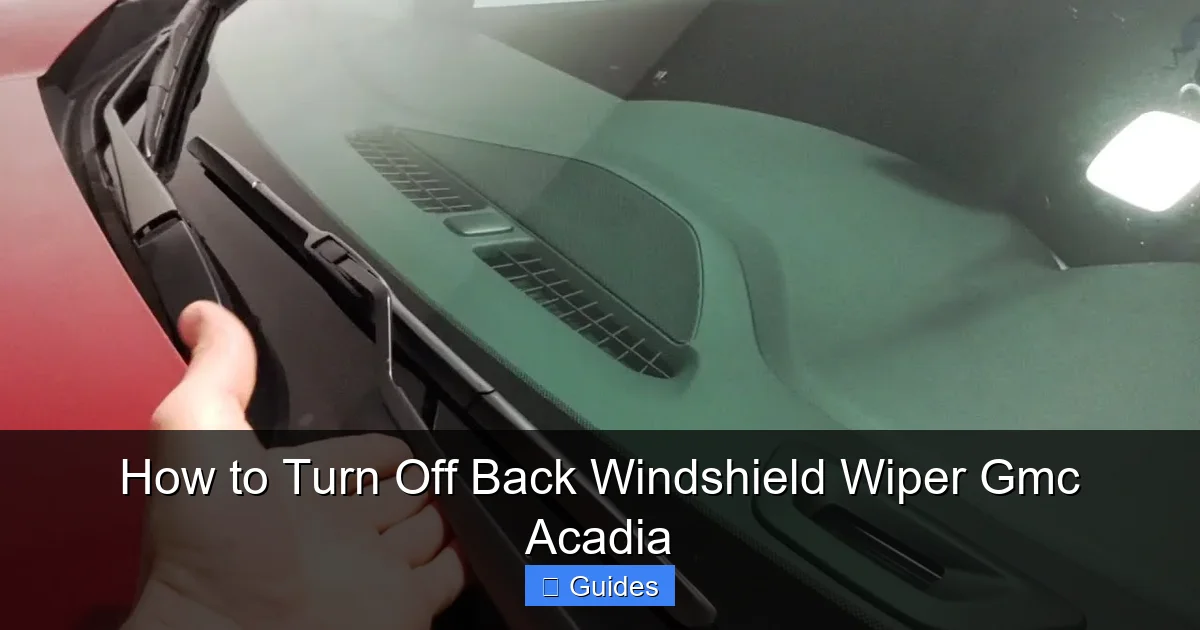
Visual guide about How to Turn Off Back Windshield Wiper Gmc Acadia
Image source: i.ytimg.com
Starting around the 2017 model year, GMC began integrating more vehicle controls into the infotainment touchscreen. This includes settings for the rear windshield wiper. If your Acadia has an 8-inch touchscreen with the GMC Infotainment System (often labeled as “GMC Intellilink” or “GMC Infotainment”), you may be able to disable the rear wiper through the menu.
Here’s how to access it:
Start by turning on your vehicle and ensuring the touchscreen is active. From the home screen, tap on the “Settings” icon—usually represented by a gear or wrench symbol.
Next, navigate to “Vehicle” or “Vehicle Settings.” This section contains various customization options for your Acadia, including climate, lighting, and wiper controls.
Look for an option labeled “Wiper Settings,” “Rear Wiper,” or “Wiper Controls.” Tap on it to open the submenu.
In this menu, you’ll typically see options like:
– Rear Wiper: On/Off
– Rear Wiper Delay: Adjustable intervals (e.g., 3 seconds, 6 seconds, 10 seconds)
– Auto Rear Wiper: Enable or disable automatic activation with front wipers
To turn off the rear wiper completely, toggle the “Rear Wiper” switch to “Off.” This will disable the wiper regardless of the front wiper setting.
Customizing Wiper Behavior
One of the advantages of using the infotainment system is the ability to customize how the rear wiper behaves. For example, you can set it to only activate when the front wipers are on, or disable that link entirely. You can also adjust the delay interval to match your driving conditions—shorter intervals for heavy rain, longer ones for light drizzle.
If you frequently drive in dusty or muddy areas, you might prefer to keep the rear wiper on a short delay. But if you’re mostly driving in clean, dry conditions, turning it off entirely can save wear and tear.
Keep in mind that not all Acadia trims have this feature. Base models (like the SLE) may not include rear wiper controls in the infotainment system. Always check your owner’s manual or explore the settings menu to confirm availability.
Method 3: Using the Rear Wiper Button (If Equipped)
Some GMC Acadia models—particularly higher trims or later model years—come with a dedicated rear wiper button located on the dashboard or near the gear shifter. This button is usually labeled with a rear window icon and may be backlit for visibility at night.
If your Acadia has this button, turning off the rear wiper is as simple as pressing it. A single press typically toggles the wiper on or off. Some models may require you to hold the button for a few seconds to disable it completely.
To confirm the wiper is off, look for a light on the button or check the instrument cluster for a wiper status indicator. If no light is on, the wiper is likely disabled.
When to Use the Dedicated Button
This method is ideal for quick, on-the-fly adjustments. For example, if you’re parked and don’t want the wiper to activate when you shift into Reverse, you can press the button to turn it off. Then, when you’re ready to drive in the rain, press it again to re-enable it.
It’s also useful during car washes. Many drivers forget to turn off the rear wiper before entering an automatic wash, which can lead to damage or misalignment. With a dedicated button, you can disable it in seconds.
If you can’t find a rear wiper button in your Acadia, don’t worry—it’s not standard on all models. In that case, stick with the stalk or infotainment methods described earlier.
Troubleshooting Common Rear Wiper Issues
Even with the right steps, you might run into issues when trying to turn off the rear windshield wiper. Here are some common problems and how to fix them.
One frequent issue is the rear wiper turning on automatically when it shouldn’t. This often happens when the “Auto Rear Wiper” feature is enabled in the infotainment system. To fix this, go back to the Wiper Settings menu and disable the automatic function. This ensures the rear wiper only runs when you manually activate it.
Another problem is the wiper not responding to the stalk or button. If you turn the knob or press the button but the wiper doesn’t move, check the fuse. The rear wiper is powered by a fuse in the under-hood fuse box. Refer to your owner’s manual for the exact location—it’s usually labeled “Rear Wiper” or “RR WPR.” If the fuse is blown, replace it with one of the same amperage.
When to Seek Professional Help
If the wiper still doesn’t work after checking the fuse and settings, there may be a wiring issue or a faulty motor. In that case, it’s best to visit a GMC dealership or certified mechanic. They can run diagnostics and determine if the motor, switch, or control module needs replacement.
Also, if the wiper turns on randomly—even when the vehicle is off—it could indicate a short circuit or a problem with the body control module. This requires professional attention to avoid electrical issues.
Tips for Maintaining Your Rear Wiper
Keeping your rear wiper in good condition ensures it works when you need it—and doesn’t cause problems when you don’t. Here are a few maintenance tips:
First, clean the wiper blade regularly. Dirt, grime, and road salt can build up and reduce effectiveness. Use a soft cloth and mild soap to wipe the blade every few weeks, especially in winter.
Second, check the blade for wear. If it’s cracked, torn, or leaving streaks, replace it. Most rear wiper blades on the Acadia are easy to swap—just lift the arm, press the release tab, and slide the old blade off. New blades are available at auto parts stores or GMC dealerships.
Third, avoid using the wiper on a dry window. This can wear out the blade and motor quickly. If the window is dusty, use the rear washer fluid first to moisten the surface.
Finally, during winter, clear snow and ice from the rear window before using the wiper. Forcing the wiper through thick ice can damage the motor or bend the arm.
Conclusion: Stay in Control of Your Acadia’s Rear Wiper
The back windshield wiper on your GMC Acadia is a useful feature—but only when you want it to be. Whether you’re trying to avoid accidental activation, reduce wear, or simply prefer manual control, knowing how to turn it off gives you peace of mind and better control over your vehicle.
From using the wiper stalk to navigating the infotainment menu, there are multiple ways to disable or adjust the rear wiper depending on your model year and trim. And with a little maintenance, you can keep it running smoothly for years to come.
So the next time you’re parked, washing your car, or driving in dry conditions, remember: you don’t have to live with an active rear wiper. With the steps in this guide, you can turn it off in seconds—and get back to enjoying your Acadia the way you want.
Frequently Asked Questions
How do I turn off the rear wiper on a 2015 GMC Acadia?
On a 2015 GMC Acadia, use the wiper stalk on the right side of the steering wheel. Rotate the knob at the end of the stalk to the “Off” position labeled for the rear wiper. This will disable it immediately.
Can I disable the rear wiper from turning on automatically?
Yes, on models with infotainment systems, go to Settings > Vehicle > Wiper Settings and turn off “Auto Rear Wiper.” This prevents it from activating when the front wipers are on.
Why does my rear wiper turn on when I shift into Reverse?
This is a normal feature on many Acadia models. The rear wiper activates in Reverse to improve visibility. You can disable this in the infotainment menu under Wiper Settings if available.
Is there a fuse for the rear wiper?
Yes, the rear wiper is protected by a fuse in the under-hood fuse box. Check your owner’s manual for the exact location, usually labeled “RR WPR” or “Rear Wiper.”
Can I turn off the rear wiper while driving?
Yes, you can turn it off at any time using the stalk, button, or infotainment menu. Just be sure to re-enable it in wet conditions for safety.
What if my rear wiper won’t turn off?
If the wiper won’t turn off, check the stalk position and infotainment settings. If it’s still stuck, there may be a faulty switch or wiring issue—consult a mechanic.

At CarLegit, we believe information should be clear, factual, and genuinely helpful. That’s why every guide, review, and update on our website is created with care, research, and a strong focus on user experience.