
Resetting the service airbag light on your GMC Terrain isn’t as scary as it sounds. With the right tools and a clear guide, you can diagnose the issue and clear the warning—often without a trip to the dealership. This article walks you through every step, from understanding the cause to performing a safe reset.
In This Article
- 1 Key Takeaways
- 2 📑 Table of Contents
- 3 Why Is the Airbag Light On in Your GMC Terrain?
- 4 Tools You’ll Need to Reset the Airbag Light
- 5 Step-by-Step Guide to Resetting the Airbag Light
- 6 DIY vs. Professional Help: When to Call a Mechanic
- 7 Preventing Future Airbag Light Issues
- 8 Final Thoughts: Safety First, Always
- 9 Frequently Asked Questions
- 9.1 Can I drive my GMC Terrain with the airbag light on?
- 9.2 Will disconnecting the battery reset the airbag light?
- 9.3 How much does it cost to reset the airbag light?
- 9.4 Can a bad alternator cause the airbag light to come on?
- 9.5 How long does it take to reset the airbag light?
- 9.6 Is it safe to reset the airbag light myself?
Key Takeaways
- Understand the cause first: The airbag light often comes on due to loose connections, faulty sensors, or low battery voltage—not always a major airbag failure.
- Use an OBD2 scanner with airbag capability: Not all scanners can reset the airbag system; you’ll need one that supports SRS (Supplemental Restraint System) functions.
- Check the clockspring and seat sensors: These common culprits in the GMC Terrain can trigger the light even if the airbags are fine.
- Never ignore the airbag light: It means the system may not deploy in a crash—safety should always come first.
- Reset only after fixing the issue: Clearing the light without addressing the root cause is dangerous and temporary.
- Test drive after reset: Drive normally for a few miles to ensure the light stays off and the system is fully functional.
- When in doubt, consult a professional: If you’re unsure or the light returns, visit a certified technician for a full diagnosis.
📑 Table of Contents
Why Is the Airbag Light On in Your GMC Terrain?
So, you’re driving your GMC Terrain—maybe it’s a 2015, 2018, or even a newer model—and suddenly, that little yellow airbag icon lights up on your dashboard. Your first thought? “Uh-oh.” And honestly, that’s a reasonable reaction. The airbag system is one of the most critical safety features in your vehicle. But before you panic and rush to the dealership, take a deep breath. In many cases, the service airbag light isn’t signaling a catastrophic failure. It’s often something much simpler—and fixable.
The airbag light, also known as the SRS (Supplemental Restraint System) warning light, is designed to alert you when there’s a problem with the airbag system. This system includes front and side airbags, crash sensors, the airbag control module, seatbelt pretensioners, and various wiring and connectors. When the vehicle’s onboard computer detects a fault—like a broken wire, a loose connection, or a sensor malfunction—it triggers the warning light. But here’s the thing: the light doesn’t always mean the airbags are broken. Sometimes, it’s just a glitch.
For GMC Terrain owners, common causes include a faulty clockspring (the coiled wire behind the steering wheel), worn seat weight sensors (especially in the passenger seat), or even a weak battery that caused a temporary voltage drop. In fact, jump-starting your car or replacing the battery can sometimes trigger the airbag light if the system doesn’t reinitialize properly. So, while the light is serious, it’s not always a sign of expensive repairs.
Common Triggers for the Airbag Light
Let’s break down the most frequent reasons your GMC Terrain’s airbag light might come on:
– Clockspring failure: This component allows the steering wheel to turn while maintaining electrical connections to the horn, audio controls, and airbag. Over time, the internal wires can wear out, especially if you frequently turn the wheel while the car is off. A failing clockspring is one of the top causes of airbag light issues in Terrains.
– Seat sensor problems: The passenger seat has a weight sensor that determines whether to deploy the airbag. If you’ve spilled liquid, placed heavy objects on the seat, or adjusted the seat repeatedly, the sensor might malfunction. Even sitting in the seat with a laptop or backpack can confuse the system temporarily.
– Loose or corroded connectors: Under the seats, behind the dashboard, or near the airbag modules, connectors can become loose or corroded. This is especially true if your Terrain has been in a minor accident or if moisture has gotten into the wiring.
– Low battery voltage: If your battery died or was recently replaced, the airbag system might not have re-synced properly. This can cause the light to stay on even if everything else is fine.
– Faulty airbag control module: This is rarer and more serious. The module is the “brain” of the airbag system, and if it fails, it usually requires professional replacement.
Understanding these causes helps you approach the problem logically. The key is not to jump straight to a reset. Instead, you should diagnose the issue first. Resetting the light without fixing the underlying problem is like turning off a smoke alarm while the house is still on fire—it doesn’t solve anything.
Tools You’ll Need to Reset the Airbag Light
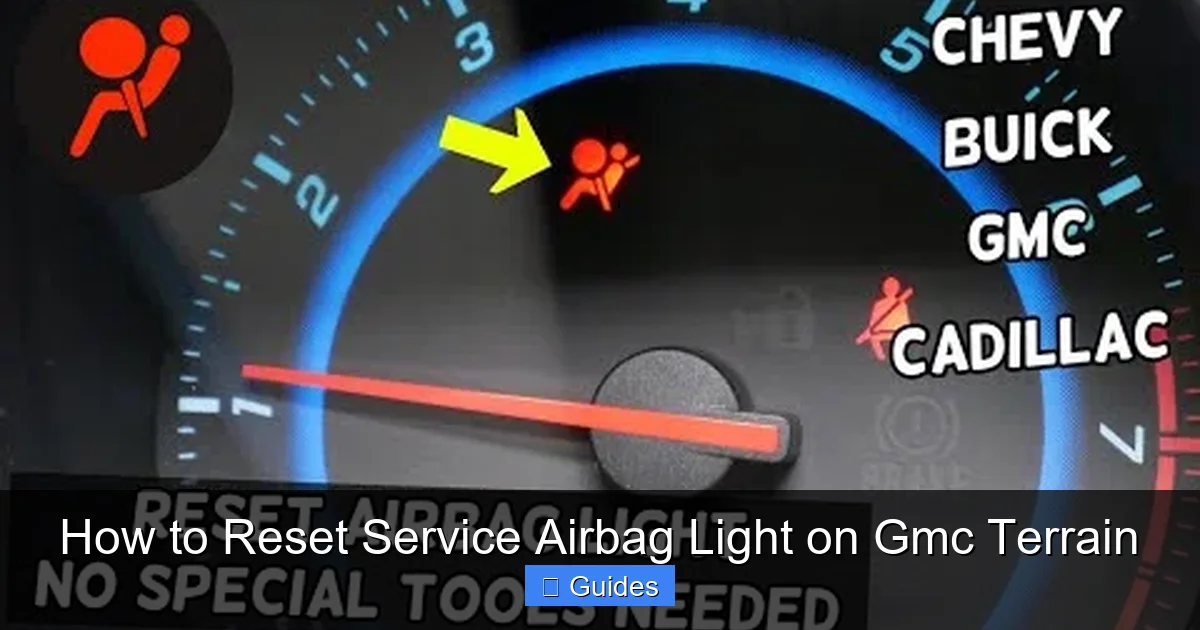
Visual guide about How to Reset Service Airbag Light on Gmc Terrain
Image source: i.ytimg.com
Now that you know what might be causing the light, let’s talk about the tools you’ll need to reset it. You can’t just press a button on the dashboard like you might with the check engine light. The airbag system requires a bit more finesse—and the right equipment.
OBD2 Scanner with SRS Functionality
The most important tool is an OBD2 (On-Board Diagnostics) scanner that can access the SRS system. Not all OBD2 scanners are created equal. Basic code readers can clear engine codes, but they often can’t communicate with the airbag module. You need a scanner that specifically supports SRS or airbag diagnostics.
Popular options include:
– BlueDriver Bluetooth OBD2 Scanner: Works with your smartphone via an app and can read and clear airbag codes.
– Autel MaxiCOM MK808: A professional-grade scanner with full SRS support.
– Foxwell NT510 Elite: Another reliable choice with multi-system diagnostics.
These scanners connect to the OBD2 port (usually under the dashboard, near the driver’s knee) and communicate directly with the airbag control module. They can tell you exactly what code is stored—like “B0013: Driver Side Airbag Circuit Open”—which helps pinpoint the issue.
Basic Hand Tools
You might also need a few basic tools, depending on what you find:
– A socket wrench set (for removing the steering wheel or seat)
– A flathead and Phillips screwdriver
– Electrical contact cleaner (to clean connectors)
– A multimeter (to test voltage and continuity)
Safety Gear
Before you start, safety is crucial. Always disconnect the negative battery terminal and wait at least 15 minutes before working on the airbag system. This ensures the system is fully powered down and reduces the risk of accidental deployment. Even though the chance is small, it’s not worth the risk.
Also, avoid using metal tools near airbag components, and never probe airbag wiring with a multimeter unless you’re trained. When in doubt, consult your owner’s manual or a repair guide specific to your GMC Terrain model year.
Step-by-Step Guide to Resetting the Airbag Light

Visual guide about How to Reset Service Airbag Light on Gmc Terrain
Image source: wallx.net
Alright, let’s get to the main event: how to reset the service airbag light on your GMC Terrain. This process involves diagnosing the issue, fixing it if possible, and then clearing the code. Here’s a detailed, step-by-step guide.
Step 1: Diagnose the Problem
Before you reset anything, you need to know what’s wrong. Plug your OBD2 scanner into the port (usually under the dashboard, near the steering column). Turn the ignition to the “ON” position (don’t start the engine), and let the scanner communicate with the vehicle.
Look for SRS or airbag-related codes. Common ones include:
– B0013: Driver airbag circuit open
– B0023: Passenger airbag circuit open
– B0043: Passenger seat weight sensor fault
– B1001: System voltage low
Write down the code and research what it means. Many scanner apps include code definitions, or you can search online using your Terrain’s year and the specific code.
Step 2: Inspect Common Problem Areas
Based on the code, inspect the likely culprit. For example:
– If it’s a driver airbag code, check the clockspring. Remove the steering wheel cover (you may need to disconnect the battery first) and look for frayed wires or a damaged coil.
– If it’s a passenger seat code, check under the seat for loose connectors or damaged wiring. Make sure nothing heavy is left on the seat.
– If the code suggests a voltage issue, test your battery and alternator. A weak battery can cause temporary faults.
Step 3: Fix the Issue
Once you’ve identified the problem, fix it:
– Reconnect any loose wires.
– Clean corroded connectors with electrical contact cleaner.
– Replace a faulty clockspring (this is a bit advanced—consider professional help if you’re not confident).
– Reset the seat sensor by removing weight from the seat and cycling the ignition.
Step 4: Clear the Airbag Code
Now it’s time to reset the light. With your scanner still connected:
1. Navigate to the SRS or airbag menu.
2. Select “Clear Codes” or “Reset SRS.”
3. Confirm the action.
The scanner will send a signal to the airbag module to erase the stored fault. The light should turn off immediately.
Step 5: Test Drive and Verify
Turn off the ignition, wait a few seconds, then start the engine. The airbag light should remain off. Take your Terrain for a short test drive—about 5 to 10 minutes—to ensure the system stays reset. If the light comes back on, the problem wasn’t fully resolved, and you’ll need to dig deeper.
DIY vs. Professional Help: When to Call a Mechanic

Visual guide about How to Reset Service Airbag Light on Gmc Terrain
Image source: cartroubleshooters.com
Let’s be real: not everyone is comfortable working on airbag systems. And that’s okay. While resetting the light is doable at home, some issues require professional expertise.
When to DIY
You can safely handle the reset if:
– The light came on after a battery replacement.
– You’ve confirmed loose connectors and reconnected them.
– The scanner shows a temporary glitch with no hardware damage.
These are low-risk scenarios where a simple reset often does the trick.
When to See a Professional
Call a certified mechanic if:
– The clockspring needs replacement (this involves removing the steering wheel and handling live airbag components).
– The airbag control module is faulty (requires programming and calibration).
– The light keeps coming back after multiple resets.
– You’re unsure about any step in the process.
Dealerships and independent shops with ASE-certified technicians have the tools and training to handle complex airbag issues safely. Plus, they can perform a full system scan and ensure everything is working correctly.
Remember: the airbag system is designed to save lives. Cutting corners or ignoring warnings could put you and your passengers at risk. When in doubt, it’s always better to spend a little money now than face a much bigger problem later.
Preventing Future Airbag Light Issues
Once you’ve reset the light and everything’s working, you’ll want to avoid seeing that warning again. Here are some tips to keep your GMC Terrain’s airbag system in top shape.
Regular Maintenance Checks
Make it a habit to inspect under the seats and around the steering column during oil changes or tire rotations. Look for loose wires, frayed cables, or signs of moisture. If you notice anything unusual, address it early.
Avoid Overloading the Passenger Seat
Heavy objects on the passenger seat can confuse the weight sensor. If you regularly carry gear, consider using a seat cover designed for Terrains with built-in sensor compatibility, or place items in the cargo area instead.
Keep the Battery Healthy
A weak or dying battery can cause voltage drops that trigger the airbag light. Test your battery annually, especially before winter. Replace it every 3–5 years, depending on climate and usage.
Handle the Steering Wheel Gently
Avoid turning the steering wheel while the car is off—this puts extra strain on the clockspring. It’s a small habit, but it can extend the life of this critical component.
Use Quality Replacement Parts
If you do need to replace a sensor or module, use OEM (Original Equipment Manufacturer) or high-quality aftermarket parts. Cheap knockoffs may not integrate properly with the system and could cause recurring issues.
Final Thoughts: Safety First, Always
Resetting the service airbag light on your GMC Terrain is a manageable task if you approach it with care and the right tools. But it’s not just about turning off a warning light—it’s about ensuring your vehicle’s safety systems are fully operational. The airbags, seatbelts, and sensors work together to protect you in a crash, and ignoring a fault could have serious consequences.
By diagnosing the issue, using a capable OBD2 scanner, and following safe procedures, you can often resolve the problem yourself. But never hesitate to seek professional help if something feels off. Your safety—and the safety of your passengers—is worth the extra time and cost.
So the next time that airbag light flickers on, don’t panic. Grab your scanner, check the basics, and reset with confidence. And remember: a little knowledge goes a long way when it comes to keeping your GMC Terrain safe and reliable.
Frequently Asked Questions
Can I drive my GMC Terrain with the airbag light on?
Yes, you can drive it, but it’s not safe. The light means the airbag system may not deploy in a crash. It’s best to diagnose and fix the issue as soon as possible.
Will disconnecting the battery reset the airbag light?
Sometimes, but not reliably. Disconnecting the battery may clear temporary glitches, but if there’s a real fault, the light will return. Use an OBD2 scanner for a proper reset.
How much does it cost to reset the airbag light?
If you do it yourself with a scanner, it’s free. At a shop, expect to pay $50–$150 for diagnosis and reset, depending on the issue.
Can a bad alternator cause the airbag light to come on?
Yes, a failing alternator can cause voltage fluctuations that trigger the airbag light. Test your charging system if the light appears after electrical issues.
How long does it take to reset the airbag light?
With the right scanner, the reset takes less than 5 minutes. However, diagnosing the root cause may take 15–30 minutes or more.
Is it safe to reset the airbag light myself?
Yes, as long as you follow safety steps: disconnect the battery, wait 15 minutes, and avoid probing airbag wiring. If unsure, consult a professional.

At CarLegit, we believe information should be clear, factual, and genuinely helpful. That’s why every guide, review, and update on our website is created with care, research, and a strong focus on user experience.