
Resetting the service tire monitor system on your GMC Acadia is simple and can be done in minutes using the dashboard controls or a TPMS tool. This guide walks you through every step, explains why the warning light comes on, and offers tips to keep your tires in top shape.
If you’ve ever been driving your GMC Acadia and suddenly noticed that little yellow light on your dashboard shaped like a flat tire with an exclamation point, you’re not alone. That’s the Tire Pressure Monitoring System (TPMS) warning light, and it’s designed to keep you safe by alerting you when your tire pressure is too low or if there’s an issue with the monitoring system itself. While it’s a helpful feature, it can also be confusing—especially when the light comes on even though your tires look fine.
The good news? Resetting the service tire monitor system on your GMC Acadia is usually quick and doesn’t require a trip to the mechanic. Whether you’ve just filled your tires, rotated them, or replaced a sensor, knowing how to reset the system ensures your vehicle stays in sync with its TPMS. In this guide, we’ll walk you through everything you need to know—from understanding why the light comes on to step-by-step instructions for different model years. We’ll also share practical tips to prevent false alerts and keep your ride smooth and safe.
In This Article
- 1 Key Takeaways
- 2 📑 Table of Contents
- 3 What Is the Service Tire Monitor System?
- 4 Why Does the TPMS Light Come On?
- 5 How to Check Tire Pressure Before Resetting
- 6 Step-by-Step Guide to Reset the TPMS on GMC Acadia
- 7 When to Use a TPMS Tool vs. Dashboard Reset
- 8 Preventing Future TPMS Issues
- 9 Troubleshooting Common TPMS Problems
- 10 Conclusion
- 11 Frequently Asked Questions
Key Takeaways
- Understand the TPMS warning light: It alerts you to low tire pressure or system issues, not just a flat tire.
- Check tire pressure first: Always inflate tires to the recommended PSI before resetting the system.
- Use the dashboard menu for most models: 2010–2023 GMC Acadia models allow reset via the Driver Information Center (DIC).
- Some models need a TPMS tool: Older or specific trims may require a relearn tool to sync sensors.
- Drive after resetting: A short drive helps the system confirm all sensors are working properly.
- Seasonal changes matter: Cold weather can trigger the light due to pressure drops—check and reset as needed.
- Visit a dealer if problems persist: If the light won’t turn off, there may be a faulty sensor or wiring issue.
📑 Table of Contents
What Is the Service Tire Monitor System?
The Service Tire Monitor System, commonly referred to as TPMS, is a built-in safety feature in your GMC Acadia that continuously monitors the air pressure in each of your tires. It uses sensors mounted inside the wheels (either valve stem-based or band-mounted) to send real-time pressure data to your vehicle’s computer. If the pressure in one or more tires drops below the recommended level—usually 25% or more under the ideal PSI—the system triggers a warning light on your dashboard.
This isn’t just about comfort or fuel efficiency (though proper tire pressure does improve both). Underinflated tires can overheat, wear unevenly, and even blow out at high speeds, which is a serious safety risk. The TPMS helps prevent these dangers by giving you an early warning. But it’s not just low pressure that can set off the light. A malfunctioning sensor, a dead battery in a sensor, or even a recent tire rotation without a system reset can cause the “Service Tire Monitor System” message to appear.
It’s important to note that the TPMS doesn’t replace regular tire checks. While it’s a great backup, sensors can fail, and the system might not detect slow leaks right away. That’s why it’s still a good idea to check your tire pressure manually once a month using a reliable gauge. Think of the TPMS as your co-pilot—helpful, but not infallible.
Why Does the TPMS Light Come On?
There are several reasons why the service tire monitor system light might illuminate on your GMC Acadia. Understanding these causes can help you respond quickly and avoid unnecessary stress.
Low Tire Pressure
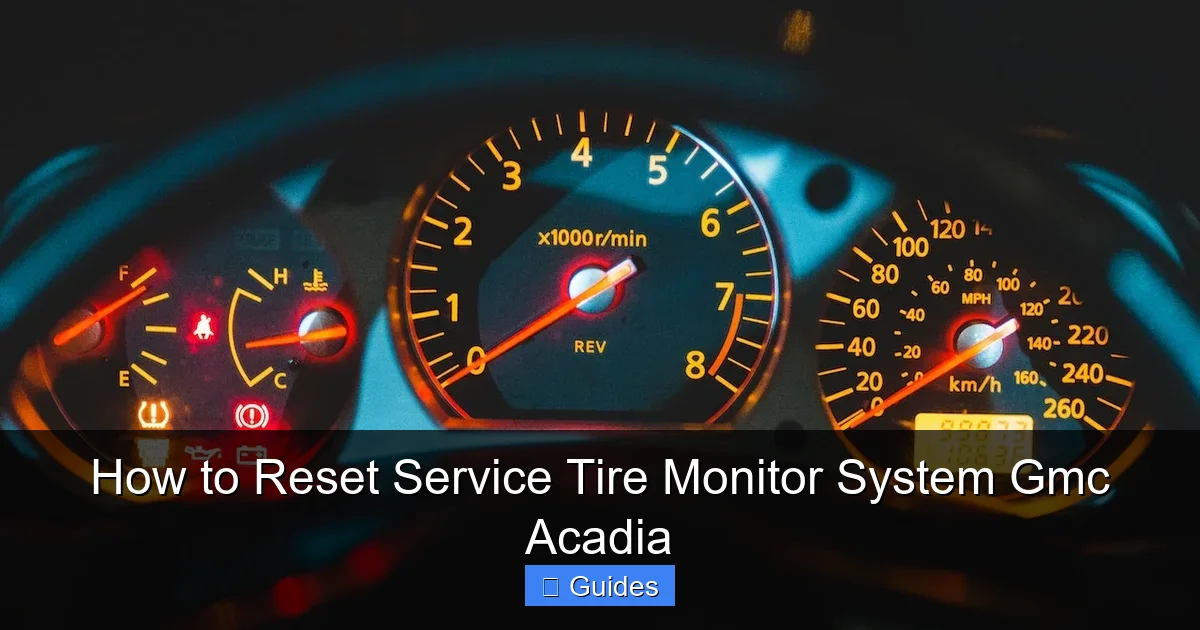
The most common reason is simply that one or more tires are underinflated. This can happen gradually over time due to normal air loss (tires lose about 1 PSI per month) or more suddenly due to a puncture, leak, or temperature change. Cold weather is a major culprit—for every 10°F drop in temperature, tire pressure can decrease by about 1 PSI. So if you park your Acadia outside overnight in winter, you might wake up to a TPMS warning.
Visual guide about How to Reset Service Tire Monitor System Gmc Acadia
Image source: gmcbrakes.net
Recent Tire Maintenance
If you’ve recently had your tires rotated, replaced, or repaired, the system may need to be reset. The TPMS sensors are linked to specific wheel positions, and moving them around without relearning their locations can confuse the system. Even something as simple as removing a tire to fix a flat can disrupt the signal.
Faulty or Dead Sensor
Each TPMS sensor has a small battery that typically lasts 5 to 10 years. Once the battery dies, the sensor can no longer transmit data, and the system will flag it as malfunctioning. This is more common in older Acadia models (2010–2015), but it can happen in newer ones too. A damaged sensor from impact or corrosion can also cause issues.
System Glitches or Software Errors
Like any electronic system, the TPMS can occasionally experience glitches. A weak vehicle battery, a recent jump start, or even a software update can temporarily disrupt communication between the sensors and the onboard computer. In these cases, a simple reset often resolves the problem.
Incorrect Tire Size or Aftermarket Wheels
If you’ve installed larger or non-standard tires or wheels, the TPMS may not function correctly. Some aftermarket wheels don’t accommodate OEM sensors, or the new tire size may alter the rolling diameter, confusing the system. Always ensure compatibility when upgrading wheels.
How to Check Tire Pressure Before Resetting
Before you attempt to reset the service tire monitor system, it’s essential to verify that your tire pressure is correct. Resetting the system won’t fix the problem if your tires are still underinflated—and you could be driving unsafely.
Find the Recommended PSI
Look for the tire pressure label on the driver’s side door jamb. It lists the correct PSI for your front and rear tires. Don’t rely on the number printed on the tire sidewall—that’s the maximum pressure, not the recommended one. For most GMC Acadia models, the ideal pressure is between 30 and 35 PSI, but always check your specific label.

Visual guide about How to Reset Service Tire Monitor System Gmc Acadia
Image source: gmcbrakes.net
Use a Reliable Tire Gauge
Digital gauges are more accurate than analog ones and easier to read. Make sure your gauge is calibrated and hasn’t been dropped or damaged. Check the pressure when the tires are cold—meaning the vehicle hasn’t been driven for at least three hours. Driving heats up the tires and increases pressure, giving a false reading.
Inflate as Needed
If any tire is below the recommended PSI, use an air compressor to fill it. Most gas stations have public air pumps with built-in gauges, but it’s better to use your own for accuracy. Add air in small increments and recheck frequently to avoid overinflation. Overinflated tires can reduce traction and wear out faster in the center.
Check All Four Tires (Plus the Spare, If Applicable)
Don’t forget the spare tire if your Acadia has one. While it’s not monitored by the TPMS, a flat spare can leave you stranded. Make it a habit to check all five tires monthly.
Example Scenario
Imagine you’re getting ready for a road trip. You notice the TPMS light is on. You grab your gauge and check the tires. The front left is at 28 PSI, while the others are at 32. You inflate the front left to 33 PSI (matching the door jamb recommendation), and the light goes off after a short drive. Problem solved—no reset needed!
Step-by-Step Guide to Reset the TPMS on GMC Acadia
Now that your tires are properly inflated, it’s time to reset the service tire monitor system. The method varies slightly depending on your Acadia’s model year and trim level, but the process is straightforward for most.
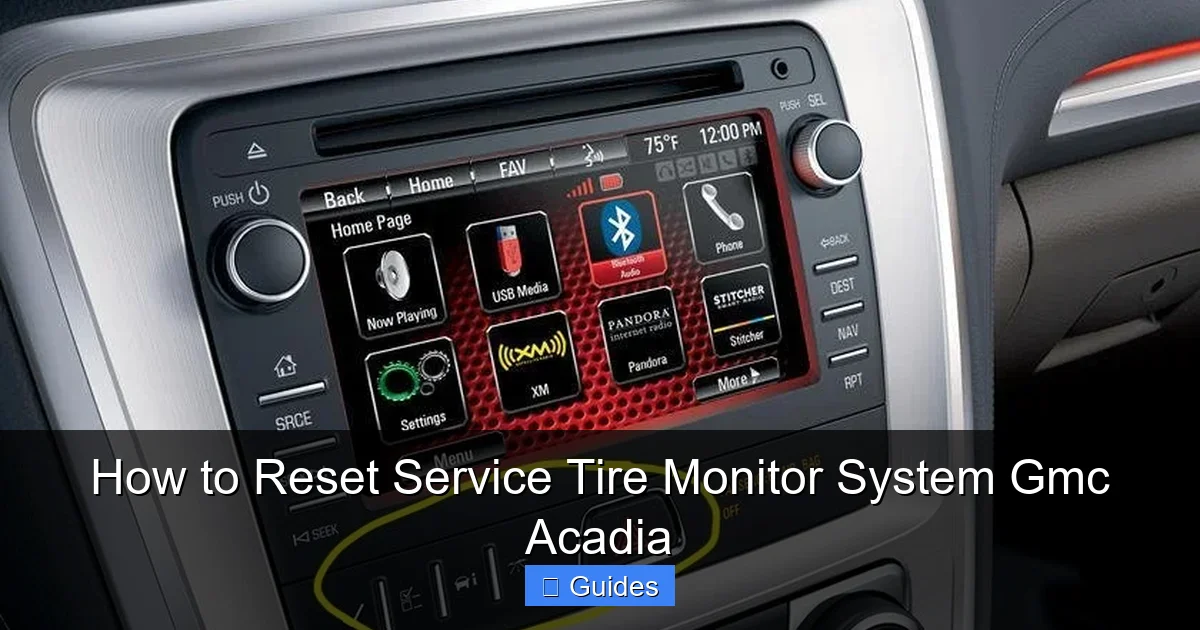
For 2010–2023 GMC Acadia Models (Using Dashboard Controls)
This is the most common method and works for the majority of Acadia owners. Here’s how to do it:
Visual guide about How to Reset Service Tire Monitor System Gmc Acadia
Image source: gmcbrakes.net
- Turn the ignition to the “ON” position (but don’t start the engine). You should see all dashboard lights illuminate.
- Press the “Vehicle Information” button on your steering wheel. This is usually labeled with a car icon or “INFO.”
- Navigate to the “Tire Pressure” menu using the arrow buttons. You may need to scroll through options like “Oil Life” or “Fuel Economy.”
- Press and hold the “Set/Reset” button (or “OK” button) until the TPMS light blinks three times and you hear a chime. This initiates the relearn process.
- Start the engine and drive the vehicle at speeds above 20 mph for at least 10 minutes. This allows the system to detect and sync with each sensor.
- Check the dashboard—the TPMS light should turn off. If it remains on, repeat the process or check for sensor issues.
For Older Models or When Dashboard Reset Fails
If your Acadia is a 2007–2009 model or the dashboard method doesn’t work, you may need a TPMS relearn tool. These tools, available at auto parts stores or online, communicate directly with the sensors to reset them.
- Turn the ignition to “ON.”
- Use the TPMS tool to activate each sensor by holding it near the valve stem of each tire. Start with the front left, then front right, rear right, and rear left. The tool will send a signal to wake up the sensor.
- Listen for a horn chirp after each sensor is activated. This confirms the system has recognized it.
- Drive the vehicle for 10–15 minutes to complete the relearn process.
Tips for Success
- Always perform the reset with the ignition on and the engine off unless instructed otherwise.
- Make sure the vehicle is in a safe, open area when driving to complete the relearn.
- If the light returns immediately, one or more sensors may be faulty.
- Some newer models (2021+) may require a dealership scan tool for certain resets—check your owner’s manual.
When to Use a TPMS Tool vs. Dashboard Reset
Not all GMC Acadia models are created equal when it comes to TPMS resets. While most can be handled through the dashboard, some situations call for a dedicated TPMS tool.
Dashboard Reset Is Best For:
- Routine resets after tire inflation or rotation.
- Models from 2010 onward with advanced Driver Information Center (DIC) systems.
- Situations where all sensors are functioning and just need relearning.
TPMS Tool Is Needed When:
- The dashboard reset fails or isn’t available (common in 2007–2009 models).
- One or more sensors have been replaced and need to be programmed.
- The vehicle has aftermarket sensors that require activation.
- You’re performing a full sensor replacement or relearn after a wheel swap.
Choosing the Right Tool
Popular TPMS tools include the Autel MaxiTPMS TS408, OTC 3845, and Foxwell NT510. These tools can read sensor IDs, activate sensors, and even program new ones. While they cost $100–$300, they’re a worthwhile investment if you frequently work on your vehicle or own multiple cars.
Professional Help
If you’re uncomfortable using a TPMS tool or the light won’t turn off after multiple attempts, visit a GMC dealership or trusted tire shop. They have factory-level diagnostic tools and can quickly identify faulty sensors or wiring issues.
Preventing Future TPMS Issues
Once you’ve reset the service tire monitor system, you’ll want to avoid seeing that light again. A little maintenance goes a long way.
Check Tire Pressure Monthly
Make it a habit to check your tire pressure at least once a month. Keep a digital gauge in your glove compartment and use it regularly. This helps catch slow leaks early and ensures optimal performance.
Rotate Tires Every 5,000–7,000 Miles
Regular tire rotations promote even wear and extend tire life. After each rotation, reset the TPMS to ensure the system recognizes the new wheel positions.
Inspect Sensors During Tire Service
Whenever you have your tires serviced—whether for rotation, balancing, or repair—ask the technician to inspect the TPMS sensors for damage or corrosion. A loose or cracked sensor can cause false alerts.
Replace Sensors When Needed
If a sensor fails, replace it promptly. Most sensors last 5–10 years, so if your Acadia is older, consider proactive replacement. New sensors must be programmed to your vehicle, which may require a tool or dealer visit.
Be Mindful of Seasonal Changes
In winter, check tire pressure more frequently. Cold weather can cause pressure drops, triggering the TPMS light. In summer, avoid overinflation on hot days—let tires cool before checking.
Use Quality Air
Some gas station air pumps add moisture or contaminants. If possible, use a clean, dry air source or invest in a portable compressor with a built-in dryer.
Troubleshooting Common TPMS Problems
Even with proper care, TPMS issues can arise. Here’s how to handle the most common problems.
Light Won’t Turn Off After Reset
If the TPMS light remains on after a reset and proper inflation, one or more sensors may be dead or malfunctioning. Use a TPMS tool to check sensor status or visit a shop for diagnostics.
Intermittent Light
A light that comes and goes could indicate a loose sensor, weak battery, or intermittent signal loss. Check for physical damage and ensure the valve stem is secure.
Incorrect Pressure Readings
If the displayed pressure doesn’t match your gauge, the sensor may be faulty or the system may need recalibration. Some models allow manual calibration via the DIC.
“Service Tire Monitor System” Message
This message indicates a system fault, not just low pressure. It could mean a communication error, failed sensor, or software glitch. A diagnostic scan is usually required.
Aftermarket Wheel Issues
If you’ve installed new wheels and the TPMS isn’t working, ensure they’re compatible with OEM sensors. Some wheels require special valve stems or sensor mounts.
Conclusion
Resetting the service tire monitor system on your GMC Acadia is a simple but important task that keeps you safe and your vehicle running smoothly. Whether you use the dashboard controls or a TPMS tool, the process takes just a few minutes and can save you from potential tire-related hazards. By understanding why the light comes on, checking your tire pressure regularly, and knowing when to seek professional help, you’ll stay ahead of any TPMS issues.
Remember, the TPMS is there to help—not to hassle you. With a little knowledge and routine maintenance, you can keep that warning light off and enjoy peace of mind on every drive. So the next time you see that little tire icon flash on your dashboard, don’t panic. Grab your gauge, check your pressure, and follow the steps in this guide. Your Acadia—and your tires—will thank you.
Frequently Asked Questions
How often should I reset the TPMS on my GMC Acadia?
You only need to reset the TPMS after inflating tires, rotating them, or replacing a sensor. There’s no need for regular resets unless the system alerts you.
Can I drive with the TPMS light on?
You can drive short distances, but it’s not safe for long. Low tire pressure can cause overheating, blowouts, or poor handling. Check and inflate your tires as soon as possible.
Will the TPMS light reset itself?
Sometimes. If you inflate the tires to the correct pressure, the light may turn off after a short drive. If not, a manual reset is needed.
Do I need a special tool to reset the TPMS?
Most 2010–2023 Acadia models can be reset using the dashboard. Older models or sensor replacements may require a TPMS relearn tool.
Can a dead car battery affect the TPMS?
Yes. A weak or dead battery can disrupt the TPMS signal. After a jump start or battery replacement, a reset may be necessary.
How much does it cost to replace a TPMS sensor?
Replacement sensors cost $50–$150 each, plus labor. Programming may require a tool or dealer visit, adding $50–$100 to the total.

At CarLegit, we believe information should be clear, factual, and genuinely helpful. That’s why every guide, review, and update on our website is created with care, research, and a strong focus on user experience.