
Don’t panic if your Buick Enclave won’t start because of a dead key fob—there are several reliable ways to get your vehicle running again. From using the physical key blade to accessing the backup start procedure, this guide walks you through every solution so you’re never stranded.
So, you’re standing in your driveway—or worse, a parking lot—ready to head out, but your Buick Enclave won’t start. You press the start button, nothing happens. You try again. Still nothing. Then it hits you: *“Is my key fob dead?”*
It’s a frustrating moment, especially when you’re already running late. But here’s the good news: **a dead key fob doesn’t mean you’re stuck**. Modern vehicles like the Buick Enclave are designed with backup systems precisely for this scenario. Whether you own a first-generation Enclave (2008–2017) or the sleeker second-generation model (2018–2023), Buick has built-in fail-safes to help you start your SUV—even when the fob battery is completely drained.
In this guide, we’ll walk you through every proven method to start your Buick Enclave with a dead key fob. No technical jargon, no guesswork—just clear, actionable steps you can follow right now. We’ll cover everything from using the hidden physical key to accessing the secret “backup start” zone, replacing the battery yourself, and even what to do if you’ve lost your fob entirely. By the end, you’ll feel confident handling this common issue like a pro—and maybe even prevent it from happening again.
In This Article
- 1 Key Takeaways
- 2 📑 Table of Contents
- 3 Why Does a Dead Key Fob Prevent Your Enclave from Starting?
- 4 Method 1: Use the Hidden Physical Key Blade
- 5 Method 2: Use the Backup Start Location (Fob Hold Spot)
- 6 Method 3: Replace the Key Fob Battery Yourself
- 7 Method 4: Use a Spare Key Fob (If Available)
- 8 Method 5: Call for Help—Roadside Assistance & OnStar
- 9 Preventing Future Key Fob Failures
- 10 Final Thoughts: Stay Calm and Prepared
- 11 Frequently Asked Questions
- 11.1 Can I start my Buick Enclave if the key fob is completely dead?
- 11.2 Where is the backup start location on a 2020 Buick Enclave?
- 11.3 What type of battery does a Buick Enclave key fob use?
- 11.4 How do I know if my key fob battery is low?
- 11.5 Can I drive my Enclave long-term with a dead key fob?
- 11.6 What if I’ve lost my key fob entirely?
Key Takeaways
- Use the hidden physical key: Every Buick Enclave key fob has a retractable metal key blade that can unlock the driver’s door manually.
- Access the backup start slot: Most Enclave models have a designated backup start location (often near the steering column or center console) where you can hold the dead fob to start the engine.
- Replace the key fob battery promptly: A simple CR2032 coin cell battery replacement can restore full functionality—usually in under 5 minutes.
- Keep spare batteries handy: Store extra CR2032 batteries in your glove compartment or emergency kit to avoid future lockouts.
- Understand your model year differences: Backup start procedures vary slightly between 2008–2017 and 2018–2023 Enclave trims—know yours!
- Call OnStar or roadside assistance if needed: If all else fails, Buick’s support services can help remotely or dispatch aid.
- Prevent future issues with routine checks: Test your key fob monthly and replace batteries every 1–2 years as preventive maintenance.
📑 Table of Contents
- Why Does a Dead Key Fob Prevent Your Enclave from Starting?
- Method 1: Use the Hidden Physical Key Blade
- Method 2: Use the Backup Start Location (Fob Hold Spot)
- Method 3: Replace the Key Fob Battery Yourself
- Method 4: Use a Spare Key Fob (If Available)
- Method 5: Call for Help—Roadside Assistance & OnStar
- Preventing Future Key Fob Failures
- Final Thoughts: Stay Calm and Prepared
Why Does a Dead Key Fob Prevent Your Enclave from Starting?
Before diving into solutions, it helps to understand *why* a dead key fob stops your Buick Enclave from starting in the first place. Unlike older cars that used traditional ignition keys, modern Enclaves rely on a **passive keyless entry and push-button start system**. This means your vehicle constantly communicates with the key fob via low-frequency radio signals—even when the fob appears “off.”
When you approach the car, sensors detect the fob’s presence and unlock the doors automatically. When you press the start button, the vehicle checks for the fob’s authentication signal. If the fob’s battery is dead, it can’t transmit that signal—so the engine refuses to start as a security measure. It’s not broken; it’s just being smart.
This system prevents theft but can leave drivers stranded if they don’t know the backup options. The good news? Buick anticipated this. Every Enclave comes equipped with redundant ways to authenticate the key fob manually. Understanding how these systems work empowers you to act quickly—without needing a tow truck or dealership visit.
How the Passive Entry System Works
Your Buick Enclave uses something called a **Passive Keyless Entry (PKE)** system. Here’s how it operates in simple terms:
– When you’re within about 3 feet of the vehicle, antennas around the car emit a low-power radio signal.
– Your key fob “wakes up” and responds with a unique encrypted code.
– If the code matches, the doors unlock automatically (or when you touch the door handle sensor).
– Inside the cabin, another antenna near the start button detects the fob when you press “Start.”
All of this happens silently and instantly—*as long as the fob has power*. Once the battery dies, the fob can’t respond, and the car assumes no authorized key is present. That’s why pressing the start button yields silence or a warning message like “Key Not Detected.”
Common Signs Your Key Fob Battery Is Dying
You might not realize your fob is dying until it’s too late—but there are often early warning signs:
– The doors don’t unlock when you touch the handle (even though they usually do).
– You have to stand closer than usual for the car to detect the fob.
– The start button flashes red or displays a “Key Fob Battery Low” message on the dashboard.
– Remote features (like locking/unlocking from 20+ feet away) stop working.
If you notice any of these, replace the battery ASAP. Most fobs use a **CR2032 lithium coin cell**, which costs less than $5 and lasts 1–3 years depending on usage.
Method 1: Use the Hidden Physical Key Blade
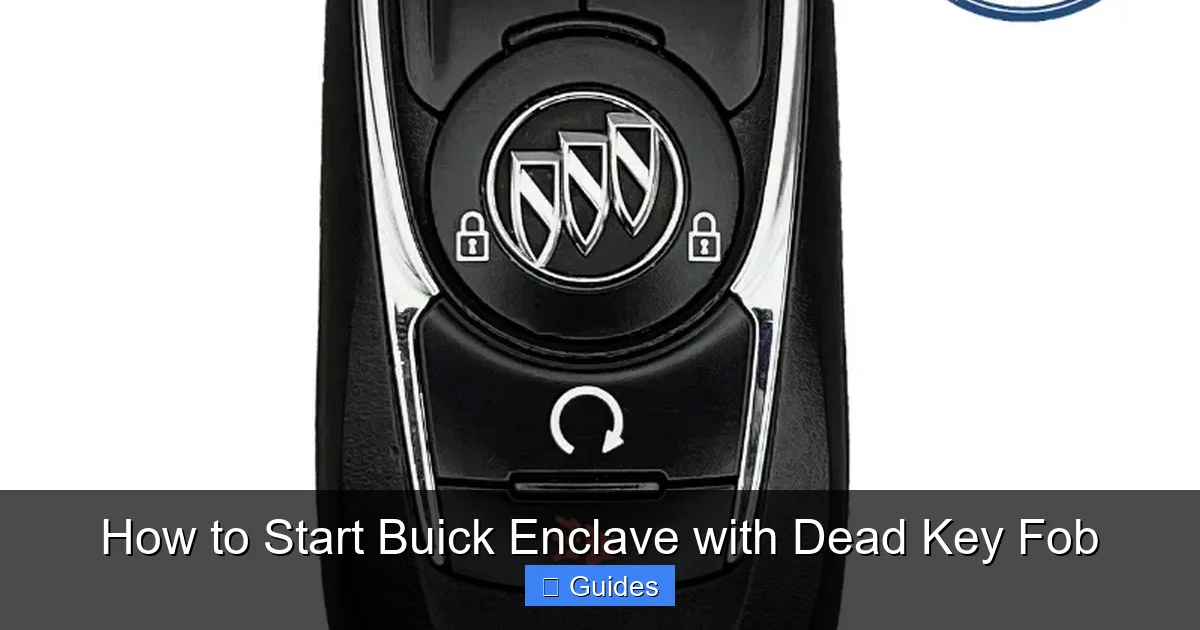
Visual guide about How to Start Buick Enclave with Dead Key Fob
Image source: remotesandkeys.com
The simplest and most immediate solution? **Use the physical key hidden inside your key fob**. Yes—even though your Enclave is high-tech, Buick still includes a old-school metal key for emergencies.
How to Access the Physical Key
Here’s how to retrieve it:
1. **Locate the release button** on the side or top of your key fob. It’s usually a small, recessed button labeled with a key icon or arrow.
2. **Press and hold** the button while gently pulling the metal key blade outward. It should slide out smoothly.
3. Once removed, you’ll see a standard car key shape—this is your manual override.
> 💡 *Pro Tip:* Practice this at home so you’re not fumbling in the dark or rain. Some fobs require a bit of wiggle—don’t force it!
Unlocking the Driver’s Door Manually
Once you have the key blade:
1. Look for the **keyhole on the driver’s door handle**. On most Enclaves (especially 2018+ models), it’s hidden under a small cap. Gently pry it open with your fingernail or a flat tool.
2. Insert the key and turn it **clockwise** to unlock the door.
3. Get inside—you’ve now bypassed the electronic lock system.
Now, you’re in the cabin. But how do you start the engine without a working fob signal?
Method 2: Use the Backup Start Location (Fob Hold Spot)
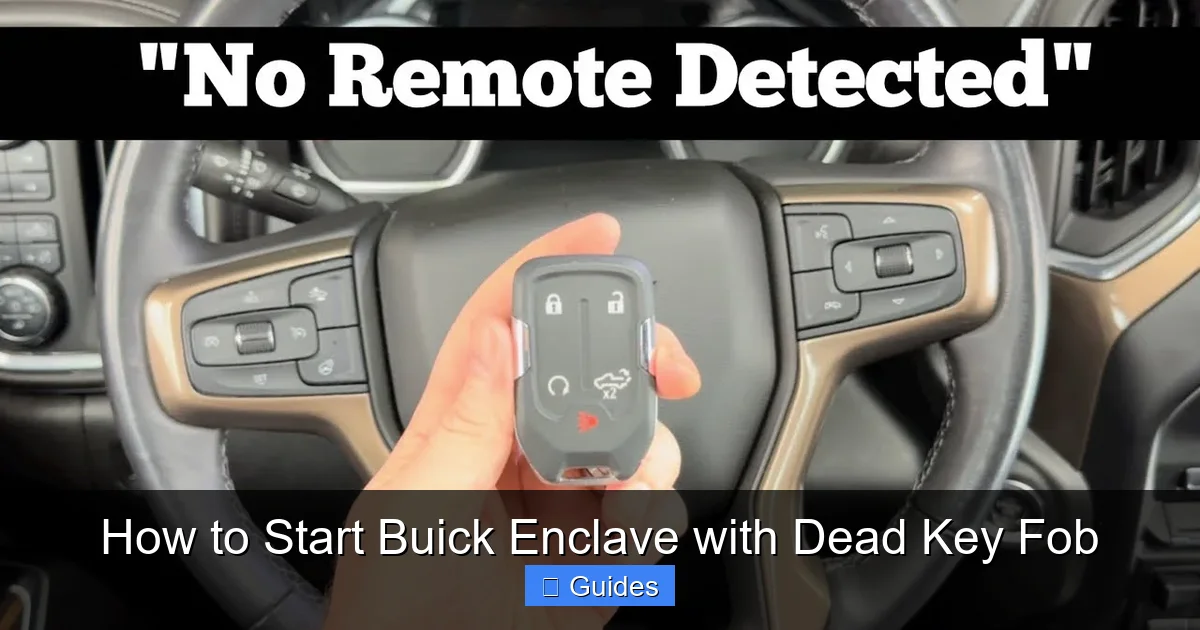
Visual guide about How to Start Buick Enclave with Dead Key Fob
Image source: i.ytimg.com
This is the magic trick every Buick Enclave owner should know: **your vehicle has a designated spot where it can read a dead fob**—as long as you hold it there during startup.
Where Is the Backup Start Location?
The exact location varies slightly by model year:
– **2008–2017 Enclave**: Look for a small, circular indentation or marked area **on the steering column shroud**, just below the ignition button. Sometimes it’s labeled “Key Fob Here” or has a key symbol.
– **2018–2023 Enclave**: The backup spot is typically **inside the center console storage compartment**. Open the armrest, and you’ll often find a recessed area or icon indicating where to place the fob.
> 📌 *Important:* Not all trims have the same design. If you can’t find it, consult your owner’s manual (search “backup start” or “dead key fob”).
Step-by-Step: Starting with a Dead Fob
Follow these steps carefully:
1. **Unlock the door** using the physical key (as described above).
2. **Place the dead key fob** directly onto the backup start location. Make sure it’s flat and centered.
3. **Press the brake pedal** (for automatic transmission).
4. **Press the START button firmly** while keeping the fob in place.
5. The engine should crank and start within 2–3 seconds.
> ✅ *Why this works:* The backup antenna emits a stronger, localized signal that can energize the fob’s internal chip just enough to transmit its ID—even with a dead battery. It’s like jump-starting the fob’s communication.
If it doesn’t work on the first try, reposition the fob slightly and repeat. Sometimes alignment matters.
What If There’s No Visible Backup Spot?
Don’t panic. Some Enclaves hide the antenna under trim panels. Try these alternatives:
– Hold the fob **directly against the START button** itself.
– Place it **on the passenger-side of the center console**, near the wireless charging pad (if equipped).
– In older models, try holding it **against the lower left side of the steering column**.
Buick’s system is designed to be forgiving—so experiment gently. If one spot doesn’t work, try another.
Method 3: Replace the Key Fob Battery Yourself
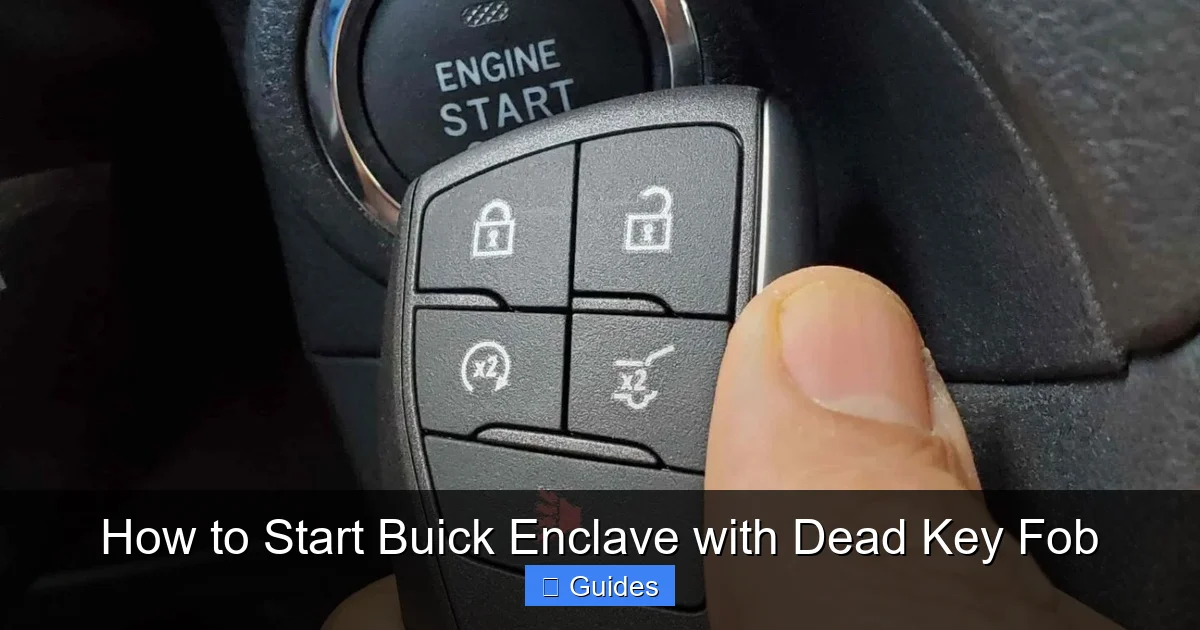
Visual guide about How to Start Buick Enclave with Dead Key Fob
Image source: lost-car-keys-replacement.com
Once you’ve started your Enclave, **replace the fob battery immediately**. It’s easier than you think—and takes less than 5 minutes.
What You’ll Need
– A new **CR2032 lithium battery** (available at pharmacies, hardware stores, or online).
– A small flathead screwdriver or butter knife.
– A clean workspace (to avoid losing tiny parts).
Step-by-Step Battery Replacement
1. **Open the fob**: Use the screwdriver to gently pry apart the two halves of the fob along the seam. Start at the key release end—it’s usually the weakest point.
2. **Remove the old battery**: Note its orientation (positive side up or down—take a photo if unsure). Pop it out with the screwdriver.
3. **Insert the new battery**: Match the polarity (+/-) exactly as the old one was positioned.
4. **Reassemble the fob**: Snap the halves back together firmly. Test the key release button to ensure it’s secure.
5. **Test the fob**: Stand near your Enclave and press Lock/Unlock. The doors should respond instantly.
> ⚠️ *Warning:* Avoid touching the battery terminals with bare fingers—oils can reduce lifespan. Use gloves or a cloth.
How Often Should You Replace the Battery?
Most CR2032 batteries last **12–24 months**, depending on usage. If you use your fob frequently (e.g., remote start in winter), it may drain faster. Set a calendar reminder every 18 months to check it.
Method 4: Use a Spare Key Fob (If Available)
If you’re lucky enough to have a **second key fob**, now’s the time to use it! Many Buick owners keep a spare in their home or office—just in case.
Simply insert the working fob into the cabin (no need for the backup spot), press the brake, and hit START. Problem solved.
> 🔑 *Smart Move:* If you only have one fob, consider getting a duplicate programmed. Most dealerships or locksmiths can do this for $50–$150. It’s cheaper than being stranded.
Method 5: Call for Help—Roadside Assistance & OnStar
If none of the above works—or you’ve lost your fob entirely—**don’t hesitate to call for help**.
Use Buick OnStar (If Equipped)
If your Enclave has an active OnStar subscription:
– Press the blue OnStar button inside the vehicle.
– Explain that your key fob is dead and you need assistance starting the car.
– In some cases, OnStar can **remotely unlock your doors** or guide you through advanced troubleshooting.
– They may also dispatch a technician if needed.
> 📞 *Note:* OnStar services vary by plan. Basic plans may only offer phone support, while premium tiers include roadside assistance.
Contact Buick Roadside Assistance
All new Buicks come with **complimentary roadside assistance** for a limited time (usually 5 years/60,000 miles). Even if your warranty has expired, you can enroll for a low annual fee.
Call **1-800-BUICK-1 (1-800-284-2551)** and request:
– Lockout service (if you’re locked out)
– Jump-start or tow (if the car won’t start at all)
– Fob replacement or reprogramming
A technician can often meet you on-site with a temporary fob or tools to get you going.
Preventing Future Key Fob Failures
An ounce of prevention is worth a pound of cure. Here’s how to avoid this headache altogether:
Keep Spare Batteries in Your Car
Store 1–2 CR2032 batteries in your glove box or center console. Label them with the date so you know when they were added. This turns a potential crisis into a 5-minute fix.
Test Your Fob Monthly
Every few weeks, stand 10–15 feet from your Enclave and press the Lock button. If it doesn’t respond, the battery is likely low. Replace it before it dies completely.
Avoid Extreme Temperatures
Leaving your fob in a hot car (or freezing trunk) can degrade the battery faster. Keep it in a cool, dry place when possible.
Consider a Key Fob Case
A protective silicone case prevents drops and moisture damage—both of which can shorten battery life or damage internal circuits.
Know Your Model Year Specs
Backup start locations differ between generations. Bookmark your owner’s manual PDF or take a photo of the relevant page. Knowledge is power!
Final Thoughts: Stay Calm and Prepared
A dead key fob might feel like a major setback—but with the right knowledge, it’s a minor inconvenience. Your Buick Enclave is engineered with multiple layers of redundancy precisely for moments like this. Whether you use the hidden key, the backup start spot, or a fresh battery, you’re never truly locked out.
The key (pun intended) is staying calm and methodical. Panic leads to mistakes—like forcing the fob open or misplacing the physical key. Instead, follow the steps in this guide, and you’ll be back on the road in minutes.
And remember: **this happens to thousands of drivers every year**. You’re not alone—and now, you’re prepared. Keep this article bookmarked, share it with family members who drive your Enclave, and rest easy knowing you’ve got a plan.
Drive safe, stay charged, and never let a little battery ruin your day.
Frequently Asked Questions
Can I start my Buick Enclave if the key fob is completely dead?
Yes! Even with a dead battery, you can start your Enclave using the hidden physical key to unlock the door and the backup start location to authenticate the fob during ignition.
Where is the backup start location on a 2020 Buick Enclave?
On 2018–2023 models, the backup start spot is usually inside the center console storage compartment—look for a recessed area or key symbol near the wireless charging pad.
What type of battery does a Buick Enclave key fob use?
Most Buick Enclave key fobs use a CR2032 lithium coin cell battery, which is widely available at drugstores, electronics shops, and online retailers.
How do I know if my key fob battery is low?
Signs include reduced range for remote locking, failure to unlock when touching the door handle, or dashboard warnings like “Key Fob Battery Low” or “Key Not Detected.”
Can I drive my Enclave long-term with a dead key fob?
Technically yes—but only if you use the backup start method each time. However, you won’t be able to lock/unlock remotely or use features like remote start, so replace the battery ASAP.
What if I’ve lost my key fob entirely?
Contact Buick roadside assistance or visit a dealership. They can provide a temporary fob or reprogram a new one using your vehicle’s VIN and proof of ownership.

At CarLegit, we believe information should be clear, factual, and genuinely helpful. That’s why every guide, review, and update on our website is created with care, research, and a strong focus on user experience.