
Discover how to remote start your Mazda CX-30 using just the key fob—no app or smartphone required. This guide walks you through the simple button sequence, safety checks, and common issues so you can warm up or cool down your SUV before you even get inside.
In This Article
- 1 Key Takeaways
- 2 📑 Table of Contents
- 3 How to Remote Start Mazda CX-30 with Key
- 4 Which Mazda CX-30 Models Support Remote Start?
- 5 Step-by-Step Guide: How to Remote Start Your Mazda CX-30
- 6 Safety Features and System Requirements
- 7 Troubleshooting Common Remote Start Issues
- 8 Tips for Getting the Most Out of Remote Start
- 9 Conclusion
- 10 Frequently Asked Questions
- 10.1 Can I remote start my Mazda CX-30 without the key fob?
- 10.2 How far away can I remote start my CX-30?
- 10.3 Will remote start drain my car battery?
- 10.4 Can I remote start my CX-30 in a garage?
- 10.5 Why won’t my remote start work even though I followed the steps?
- 10.6 Does remote start work if the fuel is low?
Key Takeaways
- Remote start is available on most 2021 and newer Mazda CX-30 models: Check your owner’s manual or key fob for the remote start button to confirm compatibility.
- Use the correct button sequence: Press the lock button, then hold the remote start button for 2–3 seconds to activate the system.
- The engine runs for 15 minutes by default: You can extend runtime by repeating the remote start command before it shuts off.
- Safety features prevent accidental starts: Doors must be locked, hood closed, and no obstructions in the exhaust path.
- Climate control settings are preserved: Your last-used AC, heat, and fan settings will activate when remote starting.
- Troubleshooting tips solve most issues: Weak battery, signal interference, or incorrect sequence are common culprits.
- Always follow local laws and safety guidelines: Never remote start in enclosed spaces like garages due to carbon monoxide risk.
📑 Table of Contents
How to Remote Start Mazda CX-30 with Key
Imagine this: It’s a freezing winter morning, and you’re dreading the thought of scraping ice off your windshield or sitting in a cold car while the engine warms up. Or maybe it’s a scorching summer day, and you want your Mazda CX-30 to be cool and comfortable the moment you slide into the driver’s seat. That’s where remote start comes in—a convenient feature that lets you start your vehicle from a distance using just your key fob.
The Mazda CX-30, especially models from 2021 onward, offers remote start functionality directly through the key fob. Unlike some vehicles that require a smartphone app or subscription service, Mazda keeps it simple and accessible. With just a few button presses, you can fire up your engine, activate the climate control, and have your SUV ready to go before you even reach the door. Whether you’re heading out for a road trip, running errands, or just want a more comfortable driving experience, mastering the remote start feature is a game-changer.
In this guide, we’ll walk you through everything you need to know about how to remote start your Mazda CX-30 with a key. From understanding which models support it to troubleshooting common problems, we’ve got you covered. No technical jargon, no confusing steps—just clear, practical instructions you can follow with confidence.
Which Mazda CX-30 Models Support Remote Start?
Visual guide about How to Remote Start Mazda Cx 30 with Key
Image source: remotesandkeys.com
Before you start pressing buttons, it’s important to confirm whether your Mazda CX-30 actually has remote start capability. Not all trims or model years include this feature, so let’s break it down.
Model Year and Trim Compatibility
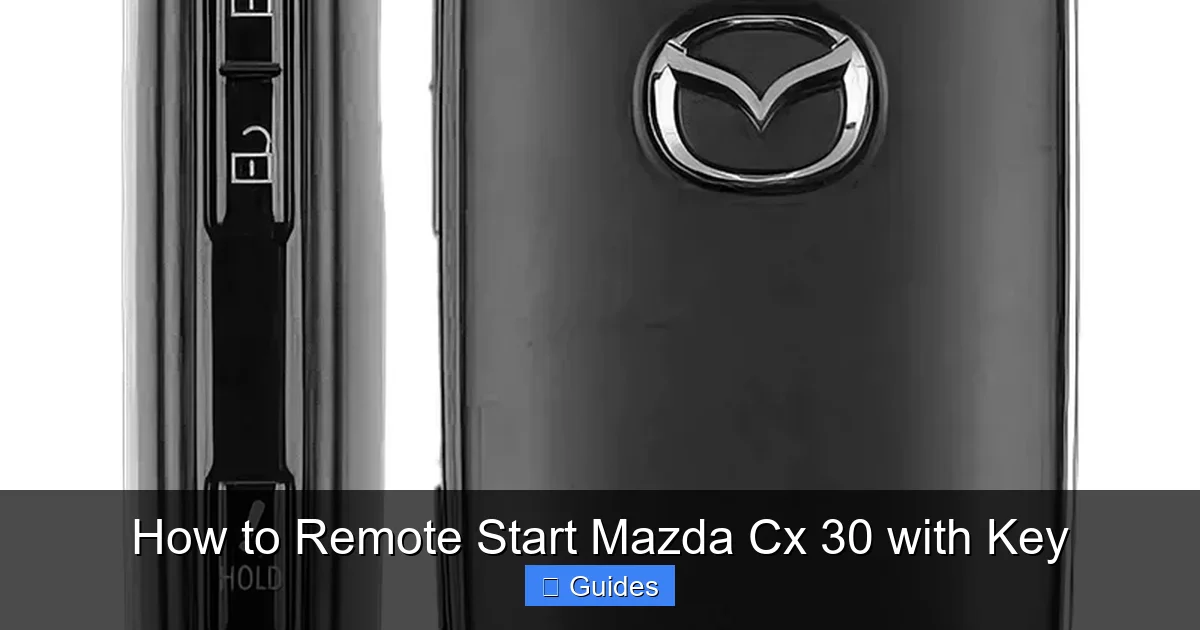
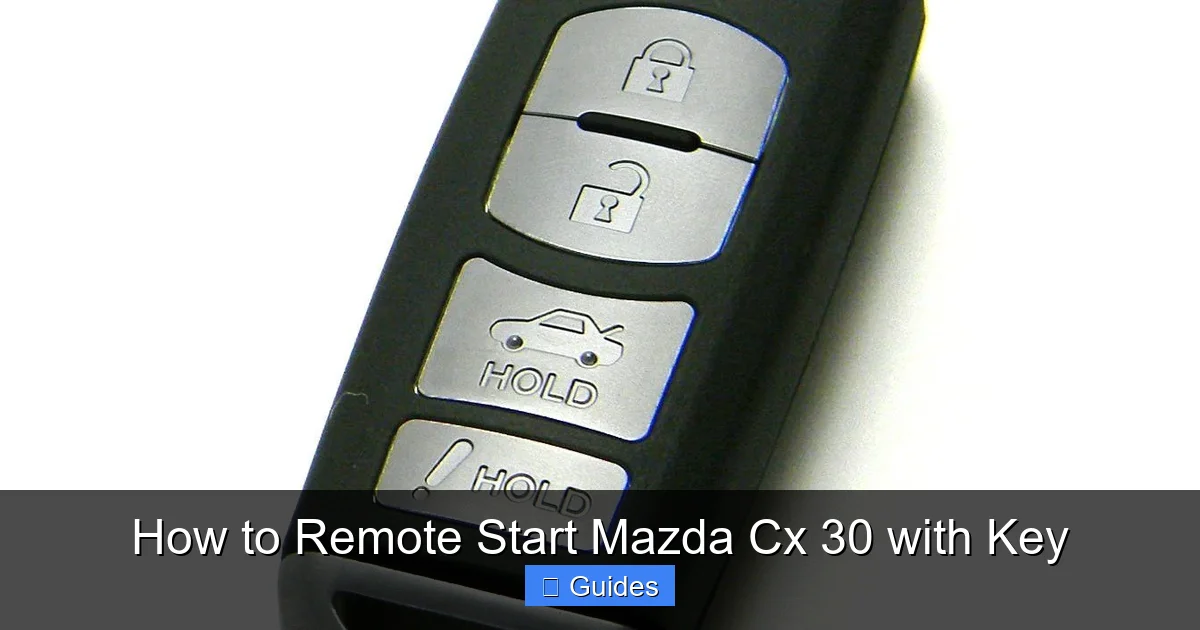
Remote start via the key fob is typically available on 2021 and newer Mazda CX-30 models, especially on higher trims like the Select, Preferred, Carbon Edition, and Premium. These trims usually come equipped with the Mazda Advanced Keyless Entry and Start system, which includes the remote start function. If you’re unsure, check your key fob—look for a circular button with a curved arrow (often labeled “Remote Start” or just an icon). If you see it, you’re in luck.
Older models, particularly those from 2020 and earlier, may not support remote start through the key fob. Some of these vehicles might offer remote start through a smartphone app (like MyMazda), but that requires an active subscription and internet connection. For this guide, we’re focusing on the key fob method, which is more reliable and doesn’t depend on cellular service.
How to Confirm Your Key Fob Has Remote Start
The easiest way to tell is by looking at your key fob. Standard Mazda key fobs have three or four buttons: Lock, Unlock, and Panic. If your fob has a fourth button—usually in the center or at the bottom—it’s likely the remote start button. It often looks like a circular arrow pointing counterclockwise or has a small car icon with a wave.
You can also check your owner’s manual. Look for the section titled “Remote Engine Start” or “Keyless Entry and Start System.” If it’s listed, your vehicle supports it. Another clue? If you’ve ever heard your engine start from inside your house or office, that’s a good sign the feature is active.
What If Your CX-30 Doesn’t Have Remote Start?
Don’t worry—there are still options. Some owners choose to install an aftermarket remote start system. These kits can be professionally installed and often integrate with your existing key fob or provide a separate remote. However, they may void certain warranties or require additional setup. For most drivers, though, the built-in key fob method is the simplest and most reliable choice.
Step-by-Step Guide: How to Remote Start Your Mazda CX-30
Visual guide about How to Remote Start Mazda Cx 30 with Key
Image source: m.media-amazon.com
Now that you’ve confirmed your CX-30 supports remote start, let’s get into the actual process. It’s surprisingly simple—just a few button presses, and your engine will roar to life from up to 300 feet away (depending on conditions).
The Correct Button Sequence
Here’s the exact sequence to follow:
1. **Lock the doors** – Press the Lock button on your key fob. You should hear the doors lock and see the lights flash once. This step is crucial—remote start won’t work if the doors aren’t locked.
2. **Press and hold the remote start button** – Within 3 seconds of locking, press and hold the remote start button (the one with the curved arrow). Hold it for about 2–3 seconds until you see the hazard lights flash twice and hear the engine start.
3. **Wait for confirmation** – The engine will start, and the climate control system will activate based on your last-used settings. You’ll typically see the dashboard lights come on, and the HVAC system will begin heating or cooling the cabin.
That’s it! Your Mazda CX-30 is now running and preparing the interior for your arrival.
Extending the Runtime
By default, the engine will run for 15 minutes before automatically shutting off. This is a safety feature to prevent excessive idling and fuel consumption. But what if you need more time—say, to defrost the windshield or cool down the cabin on a hot day?
You can extend the runtime by repeating the remote start sequence. Simply press the Lock button again, then press and hold the remote start button within 3 seconds. This will reset the timer, giving you another 15 minutes of runtime. You can do this up to two times, for a maximum of 45 minutes of continuous operation.
Turning Off the Engine Remotely
If you change your mind or no longer need the engine running, you can shut it off remotely. Just press and hold the remote start button again for 2–3 seconds. The engine will turn off, and the hazard lights will flash once to confirm.
Alternatively, when you approach the vehicle and press the Start/Stop button inside (with your foot on the brake), the engine will continue running normally. The remote start system seamlessly hands over control to the driver.
Safety Features and System Requirements
Visual guide about How to Remote Start Mazda Cx 30 with Key
Image source: i.pinimg.com
Mazda takes safety seriously, and the remote start system includes several built-in protections to prevent accidents or misuse. Understanding these features will help you use the system responsibly and avoid common pitfalls.
Automatic Shut-Off Conditions
The remote start system is designed to shut off automatically under certain conditions:
– **After 15 minutes** – Unless extended, the engine will turn off to conserve fuel and reduce emissions.
– **If the hood is opened** – The system detects if the hood is unlatched and will not allow remote start.
– **If a door is unlocked or opened** – If someone tries to enter the vehicle while it’s running remotely, the engine will shut off.
– **Low fuel level** – If the fuel level drops below a certain threshold, the system may prevent remote start.
– **Faulty sensors** – Issues with the brake pedal sensor, hood switch, or door sensors can disable remote start.
These safeguards ensure that the vehicle can’t be started accidentally or used in unsafe conditions.
Environmental and Legal Considerations
While remote start is convenient, it’s important to use it responsibly. Never remote start your CX-30 in an enclosed space like a garage, even with the door open. Carbon monoxide (CO) is a silent, odorless gas that can build up quickly and be deadly.
Also, be aware of local laws. Some cities or states have restrictions on idling vehicles, especially in residential areas. Check your local regulations to avoid fines or complaints from neighbors.
Signal Range and Interference
The key fob’s range is typically around 200–300 feet in open areas. However, walls, buildings, and electronic interference (like from smartphones or Wi-Fi routers) can reduce this range. If your remote start isn’t working, try moving closer to the vehicle or holding the key fob near your head or chest—this can sometimes boost the signal.
Troubleshooting Common Remote Start Issues
Even with a well-designed system, things don’t always go smoothly. If your remote start isn’t working, don’t panic. Most issues have simple solutions.
Engine Won’t Start Remotely
If you follow the steps correctly but the engine doesn’t start, check the following:
– **Are the doors locked?** Remote start won’t work if the doors are unlocked. Press the Lock button first.
– **Is the hood closed?** The system won’t allow remote start if the hood is open or not fully latched.
– **Is the key fob battery low?** A weak battery can reduce signal strength. Replace the battery if needed.
– **Are you too far away?** Move closer to the vehicle and try again.
– **Is there interference?** Avoid using the key fob near large metal objects or electronic devices.
Engine Starts but Shuts Off Immediately
This usually happens if a safety condition isn’t met. For example:
– A door is slightly ajar.
– The brake pedal is pressed (even slightly).
– The hood sensor is faulty.
Check all doors, the hood, and make sure nothing is pressing the brake pedal. If the problem persists, consult your owner’s manual or visit a Mazda dealer.
Remote Start Button Doesn’t Respond
If the button feels unresponsive or the lights don’t flash, the key fob battery may be dead. Most Mazda key fobs use a CR2025 or CR2032 battery. You can replace it yourself with a small screwdriver and a new battery. If the button still doesn’t work after replacement, the fob may need reprogramming or repair.
Climate Control Not Activating
If the engine starts but the AC or heat doesn’t turn on, it could be because the system is using your last settings. If you previously had the climate control off, it won’t activate automatically. To ensure comfort, make it a habit to turn on the AC or heat before turning off the engine manually.
Tips for Getting the Most Out of Remote Start
Now that you know how to use remote start, here are some pro tips to make the experience even better.
Pre-Set Your Climate Preferences
Before you leave your CX-30, adjust the temperature, fan speed, and seat heaters (if equipped) to your liking. The next time you remote start, these settings will be remembered and activated automatically. This is especially helpful in extreme weather.
Use It Strategically
Don’t just remote start right before you leave. If it’s very cold, give the engine 10–15 minutes to warm up and the defrosters time to clear the windshield. In summer, start it 5–10 minutes early so the cabin cools down.
Keep Your Key Fob Charged
A dead key fob battery means no remote start. Check the battery periodically and replace it every 1–2 years. Some fobs have a battery indicator light that flashes when the battery is low.
Combine with Other Features
If your CX-30 has heated seats or a heated steering wheel, remote start will activate them if they were on last. This adds extra comfort on chilly mornings.
Conclusion
Remote starting your Mazda CX-30 with a key is a simple yet powerful feature that enhances comfort, convenience, and safety. Whether you’re braving winter cold or summer heat, being able to start your engine from a distance makes every drive more enjoyable.
By following the correct button sequence—lock, then hold the remote start button—you can activate your vehicle’s climate control and have it ready to go in minutes. Just remember to check that your model supports the feature, keep your key fob charged, and always use the system responsibly.
With the tips and troubleshooting advice in this guide, you’ll be a remote start pro in no time. So next time you’re heading out, don’t just grab your keys—press that button and let your CX-30 do the work for you.
Frequently Asked Questions
Can I remote start my Mazda CX-30 without the key fob?
No, the built-in remote start function requires the physical key fob. Some models support remote start via the MyMazda app, but that requires a subscription and internet connection.
How far away can I remote start my CX-30?
The typical range is 200–300 feet in open areas. Walls, buildings, and electronic interference can reduce this distance.
Will remote start drain my car battery?
Remote start uses a small amount of power, but the engine runs and recharges the battery. However, frequent use without driving can eventually drain the battery.
Can I remote start my CX-30 in a garage?
No, never remote start your vehicle in an enclosed space like a garage. Carbon monoxide can build up and be extremely dangerous.
Why won’t my remote start work even though I followed the steps?
Common causes include unlocked doors, an open hood, low key fob battery, or being out of range. Check these conditions first.
Does remote start work if the fuel is low?
The system may prevent remote start if the fuel level is too low, as a safety precaution to avoid stalling or damage.

At CarLegit, we believe information should be clear, factual, and genuinely helpful. That’s why every guide, review, and update on our website is created with care, research, and a strong focus on user experience.