
Opening a Tesla Model X door from the outside is simple once you know the right methods. Whether you’re using the key fob, mobile app, or manual release, this guide covers every option with clear, step-by-step instructions.
In This Article
- 1 Key Takeaways
- 2 📑 Table of Contents
- 3 Introduction to the Tesla Model X Door System
- 4 Using the Tesla Key Fob to Open the Doors
- 5 Unlocking the Tesla Model X with the Mobile App
- 6 Using the Tesla Key Card for Access
- 7 Understanding the Door Handle Mechanism
- 8 Manual Door Release and Emergency Access
- 9 Tips for Smooth Door Operation and Maintenance
- 10 Conclusion
- 11 Frequently Asked Questions
- 11.1 Can I open the Tesla Model X door without the key fob or phone?
- 11.2 Why won’t my Tesla Model X door handles extend?
- 11.3 How do I open the falcon-wing doors if they won’t open automatically?
- 11.4 Can I unlock my Model X remotely if I’m far away?
- 11.5 What should I do if my key fob stops working?
- 11.6 Is it safe to use the manual door release?
Key Takeaways
- Use the Tesla Key Fob: Press the front trunk button twice to unlock all doors, including the falcon-wing rear doors.
- Mobile App Access: Open the Tesla app, tap “Unlock” to access all doors remotely, even if you’re not nearby.
- Key Card Method: Tap the key card on the B-pillar sensor between front and rear doors to unlock the vehicle.
- Manual Door Release: In rare cases, use the manual release lever inside the front door panel if power is lost.
- Door Handle Operation: Pull the flush door handle once to extend it, then pull again to open the door.
- Emergency Situations: Know how to access the vehicle during power failure or app malfunctions using backup methods.
- Falcon-Wing Doors: These require extra clearance; ensure space above and beside the vehicle before opening.
📑 Table of Contents
- Introduction to the Tesla Model X Door System
- Using the Tesla Key Fob to Open the Doors
- Unlocking the Tesla Model X with the Mobile App
- Using the Tesla Key Card for Access
- Understanding the Door Handle Mechanism
- Manual Door Release and Emergency Access
- Tips for Smooth Door Operation and Maintenance
- Conclusion
Introduction to the Tesla Model X Door System
The Tesla Model X is one of the most innovative SUVs on the market, known for its futuristic design, electric powertrain, and signature falcon-wing rear doors. But with all that cutting-edge technology comes a learning curve—especially when it comes to something as basic as opening the doors from the outside. If you’re new to Tesla or just upgraded from a traditional vehicle, you might find yourself standing beside your Model X, wondering, “How do I even get in?”
Unlike conventional cars with prominent door handles, the Model X features sleek, flush-mounted handles that retract into the body when not in use. This design enhances aerodynamics and gives the vehicle a clean, minimalist look. However, it also means that opening the door isn’t as straightforward as grabbing a handle and pulling. Whether you’re using the key fob, your smartphone, a key card, or even a manual override, there are several reliable ways to access your Model X from the outside.
In this comprehensive guide, we’ll walk you through every method to open a Tesla Model X door from the outside—step by step. We’ll cover the standard procedures, explain how the falcon-wing doors work, and offer troubleshooting tips for when things don’t go as planned. By the end, you’ll feel confident unlocking your Model X in any situation, whether you’re parked in a tight garage or dealing with a dead key fob.
Using the Tesla Key Fob to Open the Doors
Visual guide about How to Open Tesla Model X Door from Outside
Image source: teslashooters.com
The Tesla key fob is the most traditional way to unlock your Model X, and it’s designed to be intuitive once you understand its layout. The fob has four buttons: two on the front and two on the back. The front buttons control the front trunk (frunk) and the rear trunk, while the back buttons handle door locking and unlocking.
How to Unlock with the Key Fob
To open the doors using the key fob, follow these simple steps:
1. Hold the key fob in your hand and locate the two buttons on the back side—these are the lock and unlock buttons.
2. Press the **unlock button** (the one with the open padlock icon) once. This will unlock the driver’s door only.
3. Press the unlock button a **second time** within a few seconds to unlock all doors, including the falcon-wing rear doors.
Alternatively, you can press the **front trunk button** (the one with the upward arrow) twice in quick succession. This also unlocks all doors and opens the frunk. Many Tesla owners prefer this method because it’s faster and ensures full access in one motion.
Tips for Key Fob Use
– **Range:** The key fob works within about 10–20 feet of the vehicle. If you’re too far away, the signal won’t reach.
– **Battery Life:** The key fob uses a standard CR2032 battery. If the fob stops working, replacing the battery usually fixes the issue.
– **Proximity Unlock:** When the key fob is near the car (within a few feet), the doors will automatically unlock as you approach—this is called “passive entry.” Just walk up to the driver’s side, and the handle will extend.
One common mistake new owners make is pressing the unlock button only once and then trying to open the rear doors. Remember: one press unlocks only the driver’s door. Always press it twice (or use the frunk button twice) for full access.
Troubleshooting Key Fob Issues
If your key fob isn’t working, try these fixes:
– **Check the battery:** A weak battery can reduce range or prevent the fob from working.
– **Hold it closer:** Sometimes the signal is weak—try holding the fob near the B-pillar (between the front and rear doors) where the receiver is located.
– **Reset the fob:** Remove the battery for 30 seconds, then reinsert it. This can reset the connection.
If all else fails, you can still use the mobile app or key card to unlock the vehicle.
Unlocking the Tesla Model X with the Mobile App

Visual guide about How to Open Tesla Model X Door from Outside
Image source: cdn.motor1.com
The Tesla mobile app is one of the most powerful tools for controlling your vehicle remotely. Available for both iOS and Android, the app lets you unlock doors, start the climate system, check charging status, and even summon your car from a parking spot—all from your smartphone.
Step-by-Step: Using the App to Unlock Doors
1. Open the Tesla app on your phone.
2. Make sure your phone has an active internet connection (Wi-Fi or cellular data).
3. Tap the **“Controls”** tab at the bottom of the screen.
4. Select **“Unlock”** from the menu.
5. Confirm the action when prompted.
Once unlocked, all doors—including the falcon-wing rear doors—will be accessible. You can then approach the vehicle and pull the door handles to enter.
App Requirements and Tips
– **Phone Key Setup:** For the best experience, enable “Phone Key” in the app. This allows your phone to act as a key, so the doors unlock automatically as you approach (similar to passive entry with the fob).
– **Bluetooth and Location:** Phone Key requires Bluetooth and location services to be enabled on your phone.
– **Multiple Users:** You can share access with family members by sending them an invitation through the app. They’ll need to install the app and accept the invite.
Advantages of the Mobile App
– **Remote Access:** You can unlock your car from miles away—perfect if you forgot to leave it unlocked or need to let someone in.
– **No Physical Key Needed:** As long as your phone has battery and signal, you don’t need the key fob or card.
– **Real-Time Feedback:** The app confirms when the doors are unlocked and shows the status of each door.
Common App Issues and Fixes
– **App Not Responding:** Force-close the app and reopen it. Sometimes a simple restart helps.
– **Phone Key Not Working:** Ensure Bluetooth is on and your phone is within range (usually within 10 feet).
– **Delayed Response:** If the car is out of cellular range (e.g., in a garage), the app may take longer to connect. Try moving closer to the vehicle.
The mobile app is incredibly convenient, but it’s wise to have a backup method—like the key card—in case your phone dies or loses signal.
Using the Tesla Key Card for Access
Visual guide about How to Open Tesla Model X Door from Outside
Image source: images.caricos.com
The Tesla key card is a credit-card-sized NFC (Near Field Communication) device that comes with every Model X. It’s a reliable backup when your phone or fob isn’t working, and it’s especially useful in areas with poor cellular coverage.
How to Use the Key Card
1. Hold the key card so the Tesla logo is facing up.
2. Tap the card firmly on the **B-pillar sensor**, located between the front and rear doors on the driver’s side.
3. You’ll hear a chime and see the door handles extend—this means the car is unlocked.
4. Pull the handle to open the door.
The key card only unlocks the doors—it doesn’t start the car. To drive, you’ll need to place the card on the center console cup holder (marked with a key icon) while pressing the brake pedal.
Best Practices for Key Card Use
– **Keep It Safe:** Store the key card in a protective sleeve to prevent scratches or damage.
– **Avoid Magnets:** Keep it away from wallets with RFID-blocking material or strong magnets, which can interfere with the signal.
– **Multiple Cards:** Tesla allows you to program multiple key cards. Consider keeping one in your wallet and another in a safe place at home.
When to Use the Key Card
– Your phone battery is dead.
– You’re in a remote area with no cellular service.
– The key fob battery is low or missing.
– You want a physical backup for peace of mind.
The key card is simple, reliable, and doesn’t require batteries or internet—making it a must-have in your Tesla toolkit.
Understanding the Door Handle Mechanism
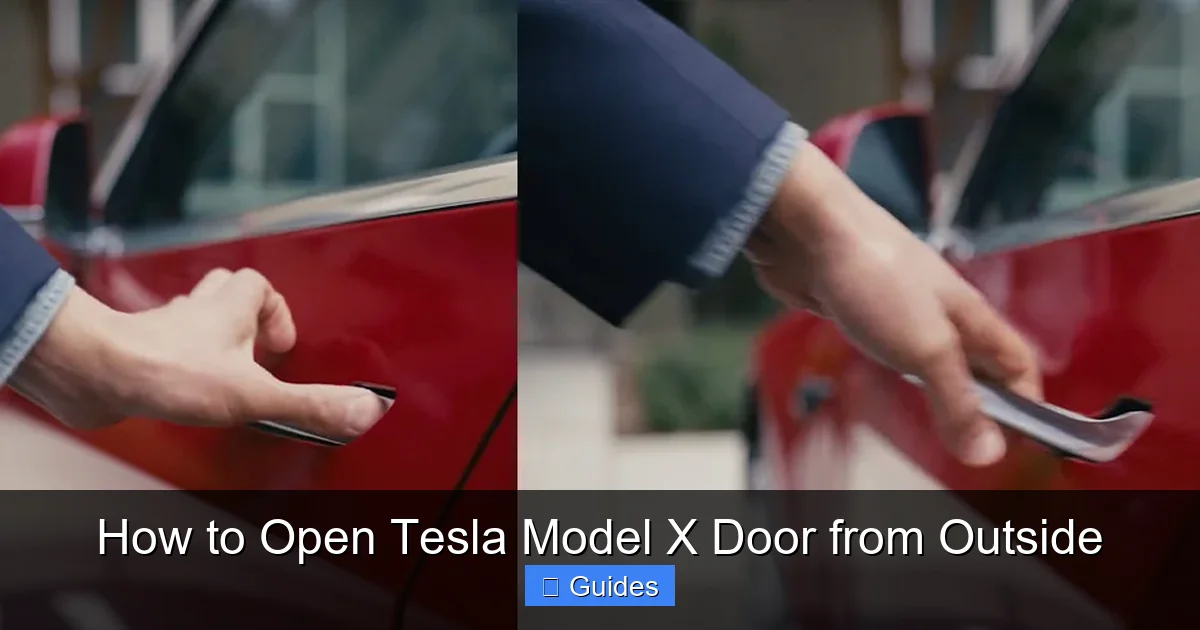
One of the most distinctive features of the Tesla Model X is its flush door handles. Unlike traditional handles that stick out, these retract into the body when the car is locked or parked. This reduces drag and improves efficiency, but it also means you need to know how to activate them.
How the Handles Work
When the car is unlocked (via fob, app, or key card), the door handles automatically extend outward. You’ll see them pop out slightly from the body. To open the door:
1. **First Pull:** Grab the handle and pull it outward. This releases the latch.
2. **Second Pull:** Continue pulling the handle away from the car to fully open the door.
It’s a two-stage process—don’t expect the door to open on the first tug. The handle must be fully extended before the door releases.
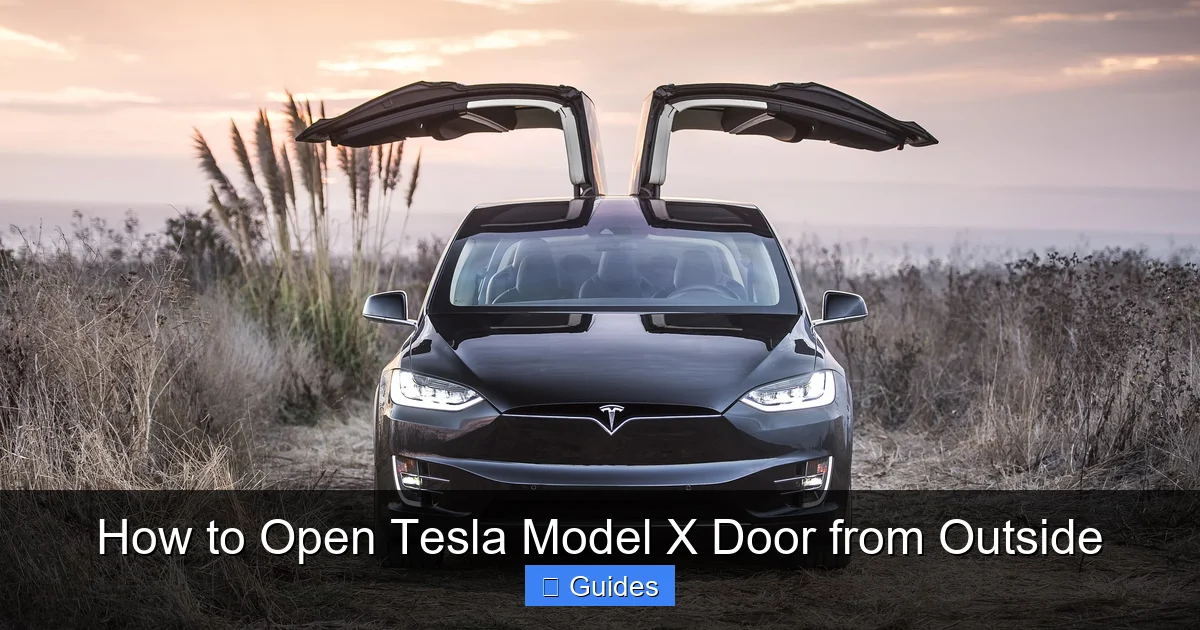
Falcon-Wing Door Operation
The rear falcon-wing doors are even more complex. They open upward in a unique double-hinge motion that allows them to rise high while fitting into tight spaces. However, they require more vertical clearance than standard doors.
– **Clearance Needed:** At least 7 feet of vertical space is recommended.
– **Obstacle Detection:** The doors have sensors that stop them if they detect an obstacle (like a low ceiling or tree branch).
– **Manual Override:** In rare cases, you can manually lower the doors using the interior release lever (see next section).
Tips for Smooth Handle Operation
– **Keep Handles Clean:** Dirt, ice, or snow can prevent handles from extending. Use a soft cloth to wipe them clean in winter.
– **Avoid Forcing:** If a handle doesn’t extend, don’t pull hard. Check if the car is unlocked or if the battery is low.
– **Cold Weather:** In freezing temperatures, handles may freeze shut. Use a de-icer spray or warm water (not hot) to free them.
Understanding how the handles work will save you frustration and help you access your Model X quickly and safely.
Manual Door Release and Emergency Access
While Tesla vehicles are designed to be highly reliable, there may be rare situations where electronic methods fail—such as a complete power loss or system malfunction. In these cases, knowing how to manually open the door is essential.
Manual Release for Front Doors
Each front door has a hidden manual release lever inside the door panel. Here’s how to access it:
1. Open the front door using any working method (fob, app, or key card).
2. Locate the small plastic cover on the interior door panel, near the bottom edge.
3. Use a flathead screwdriver or key to gently pry off the cover.
4. Inside, you’ll find a red or black pull lever.
5. Pull the lever downward to manually unlock the door.
This method is primarily for servicing or emergencies and should not be used routinely.
Falcon-Wing Door Manual Release
The rear falcon-wing doors also have a manual release, but it’s more complex:
1. Open the rear door using the interior handle or switch.
2. Locate the manual release cable near the door hinge (inside the cabin).
3. Pull the cable to disengage the motor and allow the door to be lowered manually.
Note: This should only be done by trained technicians or in extreme emergencies. Forcing the door can cause damage.
What to Do If the Car Won’t Unlock
If none of the electronic methods work:
– **Check the 12V Battery:** A dead 12V battery can prevent the doors from unlocking. Use a jump starter or call Tesla Roadside Assistance.
– **Use the Key Card:** It doesn’t rely on the car’s main battery, so it often works even when other systems fail.
– **Contact Tesla Support:** If you’re locked out and can’t resolve it, Tesla offers 24/7 roadside assistance for eligible vehicles.
Having a plan for emergencies ensures you’re never truly locked out of your Model X.
Tips for Smooth Door Operation and Maintenance
To keep your Tesla Model X doors functioning properly, regular care and awareness are key. Here are some practical tips to ensure smooth operation year-round.
Seasonal Considerations
– **Winter:** Ice and snow can freeze door handles and seals. Use a silicone-based lubricant on the handles and avoid using hot water to thaw them.
– **Summer:** High heat can cause the interior to expand. Ensure the falcon-wing doors have enough clearance to open fully.
Cleaning and Lubrication
– Wipe door handles and sensors with a damp cloth weekly.
– Apply a small amount of dielectric grease to the handle mechanisms annually to prevent sticking.
– Clean the B-pillar sensor where the key card is tapped.
Software Updates
Tesla frequently releases over-the-air updates that improve door functionality. Keep your vehicle connected to Wi-Fi to receive the latest improvements.
User Habits
– Always double-check that doors are fully closed before driving.
– Avoid parking under low-hanging branches or in tight garages without measuring clearance.
– Teach family members how to use all access methods to avoid lockouts.
By following these tips, you’ll extend the life of your door systems and enjoy hassle-free access every time.
Conclusion
Opening a Tesla Model X door from the outside may seem tricky at first, but with the right knowledge, it becomes second nature. Whether you’re using the key fob, mobile app, key card, or manual release, Tesla provides multiple reliable ways to access your vehicle. The flush door handles and falcon-wing doors are part of what makes the Model X so unique, and understanding how they work enhances your ownership experience.
Remember: always have a backup method ready. Keep your key card accessible, ensure your phone is charged, and know where the manual release is located. With these tools and tips, you’ll never be stuck outside your Tesla again.
The Model X is more than just a car—it’s a statement of innovation and convenience. Mastering its door system is the first step to fully enjoying everything this remarkable vehicle has to offer.
Frequently Asked Questions
Can I open the Tesla Model X door without the key fob or phone?
Yes, you can use the Tesla key card. Simply tap it on the B-pillar sensor between the front and rear doors to unlock the vehicle. This method works even if your phone or fob is dead.
Why won’t my Tesla Model X door handles extend?
The handles only extend when the car is unlocked. Make sure you’ve used the fob, app, or key card to unlock the doors. If the 12V battery is dead, the handles may not respond—check the battery or use the key card.
How do I open the falcon-wing doors if they won’t open automatically?
Ensure there’s enough vertical clearance (at least 7 feet). If they still won’t open, check for obstacles or use the manual release cable inside the cabin. Contact Tesla support if the issue persists.
Can I unlock my Model X remotely if I’m far away?
Yes, use the Tesla mobile app. As long as your car has cellular connectivity, you can unlock it from anywhere with an internet connection on your phone.
What should I do if my key fob stops working?
First, replace the CR2032 battery. If that doesn’t work, try holding the fob near the B-pillar. As a backup, use the mobile app or key card to unlock the vehicle.
Is it safe to use the manual door release?
The manual release is safe for emergencies but should not be used regularly. It’s designed for situations where electronic access fails, such as a dead battery or system malfunction.

At CarLegit, we believe information should be clear, factual, and genuinely helpful. That’s why every guide, review, and update on our website is created with care, research, and a strong focus on user experience.