
If your Subaru is stuck in brake maintenance mode, don’t panic—this is a common issue with a straightforward fix. This guide walks you through the exact steps to reset the system, whether you’ve just replaced brake pads or accidentally triggered the mode. With the right tools and know-how, you can get your Subaru back on the road in minutes.
In This Article
- 1 Key Takeaways
- 2 📑 Table of Contents
- 3 What Is Subaru Brake Maintenance Mode?
- 4 Why Does Subaru Enter Brake Maintenance Mode?
- 5 How to Identify Brake Maintenance Mode in Your Subaru
- 6 Step-by-Step Guide to Resetting Brake Maintenance Mode
- 7 When You Need a Subaru Select Monitor (SSM) Tool
- 8 Troubleshooting Common Issues and Mistakes
- 9 Preventing Brake Maintenance Mode in the Future
- 10 Conclusion
- 11 Frequently Asked Questions
- 11.1 How long does brake maintenance mode last?
- 11.2 Can I drive my Subaru while in brake maintenance mode?
- 11.3 Will disconnecting the battery reset brake maintenance mode?
- 11.4 Do all Subaru models use the same reset procedure?
- 11.5 Why do my brake lights stay on after reset?
- 11.6 Can I reset brake maintenance mode without special tools?
Key Takeaways
- Understand what brake maintenance mode is: It’s a safety feature that activates after brake service to ensure proper pad seating and system function.
- Know when it triggers: Common after brake pad replacement, rotor resurfacing, or disconnecting the battery.
- Use the correct reset procedure: Most Subaru models require a specific sequence using the brake pedal and ignition.
- Check for warning lights: The “Brake” or “ABS” light may stay on until the mode is properly cleared.
- Have the right tools ready: A Subaru Select Monitor (SSM) tool may be needed for newer models or complex cases.
- Test drive after reset: Always verify brake performance before normal driving.
- When to seek professional help: If the mode won’t clear or warning lights persist, visit a Subaru specialist.
📑 Table of Contents
- What Is Subaru Brake Maintenance Mode?
- Why Does Subaru Enter Brake Maintenance Mode?
- How to Identify Brake Maintenance Mode in Your Subaru
- Step-by-Step Guide to Resetting Brake Maintenance Mode
- When You Need a Subaru Select Monitor (SSM) Tool
- Troubleshooting Common Issues and Mistakes
- Preventing Brake Maintenance Mode in the Future
- Conclusion
What Is Subaru Brake Maintenance Mode?
If you’ve recently worked on your Subaru’s brakes—maybe you replaced the pads, resurfaced the rotors, or even just disconnected the battery—you might have noticed something odd. The brake warning light stays on, the ABS light flickers, or your car feels like it’s not responding normally when you press the brake pedal. That’s your Subaru telling you it’s in “brake maintenance mode.”
Brake maintenance mode is a built-in safety feature designed to protect both you and your vehicle. It activates after certain brake-related services to ensure that the braking system is properly reset and functioning correctly. Think of it like a digital handshake between your car’s computer and the brake components. Until that handshake is complete, your Subaru may limit certain functions or display warning lights to prevent unsafe driving.
This mode isn’t a malfunction—it’s a precaution. Subaru vehicles, especially models from 2010 onward, use advanced electronic brake control systems that monitor pad wear, brake fluid levels, and hydraulic pressure. When the system detects a change—like new pads or a disconnected sensor—it assumes maintenance was performed and enters a diagnostic state. Only after a proper reset sequence does it return to normal operation.
Understanding this feature is the first step to fixing it. Many drivers panic when they see the brake light stay on, assuming there’s a serious problem. But in most cases, it’s just your car being extra cautious. The good news? Getting your Subaru out of brake maintenance mode is usually quick and doesn’t require a trip to the dealership—unless you’re dealing with a more complex issue.
Why Does Subaru Enter Brake Maintenance Mode?
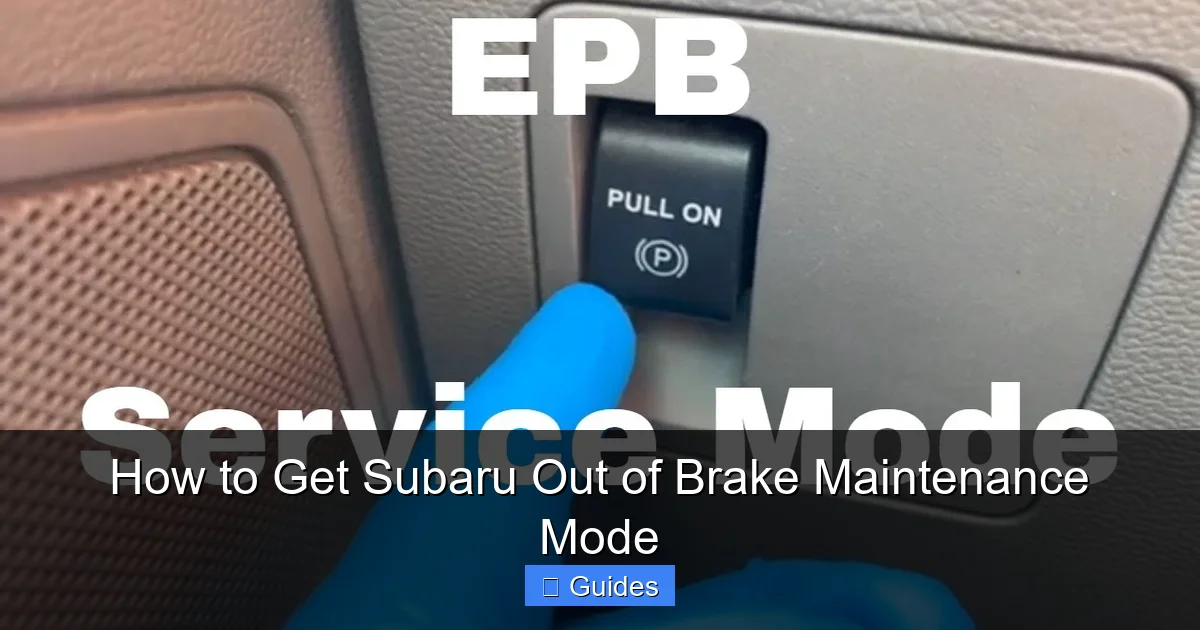
Visual guide about How to Get Subaru Out of Brake Maintenance Mode
Image source: i.ytimg.com
So, what exactly triggers this mode? There are several common scenarios that can cause your Subaru to enter brake maintenance mode. Recognizing these can help you avoid accidentally activating it in the future—and know exactly how to respond when it happens.
One of the most frequent causes is replacing the brake pads. Modern Subaru models use electronic wear sensors embedded in the brake pads. When you install new pads, especially if you don’t reset the sensor or reconnect it properly, the car’s computer thinks the pads are still worn down. This triggers maintenance mode as a safety check.
Another common trigger is disconnecting the battery. Whether you’re replacing the battery, doing an electrical repair, or jump-starting your car, cutting power to the vehicle’s computer can reset certain systems. The brake control module may interpret this as a service event and activate maintenance mode to re-verify system integrity.
Rotor resurfacing or replacement can also set it off. Even if you don’t touch the pads, changing the rotors alters the brake system’s physical dimensions. The car’s sensors detect this change and assume maintenance was performed, prompting the system to enter diagnostic mode.
Additionally, some Subaru models enter maintenance mode after the brake fluid level drops below a certain threshold. This could happen due to a leak, evaporation over time, or simply not topping off the fluid during a service. The system sees low fluid as a potential safety risk and locks into maintenance mode until the issue is resolved and the system is reset.
Lastly, software glitches or faulty sensors can sometimes falsely trigger the mode. For example, a worn-out wheel speed sensor or a loose connection in the ABS module might send incorrect signals to the computer, making it think brake work was done when it wasn’t.
The key takeaway? Brake maintenance mode is usually a response to a real or perceived change in the braking system. It’s not random—it’s your Subaru’s way of saying, “Hey, something’s different. Let me check this before you drive.”
How to Identify Brake Maintenance Mode in Your Subaru
Before you can fix the problem, you need to confirm that your Subaru is actually in brake maintenance mode. It’s easy to mistake this for a more serious brake issue, so knowing the signs can save you time, money, and stress.
The most obvious indicator is the brake warning light on your dashboard. This light—usually labeled “BRAKE” or showing a circle with an exclamation point—will stay illuminated even after you start the car and release the parking brake. In normal operation, this light should turn off within a few seconds of driving. If it remains on, especially after brake service, maintenance mode is likely active.
You might also notice the ABS (Anti-lock Braking System) light staying on. While this light can indicate a separate ABS issue, it often accompanies brake maintenance mode because the two systems are closely linked. If both the brake and ABS lights are on, it’s a strong signal that the brake control module is in diagnostic mode.
Another clue is unusual brake pedal behavior. Some drivers report a spongy or soft pedal feel, or that the pedal travels farther than usual before engaging. This happens because the system may not be fully pressurized or calibrated until the reset is complete. In rare cases, the electronic parking brake (EPB) might not release properly, or the car may refuse to shift out of park—both signs the system is locked in maintenance mode.
You can also check your owner’s manual or use an OBD2 scanner to look for specific trouble codes. Codes like C0057 (brake pedal position switch circuit) or U0121 (lost communication with ABS module) often appear when maintenance mode is active. However, not all scanners can read Subaru-specific codes, so a dedicated tool like the Subaru Select Monitor (SSM) is more reliable.
If you’re unsure, try the basic reset procedure outlined later in this guide. If the lights turn off and the pedal feels normal afterward, you’ve likely cleared the mode. But if the problem persists, it’s time to dig deeper or consult a professional.
Step-by-Step Guide to Resetting Brake Maintenance Mode
Now for the main event: getting your Subaru out of brake maintenance mode. The good news is that most models can be reset using a simple sequence of steps involving the ignition, brake pedal, and sometimes the parking brake. This method works for a wide range of Subaru vehicles, including the Outback, Forester, Impreza, Legacy, and Crosstrek, especially those from 2010 to 2020.
Before you begin, make sure your car is parked on a flat surface, the parking brake is engaged, and the engine is off. You’ll also want to ensure the battery is fully charged—low voltage can interfere with the reset process.
Here’s the standard reset procedure:
1. Turn the ignition to the “ON” position (but don’t start the engine). You should see all dashboard lights illuminate, including the brake and ABS warnings.
2. Press and hold the brake pedal firmly. Keep it pressed throughout the next steps.
3. While holding the brake pedal, turn the ignition from “ON” to “START” and back to “ON” three times within 10 seconds. Do not start the engine—just cycle the key.
4. After the third cycle, continue holding the brake pedal and wait. You should see the brake warning light flash or turn off. On some models, the ABS light may also blink in a specific pattern.
5. Release the brake pedal. The lights should remain off. If they do, the reset is successful.
6. Start the engine and test the brakes. The pedal should feel firm, and the warning lights should stay off.
This sequence essentially tells the brake control module that the system has been serviced and is ready for normal operation. It’s like pressing a “confirm” button on your car’s computer.
If this doesn’t work, try a variation: some models require you to press the parking brake button while holding the brake pedal during the ignition cycle. Others may need you to press the brake pedal five times rapidly before starting the sequence.
For vehicles with an electronic parking brake (EPB), the process might involve turning the EPB on and off during the reset. Check your owner’s manual or Subaru service guides for model-specific instructions.
Always test drive your car after the reset. Drive slowly in a safe area and apply the brakes gently to ensure they respond correctly. If the pedal feels normal and no warning lights appear, you’re good to go.
When You Need a Subaru Select Monitor (SSM) Tool
While the manual reset works for many Subaru models, some newer vehicles—especially those from 2021 onward—require a Subaru Select Monitor (SSM) tool to fully clear brake maintenance mode. This is because advanced safety systems like EyeSight and electronic brake-by-wire rely on precise calibration that can’t be reset with a simple pedal sequence.
The SSM tool is a diagnostic device used by Subaru technicians to communicate directly with the car’s computer systems. It can read and clear trouble codes, reset service modes, and perform system calibrations. If your manual reset fails or your car has persistent warning lights, an SSM tool may be necessary.
You can purchase or rent an SSM tool online, but they’re expensive—often costing $200 or more. Alternatively, many independent Subaru specialists and repair shops have the tool and can perform the reset for a modest fee, usually under $100.
Using the SSM tool involves connecting it to the OBD2 port (usually under the dashboard near the steering column), selecting the brake system module, and following the on-screen prompts to reset maintenance mode. The tool will confirm when the reset is complete and may require a short test drive to finalize the calibration.
If you’re comfortable with DIY repairs and own multiple Subaru vehicles, investing in an SSM tool might be worthwhile. But for most drivers, a trip to a trusted mechanic is the more practical option.
Troubleshooting Common Issues and Mistakes
Even with the right steps, things can go wrong. Here are some common pitfalls and how to avoid them.
One mistake is not holding the brake pedal firmly enough or releasing it too soon. The system needs continuous pressure during the ignition cycle. If you let go early, the reset won’t register.
Another issue is cycling the ignition too slowly. You must complete the three ON-START-ON cycles within 10 seconds. Take your time, but don’t dawdle.
Low battery voltage can also interfere. If your battery is weak or recently replaced, charge it fully before attempting the reset. A weak battery may not provide enough power for the module to process the command.
Some drivers confuse brake maintenance mode with a real brake problem. If your brakes feel spongy, make grinding noises, or pull to one side, don’t assume it’s just maintenance mode. These could be signs of air in the lines, worn components, or a hydraulic issue. Always inspect your brakes before resetting the system.
Finally, don’t ignore persistent warning lights. If the brake or ABS light comes back on after a successful reset, there may be an underlying fault—like a bad sensor, low fluid, or a wiring issue. In these cases, professional diagnosis is essential.
Preventing Brake Maintenance Mode in the Future
The best way to deal with brake maintenance mode is to avoid triggering it unnecessarily. Here’s how:
Always reset the brake wear sensor when replacing pads. Many new pads come with a reset tool or instructions. If not, you can buy a sensor reset kit online.
When disconnecting the battery, use a memory saver device to keep the computer powered. This prevents system resets and error codes.
After any brake service, follow the manufacturer’s reset procedure—even if the lights aren’t on. It’s better to be safe than sorry.
Keep your brake fluid at the proper level and replace it every two years to prevent sensor errors.
And if you’re unsure about any step, consult your owner’s manual or a Subaru specialist. A little prevention goes a long way.
Conclusion
Getting your Subaru out of brake maintenance mode doesn’t have to be stressful. With the right knowledge and a few simple steps, you can reset the system and get back on the road safely. Whether you use the manual pedal sequence or need an SSM tool, the key is understanding why the mode activates and how to respond.
Remember: this feature exists to protect you. It’s not a flaw—it’s a feature. By following this guide, you’ll not only fix the issue but also gain confidence in handling your Subaru’s advanced safety systems.
So the next time you see that brake light stay on, take a deep breath. You’ve got this.
Frequently Asked Questions
How long does brake maintenance mode last?
Brake maintenance mode doesn’t have a set time limit—it stays active until you manually reset it. Once the proper reset procedure is completed, the mode clears immediately and the warning lights should turn off.
Can I drive my Subaru while in brake maintenance mode?
Yes, you can drive, but it’s not recommended for long. The system may limit brake performance or trigger warning lights. Reset the mode as soon as possible to ensure full braking functionality and safety.
Will disconnecting the battery reset brake maintenance mode?
No, disconnecting the battery usually triggers the mode rather than clearing it. In fact, it can cause the system to enter maintenance mode if the computer loses power during brake service.
Do all Subaru models use the same reset procedure?
Most models from 2010–2020 use a similar ignition and brake pedal sequence. However, newer models with electronic parking brakes or advanced safety systems may require a Subaru Select Monitor (SSM) tool for a full reset.
Why do my brake lights stay on after reset?
If the lights remain on, the reset may not have worked, or there could be an underlying issue like a faulty sensor, low brake fluid, or a wiring problem. Check these components or consult a Subaru technician.
Can I reset brake maintenance mode without special tools?
Yes, most older Subaru models can be reset using just the ignition key and brake pedal. Only newer vehicles with advanced electronics typically require an SSM tool for a complete reset.

At CarLegit, we believe information should be clear, factual, and genuinely helpful. That’s why every guide, review, and update on our website is created with care, research, and a strong focus on user experience.