
You do NOT need Subaru Starlink to use Apple CarPlay. Apple CarPlay works independently through a wired or wireless connection from your iPhone to compatible Subaru infotainment systems. As long as your Subaru model supports CarPlay and has the right hardware, you can enjoy navigation, music, messages, and more—no Starlink subscription required.
If you’re a Subaru owner—or considering buying one—you’ve probably heard about Apple CarPlay. It’s that handy feature that lets you mirror your iPhone’s interface onto your car’s dashboard screen, giving you access to Maps, Music, Messages, Podcasts, and more without fumbling with your phone while driving. But there’s often confusion around whether you need Subaru’s own connected service, called Starlink, to make CarPlay work. Let’s clear that up right away: **no, you do not need Subaru Starlink to use Apple CarPlay**.
That might come as a relief, especially if you’re trying to avoid extra monthly fees or complicated setups. Apple CarPlay is designed to be simple, safe, and accessible—and it works independently of Subaru’s telematics system. In fact, CarPlay connects directly from your iPhone to your Subaru’s infotainment system using either a USB cable or Bluetooth (for wireless models), bypassing the need for any subscription-based service like Starlink.
But don’t just take our word for it. Let’s dive deeper into how these two technologies interact—or rather, how they don’t—and what you really need to get Apple CarPlay up and running in your Subaru. Whether you drive a Crosstrek, Outback, Forester, or Ascent, this guide will walk you through everything from compatibility checks to troubleshooting tips, so you can enjoy a seamless, distraction-free driving experience.
In This Article
- 1 Key Takeaways
- 2 📑 Table of Contents
- 3 Understanding Apple CarPlay and Subaru Starlink
- 4 Which Subaru Models Support Apple CarPlay?
- 5 How to Connect Apple CarPlay in Your Subaru
- 6 Does Subaru Starlink Enhance Apple CarPlay?
- 7 Common Misconceptions About CarPlay and Starlink
- 8 Tips for Optimizing Your CarPlay Experience
- 9 What If CarPlay Isn’t Working?
- 10 Conclusion
- 11 Frequently Asked Questions
- 11.1 Do I need a Subaru Starlink subscription to use Apple CarPlay?
- 11.2 Can I use Apple CarPlay wirelessly in my Subaru?
- 11.3 Will disabling Starlink affect my ability to use CarPlay?
- 11.4 What iPhone models work with Subaru CarPlay?
- 11.5 Why won’t Apple CarPlay connect in my Subaru?
- 11.6 Does CarPlay use my phone’s data or the car’s Wi-Fi?
Key Takeaways
- Apple CarPlay does not require Subaru Starlink: The two systems operate independently; CarPlay connects directly from your iPhone to the car’s infotainment screen.
- Compatible Subaru models support CarPlay natively: Most Subarus from 2017 onward with the STARLINK Multimedia or STARLINK Multimedia Plus system offer Apple CarPlay support.
- Wired or wireless connection options: Depending on your model and trim, you can connect via USB cable or wirelessly for a cable-free experience.
- No subscription fees for basic CarPlay use: Unlike some connected services, using Apple CarPlay doesn’t require a paid plan—just your iPhone and a compatible vehicle.
- Starlink enhances safety and remote features: While not needed for CarPlay, Subaru Starlink offers emergency assistance, remote start, and vehicle tracking—useful but separate from CarPlay functionality.
- Software updates may improve compatibility: Keep your Subaru’s infotainment system updated to ensure smooth CarPlay performance and access to new features.
- Check your owner’s manual or Subaru website: Confirm your specific model year and trim level supports CarPlay before assuming compatibility.
📑 Table of Contents
- Understanding Apple CarPlay and Subaru Starlink
- Which Subaru Models Support Apple CarPlay?
- How to Connect Apple CarPlay in Your Subaru
- Does Subaru Starlink Enhance Apple CarPlay?
- Common Misconceptions About CarPlay and Starlink
- Tips for Optimizing Your CarPlay Experience
- What If CarPlay Isn’t Working?
- Conclusion
Understanding Apple CarPlay and Subaru Starlink
Before we get into the nitty-gritty, it helps to understand what each system does—and where their paths cross (or don’t).
Apple CarPlay is a smartphone integration platform developed by Apple. It allows iPhone users to project a simplified, driver-friendly version of their phone’s interface onto a vehicle’s built-in display. Think of it as a “car mode” for your iPhone, optimized for safety and ease of use while driving. With CarPlay, you can use Siri to send texts, get turn-by-turn directions via Apple Maps or Google Maps, stream music from Spotify or Apple Music, listen to podcasts, and even make hands-free calls—all through voice commands or simple touch controls on your dashboard.
Subaru Starlink, on the other hand, is Subaru’s proprietary connected vehicle system. It bundles together a range of services, including emergency assistance (SOS button), automatic collision notification, stolen vehicle recovery, remote engine start (on select models), vehicle health reports, and smartphone app integration. Some higher-tier Starlink plans also offer Wi-Fi hotspot capabilities, allowing passengers to connect devices to the internet while on the go.
Now, here’s the key distinction: **Apple CarPlay relies on your iPhone’s data and processing power**, not Subaru’s servers or network. When you plug in your iPhone or connect wirelessly, CarPlay essentially turns your car’s screen into an extension of your phone. Subaru Starlink, meanwhile, uses its own cellular connection to communicate with Subaru’s cloud services for safety, security, and remote features.
Because these systems serve different purposes and use different technologies, they don’t depend on each other. You can have full CarPlay functionality without ever activating or paying for Starlink—and vice versa. This separation is actually a good thing: it means you’re not locked into Subaru’s ecosystem just to use basic smartphone integration.
Which Subaru Models Support Apple CarPlay?
Visual guide about Do I Need Subaru Starlink to Use Apple Carplay
Image source: inside-digital.de
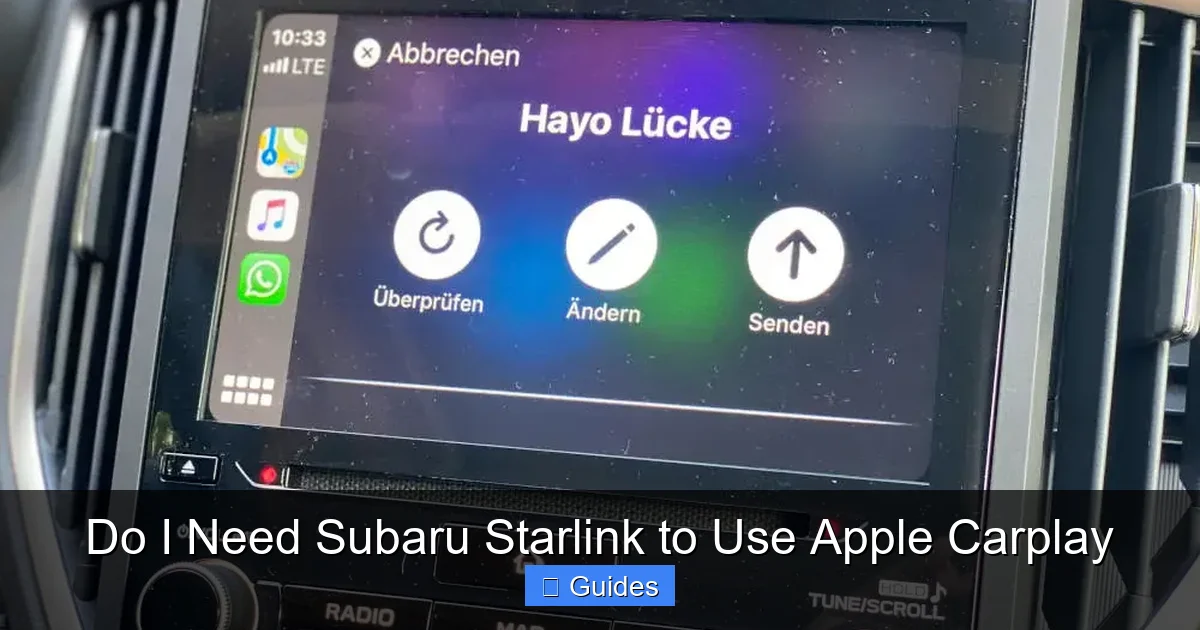
Not every Subaru comes with Apple CarPlay, but most newer models do. Subaru began offering CarPlay compatibility in 2017, and since then, it’s become standard or available on nearly all trims across their lineup. However, the exact availability depends on your model year, trim level, and infotainment system.
Let’s break it down by popular models:
Subaru Outback
The Outback has supported Apple CarPlay since the 2018 model year. If you have a 2018 or newer Outback with the STARLINK Multimedia system (typically found on Premium, Limited, Touring, and Wilderness trims), you’re good to go. Base trims with the smaller 6.5-inch screen may not include CarPlay, so always double-check your specific configuration.
Subaru Forester
Starting with the 2019 redesign, the Forester includes Apple CarPlay on all trims except the base model in some regions. The 2019–2024 Foresters with the 8-inch STARLINK Multimedia Plus system fully support both wired and wireless CarPlay, depending on the trim.
Subaru Crosstrek
The Crosstrek gained CarPlay support in 2018. Models from 2018 onward with the STARLINK Multimedia or Multimedia Plus system (usually on Sport, Limited, and Hybrid trims) include CarPlay. Again, the base trim may lack this feature, so verify before assuming.
Subaru Ascent
As Subaru’s three-row SUV, the Ascent has included Apple CarPlay since its 2019 debut. All trims—from Base to Touring—come equipped with an 8-inch touchscreen and full CarPlay compatibility, often with wireless capability on higher trims.
Subaru Impreza and Legacy
Both the Impreza (sedan and hatchback) and Legacy sedan support CarPlay from 2017 onward, provided they have the appropriate infotainment package. Look for the “STARLINK Multimedia” badge or check your owner’s manual.
Older Models (Pre-2017)
If your Subaru is from 2016 or earlier, it likely does not support Apple CarPlay at all. These vehicles use older infotainment systems that weren’t designed with smartphone projection in mind. Unfortunately, there’s no official aftermarket upgrade path from Subaru to add CarPlay to these models—though third-party solutions exist, they’re not recommended due to compatibility and safety concerns.
💡 **Pro Tip**: Use Subaru’s official “Build & Price” tool or visit their “Compatibility” page online. Enter your VIN or select your model/year/trim to confirm CarPlay support. You can also check your owner’s manual—look for “Apple CarPlay” in the index.
How to Connect Apple CarPlay in Your Subaru

Visual guide about Do I Need Subaru Starlink to Use Apple Carplay
Image source: adventureforester.files.wordpress.com
Once you’ve confirmed your Subaru supports CarPlay, setting it up is straightforward. There are two main methods: wired (via USB) and wireless (Bluetooth + Wi-Fi). The option available to you depends on your model and trim.
Wired Connection (USB Cable)
This is the most common and reliable method. Here’s how to do it:
1. **Enable CarPlay on your iPhone**: Go to Settings > General > CarPlay. Make sure it’s turned on. You may also want to enable “Automatic” so CarPlay launches when you plug in.
2. **Use the correct USB port**: In most Subarus, only the front USB port (usually labeled with a phone icon) supports data transfer for CarPlay. The rear ports are often power-only.
3. **Plug in your iPhone**: Use an Apple-certified Lightning-to-USB cable (or USB-C if you have an iPhone 15 or newer).
4. **Follow on-screen prompts**: Your Subaru’s screen should detect the iPhone and ask if you want to enable CarPlay. Tap “Allow.”
5. **Start using CarPlay**: The CarPlay interface will appear on your dashboard screen. Use touch, steering wheel controls, or Siri to navigate.
💡 **Troubleshooting Tip**: If CarPlay doesn’t launch, try a different cable—many cheap or damaged cables only charge the phone but don’t transfer data. Also, ensure your iPhone is unlocked when you plug it in.
Wireless Connection (Bluetooth + Wi-Fi)
Available on select 2020+ models (like the Outback Touring, Forester Limited, and Ascent Touring), wireless CarPlay lets you connect without plugging in. Here’s how:
1. **Pair your iPhone via Bluetooth**: Go to your Subaru’s settings menu, select “Phone,” and pair your iPhone like any other Bluetooth device.
2. **Enable Wi-Fi on your iPhone**: Wireless CarPlay uses both Bluetooth (for initial handshake) and Wi-Fi (for data streaming).
3. **Open CarPlay settings on your iPhone**: Go to Settings > General > CarPlay, then select your vehicle from the list.
4. **Confirm connection**: Your Subaru will prompt you to allow wireless CarPlay. Accept, and you’re done!
Once connected, your iPhone will automatically launch CarPlay when you start the car (as long as Bluetooth and Wi-Fi are on). No more fumbling with cables—just get in, start driving, and CarPlay appears.
⚠️ **Note**: Wireless CarPlay uses more battery than wired, so keep your phone charged. Also, connection strength can vary based on interference or distance from the infotainment system.
Does Subaru Starlink Enhance Apple CarPlay?
Visual guide about Do I Need Subaru Starlink to Use Apple Carplay
Image source: autoshub.net
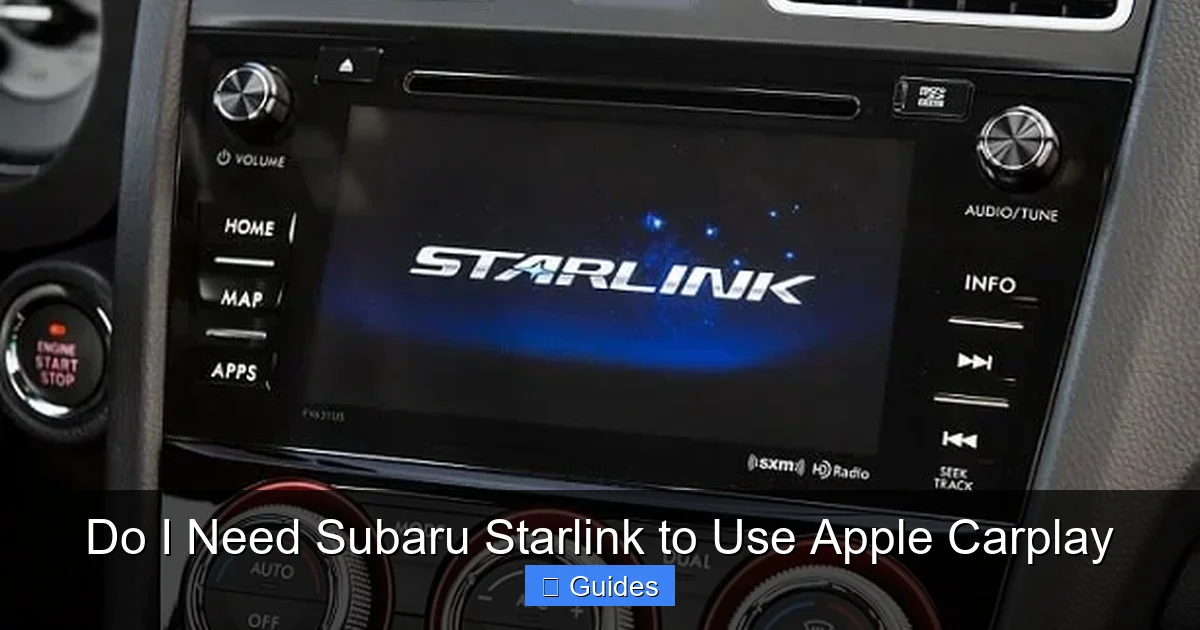
Now, you might be wondering: even though Starlink isn’t required for CarPlay, does it add any benefits? The short answer is: not directly.
Subaru Starlink and Apple CarPlay operate on separate channels. Starlink doesn’t improve CarPlay’s performance, speed, or functionality. However, there are a few indirect ways the two systems complement each other:
– **Wi-Fi Hotspot**: If your Subaru has a Starlink-connected Wi-Fi hotspot (available on certain plans), your iPhone can use it for internet access while using CarPlay. This is useful if you’re in an area with poor cellular coverage but still want real-time traffic updates in Apple Maps or stream music without draining your phone’s data.
– **Remote Features via App**: The Subaru Starlink app lets you remotely start your car, lock/unlock doors, or check vehicle status. While this doesn’t affect CarPlay, it adds convenience—imagine pre-warming your car on a cold morning, then hopping in and having CarPlay ready to go.
– **Safety Integration**: If you ever need to use the SOS button (part of Starlink Safety Plus), having CarPlay active doesn’t interfere. In fact, you can still use Siri to call for help while driving.
But again, none of these features require CarPlay, and CarPlay works perfectly fine without them. Think of Starlink as an optional layer of connectivity and safety—not a prerequisite for smartphone integration.
Common Misconceptions About CarPlay and Starlink
Despite clear technical distinctions, several myths persist around CarPlay and Starlink. Let’s debunk the most common ones:
Myth 1: “I need a Starlink subscription to activate CarPlay.”
False. CarPlay activation is handled entirely through your iPhone and the car’s infotainment system. No subscription, login, or activation code from Subaru is needed. Simply plug in your phone and follow the prompts.
Myth 2: “Starlink provides the internet for CarPlay.”
Not true. CarPlay uses your iPhone’s cellular data or personal hotspot. If your iPhone has no signal, CarPlay apps like Maps or Spotify won’t work—even if your Subaru has a Starlink Wi-Fi hotspot. (Though you can manually connect your iPhone to the car’s Wi-Fi if available.)
Myth 3: “Disabling Starlink will break CarPlay.”
Nope. You can cancel or never activate your Starlink service, and CarPlay will continue working normally. They’re independent systems.
Myth 4: “All Subarus with touchscreens have CarPlay.”
Incorrect. Some base models come with basic touchscreens that only support Bluetooth audio and phone calls—not smartphone projection. Always verify CarPlay compatibility by model, year, and trim.
Myth 5: “CarPlay requires a paid Apple service.”
Also false. Apple CarPlay is free for iPhone users. There’s no monthly fee or in-app purchase required. You just need an iPhone running iOS 7.1 or later (though iOS 13+ is recommended for best performance).
Tips for Optimizing Your CarPlay Experience
Now that you know CarPlay works without Starlink, here are some practical tips to get the most out of it:
– **Keep your iPhone updated**: New iOS versions often include CarPlay improvements and bug fixes. Enable automatic updates in Settings > General > Software Update.
– **Use Siri for hands-free control**: Say “Hey Siri” to dictate messages, ask for directions, or change songs—keeping your eyes on the road.
– **Customize your CarPlay home screen**: Rearrange app icons by long-pressing them in CarPlay (on supported iOS versions). Put your most-used apps front and center.
– **Enable Do Not Disturb While Driving**: This iOS feature silences notifications while you’re behind the wheel, reducing distractions. You can still receive calls and messages via CarPlay.
– **Clean your USB port**: Dust and debris can interfere with wired connections. Use a soft brush or compressed air to keep the port clean.
– **Consider a phone mount (for wireless users)**: Even with wireless CarPlay, having your phone visible can help with GPS accuracy or quick glances. Just don’t touch it while driving!
What If CarPlay Isn’t Working?
If you’ve followed all steps and CarPlay still won’t launch, try these fixes:
1. **Restart your iPhone and car**: Sometimes a simple reboot resolves glitches.
2. **Reset network settings on your iPhone**: Go to Settings > General > Transfer or Reset iPhone > Reset > Reset Network Settings. This clears Bluetooth and Wi-Fi pairings—you’ll need to re-pair devices afterward.
3. **Update your Subaru’s software**: Visit your local Subaru dealer or check online for infotainment system updates. Subaru occasionally releases firmware patches to improve CarPlay stability.
4. **Try a different iPhone**: If a friend’s phone works, the issue is likely with your device or cable.
5. **Check for recalls or service bulletins**: Rarely, hardware defects in the infotainment system can affect CarPlay. Your dealer can run a diagnostic.
If all else fails, contact Subaru Customer Support or visit an authorized service center.
Conclusion
To sum it up: **Apple CarPlay and Subaru Starlink are separate systems that serve different purposes**. You absolutely do not need a Starlink subscription—or even an active Starlink account—to use Apple CarPlay in your Subaru. As long as your vehicle is a compatible model (generally 2017 or newer with the right infotainment package), you can enjoy seamless smartphone integration via a simple USB cable or wireless connection.
This independence is a win for drivers who value simplicity, cost savings, and flexibility. You get the safety and convenience of CarPlay without being tied to Subaru’s connected services. And if you later decide you want remote start, emergency assistance, or in-car Wi-Fi, you can always add Starlink—but it’s never a requirement for CarPlay.
So go ahead, plug in your iPhone, fire up Apple Maps, and hit the road with confidence. Your Subaru is ready to play—no extra subscriptions needed.
Frequently Asked Questions
Do I need a Subaru Starlink subscription to use Apple CarPlay?
No, you do not need a Starlink subscription to use Apple CarPlay. CarPlay connects directly from your iPhone to your Subaru’s infotainment system and operates independently of Subaru’s connected services.
Can I use Apple CarPlay wirelessly in my Subaru?
Yes, if your Subaru model (typically 2020 or newer with higher trims like Limited or Touring) supports wireless CarPlay. You’ll need to pair your iPhone via Bluetooth and ensure Wi-Fi is enabled.
Will disabling Starlink affect my ability to use CarPlay?
No. Disabling or never activating Subaru Starlink will not impact Apple CarPlay functionality. The two systems work separately and do not depend on each other.
What iPhone models work with Subaru CarPlay?
Any iPhone running iOS 7.1 or later can use CarPlay, though iOS 13 or newer is recommended for the best experience. This includes iPhone 5 and newer models.
Why won’t Apple CarPlay connect in my Subaru?
Common causes include using a non-data USB cable, connecting to a power-only USB port, outdated software, or iPhone settings. Try a different cable, restart devices, or check for system updates.
Does CarPlay use my phone’s data or the car’s Wi-Fi?
CarPlay uses your iPhone’s cellular data by default. If your Subaru has a Starlink Wi-Fi hotspot, you can manually connect your iPhone to it, but this is optional and not required for CarPlay to function.

At CarLegit, we believe information should be clear, factual, and genuinely helpful. That’s why every guide, review, and update on our website is created with care, research, and a strong focus on user experience.