
If your Lexus traction control is off, you can easily turn it back on using the VSC/TRAC button or through the vehicle settings menu. This system helps maintain grip and stability, especially in slippery conditions, so keeping it active is key for safe driving.
Driving a Lexus means enjoying a blend of luxury, performance, and advanced safety technology. One of the most important features that keeps you safe on the road is traction control. This system works quietly in the background, monitoring wheel speed and adjusting power delivery to prevent slipping—especially on wet, icy, or uneven surfaces. But what happens when that little “TRAC OFF” light pops up on your dashboard? Don’t panic. It usually just means the system has been turned off, either accidentally or intentionally. The good news? Turning traction control back on in your Lexus is simple, and this guide will walk you through every step.
Traction control is part of a broader safety suite that includes Vehicle Stability Control (VSC). Together, these systems help keep your car stable during sharp turns, sudden maneuvers, or slippery conditions. While some drivers disable traction control for performance driving or off-road situations, it’s generally safest to keep it on. Whether you’re navigating a rain-slicked highway or a snowy driveway, having traction control active can make a big difference in maintaining control. In this article, we’ll explain exactly how to turn traction control back on in your Lexus, no matter the model or year. We’ll also cover why it might have turned off in the first place, how to troubleshoot issues, and when it’s appropriate to leave it off.
In This Article
- 1 Key Takeaways
- 2 📑 Table of Contents
- 3 Understanding Traction Control in Lexus Vehicles
- 4 How to Turn Traction Control Back On Using the VSC/TRAC Button
- 5 Turning Traction Control On via the Infotainment System
- 6 Troubleshooting: What to Do If Traction Control Won’t Turn Back On
- 7 When Is It Safe to Drive with Traction Control Off?
- 8 Maintaining Your Traction Control System
- 9 Conclusion
- 10 Frequently Asked Questions
- 10.1 How do I turn traction control back on in my Lexus?
- 10.2 Can I turn traction control on using the touchscreen?
- 10.3 Why is my traction control light still on after pressing the button?
- 10.4 Is it safe to drive with traction control off?
- 10.5 Does turning off traction control affect fuel economy?
- 10.6 What should I do if my Lexus won’t turn traction control back on?
Key Takeaways
- Locate the VSC/TRAC button: Most Lexus models have a physical button, usually near the gear shifter or dashboard, labeled “VSC” or “TRAC OFF.”
- Press to reactivate: A quick press of the button turns traction control back on—watch for the indicator light to turn off.
- Use the infotainment menu: On newer models, you can enable traction control through the vehicle settings in the central display.
- Understand when it’s safe to disable: Only turn off traction control briefly for specific situations like getting unstuck from snow or mud.
- Check the dashboard warning lights: If the traction control light stays on, there may be a system issue requiring diagnosis.
- Reset after maintenance: After tire rotations or brake work, ensure the system recalibrates properly.
- Consult your owner’s manual: Model-specific steps vary—always refer to your Lexus manual for accurate instructions.
📑 Table of Contents
- Understanding Traction Control in Lexus Vehicles
- How to Turn Traction Control Back On Using the VSC/TRAC Button
- Turning Traction Control On via the Infotainment System
- Troubleshooting: What to Do If Traction Control Won’t Turn Back On
- When Is It Safe to Drive with Traction Control Off?
- Maintaining Your Traction Control System
- Conclusion
Understanding Traction Control in Lexus Vehicles
Traction control in Lexus vehicles is designed to prevent wheel spin during acceleration. It uses sensors to monitor the speed of each wheel. If one wheel starts spinning faster than the others—indicating loss of grip—the system automatically reduces engine power or applies the brakes to that wheel. This helps the tire regain traction and keeps the vehicle moving in the intended direction.
This technology is especially helpful in adverse weather. Imagine accelerating from a stop on a rainy road. Without traction control, your tires might slip, causing the car to fishtail or lose forward momentum. With it active, the system gently manages power delivery so you maintain smooth, controlled movement. In many Lexus models, traction control is integrated with the Vehicle Stability Control (VSC) system. VSC goes a step further by detecting and reducing skidding during cornering or emergency steering. Together, these systems form a critical layer of active safety.
It’s important to note that traction control is not the same as all-wheel drive (AWD), though they often work together. AWD sends power to all four wheels for better grip, while traction control manages how that power is used. Even if your Lexus has AWD, traction control still plays a vital role in optimizing performance and safety.
How Traction Control Works
At its core, traction control relies on data from wheel speed sensors. These sensors constantly feed information to the car’s electronic control unit (ECU). When the ECU detects a significant difference in wheel speeds—say, the front wheels are spinning much faster than the rear—it interprets this as a loss of traction. The system then takes corrective action.
There are two main ways traction control intervenes: reducing engine power or applying brake force. In most Lexus models, the system first tries to reduce power by adjusting the throttle or fuel injection. If that’s not enough, it will apply the brake to the spinning wheel. This creates resistance, forcing the tire to slow down and regain contact with the road. The process happens in milliseconds and is often imperceptible to the driver.
For example, if you’re driving on a gravel road and press the accelerator too hard, the rear wheels might start to spin. Traction control will detect this and gently apply the brakes to the slipping wheels while reducing engine output. The result? You maintain forward momentum without skidding or losing control.
Why Traction Control Might Turn Off
There are several reasons why traction control might be disabled in your Lexus. The most common is accidental activation of the VSC/TRAC button. This button is often located near the gear shifter or on the center console and is easy to press by mistake—especially if you’re adjusting controls while driving.
Another reason is intentional deactivation. Some drivers turn off traction control when driving in deep snow, mud, or sand. In these conditions, allowing the wheels to spin slightly can help the vehicle “dig in” and gain momentum. However, this should only be done temporarily and with caution.
In rare cases, a malfunction in the system—such as a faulty sensor or wiring issue—can cause traction control to shut down automatically. If the system detects a problem, it will disable itself and illuminate a warning light on the dashboard. This is a safety feature to prevent unintended behavior.
How to Turn Traction Control Back On Using the VSC/TRAC Button
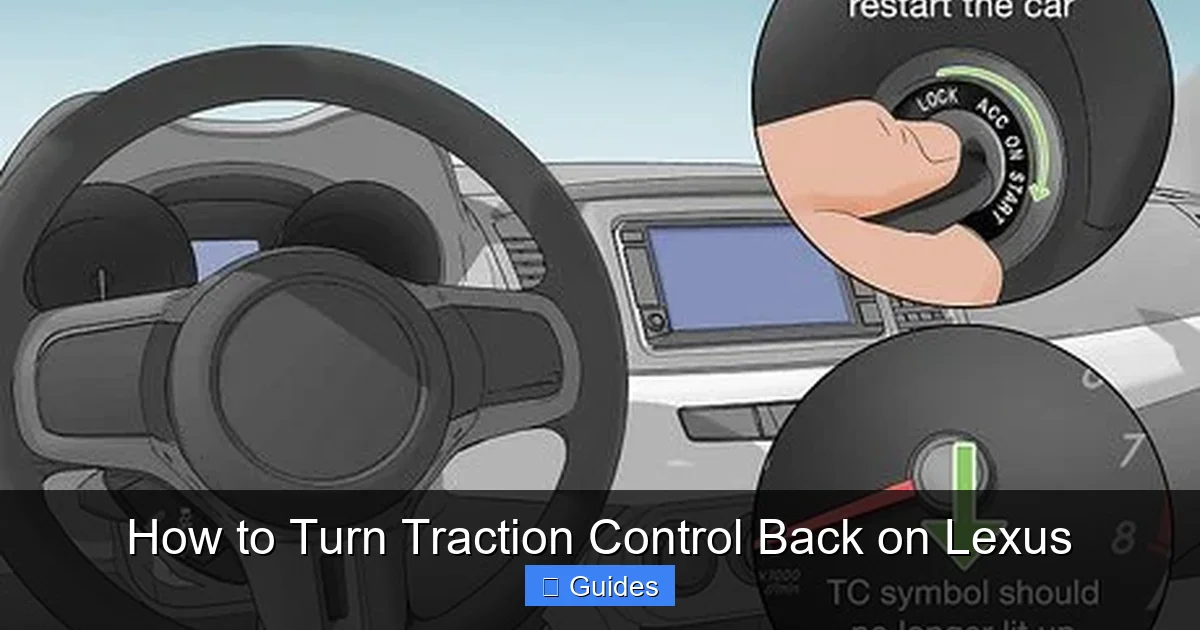
Visual guide about How to Turn Traction Control Back on Lexus
Image source: wikihow.com
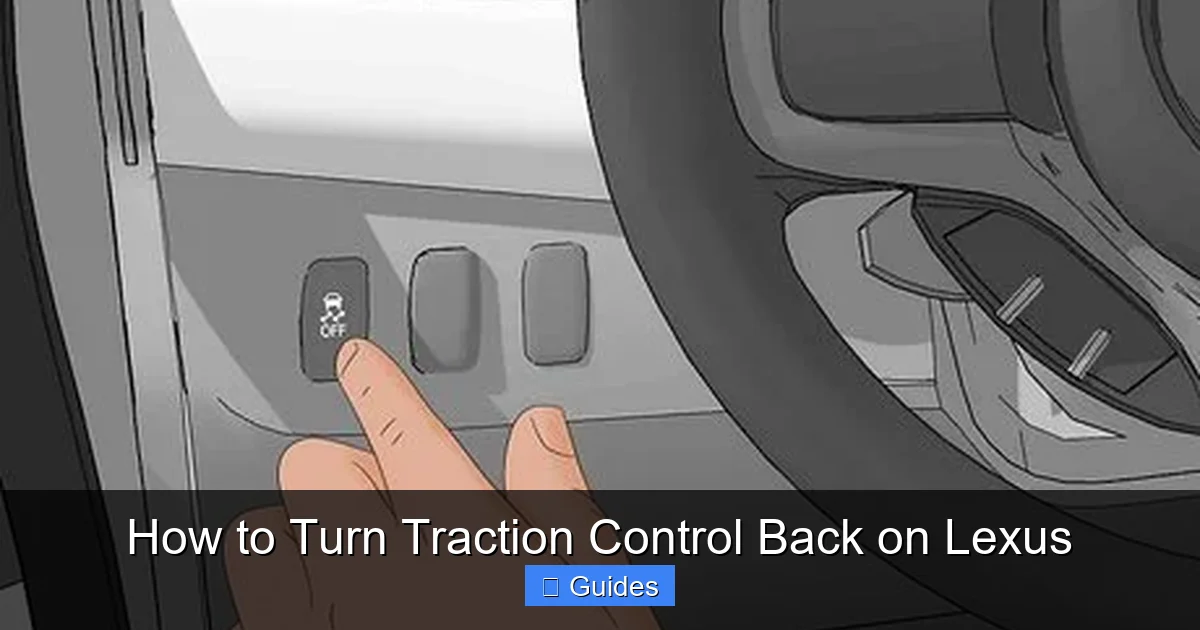
The quickest and most common way to turn traction control back on in a Lexus is by using the VSC/TRAC button. This physical button is standard on most models from the early 2000s to the present. Here’s how to do it:
First, locate the button. It’s usually found on the center console, near the gear shifter, or on the dashboard. Look for a button labeled “VSC OFF,” “TRAC OFF,” or something similar. Some models may have a single button that controls both Vehicle Stability Control and Traction Control, while others have separate buttons.
Once you’ve found it, press the button once. You should hear a soft click, and the “TRAC OFF” or “VSC OFF” light on your dashboard should turn off. This indicates that both systems are now active again. If the light remains on, try pressing the button again or restart the vehicle.
For example, if you’re driving a 2018 Lexus RX 350 and notice the traction control light is on, simply reach over to the center console, find the VSC button (usually just below the climate controls), and press it. Within a few seconds, the light should disappear, and you’ll feel the system re-engage.
Step-by-Step Instructions
Let’s walk through the process step by step:
1. **Turn on the ignition** – You don’t need to start the engine, but the car should be in the “on” position so the dashboard lights are active.
2. **Locate the VSC/TRAC button** – Check near the gear shifter, center console, or lower dashboard. It’s often black or gray with white lettering.
3. **Press the button once** – A single press should reactivate the system. Avoid holding it down unless you’re trying to fully disable it.
4. **Check the dashboard** – Look for the “TRAC OFF” or “VSC OFF” light. If it’s off, the system is active. If it’s still on, try pressing the button again.
5. **Test drive (optional)** – Take a short drive to confirm the system is working. Accelerate gently on a safe, open road to see if the system responds.
Common Mistakes to Avoid
One common mistake is pressing and holding the button. On some Lexus models, holding the VSC button for several seconds fully disables both traction control and stability control—even when you only meant to turn it back on. This can be dangerous, especially in wet or slippery conditions.
Another mistake is assuming the system is on when it’s not. Just because the light is off doesn’t always mean everything is working. If you’ve recently had maintenance or a warning light appeared, it’s worth double-checking.
Also, don’t confuse the VSC button with other nearby controls, like the parking brake or drive mode selector. Take a moment to identify the correct button before pressing.
Turning Traction Control On via the Infotainment System
Visual guide about How to Turn Traction Control Back on Lexus
Image source: wikihow.com
On newer Lexus models—especially those with the latest infotainment systems like Lexus Enform or the updated multimedia display—you can also turn traction control back on through the touchscreen menu. This method is useful if the physical button is missing, damaged, or hard to reach.
To access the settings, start by turning on the ignition. Then, tap the “Menu” or “Settings” icon on the central display. From there, look for a section labeled “Vehicle Settings,” “Driving Settings,” or “Safety Systems.” Within that menu, you should find an option for “Traction Control” or “VSC.”
Tap the toggle switch to turn the system on. The screen may display a confirmation message, and the dashboard light should turn off. This method is especially helpful in models like the 2022 Lexus NX or ES, where the physical button may be less prominent or integrated into a multi-function switch.
Let’s say you’re driving a 2021 Lexus IS 300 and the traction control light is on. You can’t find the physical button, so you decide to use the touchscreen.
1. Tap the “Menu” button on the home screen.
2. Select “Vehicle Settings.”
3. Scroll down to “Driving Assist.”
4. Tap “Traction Control.”
5. Toggle the switch to “On.”
After a few seconds, the dashboard light should disappear. You can also check the status by looking at the driving mode display—some models show “VSC ON” when active.
When the Menu Option Is Missing
Not all Lexus models allow you to enable traction control through the infotainment system. Older vehicles or base trims may rely solely on the physical button. If you can’t find the option in the menu, don’t panic—just look for the VSC button instead.
Additionally, some systems may require you to be in a specific driving mode (like “Normal” or “Eco”) to access certain settings. If the toggle is grayed out, try switching out of “Sport” or “Custom” mode.
Troubleshooting: What to Do If Traction Control Won’t Turn Back On
Visual guide about How to Turn Traction Control Back on Lexus
Image source: wikihow.com
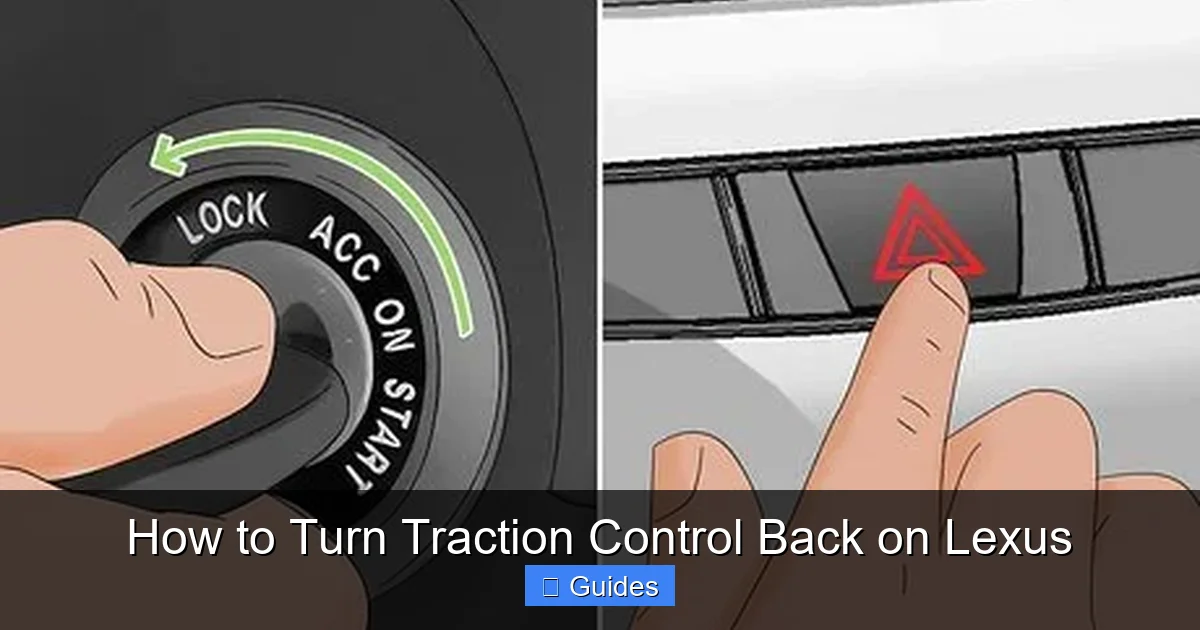
Sometimes, even after pressing the button or toggling the setting, the traction control light remains on. This could indicate a deeper issue. Here’s how to troubleshoot:
First, try turning the car off and back on. A simple restart can reset the system and clear temporary glitches. If that doesn’t work, check for any other warning lights—such as the check engine light or ABS light. These could signal a related problem.
Next, inspect the wheel speed sensors. Dirt, debris, or damage to these sensors can cause false readings and disable traction control. If you’ve recently driven through mud or snow, clean around the wheels and sensor areas.
If the issue persists, it’s time to visit a Lexus service center. A technician can run a diagnostic scan to identify any fault codes. Common issues include faulty sensors, wiring problems, or software glitches.
When to See a Mechanic
You should seek professional help if:
– The traction control light stays on after multiple attempts to reactivate it.
– Other warning lights are illuminated.
– You notice unusual vehicle behavior, such as jerking, poor acceleration, or instability.
– The system turns off randomly during normal driving.
Ignoring these signs could compromise your safety. Modern vehicles rely heavily on electronic systems, and a malfunctioning traction control system can affect braking, steering, and overall stability.
DIY Checks You Can Do at Home
Before heading to the shop, try these simple checks:
– **Check tire pressure:** Uneven or low tire pressure can trigger traction control warnings. Use a gauge to ensure all tires are inflated to the recommended PSI (found on the driver’s door jamb).
– **Inspect tires:** Look for uneven wear, cuts, or embedded objects. Damaged tires can affect sensor readings.
– **Clean wheel wells:** Remove mud, snow, or ice buildup that might interfere with sensors.
– **Check fuses:** Locate the fuse box (usually under the dashboard or hood) and inspect the fuses related to the ABS or VSC system.
These steps won’t fix every problem, but they can rule out simple causes.
When Is It Safe to Drive with Traction Control Off?
While traction control is designed to enhance safety, there are rare situations where turning it off makes sense. For example, if your Lexus is stuck in deep snow, mud, or sand, allowing the wheels to spin slightly can help you gain traction and get moving. In these cases, disabling traction control temporarily can be beneficial.
However, this should only be done for short periods and in controlled environments. Once you’re back on solid ground, reactivate the system immediately. Driving with traction control off on public roads—especially in wet or icy conditions—increases the risk of skidding, loss of control, and accidents.
Performance Driving and Track Use
Enthusiasts sometimes disable traction control during track days or spirited driving. On a closed course with proper safety measures, this allows for more aggressive acceleration and handling. But even then, most drivers keep at least partial traction control active for safety.
Lexus performance models like the IS F or RC F often include a “Sport” or “Track” mode that reduces—but doesn’t eliminate—traction control. This gives drivers more freedom while still providing a safety net.
Off-Roading Considerations
If you take your Lexus off-road (some SUVs like the GX or LX are capable), you may need to disable traction control when navigating steep inclines, rocky terrain, or deep ruts. In these cases, the system might misinterpret wheel spin as a loss of control and cut power at the worst moment.
Many Lexus off-road models include a dedicated “Off-Road” mode that adjusts traction control settings for better performance. Use this instead of fully disabling the system.
Maintaining Your Traction Control System
Like any part of your vehicle, traction control requires regular maintenance to function properly. While the system is largely self-monitoring, a few habits can help keep it in top shape.
First, keep your tires in good condition. Proper inflation, alignment, and tread depth are essential for accurate sensor readings. Rotate your tires every 5,000 to 7,000 miles to ensure even wear.
Second, avoid driving through deep water, mud, or snow whenever possible. These conditions can damage sensors or clog components. If you do drive in harsh environments, clean your undercarriage and wheel wells afterward.
Finally, schedule regular inspections during routine service visits. A technician can check for software updates, sensor calibration, and system performance.
Software Updates
Lexus occasionally releases software updates for the VSC and traction control systems. These updates can improve responsiveness, fix bugs, or enhance compatibility with new tire types. Ask your dealer during your next service if any updates are available.
After Repairs or Modifications
If you’ve had brake work, suspension repairs, or installed aftermarket wheels, the traction control system may need to be recalibrated. This is especially true if the wheel size or tire diameter has changed. Always inform your mechanic about any modifications.
Conclusion
Turning traction control back on in your Lexus is a straightforward process that can significantly improve your safety and driving experience. Whether you use the physical VSC/TRAC button or the infotainment menu, reactivating the system takes just seconds. Remember, traction control is there to help you maintain grip and stability—especially in challenging conditions.
While there are rare situations where disabling it makes sense, those should be the exception, not the rule. Most of the time, keeping traction control active is the smartest choice. And if you ever encounter issues—like the light staying on or the system not responding—don’t hesitate to consult your owner’s manual or visit a Lexus service center.
Your Lexus is built with advanced safety technology for a reason. By understanding how to manage systems like traction control, you’re not just driving a luxury vehicle—you’re driving smarter, safer, and more confidently. So the next time that “TRAC OFF” light appears, you’ll know exactly what to do.
Frequently Asked Questions
How do I turn traction control back on in my Lexus?
Press the VSC/TRAC button, usually located near the gear shifter or center console. A single press should reactivate the system and turn off the dashboard warning light.
Can I turn traction control on using the touchscreen?
Yes, on newer Lexus models, you can enable traction control through the “Vehicle Settings” or “Driving Assist” menu on the infotainment display.
This could indicate a system malfunction. Try restarting the vehicle. If the light remains on, have a technician diagnose the issue, as it may involve sensors or wiring.
Is it safe to drive with traction control off?
Only in specific situations like off-roading or getting unstuck. For normal driving, especially in wet or icy conditions, keep traction control on for safety.
Does turning off traction control affect fuel economy?
Not significantly. Traction control uses minimal power and only activates when needed. Disabling it won’t noticeably improve fuel efficiency.
What should I do if my Lexus won’t turn traction control back on?
Check for other warning lights, inspect tire pressure and condition, and try a system reset. If problems persist, visit a Lexus service center for diagnostics.

At CarLegit, we believe information should be clear, factual, and genuinely helpful. That’s why every guide, review, and update on our website is created with care, research, and a strong focus on user experience.