
Resetting the brake light on your Ford F150 is easier than you think—whether it’s a warning indicator or a maintenance reminder. This guide walks you through manual resets, using the dashboard controls, and when to seek professional help, ensuring your truck stays safe and road-ready.
In This Article
- 1 Key Takeaways
- 2 📑 Table of Contents
- 3 Why Is My Ford F150 Brake Light On?
- 4 How to Reset the Brake Light on Older Ford F150 Models (Pre-2015)
- 5 How to Reset the Brake Light on Newer Ford F150 Models (2015 and Later)
- 6 Using an OBD2 Scanner to Reset the Brake Light
- 7 Preventing Future Brake Light Warnings
- 8 When to See a Mechanic
- 9 Conclusion
- 10 Frequently Asked Questions
- 10.1 Why won’t my Ford F150 brake light turn off after replacing the pads?
- 10.2 Can I drive with the brake light on?
- 10.3 How often should I check my brake fluid?
- 10.4 Does the brake light mean I need new brake pads?
- 10.5 Can a dead battery cause the brake light to come on?
- 10.6 Is it safe to reset the brake light without fixing the problem?
Key Takeaways
- Understanding How To Reset Brake Light On Ford F150: Provides essential knowledge
📑 Table of Contents
Why Is My Ford F150 Brake Light On?
Seeing the brake light illuminate on your Ford F150’s dashboard can be alarming—especially if you’re not sure why it’s on. This warning light isn’t just a random alert; it’s your truck’s way of saying something needs attention. Whether it’s a simple maintenance reminder or a sign of a more serious issue, understanding the cause is the first step toward fixing it.
The brake light on your F150 typically appears as a red or yellow circle with an exclamation point inside, sometimes labeled “BRAKE.” It can activate for several reasons: low brake fluid, worn brake pads, a faulty sensor, or even the parking brake being partially engaged. In some cases, it might indicate an issue with the anti-lock braking system (ABS), especially if the ABS light is also on.
Common Causes of the Brake Light Warning
Before you reset the brake light, it’s crucial to identify why it came on in the first place. Ignoring the root cause and simply resetting the light could put you and others at risk. Here are the most common reasons your Ford F150’s brake light might be on:
- Low brake fluid: The brake fluid reservoir is located under the hood, near the firewall. Over time, fluid levels drop due to normal wear or leaks. When the level gets too low, a sensor triggers the warning light.
- Worn brake pads: Many F150s have brake pad wear sensors. When the pads thin down to a critical level, the sensor sends a signal to illuminate the brake light. This is a safety feature to prompt timely replacement.
- Parking brake engaged: It sounds obvious, but sometimes the parking brake isn’t fully released. Even a slight engagement can trigger the light.
- Brake system malfunction: Issues like a failing master cylinder, brake line leak, or air in the brake lines can cause the light to come on.
- ABS or traction control problems: If the ABS light is also on, the issue might be related to the anti-lock braking system, which shares sensors and components with the main brake system.
When to Reset vs. When to Repair
Not every brake light requires a repair—sometimes, it’s just a reminder that needs clearing. For example, after replacing brake pads or topping off brake fluid, the light may stay on until manually reset. In these cases, a reset is safe and appropriate.
However, if the light came on unexpectedly and you haven’t recently serviced the brakes, don’t rush to reset it. First, inspect the brake fluid level, check for leaks, and ensure the parking brake is fully disengaged. If you notice any unusual noises, vibrations, or reduced braking performance, have your truck inspected by a professional immediately. Resetting the light without addressing the underlying issue could lead to brake failure.
How to Reset the Brake Light on Older Ford F150 Models (Pre-2015)
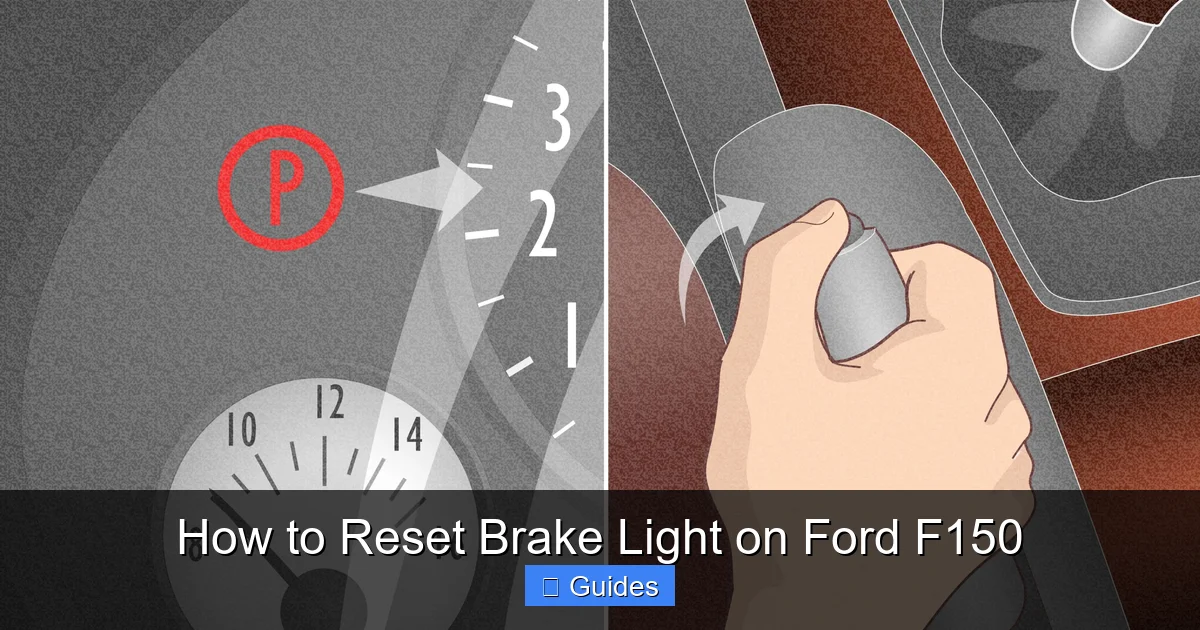
If you drive a Ford F150 from 2014 or earlier, you’re likely dealing with a simpler brake system that doesn’t rely heavily on electronic sensors for pad wear. In these models, the brake light often comes on due to low fluid or a mechanical issue, and resetting it usually involves a manual procedure using the pedals.
Visual guide about How to Reset Brake Light on Ford F150
Image source: wikihow.com
This method is straightforward and doesn’t require any special tools. It works by cycling the brake system’s electrical circuit, which resets the warning light. However, it’s only effective if the underlying issue—like low fluid—has been resolved.
Step-by-Step Manual Reset Procedure
Follow these steps carefully to reset the brake light on older F150 models:
- Turn off the ignition: Make sure the truck is completely off. Remove the key or press the start button without pressing the brake pedal.
- Press and hold the brake pedal: Keep it pressed firmly. This sends a signal through the brake switch.
- Turn the ignition to “ON” (but don’t start the engine): You should see the dashboard lights come on, including the brake light.
- Press the gas pedal three times within 10 seconds: Do this while still holding the brake pedal down. Each press should be firm and quick.
- Release the brake pedal: After the third gas pedal press, let go of the brake.
- Wait for the brake light to turn off: It should go out within a few seconds. If it doesn’t, repeat the process.
Tips for Success
- Make sure the parking brake is fully disengaged before starting.
- Perform the reset on a level surface with the engine off.
- If the light returns immediately after driving, there’s likely an ongoing issue—don’t ignore it.
- This method may not work on all pre-2015 models, especially those with advanced brake systems or ABS warnings.
Why This Method Works
This pedal sequence essentially “tricks” the vehicle’s computer into thinking the brake system has been serviced. It resets the brake switch circuit, which controls the warning light. It’s a holdover from older vehicle designs and is still effective on many Ford trucks from the 2000s and early 2010s.
However, it’s not a permanent fix. If your brake fluid is low or your pads are worn, the light will come back on once the system detects the problem again. Always address the root cause before resetting.
How to Reset the Brake Light on Newer Ford F150 Models (2015 and Later)
Starting in 2015, Ford introduced more advanced brake monitoring systems in the F150, including electronic brake pad wear sensors and integrated dashboard menus. These features make the truck smarter—but also a bit more complex when it comes to resetting warning lights.
Visual guide about How to Reset Brake Light on Ford F150
Image source: carglassadvisor.com
On newer models, the brake light may not respond to the old pedal method. Instead, you’ll need to use the instrument cluster controls to navigate the vehicle settings and reset the brake system manually. This process varies slightly depending on whether your F150 has a standard display or the larger SYNC 3 touchscreen.
Using the Instrument Cluster Menu
Most 2015 and newer F150s allow you to reset the brake light through the message center on the dashboard. Here’s how:
- Turn the ignition to “ON” (do not start the engine): This powers up the dashboard without engaging the engine.
- Press the “Setup” or “Menu” button on the steering wheel: This is usually located on the left side of the wheel.
- Navigate to “Vehicle” or “Settings”: Use the arrow buttons to scroll through the menu options.
- Select “Brake System” or “Maintenance”: Look for an option related to brake service or warnings.
- Choose “Reset Brake Light” or “Clear Warnings”: Confirm the reset when prompted.
- Turn off the ignition and restart the truck: The brake light should now be off.
Models with SYNC 3 Touchscreen
If your F150 has the SYNC 3 infotainment system, you may be able to reset the brake light through the touchscreen:
- Tap the “Settings” icon on the home screen.
- Select “Vehicle” from the menu.
- Choose “Maintenance” or “Service Reminders.”
- Find the brake system option and tap “Reset.”
- Confirm the action and exit the menu.
Note: Not all SYNC 3 systems support brake light resets via the touchscreen. If you don’t see the option, use the instrument cluster method instead.
When the Dashboard Method Doesn’t Work
Sometimes, even after following the correct steps, the brake light remains on. This could mean:
- The brake pad wear sensor is still triggered (pads are too worn).
- There’s a fault in the ABS module.
- The brake fluid level is critically low or there’s a leak.
- A sensor or wiring issue is preventing the reset.
In these cases, a manual reset won’t solve the problem. You’ll need to inspect the brakes or use a diagnostic tool.
Using an OBD2 Scanner to Reset the Brake Light
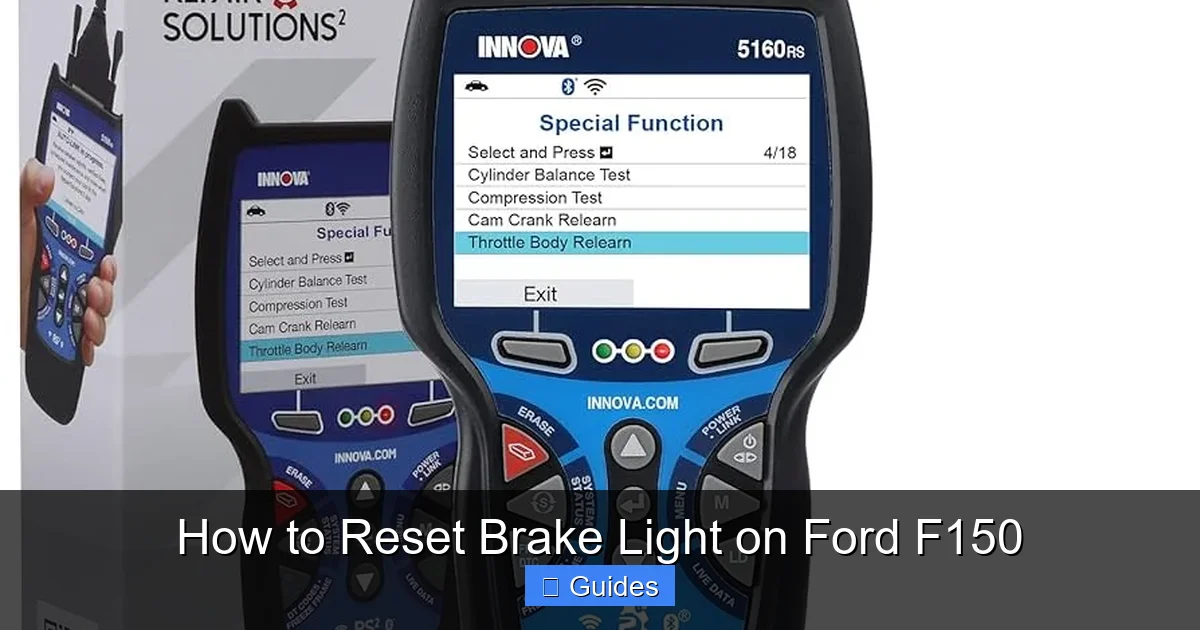
When manual and dashboard resets fail, an OBD2 (On-Board Diagnostics) scanner becomes your best friend. These tools plug into your F150’s OBD2 port—usually located under the dashboard near the steering column—and communicate directly with the vehicle’s computer.
Visual guide about How to Reset Brake Light on Ford F150
Image source: m.media-amazon.com
Modern OBD2 scanners can read and clear trouble codes, including those related to the brake system. They’re especially useful for diagnosing why the brake light won’t turn off, even after servicing.
How to Use an OBD2 Scanner
Here’s a step-by-step guide to resetting your brake light with an OBD2 scanner:
- Locate the OBD2 port: It’s a 16-pin connector, typically under the dash on the driver’s side.
- Plug in the scanner: Turn the ignition to “ON” (engine off) and connect the device.
- Turn on the scanner and follow the prompts: Most scanners will ask you to select your vehicle make, model, and year.
- Read the trouble codes: The scanner will display any active or stored codes. Look for codes like C1155 (brake switch circuit) or C1234 (wheel speed sensor).
- Clear the codes: Select “Clear Codes” or “Erase DTCs” to reset the system.
- Turn off the ignition and unplug the scanner: Restart the truck to see if the brake light is off.
Recommended OBD2 Scanners for Ford F150
Not all scanners are created equal. For Ford trucks, look for models that support ABS and brake system diagnostics. Some top choices include:
- BlueDriver Bluetooth Pro: Works with your smartphone, supports ABS codes, and provides detailed explanations.
- Autel MaxiCOM MK808: A professional-grade tool with full system scanning and reset capabilities.
- Foxwell NT301: Affordable and reliable, great for basic code reading and clearing.
Even basic scanners can clear brake light warnings, but advanced models give you more insight into what’s causing the issue.
What If the Light Comes Back On?
If the brake light returns after using an OBD2 scanner, the problem hasn’t been fixed—only the warning has been cleared. This is a red flag. It could mean:
- The brake pads are still worn and need replacement.
- There’s a leak in the brake line or master cylinder.
- A sensor is damaged or misaligned.
- The ABS module has a fault.
In these cases, further diagnosis by a mechanic is strongly recommended. Continuing to drive with unresolved brake issues can be dangerous.
Preventing Future Brake Light Warnings
The best way to avoid dealing with brake light resets is to prevent the warnings from appearing in the first place. Regular maintenance and inspections can keep your Ford F150’s braking system in top shape and reduce the chances of unexpected alerts.
Brake systems are critical for safety, so don’t treat them as an afterthought. A little proactive care goes a long way in ensuring reliable performance and peace of mind on the road.
Regular Brake Inspections
Make it a habit to inspect your brakes every 6 months or 6,000 miles—whichever comes first. Here’s what to check:
- Brake fluid level: Open the hood and locate the brake fluid reservoir. The level should be between the “MIN” and “MAX” marks. If it’s low, top it off with DOT 3 or DOT 4 fluid (check your owner’s manual for the correct type).
- Brake pad thickness: Look through the wheel spokes to see the brake pads. If they’re less than 1/4 inch thick, it’s time to replace them.
- Brake rotor condition: Check for deep grooves, cracks, or warping. Severely damaged rotors should be resurfaced or replaced.
- Signs of leaks: Look under the truck for fluid stains or puddles. Brake fluid is clear to amber and has a slightly oily feel.
Follow the Maintenance Schedule
Your Ford F150’s owner’s manual includes a recommended maintenance schedule. Stick to it. Key brake-related services include:
- Brake fluid flush every 30,000 to 45,000 miles.
- Brake pad replacement every 30,000 to 70,000 miles (depending on driving habits).
- Brake system inspection during every oil change.
If you frequently drive in stop-and-go traffic, tow heavy loads, or drive in mountainous areas, your brakes will wear faster. Adjust your maintenance schedule accordingly.
Listen to Your Truck
Your F150 will often give you subtle warnings before the brake light comes on. Pay attention to:
- Squealing or grinding noises: These are common signs of worn brake pads.
- Soft or spongy brake pedal: This could indicate air in the brake lines or a fluid leak.
- Pulsating brake pedal: Often caused by warped rotors.
- Longer stopping distances: A clear sign that your brakes aren’t performing optimally.
Addressing these issues early can prevent the brake light from coming on and save you money on repairs.
When to See a Mechanic
While many brake light issues can be resolved at home, some problems require professional attention. Don’t hesitate to visit a certified Ford technician if you experience any of the following:
- The brake light stays on after multiple reset attempts.
- You notice fluid leaks under the truck.
- The brake pedal feels unusually soft or sinks to the floor.
- You hear grinding, clicking, or other unusual noises when braking.
- The ABS or traction control light is also on.
These could indicate serious issues like a failing master cylinder, damaged brake lines, or ABS module failure. Attempting to fix these problems without proper tools and knowledge can be dangerous.
A qualified mechanic can perform a full brake system inspection, including pressure testing, sensor checks, and fluid analysis. They can also reset the brake light using factory-level diagnostic tools, ensuring the job is done correctly.
Cost of Professional Brake Service
The cost of brake service varies depending on the issue. Here’s a rough estimate:
- Brake pad replacement: $150–$300 per axle.
- Brake fluid flush: $100–$150.
- Brake sensor replacement: $100–$200.
- ABS module repair: $500–$1,200 (parts and labor).
While professional service costs more than a DIY reset, it’s a worthwhile investment in your safety and vehicle longevity.
Conclusion
Resetting the brake light on your Ford F150 doesn’t have to be a mystery. Whether you’re driving an older model that responds to a simple pedal sequence or a newer truck with advanced electronics, there’s a method that will work—as long as you address the underlying cause first.
From checking brake fluid and pad wear to using dashboard menus or OBD2 scanners, you now have the tools and knowledge to handle most brake light issues confidently. Remember, the brake light is there for a reason: to keep you safe. Never ignore it, and always prioritize proper maintenance.
By staying proactive and informed, you’ll keep your F150 running smoothly and your brakes performing at their best—mile after mile.
Frequently Asked Questions
Why won’t my Ford F150 brake light turn off after replacing the pads?
The brake light may stay on if the wear sensor wasn’t reset or if the new pads don’t have a sensor. Use the dashboard menu or an OBD2 scanner to clear the warning after confirming the pads are properly installed.
Can I drive with the brake light on?
It’s not recommended. The brake light indicates a potential safety issue. If the light is on, have your brakes inspected immediately to avoid brake failure or accidents.
How often should I check my brake fluid?
Check your brake fluid every 3–6 months or during oil changes. Low fluid can trigger the brake light and reduce braking performance.
Does the brake light mean I need new brake pads?
Not always, but it’s a common cause. Inspect the pads for wear. If they’re thin or you hear squealing, replacement is likely needed.
Can a dead battery cause the brake light to come on?
Yes, a weak or dying battery can cause electrical glitches, including false brake warnings. Check the battery and charging system if the light appears unexpectedly.
Is it safe to reset the brake light without fixing the problem?
No. Resetting the light without addressing the root cause—like low fluid or worn pads—can be dangerous. Always diagnose and fix the issue first.

At CarLegit, we believe information should be clear, factual, and genuinely helpful. That’s why every guide, review, and update on our website is created with care, research, and a strong focus on user experience.