
Turning off automatic emergency braking (AEB) in your Nissan is possible, but it should be done with caution. This guide walks you through the steps, explains when it might be necessary, and highlights important safety considerations to keep in mind.
In This Article
- 1 Key Takeaways
- 2 📑 Table of Contents
- 3 Understanding Automatic Emergency Braking in Nissan Vehicles
- 4 Why You Might Want to Turn Off Automatic Emergency Braking
- 5 How to Turn Off Automatic Emergency Braking in Your Nissan
- 6 Safety Considerations and Risks of Disabling AEB
- 7 When to Re-Enable Automatic Emergency Braking
- 8 Alternative Solutions Before Disabling AEB
- 9 Model-Specific Instructions for Popular Nissan Vehicles
- 10 Conclusion
- 11 Frequently Asked Questions
Key Takeaways
- Automatic Emergency Braking (AEB) is a safety feature designed to prevent collisions. It uses sensors to detect potential crashes and applies the brakes if the driver doesn’t respond in time.
- You can usually disable AEB temporarily through the vehicle’s settings menu. The exact steps vary by Nissan model and year, so check your owner’s manual.
- Disabling AEB is not recommended for everyday driving. It removes a critical layer of protection that can help avoid accidents, especially in sudden traffic stops.
- Some Nissan models allow permanent deactivation, while others only offer temporary turn-off options. Understand your vehicle’s capabilities before making changes.
- Reasons to turn off AEB include sensor interference, towing, or driving in heavy snow or mud. These situations can cause false triggers or reduced system effectiveness.
- Always re-enable AEB after the situation requiring deactivation is resolved. Keeping the system active maximizes your safety on the road.
- If you’re unsure how to disable AEB, consult your owner’s manual or visit a Nissan dealership. Professional guidance ensures you don’t accidentally disable other safety systems.
📑 Table of Contents
- Understanding Automatic Emergency Braking in Nissan Vehicles
- Why You Might Want to Turn Off Automatic Emergency Braking
- How to Turn Off Automatic Emergency Braking in Your Nissan
- Safety Considerations and Risks of Disabling AEB
- When to Re-Enable Automatic Emergency Braking
- Alternative Solutions Before Disabling AEB
- Model-Specific Instructions for Popular Nissan Vehicles
- Conclusion
Understanding Automatic Emergency Braking in Nissan Vehicles
Automatic Emergency Braking (AEB) has become a standard safety feature in most modern Nissan vehicles. This intelligent system uses a combination of radar, cameras, and sometimes lidar to monitor the road ahead. When it detects an imminent collision—such as a stopped car, a pedestrian crossing, or a sudden slowdown—it can automatically apply the brakes to reduce speed or even bring the vehicle to a complete stop. The goal? To prevent accidents or lessen their severity.
Nissan’s AEB system is part of a broader suite of driver-assistance technologies known as Nissan Safety Shield 360. This includes features like blind-spot warning, rear cross-traffic alert, lane departure warning, and forward collision warning. AEB works hand-in-hand with these systems to provide 360-degree protection. It’s especially helpful in stop-and-go traffic, at intersections, or during moments when a driver might be distracted.
But while AEB is designed to make driving safer, it’s not perfect. There are times when the system might react unexpectedly—like braking for a shadow, a plastic bag, or a low-hanging tree branch. In rare cases, it might interfere with driving conditions such as off-roading, towing a trailer, or driving through deep snow where sensors get blocked. That’s why Nissan gives drivers the option to turn off AEB—temporarily or, in some cases, permanently.
Why You Might Want to Turn Off Automatic Emergency Braking

Visual guide about How to Turn Off Automatic Emergency Braking Nissan
Image source: blogmedia.dealerfire.com
Before diving into the how-to, it’s important to understand why someone would want to disable AEB in the first place. While the system is a lifesaver in many situations, there are legitimate scenarios where turning it off makes sense.
One common reason is sensor obstruction. If your front grille or windshield is covered in snow, mud, or ice, the radar and camera sensors may not function properly. This can cause the AEB system to either fail to detect obstacles or, worse, trigger false alarms—suddenly slamming on the brakes when there’s no real danger. In such cases, disabling AEB temporarily can prevent unnecessary stress and potential rear-end collisions from startled drivers behind you.
Another scenario is towing. When you’re pulling a trailer, boat, or camper, the added length and weight can confuse the AEB system. The sensors might misinterpret the trailer as an obstacle or fail to detect vehicles behind it correctly. Some drivers report that AEB becomes overly sensitive when towing, leading to abrupt braking that can be dangerous on highways.
Off-roading is another situation where AEB can be more of a hindrance than a help. On rough terrain, sudden stops are sometimes necessary for control, and the AEB system might interpret these as emergency situations and intervene. Additionally, dust, rocks, and uneven surfaces can trigger false alerts.
Finally, some drivers simply prefer full control over their vehicle. While this is understandable, it’s crucial to remember that AEB is there for a reason—it’s been proven to reduce rear-end collisions by up to 50% according to studies by the Insurance Institute for Highway Safety (IIHS). Disabling it should never be done lightly or as a matter of convenience.
How to Turn Off Automatic Emergency Braking in Your Nissan
Visual guide about How to Turn Off Automatic Emergency Braking Nissan
Image source: nissannationpodcast.com
Now that we’ve covered the “why,” let’s get into the “how.” The process for turning off AEB varies slightly depending on your Nissan model and the year it was manufactured. However, most modern Nissans (2018 and newer) follow a similar procedure using the vehicle’s infotainment system or dashboard controls.
Step-by-Step Guide for Most Nissan Models (2018–2024)
1. **Start your vehicle and ensure it’s in Park.**
Safety first—never attempt to change settings while driving.
2. **Access the main menu on your touchscreen display.**
Look for the “Settings” or “Menu” button, usually located at the bottom of the screen or on the steering wheel controls.
3. **Navigate to “Driver Assistance” or “Safety” settings.**
This section may also be labeled “Nissan Safety Shield,” “Vehicle Settings,” or “Convenience.”
4. **Select “Forward Collision Warning” or “Automatic Emergency Braking.”**
You may see options like “FCW” (Forward Collision Warning) and “AEB” listed separately.
5. **Toggle the switch to “Off.”**
Some models allow you to choose between “On,” “Off,” and “Warning Only” (which alerts you but doesn’t brake).
6. **Confirm your selection.**
The system may ask you to confirm that you want to disable AEB. Select “Yes” or “Confirm.”
7. **Check for a dashboard indicator.**
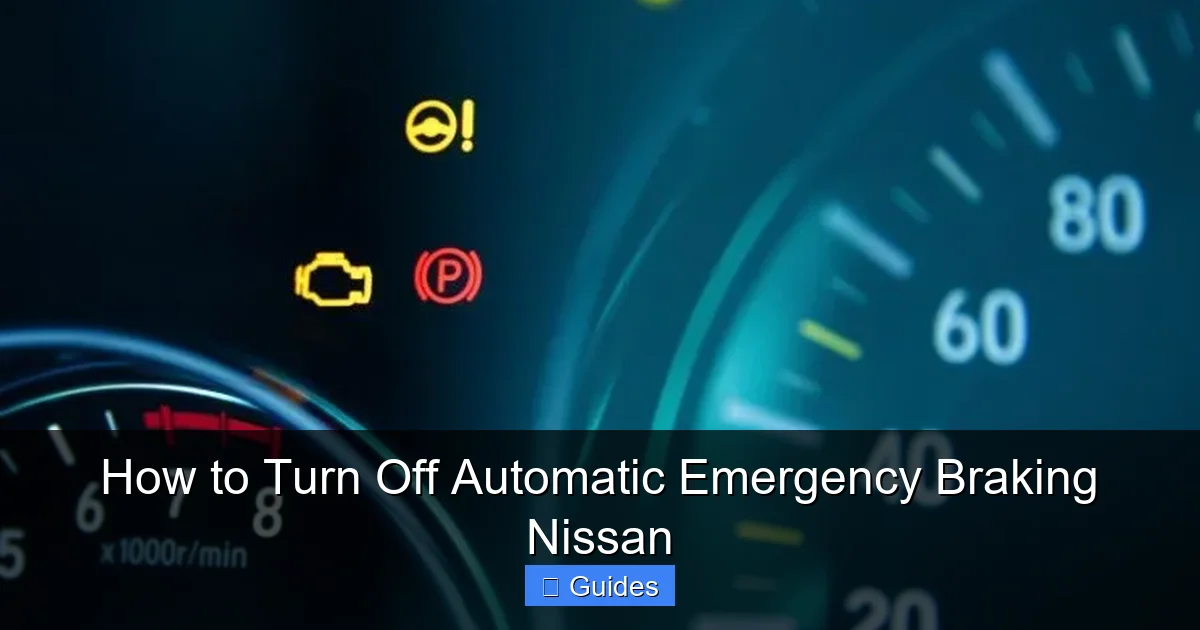
When AEB is off, a warning light (often a yellow icon with a car and brake symbol) may appear on your instrument cluster.
Models with Physical Buttons or Steering Wheel Controls
Some older or base-model Nissans (like the 2017–2018 Sentra or Altima) may not have a full touchscreen interface. In these cases, you’ll use the steering wheel buttons or center console controls:
– Press the “Menu” or “Info” button on the steering wheel.
– Scroll through the options using the arrow keys.
– Look for “Driver Assist” or “Safety Systems.”
– Highlight “Automatic Emergency Braking” and press “OK” or “Enter.”
– Toggle the setting to “Off.”
Using the NissanConnect App (If Equipped)
For vehicles with NissanConnect Services, you may be able to manage certain safety settings remotely via the smartphone app. However, AEB deactivation is typically not available through the app for safety reasons. Always make changes directly in the vehicle.
Important Notes
– **Temporary vs. Permanent Disable:** Most Nissans only allow AEB to be turned off temporarily. The system will automatically re-enable the next time you start the car. A few models (like the Nissan Rogue Sport) may offer a “permanent off” option, but this is rare and usually requires a dealership tool.
– **Model-Specific Variations:** Always refer to your owner’s manual. For example, the Nissan Pathfinder and Armada may have slightly different menu layouts than the Altima or Rogue.
– **Software Updates:** If you’ve recently updated your vehicle’s software, the menu structure might have changed. Check for updates or consult Nissan support if you can’t find the option.
Safety Considerations and Risks of Disabling AEB
Visual guide about How to Turn Off Automatic Emergency Braking Nissan
Image source: nissannationpodcast.com
Disabling Automatic Emergency Braking isn’t something to take lightly. While it may solve a short-term problem, it removes a critical safety net that could save your life—or someone else’s.
According to the National Highway Traffic Safety Administration (NHTSA), rear-end collisions account for nearly 29% of all traffic accidents in the U.S. Many of these occur because drivers fail to brake in time. AEB steps in when human reaction time isn’t fast enough. Studies show that vehicles with AEB have significantly lower rates of front-to-rear crashes.
When you turn off AEB, you’re essentially choosing to rely solely on your own reflexes. That might be fine on an empty highway, but in heavy traffic, school zones, or during sudden weather changes, the risk increases dramatically.
Another risk is unintended consequences. For example, if you disable AEB because of sensor blockage from snow, you might forget to turn it back on once the weather clears. Over time, this habit can become dangerous. It’s easy to get used to driving without the system and forget how much it helps.
Additionally, some insurance companies offer discounts for vehicles equipped with advanced safety features like AEB. Disabling the system could potentially affect your eligibility for these discounts, though this varies by provider.
Finally, consider the legal and ethical implications. If you’re involved in an accident and AEB was disabled, it could be used as evidence of negligence—especially if the crash was avoidable. While this is rare, it’s a possibility in serious cases.
When to Re-Enable Automatic Emergency Braking
If you’ve turned off AEB for a specific reason—like clearing snow from your sensors or finishing a towing job—it’s essential to turn it back on as soon as possible. Here are some clear signs that it’s time to re-enable the system:
– **Weather conditions have improved.** Once snow, ice, or heavy rain has cleared and your sensors are clean, AEB should be restored.
– **Towing or off-roading is complete.** As soon as you’re back on paved roads and not carrying extra weight, reactivate AEB.
– **Sensor warnings have disappeared.** If your dashboard no longer shows a “Sensor Blocked” or “System Unavailable” message, the system is likely ready to function.
– **You’re entering high-traffic areas.** City driving, school zones, and construction sites are exactly where AEB provides the most value.
To re-enable AEB, simply follow the same steps you used to turn it off. Navigate to the safety settings and toggle the switch back to “On.” Most vehicles will confirm the change with a chime or message on the display.
It’s also a good idea to test the system after re-enabling it. Drive in a safe, low-speed area and gently approach a parked car or barrier (from a safe distance) to see if the forward collision warning activates. This helps ensure the system is working correctly.
Alternative Solutions Before Disabling AEB
Before you decide to turn off AEB, consider whether there’s a better solution. In many cases, the issue can be resolved without disabling the system entirely.
Clean Your Sensors Regularly
The most common cause of AEB malfunctions is dirty or obstructed sensors. Nissan’s AEB system relies on a forward-facing camera (usually mounted near the rearview mirror) and radar sensors (typically behind the front grille). If these are covered in dirt, snow, or bug splatter, the system can’t “see” the road properly.
Make it a habit to clean your windshield and front grille, especially during winter or after long drives. Use a soft cloth and mild cleaner—avoid harsh chemicals that could damage the lenses. For radar sensors, a gentle rinse with water is usually sufficient.
Check for Software Updates
Nissan periodically releases software updates that improve the performance of safety systems. These updates can fix bugs, reduce false alerts, and enhance sensor accuracy. Visit your local Nissan dealership or use the Nissan Owner Portal to check if your vehicle is eligible for an update.
Adjust Sensitivity Settings (If Available)
Some Nissan models allow you to adjust the sensitivity of the AEB system. Instead of turning it off completely, you can set it to “Low” or “Medium” to reduce false triggers while still maintaining protection. Look for this option in the same menu where you disable AEB.
Use “Warning Only” Mode
If your vehicle offers a “Warning Only” setting, this can be a great compromise. The system will still alert you with a sound or visual cue when a collision is detected, but it won’t automatically apply the brakes. This gives you control while still providing an extra layer of awareness.
Model-Specific Instructions for Popular Nissan Vehicles
Because Nissan offers a wide range of models, the exact steps to disable AEB can vary. Below are simplified instructions for some of the most popular Nissan vehicles.
Nissan Rogue (2018–2024)
– Press the “Menu” button on the steering wheel.
– Navigate to “Settings” > “Driver Assistance” > “Forward Collision Warning.”
– Select “Off” or “Warning Only.”
Nissan Altima (2019–2024)
– Tap the “Settings” icon on the touchscreen.
– Go to “Vehicle” > “Driver Assistance” > “Automatic Emergency Braking.”
– Toggle to “Off.”
Nissan Sentra (2020–2024)
– Use the steering wheel controls to open the “Info” menu.
– Scroll to “Safety” > “AEB” and press “OK.”
– Switch to “Disabled.”
Nissan Pathfinder (2022–2024)
– Access the “NissanConnect” menu.
– Select “Safety & Security” > “Collision Avoidance.”
– Turn off “Automatic Emergency Braking.”
Always double-check your owner’s manual for the most accurate instructions. If you’ve lost your manual, you can download a digital copy from Nissan’s official website using your vehicle identification number (VIN).
Conclusion
Automatic Emergency Braking is one of the most important safety innovations in modern vehicles, and Nissan has integrated it thoughtfully across its lineup. While the ability to turn off AEB gives drivers flexibility in challenging conditions, it should be used sparingly and with full awareness of the risks.
Disabling AEB can be helpful in specific situations—like driving in heavy snow, towing a trailer, or dealing with sensor blockages—but it’s never a decision to make lightly. The system is designed to protect you, your passengers, and others on the road. Removing that protection, even temporarily, increases your chances of being involved in a preventable accident.
If you do need to turn off AEB, make sure you understand how to do it safely, why you’re doing it, and when to turn it back on. And whenever possible, explore alternatives like cleaning sensors, adjusting sensitivity, or using warning-only mode.
Ultimately, the goal is to drive smarter, not harder. Use technology to your advantage, but never let convenience override safety. Your Nissan’s AEB system is there for a reason—treat it with respect, and it will do the same for you.
Frequently Asked Questions
Can I permanently turn off automatic emergency braking in my Nissan?
Most Nissan models only allow temporary deactivation of AEB, which resets when you restart the car. A few models may offer a permanent off option, but this often requires a dealership tool or special procedure.
Will turning off AEB affect my insurance?
Some insurers offer discounts for vehicles with active safety features like AEB. Disabling the system could potentially affect your eligibility, though this depends on your provider and policy.
Why does my Nissan keep braking for no reason?
This is usually caused by dirty or obstructed sensors. Clean your windshield and front grille, and check for software updates. If the problem persists, visit a Nissan service center.
Can I disable AEB while driving?
No, you should only change AEB settings when the vehicle is parked and in Park. Attempting to adjust settings while driving can be dangerous and is not recommended.
Does AEB work in reverse or only when moving forward?
Nissan’s AEB system primarily works when moving forward. Some models include rear automatic braking as a separate feature, which activates when reversing.
What should I do if AEB won’t turn back on?
If you can’t re-enable AEB, check for warning messages on the dashboard, clean the sensors, and restart the vehicle. If the issue continues, contact a Nissan dealership for diagnostics.

At CarLegit, we believe information should be clear, factual, and genuinely helpful. That’s why every guide, review, and update on our website is created with care, research, and a strong focus on user experience.