
If your Nissan Sentra is showing a “Key System Error,” don’t panic—this common issue often stems from a weak key fob battery, faulty ignition, or communication glitches. With the right troubleshooting steps, you can resolve it quickly and safely without a costly trip to the dealership.
In This Article
- 1 Key Takeaways
- 2 📑 Table of Contents
- 3 Understanding the “Key System Error” in Your Nissan Sentra
- 4 Common Causes of Key System Errors in Nissan Sentras
- 5 Step-by-Step Guide to Fixing the Key System Error
- 6 When to Visit a Nissan Dealer or Mechanic
- 7 Preventing Future Key System Errors
- 8 Real-Life Example: How One Driver Fixed His Sentra in 10 Minutes
- 9 Conclusion: Stay Calm and Troubleshoot Smart
- 10 Frequently Asked Questions
- 10.1 Why does my Nissan Sentra say “Key System Error”?
- 10.2 Can I drive my Sentra if it shows a key system error?
- 10.3 How much does it cost to fix a key system error?
- 10.4 Will disconnecting the car battery reset the key system?
- 10.5 Can I program a new key fob myself?
- 10.6 How often should I replace my key fob battery?
Key Takeaways
- Check the key fob battery first: A dead or weak battery is the most common cause of key system errors in Nissan Sentras.
- Use the physical key to unlock the door: Most Sentras have a hidden key blade inside the fob for emergency access.
- Try the “key fob re-sync” method: Turning the ignition on and off with the fob near the start button can reset the system.
- Inspect the ignition switch and antenna ring: Damaged components around the ignition can block signal detection.
- Reset the vehicle’s electrical system: Disconnecting the car battery for 10–15 minutes can clear temporary glitches.
- Visit a Nissan dealer if problems persist: Some issues require diagnostic tools only available at authorized service centers.
- Keep your key fob clean and protected: Dirt, moisture, and physical damage can interfere with signal transmission.
📑 Table of Contents
- Understanding the “Key System Error” in Your Nissan Sentra
- Common Causes of Key System Errors in Nissan Sentras
- Step-by-Step Guide to Fixing the Key System Error
- When to Visit a Nissan Dealer or Mechanic
- Preventing Future Key System Errors
- Real-Life Example: How One Driver Fixed His Sentra in 10 Minutes
- Conclusion: Stay Calm and Troubleshoot Smart
Understanding the “Key System Error” in Your Nissan Sentra
If you’ve ever hopped into your Nissan Sentra, pressed the start button, and been greeted with a frustrating message like “Key System Error” or “No Key Detected,” you’re not alone. This warning light or message appears when your vehicle’s immobilizer system can’t recognize or communicate with your key fob. While it might feel like a major breakdown, in most cases, it’s a solvable issue—often caused by something as simple as a low battery.
The Nissan Sentra, especially models from 2013 onward, uses a push-button start system paired with a smart key fob. This fob doesn’t just unlock your doors—it sends a unique radio signal to the car’s computer to confirm it’s authorized to start the engine. When that signal gets interrupted or weakened, the car refuses to start as a security measure. That’s why seeing “Key System Error” doesn’t mean your car is broken—it means the system is doing its job protecting your vehicle from theft.
But don’t worry. Most drivers can resolve this issue at home with a few basic steps. In this guide, we’ll walk you through everything you need to know—from diagnosing the root cause to fixing it yourself. Whether you’re stranded in a parking lot or just want to avoid future headaches, these tips will help you get back on the road safely and confidently.
Common Causes of Key System Errors in Nissan Sentras
Before jumping into fixes, it’s important to understand why your Sentra is showing a key system error. Knowing the cause helps you apply the right solution faster and avoid unnecessary repairs. Here are the most frequent culprits:
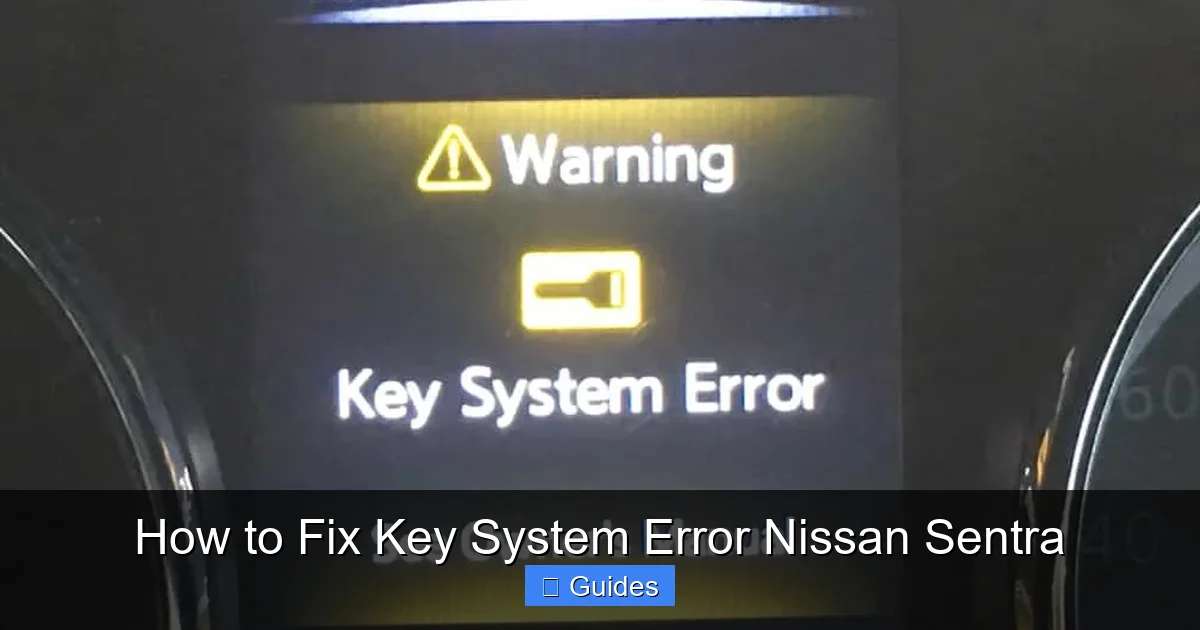
Visual guide about How to Fix Key System Error Nissan Sentra
Image source: theautoinsiderblog.com
1. Weak or Dead Key Fob Battery
This is by far the #1 reason for key system errors. The Nissan Sentra key fob runs on a small CR2032 coin cell battery. Over time—usually after 2–3 years—this battery loses power. When it’s too weak, the fob can’t send a strong enough signal to the car, even if it still unlocks the doors remotely.
For example, you might notice that your doors unlock when you’re right next to the car, but the engine won’t start. That’s a classic sign of a dying battery. The remote functions may still work at close range, but the ignition system requires a stronger signal.
2. Damaged or Dirty Key Fob
Drops, spills, or exposure to moisture can damage the internal circuitry of your key fob. Even dirt or grime buildup on the buttons or antenna can interfere with signal transmission. If your fob has taken a tumble or been left in a wet pocket, it might not be sending a clean signal.
3. Faulty Ignition Switch or Antenna Ring
Inside the ignition cylinder (where you’d insert a traditional key), there’s a small antenna ring that reads the key fob’s signal. If this ring is damaged, loose, or corroded, it can’t detect the fob—even if the fob is working perfectly. This is more common in older Sentras or vehicles that have had water damage.
4. Electrical System Glitches
Like any computer, your Sentra’s onboard systems can occasionally freeze or miscommunicate. A temporary glitch in the immobilizer module or body control module might cause a false “Key System Error” message. These usually resolve after a reset.
5. Multiple Key Fobs Causing Confusion
If you have more than one key fob programmed to your car, sometimes the system gets confused about which one is being used. This is rare but can happen if fobs are stored too close together or if one is damaged.
6. Low Car Battery Voltage
Your Sentra’s 12-volt battery powers the entire electrical system, including the immobilizer. If the car battery is weak or dying, it might not provide enough power for the key detection system to work properly. This is especially common in cold weather or if the car hasn’t been driven in a while.
Step-by-Step Guide to Fixing the Key System Error
Now that you know what might be causing the problem, let’s get into the solutions. Follow these steps in order—they’re designed to be simple, safe, and effective. Most can be done in under 30 minutes with basic tools.
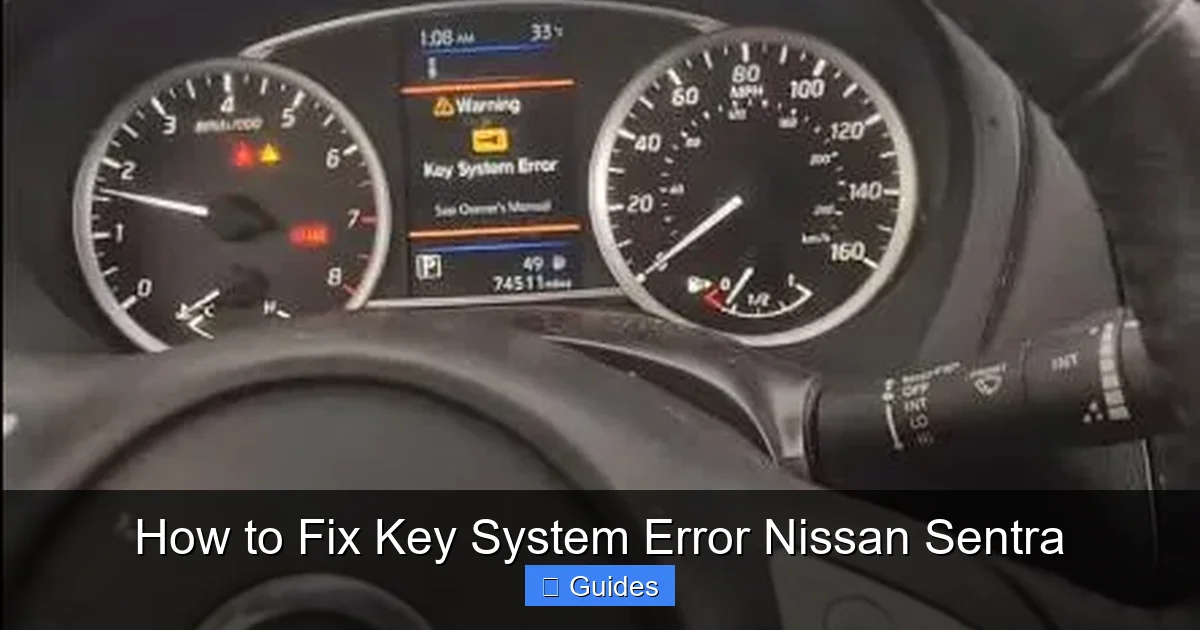
Visual guide about How to Fix Key System Error Nissan Sentra
Image source: key-programmer.org
Step 1: Check and Replace the Key Fob Battery
Start here—it’s the easiest and most common fix. Here’s how:
- Locate the small release button or slot on the side of your key fob.
- Use a flathead screwdriver or coin to gently pry open the fob.
- Remove the old CR2032 battery and note its orientation (positive side up).
- Insert a new CR2032 battery, making sure it’s seated correctly.
- Snap the fob back together and test it.
Pro Tip: Buy a pack of CR2032 batteries—they’re cheap and last years. Keep one in your glove box just in case.
After replacing the battery, try starting your car again. If the error is gone, great! If not, move to the next step.
Step 2: Use the Physical Key to Unlock and Start the Car
Every Nissan Sentra key fob has a hidden physical key inside. Here’s how to use it:
- Press the release button on the fob to pull out the metal key blade.
- Locate the keyhole on the driver’s door (it’s usually hidden behind a small cover).
- Insert the key and turn to unlock the door.
- Once inside, place the entire key fob (with the new battery) directly against the start button.
- Press the brake pedal and push the start button while holding the fob in place.
This method uses the fob’s backup antenna, which activates when it’s in direct contact with the button. It’s a great temporary fix while you troubleshoot further.
Step 3: Re-Sync the Key Fob with the Car
Sometimes the fob and car just need to “reintroduce” themselves. Here’s a simple re-sync procedure:
- Make sure all doors are closed and the key fob is inside the car.
- Press the start button once (without pressing the brake) to turn on the accessories.
- Wait 5 seconds, then press the start button again to turn it off.
- Repeat this cycle 3–5 times.
- On the final cycle, press the brake and try to start the engine.
This process resets the communication between the fob and the immobilizer system. It works about 60% of the time for minor glitches.
Step 4: Reset the Car’s Electrical System
If the error persists, a full electrical reset might help. This clears temporary faults in the car’s computer:
- Turn off the engine and remove the key fob from the car.
- Open the hood and locate the negative terminal of the car battery (marked with a “-”).
- Use a wrench to loosen the nut and disconnect the negative cable.
- Wait 10–15 minutes (this allows the system to fully discharge).
- Reconnect the cable and tighten the nut.
- Try starting the car again.
Warning: Disconnecting the battery may reset your radio presets, clock, and navigation system. Have your radio code handy if your Sentra requires one.
Step 5: Inspect the Ignition Area
If none of the above work, the issue might be mechanical. Carefully inspect the ignition switch area:
- Look for dirt, debris, or corrosion around the start button.
- Check if the antenna ring (a small coil around the ignition) is loose or damaged.
- Gently clean the area with a dry cloth or compressed air.
If you see visible damage or the ring looks misaligned, this may require professional repair. Avoid forcing anything—Nissan’s ignition systems are sensitive.
When to Visit a Nissan Dealer or Mechanic
While most key system errors can be fixed at home, some issues require specialized tools and expertise. Here’s when it’s time to seek professional help:
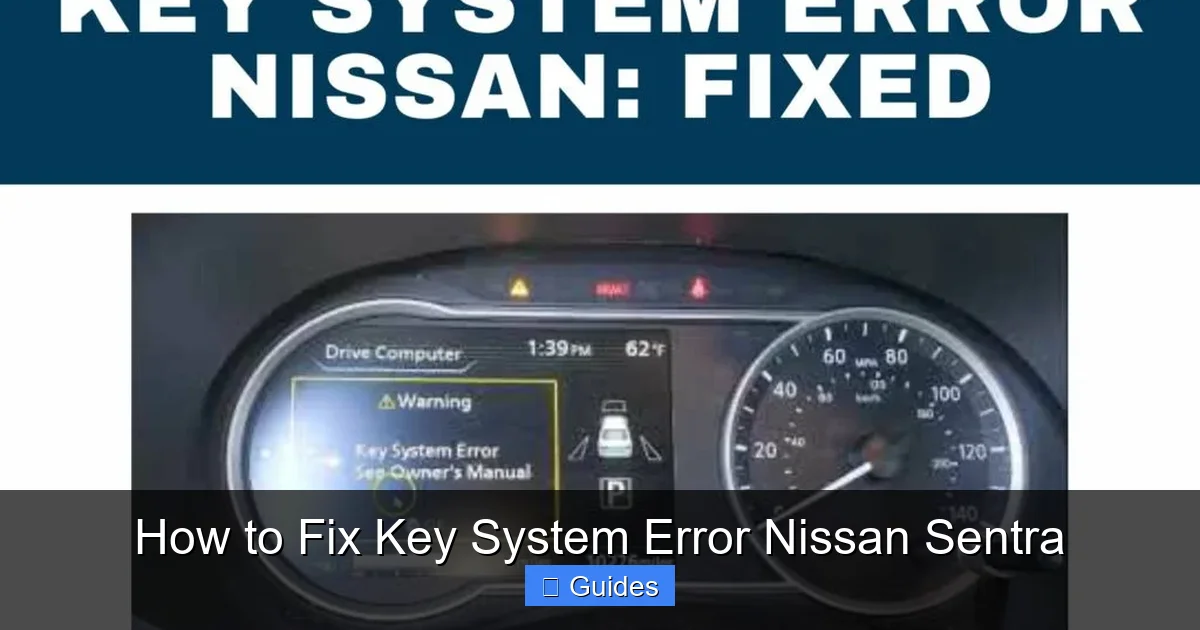
Visual guide about How to Fix Key System Error Nissan Sentra
Image source: enginediary.com
The Error Persists After All Troubleshooting Steps
If you’ve tried replacing the battery, re-syncing, resetting the system, and inspecting the ignition—and the car still won’t start—the problem may be deeper. This could include:
- A failed immobilizer control module
- A damaged key fob that needs reprogramming
- A wiring issue in the steering column
Only a Nissan dealership or certified mechanic with the right diagnostic scanner can pinpoint these issues.
You Have a Non-Functional or Lost Key Fob
If your key fob is completely dead, cracked, or lost, you’ll need a replacement. Nissan dealerships can program new fobs, but it’s not cheap—usually $200–$400 including labor. Some third-party locksmiths offer cheaper programming, but make sure they’re reputable and Nissan-certified.
The Car Shows Other Electrical Problems
If you’re also experiencing dashboard warnings, flickering lights, or difficulty charging, the issue might be related to the main car battery or alternator. A weak car battery can mimic key system errors, so have it tested at an auto parts store (many offer free testing).
Your Sentra Is Still Under Warranty
If your vehicle is less than 3 years old or under 36,000 miles, take it to a Nissan dealer. Key system issues may be covered under the bumper-to-bumper warranty. Don’t risk voiding it by attempting complex repairs yourself.
Preventing Future Key System Errors
Once you’ve fixed the problem, take steps to avoid it happening again. Prevention is always easier (and cheaper) than repair.
Replace the Key Fob Battery Every 2–3 Years
Don’t wait for the warning light. Proactively replace the CR2032 battery every couple of years, especially if you notice reduced range when unlocking the car.
Keep Your Key Fob Clean and Dry
Avoid exposing your fob to water, extreme heat, or direct sunlight for long periods. Store it in a protective case if you’re at the beach or pool.
Don’t Store Metal Objects Near the Fob
Keys, coins, or other metal items can interfere with the fob’s signal. Keep it in a dedicated pocket or pouch away from other electronics.
Regularly Test the Physical Key
Once a month, try using the hidden key blade to unlock your door. This ensures it’s not stuck or corroded and gives you confidence in an emergency.
Maintain Your Car Battery
Have your 12-volt battery tested annually, especially before winter. A healthy car battery supports all electrical systems, including the immobilizer.
Real-Life Example: How One Driver Fixed His Sentra in 10 Minutes
Let’s look at a real scenario. Mark, a 2018 Nissan Sentra owner, was rushing to work when his car displayed “Key System Error” in the parking garage. He panicked—until he remembered reading about key fob batteries.
He popped open the fob with a coin, swapped the old battery for a new CR2032 from his desk drawer, and snapped it back together. He placed the fob against the start button, pressed the brake, and—voilà—the engine turned over. Total time: 8 minutes. Cost: $3 for a battery pack.
“I thought I’d need a tow truck,” Mark said. “But it was just a $1.50 battery. Now I keep spares in my car and at home.”
Conclusion: Stay Calm and Troubleshoot Smart
A “Key System Error” in your Nissan Sentra can be alarming, but it’s rarely a sign of serious damage. In most cases, it’s a simple fix—like a dead battery or a temporary glitch. By following the steps in this guide, you can resolve the issue quickly, safely, and without spending hundreds at the dealership.
Remember: start with the basics. Check the fob battery, use the physical key, re-sync the system, and reset the electronics. If those don’t work, don’t hesitate to consult a professional. And once it’s fixed, take preventive steps to keep your key system running smoothly.
Your Sentra is designed to protect you—and your key fob is a key part of that system. Treat it well, and it’ll get you where you need to go, every time.
Frequently Asked Questions
Why does my Nissan Sentra say “Key System Error”?
This message appears when the car’s immobilizer system can’t detect or communicate with your key fob. It’s usually caused by a weak fob battery, signal interference, or a temporary system glitch.
Can I drive my Sentra if it shows a key system error?
No—the car won’t start if the system doesn’t recognize the key. However, you can often bypass the issue by placing the fob directly against the start button and using the physical key to unlock the door.
How much does it cost to fix a key system error?
If it’s a battery issue, you can fix it for under $5. If the fob or ignition needs repair, costs can range from $100 to $400 at a dealership. Always try DIY fixes first.
Will disconnecting the car battery reset the key system?
Yes, disconnecting the negative terminal for 10–15 minutes can reset the immobilizer and clear temporary errors. Just be prepared to reset your radio and clock.
Can I program a new key fob myself?
No—Nissan key fobs require specialized programming tools. You’ll need to visit a dealership or certified locksmith to add or replace a fob.
How often should I replace my key fob battery?
Every 2–3 years, or sooner if you notice reduced range when unlocking the car. Proactive replacement prevents unexpected failures.

At CarLegit, we believe information should be clear, factual, and genuinely helpful. That’s why every guide, review, and update on our website is created with care, research, and a strong focus on user experience.