
Getting locked out of your Nissan Altima with the keys still inside can be frustrating and stressful. This guide walks you through practical, safe methods to regain access—whether you’re dealing with a power lock failure, a dead key fob battery, or an accidental lockout—without damaging your vehicle.
Have you ever walked up to your Nissan Altima, reached for the door handle, and realized—your keys are still inside? It’s one of those moments that stops you in your tracks. You’re not alone. Thousands of drivers face this exact situation every year, especially with modern keyless entry systems that make it easy to forget the fob is still in the car. Whether you’re running late for work, picking up your kids, or just returning from a quick errand, being locked out with the keys inside is both inconvenient and stressful.
The good news? There are several safe, effective ways to unlock your Nissan Altima without causing damage or calling a tow truck. From using hidden manual keys to leveraging smart technology, this guide will walk you through step-by-step solutions tailored to different model years and scenarios. We’ll cover everything from quick fixes you can try at home to when it’s best to call in the pros. And don’t worry—we’ll also share prevention tips so you can avoid this headache in the future.
Whether you drive a 2010 Altima or a 2023 model with advanced Nissan Intelligent Key features, this guide has you covered. Let’s get you back behind the wheel—safely and efficiently.
In This Article
- 1 Key Takeaways
- 2 📑 Table of Contents
- 3 Understanding Why Your Nissan Altima Locks with Keys Inside
- 4 Method 1: Use the Hidden Physical Key in Your Key Fob
- 5 Method 2: Use the Nissan Intelligent Key’s Emergency Start Feature
- 6 Method 3: Use the Door Handle Sensor (For Keyless Entry Models)
- 7 Method 4: Use NissanConnect Services (Remote Unlock via App)
- 8 Method 5: Call Roadside Assistance or a Professional Locksmith
- 9 What NOT to Do: Avoiding Common DIY Mistakes
- 10 Preventing Future Lockouts: Smart Habits and Tools
- 11 Conclusion
- 12 Frequently Asked Questions
- 12.1 Can I unlock my Nissan Altima if the key fob battery is dead?
- 12.2 Is it safe to use a coat hanger to unlock my Altima?
- 12.3 Does every Nissan Altima have a hidden key?
- 12.4 Can I unlock my Altima remotely without the app?
- 12.5 How much does it cost to call a locksmith for a car lockout?
- 12.6 How can I prevent locking my keys in the car?
Key Takeaways
- Check for manual key access: Many Nissan Altimas have a hidden physical key inside the fob that can unlock the driver’s door manually.
- Use the Nissan Intelligent Key system wisely: If the fob battery is dead, hold it near the start button and press the brake to start the car or unlock doors.
- Try the door handle sensor: On newer models, touching the sensor on the driver’s door handle may unlock the car if the fob is nearby.
- Avoid DIY tools like coat hangers: These can damage window seals, electronics, or airbags—opt for safer alternatives.
- Call roadside assistance or a locksmith: Professional help ensures no damage and fast access, especially in emergencies.
- Prevent future lockouts: Keep a spare key in a magnetic box under the car or with a trusted person.
- Use Nissan’s mobile app (if equipped): NissanConnect Services allows remote unlocking via smartphone for eligible models.
📑 Table of Contents
- Understanding Why Your Nissan Altima Locks with Keys Inside
- Method 1: Use the Hidden Physical Key in Your Key Fob
- Method 2: Use the Nissan Intelligent Key’s Emergency Start Feature
- Method 3: Use the Door Handle Sensor (For Keyless Entry Models)
- Method 4: Use NissanConnect Services (Remote Unlock via App)
- Method 5: Call Roadside Assistance or a Professional Locksmith
- What NOT to Do: Avoiding Common DIY Mistakes
- Preventing Future Lockouts: Smart Habits and Tools
- Conclusion
Understanding Why Your Nissan Altima Locks with Keys Inside
Modern vehicles, including the Nissan Altima, are designed with convenience in mind. Features like keyless entry, push-button start, and automatic door locks make driving easier—but they can also lead to accidental lockouts. So why does your Altima sometimes lock even when the keys are inside?
One common reason is the “auto-lock” feature. Many Altimas are programmed to automatically lock the doors after a certain period of inactivity or when the vehicle is turned off and the key fob moves out of range. If you step out of the car briefly—say, to grab a coffee or check your phone—and the fob stays inside, the doors may lock behind you. This is especially common in parking lots or driveways where the signal weakens.
Another culprit is a dead or weak key fob battery. When the battery runs low, the fob may not transmit a strong enough signal to keep the doors unlocked, even if it’s physically inside the car. In some cases, the car’s sensors may not detect the fob at all, triggering a lockout.
Additionally, software glitches or sensor malfunctions can cause the vehicle to misread the key’s presence. For example, if the fob is buried under a seat cushion or in the trunk, the car might not recognize it, leading to an unintended lock.
Understanding these causes is the first step to solving the problem. Once you know why it happened, you can choose the best method to unlock your Altima—and take steps to prevent it from happening again.
Method 1: Use the Hidden Physical Key in Your Key Fob
Visual guide about How to Unlock Nissan Altima with Keys Inside
Image source: vehiclefreak.com
One of the most reliable ways to unlock a Nissan Altima with keys inside is by using the hidden physical key tucked inside your key fob. Most Nissan Altima models from 2007 onward come with a keyless entry fob that contains a small, retractable metal key. This mechanical key is designed specifically for emergency access when the electronic system fails.
How to Access the Hidden Key
To retrieve the physical key, locate the small release button or switch on the side of your key fob. On most models, this is a tiny button near the base of the fob. Press and hold it while pulling the key blade outward. It should slide out smoothly. If it feels stuck, don’t force it—check your owner’s manual for the exact mechanism, as designs vary slightly by year.
Once you have the key, look for the keyhole on the driver’s side door. On many Altimas, this keyhole is hidden behind a small plastic cover. Gently pry off the cover using your fingernail or a flat tool like a butter knife. Be careful not to scratch the paint. Insert the key and turn it clockwise to unlock the door.
Important Tips When Using the Physical Key
– Only use the key on the driver’s door. Other doors may not have accessible keyholes.
– After unlocking, turn the key back to the neutral position before removing it to avoid damaging the lock mechanism.
– Once inside, replace the key fob battery if it’s dead to restore full functionality.
This method works on nearly all Nissan Altima models and is completely safe—no risk of damage to electronics or paint. It’s also free and doesn’t require any special tools. Just remember: always keep your fob in good condition so the key can be accessed easily when needed.
Method 2: Use the Nissan Intelligent Key’s Emergency Start Feature
Visual guide about How to Unlock Nissan Altima with Keys Inside
Image source: lost-car-keys-replacement.com
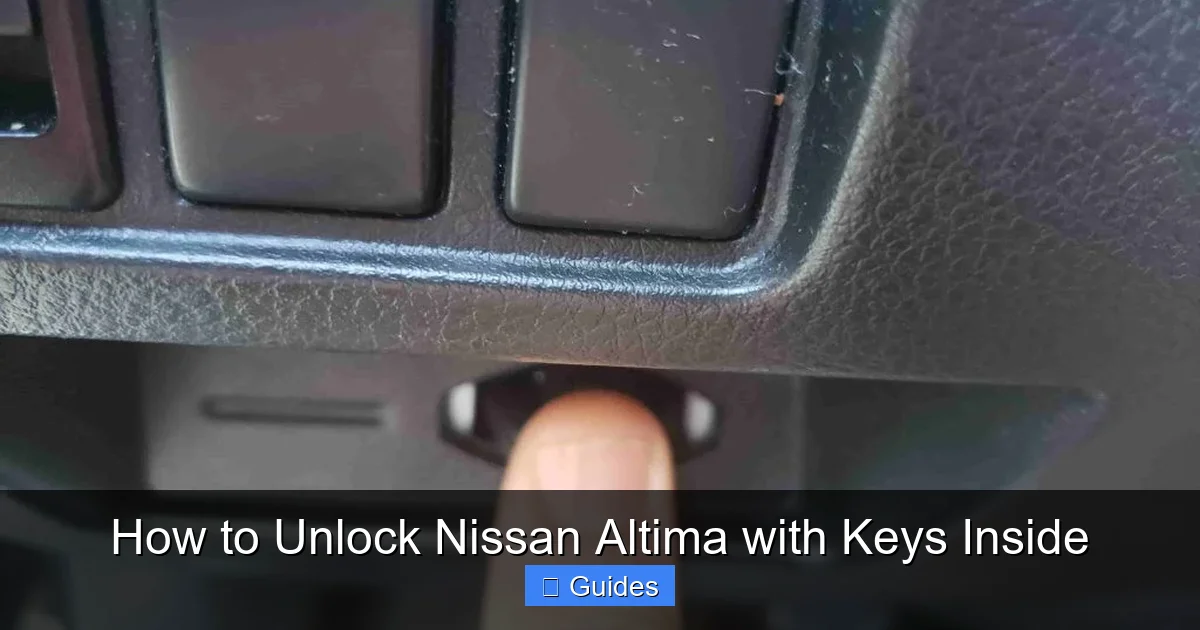
If your key fob battery is dead but the car still has power, you may be able to unlock and start your Altima using the Nissan Intelligent Key system’s emergency backup feature. This is especially useful if you’re near the vehicle and the fob is inside but not detected.
How the Emergency Start Feature Works
The Intelligent Key system includes a backup method that allows you to start the car even with a dead fob battery. Here’s how it works:
1. Approach the driver’s door and touch the sensor on the door handle (usually a small indentation or button).
2. If the fob is inside the car but not detected due to a weak battery, the system may still allow access if you perform a specific action.
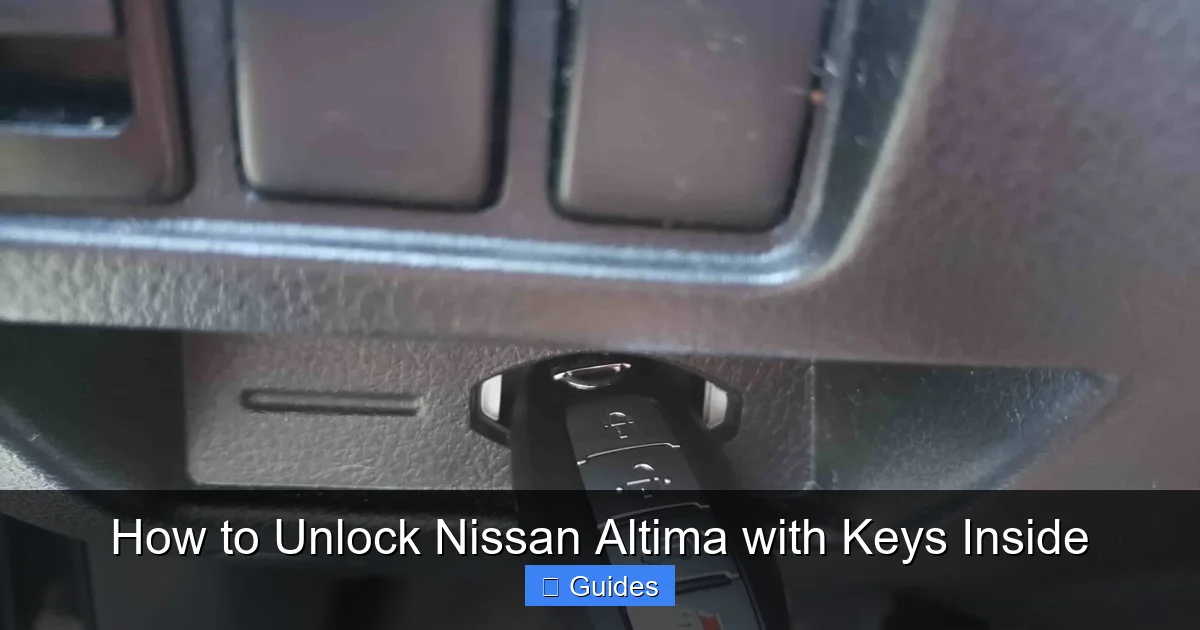
3. To start the car, hold the fob directly against the start button (usually marked with a key symbol) and press the brake pedal. The car should recognize the fob and allow ignition.
This method relies on inductive coupling—the car sends a low-power signal to the fob, which reflects back just enough data to authenticate it, even with a dead battery.
Step-by-Step Instructions
– Stand close to the driver’s door and press the unlock button on the handle. If nothing happens, proceed to the next step.
– Open the door using the physical key (as described in Method 1).
– Once inside, locate the start button.
– Hold the key fob firmly against the start button (back of the fob facing the button).
– Press the brake pedal and hold it.
– While holding the fob in place, press the start button. The engine should turn over.
This method works on most 2013 and newer Nissan Altimas with push-button start. It’s a great workaround when the fob battery dies unexpectedly. However, it won’t help if the car’s battery is also dead or if the fob is completely unresponsive.
Method 3: Use the Door Handle Sensor (For Keyless Entry Models)
Visual guide about How to Unlock Nissan Altima with Keys Inside
Image source: lost-car-keys-replacement.com
Many newer Nissan Altimas (2019 and later) come equipped with advanced keyless entry systems that allow you to unlock the doors simply by touching the sensor on the door handle. This feature is part of the Nissan Intelligent Key system and is designed for convenience—but it can also be a lifesaver during a lockout.
How the Door Handle Sensor Works
The sensor is typically located on the driver’s side door handle, often marked by a small indentation or a touch-sensitive area. When you touch it, the car checks for the presence of the key fob. If the fob is inside the vehicle—even if the battery is low—the system may still detect it and unlock the doors.
This works because the car emits a low-frequency signal that can penetrate the interior and detect the fob, even if it’s under a seat or in the glove box.
Steps to Unlock Using the Door Handle Sensor
1. Approach the driver’s door and ensure you’re within a few feet of the car.
2. Gently touch or press the sensor on the door handle. Do not pull or twist—just a light touch is enough.
3. Wait a few seconds. If the system detects the fob, the doors should unlock automatically.
4. If the doors don’t unlock, try moving the fob closer to the door (e.g., place it on the dashboard or window) and repeat the process.
This method is most effective when the fob battery is only partially drained. If the battery is completely dead, the sensor may not detect the fob, and you’ll need to use the physical key or emergency start method.
Pro Tip: Boost the Signal
If the sensor isn’t responding, try placing the fob against the door glass near the handle. The glass can act as a conductor, helping the signal reach the car’s antenna. This simple trick has worked for many drivers in real-world situations.
Method 4: Use NissanConnect Services (Remote Unlock via App)
If your Nissan Altima is equipped with NissanConnect Services (available on select 2016 and newer models), you may be able to unlock your car remotely using the NissanConnect mobile app. This is one of the most convenient solutions—especially if you’re locked out and the keys are inside.
How NissanConnect Remote Unlock Works
NissanConnect allows you to control certain vehicle functions from your smartphone, including locking and unlocking doors, starting the engine, and even locating your car. To use remote unlock, you’ll need:
– A compatible Nissan Altima with active NissanConnect Services.
– The NissanConnect app installed on your smartphone.
– An active subscription (some features may require a paid plan).
Steps to Unlock Your Altima Remotely
1. Open the NissanConnect app on your phone.
2. Log in with your account credentials.
3. Select your vehicle from the dashboard.
4. Tap the “Door Unlock” button.
5. Confirm the action when prompted.
The app will send a signal to your car via cellular network, instructing it to unlock the doors. Within seconds, you should hear the locks disengage.
Important Notes
– Remote unlock only works if your car has cellular connectivity and power.
– The feature may not be available in all regions or on all trim levels.
– If your subscription has expired, you may need to renew it to use the service.
This method is ideal for tech-savvy drivers who want a hands-free solution. It’s also great for parents or caregivers who need to unlock the car for someone else.
Method 5: Call Roadside Assistance or a Professional Locksmith
When all else fails, or if you’re in a hurry and don’t want to risk damaging your vehicle, calling for professional help is the safest option. Roadside assistance services and licensed locksmiths have the tools and expertise to unlock your Nissan Altima quickly and without damage.
Using Roadside Assistance
If you have a roadside assistance plan—through your insurance, auto club (like AAA), or Nissan’s own service—call them immediately. Most plans include lockout service as a standard benefit. A technician will arrive with specialized tools to unlock your car safely.
Hiring a Professional Locksmith
If you don’t have roadside assistance, contact a local locksmith who specializes in automotive services. Look for one with good reviews and experience with Nissan vehicles. Avoid unlicensed or “pop-up” services, as they may use risky methods like window punching.
Professional locksmiths often use tools like:
– Slim jims (for older models with manual locks)
– Air wedges and long-reach rods (to manipulate the lock mechanism)
– Diagnostic tools (to reset electronic locks)
These methods are designed to minimize damage and are far safer than DIY attempts with coat hangers or screwdrivers.
Cost and Timeframe
Most lockout services cost between $50 and $150, depending on location and time of day. Response times vary, but many providers offer 30-minute arrival windows. Always ask for a quote before work begins.
What NOT to Do: Avoiding Common DIY Mistakes
When you’re locked out, it’s tempting to try quick fixes you’ve seen online—like using a coat hanger to “fish” for the lock or breaking a window. But these methods can cause serious damage and cost far more than professional help.
Avoid Coat Hangers and DIY Tools
Using a straightened coat hanger to reach inside the door panel is risky. Modern cars have complex wiring, airbag sensors, and delicate window seals. One wrong move can trigger an airbag, damage the door module, or crack the window. Plus, most Altimas have reinforced locks that are nearly impossible to manipulate this way.
Don’t Break the Window
Breaking a window might seem like a fast solution, but it’s expensive and dangerous. Side windows can cost $200–$500 to replace, and you risk injury from glass shards. It also leaves your car exposed to theft or weather damage.
Never Use Excessive Force
Prying open doors or handles can bend metal, scratch paint, or damage the locking mechanism. Always start with the least invasive method—like the physical key or app unlock—before considering more aggressive options.
Preventing Future Lockouts: Smart Habits and Tools
The best way to deal with a lockout is to avoid it altogether. Here are some simple habits and tools to keep your keys accessible and your car secure.
Keep a Spare Key in a Magnetic Key Box
Attach a magnetic key box to a hidden spot under your car—like behind the bumper or near the wheel well. Store a spare key inside. Just make sure it’s well-secured and not easily visible to thieves.
Use a Key Finder or Bluetooth Tracker
Devices like Tile or Apple AirTag can help you locate your keys if they’re misplaced. Attach one to your keychain and use your phone to track it down.
Develop a Pre-Exit Routine
Before locking your car, make it a habit to check for your keys. Say aloud: “Keys, phone, wallet” to ensure you have everything. This simple mental checklist can prevent most accidental lockouts.
Replace Key Fob Batteries Regularly
Most key fob batteries last 2–3 years. Replace them proactively to avoid sudden failures. Keep a spare battery in your glove box or emergency kit.
Enable NissanConnect Alerts
If your Altima supports it, set up alerts in the NissanConnect app to notify you if the doors are left unlocked or if the fob battery is low.
Conclusion
Being locked out of your Nissan Altima with the keys inside is frustrating—but it doesn’t have to be a disaster. With the right knowledge and tools, you can regain access quickly and safely. Whether you use the hidden physical key, the Intelligent Key’s emergency feature, the door handle sensor, or the NissanConnect app, there’s a solution for nearly every situation.
Remember: always start with the least invasive method. Avoid risky DIY fixes that could damage your car or void your warranty. And when in doubt, call a professional. Prevention is even better—develop smart habits, keep a spare key handy, and maintain your key fob to avoid future lockouts.
Your Nissan Altima is designed for convenience and safety. With these tips, you can enjoy that peace of mind—even when life throws you a curveball.
Frequently Asked Questions
Can I unlock my Nissan Altima if the key fob battery is dead?
Yes, you can still unlock your Altima using the hidden physical key in the fob or by holding the fob against the start button to start the car. The Intelligent Key system has backup methods for dead batteries.
Is it safe to use a coat hanger to unlock my Altima?
No, using a coat hanger can damage window seals, door panels, or airbag sensors. It’s risky and often ineffective. Use safer methods like the physical key or call a professional.
Most models from 2007 onward include a physical key inside the fob. Check your owner’s manual or look for a release button on the fob to confirm.
Can I unlock my Altima remotely without the app?
Only if your vehicle is equipped with NissanConnect Services and you have an active subscription. Otherwise, remote unlocking isn’t possible.
How much does it cost to call a locksmith for a car lockout?
Most automotive locksmiths charge between $50 and $150, depending on location, time of day, and vehicle type. Always request a quote before service begins.
How can I prevent locking my keys in the car?
Keep a spare key in a magnetic box, use a key tracker, replace fob batteries regularly, and develop a pre-exit routine to check for essentials.

At CarLegit, we believe information should be clear, factual, and genuinely helpful. That’s why every guide, review, and update on our website is created with care, research, and a strong focus on user experience.