
Resetting the tire maintenance light on your Nissan Rogue is simple and can be done in minutes without a mechanic. This guide walks you through every step, from checking tire pressure to completing the reset process, ensuring your vehicle stays safe and efficient.
In This Article
- 1 Key Takeaways
- 2 📑 Table of Contents
- 3 Why the Tire Maintenance Light Comes On
- 4 When Should You Reset the Tire Maintenance Light?
- 5 Tools and Preparation Needed
- 6 Step-by-Step Guide to Resetting the Tire Maintenance Light
- 7 Tips for Maintaining Proper Tire Pressure
- 8 Common Mistakes to Avoid
- 9 Conclusion
- 10 Frequently Asked Questions
- 10.1 How often should I check my tire pressure?
- 10.2 Can I reset the tire maintenance light without a mechanic?
- 10.3 Why does the tire light come on in cold weather?
- 10.4 What PSI should my Nissan Rogue tires be?
- 10.5 Will the tire light turn off automatically?
- 10.6 What if the tire light stays on after resetting?
Key Takeaways
- Check tire pressure first: Always ensure all tires are inflated to the recommended PSI before resetting the system.
- Use the correct driving pattern: Drive at varying speeds for 10–15 minutes to allow the TPMS to recalibrate.
- Access the reset button: Located under the steering wheel or in the glove box, depending on your Rogue’s model year.
- Follow the dashboard sequence: Use the trip odometer button to navigate menus and confirm the reset.
- Verify the light is off: After resetting, drive briefly to confirm the tire maintenance light no longer appears.
- Know when to seek help: If the light returns immediately, there may be a sensor or tire issue requiring professional inspection.
- Regular maintenance matters: Reset the system only after addressing the underlying tire condition to avoid repeated warnings.
📑 Table of Contents
Why the Tire Maintenance Light Comes On
If you’ve ever been driving your Nissan Rogue and suddenly noticed a yellow or orange light flashing on your dashboard—often shaped like a tire with an exclamation point—you’ve likely encountered the Tire Pressure Monitoring System (TPMS) alert. This isn’t just a random warning; it’s your vehicle’s way of saying, “Hey, something’s off with your tires.” But don’t panic. Most of the time, it’s a simple fix, and resetting the system is easier than you think.
The tire maintenance light typically activates when one or more of your tires are underinflated—usually by 25% or more below the recommended pressure. This can happen gradually due to temperature changes, slow leaks, or just normal air loss over time. Cold weather, in particular, causes air to contract, which can drop tire pressure enough to trigger the alert. Other causes include a faulty TPMS sensor, a recent tire rotation or replacement, or even a change in driving habits that affects tire wear.
Understanding why the light comes on is the first step toward fixing it. It’s not just about convenience—driving with underinflated tires reduces fuel efficiency, increases wear and tear, and can compromise your safety, especially during sudden maneuvers or wet conditions. That’s why Nissan designed the TPMS to alert you early. But once you’ve addressed the root cause—like inflating your tires to the correct pressure—you’ll need to reset the system so the light turns off and stays off.
When Should You Reset the Tire Maintenance Light?
Visual guide about How to Reset Tire Maintenance on Nissan Rogue
Image source: seventrumpet.com
You shouldn’t reset the tire maintenance light the moment it appears. That’s like turning off a smoke alarm without checking for fire. The light is there for a reason, and ignoring it could lead to bigger problems down the road. So, when exactly should you reset it?
The right time to reset the tire maintenance light is after you’ve confirmed that all four tires (and your spare, if equipped) are properly inflated to the manufacturer’s recommended PSI. This information is usually found on a sticker inside the driver’s side door jamb or in your owner’s manual. For most Nissan Rogue models, the recommended pressure is between 32 and 35 PSI, but always double-check for your specific year and trim.
You should also reset the light after any service that affects tire pressure—such as rotating your tires, replacing a tire, or installing new TPMS sensors. These actions can disrupt the system’s calibration, causing the light to stay on even if the tires are fine. Additionally, if you’ve recently driven in extreme temperatures—like a cold snap or a heatwave—your tire pressure may have fluctuated enough to trigger the alert. Once you’ve adjusted the pressure accordingly, a reset ensures the system recognizes the change.
It’s also important to reset the light if you’ve used a tire inflator or portable air compressor to top off your tires. These tools are great for quick fixes, but they don’t communicate with your vehicle’s computer. Without a reset, the TPMS won’t “see” that the pressure is now correct, and the light will remain on.
In short, only reset the tire maintenance light after you’ve verified that your tires are in good condition and properly inflated. Doing so ensures the system works as intended—keeping you safe without unnecessary warnings.
Tools and Preparation Needed
Visual guide about How to Reset Tire Maintenance on Nissan Rogue
Image source: cdn-fastly.autoguide.com
Before you begin the reset process, it’s important to gather the right tools and prepare your vehicle. The good news? You probably already have everything you need at home. No special equipment or mechanic skills required.
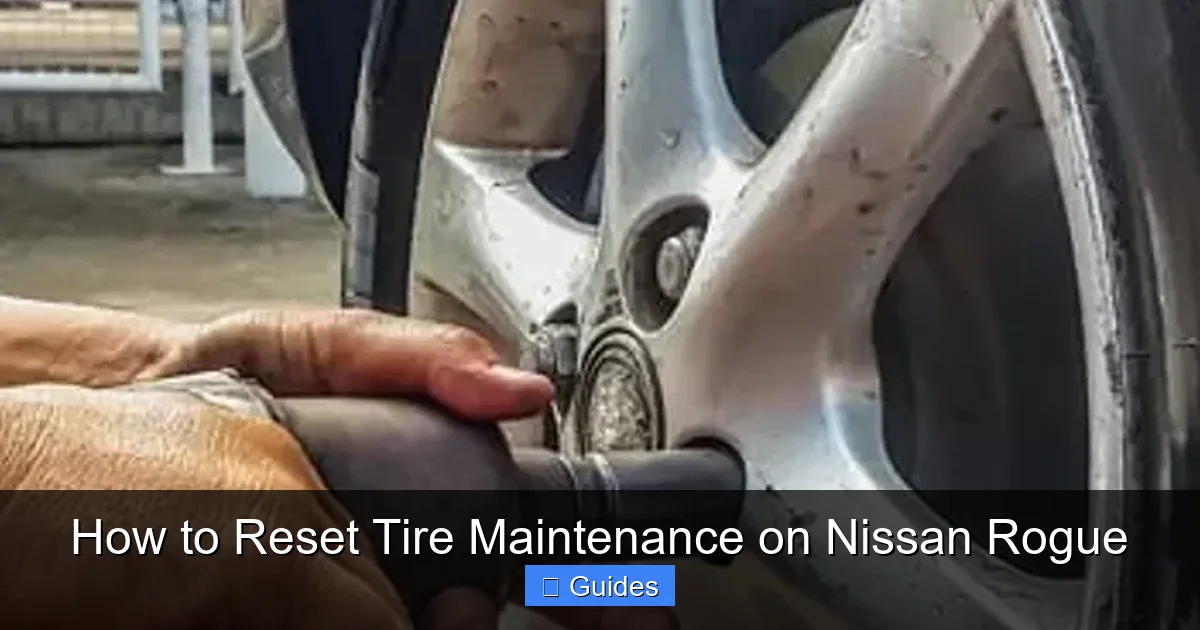
First and foremost, you’ll need a reliable tire pressure gauge. While many gas stations have air pumps with built-in gauges, these aren’t always accurate. A digital or analog handheld gauge gives you a precise reading and helps ensure your tires are inflated to the exact PSI recommended by Nissan. You can find one at any auto parts store for under $10.
Next, make sure you have access to an air compressor or air pump. If your tires are low, you’ll need to add air. Most modern gas stations have coin-operated air pumps, but if you drive frequently, consider investing in a portable 12V air compressor that plugs into your car’s cigarette lighter. These are compact, affordable, and incredibly convenient for on-the-go adjustments.
You’ll also want to locate your owner’s manual. While this guide covers the general process for most Nissan Rogue models from 2010 to 2024, slight variations exist between years and trims. Your manual will confirm the exact location of the reset button and any model-specific steps.
Finally, ensure your vehicle is parked on a flat, level surface with the engine off. This helps the TPMS sensors read accurately and prevents false readings during the reset process. If you’ve just been driving, wait about 10–15 minutes for the tires to cool down before checking pressure—hot tires give inflated readings that aren’t reliable.
Once you’ve got your tools ready and your car prepped, you’re all set to begin the reset process. It’s a straightforward procedure that takes less than 20 minutes from start to finish.
Step-by-Step Guide to Resetting the Tire Maintenance Light

Visual guide about How to Reset Tire Maintenance on Nissan Rogue
Image source: carmechan.com
Now that you’re prepared, let’s walk through the actual reset process. The steps vary slightly depending on your Nissan Rogue’s model year, but the core method remains consistent across most vehicles. We’ll cover the two most common approaches: using the physical reset button and navigating the dashboard menu.
Method 1: Using the Reset Button (2010–2018 Models)
For older Nissan Rogue models (typically 2010 to 2018), the reset process involves a physical button located under the steering wheel or near the fuse panel. Here’s how to do it:
1. Turn the ignition to the “ON” position without starting the engine. You should see the dashboard lights illuminate, including the tire maintenance light.
2. Locate the TPMS reset button. It’s usually a small, unmarked button beneath the steering column, often near the brake pedal or fuse box. You may need to crouch down or use a flashlight to find it.
3. Press and hold the reset button for about 5–10 seconds. You’ll notice the tire pressure light blink three times, indicating the system is resetting.
4. Release the button and turn off the ignition.
5. Start the engine and drive the vehicle at speeds above 19 mph for at least 10–15 minutes. This allows the TPMS sensors to recalibrate and confirm proper tire pressure.
After completing these steps, the tire maintenance light should turn off. If it doesn’t, double-check your tire pressures and repeat the process.
Method 2: Using the Dashboard Menu (2019–2024 Models)
Newer Nissan Rogue models (2019 and later) often use a digital menu system accessed through the instrument cluster. Here’s how to reset the light using this method:
1. Turn the ignition to the “ON” position without starting the engine.
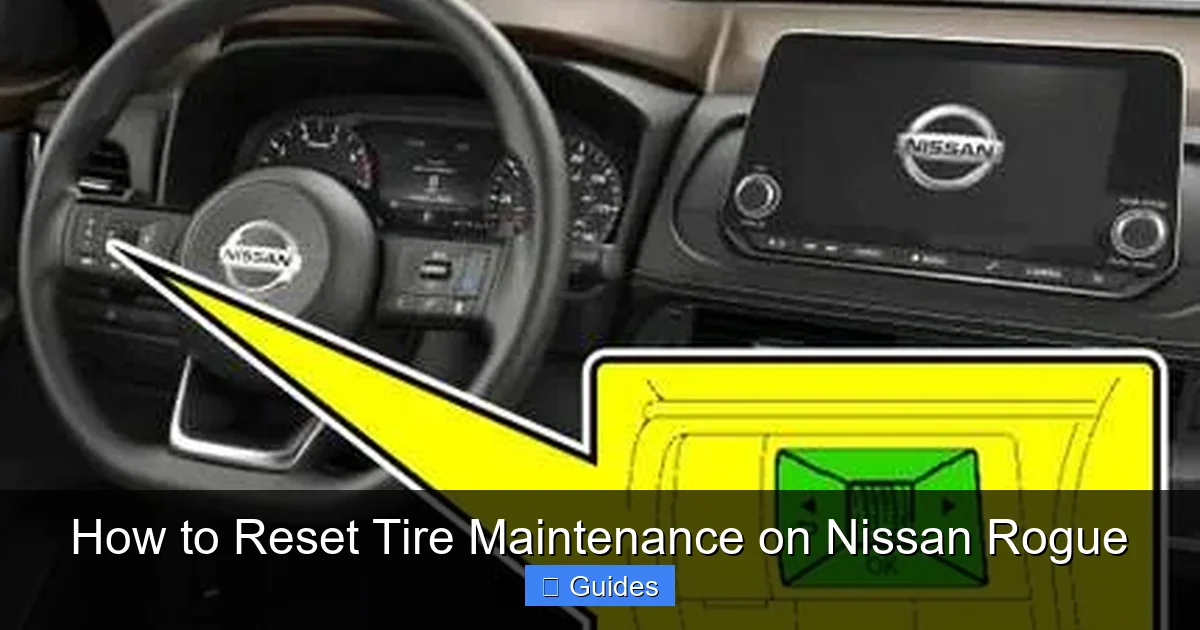
2. Use the trip odometer button (usually on the steering column or dashboard) to scroll through the menu options until you find “TPMS” or “Tire Pressure.”
3. Press and hold the trip button for 3–5 seconds until the system enters reset mode. You may see a message like “Reset TPMS?” or a blinking tire icon.
4. Confirm the reset by pressing the button again. The system will begin recalibrating.
5. Turn off the ignition and start the engine.
6. Drive the vehicle at varying speeds (including highway speeds) for 10–15 minutes to allow the sensors to sync.
This method is more intuitive and doesn’t require crawling under the dashboard. However, if you can’t find the menu option, consult your owner’s manual—some trims may require a different sequence.
What to Do If the Light Doesn’t Turn Off
If the tire maintenance light remains on after following these steps, don’t panic. There are a few common reasons this might happen:
– **Incorrect tire pressure:** Even a small deviation can prevent the system from resetting. Recheck all tires with your gauge and adjust as needed.
– **Faulty TPMS sensor:** Over time, sensors can fail due to battery depletion or damage. If one sensor isn’t transmitting data, the light may stay on.
– **Recent tire rotation or replacement:** If you’ve had your tires rotated or replaced, the system may need to relearn the sensor positions. Some shops can do this with a scan tool, or you may need to drive in a specific pattern to trigger relearning.
– **Software glitch:** Occasionally, the vehicle’s computer needs a full reset. Try disconnecting the battery for 10–15 minutes, then reconnecting it and repeating the reset process.
In most cases, a second attempt resolves the issue. But if the light persists, it’s wise to visit a Nissan dealership or trusted mechanic for a diagnostic check.
Tips for Maintaining Proper Tire Pressure
Resetting the tire maintenance light is only half the battle. To keep it from coming back, you need to maintain proper tire pressure over time. Here are some practical tips to help you do just that:
Check Tire Pressure Monthly
Make it a habit to check your tire pressure at least once a month. Tires naturally lose about 1 PSI per month due to air permeation, and seasonal temperature changes can cause fluctuations of 5–10 PSI. A quick check with your gauge takes just a few minutes and can prevent the light from activating unexpectedly.
Use the Correct PSI
Always inflate your tires to the PSI recommended by Nissan, not the maximum pressure listed on the tire sidewall. The sidewall shows the tire’s maximum safe pressure, not the optimal pressure for your vehicle. Overinflating can reduce traction and cause uneven wear, while underinflating increases rolling resistance and fuel consumption.
Check When Tires Are Cold
For the most accurate reading, check tire pressure when the tires are cold—meaning the vehicle hasn’t been driven for at least three hours. Driving heats up the tires, expanding the air inside and giving a falsely high reading. If you’ve been driving, wait before checking or adjust your expectations accordingly.
Don’t Forget the Spare
If your Nissan Rogue comes with a full-size spare tire, include it in your monthly checks. A flat spare is useless in an emergency, and many drivers forget to maintain it. Keep it inflated to the recommended pressure and inspect it for damage or wear.
Rotate Tires Regularly
Tire rotation every 5,000 to 7,500 miles helps ensure even wear and extends tire life. It also gives you a chance to inspect each tire for damage, punctures, or uneven tread wear. After rotation, always reset the TPMS if the light comes on.
Be Mindful of Load and Driving Conditions
Carrying heavy loads or driving on rough terrain can affect tire pressure and wear. If you frequently haul gear or tow, consider using load-range tires and checking pressure more often. Also, avoid overloading your Rogue beyond its maximum capacity, as this puts extra stress on the tires and suspension.
By following these tips, you’ll not only prevent the tire maintenance light from coming on but also improve your vehicle’s performance, safety, and fuel efficiency.
Common Mistakes to Avoid
Even with the best intentions, it’s easy to make mistakes when dealing with tire maintenance and TPMS resets. Here are some common pitfalls to watch out for:
Resetting Without Fixing the Problem
The biggest mistake drivers make is resetting the light without first addressing the underlying issue. If your tires are underinflated, simply resetting the system won’t fix the problem—it’ll just hide it. Always check and correct tire pressure before resetting.
Using the Wrong PSI
Some drivers inflate their tires to the maximum pressure listed on the sidewall, thinking it’s safer or improves performance. This is incorrect and can lead to a harsher ride, reduced grip, and increased risk of blowouts. Always use the PSI specified by Nissan.
Ignoring the Spare Tire
Many people forget about the spare tire until they need it—and by then, it’s often flat. Regularly check and maintain your spare to ensure it’s ready when you need it most.
Assuming All Gas Station Gauges Are Accurate
Public air pumps often have inaccurate gauges due to wear and misuse. Relying on them can lead to over- or underinflation. Invest in a quality handheld gauge for reliable readings.
Not Driving After Resetting
After resetting the TPMS, you must drive the vehicle for 10–15 minutes at varying speeds. This allows the sensors to recalibrate and confirm proper pressure. Skipping this step can leave the light on or cause it to return quickly.
Ignoring Persistent Warnings
If the tire maintenance light comes back on shortly after resetting, it could indicate a deeper issue like a slow leak, damaged sensor, or alignment problem. Don’t ignore repeated warnings—have your vehicle inspected by a professional.
Avoiding these mistakes will save you time, money, and potential safety risks.
Conclusion
Resetting the tire maintenance light on your Nissan Rogue is a simple yet essential part of vehicle upkeep. It ensures your Tire Pressure Monitoring System works correctly, keeping you informed about your tires’ condition and helping you avoid unsafe driving conditions. Whether you drive a 2010 model with a physical reset button or a 2024 with a digital menu, the process is straightforward and can be completed in under 20 minutes.
Remember, the key to a successful reset is preparation. Always check your tire pressure first, use the correct PSI, and follow the proper steps for your model year. Don’t forget to drive after resetting to allow the system to recalibrate. And if the light keeps coming back, don’t hesitate to seek professional help—there may be a sensor or mechanical issue that needs attention.
By staying proactive with tire maintenance, you’ll extend the life of your tires, improve fuel efficiency, and enjoy a safer, smoother ride. So the next time that little tire light pops up, you’ll know exactly what to do—no mechanic required.
Frequently Asked Questions
How often should I check my tire pressure?
You should check your tire pressure at least once a month and before long trips. Tires naturally lose air over time, and seasonal temperature changes can cause significant pressure fluctuations.
Can I reset the tire maintenance light without a mechanic?
Yes, most Nissan Rogue models allow you to reset the tire maintenance light yourself using either a physical button or the dashboard menu. No special tools or professional help is needed.
Why does the tire light come on in cold weather?
Cold temperatures cause air to contract, which reduces tire pressure. A drop of 10°F can lower pressure by about 1 PSI, potentially triggering the TPMS light.
What PSI should my Nissan Rogue tires be?
The recommended tire pressure for most Nissan Rogue models is between 32 and 35 PSI. Check the sticker on the driver’s side door jamb or your owner’s manual for the exact number.
Will the tire light turn off automatically?
No, the light will not turn off on its own. You must reset the system after correcting the tire pressure to clear the warning.
What if the tire light stays on after resetting?
If the light remains on, double-check tire pressure, inspect for leaks, or have a mechanic check the TPMS sensors. A faulty sensor or persistent issue may require professional diagnosis.

At CarLegit, we believe information should be clear, factual, and genuinely helpful. That’s why every guide, review, and update on our website is created with care, research, and a strong focus on user experience.