
Turning on your Nissan Kicks with a key is simple once you know the right steps. Whether you’re using a traditional key or a key fob with push-button start, this guide covers everything from inserting the key to troubleshooting common issues. Follow these clear instructions to start your Kicks safely and confidently every time.
Starting your Nissan Kicks should be as smooth as your morning coffee—quick, reliable, and hassle-free. But if you’re new to the Kicks or transitioning from an older vehicle, the process might feel a little confusing at first. Unlike traditional cars where you simply insert a key and turn, many modern Nissan Kicks models use advanced keyless entry and push-button start systems. That’s why knowing how to turn on Nissan Kicks with key—whether it’s a physical key or a smart fob—is essential for a stress-free driving experience.
The good news? It’s easier than it looks. Whether you’re using a standard key, a key fob, or even dealing with a dead battery, there’s a straightforward method to get your Kicks up and running. This guide will walk you through every step, from understanding your key type to troubleshooting common issues. We’ll also share practical tips to keep your key working smoothly and avoid getting locked out. By the end, you’ll feel confident starting your Nissan Kicks in any situation—rain or shine, day or night.
In This Article
- 1 Key Takeaways
- 2 📑 Table of Contents
- 3 Understanding Your Nissan Kicks Key System
- 4 Step-by-Step: How to Turn On Nissan Kicks with Key Fob
- 5 How to Start Nissan Kicks with a Traditional Key
- 6 Troubleshooting Common Starting Issues
- 7 Using the Emergency Key Blade
- 8 Maintenance Tips for Your Nissan Kicks Key
- 9 Conclusion
- 10 Frequently Asked Questions
- 10.1 Can I start my Nissan Kicks without the key fob?
- 10.2 What if my key fob battery is dead?
- 10.3 Why won’t my Nissan Kicks start even with the key inside?
- 10.4 Where is the emergency key on a Nissan Kicks fob?
- 10.5 Can I drive my Kicks if the key fob battery dies?
- 10.6 How often should I replace my key fob battery?
Key Takeaways
- Understand your key type: The Nissan Kicks uses either a traditional key or a key fob with push-button ignition—knowing which one you have is the first step.
- Locate the ignition button: On models with keyless entry, the start/stop button is usually on the right side of the steering column.
- Ensure the key fob battery is charged: A weak or dead fob battery can prevent the car from detecting the key, even if it’s inside the vehicle.
- Use the emergency key blade: If the fob fails, most Kicks models have a hidden physical key inside the fob for door access and emergency starting.
- Check the brake pedal: You must press the brake pedal when starting the engine with the push button—otherwise, the car won’t start.
- Watch for dashboard warnings: If the key isn’t detected, a warning light or message will appear—this helps diagnose the issue quickly.
- Keep the key fob away from interference: Metal objects, phones, or other electronics can block the signal between the fob and the car.
📑 Table of Contents
Understanding Your Nissan Kicks Key System
Before you can turn on your Nissan Kicks, it’s important to know what kind of key system your vehicle uses. Nissan has evolved its key technology over the years, and the Kicks—being a modern compact SUV—comes equipped with either a traditional key or a smart key fob, depending on the model year and trim level.
Most recent Nissan Kicks models (2017 and newer) feature a keyless entry system with a push-button start. This means you don’t need to insert a key into an ignition slot. Instead, you carry a small remote fob that communicates wirelessly with the car. As long as the fob is inside the vehicle, you can start the engine by pressing a button. However, some base trims or older models may still use a traditional key that you insert and turn in the ignition.
Types of Keys Used in Nissan Kicks
There are two main types of keys you might encounter with a Nissan Kicks:
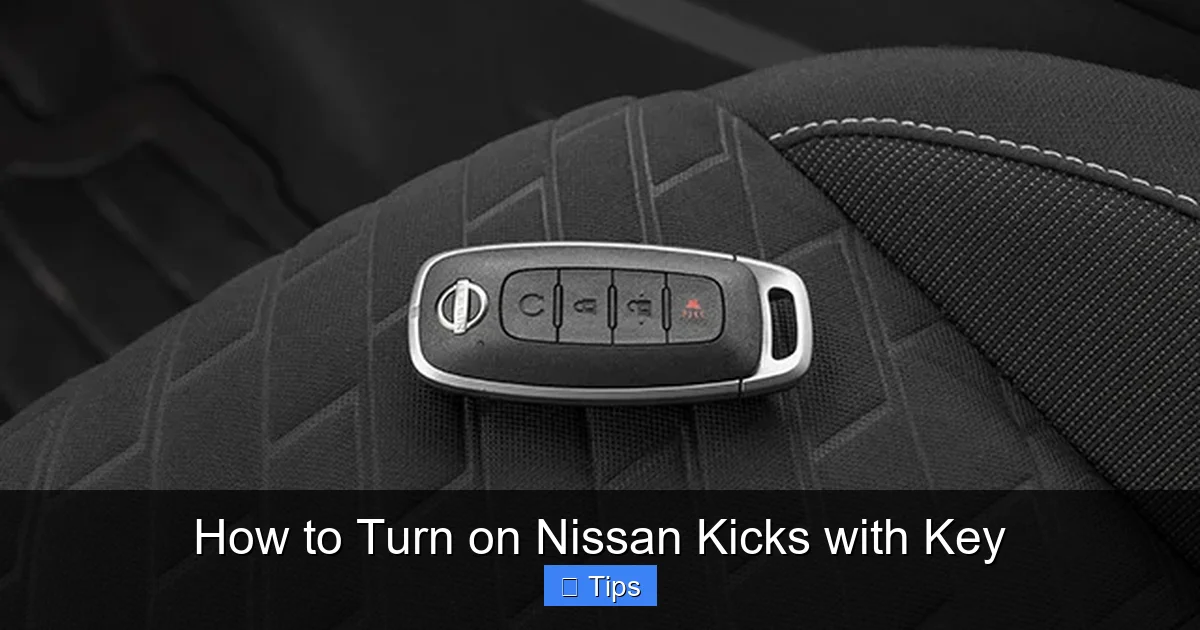
1. Smart Key Fob (Intelligent Key): This is the most common type in newer Kicks models. It looks like a small plastic remote with buttons for locking, unlocking, and opening the trunk. It also has a built-in transponder chip that communicates with the car’s immobilizer system. When the fob is inside the vehicle, the car detects it and allows you to start the engine with the push of a button.
2. Traditional Metal Key: Found in older or base-trim Kicks models, this is a simple metal key that you insert into the ignition cylinder on the steering column. You turn it to the “On” or “Start” position to power up the vehicle.
Knowing which type you have is crucial. If you’re unsure, check your owner’s manual or look at the key itself. A smart fob will have buttons and possibly a small LED light. A traditional key will be all metal with no electronics.
How the Keyless System Works
The Nissan Kicks’ keyless system uses radio frequency identification (RFID) technology. When you approach the car with the fob in your pocket or bag, sensors in the door handles detect the signal and unlock the doors automatically (if the feature is enabled). Once you’re inside, the car continues to search for the fob. As long as it’s within range—usually inside the cabin—the engine can be started.
This system offers convenience and security. It prevents hot-wiring and reduces the risk of theft, since the car won’t start without the authenticated fob. However, it also means that if the fob battery dies or the signal is blocked, you might face starting issues.
Step-by-Step: How to Turn On Nissan Kicks with Key Fob

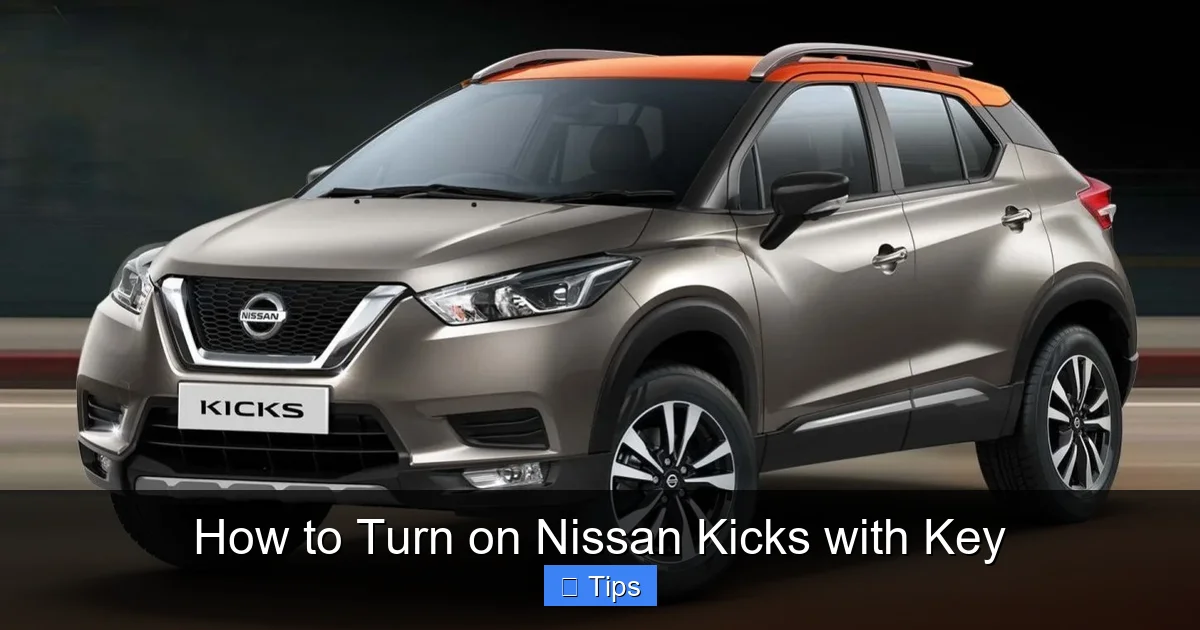
Visual guide about How to Turn on Nissan Kicks with Key
Image source: carsaar.com
If your Nissan Kicks uses a smart key fob, starting the engine is as simple as pressing a button—but only if you follow the right steps. Here’s a detailed, step-by-step guide to turning on your Kicks using the key fob.
Step 1: Ensure the Key Fob Is Inside the Vehicle
The first and most important step is making sure the key fob is inside the car. The Nissan Kicks won’t start if it can’t detect the fob. This means the fob must be in the cabin—not in the trunk, glove box, or outside the vehicle.
Place the fob in your pocket, purse, or on the passenger seat. Even if the battery is low, the car may still detect it as long as it’s close enough. Avoid placing the fob near metal objects or electronic devices, as these can interfere with the signal.
Step 2: Press the Brake Pedal
Before you can start the engine, you must press and hold the brake pedal. This is a safety feature designed to prevent accidental starting. If you don’t press the brake, the car will only enter “Accessory” mode, which powers the radio and dashboard but doesn’t start the engine.
Sit in the driver’s seat, buckle up, and firmly press the brake pedal with your foot. You should feel resistance—this confirms the pedal is engaged.
Step 3: Locate the Push-Button Start
The push-button start is usually located on the right side of the steering column, near the dashboard. It’s a round or rectangular button labeled “Start/Stop” or simply “Engine.” It may be illuminated with a green or white light when the car is ready to start.
Look for a button with a symbol that looks like a key inside a circle or the word “Start.” On some models, it’s recessed into the dashboard for protection.
Step 4: Press the Start Button
With your foot still on the brake, press the start button once. You should hear the engine crank and start within a few seconds. The dashboard lights will illuminate, and the engine will begin running.
If the engine doesn’t start, don’t panic. Try pressing the button again while keeping the brake pressed. Sometimes a second attempt is needed, especially if the fob signal is weak.
Step 5: Confirm the Engine Is Running
Once the engine starts, release the brake pedal slowly. Check the dashboard for any warning lights. The “Check Engine” light may flash briefly but should turn off after a few seconds. If it stays on, there may be an issue with the engine or emissions system.
You’re now ready to drive! Shift into “Drive” (D) using the gear selector and release the parking brake.
Pro Tips for Smooth Starting
- Keep the fob clean: Dirt, moisture, or debris can interfere with the fob’s signal. Wipe it with a dry cloth regularly.
- Avoid signal blockers: Don’t store the fob in a metal box or near your phone, as these can block the signal.
- Use the fob holder: Some Kicks models have a designated slot or tray for the fob near the start button. Placing it there ensures strong signal detection.
How to Start Nissan Kicks with a Traditional Key
Visual guide about How to Turn on Nissan Kicks with Key
Image source: carsaar.com
If your Nissan Kicks uses a traditional metal key, the process is more familiar—but still requires attention to detail. Here’s how to turn on your Kicks using a standard key.
Step 1: Insert the Key into the Ignition
Locate the ignition cylinder on the right side of the steering column. It’s a small, round slot designed to accept the key. Insert the key fully until it stops. You should feel it click into place.
Step 2: Turn the Key to the “On” Position
Turn the key clockwise to the first position, labeled “On” or “Ignition.” This powers up the dashboard, radio, and other electrical systems, but does not start the engine. You’ll see lights and gauges illuminate.
Step 3: Turn the Key to “Start”
Continue turning the key further clockwise to the “Start” position. Hold it there for a moment until you hear the engine crank and start. Once the engine is running, release the key. It will automatically spring back to the “On” position.
Step 4: Begin Driving
With the engine running, shift into “Drive” and release the parking brake. You’re ready to go!
Tips for Traditional Key Users
- Keep the key clean and dry: Moisture or dirt can cause the key to stick or fail to turn.
- Lubricate the ignition if needed: If the key is hard to turn, use a small amount of graphite lubricant (not oil) in the ignition cylinder.
- Replace worn keys: If your key is bent or damaged, get a replacement from a Nissan dealer to avoid ignition problems.
Troubleshooting Common Starting Issues
Visual guide about How to Turn on Nissan Kicks with Key
Image source: d2ivfcfbdvj3sm.cloudfront.net
Even with the right steps, you might run into problems when trying to turn on your Nissan Kicks. Here are the most common issues and how to fix them.
Key Fob Not Detected
If the car doesn’t recognize the key fob, you’ll see a message like “Key Not Detected” or “No Key Found” on the dashboard. This usually means the fob battery is low or the signal is blocked.
Solutions:
- Replace the fob battery (usually a CR2032 coin cell).
- Place the fob in the designated holder or near the start button.
- Try starting the car with the fob pressed against the start button (some models allow this as a backup).
Dead Fob Battery
A dead battery in the key fob is one of the most common reasons the Kicks won’t start. The fob may still unlock the doors via the physical key blade, but the car won’t detect it for starting.
How to Start with a Dead Fob:
- Use the emergency key blade (see next section).
- Place the fob in the fob holder or directly against the start button.
- Replace the battery as soon as possible.
Brake Pedal Not Pressed
If you press the start button without pressing the brake, the engine won’t start. The car will only enter accessory mode.
Solution: Always press the brake pedal firmly before pressing the start button.
Weak Car Battery
A weak or dead 12-volt car battery can prevent the engine from starting, even if the key fob is working.
Signs: Dim lights, slow cranking, or no response when pressing the start button.
Solution: Jump-start the car or replace the battery.
Faulty Start Button
In rare cases, the start button itself may malfunction.
Solution: Visit a Nissan service center for diagnosis and repair.
Using the Emergency Key Blade
Every Nissan Kicks key fob has a hidden emergency key blade inside. This is a physical metal key that can be used to unlock the driver’s door and, in some cases, start the car manually.
How to Access the Emergency Key
Most Kicks fobs have a small release button or slider on the side. Press it to eject the metal key blade. It’s usually stored in a slot within the fob.
Using the Emergency Key to Unlock the Door
Insert the key blade into the small keyhole on the driver’s door handle (usually hidden under a cap). Turn it to unlock the door.
Starting the Car with the Emergency Key
Once inside, you can start the car using the emergency key in one of two ways:
- Insert the key into the ignition (if equipped): Some older Kicks models have a physical ignition slot. Insert the emergency key and turn it to start.
- Use the fob backup method: Place the entire fob (with the emergency key inside) against the start button and press it while pressing the brake. The car may detect the fob’s internal chip even with a dead battery.
Maintenance Tips for Your Nissan Kicks Key
To avoid starting problems, take good care of your key fob and ignition system.
Replace the Fob Battery Regularly
Most key fobs use a CR2032 battery, which lasts 1–3 years. Replace it when the range decreases or the fob stops working reliably.
Keep the Fob Clean and Dry
Avoid exposing the fob to water, extreme heat, or dirt. Store it in a protective case if needed.
Store the Fob Properly
Don’t leave the fob in direct sunlight or near electronics. Keep it in a cool, dry place when not in use.
Get a Spare Key Made
Always have a spare key fob programmed by a Nissan dealer. This ensures you’re never stranded if you lose your primary key.
Conclusion
Knowing how to turn on Nissan Kicks with key—whether it’s a smart fob or a traditional key—is a fundamental skill every owner should master. The process is designed for convenience and security, but it only works when you understand the steps and avoid common pitfalls.
From ensuring the fob is inside the vehicle to pressing the brake pedal and using the emergency key blade, each step plays a vital role in getting your Kicks started smoothly. Regular maintenance, like replacing the fob battery and keeping the key clean, can prevent most issues before they happen.
Whether you’re a new Kicks owner or just need a refresher, this guide equips you with everything you need to start your vehicle confidently. Remember: when in doubt, consult your owner’s manual or visit a Nissan service center. With the right knowledge, turning on your Nissan Kicks will always be a breeze.
Frequently Asked Questions
Can I start my Nissan Kicks without the key fob?
No, the engine cannot start without the key fob being detected inside the vehicle. However, you can use the emergency key blade to unlock the door and place the fob near the start button to help with detection.
What if my key fob battery is dead?
If the fob battery is dead, try placing the fob directly against the start button while pressing the brake. You can also use the emergency key blade to unlock the door and replace the battery as soon as possible.
Why won’t my Nissan Kicks start even with the key inside?
This could be due to a weak fob battery, a dead car battery, or not pressing the brake pedal. Check the fob battery first, then ensure the brake is pressed when starting.
Where is the emergency key on a Nissan Kicks fob?
The emergency key is hidden inside the fob. Look for a small release button or slider on the side of the fob. Press it to eject the metal key blade.
Can I drive my Kicks if the key fob battery dies?
Yes, as long as the fob is inside the car and the 12-volt battery is charged. The car can detect the fob’s chip even with a dead battery if it’s placed near the start button.
How often should I replace my key fob battery?
Replace the key fob battery every 1–3 years, or when you notice reduced range or delayed response when locking/unlocking the doors.

At CarLegit, we believe information should be clear, factual, and genuinely helpful. That’s why every guide, review, and update on our website is created with care, research, and a strong focus on user experience.