
If your Nissan displays “Key ID Incorrect,” it means the vehicle’s immobilizer system can’t recognize your key fob. This issue often stems from a dead battery, interference, or programming glitches—but it’s usually fixable at home.
In This Article
- 1 Key Takeaways
- 2 📑 Table of Contents
- 3 Understanding the “Key ID Incorrect” Message in Your Nissan
- 4 What Causes the “Key ID Incorrect” Error?
- 5 How to Fix the “Key ID Incorrect” Error
- 6 When to Visit a Nissan Dealer or Locksmith
- 7 Preventing Future “Key ID Incorrect” Errors
- 8 Real-Life Example: How One Owner Fixed the Problem
- 9 Conclusion
- 10 Frequently Asked Questions
- 10.1 Why does my Nissan say “Key ID Incorrect” even with a new battery?
- 10.2 Can I drive my Nissan if it says “Key ID Incorrect”?
- 10.3 How much does it cost to fix a “Key ID Incorrect” error?
- 10.4 Will a car wash or rain cause the “Key ID Incorrect” error?
- 10.5 Can I program a new Nissan key myself?
- 10.6 Is the “Key ID Incorrect” message a sign of theft attempt?
Key Takeaways
- Dead key fob battery: A low or dead battery is the most common cause—replace it with a fresh CR2032.
- Signal interference: Nearby electronics or metal objects can block the key’s signal; move away and try again.
- Immobilizer system glitch: The car’s security system may need a reset via the ignition cycle method.
- Damaged or worn key fob: Physical damage or internal wear can prevent proper communication with the vehicle.
- Incorrect key programming: Aftermarket or replacement keys must be properly programmed by a dealer or locksmith.
- Faulty antenna ring: The steering column antenna that reads the key may be damaged or disconnected.
- Software update needed: In rare cases, a dealership software update resolves persistent key recognition issues.
📑 Table of Contents
Understanding the “Key ID Incorrect” Message in Your Nissan
You’re ready to start your day, walk up to your Nissan, press the start button—and instead of the engine turning over, you see a frustrating message on the dashboard: “Key ID Incorrect.” Your heart sinks. You know you have the right key. You’ve used it a hundred times before. So why is your car suddenly rejecting it?
This error message isn’t just annoying—it can leave you stranded, late for work, or unable to run errands. But don’t panic. In most cases, the “Key ID Incorrect” warning is not a sign of a major mechanical failure. Instead, it’s typically a communication issue between your key fob and your Nissan’s immobilizer system—a security feature designed to prevent unauthorized starting of the vehicle.
The immobilizer system uses radio frequency identification (RFID) technology. Inside your key fob is a small transponder chip that sends a unique digital code to a receiver ring around the ignition. If the car doesn’t recognize that code, it won’t allow the engine to start—hence the “Key ID Incorrect” message. This system is there to protect you from theft, but sometimes it gets a little too protective.
Understanding why this happens is the first step to fixing it. Whether you’re dealing with a dead battery, signal interference, or a glitch in the system, most causes are easy to diagnose and resolve—often without a trip to the dealership. In this guide, we’ll walk you through the most common reasons your Nissan says “Key ID Incorrect,” how to troubleshoot them, and when it’s time to call in a professional.
What Causes the “Key ID Incorrect” Error?
There are several reasons why your Nissan might display this error. Let’s break them down so you can identify the root cause and take the right action.
1. Dead or Weak Key Fob Battery
The most common culprit is a dying battery in your key fob. Even if the buttons still work for locking and unlocking, the internal transponder chip may not have enough power to communicate with the car’s immobilizer system. Most Nissan key fobs use a CR2032 coin cell battery, which typically lasts 3–5 years. If your key is older than that, or if you’ve noticed the range has decreased, it’s time for a replacement.
Visual guide about Why Does My Nissan Say Key Id Incorrect
Image source: vehiclefreak.com
2. Signal Interference
Electronic devices like smartphones, tablets, or even other key fobs can interfere with the RFID signal. If you’re standing near a strong Wi-Fi router, power lines, or even another car with an active keyless system, it can disrupt communication. Also, keeping your key fob in a metal container or near magnets can block the signal.
3. Damaged or Worn Key Fob
Over time, key fobs can take a beating—dropped, soaked, or exposed to extreme temperatures. Physical damage can crack the internal circuit board or damage the antenna, preventing the chip from transmitting properly. Even normal wear and tear can degrade performance over time.
4. Immobilizer System Glitch
Like any computer system, your Nissan’s immobilizer can experience temporary software glitches. These can happen after a battery disconnect, a software update, or even a sudden power surge. In many cases, a simple reset can restore normal function.
5. Incorrect or Unprogrammed Key
If you’ve recently purchased a replacement key or had a new fob made, it may not be properly programmed to your vehicle. Aftermarket keys often require professional programming using specialized tools. Even if the key looks identical, without the correct digital code, your Nissan won’t recognize it.
6. Faulty Antenna Ring or Receiver
The antenna ring around your ignition switch is responsible for reading the key’s signal. If it’s damaged, loose, or corroded, it may fail to detect the key—even if the fob is working perfectly. This is less common but can happen after accidents or water damage.
7. Software or Firmware Issues
In rare cases, a bug in your vehicle’s onboard software can cause the immobilizer to malfunction. Nissan occasionally releases technical service bulletins (TSBs) for known issues. If your car is under warranty or has had recent electrical work, a software update from the dealer might be needed.
How to Fix the “Key ID Incorrect” Error
Now that you know the possible causes, let’s look at practical solutions you can try at home—before spending money at the dealership.
Step 1: Replace the Key Fob Battery
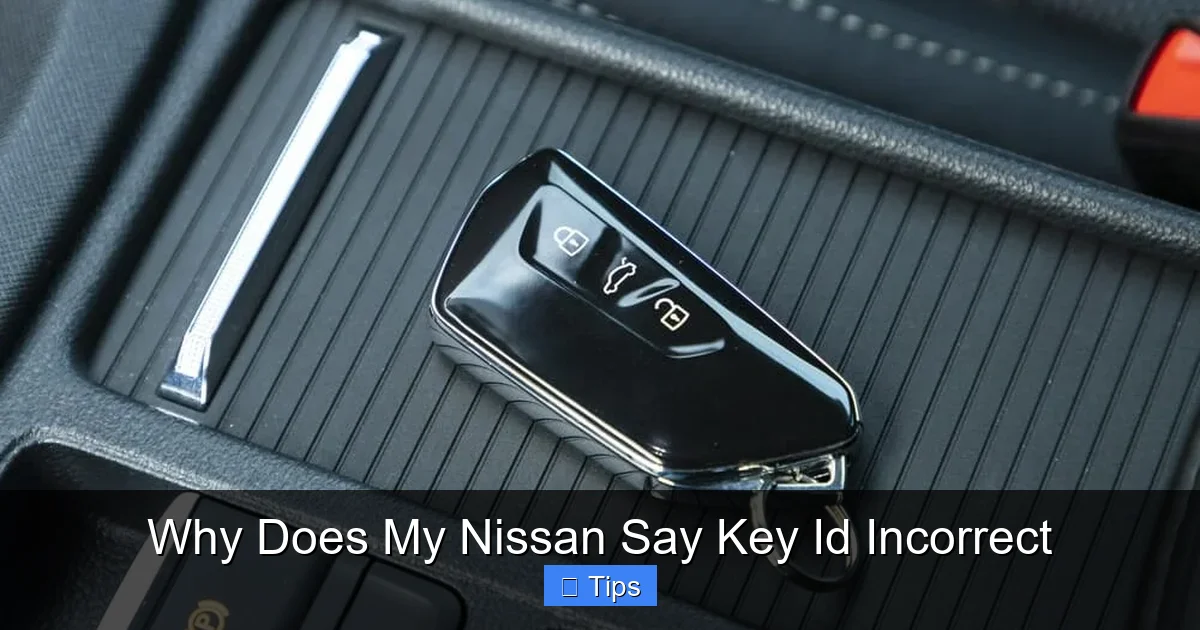
Start with the simplest fix. Open your key fob (usually by pressing a small release button or using a flathead screwdriver), remove the old CR2032 battery, and replace it with a new one. Make sure the positive side (+) is facing up. After replacing it, try starting the car again. If the message disappears, you’ve solved the problem.
Visual guide about Why Does My Nissan Say Key Id Incorrect
Image source: vehiclefreak.com
Pro Tip: Always use a high-quality battery from a trusted brand like Duracell or Energizer. Cheap batteries may not provide consistent voltage, leading to intermittent issues.
Step 2: Eliminate Signal Interference
If the battery is fine, consider your surroundings. Move away from other vehicles, electronic devices, or metal structures. Try starting the car in a different location—like an open parking lot. Also, check if you’re carrying other keys or devices in the same pocket. Separate them and try again.
Some drivers keep their key fob in a Faraday pouch (a signal-blocking case) for security. While this protects against relay theft, it can also block the signal when you’re near the car. Remove the key from the pouch and try starting the vehicle.
Step 3: Try the Ignition Reset Method
This is a classic DIY fix for immobilizer glitches. Here’s how to do it:
- Insert the key into the ignition (or hold the fob near the start button if it’s keyless).
- Turn the key to the “ON” position (dashboard lights on, engine off) and wait 10–15 seconds.
- Turn it back to “OFF” and wait another 10–15 seconds.
- Repeat this cycle 2–3 times.
- On the final cycle, turn the key to “ON” and wait up to 30 seconds. The immobilizer light (usually a key-shaped icon) should blink and then turn solid or go out.
- Now try starting the engine.
This process resets the immobilizer system and often resolves temporary communication errors.
Step 4: Test with a Spare Key
If you have a second key fob, try using it. If the spare works, the issue is likely with the original fob—possibly a damaged chip or weak battery. If neither key works, the problem may be with the car’s receiver or antenna.
Step 5: Clean the Key and Ignition Area
Dirt, grease, or moisture around the ignition cylinder or key fob can interfere with signal transmission. Use a soft cloth and a small amount of isopropyl alcohol to gently clean the key blade and the area around the ignition. Avoid spraying liquid directly into the ignition.
Step 6: Reprogram the Key Fob
If you’ve replaced the battery and the key still isn’t recognized, it may need reprogramming. Some Nissan models allow basic reprogramming at home using a sequence of ignition turns and button presses. However, this varies by model and year. Check your owner’s manual or search online for your specific Nissan model (e.g., “2018 Nissan Altima key fob programming”).
For advanced programming—especially for the transponder chip—you’ll likely need a professional with an OBD2 scanner or visit a Nissan dealership.
When to Visit a Nissan Dealer or Locksmith
While many “Key ID Incorrect” issues can be fixed at home, some require professional help. Here’s when it’s time to call in the experts.
Persistent Error After Troubleshooting
If you’ve tried all the DIY steps and the message still appears, the problem may be hardware-related. A faulty antenna ring, damaged immobilizer control module, or internal wiring issue may require diagnostic tools only available at a dealership.
Visual guide about Why Does My Nissan Say Key Id Incorrect
Image source: motchecker.org
No Spare Key Available
If you’ve lost your only key or don’t have a working spare, a locksmith or dealer can create and program a new one. However, this can be expensive—often $150–$400 depending on the model and whether it’s a smart key or traditional fob.
Aftermarket Key Issues
If you bought a third-party key online or from a non-dealer source, it may not be compatible or properly programmed. Dealerships have the tools to program OEM keys correctly, ensuring full functionality with your vehicle’s security system.
Software Updates or Recalls
Nissan occasionally issues recalls or software updates related to the immobilizer system. If your car is newer or has had electrical issues, check with your local dealer to see if a free update is available. You can also visit Nissan’s official website and enter your VIN to check for open recalls.
Water or Physical Damage
If your key fob has been submerged in water or dropped repeatedly, internal damage may have occurred. Even if it appears to work, the transponder chip could be compromised. A professional can test the fob and recommend repair or replacement.
Preventing Future “Key ID Incorrect” Errors
Once you’ve resolved the issue, take steps to avoid it happening again.
Replace Batteries Proactively
Don’t wait for the key to fail. Replace the CR2032 battery every 3–4 years, or sooner if you notice reduced range or delayed response.
Store Keys Properly
Keep your key fob away from water, extreme heat, and strong magnetic fields. Avoid storing it near other electronics or in metal boxes.
Use a Key Fob Cover
A silicone or rubber cover can protect your fob from drops and scratches. Just make sure it doesn’t interfere with the signal.
Keep a Spare Key Accessible
Store a spare key in a secure location—like a magnetic key box under the car or with a trusted family member. This can save you from being locked out or stranded.
Regular Maintenance Checks
During routine service visits, ask your technician to check the immobilizer system and antenna ring for signs of wear or damage.
Real-Life Example: How One Owner Fixed the Problem
Sarah, a 2016 Nissan Rogue owner, woke up one morning to find her car wouldn’t start. The dashboard showed “Key ID Incorrect.” She panicked—she had a meeting across town in an hour. After checking online, she replaced the key fob battery with a new CR2032. Still no luck. She then remembered she had been charging her phone and tablet near the key the night before. She moved the key away from the electronics, waited 10 minutes, and tried the ignition reset method. On the third cycle, the immobilizer light turned off, and the engine started. Problem solved—no dealership visit needed.
Her story highlights how simple fixes can resolve what seems like a major issue. Always start with the basics before assuming the worst.
Conclusion
Seeing “Key ID Incorrect” on your Nissan’s dashboard is frustrating, but it’s rarely a sign of serious trouble. In most cases, the issue stems from a dead battery, signal interference, or a temporary glitch in the immobilizer system. By following the troubleshooting steps outlined above—replacing the battery, eliminating interference, and performing an ignition reset—you can often resolve the problem yourself in under 15 minutes.
If the error persists, don’t hesitate to consult a professional. Whether it’s a locksmith, mechanic, or Nissan dealer, they have the tools and expertise to diagnose and fix hardware or software issues. And remember: prevention is key. Regular maintenance, proper storage, and proactive battery replacement can keep your key fob working smoothly for years to come.
Next time your Nissan says “Key ID Incorrect,” stay calm, follow this guide, and get back on the road with confidence.
Frequently Asked Questions
Why does my Nissan say “Key ID Incorrect” even with a new battery?
This could be due to signal interference, a damaged key fob, or a glitch in the immobilizer system. Try the ignition reset method or test with a spare key. If the issue continues, the antenna ring or internal wiring may be faulty.
Can I drive my Nissan if it says “Key ID Incorrect”?
No. The immobilizer system prevents the engine from starting when it doesn’t recognize the key. You won’t be able to drive the car until the issue is resolved.
How much does it cost to fix a “Key ID Incorrect” error?
DIY fixes like battery replacement cost under $10. Professional reprogramming or key replacement can range from $100 to $400, depending on the model and service provider.
Will a car wash or rain cause the “Key ID Incorrect” error?
Rarely, but water exposure can damage the key fob or antenna ring over time. If your fob gets soaked, dry it thoroughly and check for corrosion. Persistent issues after water exposure may require professional inspection.
Can I program a new Nissan key myself?
Some older models allow basic fob programming at home, but most modern Nissans require a professional with specialized tools to program the transponder chip. Check your owner’s manual for model-specific instructions.
Is the “Key ID Incorrect” message a sign of theft attempt?
Not necessarily. While the immobilizer system is designed to prevent theft, the error usually indicates a communication issue, not an actual break-in. However, if you suspect tampering, contact your dealer or local authorities.

At CarLegit, we believe information should be clear, factual, and genuinely helpful. That’s why every guide, review, and update on our website is created with care, research, and a strong focus on user experience.