
Changing a key fob battery in your Nissan is a simple DIY task that takes just minutes and saves you a trip to the dealership. With the right tools and a few easy steps, you can restore your key fob’s functionality and keep your vehicle secure and convenient to use.
In This Article
- 1 Key Takeaways
- 2 📑 Table of Contents
- 3 Why Changing Your Nissan Key Fob Battery Matters
- 4 Signs Your Nissan Key Fob Battery Needs Replacing
- 5 Tools and Materials You’ll Need
- 6 Step-by-Step Guide to Changing the Battery
- 7 Tips for Maintaining Your Key Fob
- 8 Troubleshooting Common Issues
- 9 When to Seek Professional Help
- 10 Conclusion
- 11 Frequently Asked Questions
- 11.1 What type of battery does a Nissan key fob use?
- 11.2 Can I change the key fob battery myself?
- 11.3 How often should I replace my Nissan key fob battery?
- 11.4 What if my key fob still doesn’t work after replacing the battery?
- 11.5 Can I use a different battery type in my Nissan key fob?
- 11.6 Is it safe to open my key fob?
Key Takeaways
- Most Nissan key fobs use a CR2032 coin cell battery: This common 3-volt battery is widely available at drugstores, electronics stores, and online retailers.
- No special tools are required: A small flathead screwdriver or a plastic prying tool is usually enough to open the key fob casing.
- Always handle the battery with clean, dry hands: Oils and moisture can affect battery performance and lifespan.
- Reassemble carefully to avoid damage: Misaligned parts or forced closure can crack the casing or damage internal components.
- Test all functions after replacement: Ensure lock, unlock, trunk release, and panic button work properly before relying on the fob.
- Replace batteries proactively: If your key fob range shortens or buttons respond slowly, it’s likely time for a new battery.
- Keep a spare battery on hand: A backup ensures you’re never stranded when the current one dies unexpectedly.
📑 Table of Contents
Why Changing Your Nissan Key Fob Battery Matters
Your Nissan key fob is more than just a remote—it’s your gateway to convenience, security, and peace of mind. Whether you’re unlocking your car from across the parking lot, starting your engine remotely on a cold morning, or simply ensuring your vehicle is secure, the key fob plays a vital role in your daily routine. But like any electronic device, it relies on power, and that power comes from a small but mighty battery.
When that battery starts to fade, you might notice subtle signs: the fob doesn’t work unless it’s right next to the door, the buttons feel sluggish, or the LED light (if your model has one) doesn’t flash when you press a button. Ignoring these signs can lead to frustration—especially when you’re in a hurry or caught in bad weather. The good news? Replacing the battery is one of the easiest and most cost-effective maintenance tasks you can do yourself. No need to visit a dealership or pay a technician. With just a few minutes and a couple of dollars, you can restore full functionality to your key fob and avoid being locked out of your own car.
Signs Your Nissan Key Fob Battery Needs Replacing
Before you dive into replacing the battery, it’s important to confirm that a weak battery is actually the issue. While malfunctioning key fobs can sometimes indicate deeper problems like water damage or internal circuitry failure, in most cases, a simple battery swap does the trick. Here are the most common signs that your Nissan key fob battery is running low:
Visual guide about How to Change a Key Fob Battery Nissan
Image source: fobbattery.com
Reduced Range
One of the earliest and most noticeable signs is a decrease in the effective range of your key fob. If you used to be able to unlock your car from 30 or 40 feet away but now have to stand right next to the door, the battery is likely losing its charge. This happens because the transmitter inside the fob needs sufficient power to send a strong signal to the vehicle’s receiver.
Delayed or Inconsistent Responses
Does your key fob sometimes work on the first press and other times require multiple attempts? Or maybe the buttons feel “mushy” or unresponsive? This inconsistency is a classic symptom of a dying battery. The electrical current isn’t strong enough to reliably activate the fob’s functions, leading to frustrating delays when you’re trying to get into your car.
LED Light Doesn’t Flash
Many Nissan key fobs have a small LED light that flashes when you press a button. If this light no longer illuminates—or if it flickers weakly—it’s a strong indicator that the battery is nearly depleted. While not all models have this feature, if yours does, pay attention to it.
Key Fob Works Only When Held Near the Ignition
Some newer Nissan models feature a “passive entry” or “keyless go” system that allows you to start the car without inserting the key. If your fob only works when you hold it directly against the start button or inside the cabin, the battery may be too weak to transmit a signal over normal distances.
Complete Failure to Respond
In extreme cases, the key fob may stop working entirely. If none of the buttons produce any response—no sound, no light, no action—then the battery is almost certainly dead. At this point, replacement is essential.
It’s worth noting that environmental factors like extreme cold or heat can temporarily affect battery performance. If your fob stops working in freezing temperatures but starts working again once it warms up, the battery may still have life left—but it’s a good idea to replace it soon to avoid future issues.
Tools and Materials You’ll Need
The beauty of changing a Nissan key fob battery is that you don’t need a full toolbox or specialized equipment. In fact, most people already have everything they need at home. Here’s a simple list of what to gather before you begin:
Visual guide about How to Change a Key Fob Battery Nissan
Image source: i.ytimg.com
The Right Battery
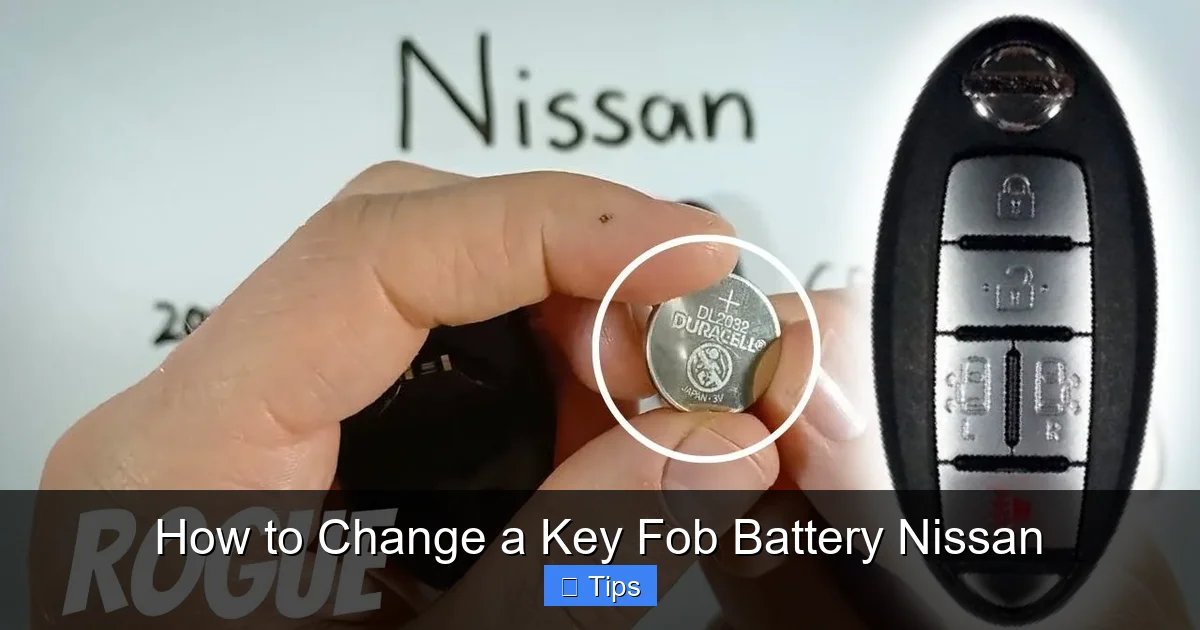
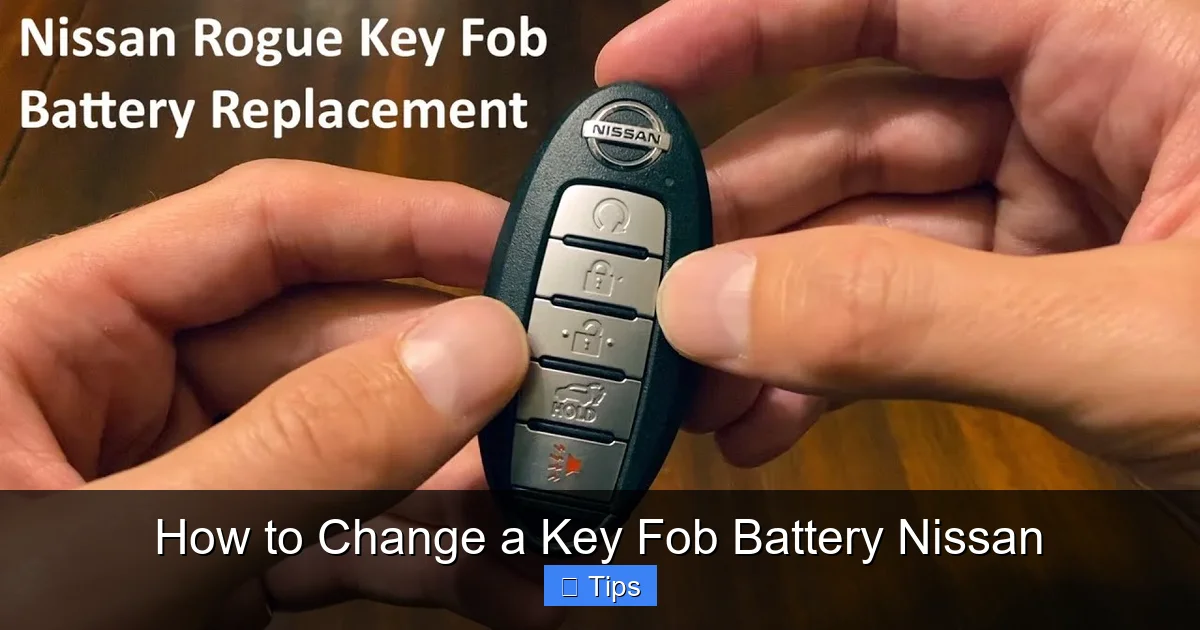
The vast majority of Nissan key fobs—including models like the Altima, Sentra, Rogue, Maxima, and Pathfinder—use a CR2032 coin cell battery. This is a 3-volt lithium battery that’s widely available and inexpensive, typically costing between $2 and $5. You can find them at pharmacies, big-box stores, electronics retailers, or online. Always check your owner’s manual or inspect the old battery to confirm the exact type, but CR2032 is the standard for most Nissan fobs.
A Small Flathead Screwdriver or Plastic Pry Tool
To open the key fob casing, you’ll need something thin and sturdy to gently separate the two halves. A small flathead screwdriver works well, but a plastic prying tool (often included with phone repair kits) is even better because it reduces the risk of scratching or cracking the plastic. Avoid using metal tools if possible, especially if your fob has a glossy finish.
A Clean, Well-Lit Workspace
Choose a flat, well-lit surface to work on—like a kitchen table or desk. Good lighting helps you see small components clearly, and a clean area prevents dust or debris from getting inside the fob. It’s also a good idea to work over a towel or soft cloth to catch any small parts that might fall.
Optional: Tweezers
If the battery is tightly seated or difficult to remove, a pair of fine-tipped tweezers can help you grip and lift it out without touching the contacts with your fingers. This is especially useful if you have long nails or limited dexterity.
Optional: Compressed Air
If you notice dust or debris inside the fob when you open it, a quick blast of compressed air can help clean it out before inserting the new battery. This isn’t always necessary, but it’s a good practice for maintaining long-term performance.
Once you’ve gathered your tools, make sure your hands are clean and dry. Oils and moisture from your skin can interfere with the battery’s performance and shorten its lifespan. Avoid touching the metal contacts on the battery or inside the fob with your bare fingers.
Step-by-Step Guide to Changing the Battery
Now that you’re prepared, let’s walk through the process of replacing your Nissan key fob battery. The steps are straightforward and should take less than 10 minutes from start to finish. Always refer to your vehicle’s owner’s manual for model-specific instructions, but the general process is consistent across most Nissan models.

Visual guide about How to Change a Key Fob Battery Nissan
Image source: i.ytimg.com
Step 1: Locate the Release Mechanism
Most Nissan key fobs have a small seam running around the edge where the two halves of the casing meet. Look for a small indentation, notch, or button that allows you to separate the pieces. On some models, there’s a physical release button you can press with your thumb. On others, you’ll need to insert a tool into the seam to pry it open.
For example, the Nissan Altima and Rogue typically have a small slot on the side of the fob near the key ring attachment. The Sentra and Maxima often feature a release button on the top edge. If you’re unsure, gently run your fingernail around the perimeter to find the seam.
Step 2: Open the Key Fob Casing
Insert your flathead screwdriver or plastic pry tool into the seam and gently twist or wiggle it to separate the two halves. Be patient—don’t force it. The casing is held together by plastic clips that can break if you apply too much pressure. Work your way around the fob, releasing each clip one by one.
Once the clips are loose, the two halves should come apart easily. Set the front half (the side with the buttons) aside carefully. You’ll now see the internal circuitry and the battery compartment.
Step 3: Remove the Old Battery
The battery is usually held in place by a small metal bracket or clip. It may be seated in a round depression with contacts on either side. Use your fingers or tweezers to gently lift the battery out. Note the orientation—most CR2032 batteries have the positive (+) side facing up, but double-check the markings inside the compartment to be sure.
If the battery is stuck, don’t pull it out with excessive force. Instead, use the edge of your screwdriver to carefully pry it up from one side. Avoid touching the battery’s surface with metal tools, as this can cause a short circuit.
Step 4: Insert the New Battery
Take your new CR2032 battery and place it into the compartment with the correct orientation—usually the positive (+) side facing up. Press it down gently until it sits securely in place. The metal contacts should hold it firmly without needing to force it.
If your fob has a small retaining clip, make sure the battery is seated underneath it. This ensures a stable connection and prevents the battery from shifting during use.
Step 5: Reassemble the Key Fob
Carefully align the two halves of the casing and press them together until you hear or feel the clips snap into place. Make sure all edges are flush and there are no gaps. If the fob doesn’t close easily, double-check that the battery and internal components are properly seated—forcing it can damage the casing or circuitry.
Once reassembled, give the fob a gentle squeeze to ensure it’s fully secured. Avoid over-tightening or using excessive pressure.
Step 6: Test the Key Fob
Now it’s time to test your work. Stand a few feet away from your Nissan and press the lock, unlock, trunk, and panic buttons. Each should respond immediately. If the fob works from a distance and all functions are responsive, you’ve successfully replaced the battery.
If it doesn’t work, don’t panic. First, check that the battery is inserted correctly and that the contacts are clean. Sometimes, simply reopening and reseating the battery solves the issue. If problems persist, the fob may have a deeper issue requiring professional attention.
Tips for Maintaining Your Key Fob
Replacing the battery is just one part of keeping your Nissan key fob in top condition. With a little care and attention, you can extend its lifespan and avoid future issues. Here are some practical tips to help you maintain your key fob:
Keep It Clean and Dry
Dirt, dust, and moisture are the enemies of electronic devices. Avoid exposing your key fob to rain, snow, or high humidity. If it gets wet, dry it thoroughly with a soft cloth and let it air-dry completely before using it. Never submerge it in water or use heat sources like hair dryers to speed up drying—this can damage internal components.
Avoid Extreme Temperatures
Leaving your key fob in a hot car during summer or in freezing conditions during winter can degrade the battery and affect performance. Try to store it in a cool, dry place when not in use. If you live in a climate with extreme temperatures, consider keeping a spare fob in a more temperate environment.
Protect It from Drops and Impacts
Key fobs are small and easy to drop. A hard impact can crack the casing, dislodge internal components, or damage the battery contacts. Use a protective case or keychain with a soft lining to cushion it. Avoid placing heavy items on top of it in your pocket or bag.
Replace Batteries Proactively
Don’t wait until your key fob completely fails. Most CR2032 batteries last between 2 and 4 years, depending on usage. If you notice any of the warning signs mentioned earlier—reduced range, slow response, or a dim LED—replace the battery right away. Keeping a spare battery in your glove compartment or emergency kit ensures you’re never caught off guard.
Use the Mechanical Key as a Backup
All Nissan key fobs include a hidden mechanical key for emergency access. If your fob dies completely and you can’t replace the battery immediately, use the physical key to unlock the driver’s door. You can usually start the car by inserting the fob into a designated slot near the steering column or holding it against the start button.
Avoid DIY Repairs Beyond Battery Replacement
While changing the battery is safe and simple, avoid attempting to repair internal circuitry, reprogram the fob, or modify its components. These tasks require specialized tools and knowledge. If your fob is damaged or malfunctioning beyond a dead battery, consult a Nissan dealership or certified locksmith.
Troubleshooting Common Issues
Even with careful handling, you might encounter a few hiccups after replacing your key fob battery. Here’s how to address the most common problems:
Fob Still Doesn’t Work After Battery Replacement
If your key fob remains unresponsive after installing a new battery, first double-check the battery orientation and ensure it’s making proper contact. Clean the battery terminals with a dry cloth or cotton swab. If that doesn’t work, try resetting the fob by removing the battery for 10 minutes, then reinserting it. In rare cases, the fob may need to be reprogrammed—this usually requires a visit to a dealership or locksmith.
Buttons Feel Stiff or Unresponsive
This could indicate that the rubber button pads are misaligned or dirty. Open the fob again and inspect the underside of the buttons. Clean them gently with a cotton swab dipped in isopropyl alcohol, then let them dry completely before reassembling.
Fob Opens Too Easily or Won’t Stay Closed
If the casing doesn’t snap shut securely, one or more of the plastic clips may be broken. This can happen if the fob was dropped or forced open. In this case, you may need to replace the entire fob casing or use a small amount of clear adhesive (like super glue) to reinforce the clips—use sparingly to avoid damaging internal parts.
Battery Drains Quickly After Replacement
If your new battery dies within weeks or months, it could be due to a defective battery, excessive use, or a fault in the fob’s circuitry. Try a different brand of battery and monitor usage. If the problem persists, have the fob inspected by a professional.
When to Seek Professional Help
While most key fob issues can be resolved with a simple battery change, there are times when professional assistance is necessary. If your fob has been exposed to water, shows signs of physical damage, or continues to malfunction after a battery replacement, it’s best to consult a Nissan service center or certified automotive locksmith. They have the tools and expertise to diagnose and repair complex issues, including reprogramming, circuit board repairs, or full fob replacement.
Additionally, if your vehicle uses advanced features like remote start, proximity sensors, or encrypted key systems, DIY repairs may not be sufficient. In these cases, professional service ensures your vehicle’s security and functionality remain intact.
Conclusion
Changing a key fob battery in your Nissan is a quick, easy, and rewarding DIY task that saves time, money, and frustration. With just a few simple tools and a new CR2032 battery, you can restore full functionality to your fob and enjoy the convenience and security it provides. By recognizing the signs of a dying battery, following the correct steps, and maintaining your fob properly, you’ll keep it working reliably for years to come.
Remember, your key fob is more than just a remote—it’s an essential part of your daily driving experience. Taking a few minutes to replace the battery proactively can prevent being locked out, stranded, or delayed when you need your car the most. So the next time your fob starts acting up, don’t panic. Grab a battery, follow this guide, and get back on the road with confidence.
Frequently Asked Questions
What type of battery does a Nissan key fob use?
Most Nissan key fobs use a CR2032 3-volt coin cell battery. This is a standard size available at most stores. Always check your owner’s manual or the old battery to confirm.
Can I change the key fob battery myself?
Yes, changing the battery is a simple DIY task that requires no special tools. With a small screwdriver and a new battery, you can complete it in under 10 minutes.
How often should I replace my Nissan key fob battery?
Typically every 2 to 4 years, depending on usage. Replace it sooner if you notice reduced range or slow response.
What if my key fob still doesn’t work after replacing the battery?
Check the battery orientation and contacts. If it still fails, the fob may need reprogramming or professional repair due to internal damage.
Can I use a different battery type in my Nissan key fob?
No, always use the specified battery type (usually CR2032). Using the wrong battery can damage the fob or cause it to malfunction.
Is it safe to open my key fob?
Yes, as long as you’re gentle and use the right tools. Avoid forcing the casing open to prevent breaking plastic clips or damaging internal components.

At CarLegit, we believe information should be clear, factual, and genuinely helpful. That’s why every guide, review, and update on our website is created with care, research, and a strong focus on user experience.