
Resetting the AWD light on your Nissan Rogue is simpler than you think—no mechanic required. This guide walks you through easy DIY steps, explains why the light comes on, and helps you avoid costly service visits.
In This Article
- 1 Key Takeaways
- 2 📑 Table of Contents
- 3 Why Is the AWD Light On in Your Nissan Rogue?
- 4 Common Causes of the AWD Warning Light
- 5 How to Reset the AWD Light: Step-by-Step Methods
- 6 When to Use an OBD2 Scanner
- 7 Preventing Future AWD Light Issues
- 8 When to Visit a Nissan Dealer
- 9 Conclusion
- 10 Frequently Asked Questions
- 10.1 Why does the AWD light come on in my Nissan Rogue?
- 10.2 Can I drive my Rogue with the AWD light on?
- 10.3 How do I find the AWD reset button on my Rogue?
- 10.4 Will disconnecting the battery reset the AWD light?
- 10.5 Do I need a special tool to reset the AWD light?
- 10.6 How often should I check tire pressure to prevent AWD light issues?
Key Takeaways
- Understand the AWD light: It signals a fault in the all-wheel-drive system, not just low tire pressure or a flat.
- Check tire pressure first: Uneven tire pressure is the most common cause of a false AWD warning.
- Use the reset button method: Many Rogue models have a hidden reset button under the steering column.
- Try the ignition cycle method: Turning the key on and off in a specific sequence can reset the system.
- Scan for trouble codes: Use an OBD2 scanner to identify underlying issues if the light returns.
- Visit a dealer if needed: Persistent lights may require professional diagnostics and software updates.
- Prevent future issues: Maintain equal tire pressure, rotate tires regularly, and avoid aggressive driving.
📑 Table of Contents
Why Is the AWD Light On in Your Nissan Rogue?
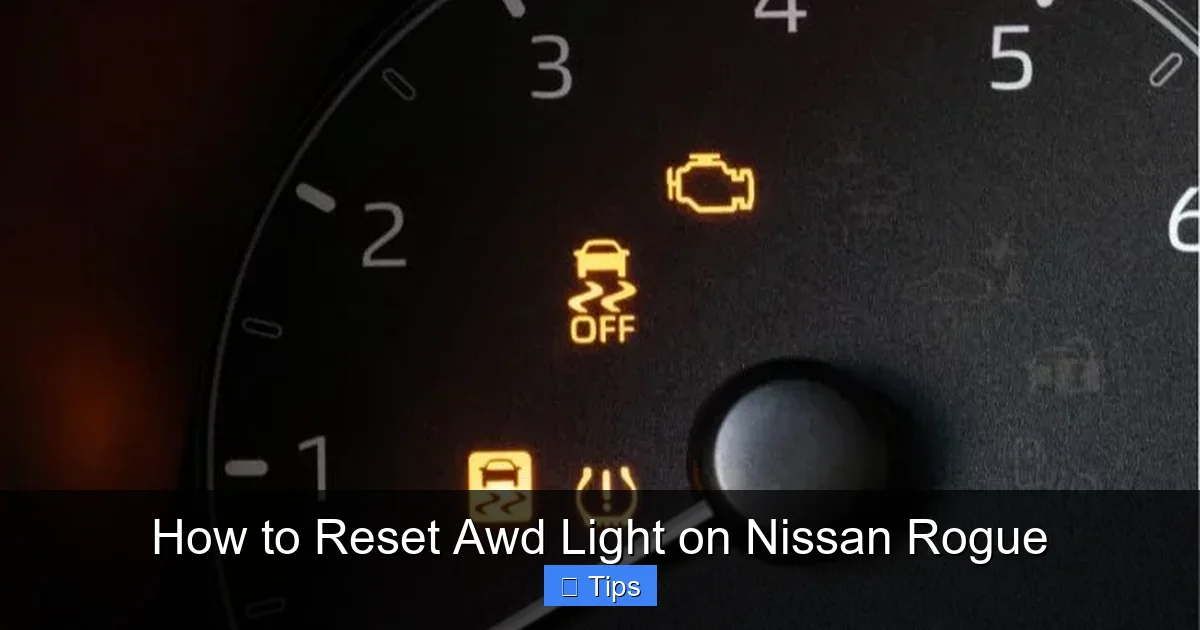
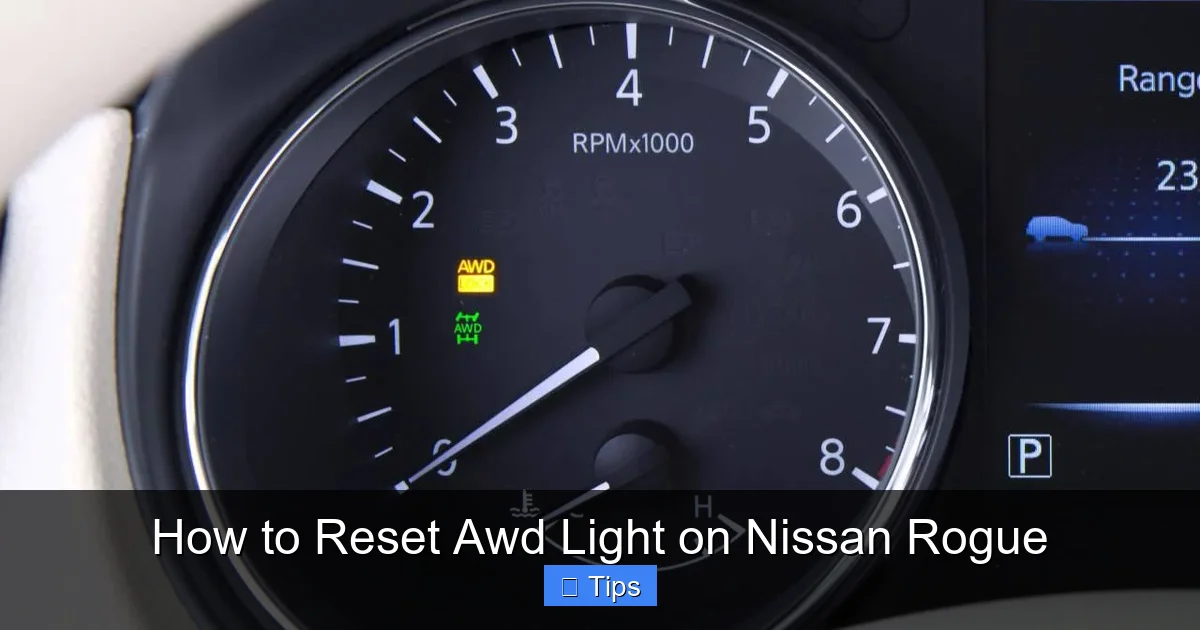
If you’ve ever been driving your Nissan Rogue and suddenly noticed the AWD (All-Wheel Drive) warning light flashing on your dashboard, you’re not alone. It’s a common concern among Rogue owners, and while it can be alarming, it’s often not as serious as it seems. The AWD light is designed to alert you when the vehicle’s all-wheel-drive system detects a problem that could affect traction, stability, or performance.
But here’s the good news: in many cases, the light isn’t signaling a major mechanical failure. Instead, it’s often triggered by something as simple as uneven tire pressure, a temporary sensor glitch, or even a recent tire rotation that wasn’t properly accounted for. The Nissan Rogue’s AWD system relies heavily on wheel speed sensors to monitor how fast each tire is rotating. If one tire is spinning faster than the others—even slightly—the system assumes there’s slippage or a mechanical issue and triggers the warning light.
Understanding why the light comes on is the first step toward fixing it. It’s not just about resetting the light; it’s about diagnosing the root cause. For example, if you recently filled your tires with air and didn’t balance the pressure across all four wheels, the AWD system might detect a discrepancy and illuminate the warning. Similarly, driving on snow, mud, or gravel can cause temporary wheel slip, which may trigger the light even if everything is functioning normally.
So before you panic or rush to the dealership, take a deep breath. Most AWD light issues on the Nissan Rogue are resolvable at home with a few simple steps. In this guide, we’ll walk you through everything you need to know—from basic troubleshooting to advanced reset methods—so you can get back on the road with confidence.
Common Causes of the AWD Warning Light
Visual guide about How to Reset Awd Light on Nissan Rogue
Image source: nissannationpodcast.com
Before diving into reset procedures, it’s important to understand what might be causing the AWD light to appear in the first place. Knowing the root cause not only helps you fix the issue but also prevents it from happening again. Let’s break down the most common reasons the AWD light comes on in a Nissan Rogue.
Tire Pressure Imbalance
One of the leading causes of the AWD warning light is uneven tire pressure. The Rogue’s AWD system uses wheel speed sensors to monitor how fast each tire is rotating. If one tire is significantly underinflated, it will have a smaller effective diameter and spin faster than the others. This difference in rotation speed tricks the system into thinking there’s wheel slip or a mechanical fault, prompting the light to turn on.
For example, if your front left tire is at 28 PSI while the others are at 32 PSI, the system may detect this discrepancy and trigger the warning. This is especially common after seasonal temperature changes, which can cause air pressure to drop. Even a difference of 3–4 PSI between tires can be enough to set off the light.
Recent Tire Rotation or Replacement
If you’ve recently rotated your tires or replaced one or more, the AWD system may need time to recalibrate. The Rogue’s system learns the normal rotation patterns of your tires over time. When you change their positions—say, moving the front tires to the rear—the system may temporarily detect a mismatch in speed and trigger the warning light.
This is particularly true if the tires are not identical in size, brand, or tread depth. Even small differences in tire wear can affect rotation speed. For instance, if your rear tires are more worn than the front ones, they may have a slightly smaller diameter and spin faster, confusing the AWD sensors.
Wheel Slip on Low-Traction Surfaces
Driving on snow, ice, mud, or loose gravel can cause temporary wheel slip. When one or more tires lose traction and spin faster than the others, the AWD system interprets this as a fault and may illuminate the warning light. This is a normal response and doesn’t necessarily indicate a problem with the vehicle.
For example, if you’re driving through a snowy parking lot and your front wheels spin while the rear ones grip, the system may detect this imbalance and trigger the light. Once you’re back on dry pavement and the tires regain equal traction, the light may turn off on its own—or it may stay on until manually reset.
Faulty Wheel Speed Sensors
Each wheel on your Nissan Rogue is equipped with a speed sensor that feeds data to the AWD control module. If one of these sensors becomes dirty, damaged, or malfunctions, it can send incorrect signals, leading to a false AWD warning. Dirt, mud, or corrosion around the sensor can interfere with its ability to read wheel speed accurately.
For instance, if the sensor on your rear right wheel is covered in mud from off-road driving, it might not detect rotation properly. The system then assumes that wheel is slipping or not turning at all, triggering the warning light.
Electrical or Software Glitches
Like any modern vehicle, the Nissan Rogue relies on complex software and electrical systems to manage its AWD functionality. Occasionally, a temporary glitch in the system can cause the AWD light to come on without any mechanical issue. This might happen after a battery disconnect, a software update, or even a power surge.
In these cases, the light may appear randomly and disappear just as quickly. However, if it persists, a reset or diagnostic scan may be needed to clear the fault code and restore normal operation.
How to Reset the AWD Light: Step-by-Step Methods
Visual guide about How to Reset Awd Light on Nissan Rogue
Image source: seventrumpet.com
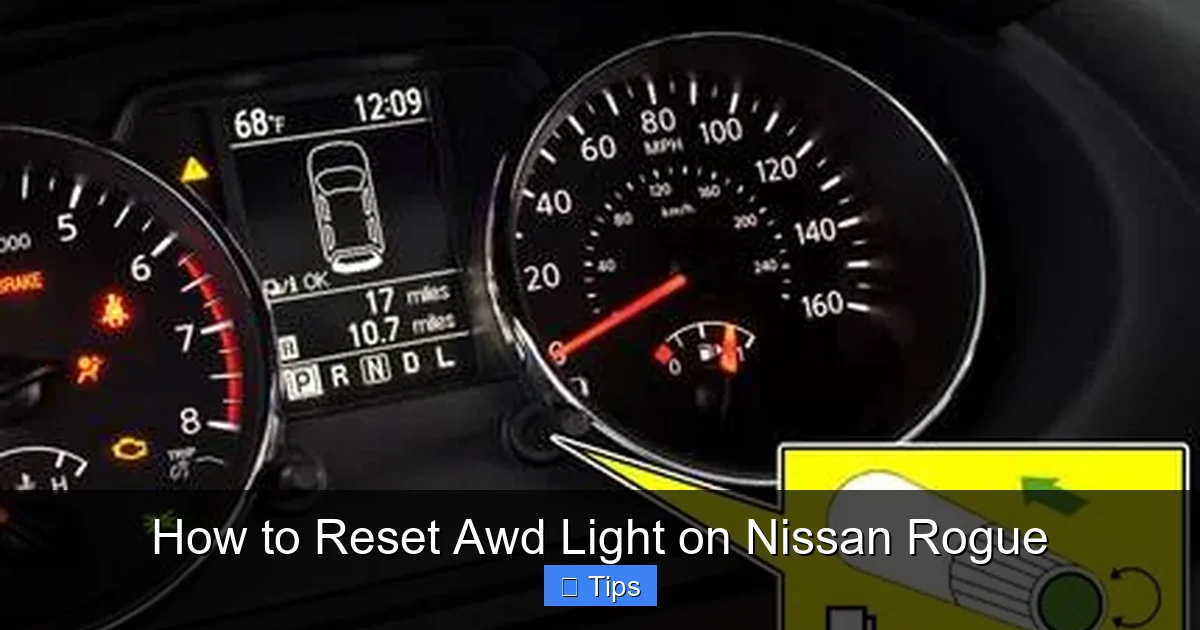
Now that you understand why the AWD light might be on, let’s get into the practical part: how to reset it. There are several methods you can try at home, ranging from simple button presses to ignition cycles. Most of these take less than five minutes and require no special tools.
Method 1: The Reset Button (Most Common)
Many Nissan Rogue models—especially those from 2014 to 2020—come equipped with a hidden AWD reset button located under the steering column. This is often the quickest and most effective way to clear the warning light.
Here’s how to do it:
- Turn off the ignition and make sure the vehicle is in Park (for automatic transmissions).
- Locate the reset button. It’s usually a small, black button near the fuse box, under the left side of the steering column. You may need to crouch down and look up to see it.
- Press and hold the button for about 5–10 seconds. You should see the AWD light on the dashboard flash or turn off.
- Release the button and start the engine. The light should remain off if the issue has been resolved.
If the light comes back on after driving for a few minutes, it may indicate a persistent problem that requires further investigation.
Method 2: Ignition Cycle Reset
If you can’t find the reset button or your model doesn’t have one, try the ignition cycle method. This process resets the vehicle’s electronic control units by cycling power through the system.
Follow these steps:
- Turn the ignition to the “ON” position (but don’t start the engine). You should see all dashboard lights illuminate, including the AWD warning.
- Wait 10–15 seconds, then turn the ignition back to “OFF.”
- Repeat this cycle three times: ON (wait 10–15 seconds), then OFF.
- On the fourth cycle, turn the ignition to “ON” and wait for about 30 seconds. The AWD light should flash or turn off.
- Start the engine and check if the light remains off.
This method works by forcing the AWD control module to reboot and relearn normal wheel speeds. It’s particularly useful after tire rotations or pressure adjustments.
Method 3: Drive Cycle Reset
Sometimes, the AWD system just needs a little time to recalibrate. If the light came on after a tire rotation or pressure change, a short drive may be all it takes to reset the system.
Here’s what to do:
- Ensure all tires are inflated to the recommended PSI (usually 32–35 PSI, found on the driver’s door jamb sticker).
- Drive the vehicle at a steady speed of 30–50 mph for 10–15 minutes on a straight, dry road.
- Avoid sudden acceleration, hard braking, or sharp turns during this time.
- After the drive, stop and turn off the engine. Wait 30 seconds, then restart.
- Check if the AWD light is still on.
This method allows the wheel speed sensors to collect consistent data and helps the system recognize that all tires are rotating normally.
Method 4: Disconnect the Battery (Last Resort)
If none of the above methods work, you can try disconnecting the vehicle’s battery to perform a hard reset. This clears all temporary fault codes and resets the electronic control units.
Warning: This method may reset other systems, including your radio presets, clock, and seat memory. Proceed with caution.
Steps:
- Turn off the ignition and remove the key.
- Open the hood and locate the negative (-) terminal on the battery.
- Use a wrench to loosen the nut and disconnect the negative cable. Wait at least 15 minutes to ensure all capacitors discharge.
- Reconnect the cable and tighten the nut securely.
- Start the engine and check if the AWD light is off.
This method is effective but should only be used if other resets fail, as it can affect other vehicle functions.
When to Use an OBD2 Scanner
Visual guide about How to Reset Awd Light on Nissan Rogue
Image source: i.ytimg.com
If the AWD light keeps coming back—even after multiple resets—it’s time to dig deeper. The issue may not be a simple glitch but a real fault in the AWD system. In these cases, using an OBD2 (On-Board Diagnostics) scanner can help you identify the exact problem.
An OBD2 scanner plugs into the diagnostic port, usually located under the dashboard near the driver’s knee. Once connected, it reads trouble codes stored in the vehicle’s computer. These codes provide specific information about what’s triggering the AWD warning.
For example, you might see codes like:
- C1201: Front wheel speed sensor malfunction
- C1203: Rear wheel speed sensor malfunction
- P1815: AWD control module communication error
These codes help pinpoint whether the issue is with a sensor, wiring, or the control module itself. Many auto parts stores offer free code reading, or you can purchase an affordable scanner online (prices start around $20).
Once you have the code, you can research the specific fix. For instance, a faulty wheel speed sensor may need cleaning or replacement. If the code points to a communication error, it could indicate a wiring issue or a software glitch that requires a dealer update.
Keep in mind that not all OBD2 scanners can read AWD-specific codes. Look for one that supports Nissan-specific diagnostics or enhanced mode 6 data for the best results.
Preventing Future AWD Light Issues
The best way to deal with the AWD light is to avoid it altogether. With a little maintenance and awareness, you can keep your Nissan Rogue’s all-wheel-drive system running smoothly and prevent unnecessary warning lights.
Maintain Equal Tire Pressure
Check your tire pressure at least once a month and before long trips. Use a reliable gauge and inflate all tires to the recommended PSI. Don’t forget the spare! Even small differences can trigger the AWD light.
Pro tip: Check pressure when tires are cold (before driving or after sitting for 3+ hours) for the most accurate reading.
Rotate Tires Regularly
Follow Nissan’s recommended tire rotation schedule—usually every 5,000 to 7,500 miles. This ensures even wear and helps the AWD system maintain consistent wheel speed readings.
Use the standard rotation pattern: front tires move straight back, rear tires cross to the front (left rear to right front, right rear to left front).
Use Matching Tires
Always replace tires in sets of four, or at least in pairs on the same axle. Mixing brands, models, or tread depths can cause speed discrepancies and trigger the AWD light.
If you must replace one tire, choose the same brand, model, and size. Some owners even match tread depth by shaving down a new tire to match worn ones.
Avoid Aggressive Driving
Hard acceleration, sharp turns, and sudden braking can cause temporary wheel slip, especially in wet or snowy conditions. While the AWD system is designed to handle this, frequent slip events may confuse the sensors and trigger the warning light.
Drive smoothly and allow extra space in adverse weather to reduce stress on the system.
Keep Sensors Clean
Wheel speed sensors can get clogged with dirt, mud, or salt, especially in winter. Periodically inspect the sensors (located near the wheel hubs) and clean them with a soft brush or compressed air.
Avoid power washing directly at the sensors, as high-pressure water can damage them.
When to Visit a Nissan Dealer
Despite your best efforts, there are times when the AWD light indicates a real problem that requires professional attention. If you’ve tried all the reset methods and the light keeps returning—or if you notice other symptoms like unusual noises, vibration, or poor handling—it’s time to see a technician.
A certified Nissan dealer has access to advanced diagnostic tools and factory software updates that can resolve issues beyond the scope of DIY fixes. For example, the AWD control module may need a software patch, or a sensor may require calibration that only specialized equipment can perform.
Additionally, if your vehicle is still under warranty, having the issue diagnosed and repaired by a dealer ensures that the work is covered and documented properly.
Don’t ignore persistent warning lights. While the AWD system is robust, unresolved faults can lead to reduced performance, increased wear, or even safety risks in slippery conditions.
Conclusion
Resetting the AWD light on your Nissan Rogue doesn’t have to be a stressful experience. In most cases, it’s a simple fix that you can handle at home with a few basic steps. Whether it’s checking tire pressure, using the reset button, or performing an ignition cycle, these methods can save you time and money.
Remember, the AWD light is there to protect your vehicle and keep you safe. While it’s often triggered by minor issues, it’s always worth investigating the cause to ensure your all-wheel-drive system is functioning properly.
By following the tips in this guide—maintaining tire pressure, rotating tires, and using the right reset method—you can keep your Rogue running smoothly and avoid unnecessary trips to the mechanic. And if the light does come back, you’ll know exactly what to do.
Drive safe, stay informed, and enjoy the confidence that comes with a well-maintained AWD system.
Frequently Asked Questions
Why does the AWD light come on in my Nissan Rogue?
The AWD light typically comes on when the system detects a difference in wheel speed, often due to uneven tire pressure, recent tire rotation, or temporary wheel slip. It can also indicate a sensor or electrical issue.
Can I drive my Rogue with the AWD light on?
Yes, you can usually drive short distances with the light on, but it’s best to address the issue quickly. Persistent warnings may indicate a real problem that could affect traction and safety.
The reset button is usually located under the steering column, near the fuse box. Look for a small black button on the left side, close to the dashboard.
Will disconnecting the battery reset the AWD light?
Yes, disconnecting the battery can reset the AWD system by clearing fault codes. However, it may also reset other settings like radio presets and clock.
Do I need a special tool to reset the AWD light?
No special tools are needed for basic resets. However, an OBD2 scanner can help diagnose persistent issues by reading trouble codes from the vehicle’s computer.
How often should I check tire pressure to prevent AWD light issues?
Check tire pressure at least once a month and before long trips. Cold tires give the most accurate reading, so check them before driving or after the car has sat for several hours.

At CarLegit, we believe information should be clear, factual, and genuinely helpful. That’s why every guide, review, and update on our website is created with care, research, and a strong focus on user experience.