
Resetting the oil light on your Nissan Altima is simple and takes just a few minutes. This guide walks you through the process for every model year, ensuring your dashboard stays accurate and your engine stays protected.
If you’ve just changed the oil in your Nissan Altima and that persistent “Oil Change” or “Maintenance” light is still glaring at you from the dashboard, don’t panic—you’re not alone. It’s one of the most common post-maintenance frustrations among Altima owners. The good news? Resetting the oil light is usually a quick, do-it-yourself task that doesn’t require a trip to the dealership or special tools. Whether you’re driving a 2007 model or a brand-new 2024 Altima, this comprehensive guide will walk you through every step to silence that annoying reminder and keep your vehicle’s maintenance tracker accurate.
Understanding why the oil light comes on in the first place helps explain why resetting it matters. Modern Nissan Altimas use an oil life monitoring system that tracks engine runtime, mileage, driving conditions, and even temperature to estimate when your oil needs replacing. Unlike older cars with fixed 3,000-mile intervals, today’s systems are smarter—but they still need a manual reset after each oil change so they can start counting fresh. If you skip this step, the system may prematurely alert you again or, worse, fail to warn you when your next change is truly due. That’s why knowing how to reset oil light on Nissan Altima isn’t just convenient—it’s essential for proper vehicle care.
In This Article
- 1 Key Takeaways
- 2 📑 Table of Contents
- 3 Why the Oil Light Comes On (And Why You Should Reset It)
- 4 Tools and Preparation Needed
- 5 Step-by-Step Guide: Resetting the Oil Light on Older Nissan Altimas (2007–2013)
- 6 Step-by-Step Guide: Resetting the Oil Light on Newer Nissan Altimas (2014–Present)
- 7 Troubleshooting Common Issues
- 8 When to Seek Professional Help
- 9 Final Tips for Maintaining Your Nissan Altima
- 10 Frequently Asked Questions
Key Takeaways
- Know Your Model Year: The reset method varies slightly between older (2007–2013) and newer (2014–present) Nissan Altimas, so identify your vehicle’s year first.
- Use the Trip Odometer Button: Most Altimas use the trip odometer button on the instrument cluster to navigate menus and reset the oil light.
- Turn Ignition On (But Don’t Start Engine): You only need to power up the electrical system—no need to crank the engine during the reset process.
- Follow Exact Button Sequence: Timing and order matter. Pressing buttons too fast or in the wrong order can prevent a successful reset.
- Confirm Reset Success: After completing the steps, check that the oil change light turns off or the maintenance message disappears.
- Don’t Skip Actual Oil Changes: Resetting the light doesn’t replace real maintenance—always change your oil at recommended intervals.
- Consult Your Owner’s Manual: When in doubt, refer to your specific Altima’s manual for model-specific guidance.
📑 Table of Contents
- Why the Oil Light Comes On (And Why You Should Reset It)
- Tools and Preparation Needed
- Step-by-Step Guide: Resetting the Oil Light on Older Nissan Altimas (2007–2013)
- Step-by-Step Guide: Resetting the Oil Light on Newer Nissan Altimas (2014–Present)
- Troubleshooting Common Issues
- When to Seek Professional Help
- Final Tips for Maintaining Your Nissan Altima
Why the Oil Light Comes On (And Why You Should Reset It)
The oil change indicator in your Nissan Altima isn’t just a random warning—it’s part of an intelligent maintenance system designed to protect your engine. This system, often called the “Oil Life Monitor” or “Maintenance Reminder,” calculates oil degradation based on real-world driving data rather than just mileage. Factors like short trips, extreme temperatures, stop-and-go traffic, and towing all accelerate oil breakdown, so Nissan’s algorithm adjusts accordingly. When the system determines your oil has reached the end of its useful life, it triggers a dashboard light—typically labeled “Oil Change,” “Maintenance,” or “Service Engine Soon” (though the latter can mean other things too).
Ignoring this light or failing to reset it after an oil change can lead to confusion down the road. For example, if you change your oil but don’t reset the system, it might continue counting from where it left off and alert you again in just a few hundred miles—even though your oil is fresh. Conversely, if you reset it too early (before actually changing the oil), you risk running your engine with degraded oil, which can cause increased wear, reduced fuel efficiency, and even engine damage over time. Resetting the light ensures your Altima’s computer starts a new countdown based on clean, high-quality oil, giving you peace of mind and helping you stay on top of maintenance without guesswork.
It’s also worth noting that some drivers confuse the oil pressure warning light (a red oil can icon) with the oil change reminder (usually yellow or orange text). The oil pressure light indicates a serious mechanical issue—like low oil level or pump failure—and requires immediate attention. The oil change light, however, is purely a maintenance reminder. Always double-check which light is illuminated before proceeding. If it’s the red oil can, pull over safely and check your oil level immediately. But if it’s the yellow “Oil Change” message, you’re likely just due for a reset after a recent service.
Tools and Preparation Needed

Visual guide about How to Reset Oil Light on Nissan Altima
Image source: oilreset.com
One of the best things about resetting the oil light on a Nissan Altima is that you don’t need any special tools, scanners, or technical expertise. All you need is your vehicle, a few minutes of time, and maybe a flashlight if you’re working in low light. However, a little preparation goes a long way toward ensuring a smooth process.
First, make sure your vehicle is parked on a level surface with the engine off and the key removed (or in the “off” position). This prevents accidental starts and ensures the electrical system is stable during the reset. If you’ve just driven the car, let it sit for a few minutes so the engine isn’t hot—this is more about comfort than necessity, but it’s always safer to work on a cool engine.
Next, locate the trip odometer button. On most Nissan Altimas, this is a small black or gray button on the instrument cluster, usually near the speedometer or tachometer. It’s often labeled “TRIP” or has a small icon resembling a gauge. This button is your primary tool for navigating the dashboard menus and initiating the reset sequence. Familiarize yourself with its location before starting—you’ll be pressing it multiple times in quick succession, so knowing exactly where it is saves time and frustration.
You should also have your owner’s manual handy, especially if you’re unsure about your specific model year or trim level. While the general process is consistent across most Altimas, there are subtle differences between generations. For instance, 2014 and newer models often use a digital display with more menu options, while older models rely on analog gauges and simpler prompts. Your manual will confirm the correct procedure and may include helpful diagrams.
Finally, ensure your battery has sufficient charge. While the reset process doesn’t draw much power, a weak battery could cause the dashboard to behave unpredictably or reset itself mid-process. If your car has been sitting for weeks or you’ve had electrical issues recently, consider charging the battery or having it tested before proceeding.
Step-by-Step Guide: Resetting the Oil Light on Older Nissan Altimas (2007–2013)
Visual guide about How to Reset Oil Light on Nissan Altima
Image source: nissankaengine.com
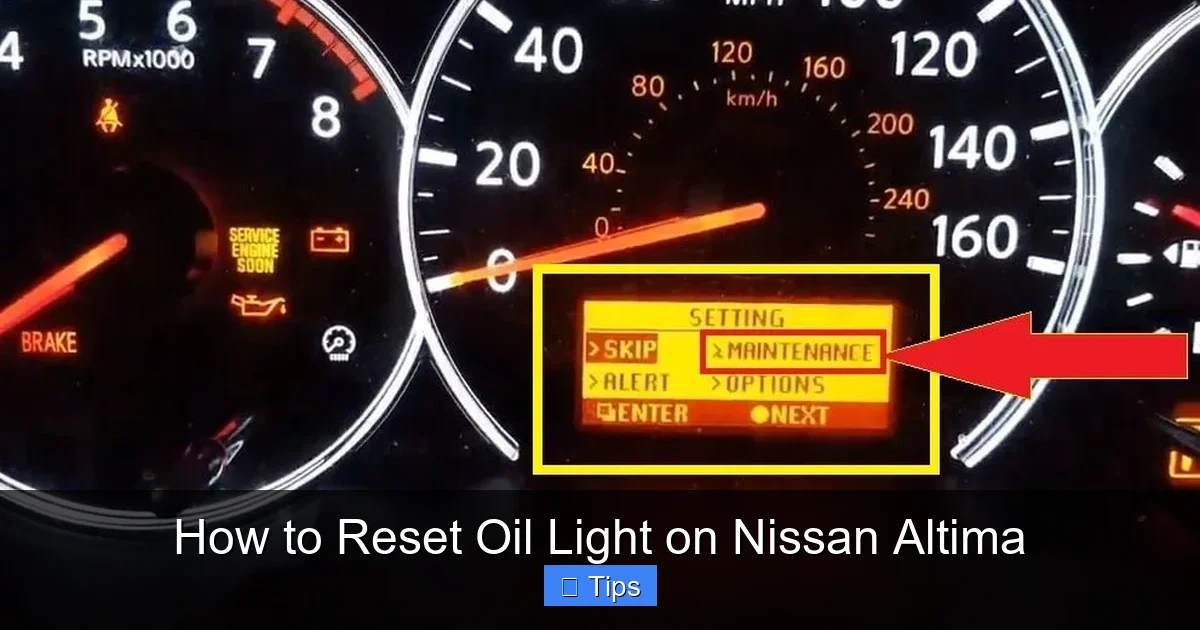
If you own a Nissan Altima from 2007 to 2013, the oil light reset process is straightforward but requires precise timing. These models typically feature analog instrument clusters with a basic trip odometer button and minimal digital displays. Here’s how to do it safely and effectively.
Step 1: Turn the Ignition to the “ON” Position
Insert your key into the ignition and turn it to the “ON” position—but do not start the engine. You’ll know you’re in the right position when all dashboard lights illuminate, including the oil change reminder, check engine light, and ABS light. The engine should remain off; you’re only powering up the vehicle’s electronics. This step allows the computer to recognize your input without engaging the starter motor.
Step 2: Press and Hold the Trip Odometer Button
Locate the trip odometer button on your instrument cluster. With the ignition on and the engine off, press and hold this button. Keep it held down steadily—don’t tap it or release it prematurely. Within a few seconds, you should see the trip odometer display begin to cycle through different modes (e.g., Trip A, Trip B, odometer). Continue holding the button.
Step 3: Watch for the Oil Light to Flash or Reset
After holding the button for about 10–15 seconds, the oil change light on your dashboard should start to flash or blink. On some models, the word “OIL” or “MAINT” may appear and then disappear. This indicates the system is preparing to reset. Keep holding the button until the light turns off completely or the display shows “—” or “0.”
Step 4: Release the Button and Confirm
Once the oil light has turned off or the display has cleared, release the trip odometer button. Turn the ignition back to the “OFF” position and wait about 10 seconds. Then, turn it back to “ON” (again, without starting the engine). Check the dashboard: the oil change light should no longer be illuminated. If it’s still on, repeat the process, ensuring you hold the button long enough and don’t interrupt the sequence.
A common mistake is releasing the button too early. If the light doesn’t flash or reset within 15 seconds, start over from Step 1. Also, avoid pressing any other buttons during the process—this can confuse the system and prevent a successful reset.
Step-by-Step Guide: Resetting the Oil Light on Newer Nissan Altimas (2014–Present)

Visual guide about How to Reset Oil Light on Nissan Altima
Image source: seventrumpet.com
Starting in 2014, Nissan updated the Altima’s instrument cluster to include a digital information display with more advanced menu options. This change introduced a slightly different reset procedure that uses the same trip odometer button but navigates through on-screen prompts. The process is still simple, but it requires attention to the display messages.
Step 1: Turn the Ignition to “ON”
As with older models, insert your key and turn the ignition to the “ON” position without starting the engine. All dashboard lights should illuminate, including the oil change reminder. On newer Altimas, you may also see a digital screen between the speedometer and tachometer showing vehicle status, fuel economy, and maintenance alerts.
Press the trip odometer button repeatedly until you see “Maintenance” or “Oil Change” appear on the digital display. You may need to cycle through options like “Trip A,” “Trip B,” “Fuel Economy,” and “Driving Range” before reaching the maintenance section. Once you see the maintenance prompt, stop pressing the button.
Step 3: Enter Reset Mode
With the maintenance menu displayed, press and hold the trip odometer button for about 5–10 seconds. The screen should change to show “Reset?” or “Press Again to Reset.” This confirms the system is ready to clear the oil change reminder.
Step 4: Confirm the Reset
Press the trip odometer button one more time (a quick press, not a hold). The display should now show “Reset Complete” or the oil change message should disappear entirely. Release the button and turn the ignition off. Wait 10 seconds, then turn it back on to verify the light is off.
On some 2020+ Altimas with advanced driver displays, you may need to use the steering wheel controls instead of the trip button. In these cases, navigate to “Settings” > “Vehicle Settings” > “Maintenance” and follow the on-screen prompts. Always refer to your owner’s manual if the standard method doesn’t work—Nissan occasionally tweaks the interface between model years.
Troubleshooting Common Issues
Even with careful steps, sometimes the oil light won’t reset. Don’t worry—this doesn’t mean your car is broken. Most issues are easily resolved with a few adjustments.
The Light Won’t Turn Off After Following the Steps
If you’ve completed the reset process correctly but the light remains on, try repeating the entire sequence. Timing is critical, especially on older models. Ensure you’re holding the button long enough and not pressing other buttons accidentally. Also, verify that the ignition is truly in the “ON” position—some drivers mistakenly leave it in “ACC” (accessory), which doesn’t power the full dashboard.
The Display Shows an Error or Doesn’t Respond
A unresponsive display could indicate a weak battery or a temporary glitch in the instrument cluster. Turn the car off completely, wait 2–3 minutes, and try again. If the problem persists, check your battery voltage with a multimeter or have it tested at an auto parts store. A healthy battery should read around 12.6 volts when the car is off.
You Have a Push-Button Start Altima
For Altimas with push-button ignition (common on 2013+ models), the process is nearly identical—but instead of turning a key, press the “START/STOP” button twice without pressing the brake pedal. This puts the car in “ON” mode with the engine off. Then proceed with the trip button steps as usual.
The Light Came Back On Too Soon
If the oil change light reappears after just a few hundred miles, double-check that you actually changed the oil. It’s easy to forget or assume someone else did it. Also, confirm you reset the system correctly—sometimes a partial reset can cause the timer to resume from an earlier point.
When to Seek Professional Help
While resetting the oil light is generally a DIY-friendly task, there are situations where visiting a technician is the smart move. If you’ve tried the reset multiple times and the light won’t clear, or if other warning lights (like the check engine light) are also on, there may be an underlying issue with the vehicle’s computer or sensors. Similarly, if your Altima has undergone recent repairs or software updates, the reset procedure might have changed—dealerships or certified mechanics will have the latest information.
Additionally, if you’re uncomfortable working with your vehicle’s electrical system or simply prefer professional service, most oil change shops will reset the light for free or a small fee. Many quick-lube chains include this as part of their standard service, so ask when you schedule your appointment.
Final Tips for Maintaining Your Nissan Altima
Resetting the oil light is just one piece of the maintenance puzzle. To keep your Altima running smoothly for years to come, follow these best practices:
– **Stick to the Recommended Oil Change Interval:** Even with a smart monitoring system, Nissan recommends changing synthetic oil every 5,000 to 7,500 miles under normal driving conditions. Severe conditions (frequent short trips, extreme heat/cold, towing) may require changes every 3,000–5,000 miles.
– **Use the Right Oil:** Always use Nissan-recommended oil (typically 0W-20 full synthetic for newer models). Using the wrong viscosity can affect engine performance and void your warranty.
– **Check Oil Level Monthly:** Even with regular changes, top off low oil between services. Low oil levels can trigger false warnings and damage the engine.
– **Keep Records:** Log your oil changes and resets in a maintenance journal or app. This helps track patterns and proves compliance if you ever sell the vehicle.
– **Don’t Ignore Other Lights:** If the oil change light is accompanied by other warnings (e.g., temperature, battery, or brake lights), address them immediately—they could signal serious problems.
By mastering how to reset oil light on Nissan Altima and pairing it with consistent care, you’ll protect your investment, improve fuel economy, and enjoy a smoother, more reliable driving experience.
Frequently Asked Questions
Can I reset the oil light without changing the oil?
No—resetting the light only clears the reminder. If you haven’t actually changed the oil, your engine is still running on old, degraded oil, which can cause damage over time. Always perform the oil change first, then reset the light.
Will disconnecting the battery reset the oil light?
Not reliably. While disconnecting the battery may clear some dashboard warnings temporarily, it won’t properly reset the oil life monitoring system on most modern Altimas. Use the trip button method instead for a permanent fix.
Does the reset procedure work on all Nissan Altima trims?
Yes, the basic method works across all trims (S, SV, SL, SR, Platinum), though some higher-end models with digital displays may use steering wheel controls. Check your owner’s manual for trim-specific details.
What if my Altima has a touchscreen infotainment system?
The oil light reset is handled through the instrument cluster, not the infotainment screen. Even on models with large touchscreens, you’ll still use the trip odometer button or steering wheel controls to reset the maintenance reminder.
How often should I reset the oil light?
Only after each oil change. There’s no need to reset it otherwise. If the light comes on frequently between changes, have your mechanic check for oil consumption issues or sensor problems.
Can a mechanic reset the oil light for me?
Absolutely. Most dealerships and independent shops will reset the oil light as part of an oil change service—often at no extra cost. It’s a quick task that takes less than a minute once the system is accessed.

At CarLegit, we believe information should be clear, factual, and genuinely helpful. That’s why every guide, review, and update on our website is created with care, research, and a strong focus on user experience.