
Turning off AWD lock on your Hyundai Tucson is simple but important for normal driving conditions. This feature is designed for temporary off-road or slippery use, and leaving it on can damage your drivetrain. Follow our clear, step-by-step instructions to deactivate AWD lock and keep your SUV running smoothly.
In This Article
- 1 Key Takeaways
- 2 📑 Table of Contents
- 3 What Is AWD Lock and Why Does It Matter?
- 4 How the AWD Lock System Works in the Hyundai Tucson
- 5 Step-by-Step Guide: How to Turn Off AWD Lock Hyundai Tucson
- 6 Common Mistakes and How to Avoid Them
- 7 Model Year Differences and Trim Variations
- 8 Maintenance Tips to Keep Your AWD System Healthy
- 9 Conclusion: Drive Smart, Drive Safe
- 10 Frequently Asked Questions
Key Takeaways
- Understand what AWD lock does: It sends equal power to all four wheels for better traction in snow, mud, or sand—ideal for short-term use only.
- Know when to turn it off: Deactivate AWD lock when driving on dry pavement, highways, or during regular city driving to prevent mechanical stress.
- Use the dashboard button: Most Tucson models have a dedicated AWD lock button on the center console—press and hold it to turn the system off.
- Check your instrument cluster: Look for the AWD lock indicator light to confirm the system is disengaged before resuming normal driving.
- Avoid prolonged use on pavement: Extended use on dry roads can cause drivetrain binding, tire wear, and reduced fuel efficiency.
- Refer to your owner’s manual: Model years and trims may vary—always consult your specific Tucson’s manual for accurate instructions.
- Reset after off-roading: Make turning off AWD lock a habit after every off-road or slippery-surface trip to protect your vehicle.
📑 Table of Contents
- What Is AWD Lock and Why Does It Matter?
- How the AWD Lock System Works in the Hyundai Tucson
- Step-by-Step Guide: How to Turn Off AWD Lock Hyundai Tucson
- Common Mistakes and How to Avoid Them
- Model Year Differences and Trim Variations
- Maintenance Tips to Keep Your AWD System Healthy
- Conclusion: Drive Smart, Drive Safe
What Is AWD Lock and Why Does It Matter?
If you own a Hyundai Tucson, you’ve probably noticed a button labeled “AWD Lock” on your center console. It might look like a small car with arrows pointing to all four wheels. But what exactly does it do—and why should you care about turning it off?
AWD Lock stands for All-Wheel Drive Lock. It’s a feature designed to improve traction in challenging driving conditions like snow, mud, gravel, or sand. When activated, it forces the front and rear axles to receive equal power, mimicking a locked center differential. This helps your Tucson maintain grip when one or more wheels start to slip.
But here’s the catch: AWD Lock is not meant for everyday use. It’s a temporary assist tool—like putting on snow chains. You wouldn’t drive 500 miles on dry pavement with chains, right? The same logic applies here. Using AWD Lock on dry, paved roads can cause unnecessary strain on your drivetrain, lead to premature wear, and even reduce fuel economy.
So, while it’s a fantastic feature when you need it, knowing how to turn off AWD lock Hyundai Tucson is just as important as knowing how to turn it on. Let’s walk through everything you need to know—from how the system works to step-by-step instructions for deactivating it safely.
How the AWD Lock System Works in the Hyundai Tucson
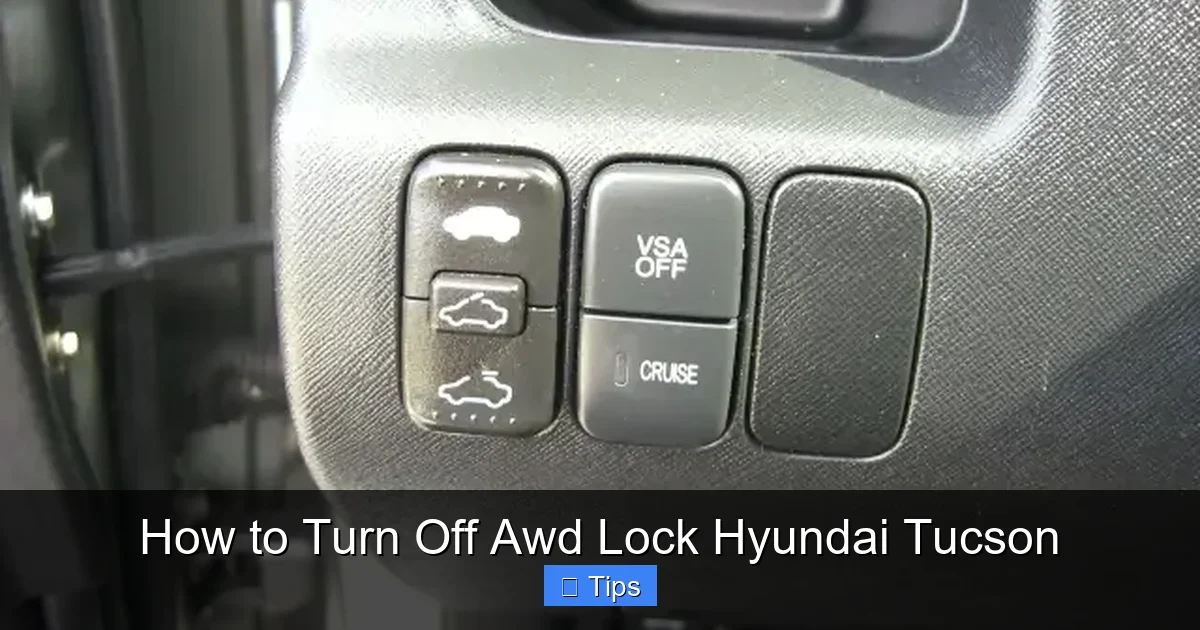
Visual guide about How to Turn Off Awd Lock Hyundai Tucson
Image source: autoactuality.com
Before we dive into turning it off, it helps to understand how the AWD Lock system operates. The Hyundai Tucson uses an intelligent all-wheel-drive system that automatically distributes power between the front and rear wheels based on road conditions. Under normal driving, most power goes to the front wheels, with the rear wheels engaging only when slippage is detected.
When you press the AWD Lock button, the system overrides this automatic behavior. It locks the torque split to a 50:50 distribution between front and rear axles. This gives you maximum traction when you’re stuck in snow, climbing a muddy trail, or driving on loose gravel.
The system is electronically controlled and works in conjunction with the vehicle’s stability control, traction control, and ABS sensors. It’s smart enough to disengage automatically under certain conditions—like when you exceed a specific speed (usually around 30 mph, depending on the model year). But even with this safety feature, it’s still best practice to manually turn it off when you no longer need it.
When Should You Use AWD Lock?
You should only activate AWD Lock in specific off-road or low-traction scenarios. These include:
- Driving through deep snow or icy patches
- Traversing muddy trails or unpaved roads
- Crossing sandy dunes or beaches
- Climbing steep, slippery inclines
- Pulling a trailer on loose terrain
In these situations, AWD Lock gives your Tucson the extra grip it needs to keep moving. But once you return to normal roads—especially dry pavement—it’s time to turn it off.
What Happens If You Leave AWD Lock On?
Leaving AWD Lock engaged on dry pavement can cause several problems:
- Drivetrain binding: Since all four wheels are forced to turn at the same speed, the system resists turning, especially at higher speeds. This creates stress on the differentials and transfer case.
- Increased tire wear: The tires scrub against the road during turns, leading to uneven wear and reduced tire life.
- Poor fuel efficiency: The engine works harder to overcome the resistance, burning more fuel.
- Reduced handling and stability: Your Tucson may feel sluggish or unresponsive during cornering.
In extreme cases, prolonged use can lead to costly repairs. That’s why turning off AWD lock Hyundai Tucson is a crucial habit for every driver.
Step-by-Step Guide: How to Turn Off AWD Lock Hyundai Tucson
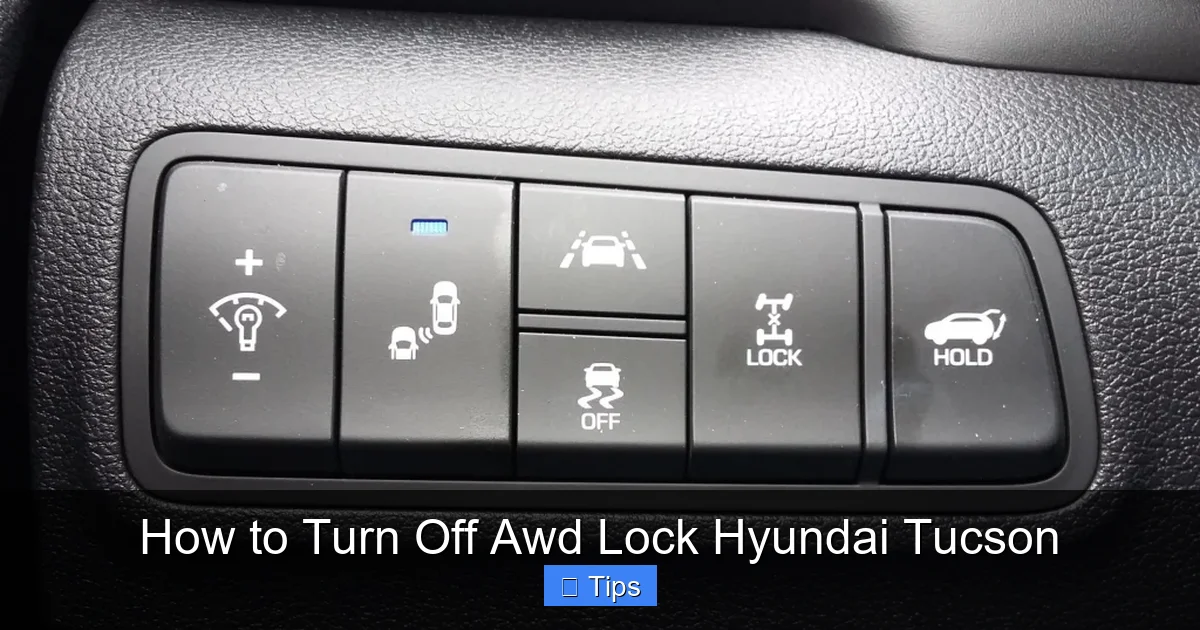
Visual guide about How to Turn Off Awd Lock Hyundai Tucson
Image source: blog.consumerguide.com
Now that you understand why it’s important, let’s get into the actual process. Turning off AWD Lock is straightforward, but it’s easy to overlook—especially after a long day off-roading. Follow these simple steps to ensure you do it correctly.
Locate the AWD Lock Button
The AWD Lock button is typically found on the center console, near the gear shifter. It’s usually labeled with an icon showing a car with arrows pointing to all four wheels. On some Tucson models, it may be integrated into the drive mode selector or located near the climate controls.
If you can’t find it, check your owner’s manual—button placement can vary slightly depending on the model year and trim level (such as SEL, Limited, or N Line).
Check the Current Status
Before turning it off, confirm that AWD Lock is currently active. Look at your instrument cluster (the screen behind the steering wheel). If AWD Lock is on, you’ll see a green or amber icon illuminated—often labeled “AWD LOCK” or showing the same four-wheel icon.
If the light is off, the system is already disengaged, and no action is needed.
Press and Hold the AWD Lock Button
To turn off AWD Lock:
- Ensure the vehicle is running (or in accessory mode).
- Press and hold the AWD Lock button for about 2–3 seconds.
- You’ll hear a chime or see a notification on the dashboard confirming the system has been deactivated.
- The AWD Lock indicator light on the instrument cluster will turn off.
That’s it! The system has now returned to its default automatic AWD mode, where power is distributed dynamically based on traction needs.
Verify the System Is Off
After pressing the button, double-check the instrument cluster. The AWD Lock light should be off. If it’s still on, try pressing the button again. In rare cases, a software glitch or electrical issue might prevent the system from responding—restarting the vehicle usually resolves this.
Also, pay attention to how the car drives. Without AWD Lock, your Tucson should feel smoother during turns, with no unusual resistance or noise from the drivetrain.
Automatic Disengagement (Model-Dependent)
Some newer Hyundai Tucson models (especially 2020 and later) are equipped with an automatic disengagement feature. If you exceed a certain speed—typically 30 mph—the AWD Lock will turn off on its own. This is a safety measure to prevent damage.
However, don’t rely solely on this feature. It’s still best to manually turn off AWD lock Hyundai Tucson as soon as you return to normal roads. The automatic system may not activate in all conditions, and you want to be in full control of your vehicle’s settings.
Common Mistakes and How to Avoid Them
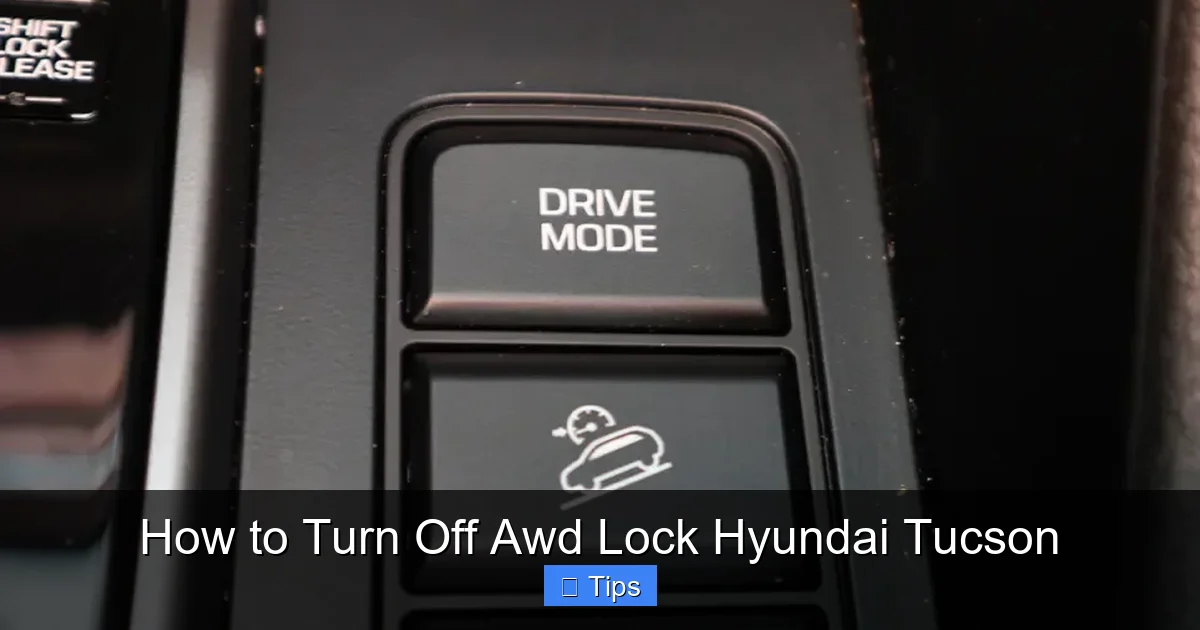
Visual guide about How to Turn Off Awd Lock Hyundai Tucson
Image source: carsguide-res.cloudinary.com
Even experienced drivers can make mistakes when using AWD Lock. Here are some common pitfalls and how to avoid them.
Forgetting to Turn It Off After Off-Roading
This is the number one mistake. After a fun day on the trails, it’s easy to hop back on the highway and forget about the AWD Lock button. Before you know it, you’ve driven 50 miles on dry pavement with the system still engaged.
Tip: Make it a habit. Every time you return from off-roading, snow driving, or muddy conditions, take 10 seconds to press the AWD Lock button. You can even leave a sticky note on your dashboard as a reminder until it becomes second nature.
Using AWD Lock on Dry Pavement
Some drivers think AWD Lock improves performance in all conditions. But on dry roads, it actually reduces handling and increases wear. The system is designed for low-traction scenarios, not high-speed cornering or highway driving.
Tip: Only use AWD Lock when you truly need extra traction. If you’re just driving to work on a sunny day, leave it off.
Confusing AWD Lock with 4WD
AWD Lock is not the same as a traditional four-wheel-drive system. The Tucson doesn’t have a low-range transfer case or mechanical locking differentials like a truck or Jeep. AWD Lock is an electronic assist—not a full-time off-road mode.
Tip: Understand your vehicle’s capabilities. The Tucson is great for light off-roading and bad weather, but it’s not built for rock crawling or extreme terrain.
Ignoring Dashboard Warnings
If the AWD Lock light stays on even after you’ve pressed the button, or if you see a warning message like “AWD System Check,” don’t ignore it. This could indicate a sensor issue, low fluid levels, or a problem with the drivetrain.
Tip: If the system won’t turn off or behaves erratically, visit a Hyundai service center. Continuing to drive with a malfunctioning AWD system can lead to expensive repairs.
Model Year Differences and Trim Variations
Not all Hyundai Tucson models are created equal. The AWD Lock feature and its operation can vary depending on the year and trim level. Here’s a quick breakdown.
2016–2019 Hyundai Tucson
These models typically have a standalone AWD Lock button on the center console. The system must be manually turned off—there’s no automatic disengagement based on speed. The indicator light is usually amber and located in the instrument cluster.
2020–2024 Hyundai Tucson (Third Generation)
The redesigned Tucson introduced a more advanced AWD system with improved electronics. Many trims now feature automatic disengagement at speeds above 30 mph. The button may be part of a drive mode selector (e.g., Smart, Eco, Sport, Snow, or AWD Lock). The dashboard display is more detailed, often showing real-time torque distribution.
Trim-Level Differences
Higher trims like the Limited or N Line may include additional features such as:
- Snow mode (which activates AWD Lock automatically in some cases)
- Off-road drive modes with enhanced traction control
- Touchscreen controls for AWD settings
Always consult your owner’s manual for model-specific instructions. You can usually download a digital copy from the Hyundai website using your VIN.
Maintenance Tips to Keep Your AWD System Healthy
Turning off AWD lock Hyundai Tucson is just one part of maintaining your all-wheel-drive system. To keep it running smoothly, follow these maintenance tips.
Regular Fluid Checks
The AWD system uses transfer case and differential fluids to lubricate internal components. Over time, these fluids break down and can cause wear.
Recommendation: Have your AWD fluids inspected every 30,000 to 60,000 miles, or as specified in your owner’s manual. A Hyundai service technician can check fluid levels and condition.
Tire Maintenance
Since AWD systems rely on all four wheels working together, tire condition is critical. Uneven tire wear or mismatched tires can confuse the system and cause binding.
Tip:
- Rotate your tires every 5,000 to 7,500 miles
- Ensure all four tires are the same brand, model, and tread depth
- Replace tires in sets of four when possible
Listen for Unusual Noises
If you hear grinding, whining, or clunking from underneath your Tucson—especially during turns—it could be a sign of AWD system stress.
Action: Schedule a diagnostic check. Early detection can prevent major damage.
Use Genuine Hyundai Parts
When servicing your AWD system, always use OEM (Original Equipment Manufacturer) parts. Aftermarket components may not meet Hyundai’s specifications and can void your warranty.
Conclusion: Drive Smart, Drive Safe
The AWD Lock feature in your Hyundai Tucson is a powerful tool—but only when used correctly. It’s designed to help you conquer tough terrain and slippery roads, not to be left on during everyday driving. Turning off AWD lock Hyundai Tucson when you return to normal conditions protects your vehicle, improves fuel efficiency, and ensures a smoother, safer ride.
By following the steps outlined in this guide—locating the button, pressing and holding it, and verifying the indicator light—you can easily deactivate the system in seconds. Make it a habit, especially after off-roading or winter driving, and your Tucson will thank you with years of reliable performance.
Remember, your SUV is smart, but it still needs your attention. A little awareness goes a long way in maintaining your vehicle’s health and your own safety on the road.
Frequently Asked Questions
How do I know if AWD Lock is on?
Check your instrument cluster. If the AWD Lock indicator light (usually a green or amber icon) is illuminated, the system is active. You may also see a message on the dashboard display.
Can I drive with AWD Lock on all the time?
No, you should not. AWD Lock is only for temporary use in low-traction conditions like snow or mud. Driving on dry pavement with it on can damage your drivetrain and reduce fuel efficiency.
Does AWD Lock turn off automatically?
On some newer Tucson models (2020+), AWD Lock disengages automatically when you exceed 30 mph. However, it’s still best to turn it off manually when no longer needed.
What happens if I forget to turn off AWD Lock?
Your vehicle may experience drivetrain binding, increased tire wear, and reduced handling. In extreme cases, it can lead to mechanical damage. Always turn it off after off-roading.
The button is usually on the center console near the gear shifter. It’s labeled with a car icon and arrows pointing to all four wheels. Check your owner’s manual if you can’t find it.
Can I use AWD Lock in the rain?
AWD Lock is not necessary for wet roads. The standard AWD system already provides excellent traction in rain. Only use AWD Lock for snow, mud, sand, or other low-traction surfaces.

At CarLegit, we believe information should be clear, factual, and genuinely helpful. That’s why every guide, review, and update on our website is created with care, research, and a strong focus on user experience.