
Programming your 2023 Hyundai garage door opener is simple and convenient, allowing seamless access without extra remotes. This guide walks you through every step, from locating the HomeLink buttons to syncing with your garage door system, ensuring a smooth, hassle-free setup.
In This Article
- 1 Key Takeaways
- 2 📑 Table of Contents
- 3 Introduction: Why Programming Your 2023 Hyundai Garage Door Opener Matters
- 4 Understanding the HomeLink System in 2023 Hyundai Vehicles
- 5 Step-by-Step Guide: How to Program Your 2023 Hyundai Garage Door Opener
- 6 Tips for Successful Programming and Long-Term Use
- 7 Common Issues and How to Fix Them
- 8 Advanced Features and Smart Home Integration
- 9 Conclusion: Enjoy Seamless Access with Your 2023 Hyundai
- 10 Frequently Asked Questions
- 10.1 Can I program my 2023 Hyundai garage door opener without the original remote?
- 10.2 How many devices can I program with HomeLink in my 2023 Hyundai?
- 10.3 Will programming HomeLink drain my car’s battery?
- 10.4 Can I use HomeLink with a smart garage door opener?
- 10.5 What if my garage door opener is very old?
- 10.6 How do I reset HomeLink if I sell my car?
Key Takeaways
- Use HomeLink System: The 2023 Hyundai models come equipped with the built-in HomeLink system, which allows you to program garage doors, gates, and lighting systems directly from your vehicle.
- Check Compatibility: Most modern garage door openers (manufactured after 1996) are compatible with HomeLink, especially those using rolling code technology.
- Clear Existing Codes First: Before programming, clear any previous codes from the HomeLink system to avoid interference or failed connections.
- Follow the 3-Step Process: Programming involves clearing memory, syncing with the remote, and training the system—each step is crucial for success.
- Use the Garage Door Remote: You’ll need your original garage door remote during setup to teach the HomeLink system the correct signal.
- Test Immediately After Setup: Always test the programmed button right away to confirm it works and troubleshoot if needed.
- Reprogram as Needed: If you move or change garage systems, simply repeat the process to update your Hyundai’s opener settings.
📑 Table of Contents
- Introduction: Why Programming Your 2023 Hyundai Garage Door Opener Matters
- Understanding the HomeLink System in 2023 Hyundai Vehicles
- Step-by-Step Guide: How to Program Your 2023 Hyundai Garage Door Opener
- Tips for Successful Programming and Long-Term Use
- Common Issues and How to Fix Them
- Advanced Features and Smart Home Integration
- Conclusion: Enjoy Seamless Access with Your 2023 Hyundai
Introduction: Why Programming Your 2023 Hyundai Garage Door Opener Matters
Imagine pulling up to your driveway after a long day, and with just a press of a button on your dashboard, your garage door opens smoothly—no fumbling for a remote, no getting out in the rain. That’s the convenience the 2023 Hyundai garage door opener offers. Thanks to the advanced HomeLink system integrated into many Hyundai models, you can control your garage door, gate, or even home lighting directly from your car.
This feature isn’t just about comfort—it’s about safety and efficiency. No more worrying about losing a remote or leaving it behind. With the HomeLink system, your garage door control is always within reach, securely built into your vehicle. Whether you’re driving a 2023 Hyundai Tucson, Santa Fe, Elantra, or Palisade, the process is designed to be user-friendly and reliable.
But like any tech feature, it only works if it’s set up correctly. That’s where this guide comes in. We’ll walk you through everything you need to know about how to program your 2023 Hyundai garage door opener, step by step. From checking compatibility to troubleshooting common issues, we’ve got you covered. By the end, you’ll be able to program your opener with confidence and enjoy seamless access every time you come home.
Understanding the HomeLink System in 2023 Hyundai Vehicles
Visual guide about How to Program 2023 Hyundai Garage Door Opener
Image source: vehq.com
The magic behind the 2023 Hyundai garage door opener is the HomeLink system—a wireless control technology developed by Gentex Corporation. It’s been around for decades, but Hyundai has refined its integration into their latest models for better performance and ease of use.
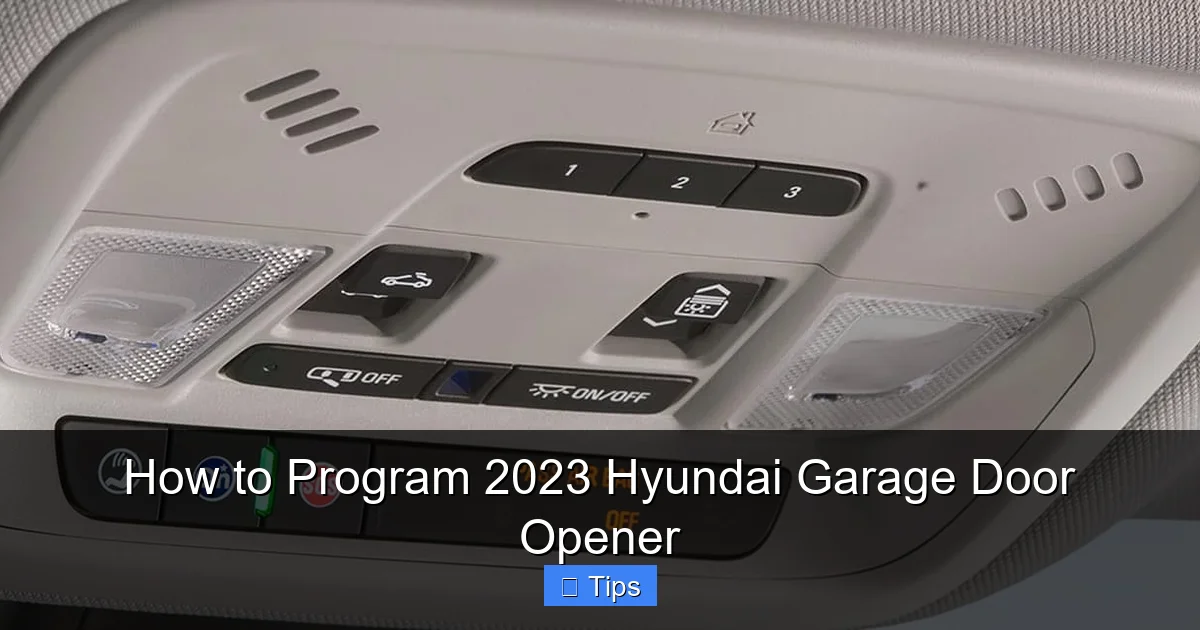
HomeLink uses radio frequencies to communicate with your garage door opener, gate, or even smart home devices like lights and security systems. The system is typically located on the overhead console or rearview mirror, depending on your Hyundai model. You’ll see three buttons labeled “1,” “2,” and “3”—these are your programmable HomeLink buttons.
One of the best things about HomeLink is its compatibility. It works with most garage door openers manufactured after 1996, especially those using rolling code (also called hopping code) technology. Rolling code systems change the signal each time the remote is used, which prevents hackers from copying your signal—a major security upgrade over older fixed-code systems.
In your 2023 Hyundai, the HomeLink system is powered by the vehicle’s electrical system and doesn’t require batteries. It’s always ready to use once programmed. The system can store up to three different devices, so you can control your garage door, a gate, and even your front porch lights—all from one convenient location.
Where to Find the HomeLink Buttons
The location of the HomeLink buttons varies slightly depending on your Hyundai model:
– In the 2023 Hyundai Tucson and Santa Fe, the buttons are usually on the overhead console, near the dome lights.
– In the 2023 Hyundai Elantra and Sonata, they’re often integrated into the rearview mirror.
– In larger models like the Palisade, you’ll find them on the ceiling console, close to the sunroof controls.
Look for a small panel with three buttons and the HomeLink logo (a house with radio waves). If you’re unsure, consult your owner’s manual—it will have a diagram showing the exact location.
How HomeLink Communicates with Your Garage Door
HomeLink sends a radio signal at 315 MHz or 390 MHz, depending on your region and garage door opener model. When you press a programmed button, the system transmits this signal to your garage door motor, telling it to open or close.
For older garage door openers that use fixed codes, HomeLink can mimic the signal from your original remote. For newer rolling code systems, HomeLink learns the unique algorithm and syncs with the opener’s security protocol. This ensures your garage remains secure while giving you the convenience of hands-free access.
Step-by-Step Guide: How to Program Your 2023 Hyundai Garage Door Opener
Visual guide about How to Program 2023 Hyundai Garage Door Opener
Image source: garagedoorpedia.com
Now that you understand how the system works, let’s get into the nitty-gritty: how to program your 2023 Hyundai garage door opener. The process is straightforward, but it requires precision. Follow these steps carefully to ensure success.
Step 1: Prepare Your Vehicle and Garage Door Opener
Before you begin, make sure your car is parked within 3–6 feet of the garage door opener motor. This ensures a strong signal during programming. Turn on the ignition—you don’t need to start the engine, but the vehicle’s electrical system must be active.
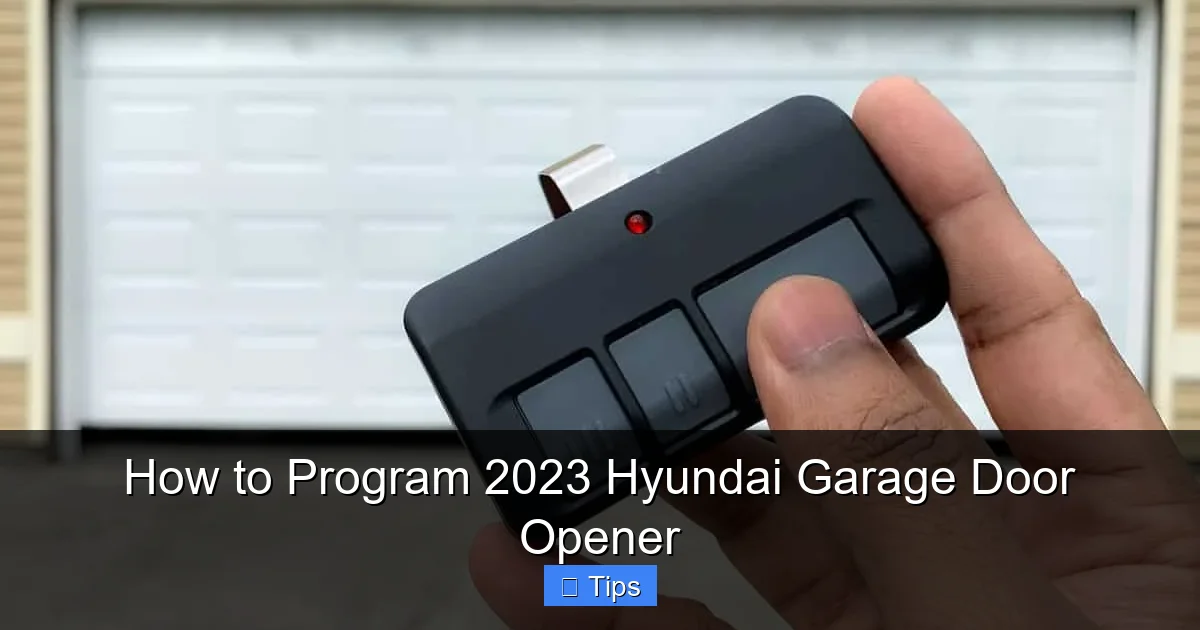
Next, locate your original garage door remote. You’ll need this to teach the HomeLink system the correct signal. If you’ve lost your remote, check with the manufacturer or consider purchasing a replacement—most modern openers come with at least one remote.
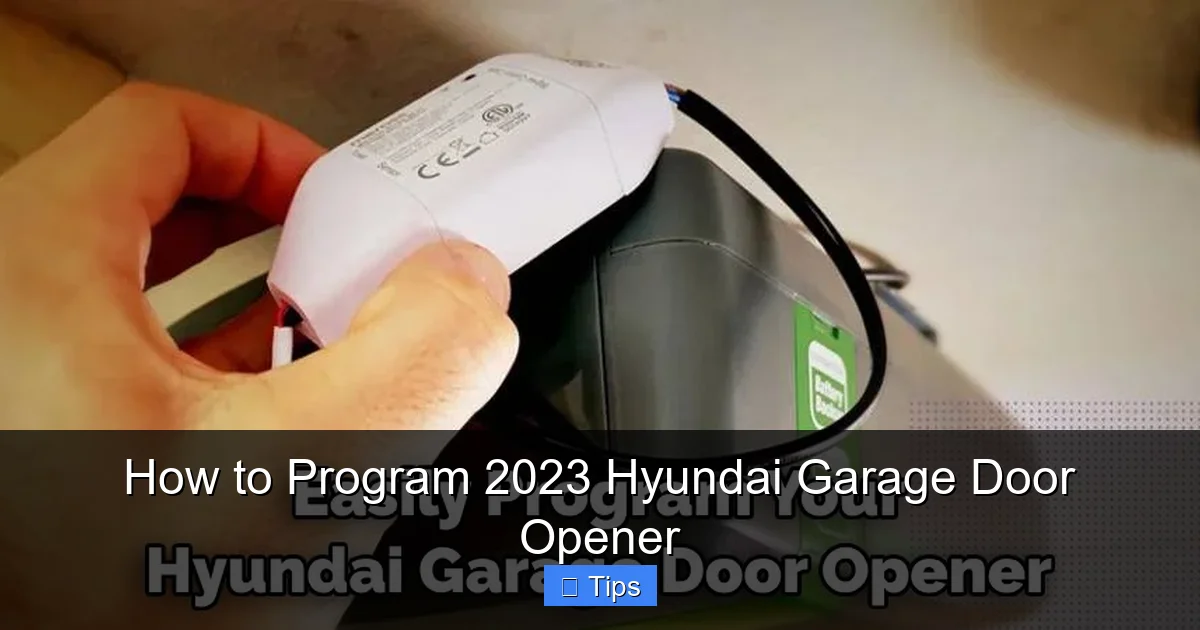
Also, check the garage door opener motor unit. Look for a “Learn” or “Smart” button—usually colored yellow, red, purple, or green. This button is essential for syncing with rolling code systems.
Step 2: Clear Existing HomeLink Memory (If Needed)
If you’ve previously programmed HomeLink buttons, it’s a good idea to clear the memory before adding a new device. This prevents interference and ensures a clean setup.
To clear the memory:
1. Turn on the ignition.
2. Press and hold the two outer HomeLink buttons (Button 1 and Button 3) simultaneously.
3. Keep holding them for about 10–15 seconds, or until the indicator light begins to flash rapidly.
4. Release the buttons. The system is now reset.
You’re now ready to program a new device.
Step 3: Program the HomeLink Button
Now comes the main event: programming your garage door opener. There are two methods, depending on your garage door opener type.
Method A: For Fixed Code or Older Openers (Pre-1996 or Non-Rolling Code)
1. Turn on the ignition.
2. Press and hold the desired HomeLink button (e.g., Button 1).
3. While holding the HomeLink button, press and hold your garage door remote button.
4. Hold both buttons for about 10–15 seconds, or until the HomeLink indicator light changes from slow blink to rapid blink or stays solid.
5. Release both buttons.
6. Test the button by pressing it. The garage door should respond.
Method B: For Rolling Code Openers (Most Common After 1996)
1. Turn on the ignition.
2. Press and hold the desired HomeLink button.
3. While holding the HomeLink button, press and hold your garage door remote button.
4. Hold both for about 10–15 seconds, or until the HomeLink light begins to flash rapidly.
5. Release both buttons.
6. Now, go to your garage door opener motor unit and press the “Learn” or “Smart” button. You usually have 30 seconds to complete this step.
7. Return to your car and press the programmed HomeLink button 2–3 times. Each press sends a signal to sync with the rolling code system.
8. The garage door should move, confirming successful programming.
Step 4: Test and Troubleshoot
After programming, test the button immediately. Press it and watch for the garage door to open or close. If it doesn’t work, don’t panic—try these troubleshooting tips:
– Make sure you’re within range of the garage door motor.
– Check that the garage door isn’t already open or closed (some systems won’t respond if the door is already in the desired position).
– Ensure the garage door opener is powered and functioning with the original remote.
– Repeat the programming steps, paying close attention to timing.
If the issue persists, consult your Hyundai owner’s manual or contact Hyundai customer support.
Tips for Successful Programming and Long-Term Use
Visual guide about How to Program 2023 Hyundai Garage Door Opener
Image source: garagean.com
Programming your 2023 Hyundai garage door opener is just the beginning. To get the most out of this feature, follow these practical tips.
Use the Right Button for the Right Purpose
Since HomeLink has three buttons, assign each one a specific function. For example:
– Button 1: Main garage door
– Button 2: Side gate or second garage
– Button 3: Front porch lights or security system
This organization makes it easy to remember which button does what, especially if you have multiple access points.
Keep Your Remote Handy During Setup
Even though you’re programming the car to replace the remote, you’ll still need the original remote during setup. Store it in a safe place, like a drawer or toolbox, in case you need to reprogram or troubleshoot later.
Update Programming After Moving
If you move to a new home with a different garage door system, you’ll need to reprogram HomeLink. The process is the same—just repeat the steps with your new opener. This ensures your Hyundai stays compatible with your current setup.
Check Battery Levels in Your Garage Door Remote
A weak remote battery can cause programming failures. If your original remote is old or rarely used, replace the battery before starting. Most remotes use CR2032 or similar coin-cell batteries.
Secure Your System Against Hacking
While rolling code systems are secure, it’s still wise to take precautions. Avoid programming HomeLink in public places where someone could intercept the signal. Also, if you sell your car, clear the HomeLink memory to protect your home’s security.
Common Issues and How to Fix Them
Even with clear instructions, you might run into problems. Here are some common issues and how to resolve them.
The Garage Door Doesn’t Respond
If pressing the HomeLink button does nothing, check the following:
– Is the ignition on? HomeLink requires power.
– Is the garage door opener working with the original remote? If not, the issue may be with the opener, not HomeLink.
– Are you within 3–6 feet during programming? Distance matters.
– Did you press the “Learn” button on the opener motor within the time limit? You usually have 30 seconds.
The Light Flashes But Nothing Happens
A flashing light means HomeLink is sending a signal, but the opener isn’t receiving it. This could be due to:
– Interference from other electronic devices (try turning off nearby radios or Wi-Fi routers).
– A weak signal—move closer to the opener during programming.
– Incompatible frequencies—check your opener’s manual to confirm it uses 315 MHz or 390 MHz.
Only One Button Works
If only one HomeLink button functions, the others may not be programmed correctly. Try reprogramming them one at a time, ensuring you follow each step precisely.
The Door Opens But Doesn’t Close
Some garage door openers require a second signal to close. Press the HomeLink button again. If it still doesn’t work, check the opener’s safety sensors—they may be blocked or misaligned.
Advanced Features and Smart Home Integration
The 2023 Hyundai garage door opener isn’t just for basic access—it can integrate with smart home systems for even greater convenience.
Pairing with Smart Garage Door Controllers
If your garage door opener is compatible with smart systems like MyQ (by Chamberlain) or Tailwind, you can control it via smartphone apps. Once connected, you can open or close your garage from anywhere, receive alerts, and even integrate with voice assistants like Alexa or Google Assistant.
To use this with HomeLink:
1. Set up the smart controller according to the manufacturer’s instructions.
2. Program HomeLink as usual.
3. Use the app to monitor and control the door remotely.
Integration with Hyundai Blue Link
Some 2023 Hyundai models come with Blue Link, a connected car service. While Blue Link doesn’t directly control garage doors, it can work alongside smart home systems. For example, you can set up routines like “When I arrive home, turn on lights and open the garage” using IFTTT (If This Then That) applets.
Using HomeLink for More Than Just Garages
Don’t limit HomeLink to garage doors. You can also program it to:
– Open electric gates
– Turn on outdoor lighting
– Activate security systems
– Control motorized blinds or shades
This versatility makes HomeLink a powerful tool for home automation.
Conclusion: Enjoy Seamless Access with Your 2023 Hyundai
Programming your 2023 Hyundai garage door opener is a simple yet powerful upgrade to your daily routine. With the built-in HomeLink system, you gain convenience, security, and peace of mind—all from the comfort of your driver’s seat.
By following the steps in this guide, you can set up your opener quickly and confidently. Remember to check compatibility, use your original remote, and test the system right away. And don’t forget to explore advanced features like smart home integration to get even more value from your Hyundai.
Whether you’re coming home late at night or leaving early in the morning, your garage door will respond with just a touch. That’s the kind of modern convenience that makes life a little easier—and your 2023 Hyundai delivers it in style.
So go ahead, program that button, and enjoy the smooth, silent welcome home that only a well-synced garage door opener can provide.
Frequently Asked Questions
Can I program my 2023 Hyundai garage door opener without the original remote?
No, you typically need the original garage door remote to program HomeLink. The system learns the signal from the remote during setup. If you’ve lost it, contact the manufacturer for a replacement.
How many devices can I program with HomeLink in my 2023 Hyundai?
You can program up to three devices using the three HomeLink buttons. This includes garage doors, gates, lights, or security systems.
Will programming HomeLink drain my car’s battery?
No, HomeLink uses minimal power and only activates when you press a button. It does not drain the battery when the car is off.
Can I use HomeLink with a smart garage door opener?
Yes, HomeLink works with most smart garage door openers, especially those using rolling code technology. You can also integrate it with apps like MyQ for remote control.
What if my garage door opener is very old?
HomeLink may not work with openers made before 1996, especially those using fixed codes without security features. Check your opener’s manual or consider upgrading to a newer model.
How do I reset HomeLink if I sell my car?
To reset HomeLink, press and hold the two outer buttons for 10–15 seconds until the light flashes rapidly. This clears all programmed devices and protects your home’s security.

At CarLegit, we believe information should be clear, factual, and genuinely helpful. That’s why every guide, review, and update on our website is created with care, research, and a strong focus on user experience.