
Disabling the alarm on your BMW 1 Series doesn’t have to be complicated. Whether you’re dealing with a false alarm, a faulty sensor, or simply need to turn it off temporarily, this guide walks you through safe, effective methods. From using your key fob to accessing hidden settings, you’ll find clear, practical solutions tailored to your model year.
So, you’re standing in the parking lot, keys in hand, and suddenly your BMW 1 Series starts blaring like it’s under attack. The lights flash, the horn screams, and everyone turns to look. Sound familiar? You’re not alone. False alarms are one of the most common frustrations for BMW 1 Series owners. Whether it’s a gust of wind, a passing truck, or just a glitch in the system, dealing with an unexpected alarm can be stressful—especially when you’re in a hurry or somewhere public.
But here’s the good news: you don’t need to panic. Most alarm issues on the BMW 1 Series are easy to resolve once you know what to do. Whether you own a first-generation E87, a second-generation F20, or a newer model, the steps to disable or troubleshoot the alarm are straightforward. This guide will walk you through everything you need to know—from quick fixes to long-term solutions—so you can regain control of your car’s security system without calling a technician every time it goes off.
We’ll cover the most effective methods, including using your key fob, adjusting sensor settings, accessing hidden menu options, and even how to safely disconnect the battery if needed. Plus, we’ll share tips to prevent future false alarms and explain when it’s time to seek professional help. By the end of this article, you’ll feel confident handling any alarm situation like a pro.
In This Article
- 1 Key Takeaways
- 2 📑 Table of Contents
- 3 Understanding the BMW 1 Series Alarm System
- 4 How to Disable the Alarm Using the Key Fob
- 5 Disabling the Alarm Through iDrive Settings
- 6 Checking and Adjusting Sensor Switches
- 7 Disconnecting the Battery to Reset the Alarm
- 8 When to Seek Professional Help
- 9 Tips to Prevent Future False Alarms
- 10 Conclusion
- 11 Frequently Asked Questions
- 11.1 How do I turn off the alarm on a BMW 1 Series?
- 11.2 Why does my BMW 1 Series alarm keep going off?
- 11.3 Can I disable the alarm permanently on my BMW 1 Series?
- 11.4 How do I reset the alarm after disconnecting the battery?
- 11.5 Does the BMW 1 Series have a hidden alarm disable button?
- 11.6 Will disconnecting the battery damage my BMW 1 Series?
Key Takeaways
- Use the key fob to silence the alarm: Press the unlock button or panic button (depending on model) to stop the siren immediately.
- Check the hood and trunk sensors: Misaligned or dirty sensors often trigger false alarms—clean and adjust them to prevent issues.
- Access iDrive settings for alarm control: Some newer 1 Series models allow you to disable or adjust alarm sensitivity through the vehicle’s infotainment system.
- Disconnect the battery as a last resort: If the alarm won’t stop, temporarily disconnecting the negative terminal can reset the system—but use caution.
- Consult your owner’s manual: BMW provides model-specific instructions—always refer to your manual for accurate guidance.
- Visit a BMW specialist if problems persist: Persistent alarms may indicate deeper electrical or sensor issues requiring professional diagnosis.
📑 Table of Contents
Understanding the BMW 1 Series Alarm System
Before we dive into how to disable the alarm, it helps to understand how it works. The BMW 1 Series comes equipped with a sophisticated anti-theft system designed to protect your vehicle from unauthorized access. This system includes door sensors, hood and trunk switches, tilt sensors (to detect towing), and sometimes even interior motion detectors. When any of these sensors detect unusual activity—like a door opening without the key, or the car being lifted—the alarm triggers.
The alarm typically consists of two parts: the audible siren (the loud horn or external speaker) and the visual alert (flashing headlights and hazard lights). Some models also send a notification to your BMW ConnectedDrive app if you’ve enabled remote services. The system is powered by the car’s main battery and controlled by the Central Locking System (CLS) module, which communicates with the key fob via radio frequency.
One of the reasons false alarms happen is due to overly sensitive sensors. For example, if the hood isn’t fully closed or the trunk latch is slightly misaligned, the system may interpret this as a break-in attempt. Similarly, vibrations from heavy traffic or construction can trigger the tilt sensor. Even changes in temperature or humidity can affect electronic components over time.
Another factor is the age of the vehicle. Older 1 Series models (like the E87 from 2004–2011) may have wear and tear on switches and wiring, leading to intermittent faults. Newer models (F20, 2011–2019, and beyond) have more advanced electronics, but they’re not immune to software glitches or sensor drift.
Understanding these basics helps you troubleshoot more effectively. Instead of just silencing the alarm, you can address the root cause and prevent it from happening again. And remember—while the alarm is meant to protect your car, it’s not foolproof. Regular maintenance and awareness of your vehicle’s behavior go a long way in keeping everything running smoothly.
How to Disable the Alarm Using the Key Fob
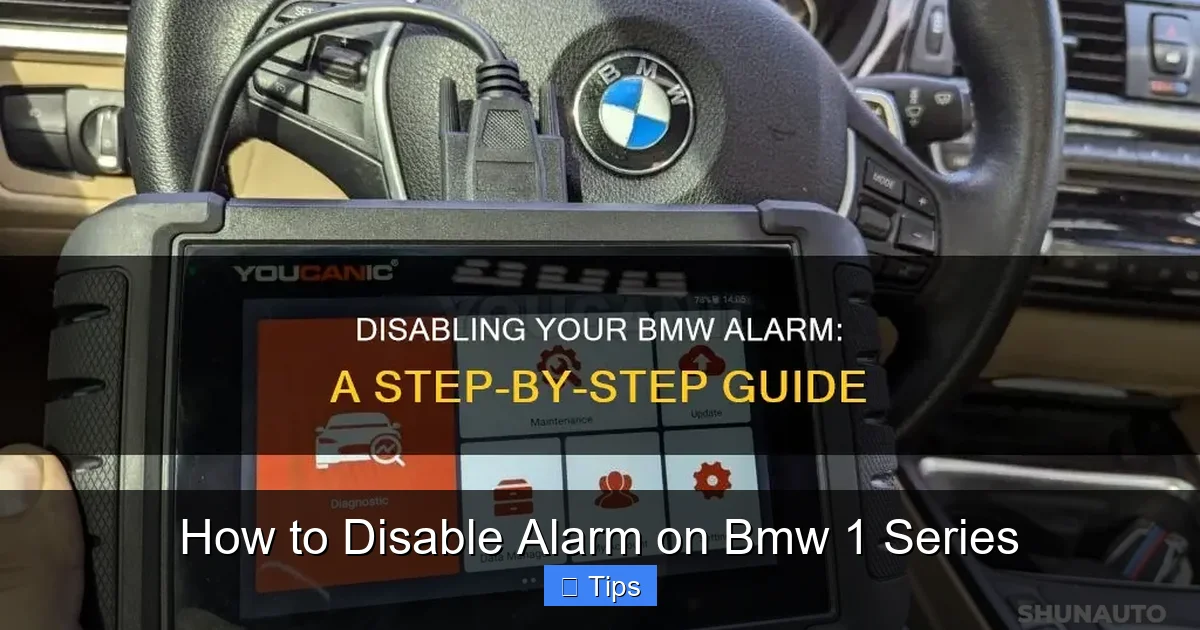
Visual guide about How to Disable Alarm on Bmw 1 Series
Image source: shunauto.com
The quickest and most common way to disable the alarm on your BMW 1 Series is by using the key fob. This method works for nearly all models and is the first thing you should try when the alarm goes off unexpectedly.
Start by locating your key fob. Most BMW 1 Series models come with a standard remote with three buttons: lock, unlock, and panic (usually marked with a horn icon). If the alarm is sounding, press the unlock button once. This should immediately silence the siren and stop the flashing lights. In many cases, this single press is all it takes to reset the system and restore normal operation.
If pressing unlock doesn’t work, try pressing the panic button (the horn icon). On some models, holding this button for a few seconds will trigger the alarm—but if it’s already on, pressing it again may deactivate it. This is especially true for older E87 models where the panic function doubles as an alarm override.
Another tip: make sure you’re within range of the vehicle. The key fob uses radio waves to communicate with the car, and if you’re too far away—say, inside a building or behind a concrete wall—the signal might not reach. Walk closer to the car and try again. Also, check the battery in your key fob. A weak battery can reduce signal strength and prevent the fob from working properly. If you notice the range is shorter than usual, consider replacing the CR2032 battery inside the fob.
In rare cases, the key fob itself may be the issue. If pressing the buttons does nothing, try using the physical key to unlock the driver’s door. Insert the key into the door lock and turn it to the unlock position. This mechanical action often resets the alarm system and stops the noise. Once inside, you can start the car normally.
It’s also worth noting that some BMW 1 Series models have a “valet mode” that disables the alarm entirely. This is useful if you’re parking in a garage or handing your car to a valet. To activate valet mode, insert the key into the ignition, turn it to the “on” position (without starting the engine), and press the lock button on the key fob three times within five seconds. The hazard lights will flash to confirm. To disable valet mode, repeat the process.
Using the key fob is the safest and least invasive method to disable the alarm. It doesn’t require any tools or technical knowledge, and it preserves the integrity of your car’s electrical system. Just remember: if the alarm keeps going off even after using the fob, there’s likely an underlying issue that needs attention.
Disabling the Alarm Through iDrive Settings
Visual guide about How to Disable Alarm on Bmw 1 Series
Image source: wikihow.com
If your BMW 1 Series is a newer model (typically 2011 and later), you may have access to advanced alarm controls through the iDrive infotainment system. This feature allows you to adjust sensitivity, disable certain sensors, or even turn off the alarm entirely—all from the comfort of your driver’s seat.
To access these settings, start by turning on the ignition (you don’t need to start the engine). Then, navigate to the main iDrive menu using the controller knob or touchpad. From there, go to “Vehicle Settings” > “Doors and Windows” > “Alarm System”. Depending on your model and software version, you may see options like “Alarm Sensitivity,” “Tilt Sensor,” or “Interior Motion Detector.”
For example, if your car is parked on a slope or near heavy traffic, the tilt sensor might be too sensitive. You can reduce its sensitivity or disable it temporarily. Similarly, if you’ve left a pet or child in the car with the windows cracked, the interior motion detector could trigger the alarm. Turning it off in these situations can prevent false alerts.
Some models also allow you to disable the alarm for a specific trip. This is useful if you’re driving through an area with frequent vibrations (like a construction zone) or if you’re towing a trailer that might trigger the tilt sensor. Simply toggle the alarm off, drive safely, and re-enable it when you reach your destination.
Keep in mind that disabling the alarm reduces your vehicle’s security. Only do this when necessary and always reactivate it afterward. Also, not all 1 Series models have these advanced settings—older vehicles or base trims may not include iDrive-based alarm controls. If you don’t see the option, your car likely relies solely on the key fob and physical switches.
Another pro tip: use the “Service Mode” if available. Some BMWs allow you to put the alarm system into a diagnostic or service mode, which temporarily disables all sensors. This is helpful when cleaning the car, working on the interior, or transporting it on a flatbed. To activate service mode, consult your owner’s manual or search for “BMW 1 Series service mode alarm” online—procedures can vary by year and model.
Using iDrive to manage your alarm is a smart, modern approach. It gives you more control and helps you customize the system to your lifestyle. Just be sure to familiarize yourself with the menu layout so you can access these settings quickly in an emergency.
Checking and Adjusting Sensor Switches
Visual guide about How to Disable Alarm on Bmw 1 Series
Image source: wikihow.com
One of the most common causes of false alarms on the BMW 1 Series is faulty or misaligned sensor switches. These tiny components monitor the status of your doors, hood, and trunk, and even a slight misalignment can trick the system into thinking someone is trying to break in.
Start by inspecting the hood switch. This small plunger-style sensor is usually located near the latch on the front of the engine bay. If the hood isn’t fully closed or the switch is dirty, it may not register properly. Open the hood and check that the latch clicks securely. Then, locate the switch—it’s often black or gray and about the size of a pencil eraser. Press it manually to see if it moves freely. If it’s stuck or loose, clean it with electrical contact cleaner and adjust its position if possible.
Next, check the trunk switch. This sensor is typically found near the trunk latch inside the rear compartment. Open the trunk and look for a small button or lever. Make sure it’s clean and not obstructed by debris or a misaligned latch. If the trunk doesn’t close completely, the switch won’t engage, and the alarm may trigger. Try closing the trunk firmly a few times to see if that resolves the issue.
Don’t forget the door switches. Each door has a small pin or sensor that detects when it’s open or closed. Over time, these can wear out or become misaligned, especially if the door has been removed or repaired. To test them, open and close each door while watching the interior light. If the light doesn’t turn on or off correctly, the switch may be faulty. You can also use a multimeter to check for continuity, but this requires some technical skill.
Another often-overlooked sensor is the tilt sensor, which detects if the car is being lifted or towed. This is usually located under the dashboard or near the center console. If your car is parked on an incline or near heavy machinery, this sensor might activate. While you can’t easily adjust it, you can disable it temporarily through iDrive (as mentioned earlier) or by disconnecting it—though this is not recommended unless you’re experienced.
Cleaning and adjusting these switches is a simple DIY fix that can save you a lot of headaches. Use a soft cloth and electrical cleaner to remove dirt and corrosion. Avoid using water or harsh chemicals, as they can damage the electronics. If a switch is physically damaged or worn out, consider replacing it—BMW parts are widely available, and installation is usually straightforward.
Regular maintenance of these sensors can prevent most false alarms. Make it a habit to check them during routine service or whenever you notice unusual behavior. A little attention goes a long way in keeping your BMW 1 Series secure and quiet.
Disconnecting the Battery to Reset the Alarm
If all else fails and the alarm won’t stop—even after using the key fob and checking the sensors—you may need to disconnect the car’s battery to force a system reset. This method should be used as a last resort, as it can reset other electronic settings (like radio presets, clock, and seat memory), but it’s effective in silencing a persistent alarm.
Before you begin, make sure the car is off and the keys are removed from the ignition. Locate the battery, which is usually in the trunk on the right side of the BMW 1 Series (especially in rear-wheel-drive models). Open the trunk and remove the floor panel to access the battery compartment. You’ll see the positive (red) and negative (black) terminals.
Using a wrench or socket set, carefully loosen the nut on the negative terminal (black cable). Once loose, remove the cable and set it aside, making sure it doesn’t touch any metal parts. Wait at least 10–15 minutes to allow the car’s electronics to fully discharge. This gives the Central Locking System time to reset.
After waiting, reconnect the negative cable and tighten the nut securely. Close the trunk and try starting the car. The alarm should be reset, and the system should return to normal operation. If the alarm starts again immediately, there may be a deeper electrical issue—such as a faulty control module or wiring problem—that requires professional diagnosis.
A few safety tips: always disconnect the negative terminal first and reconnect it last to avoid short circuits. Wear gloves and eye protection, and work in a well-ventilated area. If you’re not comfortable working with car batteries, ask a friend or visit a mechanic.
While disconnecting the battery works, it’s not a long-term solution. Use it only when necessary and follow up with a proper inspection to find the root cause. Persistent alarms often point to failing sensors, corroded wiring, or software glitches that need expert attention.
When to Seek Professional Help
Despite your best efforts, some alarm issues can’t be fixed at home. If the alarm continues to go off randomly, even after trying all the methods above, it’s time to consult a BMW specialist or authorized service center.
Persistent alarms may indicate a failing control module, damaged wiring, or a software bug that requires a diagnostic scan. BMW uses proprietary systems like ISTA (Integrated Service Technical Application) to read fault codes and pinpoint issues. A technician can check for error messages related to the alarm system, such as “Door Contact Fault” or “Hood Switch Malfunction,” and recommend the right repair.
Other signs that you need professional help include:
– The alarm triggers when no one is near the car
– The key fob stops working entirely
– The car won’t start after the alarm goes off
– You notice burnt smells or visible damage near the battery or fuse box
Don’t ignore these symptoms. Electrical issues can escalate and affect other systems, including ignition, lighting, and infotainment. A qualified mechanic can also update your car’s software, which may resolve glitches introduced by previous updates or battery replacements.
Remember, your BMW 1 Series is a precision machine. While DIY fixes are great for minor issues, complex problems deserve expert care. Investing in professional diagnosis can save you time, money, and stress in the long run.
Tips to Prevent Future False Alarms
Prevention is always better than cure. Here are some practical tips to reduce the chances of your BMW 1 Series alarm going off unexpectedly:
– Keep sensors clean: Regularly wipe down door, hood, and trunk switches with a dry cloth.
– Ensure proper closure: Always close doors, hood, and trunk firmly to engage the switches.
– Avoid parking on slopes: If possible, park on level ground to prevent tilt sensor activation.
– Check for obstructions: Make sure nothing is blocking the trunk or hood latch.
– Update software: Visit a BMW dealer periodically to check for system updates.
– Use valet mode wisely: Activate it when needed, but remember to disable it afterward.
By following these habits, you’ll keep your alarm system reliable and your peace of mind intact.
Conclusion
Disabling the alarm on your BMW 1 Series doesn’t have to be a nightmare. With the right knowledge and tools, you can handle most situations quickly and safely. Start with the key fob, check the sensors, and use iDrive settings if available. If the problem persists, consider a battery reset or professional help.
Remember, the goal isn’t just to stop the noise—it’s to understand why it happened and prevent it from recurring. Regular maintenance, awareness, and a little patience go a long way. Your BMW 1 Series is designed to protect you, and with a little care, its alarm system will do just that—without the unnecessary drama.
Frequently Asked Questions
How do I turn off the alarm on a BMW 1 Series?
Press the unlock button on your key fob to silence the alarm immediately. If that doesn’t work, try pressing the panic button or using the physical key to unlock the driver’s door.
Why does my BMW 1 Series alarm keep going off?
False alarms are often caused by misaligned hood or trunk switches, dirty sensors, or overly sensitive tilt detectors. Check and clean these components to prevent recurring issues.
Can I disable the alarm permanently on my BMW 1 Series?
While you can’t permanently disable the alarm through standard settings, you can reduce sensitivity or use valet mode. For permanent changes, consult a BMW specialist—tampering with the system may void your warranty.
How do I reset the alarm after disconnecting the battery?
After reconnecting the battery, start the car and lock/unlock the doors using the key fob. This reinitializes the system and should restore normal alarm function.
There’s no physical “off” button, but some models allow you to adjust alarm settings through iDrive. Check your vehicle settings menu for options like tilt sensor control or motion detector disable.
Will disconnecting the battery damage my BMW 1 Series?
Disconnecting the battery temporarily won’t damage the car, but it may reset radio presets, clock, and seat memory. Always disconnect the negative terminal first and reconnect it last to avoid electrical issues.

At CarLegit, we believe information should be clear, factual, and genuinely helpful. That’s why every guide, review, and update on our website is created with care, research, and a strong focus on user experience.