
Resetting the brake service light on your BMW is easier than you think—no dealer visit required. With the right tools and a few simple steps, you can clear the warning and keep your car running smoothly.
In This Article
- 1 Key Takeaways
- 2 📑 Table of Contents
- 3 Why Does the Brake Service Light Come On?
- 4 Tools You’ll Need to Reset the Brake Light
- 5 Step-by-Step Guide: Resetting the Brake Light via iDrive
- 6 Resetting the Brake Light on Older BMW Models
- 7 Common Mistakes to Avoid
- 8 When to Visit a Professional
- 9 Conclusion
- 10 Frequently Asked Questions
- 10.1 Can I reset the brake service light without replacing the pads?
- 10.2 Will a generic OBD2 scanner work on my BMW?
- 10.3 How often should I check my brake pads?
- 10.4 What if the brake light stays on after resetting?
- 10.5 Can I reset the light myself, or do I need a dealer?
- 10.6 Does resetting the light affect my warranty?
Key Takeaways
- Understand the brake service light: It indicates worn brake pads, low fluid, or system issues—don’t ignore it.
- Use the iDrive system for most models: Newer BMWs (2007+) allow resets via the onboard menu with no tools needed.
- Older models may need a diagnostic tool: Pre-2007 BMWs often require an OBD2 scanner or ISTA software to reset the light.
- Always inspect brakes before resetting: Resetting without fixing the issue can lead to unsafe driving conditions.
- Reset doesn’t replace maintenance: The light is a reminder—replace pads, check fluid, and inspect rotors as needed.
- Keep a reset tool handy: Affordable OBD2 scanners with BMW-specific functions save time and money.
- Consult your owner’s manual: Model-specific steps vary—always double-check your vehicle’s requirements.
📑 Table of Contents
Why Does the Brake Service Light Come On?
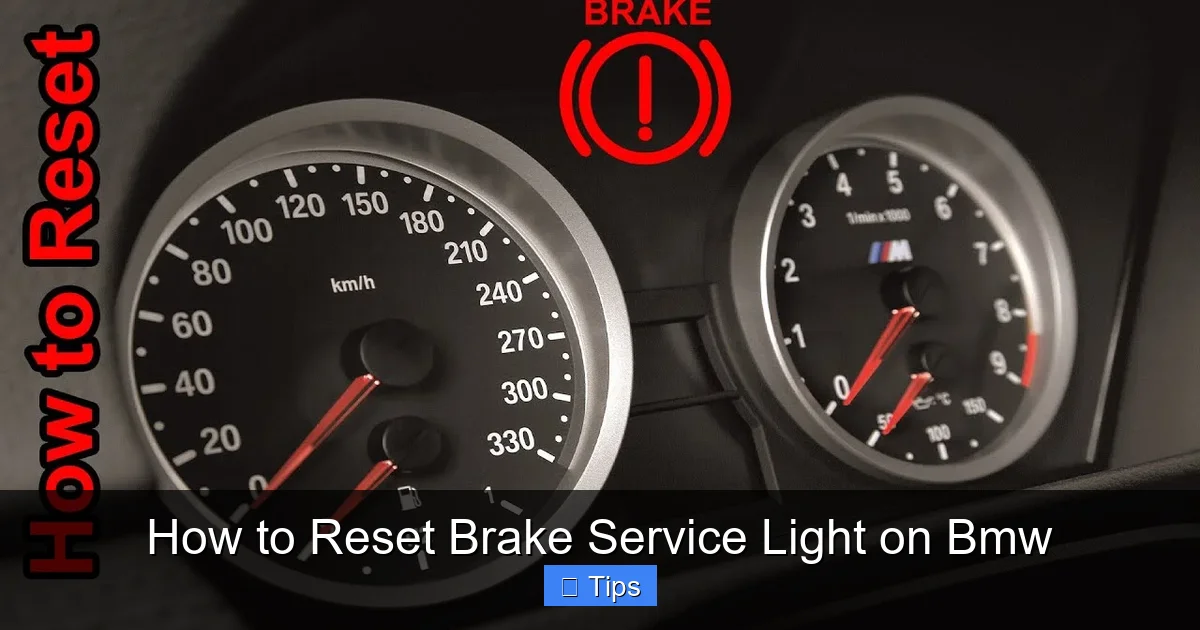
You’re driving along, enjoying the smooth ride of your BMW, when suddenly—a yellow or red warning light flashes on your dashboard. It looks like a brake symbol, sometimes with an exclamation point or the word “BRAKE.” Your first thought might be panic: “Is something seriously wrong?” But before you rush to the nearest service center, take a deep breath. The brake service light on your BMW is designed to alert you to potential issues with your braking system, but it doesn’t always mean disaster.
The brake service light can be triggered by several factors. The most common is worn brake pads. BMWs are equipped with brake pad wear sensors—tiny electronic devices embedded in the pads that send a signal to the car’s computer when the pads get too thin. Once the sensor makes contact with the rotor, it completes a circuit and turns on the light. Other causes include low brake fluid levels, a malfunctioning ABS system, or even a faulty sensor. In rare cases, it could indicate a more serious hydraulic issue. But in most situations, the light is simply reminding you that maintenance is due.
Don’t Ignore the Warning
While it might be tempting to ignore the light—especially if your brakes still feel fine—doing so can be risky. Brake pads are critical for safe stopping, and driving with worn pads can damage your rotors, reduce braking efficiency, and increase stopping distances. In extreme cases, it could lead to brake failure. The brake service light is your BMW’s way of saying, “Hey, let’s check things out before it gets worse.”
Even if you reset the light without addressing the root cause, it will likely come back on—sometimes within days or even hours. That’s because the underlying issue, like worn pads or low fluid, hasn’t been fixed. So while resetting the light is a useful skill, it should always follow a proper inspection and, if needed, replacement of worn components.
How BMW’s Brake Monitoring System Works
BMW uses a sophisticated brake monitoring system that tracks both mechanical wear and electronic signals. On most models from 2007 onward, the system relies on wear sensors in the front brake pads. These sensors are connected to the car’s onboard computer via thin wires. When the pad wears down to a certain point, the sensor breaks the circuit, triggering the dashboard warning.
In addition to pad wear, the system also monitors brake fluid levels. A low fluid level can indicate a leak or excessive pad wear (since the caliper pistons extend further as pads wear, requiring more fluid). Some models also integrate ABS and stability control diagnostics into the brake warning system. This means the light could appear due to a sensor fault in the ABS module, not just the pads.
Understanding how your BMW’s system works helps you respond appropriately. If the light comes on, don’t assume it’s just the pads. Check the fluid level, inspect the pads visually if possible, and consider a diagnostic scan if the issue isn’t obvious.
Tools You’ll Need to Reset the Brake Light
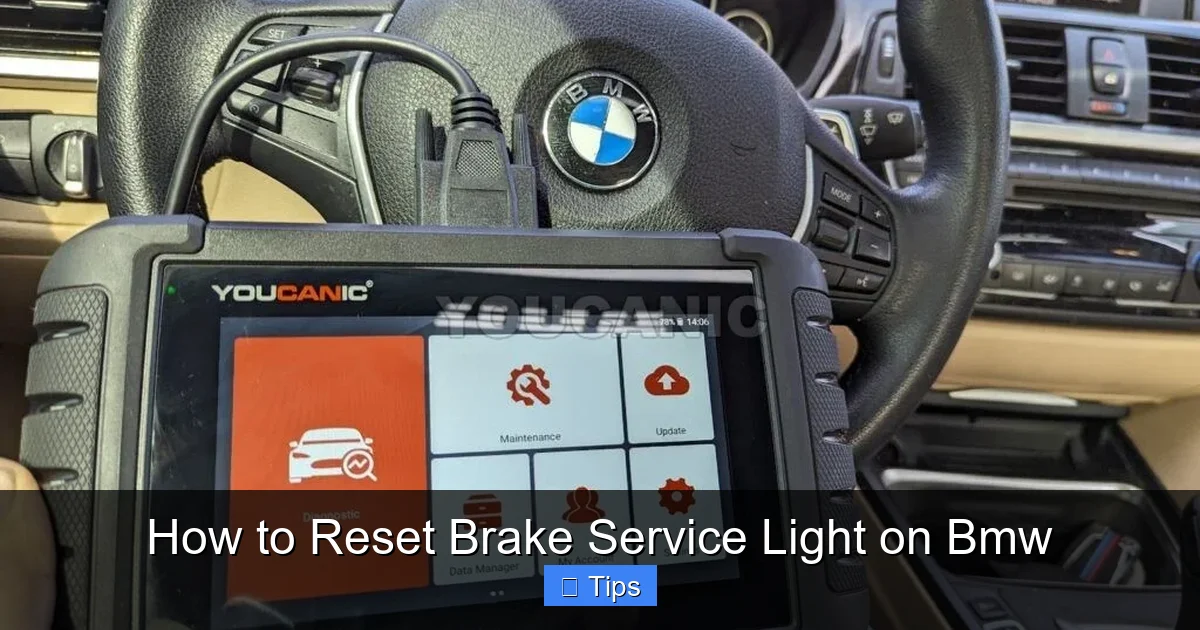
Before you attempt to reset the brake service light, it’s important to know what tools you’ll need. The good news is that for many BMW owners, the process can be done with nothing more than the car’s built-in iDrive system. But depending on your model year and the specific issue, you might need additional equipment.
Visual guide about How to Reset Brake Service Light on Bmw
Image source: youcanic.com
For Newer BMWs (2007 and Later): iDrive System
If your BMW was manufactured in 2007 or later and is equipped with the iDrive infotainment system, you’re in luck. Most of these models allow you to reset the brake service light directly through the vehicle’s menu—no special tools required. This is the easiest and most convenient method, especially for DIY enthusiasts who want to avoid dealership fees.
The iDrive system acts as the central hub for vehicle diagnostics and maintenance reminders. It communicates with the car’s computer to monitor everything from oil life to brake pad wear. When a service is due, it displays a message and illuminates the appropriate warning light. Once the service is completed, you can use the menu to reset the reminder and turn off the light.
For Older BMWs (Pre-2007): OBD2 Scanner or ISTA Software
If your BMW is from before 2007, it likely doesn’t have the advanced iDrive system. In these cases, resetting the brake service light usually requires an OBD2 (On-Board Diagnostics) scanner with BMW-specific capabilities. Generic OBD2 readers may not work because BMW uses proprietary codes and systems that aren’t supported by basic scanners.
You’ll need a scanner that can access BMW’s manufacturer-specific functions. Popular options include the Foxwell NT510, Autel MaxiCOM, or the more advanced ISTA (Integrated Service Technical Application) software used by BMW dealerships. ISTA is powerful but requires a Windows laptop and a compatible interface cable, making it less accessible for casual users.
Optional: Brake Fluid Tester and Inspection Tools
While not strictly necessary for resetting the light, having a few extra tools on hand can help ensure your brakes are in good condition. A brake fluid tester checks the moisture content in the fluid—high moisture levels can reduce boiling point and compromise braking performance. A flashlight and mirror can help you inspect the brake pads and rotors without removing the wheels.
Also, keep a set of basic hand tools nearby, such as a jack, jack stands, and a lug wrench, in case you need to remove a wheel to inspect the pads. Safety first: always use jack stands and never rely solely on a hydraulic jack when working under the car.
Where to Buy the Right Tools
You can find compatible OBD2 scanners at auto parts stores like AutoZone, Advance Auto Parts, or online retailers like Amazon. Look for models that specifically mention BMW compatibility. Prices range from $50 for basic scanners to $300+ for professional-grade tools. If you plan to work on your BMW regularly, investing in a quality scanner is worth it.
For ISTA software, it’s typically available through BMW enthusiast forums or specialized automotive software vendors. Be cautious of pirated versions—they can be unstable or contain malware. Always download from trusted sources and ensure your computer meets the system requirements.
Step-by-Step Guide: Resetting the Brake Light via iDrive
If your BMW has iDrive, resetting the brake service light is a straightforward process that takes just a few minutes. This method works on most models from 2007 to the present, including the 3 Series, 5 Series, X3, X5, and others. Follow these steps carefully to ensure a successful reset.
Visual guide about How to Reset Brake Service Light on Bmw
Image source: i.ytimg.com
Step 1: Turn on the Ignition (Do Not Start the Engine)
Insert your key into the ignition or press the start button (without pressing the brake pedal) to turn on the electrical systems. You should see the dashboard lights illuminate, including the iDrive screen. Do not start the engine—this ensures the system is in diagnostic mode and ready to accept input.
If your BMW has a push-button start, press the button once (without your foot on the brake) to enter “Accessory” mode. The radio, climate control, and iDrive should power up, but the engine will remain off.
Step 2: Access the iDrive Menu
Use the iDrive controller (the round knob near the gear shifter) to navigate to the main menu. Rotate the knob to highlight “Vehicle Info” or “Vehicle Status,” then press down to select it. On some models, this may be labeled “Service” or “Maintenance.”
Once inside the menu, look for an option like “Service Required,” “Vehicle Status,” or “Check Control.” This section displays all active warnings and maintenance reminders, including the brake service light.
Step 3: Locate the Brake Service Reminder
Scroll through the list of service items until you find “Brake Pads” or “Brake Service.” The system may show the remaining pad life as a percentage (e.g., “Brake Pads: 15%”) or simply indicate that service is due. If the light is on, it will be highlighted or marked with a warning symbol.
Select the brake service item. You may see options like “Reset,” “Confirm Service,” or “Set to 100%.” This is where you’ll initiate the reset process.
Step 4: Confirm the Reset
Press the iDrive knob to confirm the reset. The system may ask you to verify your action with a prompt like “Reset brake pad wear?” or “Confirm service completed.” Select “Yes” or “OK” to proceed.
After confirmation, the system will reset the brake pad wear counter to 100% and turn off the warning light. You should see a message like “Brake service reset” or “Service completed.”
Step 5: Turn Off the Ignition and Restart
Once the reset is complete, turn off the ignition by pressing the start button again or removing the key. Wait about 10 seconds, then restart the car normally. Check the dashboard to ensure the brake service light is off.
If the light remains on, double-check that you followed the steps correctly. On some models, you may need to drive the car for a short distance (a few miles) for the system to fully recognize the reset.
Tips for Success
- Ensure the brake pads are actually replaced: Resetting the light without replacing worn pads is unsafe and the light will return.
- Check for other warnings: If the ABS or brake fluid light is also on, the issue may be more complex and require professional diagnosis.
- Use the correct menu path: Menu layouts vary by model year. Consult your owner’s manual if you’re unsure.
- Don’t rush: Take your time navigating the iDrive system. Mistakes can lead to confusion or incomplete resets.
Resetting the Brake Light on Older BMW Models
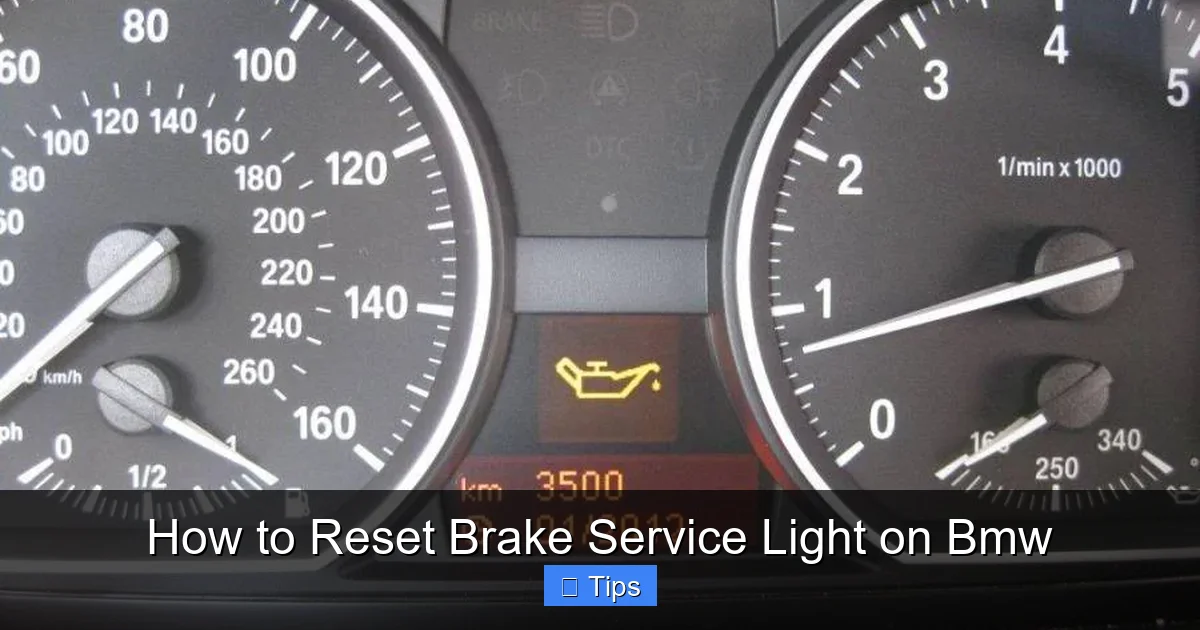
If your BMW is from before 2007, the iDrive method won’t be available. These older models, such as the E46 3 Series or E39 5 Series, rely on simpler warning systems that require external tools to reset. While it’s a bit more involved, it’s still doable with the right equipment.
Visual guide about How to Reset Brake Service Light on Bmw
Image source: assets.howtune.com
Using an OBD2 Scanner
Start by connecting your OBD2 scanner to the diagnostic port, usually located under the dashboard on the driver’s side. Turn the ignition to the “On” position (do not start the engine). Power on the scanner and follow the on-screen prompts to select your vehicle make, model, and year.
Navigate to the “Service Reset” or “Maintenance Reset” menu. Look for an option related to brake pads or brake service. Select it and confirm the reset. The scanner will send a command to the car’s computer to clear the warning.
After the reset, turn off the ignition, disconnect the scanner, and restart the car. Check the dashboard to ensure the light is off.
Using ISTA Software (Advanced Method)
ISTA (also known as ISTA/P or Rheingold) is BMW’s official diagnostic software used by dealerships. It offers the most comprehensive control over vehicle systems, including brake service resets.
To use ISTA, you’ll need a Windows laptop, a compatible OBD2 interface cable (such as an ENET or K+DCAN cable), and the software installed. Connect the cable to your laptop and the car’s OBD2 port. Launch ISTA and allow it to detect your vehicle.
Once connected, go to the “Service Functions” menu and select “Brake Pad Replacement.” Follow the on-screen instructions to reset the wear counter. ISTA may also guide you through a brake fluid change procedure if needed.
This method is ideal for enthusiasts or DIY mechanics who want full diagnostic control, but it requires technical knowledge and setup time.
Manual Reset (Rare Cases)
On a few very old BMW models, there may be a manual reset procedure involving the ignition key and dashboard buttons. For example, some E36 models require turning the key to position 2, pressing and holding the trip reset button, and turning the key off while holding the button. However, this method is outdated and not reliable for brake service resets—always prefer a scanner or software.
Common Mistakes to Avoid
Even with the right tools and steps, it’s easy to make mistakes when resetting the brake service light. Avoid these common pitfalls to ensure a smooth process.
Resetting Without Inspecting the Brakes
The biggest mistake is resetting the light without checking the actual condition of the brake pads and rotors. If the pads are worn down to the metal, resetting the light won’t fix the problem—it will just hide it. Always inspect the pads visually or have a mechanic do it before resetting.
Using the Wrong Tool
Not all OBD2 scanners work with BMWs. Generic scanners may read engine codes but can’t access manufacturer-specific functions like brake resets. Always verify that your scanner supports BMW before purchasing.
Ignoring Other Warning Lights
If the brake light is accompanied by the ABS or brake fluid warning, the issue may be more serious. Resetting the service light won’t fix a faulty ABS sensor or low fluid level. Address all warnings before proceeding.
Skipping the Test Drive
After resetting, take your car for a short test drive to ensure the brakes feel normal. Listen for squealing, grinding, or pulling to one side—these could indicate uneven wear or installation issues.
When to Visit a Professional
While resetting the brake service light is often a DIY-friendly task, there are times when it’s best to visit a BMW specialist or dealership.
If you’re uncomfortable working on your car, lack the right tools, or the light comes back on immediately after resetting, seek professional help. A technician can perform a full brake inspection, replace pads and sensors, and ensure the system is functioning correctly.
Additionally, if you notice any unusual noises, vibrations, or reduced braking performance, don’t delay—get your car checked right away. Safety should always come first.
Conclusion
Resetting the brake service light on your BMW doesn’t have to be a daunting task. With the right knowledge and tools, you can do it yourself in just a few minutes—saving time and money. Whether you’re using the iDrive system on a newer model or an OBD2 scanner on an older one, the key is to follow the steps carefully and always address the underlying issue.
Remember, the brake service light is there for a reason. It’s your BMW’s way of keeping you safe on the road. Don’t ignore it, and don’t reset it without ensuring your brakes are in good condition. With regular maintenance and a little DIY know-how, you can keep your BMW running smoothly for years to come.
Frequently Asked Questions
Can I reset the brake service light without replacing the pads?
Technically yes, but it’s not recommended. Resetting the light without replacing worn pads is unsafe and the warning will likely return quickly. Always inspect and replace pads if needed.
Will a generic OBD2 scanner work on my BMW?
Most generic scanners won’t reset BMW brake service lights. You need a scanner with BMW-specific capabilities, such as the Foxwell NT510 or Autel MaxiCOM.
How often should I check my brake pads?
It’s a good idea to inspect your brake pads every 10,000 to 15,000 miles or during routine oil changes. If you hear squealing or notice reduced braking, check them immediately.
What if the brake light stays on after resetting?
If the light remains on, there may be an underlying issue like a faulty sensor, low brake fluid, or ABS problem. Use a diagnostic scanner to check for error codes.
Can I reset the light myself, or do I need a dealer?
You can reset it yourself using iDrive (newer models) or an OBD2 scanner (older models). A dealer isn’t required unless there’s a complex issue.
Does resetting the light affect my warranty?
No, resetting the brake service light yourself does not void your warranty. However, any damage caused by improper maintenance could affect coverage.

At CarLegit, we believe information should be clear, factual, and genuinely helpful. That’s why every guide, review, and update on our website is created with care, research, and a strong focus on user experience.