
Wondering how to turn off the security indicator light on your Toyota? This guide walks you through simple, effective methods for various models—whether you’re dealing with a flashing light after a battery change or a persistent glow that won’t quit. You’ll learn safe DIY fixes, when to use your key fob, and when it’s time to visit a professional.
If you’ve ever sat in your Toyota, turned the key, and noticed that little red or orange light blinking on the dashboard—you’re not alone. That tiny security indicator light might seem harmless, but when it won’t turn off, it can be frustrating, confusing, and even a little alarming. You might wonder: Is my car unsafe? Did I do something wrong? Or worse—could this mean my vehicle is at risk of theft?
The good news? In most cases, the security indicator light is simply doing its job. It’s part of Toyota’s advanced anti-theft system, known as the immobilizer. This system communicates with a microchip embedded in your key fob. When you insert the key or press the start button, the car checks whether the key is authorized. If everything matches, the light turns off, and you can drive. But sometimes, things go sideways—maybe after a dead battery, a new key, or just a random glitch—and that light refuses to cooperate.
Don’t panic. Turning off the security indicator light on your Toyota is usually a straightforward process. Whether you drive a Camry, Corolla, RAV4, or Highlander, the steps are often similar. This guide will walk you through the most effective methods, from quick fixes you can do in your driveway to knowing when it’s time to call in a professional. We’ll keep it simple, practical, and jargon-free—because your time matters, and so does your peace of mind.
In This Article
- 1 Key Takeaways
- 2 📑 Table of Contents
- 3 What Is the Toyota Security Indicator Light?
- 4 Common Reasons Why the Security Light Won’t Turn Off
- 5 Step-by-Step Guide: How to Turn Off the Security Indicator Light
- 6 When to Seek Professional Help
- 7 Tips to Prevent Future Security Light Issues
- 8 Conclusion
- 9 Frequently Asked Questions
- 9.1 Why is my Toyota security light flashing when the car is off?
- 9.2 Can I drive my Toyota if the security light stays on?
- 9.3 How much does it cost to fix a Toyota security light issue?
- 9.4 Will disconnecting the battery reset the security system?
- 9.5 Can a bad key cause the security light to stay on?
- 9.6 Is it safe to disable the Toyota security system?
Key Takeaways
- Understand the purpose of the security light: It’s part of Toyota’s immobilizer system, designed to prevent theft by verifying your key’s chip.
- Common triggers include battery changes, faulty keys, or system glitches: These can cause the light to stay on or flash unexpectedly.
- Try the key fob reset method first: Lock and unlock your doors using the remote, then start the car to reset the system.
- Use the ignition cycle method for older models: Turn the key to “ON” and “OFF” several times to sync the immobilizer.
- Check your key battery if the fob is weak: A dying fob battery can prevent proper communication with the car’s security system.
- Consult your owner’s manual for model-specific steps: Toyota designs vary by year and trim, so always verify procedures.
- Seek professional help if DIY methods fail: Persistent issues may indicate a faulty immobilizer module or wiring problem.
📑 Table of Contents
What Is the Toyota Security Indicator Light?
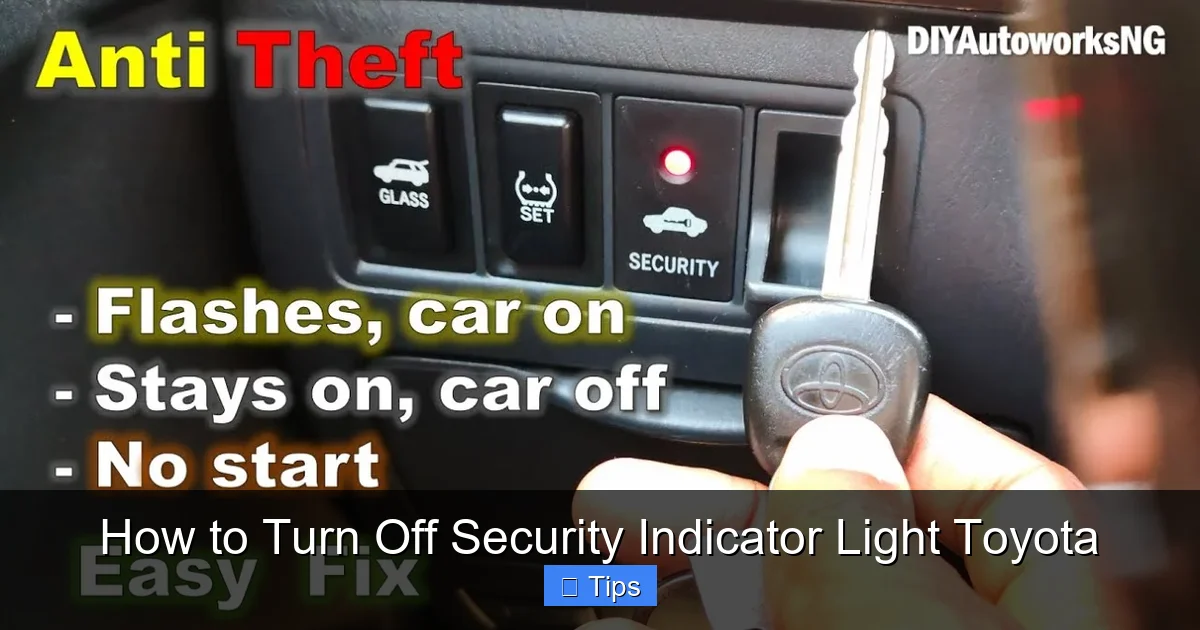
Before we dive into how to turn off the security indicator light on your Toyota, let’s first understand what it actually is—and why it’s there in the first place. The security indicator light, often labeled as “SECURITY,” “IMMO,” or simply shown as a key or lock symbol, is a key component of Toyota’s immobilizer system. This system was introduced in the late 1990s and has since become standard on nearly all Toyota vehicles.
The immobilizer system is designed to prevent unauthorized starting of the vehicle. Here’s how it works: Inside your key fob (or physical key, depending on the model), there’s a small transponder chip. When you insert the key into the ignition or press the start button, the car’s computer sends a signal to the key. The chip responds with a unique code. If the code matches what the car expects, the engine will start, and the security light will turn off. If not—like if you’re using a duplicate key without the chip or a fob with a dead battery—the car won’t start, and the light will flash or stay on.
This system is incredibly effective at deterring theft. According to the National Insurance Crime Bureau, vehicles with immobilizers are significantly less likely to be stolen. But while the system is great for security, it can sometimes cause confusion for drivers. For example, if the light stays on after you start the car, it doesn’t necessarily mean your car is unsafe—it could just mean the system hasn’t fully recognized the key yet.
The light typically behaves in one of three ways:
– Flashing when the car is off: This is normal. It means the system is armed and protecting your vehicle.
– Staying on while driving: This could indicate a problem with the key, the immobilizer, or the system’s communication.
– Not turning off after starting: This often happens after a battery replacement or when using a spare key.
Understanding these behaviors helps you respond appropriately. The goal isn’t to disable the security system—because that would defeat its purpose—but to reset or re-sync it so it works properly again.
Common Reasons Why the Security Light Won’t Turn Off
Visual guide about How to Turn Off Security Indicator Light Toyota
Image source: i.ytimg.com
So why does the security indicator light sometimes refuse to turn off? There are several common causes, and identifying the root issue can save you time and stress. Let’s break down the most frequent culprits.
1. Recent Battery Replacement or Disconnect
One of the most common reasons the security light stays on is after your car’s battery has been disconnected or replaced. When the battery loses power, the car’s computer system—including the immobilizer—can lose its memory of your key’s code. This doesn’t mean the system is broken; it just needs to relearn the key. You might notice the light flashing or staying on even after you start the car. This is especially common in older Toyotas or models with less advanced memory retention.
For example, if you recently had your battery replaced at a service center or jumped your car after it died, the security system may need a reset. The good news is that this is usually easy to fix with a simple ignition cycle or key fob reset.
2. Weak or Dead Key Fob Battery
Your key fob runs on a small battery, typically a CR2032 coin cell. Over time, this battery loses power. When it’s weak, the fob can’t send a strong enough signal to the car’s immobilizer system. As a result, the car may not recognize the key, causing the security light to stay on or flash.
You might also notice other symptoms, like the remote lock/unlock buttons working inconsistently or the car taking longer to start. If your fob feels sluggish or unresponsive, a battery replacement could be the fix. Most fob batteries cost under $5 and can be replaced in minutes with a small screwdriver.
3. Using an Unprogrammed or Duplicate Key
If you’ve recently had a spare key made—especially at a hardware store or non-dealer location—it might not have the correct transponder chip. Many cheap duplicate keys only copy the physical cut of the key, not the electronic code. Without the chip, the immobilizer system won’t recognize the key, and the security light will stay on.
This is why it’s always best to get replacement keys from a Toyota dealership or a certified locksmith who specializes in automotive keys. They can program the chip to match your vehicle’s system.
4. Faulty Ignition Switch or Immobilizer Module
In rare cases, the issue isn’t with the key or battery but with the car’s internal components. The immobilizer module, which communicates with the key, can fail over time. Similarly, a worn ignition switch might not properly send signals to the system.
Symptoms of a faulty module or switch include the security light staying on even with the correct key, the car stalling unexpectedly, or difficulty starting. These issues usually require professional diagnosis and repair.
5. Software Glitches or System Errors
Like any computer system, your Toyota’s immobilizer can experience glitches. These might be caused by voltage spikes, software bugs, or interference from electronic devices. Sometimes, simply cycling the ignition or resetting the system can clear the error.
For instance, leaving a phone charger plugged in during a jump start could cause a temporary communication error between the key and the car. In these cases, a simple reset often resolves the issue.
6. Aftermarket Accessories or Modifications
Installing aftermarket alarms, remote starters, or other electronic devices can sometimes interfere with the factory immobilizer system. These devices may send conflicting signals or draw power in a way that confuses the car’s computer.
If you’ve recently added any electronics to your Toyota and noticed the security light acting up, consider disconnecting the new device to see if the problem resolves.
Step-by-Step Guide: How to Turn Off the Security Indicator Light
Visual guide about How to Turn Off Security Indicator Light Toyota
Image source: lightcheckup.com
Now that you understand why the light might be on, let’s get to the good part: how to turn it off. The method you use will depend on your Toyota model and the situation, but these step-by-step instructions cover the most effective and widely applicable solutions.
Method 1: Key Fob Reset (Recommended for Most Modern Toyotas)
This is the easiest and most common fix for vehicles with push-button start or remote keyless entry.
Step 1: Make sure the car is off and all doors are closed.
Step 2: Stand near the driver’s side door and press the LOCK button on your key fob.
Step 3: Immediately press the UNLOCK button.
Step 4: Repeat this sequence two more times (LOCK, UNLOCK, LOCK, UNLOCK, LOCK, UNLOCK).
Step 5: On the third cycle, hold the UNLOCK button for about 5 seconds until you hear the doors lock and unlock automatically.
Step 6: Now, press the start button (or insert the key and turn to “ON”) without pressing the brake.
Step 7: Wait about 10 seconds, then press the start button again to start the engine.
The security light should turn off within a few seconds of starting. If it doesn’t, wait a minute and try again. This method works by re-syncing the key fob with the car’s immobilizer system.
Method 2: Ignition Cycle Method (Best for Older Models)
If your Toyota has a traditional key ignition (not push-button), this method is often effective.
Step 1: Insert the key into the ignition.
Step 2: Turn the key to the “ON” position (but don’t start the engine). You should see dashboard lights illuminate.
Step 3: Wait 10 seconds.
Step 4: Turn the key back to “OFF.”
Step 5: Repeat this cycle three times (ON for 10 seconds, then OFF).
Step 6: On the third cycle, leave the key in the “ON” position and wait up to 30 seconds.
Step 7: Turn the key to “START” to begin the engine.
The immobilizer system should now recognize the key, and the security light should turn off. This process essentially resets the system’s memory and allows it to relearn the key’s code.
Method 3: Battery Reconnection Reset
If the issue started after a battery change or disconnect, this method can help.
Step 1: Turn off the car and remove the key.
Step 2: Disconnect the negative terminal of the battery using a wrench.
Step 3: Wait 15–30 minutes. This allows the car’s computer to fully reset.
Step 4: Reconnect the battery terminal and tighten it securely.
Step 5: Insert your key and turn the ignition to “ON” (do not start).
Step 6: Wait 10–15 minutes. During this time, the system will relearn the key.
Step 7: Start the engine. The security light should turn off.
This method is particularly useful if the car has been without power for an extended period.
Method 4: Use the Correct Key
Sometimes, the simplest solution is the best. Make sure you’re using the original key that came with the car—or a properly programmed replacement. If you’re using a spare key that was cut but not programmed, the immobilizer won’t recognize it.
Try switching to your primary key and see if the light turns off. If it does, the spare key may need to be reprogrammed at a dealership.
Method 5: Check and Replace the Key Fob Battery
If your fob feels weak or unresponsive, replace the battery.
Step 1: Use a small screwdriver or coin to open the fob casing.
Step 2: Remove the old battery (usually a CR2032).
Step 3: Insert a new battery, ensuring the positive side faces up.
Step 4: Snap the fob back together.
Step 5: Test the remote functions and try starting the car.
A fresh battery often restores full communication between the fob and the car.
When to Seek Professional Help
Visual guide about How to Turn Off Security Indicator Light Toyota
Image source: lightcheckup.com
While most security light issues can be resolved at home, there are times when you should consult a professional. Ignoring persistent problems could lead to bigger issues down the road.
Signs You Need a Mechanic or Dealership
– The security light stays on even after trying all DIY methods.
– The car won’t start at all, even with the correct key.
– You notice other electrical issues, like flickering lights or warning messages.
– The immobilizer system gives an error code when scanned.
– You’ve recently had an accident or water damage.
In these cases, the problem may be with the immobilizer module, wiring, or the car’s main computer. A certified Toyota technician can use diagnostic tools to read error codes and pinpoint the issue.
What to Expect at the Dealership
When you visit a Toyota service center, the technician will likely:
– Scan the vehicle for diagnostic trouble codes (DTCs).
– Test the key fob and transponder chip.
– Check the immobilizer module and wiring.
– Reprogram the key if necessary.
– Replace faulty components.
This process usually takes 30–60 minutes and costs between $100 and $200, depending on the issue. While it’s more expensive than a DIY fix, it ensures the problem is fully resolved.
Tips to Prevent Future Security Light Issues
Once you’ve turned off the security indicator light, you’ll want to avoid the same problem in the future. Here are some practical tips to keep your Toyota’s immobilizer system running smoothly.
1. Replace Key Fob Batteries Regularly
Don’t wait until the fob stops working. Replace the battery every 1–2 years, or when you notice reduced range or responsiveness. Keep a spare battery in your glove box.
2. Use Only Programmed Keys
Avoid cheap duplicate keys. If you need a spare, get it from a Toyota dealer or certified locksmith. They’ll ensure the transponder chip is properly programmed.
3. Handle Battery Work Carefully
If you’re replacing your car battery, try to do it quickly to minimize power loss. Some people use a memory saver device to keep the computer powered during the swap.
4. Avoid Aftermarket Electronics
Be cautious when installing third-party alarms or remote starters. If you must, choose models that are compatible with Toyota’s immobilizer system.
5. Keep Your Owner’s Manual Handy
Your Toyota’s manual contains model-specific instructions for the security system. It’s a great resource if you run into issues.
6. Park in Safe, Well-Lit Areas
While the immobilizer protects against hot-wiring, parking in secure locations reduces the risk of break-ins that could damage your key or fob.
Conclusion
Dealing with a blinking or persistent security indicator light on your Toyota can be annoying, but it’s rarely a sign of serious trouble. In most cases, the issue stems from a simple glitch—like a weak fob battery, a recent battery change, or an unprogrammed key. The good news is that you can often fix it yourself using one of the methods outlined above.
Start with the key fob reset or ignition cycle, as these are quick, safe, and effective for most drivers. If those don’t work, check your key battery or try a battery reconnection reset. And remember: always use the correct, programmed key.
But if the light won’t turn off after several attempts, or if you notice other electrical problems, don’t hesitate to visit a Toyota service center. The immobilizer system is there to protect your vehicle, and keeping it in good working order is worth the effort.
With a little patience and the right approach, you’ll have that security light turned off and your Toyota running smoothly in no time.
Frequently Asked Questions
Why is my Toyota security light flashing when the car is off?
This is completely normal. The flashing light indicates that the immobilizer system is active and protecting your vehicle from theft. It should flash steadily when the car is locked and turned off.
Can I drive my Toyota if the security light stays on?
Yes, in most cases. If the car starts and runs normally, the light may just need a reset. However, if the light stays on and the car stalls or won’t start, have it checked immediately.
How much does it cost to fix a Toyota security light issue?
DIY fixes cost nothing or just a few dollars for a new fob battery. Professional diagnosis and repair at a dealership typically range from $100 to $200, depending on the cause.
Will disconnecting the battery reset the security system?
Yes, disconnecting the battery for 15–30 minutes can reset the immobilizer system and often resolves the issue, especially after a battery replacement.
Can a bad key cause the security light to stay on?
Absolutely. If the key’s transponder chip is damaged, missing, or not programmed, the immobilizer won’t recognize it, causing the light to stay on or flash.
Is it safe to disable the Toyota security system?
No, it’s not recommended. The immobilizer system protects your vehicle from theft. Instead of disabling it, focus on fixing the underlying issue so the system works properly.

At CarLegit, we believe information should be clear, factual, and genuinely helpful. That’s why every guide, review, and update on our website is created with care, research, and a strong focus on user experience.