
Resetting the battery light on a Toyota Corolla is easier than you think. Whether it’s a false alarm or a real issue, knowing how to address it can save time and money. This guide walks you through the causes, solutions, and safety tips to keep your Corolla in top shape.
In This Article
- 1 Key Takeaways
- 2 📑 Table of Contents
- 3 Why Is the Battery Light On in Your Toyota Corolla?
- 4 How to Diagnose the Problem Before Resetting
- 5 How to Reset the Battery Light on a Toyota Corolla
- 6 What to Do If the Light Comes Back On
- 7 Preventing Future Battery Light Issues
- 8 Final Thoughts: Don’t Ignore the Battery Light
- 9 Frequently Asked Questions
- 9.1 Why is my Toyota Corolla battery light on but the car starts fine?
- 9.2 Can I drive with the battery light on?
- 9.3 How long does it take for the battery light to reset after fixing the issue?
- 9.4 Will disconnecting the battery reset the check engine light too?
- 9.5 What if the battery light comes on while driving?
- 9.6 How much does it cost to fix a battery light issue on a Corolla?
Key Takeaways
- Understand the battery light: It signals charging system problems, not just a dead battery. Ignoring it can lead to breakdowns.
- Check the battery and alternator first: Most battery light issues stem from loose connections, corrosion, or a failing alternator.
- Reset the light manually or with a scanner: Some models allow a simple key cycle; others need an OBD2 tool.
- Inspect belts and fuses: A slipping serpentine belt or blown fuse can trigger the warning light.
- Drive after resetting: A short drive helps the car’s computer confirm the issue is fixed.
- Visit a mechanic if the light returns: Persistent lights may indicate deeper electrical problems.
- Regular maintenance prevents issues: Clean terminals, check voltage, and replace old batteries every 3–5 years.
📑 Table of Contents
Why Is the Battery Light On in Your Toyota Corolla?
You’re driving your Toyota Corolla, enjoying the smooth ride, when suddenly—bam—a red battery icon lights up on your dashboard. Your heart skips a beat. Is your battery dying? Is the alternator about to fail? Should you pull over right now?
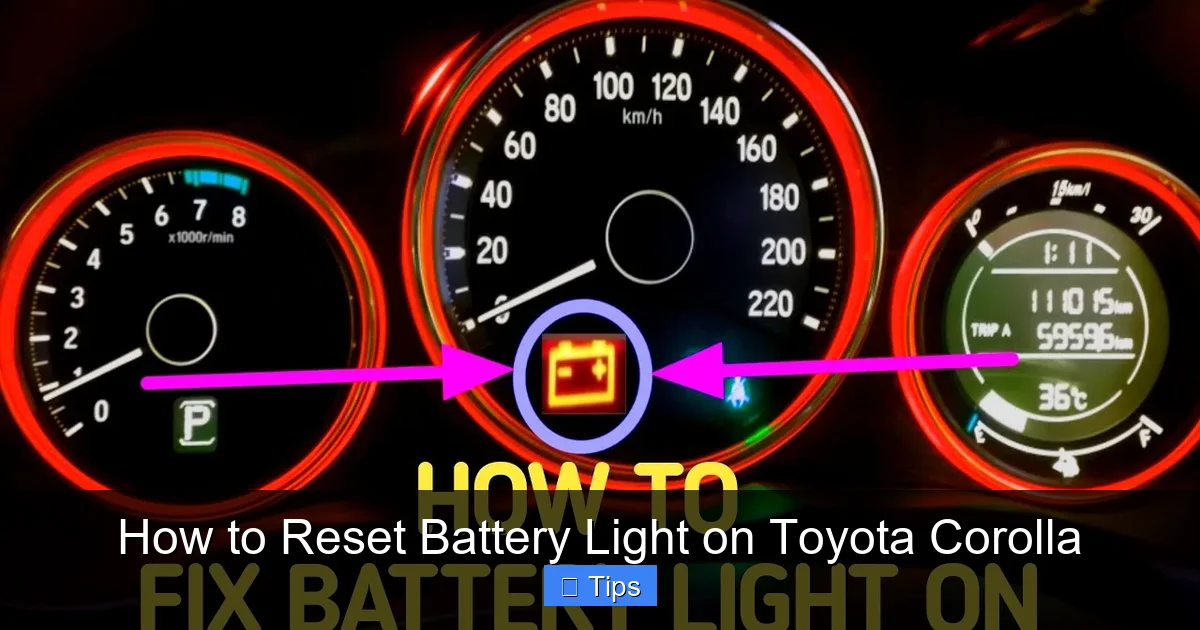
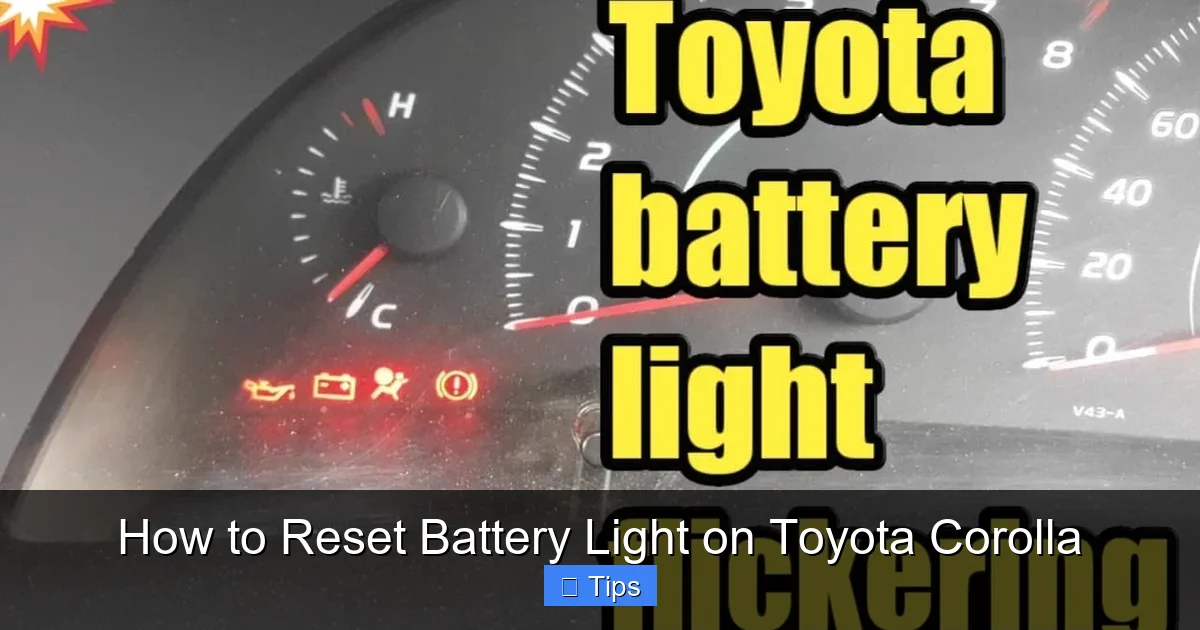
Don’t panic. While the battery light is definitely a warning sign, it doesn’t always mean your car is about to die on the side of the road. In many cases, it’s a simple fix—like a loose cable or a minor electrical glitch. But understanding what the light means is the first step to solving the problem. The battery light, often labeled “ALT” or “CHARGE,” doesn’t just indicate a weak battery. It’s actually telling you that the charging system isn’t working properly. That means your alternator might not be sending power to the battery, or there’s a break in the electrical circuit.
The charging system in your Corolla includes the battery, alternator, voltage regulator, and associated wiring. When any part of this system fails or underperforms, the car’s computer detects the drop in voltage and triggers the warning light. This is your car’s way of saying, “Hey, something’s wrong with how I’m getting power.” Ignoring it could lead to a dead battery, loss of electrical power, or even a stalled engine.
Common Causes of the Battery Light
Let’s break down the most frequent reasons the battery light comes on in a Toyota Corolla:
- Loose or corroded battery terminals: Over time, the connections at the battery can loosen or get coated in white, powdery corrosion. This disrupts the flow of electricity.
- Failing alternator: The alternator generates power to recharge the battery while the engine runs. If it’s worn out, it won’t produce enough voltage.
- Worn serpentine belt: This belt drives the alternator. If it’s cracked, loose, or slipping, the alternator can’t spin properly.
- Blown fuse or faulty relay: The charging system relies on specific fuses. A blown fuse can cut power to the alternator.
- Old or weak battery: Even if the alternator is fine, a battery that’s near the end of its life may not hold a charge, confusing the system.
- Faulty voltage regulator: Often built into the alternator, this component controls output. If it fails, voltage can spike or drop.
For example, imagine you just drove through a puddle and the light came on. Water may have temporarily disrupted a connection. Or maybe you recently replaced the battery, and the terminals weren’t tightened properly. These small oversights can trigger the light.
How to Diagnose the Problem Before Resetting
Before you try to reset the battery light, it’s smart to figure out why it came on in the first place. Resetting a light without fixing the root cause is like putting a bandage on a broken leg—it might look better, but the problem’s still there.
Visual guide about How to Reset Battery Light on Toyota Corolla
Image source: cartireinflator.com
Step 1: Check the Battery Voltage
Grab a multimeter—a simple tool you can buy for under $20 at any auto parts store. With the engine off, touch the red probe to the positive terminal (+) and the black probe to the negative terminal (–). A healthy battery should read between 12.4 and 12.7 volts. If it’s below 12.2 volts, the battery may be weak or discharged.
Now start the engine and check the voltage again. It should jump to 13.7–14.7 volts. If it stays the same or drops, the alternator isn’t charging the battery. That’s a red flag.
Step 2: Inspect the Battery Terminals
Pop the hood and look at the battery. Are the terminals tight? Do you see white, green, or blue crust around the posts? That’s corrosion, and it blocks electrical flow. Use a wire brush and a mixture of baking soda and water to clean them. Disconnect the negative cable first, then the positive, clean both terminals and cables, and reconnect them securely—positive first, then negative.
Step 3: Look at the Serpentine Belt
Check the belt that runs from the engine to the alternator. Is it cracked, shiny, or loose? A slipping belt won’t spin the alternator fast enough. If it looks worn, it may need replacement. Also, listen for squealing noises when you start the car—this is a classic sign of belt slippage.
Step 4: Test the Alternator
If you’re not comfortable with multimeters, most auto parts stores (like AutoZone or O’Reilly) will test your alternator for free. Just drive in and ask. They’ll hook up a machine that checks output under load. If the alternator is bad, you’ll need a replacement—usually a job for a mechanic unless you’re experienced.
Step 5: Check Fuses and Relays
Locate your Corolla’s fuse box—usually under the dashboard or in the engine bay. Refer to your owner’s manual to find the fuse for the charging system (often labeled “ALT” or “CHARGE”). Pull it out and inspect the metal strip inside. If it’s broken, replace it with one of the same amperage. Also check the alternator relay, which can fail and cut power.
For example, a 2015 Corolla might have a 100-amp fuse for the alternator. If that’s blown, the alternator can’t send power, and the light will stay on. Replacing it could solve the problem instantly.
How to Reset the Battery Light on a Toyota Corolla
Once you’ve diagnosed and fixed the issue, it’s time to reset the battery light. The method depends on your Corolla’s model year and whether you have access to diagnostic tools.
Visual guide about How to Reset Battery Light on Toyota Corolla
Image source: i.redd.it
Method 1: The Key Cycle Reset (For Older Models)
Some older Toyota Corollas (typically 2000–2010) allow you to reset the battery light using a simple key cycle. This method tricks the car’s computer into rechecking the system.
- Turn the ignition to the “ON” position (but don’t start the engine). Wait about 10 seconds.
- Turn the key back to “OFF.”
- Wait another 10 seconds.
- Repeat this cycle three times.
- On the fourth time, start the engine.
After starting, the battery light should go off. If it doesn’t, the problem may still exist, or your model may not support this method.
Method 2: Disconnect the Battery (Universal Method)
This is the most common way to reset the battery light and clear temporary error codes. It works on nearly all Toyota Corolla models.
- Turn off the engine and remove the key.
- Open the hood and locate the battery.
- Use a wrench to loosen the negative terminal (black cable). Remove it first to avoid sparks.
- Wait 15–30 minutes. This gives the car’s computer time to reset.
- Reconnect the negative terminal and tighten it securely.
- Start the car and check if the battery light is off.
Note: Disconnecting the battery may reset other systems, like your radio presets or clock. You may need to re-enter security codes for premium audio systems.
Method 3: Use an OBD2 Scanner (Most Reliable)
Modern Corollas (2010 and newer) often require an OBD2 scanner to properly reset the battery light. This tool reads and clears diagnostic trouble codes (DTCs) from the car’s computer.
- Locate the OBD2 port—usually under the dashboard, near the steering column.
- Plug in the scanner and turn the ignition to “ON.”
- Follow the scanner’s menu to read codes. Look for codes like P0562 (low system voltage) or P0620 (alternator control circuit).
- If the issue is fixed, select “Clear Codes” or “Reset.”
- Turn off the ignition, wait 10 seconds, then restart the car.
Many affordable scanners (like the BlueDriver or Ancel AD310) connect to your smartphone via Bluetooth and provide detailed explanations of codes. This method is the most accurate and recommended for newer vehicles.
Method 4: Drive Cycle Reset
Sometimes, the car’s computer just needs to “see” that the charging system is working. After fixing the issue, take your Corolla for a 10–15 minute drive. Include a mix of city and highway speeds. The computer will monitor the alternator output and, if everything’s normal, turn off the light automatically.
For example, after cleaning corroded terminals, drive around the block. If the light goes off, great! If not, try one of the other methods.
What to Do If the Light Comes Back On
You reset the battery light, and it stays off for a day—then it’s back. This means the problem wasn’t fully resolved. Don’t ignore it. A recurring battery light often points to a deeper issue.
Visual guide about How to Reset Battery Light on Toyota Corolla
Image source: i.ytimg.com
Possible Reasons the Light Returns
- Alternator is failing: It might work intermittently before dying completely.
- Battery is old: Even if it tests okay now, it may not hold a charge under load.
- Wiring issues: Damaged or frayed wires in the charging circuit can cause intermittent faults.
- Faulty ground connection: A poor ground between the engine and chassis can disrupt electrical flow.
- Software glitch: Rarely, the car’s computer may need a firmware update.
Next Steps
If the light keeps coming back, it’s time to visit a trusted mechanic. They can perform a load test on the battery and alternator, inspect wiring, and use advanced diagnostics. For example, a mechanic might find that the alternator’s diodes are failing, causing voltage spikes that confuse the system.
Also, consider the age of your battery. Most car batteries last 3–5 years. If yours is older, replacement might be the real solution—not just a reset.
Preventing Future Battery Light Issues
The best way to deal with the battery light is to stop it from coming on in the first place. Regular maintenance goes a long way.
Tips to Keep Your Charging System Healthy
- Clean battery terminals every 6 months: Prevent corrosion with a baking soda solution and wire brush.
- Check belt tension and condition: Look for cracks, glazing, or looseness. Replace if needed.
- Test battery and alternator annually: Many shops offer free testing, especially in winter.
- Avoid short trips: Frequent short drives don’t give the alternator enough time to recharge the battery.
- Turn off accessories when starting: Lights, radio, and AC draw power. Minimize load when turning the key.
- Use a battery tender in cold weather: Cold reduces battery efficiency. A trickle charger helps maintain charge.
For example, if you live in a cold climate, your battery works harder in winter. A simple maintenance check in fall can prevent a dead battery in January.
When to Replace the Battery
Even with perfect care, batteries don’t last forever. Signs it’s time for a new one include:
- Slow engine crank (takes longer to start)
- Dim headlights or interior lights
- Battery warning light on
- Swollen or bulging battery case
- Age over 4 years
When replacing, choose a battery with the correct group size and cold cranking amps (CCA) for your Corolla. Most models use a Group 35 or 24F battery with 600–700 CCA.
Final Thoughts: Don’t Ignore the Battery Light
The battery light on your Toyota Corolla isn’t just a suggestion—it’s a warning. While resetting it is often simple, the real work is diagnosing and fixing the underlying issue. Whether it’s a loose cable, a failing alternator, or a worn belt, addressing the root cause keeps your car reliable and safe.
Remember, your Corolla’s electrical system is like its nervous system. When something’s off, the car lets you know. By staying proactive—cleaning terminals, checking belts, and testing components—you can avoid surprise breakdowns and costly repairs. And if you’re ever unsure, don’t hesitate to consult a professional. A few minutes of diagnosis today can save hours of trouble tomorrow.
So the next time that little red battery icon pops up, don’t panic. Grab your tools, follow this guide, and get back on the road with confidence.
Frequently Asked Questions
Why is my Toyota Corolla battery light on but the car starts fine?
The battery light indicates a charging system issue, not necessarily a dead battery. Your car may start because the battery has enough charge, but the alternator isn’t recharging it properly. Have the alternator and voltage tested.
Can I drive with the battery light on?
You can drive short distances, but it’s risky. Without proper charging, the battery will drain, and electrical systems (including ignition) may fail. Get it checked as soon as possible.
How long does it take for the battery light to reset after fixing the issue?
It depends on the method. A key cycle or battery disconnect may work immediately. With an OBD2 scanner, the light turns off right after clearing codes. A drive cycle may take 10–15 minutes of driving.
Will disconnecting the battery reset the check engine light too?
Yes, disconnecting the battery can reset the check engine light, but only if the problem is fixed. If the issue persists, the light will return. Use an OBD2 scanner for a more reliable reset.
What if the battery light comes on while driving?
Pull over safely and turn off the engine. Check for obvious issues like a loose belt or smoking alternator. If everything looks normal, drive slowly to a repair shop. Avoid using accessories like AC or radio.
How much does it cost to fix a battery light issue on a Corolla?
Costs vary. Cleaning terminals is free. Replacing a fuse costs $5–$10. A new alternator ranges from $300–$600 with labor. A battery replacement is $100–$250. Diagnosing the issue first prevents unnecessary spending.

At CarLegit, we believe information should be clear, factual, and genuinely helpful. That’s why every guide, review, and update on our website is created with care, research, and a strong focus on user experience.