
Looking to upgrade your 2008 Cadillac CTS with a modern car radio? You’re in the right place. Whether you want better sound quality, Bluetooth connectivity, or Apple CarPlay and Android Auto, the right head unit can transform your driving experience. This guide breaks down the top options, installation tips, and key features to help you choose the best car radio for your luxury sedan.
In This Article
- 1 Key Takeaways
- 2 📑 Table of Contents
- 3 Why Upgrade Your 2008 Cadillac CTS Radio?
- 4 Understanding Your 2008 Cadillac CTS Radio System
- 5 Top Features to Look for in a Car Radio
- 6 Top Car Radio Recommendations for the 2008 Cadillac CTS
- 7 Installation Tips for Your New Car Radio
- 8 Maintaining and Getting the Most Out of Your New Radio
- 9 Conclusion
- 10 Frequently Asked Questions
- 10.1 Can I install a double-DIN radio in a 2008 Cadillac CTS?
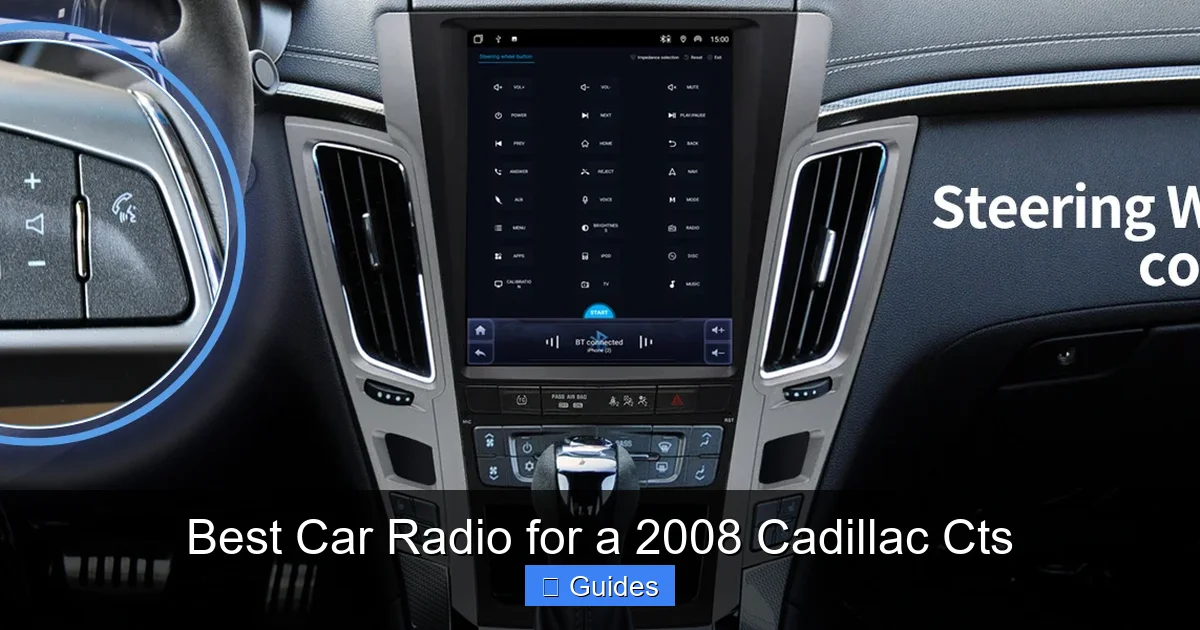
- 10.2 Will I lose my steering wheel controls with a new radio?
- 10.3 Do I need to keep the factory amplifier?
- 10.4 Can I use Apple CarPlay and Android Auto wirelessly?
- 10.5 How much does it cost to install a new car radio in a 2008 CTS?
- 10.6 Will a new radio affect my OnStar system?
Key Takeaways
- Compatibility is crucial: Not all car radios fit the 2008 Cadillac CTS dash. Choose a single-DIN or double-DIN unit with a compatible mounting kit and wiring harness.
- Double-DIN units offer more features: Larger screens, built-in navigation, and multimedia support make double-DIN radios ideal for tech-savvy drivers.
- Look for smartphone integration: Apple CarPlay and Android Auto are must-have features for hands-free calls, messaging, and music streaming.
- Sound quality matters: High RMS power output and built-in equalizers help maximize your CTS’s premium Bose or base audio system.
- Professional installation recommended: While DIY is possible, a pro ensures proper integration with steering wheel controls and factory amplifiers.
- Budget wisely: Prices range from $100 to $600+. Balance cost with features you’ll actually use.
- Retain factory features: Use a CAN bus adapter to keep OnStar, chimes, and climate control displays working after installation.
📑 Table of Contents
Why Upgrade Your 2008 Cadillac CTS Radio?
The 2008 Cadillac CTS is a stylish, performance-oriented luxury sedan that still turns heads today. But while the exterior and engine hold up well, the factory radio can feel outdated. If you’re still using the original head unit, you’re missing out on modern tech like Bluetooth, touchscreen interfaces, and smartphone integration. Upgrading your car radio isn’t just about better sound—it’s about convenience, safety, and enjoying your drives more.
Imagine streaming your favorite playlist from Spotify, getting turn-by-turn directions on a crisp display, or answering calls without touching your phone. That’s the difference a new car radio can make. Whether you’re commuting daily or taking weekend road trips, a modern head unit enhances every mile. Plus, many newer models support high-resolution audio formats, giving you studio-quality sound that the factory system simply can’t match.
Understanding Your 2008 Cadillac CTS Radio System
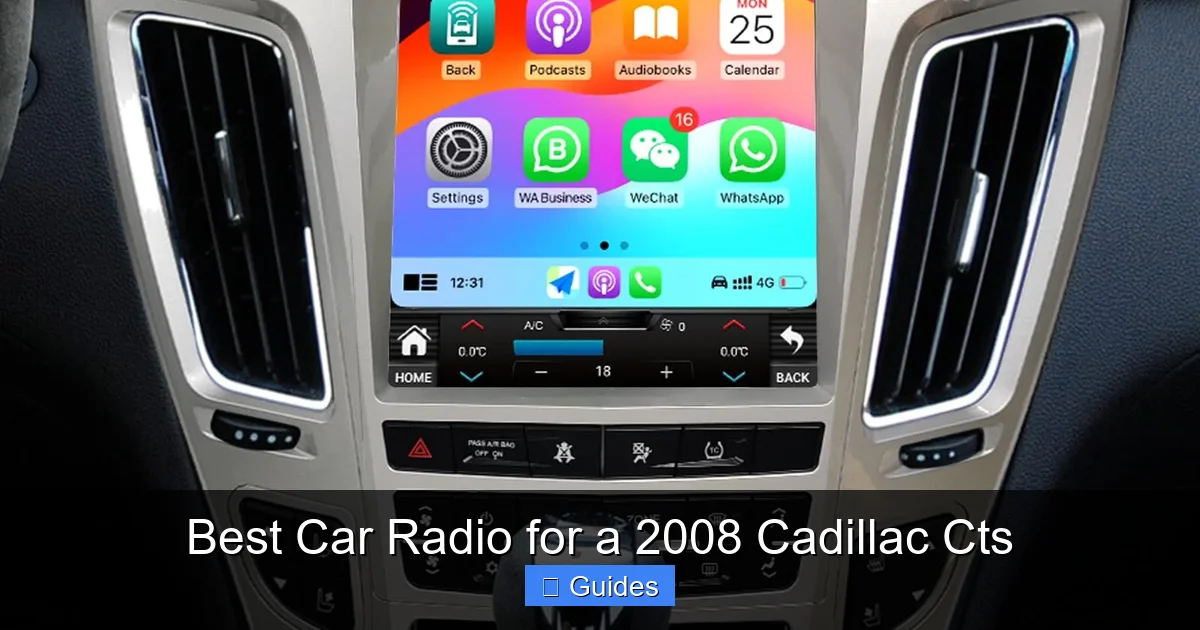
Before you buy a new car radio, it’s important to understand what you’re working with. The 2008 CTS came with two main audio systems: the standard 7-speaker setup and the optional Bose premium system. Both use a factory amplifier, which means you’ll need to account for that when choosing a replacement radio. The Bose system, in particular, delivers rich, balanced sound—so you’ll want a head unit that can do it justice.
Visual guide about Best Car Radio for a 2008 Cadillac Cts
Image source: m.media-amazon.com
Factory Features to Consider
The original radio in your CTS includes features like OnStar, steering wheel audio controls, and a rearview camera input (if equipped). These systems communicate through the car’s CAN bus network, which can complicate aftermarket installations. That’s why using a CAN bus interface module is essential. This small device translates signals between your new radio and the car’s electronics, ensuring everything works smoothly.
Another thing to note: the 2008 CTS uses a double-DIN opening in the dashboard. That means you can install either a single-DIN radio with a mounting kit or go for a full double-DIN unit with a larger screen. Double-DIN models are generally recommended because they offer more real estate for displays, better usability, and advanced features like built-in navigation.
Wiring and Compatibility
Swapping out the factory radio isn’t as simple as unplugging and plugging in. You’ll need a wiring harness adapter specific to the 2008 CTS. This adapter connects your new radio to the car’s electrical system without cutting any wires, preserving your warranty and making future upgrades easier. Brands like Metra, PAC, and Scosche offer reliable harnesses designed for GM vehicles.
Also, don’t forget the antenna adapter. The CTS uses a standard GM antenna plug, so you’ll need a compatible adapter to connect it to your new radio. Most harness kits include this, but it’s worth double-checking before you buy.
Top Features to Look for in a Car Radio
Not all car radios are created equal. When shopping for the best car radio for your 2008 Cadillac CTS, focus on features that match your lifestyle and driving habits. Here are the most important ones to consider.
Visual guide about Best Car Radio for a 2008 Cadillac Cts
Image source: m.media-amazon.com
Smartphone Integration: Apple CarPlay and Android Auto
This is arguably the most valuable feature in modern car radios. Apple CarPlay and Android Auto mirror your smartphone’s interface onto the radio’s screen, letting you use apps like Google Maps, Waze, Spotify, and WhatsApp safely while driving. You can make calls, send texts via voice commands, and stream music—all without taking your eyes off the road.
For example, if you use Google Maps daily, Android Auto will give you real-time traffic updates, alternate routes, and estimated arrival times right on your dashboard. Similarly, Apple users can access Siri for hands-free control. These systems are intuitive, regularly updated, and designed with safety in mind.
Bluetooth Connectivity
Even if you don’t need full smartphone integration, Bluetooth is a must. It allows wireless audio streaming and hands-free calling. Look for a radio with Bluetooth 5.0 or higher for faster pairing, better range, and improved sound quality. Some models also support dual-device pairing, so you and your passenger can take turns controlling the music.
Sound Quality and Power Output
The 2008 CTS has a well-tuned audio system, especially with the Bose upgrade. To get the most out of it, choose a radio with high RMS power output—ideally 20–50 watts per channel. Avoid models that only list peak power, as this isn’t a reliable measure of real-world performance.
Also, look for built-in equalizers, crossovers, and time alignment features. These let you fine-tune the sound to your preferences. For instance, if you love deep bass, you can boost the low frequencies without distorting the mids and highs. Some high-end models even support FLAC or WAV files for audiophiles.
Touchscreen and Display Quality
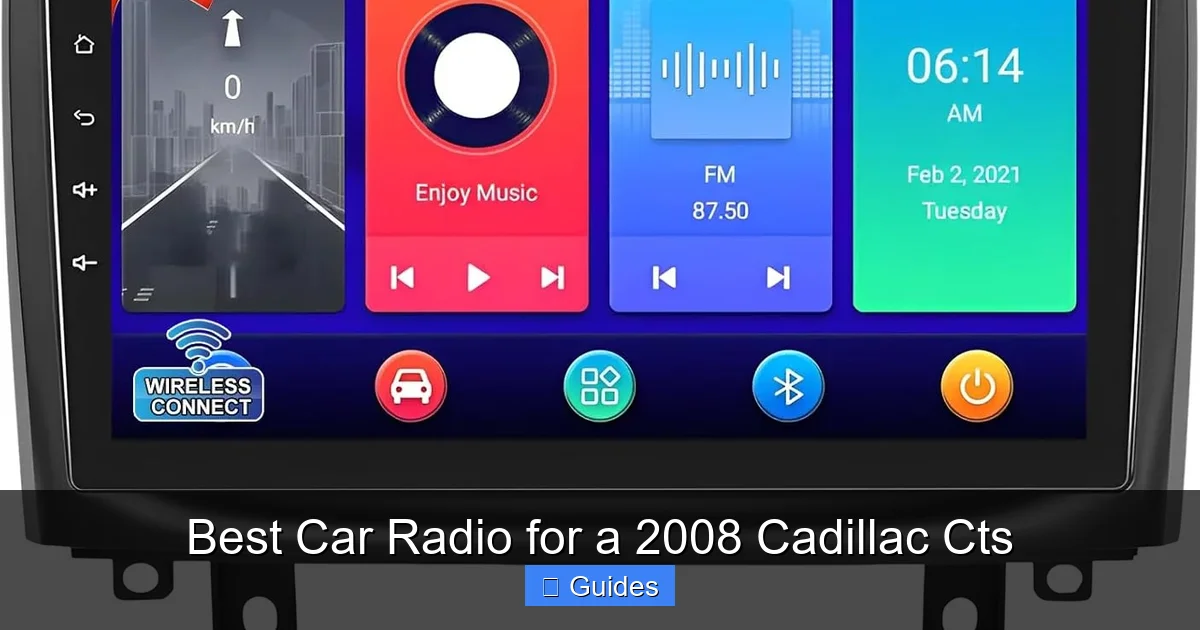
A responsive, high-resolution touchscreen makes a big difference in usability. Look for at least a 6.2-inch display with 800×480 resolution or higher. Capacitive screens (like those on smartphones) are more responsive than resistive ones. Also, check for anti-glare coatings—essential for daytime visibility.
Some radios come with customizable backgrounds, split-screen views, and gesture controls. While not essential, these extras can enhance the user experience, especially on long drives.
If you frequently travel to new areas, built-in GPS can be a lifesaver. Unlike smartphone navigation, built-in systems work without cellular service—perfect for rural roads or tunnels. However, they require map updates, which may cost extra. Alternatively, you can rely on CarPlay or Android Auto for free, always-updated navigation.
Backup Camera Support
Many new radios support backup cameras, which improve safety when reversing. If your CTS didn’t come with one, you can add an aftermarket camera that connects to the radio’s video input. Look for models with automatic switching—when you shift into reverse, the screen displays the camera feed instantly.
Top Car Radio Recommendations for the 2008 Cadillac CTS
Now that you know what to look for, here are some of the best car radios that fit the 2008 Cadillac CTS. These models balance performance, features, and value.
Visual guide about Best Car Radio for a 2008 Cadillac Cts
Image source: m.media-amazon.com
Pioneer DMH-WT7600NEX
This is one of the most popular double-DIN radios on the market. It features a 9-inch capacitive touchscreen, Apple CarPlay, Android Auto, and built-in Amazon Alexa. The large display is perfect for maps and media, and the sound quality is excellent thanks to a 13-band graphic equalizer and high-power output.
It also supports dual-zone audio, so you can play music in the front while someone else listens to something different in the back. Plus, it works with Pioneer’s iDatalink Maestro module to retain factory features like steering wheel controls and OnStar. Installation requires a compatible harness and interface, but the results are worth it.
Sony XAV-AX6000
The Sony XAV-AX6000 is a sleek, user-friendly option with a 6.95-inch capacitive touchscreen. It supports both Apple CarPlay and Android Auto, and the interface is intuitive with large icons and smooth navigation. Sony’s sound processing technology delivers clear, dynamic audio that complements the CTS’s Bose system.
It also includes Bluetooth 5.0, USB-C connectivity, and a customizable home screen. While it doesn’t have built-in GPS, it works seamlessly with smartphone navigation apps. The radio is easy to install with the right harness and fits perfectly in the CTS dash.
Kenwood DMX9707S
Kenwood is known for high-quality audio, and the DMX9707S is no exception. This double-DIN radio features a 6.95-inch touchscreen, wireless Apple CarPlay and Android Auto, and a 13-band equalizer. It also supports HD Radio for clearer AM/FM broadcasts and has dual USB ports for charging and media playback.
One standout feature is its compatibility with Kenwood’s Remote app, which lets you control the radio from your smartphone. It also works with iDatalink Maestro to preserve factory functions. The build quality is solid, and the interface is responsive even in bright sunlight.
Alpine iLX-W650
If you’re on a budget but still want modern features, the Alpine iLX-W650 is a great choice. Priced under $300, it offers Apple CarPlay and Android Auto, a 7-inch capacitive touchscreen, and excellent sound quality. It’s compact, easy to install, and works well with the CTS’s factory amplifier.
While it lacks some premium features like built-in GPS or wireless smartphone integration, it delivers reliable performance for everyday use. It’s a solid upgrade from the factory radio without breaking the bank.
JVC KW-M865BW
The JVC KW-M865BW is another affordable option with a 6.8-inch touchscreen, Apple CarPlay, Android Auto, and Bluetooth. It supports HD Radio and has a built-in MOSFET amplifier for cleaner sound. The interface is simple and easy to navigate, making it ideal for drivers who want functionality without complexity.
It also includes a rearview camera input and works with most aftermarket cameras. Installation is straightforward with the right harness, and it fits perfectly in the CTS dashboard.
Installation Tips for Your New Car Radio
Installing a new car radio in your 2008 Cadillac CTS can be a DIY project, but it’s not without challenges. Here’s how to do it right.
Tools and Parts You’ll Need
- New car radio (double-DIN recommended)
- Wiring harness adapter (e.g., Metra 70-2003)
- Antenna adapter (e.g., Metra 40-GM10)
- Dash kit (e.g., Metra 99-3302)
- CAN bus interface module (e.g., iDatalink Maestro RR)
- Trim removal tools
- Screwdrivers and socket set
- Electrical tape and zip ties
Step-by-Step Installation Guide
Start by disconnecting the negative terminal of your car battery to prevent electrical shorts. Use trim removal tools to carefully pry off the dashboard bezel around the radio. Unscrew the factory radio and gently pull it out.
Connect the wiring harness adapter to the back of your new radio. Match the wire colors (e.g., red to red, black to black) and secure them with crimp connectors or solder. Plug the harness into the car’s wiring connector. Connect the antenna adapter and any additional modules, like the CAN bus interface.
Slide the new radio into the dash kit and secure it with screws. Reattach the bezel and reconnect the battery. Turn on the radio and test all functions—audio, Bluetooth, steering wheel controls, and camera input (if applicable).
Professional Installation: When to Call a Pro
If you’re not comfortable working with electronics or don’t have the right tools, consider hiring a professional. A certified installer can ensure proper integration with your CTS’s systems, avoid damage, and often provide a warranty on the work. Many car audio shops offer same-day installation and can even help you choose the right radio.
Maintaining and Getting the Most Out of Your New Radio
Once your new radio is installed, a few simple habits can keep it running smoothly. Update the firmware regularly to fix bugs and add new features. Clean the touchscreen with a microfiber cloth to prevent smudges and maintain responsiveness.
Use high-quality USB cables for charging and data transfer. Cheap cables can cause connection issues or slow down CarPlay and Android Auto. Also, avoid exposing the radio to extreme temperatures—don’t leave your car in direct sunlight for long periods, as heat can damage internal components.
Finally, take time to explore all the features. Customize the equalizer settings, set up voice commands, and pair your devices. The more you use your radio, the more value you’ll get from your upgrade.
Conclusion
Upgrading the car radio in your 2008 Cadillac CTS is one of the best ways to modernize your ride. With options ranging from budget-friendly models to high-end units with large touchscreens and advanced audio processing, there’s a perfect fit for every driver. Focus on compatibility, smartphone integration, and sound quality to get the most out of your investment.
Whether you choose a Pioneer, Sony, Kenwood, Alpine, or JVC model, the right radio will transform your daily drives. Pair it with the right installation kit and take your time with the setup—or let a pro handle it. Either way, you’ll enjoy better sound, smarter features, and a more connected driving experience. Your 2008 CTS deserves it.
Frequently Asked Questions
Can I install a double-DIN radio in a 2008 Cadillac CTS?
Yes, the 2008 CTS has a double-DIN dash opening, so you can install a double-DIN radio without major modifications. Just use a compatible dash kit and wiring harness for a clean fit.
Will I lose my steering wheel controls with a new radio?
Not if you use a CAN bus interface module like the iDatalink Maestro RR. This device translates signals so your steering wheel controls continue to work with the new radio.
Do I need to keep the factory amplifier?
Yes, the 2008 CTS uses a factory amplifier, especially with the Bose system. Your new radio should be compatible with it, or you may need a line output converter to match impedance.
Can I use Apple CarPlay and Android Auto wirelessly?
Some newer models support wireless CarPlay and Android Auto, but most require a USB connection. Check the radio’s specs before buying if wireless is important to you.
How much does it cost to install a new car radio in a 2008 CTS?
DIY installation costs $50–$150 for parts. Professional installation typically ranges from $100 to $300, depending on the radio and complexity.
Will a new radio affect my OnStar system?
With a CAN bus interface, OnStar functions like emergency calling and vehicle diagnostics should remain active. However, some features may require additional programming or modules.

At CarLegit, we believe information should be clear, factual, and genuinely helpful. That’s why every guide, review, and update on our website is created with care, research, and a strong focus on user experience.