
Adding remote start to your car is not only possible—it’s easier and more affordable than you might think. Whether you drive a sedan, SUV, or truck, aftermarket systems and OEM upgrades offer reliable ways to start your engine from a distance, boosting comfort and convenience year-round.
In This Article
- 1 Key Takeaways
- 2 📑 Table of Contents
- 3 Can I Add Remote Start to My Car? The Short Answer
- 4 How Remote Start Works: The Basics Explained
- 5 Factory vs. Aftermarket Remote Start: Which Is Right for You?
- 6 Is Your Car Compatible with Remote Start?
- 7 Installation: DIY or Professional?
- 8 Benefits of Adding Remote Start to Your Car
- 9 Cost Breakdown: What to Expect to Pay
- 10 Common Mistakes to Avoid
- 11 Conclusion: Yes, You Can—and Should—Add Remote Start
- 12 Frequently Asked Questions
Key Takeaways
- Most vehicles can be retrofitted with remote start systems. Whether you have a manual or automatic transmission, gas or hybrid engine, there’s likely a compatible solution.
- Aftermarket kits offer flexibility and affordability. Brands like Compustar, Viper, and Avital provide plug-and-play options with smartphone integration and long-range capabilities.
- Factory remote start is available for many models. Some automakers allow you to activate or upgrade remote start through dealerships using your existing key fob or a new one.
- Professional installation is strongly recommended. Improper wiring can damage your vehicle’s electronics or void warranties—always use a certified installer.
- Remote start improves comfort and safety. Warm up your car in winter, cool it down in summer, and defrost windows without stepping outside.
- Check compatibility and local laws first. Not all systems work with every car, and some regions restrict idling times or require anti-theft safeguards.
- Smartphone apps add modern convenience. Many systems now let you start your car, lock doors, and check status right from your phone—even from miles away.
📑 Table of Contents
- Can I Add Remote Start to My Car? The Short Answer
- How Remote Start Works: The Basics Explained
- Factory vs. Aftermarket Remote Start: Which Is Right for You?
- Is Your Car Compatible with Remote Start?
- Installation: DIY or Professional?
- Benefits of Adding Remote Start to Your Car
- Cost Breakdown: What to Expect to Pay
- Common Mistakes to Avoid
- Conclusion: Yes, You Can—and Should—Add Remote Start
Can I Add Remote Start to My Car? The Short Answer
If you’ve ever stood in a freezing parking lot, scraping ice off your windshield while your fingers go numb, you’ve probably wondered: *Can I add remote start to my car?* The good news? **Yes—you almost certainly can.** Even if your vehicle didn’t come with factory remote start, aftermarket solutions have advanced so much that adding this feature is now practical, safe, and surprisingly straightforward.
Remote start isn’t just a luxury anymore. It’s a comfort upgrade that makes daily driving easier, especially in extreme weather. Whether you’re dealing with subzero temperatures in Minnesota or scorching heat in Arizona, being able to start your car from inside your home, office, or store means stepping into a climate-controlled cabin every time. And thanks to modern technology, you don’t need a brand-new luxury vehicle to enjoy it.
But before you rush out to buy the first kit you see, it’s important to understand your options, compatibility requirements, and installation best practices. This guide will walk you through everything you need to know—from how remote start works to choosing the right system for your car, truck, or SUV.
How Remote Start Works: The Basics Explained
Visual guide about Can I Add Remote Start to My Car
Image source: cdsassets.apple.com
At its core, a remote start system allows you to start your vehicle’s engine without physically inserting a key or pressing the start button. Instead, you use a remote fob—or increasingly, a smartphone app—to send a signal that triggers the ignition sequence. But it’s not as simple as just “pressing a button.” Modern remote start systems are sophisticated pieces of electronics that integrate with your car’s existing security, ignition, and climate control systems.
The Components of a Remote Start System
A typical aftermarket remote start kit includes several key parts:
– **Control Module**: The brain of the system. It receives signals from the remote and communicates with your car’s computer to initiate startup.
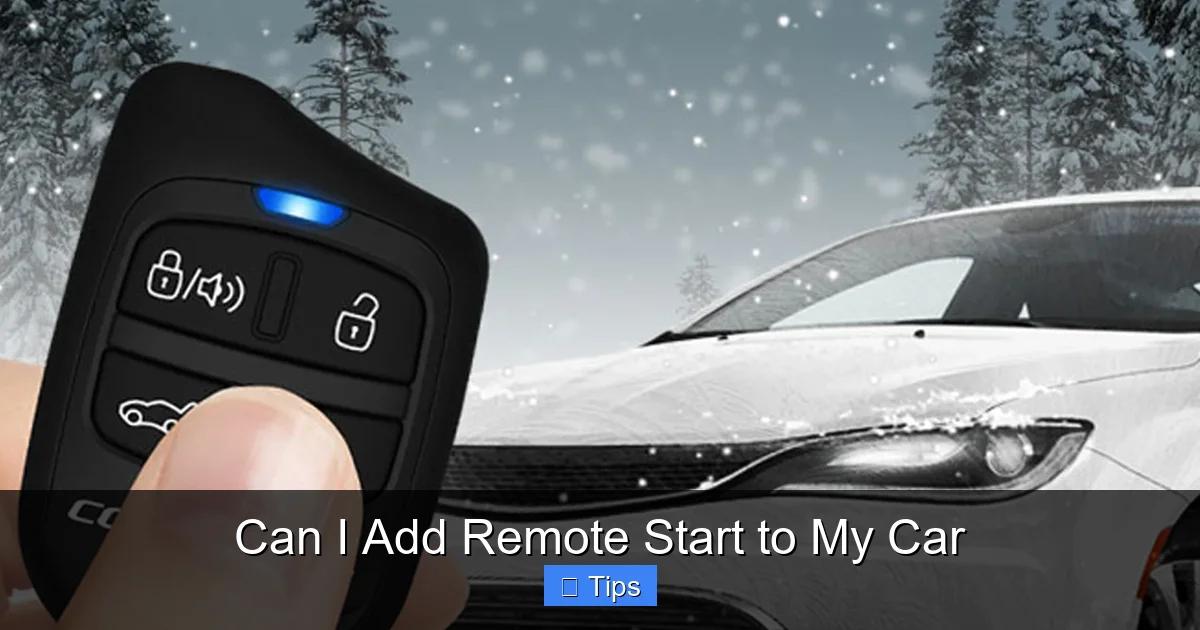
– **Remote Fob(s)**: Handheld devices that send the start command. Most offer two-way communication, meaning they confirm when the car has started.
– **Antenna**: Boosts signal range, often allowing starts from 1,000 to 3,000 feet away.
– **Bypass Module**: Essential for vehicles with encrypted keys (like most cars made after 2000). This module tricks the immobilizer system into thinking the key is present, so the engine will start.
– **Wiring Harness**: Connects the remote start system to your car’s ignition, door locks, and other circuits.
When you press the remote start button, the control module verifies the signal, checks safety conditions (like ensuring the car is in park and the hood is closed), and then sends power to the starter and ignition system. Once the engine runs, the climate control kicks in—heating or cooling the cabin based on your last settings.
Safety Features Built In
You might worry: *What if my car starts accidentally? Or what if someone steals it while it’s running?* Reputable remote start systems include multiple safety protocols:
– **Hood Pin Switch**: Prevents the engine from starting if the hood is open (to protect mechanics or thieves).
– **Brake Kill Switch**: If the brake pedal is pressed while the car is running remotely, the engine shuts off unless the key is present.
– **Neutral Safety Switch**: Ensures the car is in park (or neutral for manuals) before starting.
– **Auto-Shutoff Timer**: Most systems run for 10, 15, or 20 minutes before turning off automatically.
These features ensure your car won’t move unexpectedly and reduce the risk of theft or accidents.
Factory vs. Aftermarket Remote Start: Which Is Right for You?
Visual guide about Can I Add Remote Start to My Car
Image source: carsalon.ca
When deciding how to add remote start to your car, you’ll face a key choice: go with a factory (OEM) solution or an aftermarket system. Both have pros and cons, and the best option depends on your vehicle, budget, and preferences.
Factory (OEM) Remote Start
Many automakers now offer remote start as a factory option—or as a dealer-installed upgrade. For example, Ford, Toyota, Honda, and Chevrolet all provide OEM remote start systems that integrate seamlessly with your car’s electronics.
**Pros:**
– Perfect integration with your vehicle’s systems (dashboard, climate, security).
– Often uses your existing key fob—no extra remote needed.
– Covered under your vehicle’s warranty (if installed by the dealer).
– Looks and feels like a native feature.
**Cons:**
– Can be expensive—$300 to $600 or more, including installation.
– Limited functionality compared to aftermarket systems (e.g., shorter range, no smartphone control).
– Not available on all trims or older models.
– May require a subscription for advanced features (like app control).
**Example:** If you drive a 2020 Honda Accord, you can visit a Honda dealer and have them activate remote start using your current key fob. The process takes about an hour and costs around $400. Once installed, you press the lock button twice and then hold the remote start button to fire up the engine.
Aftermarket Remote Start Systems
Aftermarket kits are made by third-party companies like Compustar, Viper, Avital, and Directed Electronics. They’re designed to work with a wide range of vehicles and often offer more features than factory systems.
**Pros:**
– More affordable—kits start around $100, with professional installation typically $150–$300.
– Greater range (up to 3,000 feet or more with two-way remotes).
– Smartphone app integration (start your car from anywhere with cellular service).
– Customizable run times, climate settings, and security alerts.
– Often include additional features like door lock/unlock, trunk release, and GPS tracking.
**Cons:**
– Requires professional installation to avoid damaging your car’s electronics.
– May not integrate as smoothly with factory dash displays or voice commands.
– Warranty concerns—some automakers may void certain parts of your warranty if an aftermarket system causes issues (though this is rare with proper installation).
**Example:** A Compustar DS3 system costs about $250 for the kit and $200 for installation. It includes a two-way remote that confirms startup with lights and sound, plus a smartphone app that lets you start your car from across the country. It works with most 2005 and newer vehicles, including many with push-button start.
Which Should You Choose?
If you drive a newer car and want a clean, factory-like experience, OEM remote start is a great choice—especially if it’s already available for your model. But if you’re on a budget, drive an older vehicle, or want advanced features like app control and long-range remotes, an aftermarket system is usually the better option.
Is Your Car Compatible with Remote Start?
Visual guide about Can I Add Remote Start to My Car
Image source: santaclaritaautosound.com
Before buying any system, you need to confirm that your vehicle can support remote start. The good news? **Most cars made in the last 20 years are compatible.** But there are a few exceptions and special considerations.
Vehicles That Can Usually Be Retrofitted
– **Automatic transmission cars**: The vast majority of remote start systems are designed for automatics. Safety features ensure the car won’t start if it’s in gear.
– **Gas-powered vehicles**: Works with all standard internal combustion engines.
– **Hybrid vehicles**: Yes—many hybrids (like Toyota Prius or Honda Insight) can be equipped with remote start. The system starts the gasoline engine to run the climate control, even if the electric motor is off.
– **Diesel engines**: Compatible, though some systems require a diesel-specific module due to different glow plug and startup sequences.
Vehicles That May Require Special Considerations
– **Manual transmission cars**: Technically possible, but tricky. The system must detect that the clutch is depressed and the car is in neutral before starting. Most installers recommend adding a clutch safety switch and advising users to leave the car in neutral with the parking brake on. Not all remote start brands support manuals—check compatibility carefully.
– **Vehicles with complex security systems**: Some high-end cars (like BMW, Mercedes, or Audi) use advanced encryption that makes bypassing the immobilizer difficult. However, most modern kits include compatible bypass modules.
– **Older vehicles (pre-1995)**: May lack the electronic controls needed for seamless integration. Basic kits exist, but functionality could be limited.
How to Check Compatibility
The best way to confirm compatibility is to:
1. Visit the website of a reputable remote start brand (e.g., Compustar.com or Viper.com).
2. Use their vehicle lookup tool—enter your make, model, and year.
3. Read the product details to see if your car is supported and what additional parts (like a bypass module) are needed.
You can also consult a local car electronics installer. Many offer free consultations and can tell you exactly what’s possible for your vehicle.
Installation: DIY or Professional?
Now that you’ve chosen a system, the next big decision is installation. Should you do it yourself or hire a pro?
DIY Installation: Is It Worth It?
Some remote start kits are marketed as “plug-and-play” or “DIY-friendly,” and for very basic systems on older cars, it might be possible. However, **we strongly recommend professional installation** for most drivers.
**Why?**
– Modern cars have complex wiring harnesses and computer systems. One wrong connection can disable your radio, disable airbags, or even prevent your car from starting.
– Bypass modules must be programmed correctly to work with your immobilizer. This often requires specialized tools and knowledge.
– Warranty concerns: If you install it yourself and something goes wrong, your car’s warranty may not cover the damage.
That said, if you’re an experienced DIYer with automotive electrical knowledge, some systems (like those with T-harnesses that plug into existing connectors) can be installed in a few hours. But for the average driver, the risk isn’t worth the savings.
What to Expect from Professional Installation
A certified installer will:
– Assess your vehicle and confirm compatibility.
– Disconnect the battery (for safety).
– Locate and connect the necessary wires (ignition, starter, door locks, etc.).
– Install and program the bypass module.
– Test all functions—remote start, door locks, safety features.
– Provide a warranty on their work (typically 1–3 years).
The whole process usually takes 2–4 hours and costs $150–$300, depending on the system and location.
**Tip:** Look for installers certified by the Consumer Technology Association (CTA) or those recommended by the remote start brand. Avoid “bargain” shops that use cheap labor—quality matters.
Benefits of Adding Remote Start to Your Car
So why go through the hassle and cost of adding remote start? Because the benefits go far beyond just warming up your car on a cold morning.
Comfort in Extreme Weather
– **Winter**: Start your car 10 minutes before you leave. The engine warms up, the heater kicks in, and your windshield defrosts—all while you stay cozy indoors.
– **Summer**: Pre-cool your cabin on a 100°F day. No more burning seats or steering wheels. Your AC runs on engine power, so it’s much stronger than when the car is off.
Convenience and Time Savings
Imagine walking out of the office on a rainy day and stepping into a dry, warm car. Or starting your SUV from your kitchen while you finish breakfast. Remote start eliminates the hassle of cold starts, foggy windows, and uncomfortable cabins.
Improved Safety and Security
– **Reduced exposure**: In extreme cold or heat, you spend less time outside your vehicle.
– **Theft deterrence**: Many systems include alarms, shock sensors, and GPS tracking. Some even send alerts if someone tries to tamper with your car.
– **Peace of mind**: Two-way remotes confirm your car has started, so you don’t have to wonder.
Resale Value Boost
While not a major factor, having a professionally installed remote start system can make your car more appealing to buyers—especially in colder climates. It’s a modern convenience that signals your vehicle is well-maintained and up-to-date.
Cost Breakdown: What to Expect to Pay
Adding remote start isn’t free, but it’s more affordable than many people think. Here’s a realistic cost breakdown:
| Component | Cost Range |
|———|————|
| Aftermarket Kit (basic) | $100–$200 |
| Aftermarket Kit (premium, with app) | $250–$400 |
| Professional Installation | $150–$300 |
| Factory (OEM) Upgrade | $300–$600+ |
| Optional Add-ons (GPS, extra remotes) | $50–$150 |
**Total estimated cost**: $250–$700, depending on your choice.
While that might seem steep, consider the value: you’ll use this feature daily for years. Over time, the comfort and convenience more than justify the investment.
Common Mistakes to Avoid
Even with the best intentions, it’s easy to make errors when adding remote start. Here are the most common pitfalls—and how to avoid them.
Buying the Wrong System
Don’t assume all kits work with all cars. Always verify compatibility using the manufacturer’s tool. A system that works for a 2018 Camry might not work for a 2018 Tacoma due to different wiring.
Skipping Professional Installation
We can’t stress this enough: hire a pro. One misplaced wire can cost hundreds in repairs.
Ignoring Local Laws
Some cities and states restrict idling times (e.g., California limits idling to 5 minutes). Check local regulations to avoid fines. Most remote start systems have auto-shutoff timers to help comply.
Forgetting About Maintenance
Remote start doesn’t require much upkeep, but you should:
– Replace remote fob batteries every 1–2 years.
– Test the system monthly to ensure it’s working.
– Keep the antenna clean and unobstructed.
Conclusion: Yes, You Can—and Should—Add Remote Start
So, can you add remote start to your car? **Absolutely.** Whether you choose a factory upgrade or an aftermarket system, the technology is reliable, widely available, and compatible with most vehicles on the road today.
Remote start isn’t just a nice-to-have—it’s a practical upgrade that improves your daily driving experience. From defrosting your windshield in January to cooling down your cabin in July, the benefits are real and immediate. And with professional installation, you can enjoy all the perks without the risks.
If you’ve been on the fence, now’s the time to take the leap. Visit a local car electronics shop, check compatibility, and get a quote. Within a few hours, you could be starting your car from the comfort of your couch—rain, snow, or shine.
Frequently Asked Questions
Can I add remote start to a manual transmission car?
Yes, but it requires special considerations. The system must detect that the clutch is pressed and the car is in neutral. Most installers recommend leaving the parking brake on and using a clutch safety switch. Not all brands support manuals, so check compatibility first.
Will remote start drain my car battery?
No, not under normal use. Remote start only runs the engine for 10–20 minutes at a time, and modern systems are designed to minimize battery drain. However, frequent use in extreme cold can strain the battery, so ensure it’s in good condition.
Can I start my car from another city?
Yes, if you use a smartphone-enabled system. Apps like Compustar’s DroneMobile or Viper’s SmartStart use cellular networks to let you start your car from anywhere with internet access—perfect for vacation homes or long trips.
Absolutely. Most modern systems are designed for push-button start vehicles. They include a bypass module that mimics the presence of a key fob, allowing the engine to start remotely.
Will installing remote start void my warranty?
Generally, no—especially if installed by a professional. The Magnuson-Moss Warranty Act protects consumers from warranty voiding due to aftermarket parts, as long as the installation doesn’t cause the damage. Still, check with your dealer if you’re concerned.
How long does a remote start system last?
With proper installation and care, a remote start system can last 10 years or more. The control module and remotes are built to withstand daily use, and most come with 1–3 year warranties.

At CarLegit, we believe information should be clear, factual, and genuinely helpful. That’s why every guide, review, and update on our website is created with care, research, and a strong focus on user experience.