
Yes, you can charge your Hyundai Kona Electric at a Tesla Supercharger—but not directly. With the right adapter and access to Tesla’s expanding open network, Kona owners can tap into Supercharger stations. This guide covers everything you need to know about compatibility, costs, and best practices.
So, you’ve got a Hyundai Kona Electric—a reliable, efficient, and stylish EV—and you’re wondering: *Can I charge Hyundai Kona at Tesla Supercharger?* It’s a great question, especially since Tesla’s Supercharger network is one of the most extensive and reliable fast-charging systems in North America and beyond. For years, these sleek red and white stations were exclusive to Tesla vehicles, creating a bit of FOMO for owners of other electric cars. But times have changed.
In recent years, Tesla has begun opening up its Supercharger network to non-Tesla electric vehicles, including the Hyundai Kona Electric. This shift is part of a broader effort to support the growing EV market and meet regulatory requirements in regions like the European Union and parts of the United States. As a result, Hyundai Kona owners can now access thousands of Supercharger stalls—provided they have the right equipment and know where to look.
But it’s not as simple as just pulling up and plugging in. There are adapters, compatibility checks, app setups, and cost considerations to keep in mind. This guide will walk you through everything you need to know about charging your Hyundai Kona at a Tesla Supercharger, from technical requirements to real-world tips. Whether you’re planning a long road trip or just want more charging flexibility in your daily routine, understanding how to use Tesla’s network can make a big difference.
In This Article
- 1 Key Takeaways
- 2 📑 Table of Contents
- 3 Understanding Tesla Supercharger Compatibility
- 4 Do You Need an Adapter to Charge Hyundai Kona at Tesla Supercharger?
- 5 How to Find Tesla Superchargers for Hyundai Kona
- 6 Charging Speed and Performance for Hyundai Kona at Supercharger
- 7 Cost of Charging Hyundai Kona at Tesla Supercharger
- 8 Tips for a Smooth Charging Experience
- 9 Future of Non-Tesla Charging at Superchargers
- 10 Conclusion
- 11 Frequently Asked Questions
- 11.1 Can I charge my Hyundai Kona Electric at any Tesla Supercharger?
- 11.2 Do I need a special adapter to charge my Kona at a Supercharger?
- 11.3 How fast can my Hyundai Kona charge at a Tesla Supercharger?
- 11.4 Is charging at a Tesla Supercharger more expensive for non-Tesla drivers?
- 11.5 Can I use the Tesla app with my Hyundai Kona?
- 11.6 What should I do if my Kona won’t charge at a Supercharger?
Key Takeaways
- Tesla Superchargers now support non-Tesla EVs: Thanks to Tesla’s “Magic Dock” and open-network initiatives, Hyundai Kona Electric owners can charge at select Supercharger locations.
- An adapter is required: You’ll need a CCS-to-Tesla adapter (or rely on built-in Magic Dock compatibility) to connect your Kona’s CCS port to the Supercharger plug.
- Not all Superchargers are open yet: Only stations equipped with Magic Dock or part of Tesla’s approved non-Tesla network allow Hyundai Kona charging.
- Charging speed may vary: While Superchargers are fast, your Kona’s max charging rate (up to 100 kW) may limit how quickly it charges compared to newer EVs.
- Costs differ from Tesla owners: Non-Tesla drivers often pay slightly higher per-kWh rates and may incur idle fees, so plan your stops wisely.
- Use the Tesla app for access: Download the Tesla app, add your payment method, and enable “Charge for Non-Tesla” to locate and activate compatible stations.
- Plan ahead with route tools: Use apps like A Better Routeplanner (ABRP) or PlugShare to find open Superchargers along your route and avoid compatibility issues.
📑 Table of Contents
- Understanding Tesla Supercharger Compatibility
- Do You Need an Adapter to Charge Hyundai Kona at Tesla Supercharger?
- How to Find Tesla Superchargers for Hyundai Kona
- Charging Speed and Performance for Hyundai Kona at Supercharger
- Cost of Charging Hyundai Kona at Tesla Supercharger
- Tips for a Smooth Charging Experience
- Future of Non-Tesla Charging at Superchargers
- Conclusion
Understanding Tesla Supercharger Compatibility
The first thing to know is that Tesla Superchargers were originally designed exclusively for Tesla vehicles. They use a proprietary connector (the Tesla plug) and communicate directly with Tesla’s onboard systems. This meant that non-Tesla EVs, including the Hyundai Kona Electric, couldn’t physically or electronically connect—until recently.
Tesla has since introduced two key solutions to open up its network: the **Magic Dock** and the **Non-Tesla Charging Program**. The Magic Dock is a built-in adapter installed directly into certain Supercharger stalls. It allows CCS (Combined Charging System)–equipped vehicles—like the Hyundai Kona Electric—to plug in using their standard CCS port. When you pull up to a Magic Dock-equipped stall, the Tesla plug retracts, revealing a CCS connector underneath. You simply plug in your Kona’s CCS cable, and charging begins.
Alternatively, Tesla has partnered with various automakers and charging networks to allow non-Tesla EVs to access Superchargers via the Tesla app. This program requires your vehicle to support the necessary communication protocols and be registered in Tesla’s system. The Hyundai Kona Electric is compatible with this program, especially in regions where Tesla has rolled out open access.
However, not all Supercharger locations have Magic Docks yet. As of 2024, Tesla has installed Magic Docks at thousands of stations across the U.S., Canada, Europe, and parts of Asia, but coverage is still expanding. This means you’ll need to check station availability before relying on Superchargers for long trips.
How the Magic Dock Works
The Magic Dock is essentially a mechanical adapter built into the Supercharger stall. When a non-Tesla EV approaches, the dock detects the vehicle type and automatically extends the CCS connector. The process is seamless: you pull up, open the charge port on your Kona, plug in the CCS connector, and start charging through the Tesla app.
One advantage of the Magic Dock is that it eliminates the need for a separate CCS-to-Tesla adapter. This reduces clutter in your trunk and minimizes the risk of losing or damaging an external adapter. However, because the Magic Dock is still being rolled out, you may still need a portable adapter for older or non-upgraded Supercharger locations.
Non-Tesla Charging Program Requirements
To use Superchargers via the Non-Tesla Charging Program, your Hyundai Kona must meet certain criteria. First, it must be a CCS-equipped model—luckily, all Hyundai Kona Electric variants sold in North America and Europe use CCS Combo 2 (in Europe) or CCS Combo 1 (in North America). Second, your vehicle must support the ISO 15118 communication standard, which enables plug-and-charge functionality and secure authentication.
Most modern Hyundai Kona Electric models (2019 and newer) support this standard, but it’s always a good idea to confirm with your owner’s manual or Hyundai customer service. Additionally, you’ll need to register your vehicle in the Tesla app and link a payment method. Once set up, you can locate compatible Superchargers, start sessions, and monitor charging progress—all from your phone.
Do You Need an Adapter to Charge Hyundai Kona at Tesla Supercharger?
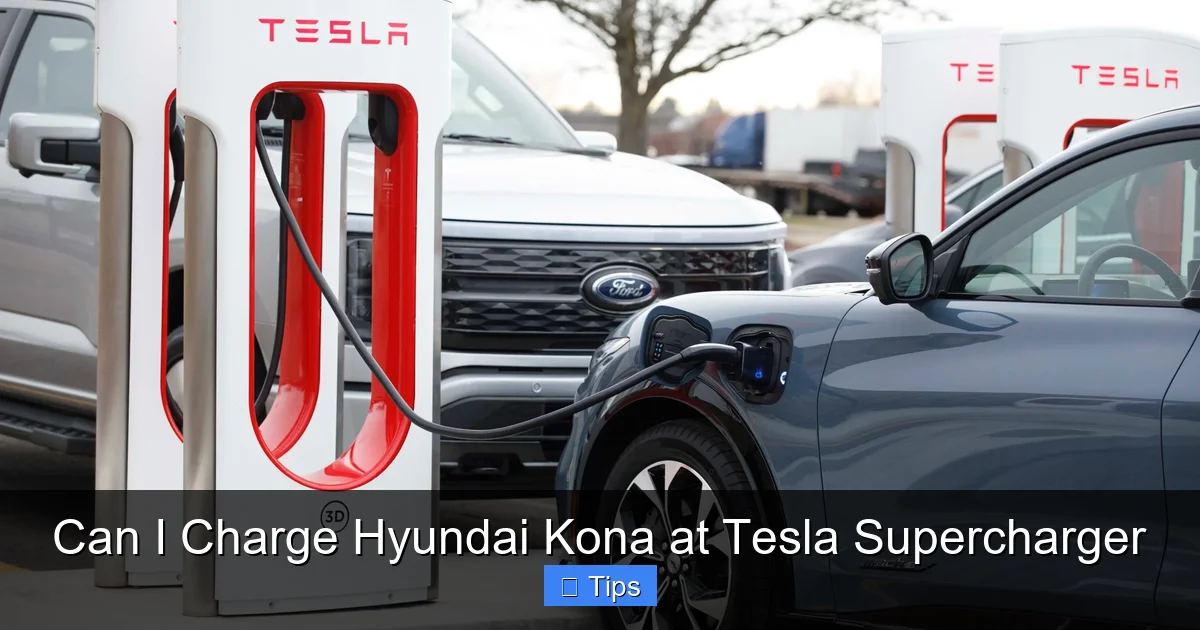
Visual guide about Can I Charge Hyundai Kona at Tesla Supercharger
Image source: teslarati.com
Yes—unless you’re using a Magic Dock-equipped stall, you’ll need a CCS-to-Tesla adapter to charge your Hyundai Kona at a Tesla Supercharger. This small but essential device bridges the physical and electrical gap between your Kona’s CCS port and the Tesla plug.
There are two main types of adapters available:
1. **Third-party CCS-to-Tesla adapters**: These are portable devices that plug into your Kona’s CCS port and accept the Tesla connector. Popular brands include Lectron, EVoCharge, and Mustart. They’re relatively affordable (typically $150–$250) and easy to store in your vehicle.
2. **Tesla-approved adapters**: Tesla does not currently sell its own CCS-to-Tesla adapter, but it certifies certain third-party models for use with its network. Always check for compatibility and safety certifications (like UL or CE) before purchasing.
When using an adapter, the process is straightforward: plug the adapter into your Kona’s charge port, then connect the Tesla Supercharger cable to the adapter. The charging session starts automatically once the connection is secure and the Tesla app confirms authorization.
Tips for Using a CCS-to-Tesla Adapter
– **Keep it clean and dry**: Adapters can be sensitive to moisture and dirt. Store yours in a sealed bag or case when not in use.
– **Check for wear and tear**: Inspect the adapter regularly for cracks, bent pins, or loose connections. A damaged adapter can cause charging failures or safety hazards.
– **Don’t force the connection**: If the Tesla plug doesn’t slide in smoothly, double-check alignment. Forcing it can damage both the adapter and the vehicle’s charge port.
– **Have a backup plan**: Always carry your Level 2 charging cable or know nearby CCS fast-charging stations in case a Supercharger is full or incompatible.
While adapters make Supercharger access possible, they do add a small layer of complexity. That’s why many Kona owners prefer to use Magic Dock stations when available—they offer a plug-and-play experience without extra hardware.
How to Find Tesla Superchargers for Hyundai Kona

Visual guide about Can I Charge Hyundai Kona at Tesla Supercharger
Image source: dragtimes.com
Finding a compatible Tesla Supercharger for your Hyundai Kona is easier than ever, thanks to digital tools and real-time data. The best way to locate open Superchargers is through the **Tesla app**.
Using the Tesla App
Download the Tesla app (available on iOS and Android) and create an account. Even if you don’t own a Tesla, you can use the app to find charging stations, start sessions, and manage payments. Here’s how to set it up for your Kona:
1. Open the app and tap “Charge for Non-Tesla.”
2. Add your Hyundai Kona Electric to your vehicle list.
3. Enter your payment method (credit card or PayPal).
4. Enable location services to see nearby Superchargers.
The app will show you which stations have Magic Docks or are part of the Non-Tesla Charging Program. It also displays real-time availability, stall types, and pricing. You can filter results to show only open stations or those with CCS compatibility.
Alternative Tools and Apps
While the Tesla app is the most direct option, other apps can enhance your charging experience:
– **PlugShare**: This community-driven app shows all public charging stations, including Tesla Superchargers. Users often leave reviews and photos, helping you verify if a station is truly open to non-Tesla vehicles.
– **A Better Routeplanner (ABRP)**: Ideal for road trips, ABRP lets you input your Kona’s specs and plan a route with charging stops. It integrates Supercharger data and estimates charging times based on your battery level and speed.
– **Google Maps**: Google now shows Tesla Supercharger locations and indicates whether they support non-Tesla EVs. Simply search “Tesla Supercharger” and look for the “Non-Tesla compatible” label.
Combining these tools gives you the best chance of finding a working, accessible Supercharger when you need one.
Charging Speed and Performance for Hyundai Kona at Supercharger

Visual guide about Can I Charge Hyundai Kona at Tesla Supercharger
Image source: duevolt.com
One of the biggest draws of Tesla Superchargers is their high-speed charging capability. But how does the Hyundai Kona Electric perform when plugged into one?
The Hyundai Kona Electric has a maximum DC fast-charging rate of **up to 100 kW**, depending on the model year and battery state. This means it can charge from 10% to 80% in roughly 45–50 minutes under ideal conditions. While this isn’t as fast as newer EVs like the Hyundai Ioniq 5 (which can charge at 235 kW), it’s still quite efficient for a compact SUV.
When connected to a Tesla Supercharger, your Kona will charge at the maximum rate supported by both the vehicle and the stall. Most V3 Superchargers deliver up to 250 kW, but your Kona will only draw what it can handle—around 100 kW. This is perfectly normal and ensures safe, efficient charging.
Factors That Affect Charging Speed
Several variables can influence how quickly your Kona charges at a Supercharger:
– **Battery state of charge (SoC)**: Charging slows significantly above 80% to protect the battery. The fastest speeds occur between 10% and 50%.
– **Ambient temperature**: Cold weather reduces charging efficiency. Preconditioning your battery (warming it up while plugged into Level 2 charging) can help maintain speed.
– **Stall availability**: If multiple vehicles are charging at the same station, power may be shared, reducing individual charging rates.
– **Cable and adapter quality**: A poorly made or damaged adapter can limit power delivery. Always use a high-quality, certified adapter.
In real-world tests, Hyundai Kona owners report consistent 90–100 kW charging at V3 Superchargers when conditions are optimal. This makes Superchargers a great option for topping up during long drives or when you’re short on time.
Comparing Supercharger to Other Networks
How does Tesla Supercharger performance stack up against other fast-charging networks like Electrify America or EVgo?
| Network | Max Power | Avg. Kona Charging Speed | Availability |
|——–|———–|—————————-|————–|
| Tesla Supercharger (V3) | 250 kW | 90–100 kW | High (expanding) |
| Electrify America | 350 kW | 100 kW | High |
| EVgo | 350 kW | 100 kW | Moderate |
As you can see, the Kona performs similarly across networks. The advantage of Superchargers often comes down to location, reliability, and ease of use—not raw speed.
Cost of Charging Hyundai Kona at Tesla Supercharger
Charging your Hyundai Kona at a Tesla Supercharger isn’t free—and it’s usually more expensive than charging at home or even at some third-party networks. Pricing varies by location, time of day, and whether you’re a Tesla owner.
How Tesla Supercharger Pricing Works
Tesla uses a **per-kWh pricing model** in most regions. As of 2024, non-Tesla drivers typically pay **$0.50 to $0.60 per kWh** in the U.S., compared to $0.40–$0.50 for Tesla owners. Some locations also charge **idle fees** if you leave your vehicle plugged in after charging is complete (usually $1.00 per minute after a 5-minute grace period).
For example, charging a Hyundai Kona Electric (64 kWh battery) from 20% to 80% (about 38.4 kWh) could cost between $19.20 and $23.04, depending on the rate.
Ways to Reduce Costs
– **Charge during off-peak hours**: Some Supercharger locations offer lower rates at night or during low-demand periods.
– **Avoid idle fees**: Set a timer or use the Tesla app to monitor your session and unplug promptly.
– **Use loyalty programs**: While Tesla doesn’t offer discounts for non-Tesla drivers, some credit cards give cash back on EV charging.
– **Combine with free charging**: Look for hotels, malls, or workplaces that offer free Level 2 charging to reduce reliance on paid fast chargers.
Keep in mind that while Superchargers are convenient, they’re not always the cheapest option. For daily charging, home charging or workplace programs are far more economical.
Tips for a Smooth Charging Experience
Charging your Hyundai Kona at a Tesla Supercharger can be seamless—if you’re prepared. Here are some practical tips to ensure a hassle-free experience:
Before You Go
– **Check station status**: Use the Tesla app or PlugShare to confirm the Supercharger is operational and open to non-Tesla vehicles.
– **Ensure your adapter is ready**: If you’re not using a Magic Dock, make sure your CCS-to-Tesla adapter is clean, functional, and easily accessible.
– **Update your Tesla app**: Keep the app updated to access the latest features and station data.
At the Station
– **Park correctly**: Align your Kona so the charge port is close to the stall. Tesla stalls are designed for specific vehicle sizes—parking too far away can make plugging in difficult.
– **Start the session via the app**: Tap “Start Charging” in the Tesla app after plugging in. Don’t rely on the cable alone—authentication is required.
– **Monitor progress**: Watch the app for charging speed, estimated time, and any error messages.
After Charging
– **Unplug promptly**: Avoid idle fees by disconnecting as soon as charging is complete.
– **Store your adapter**: If you used one, clean it and return it to its case.
– **Leave feedback**: Use PlugShare or the Tesla app to report station conditions—this helps other EV drivers.
What to Do If Charging Fails
Sometimes, charging doesn’t start—even with everything set up correctly. Common issues include:
– **Authentication failure**: Make sure your payment method is valid and your vehicle is registered in the app.
– **Adapter issues**: Try reseating the adapter or using a different one.
– **Stall malfunction**: If one stall isn’t working, try another. Report the issue in the app.
Most problems are easily resolved, but having a backup charging plan is always wise.
Future of Non-Tesla Charging at Superchargers
Tesla’s decision to open its Supercharger network marks a major shift in the EV landscape. As more automakers adopt CCS and governments push for interoperability, the trend toward open charging networks will only grow.
In the U.S., the Biden administration has encouraged Tesla to open its network in exchange for federal funding under the National Electric Vehicle Infrastructure (NEVI) program. This has accelerated the rollout of Magic Docks and Non-Tesla access across the country.
Looking ahead, we can expect:
– **More Magic Dock installations**: Tesla aims to equip most Supercharger locations with Magic Docks by 2025.
– **Lower pricing for non-Tesla drivers**: As competition increases, Tesla may reduce fees to attract more users.
– **Improved app integration**: Future updates could allow plug-and-charge functionality for non-Tesla EVs, eliminating the need for app authentication.
For Hyundai Kona owners, this means greater freedom and flexibility. No longer confined to a limited network, you’ll be able to charge almost anywhere—including the most reliable fast-charging stations on the road.
Conclusion
So, can you charge your Hyundai Kona at a Tesla Supercharger? The answer is a resounding **yes**—with the right tools and knowledge. Thanks to Tesla’s Magic Dock technology and the Non-Tesla Charging Program, Kona Electric drivers can now access one of the world’s most extensive and dependable fast-charging networks.
While you may need a CCS-to-Tesla adapter for older stations, the growing number of Magic Dock-equipped Superchargers is making the process easier and more seamless. Just remember to use the Tesla app, monitor costs, and plan your routes with tools like ABRP or PlugShare.
Charging your Hyundai Kona at a Tesla Supercharger isn’t just possible—it’s a smart move for road trips, emergencies, or simply expanding your charging options. As the EV ecosystem becomes more interconnected, drivers like you will benefit from greater convenience, faster charging, and more freedom on the road.
So next time you’re low on battery and see that familiar red and white sign, don’t hesitate. Plug in, power up, and keep driving—your Kona is ready for the future of electric mobility.
Frequently Asked Questions
Can I charge my Hyundai Kona Electric at any Tesla Supercharger?
Not all Tesla Superchargers support non-Tesla vehicles yet. Only stations equipped with a Magic Dock or part of Tesla’s Non-Tesla Charging Program allow Hyundai Kona charging. Use the Tesla app to find compatible locations.
Do I need a special adapter to charge my Kona at a Supercharger?
Yes, unless the Supercharger has a Magic Dock. You’ll need a CCS-to-Tesla adapter to connect your Kona’s CCS port to the Tesla plug. Make sure it’s certified and in good condition.
How fast can my Hyundai Kona charge at a Tesla Supercharger?
The Hyundai Kona Electric can charge at up to 100 kW at a Tesla Supercharger, allowing a 10% to 80% charge in about 45–50 minutes under ideal conditions.
Is charging at a Tesla Supercharger more expensive for non-Tesla drivers?
Yes, non-Tesla drivers typically pay slightly higher per-kWh rates and may incur idle fees. Prices vary by location, but expect to pay $0.50–$0.60 per kWh in the U.S.
Can I use the Tesla app with my Hyundai Kona?
Yes, you can use the Tesla app to locate Superchargers, start charging sessions, and manage payments—even if you don’t own a Tesla. Just enable “Charge for Non-Tesla” and add your vehicle.
What should I do if my Kona won’t charge at a Supercharger?
Check your adapter, ensure the stall is compatible, and verify your app settings. If charging fails, try another stall or use a different charging network. Report issues in the app to help others.

At CarLegit, we believe information should be clear, factual, and genuinely helpful. That’s why every guide, review, and update on our website is created with care, research, and a strong focus on user experience.