
The G930 Mirror Dash Cam is a smart, all-in-one safety device that replaces your rearview mirror with a high-definition recording system. It offers front and rear dual recording, crisp night vision, and seamless loop recording—perfect for drivers who want reliable evidence and enhanced road awareness.
Driving can be unpredictable. One moment you’re cruising down a quiet highway, and the next, you’re dealing with a fender bender, a sudden lane change, or even a hit-and-run. In these moments, having solid evidence can make all the difference—not just for insurance claims, but for your peace of mind. That’s where the G930 Mirror Dash Cam comes in. It’s not just another gadget; it’s a smart upgrade to your vehicle’s safety system, blending seamlessly into your daily drive while offering powerful protection.
Unlike traditional dash cams that dangle from your windshield or sit awkwardly on your dashboard, the G930 replaces your standard rearview mirror. This sleek design keeps your view unobstructed while adding advanced recording capabilities. Whether you’re a daily commuter, a rideshare driver, or someone who just wants extra security, this device offers a practical and stylish solution. With dual-lens recording, night vision, and intelligent features like loop recording and a built-in G-sensor, the G930 is built to handle real-world driving scenarios.
In This Article
Key Takeaways
- Dual-Lens Recording: Captures both front and rear views simultaneously, giving you complete coverage of your surroundings.
- HD Video Quality: Records in 1080p Full HD, ensuring clear footage for license plates, road signs, and incidents.
- Night Vision Capability: Built-in infrared LEDs and wide dynamic range (WDR) deliver sharp video even in low-light conditions.
- Easy Installation: Clips directly over your existing rearview mirror—no professional help or complex wiring needed.
- Loop Recording & G-Sensor: Automatically saves footage in cycles and locks critical clips during collisions.
- Wide-Angle Lenses: 170° front and 120° rear lenses minimize blind spots and capture more of the road.
- Reliable Parking Mode: Monitors your vehicle when parked and triggers recording if motion or impact is detected.
📑 Table of Contents
What Is the G930 Mirror Dash Cam?
The G930 Mirror Dash Cam is a next-generation vehicle safety device that combines the function of a rearview mirror with the technology of a high-performance dash cam. Instead of mounting a separate camera on your windshield, the G930 clips directly over your existing mirror, turning it into a smart display that records everything happening in front of and behind your car.
At its core, the G930 is designed for simplicity and effectiveness. It features two cameras—one facing forward and one facing rearward—allowing you to monitor both directions at once. This dual-view capability is especially useful in urban driving, parking lots, or when reversing. The front camera records the road ahead, while the rear camera captures what’s happening behind you, whether you’re backing up or being followed too closely.
One of the standout features of the G930 is its mirror display. When the device is off or in standby mode, it functions exactly like a regular rearview mirror. But when activated, the screen lights up to show live video feeds from both cameras. This dual-mode design ensures you always have a clear view, whether you’re checking traffic behind you or reviewing recorded footage.
The G930 is compatible with most vehicles, thanks to its adjustable mounting system. It works with mirrors of various sizes and shapes, making it a versatile choice for sedans, SUVs, trucks, and even some vans. Installation takes just minutes—no drilling, no professional tools, and no messy wires running across your dashboard.
Key Features of the G930 Mirror Dash Cam
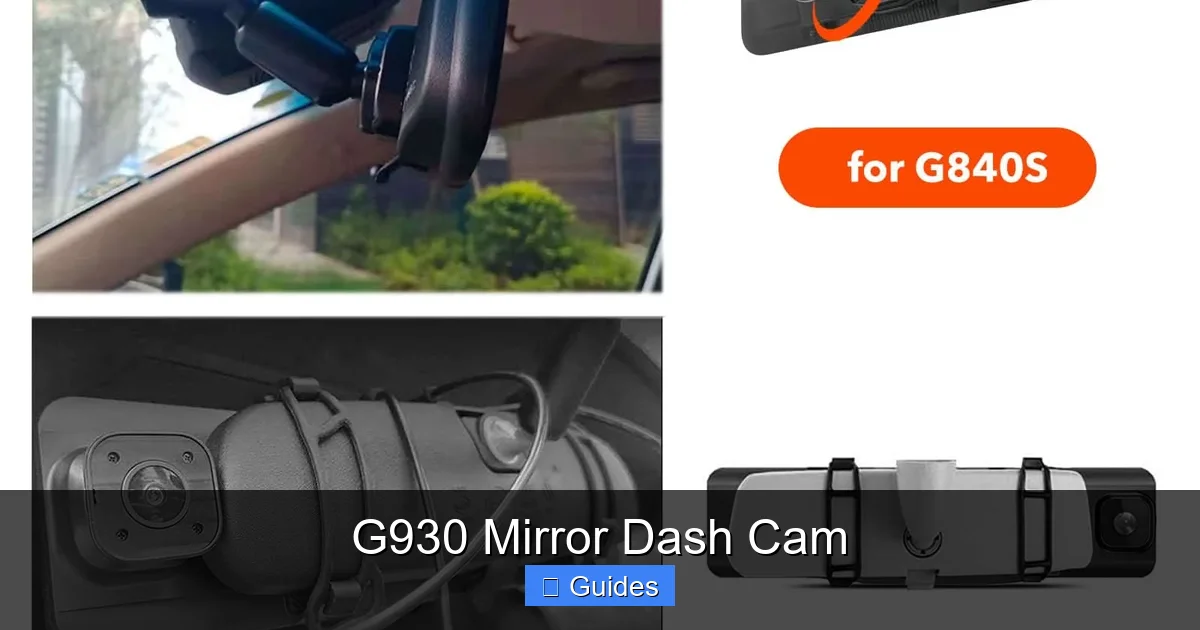
Visual guide about G930 Mirror Dash Cam
Image source: wolfbox.com
The G930 isn’t just about looking good—it’s packed with features that make it a reliable companion on the road. Let’s break down what makes this dash cam stand out from the crowd.
Dual-Lens Recording
One of the most valuable features of the G930 is its dual-camera system. The front camera records the road ahead in crisp 1080p Full HD, while the rear camera captures what’s happening behind your vehicle. This is especially helpful when reversing, changing lanes, or dealing with tailgaters.
Imagine you’re backing out of a tight parking spot. With the rear camera active, you can see exactly what’s behind you—no more guessing or relying solely on your side mirrors. Or picture this: you’re driving on a quiet street when a car suddenly cuts you off. The front camera captures the incident, while the rear camera records the license plate of the vehicle behind you, just in case they decide to flee the scene.
The dual feeds are displayed side by side on the mirror screen, giving you a comprehensive view of your surroundings. You can also switch to a single view if you prefer to focus on one direction.
1080p Full HD Video Quality
Video clarity is crucial when it comes to dash cams. Blurry or pixelated footage won’t help you identify a license plate or read a street sign. The G930 delivers sharp, detailed recordings in 1080p Full HD resolution.
This high-definition quality ensures that even small details—like road markings, traffic signals, or facial features—are clearly visible. Whether it’s daytime or nighttime, the G930 maintains strong image quality, thanks to advanced image sensors and processing.
The front camera uses a high-quality CMOS sensor with wide dynamic range (WDR) technology. WDR balances exposure in challenging lighting conditions, such as driving into the sun or exiting a tunnel. This means you won’t get overexposed skies or underexposed shadows—just balanced, natural-looking footage.
Night Vision and Low-Light Performance
Driving at night doesn’t have to mean sacrificing video quality. The G930 is equipped with infrared (IR) LEDs and enhanced low-light sensors that allow it to record clear footage even in near-total darkness.
The infrared LEDs illuminate the area behind your vehicle when reversing at night, helping you see obstacles, curbs, or pedestrians that might otherwise be hidden. Meanwhile, the front camera uses WDR and noise reduction algorithms to produce clean, usable video in dimly lit environments.
This feature is a game-changer for night drivers, shift workers, or anyone who frequently travels after sunset. You’ll have peace of mind knowing that your dash cam is working just as hard at 2 a.m. as it is at 2 p.m.
Wide-Angle Lenses for Maximum Coverage
Blind spots are a major hazard on the road. The G930 minimizes them with ultra-wide-angle lenses. The front camera boasts a 170° field of view, while the rear camera offers a 120° angle. This expansive coverage captures more of the road, including adjacent lanes and side streets.
A 170° lens is particularly useful for highway driving, where vehicles can enter your lane from multiple directions. It also helps when recording multi-lane intersections or busy city streets. The wide angle ensures that nothing important slips through the cracks.
The rear camera’s 120° view is ideal for monitoring traffic behind you, especially when reversing or changing lanes. It gives you a broader perspective than a standard rearview mirror, reducing the risk of accidents.
Loop Recording and G-Sensor
The G930 uses loop recording to ensure you never run out of storage. When the memory card fills up, the device automatically overwrites the oldest footage, keeping only the most recent recordings. This means you don’t have to manually delete files or worry about missing important clips.
But what happens during an accident? That’s where the built-in G-sensor comes in. This motion-sensitive sensor detects sudden impacts, hard braking, or sharp turns. When triggered, it locks the current video file, preventing it from being overwritten. This ensures that critical footage—like a collision or near-miss—is preserved for later review.
You can adjust the G-sensor sensitivity to suit your driving style. For example, if you drive on rough roads, you might set it to a lower sensitivity to avoid false triggers. If you’re in a high-risk area, a higher setting ensures even minor impacts are recorded.
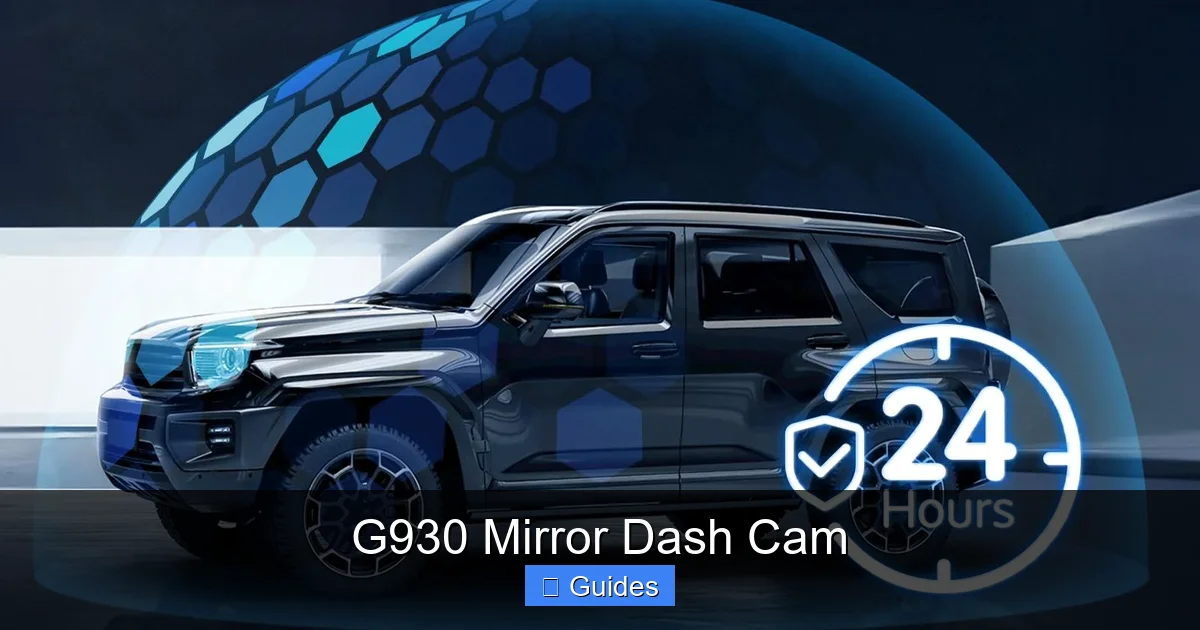
Parking Mode for 24/7 Protection
One of the most overlooked features of dash cams is parking mode. The G930 includes a built-in parking monitor that keeps an eye on your vehicle even when the engine is off.
When your car is parked, the G930 enters a low-power standby mode. If it detects motion—like someone walking past your car—or an impact—such as a door ding or attempted break-in—it automatically starts recording. This footage is saved and locked, so you can review it later.
To use parking mode, you’ll need to connect the G930 to a constant power source, such as a hardwired fuse box or a dedicated parking battery. Some users also use portable power banks for short-term parking protection.
This feature is especially useful in urban areas, parking garages, or neighborhoods with high theft rates. It gives you an extra layer of security when your car is most vulnerable.
Installation and Setup
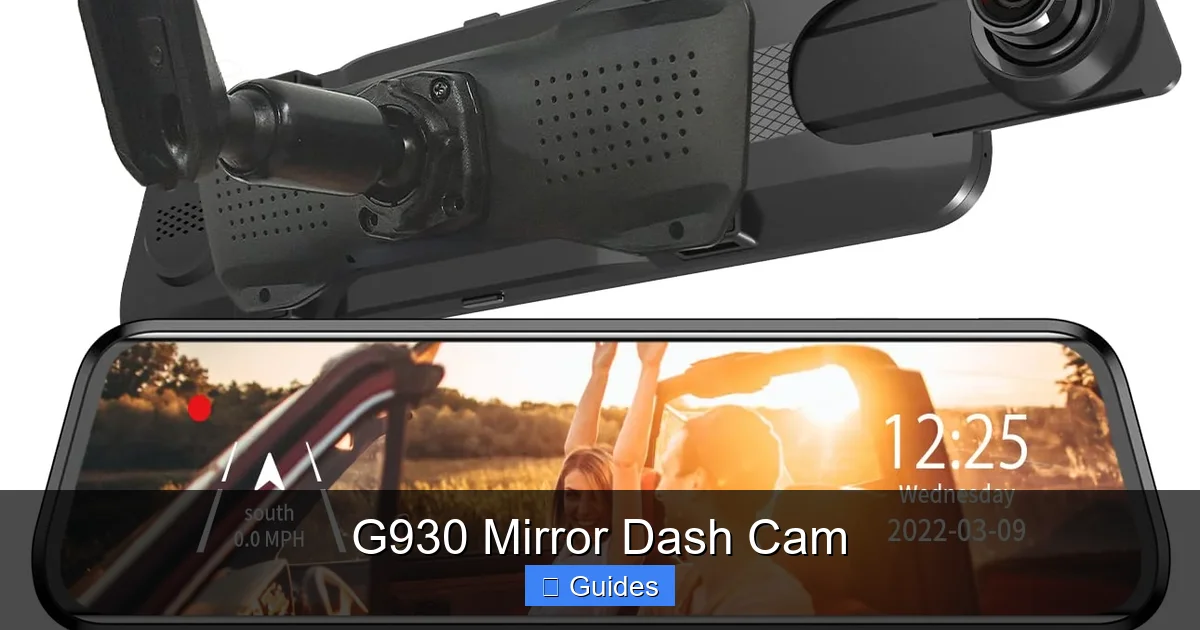
Visual guide about G930 Mirror Dash Cam
Image source: m.media-amazon.com
One of the biggest advantages of the G930 is how easy it is to install. You don’t need to be a tech expert or hire a professional. In fact, most users can set it up in under 15 minutes.
Step-by-Step Installation Guide
Start by cleaning your existing rearview mirror with a microfiber cloth to remove dust and grease. This ensures a secure fit.
Next, attach the mounting bracket to the back of the G930. The bracket is adjustable, so you can position it to match the shape and size of your mirror.
Slide the G930 over your existing mirror, aligning the bracket with the mirror’s housing. The device should fit snugly without obstructing your view.
Connect the power cable to the G930 and route it along the headliner and down the A-pillar to the cigarette lighter socket. Use cable clips or adhesive strips to keep the wire tidy and out of sight.
Plug the power adapter into your vehicle’s 12V outlet. The G930 will power on automatically and begin recording.
Tips for a Clean Installation
To keep your setup looking professional, tuck the power cable behind the headliner and use existing wire channels in your vehicle. Avoid running the cable across the windshield, as this can interfere with your view or damage the glass.
If you plan to use parking mode, consider hardwiring the G930 to your fuse box. This requires a bit more effort but provides constant power without draining your car battery. Many users purchase a hardwire kit designed for dash cams, which includes fuses and connectors for safe installation.
Initial Setup and Settings
Once powered on, the G930 will display a setup menu. Use the touch buttons on the side of the device to navigate.
Set the date and time, choose your preferred video resolution (1080p recommended), and enable loop recording. You can also adjust the G-sensor sensitivity and enable parking mode if connected to a constant power source.
Insert a high-endurance microSD card (32GB or 64GB recommended) to store your recordings. Format the card through the device menu to ensure compatibility.
Real-World Use Cases and Benefits
Visual guide about G930 Mirror Dash Cam
Image source: images-na.ssl-images-amazon.com
The G930 isn’t just a gadget—it’s a practical tool that can make a real difference in everyday driving. Here are a few scenarios where it shines.
Commuting in Heavy Traffic
If you spend hours in stop-and-go traffic, the G930 helps you stay aware of your surroundings. The front camera captures aggressive drivers, sudden stops, or lane changes, while the rear camera monitors tailgaters or vehicles approaching from behind.
In the event of a rear-end collision, you’ll have clear evidence showing that you were driving safely and that the other driver was at fault.
For Uber, Lyft, or food delivery drivers, the G930 offers an added layer of security. It records interactions with passengers, documents delivery routes, and provides evidence in case of disputes or false claims.
The dual cameras are especially useful when dropping off passengers in busy areas or navigating tight parking spaces.
Family and Teen Drivers
Parents of new drivers often worry about their safety on the road. The G930 lets you review your teen’s driving habits, identify risky behaviors, and provide constructive feedback.
It also serves as a deterrent—knowing they’re being recorded encourages responsible driving.
Travel and Road Trips
When exploring new cities or driving on unfamiliar roads, the G930 helps you stay alert. It records scenic routes, documents accidents, and provides a visual log of your journey.
If you’re involved in an incident in a foreign country, having clear footage can speed up insurance claims and legal processes.
Maintenance and Best Practices
To get the most out of your G930, follow these simple maintenance tips.
Regularly Check the Memory Card
Over time, microSD cards can wear out. Check the card every few months for errors or corruption. Format it monthly to keep it running smoothly.
Use only high-endurance cards designed for dash cams. Regular SD cards aren’t built for constant writing and may fail prematurely.
Clean the Lenses
Dust, fingerprints, and smudges can affect video quality. Clean the front and rear lenses with a soft, lint-free cloth. Avoid using harsh chemicals or abrasive materials.
Update Firmware When Available
Manufacturers occasionally release firmware updates to improve performance or fix bugs. Check the official website or user manual for update instructions.
Review Footage Periodically
Even if you haven’t been in an accident, reviewing your recordings can help you improve your driving. Look for patterns—like frequent hard braking or lane drifting—and adjust your habits.
Conclusion
The G930 Mirror Dash Cam is more than just a camera—it’s a smart, reliable, and stylish upgrade for any vehicle. With dual-lens recording, HD video, night vision, and intelligent features like loop recording and parking mode, it offers comprehensive protection for drivers of all kinds.
Its easy installation and mirror-integrated design make it a practical choice for anyone looking to enhance their safety without cluttering their dashboard. Whether you’re commuting, driving for work, or just want peace of mind, the G930 delivers.
Investing in a dash cam like the G930 isn’t just about capturing accidents—it’s about driving with confidence, knowing you’re prepared for whatever the road throws your way.
Frequently Asked Questions
Can the G930 Mirror Dash Cam record while the car is off?
Yes, the G930 supports parking mode, which allows it to record when the engine is off. However, it requires a constant power source, such as a hardwired connection to the fuse box or a dedicated battery pack.
What size microSD card does the G930 support?
The G930 supports microSD cards up to 128GB, but a 32GB or 64GB high-endurance card is recommended for optimal performance and longevity.
Does the G930 work in extreme temperatures?
The G930 is designed to operate in temperatures ranging from -4°F to 140°F (-20°C to 60°C), making it suitable for most climates. However, prolonged exposure to extreme heat or cold may affect performance.
Can I view the footage on my phone?
The G930 does not have built-in Wi-Fi or app connectivity. To view footage, you’ll need to remove the microSD card and insert it into a computer or use a card reader.
Is the G930 compatible with all vehicles?
The G930 fits most standard rearview mirrors, but it may not work with unusually large or curved mirrors. Check the dimensions before purchasing to ensure compatibility.
How do I reset the G930 to factory settings?
To reset the G930, go to the settings menu, select “System,” then choose “Reset to Factory Defaults.” This will restore all settings to their original state.

At CarLegit, we believe information should be clear, factual, and genuinely helpful. That’s why every guide, review, and update on our website is created with care, research, and a strong focus on user experience.