
Adjusting your car amp with an oscillating subwoofer doesn’t have to be complicated. With the right tools and a clear understanding of gain, crossover, and phase settings, you can unlock powerful, clean bass that enhances your entire audio experience. This guide walks you through every step to get the most out of your system.
So, you’ve just installed a slick new subwoofer in your car—maybe even one with that cool oscillating feature that gives you that deep, chest-thumping bass. But now you’re staring at your car amplifier, wondering: “How do I actually make this thing sound good?” You’re not alone. A lot of car audio enthusiasts get excited about the hardware but hit a wall when it comes to tuning. The truth is, even the best subwoofer won’t shine if the amp isn’t adjusted properly. That’s where this guide comes in.
Adjusting your car amp with an oscillating subwoofer isn’t just about cranking the volume and hoping for the best. It’s a blend of science, listening skills, and a little patience. When done right, you’ll get rich, distortion-free bass that complements your music instead of overwhelming it. Whether you’re into hip-hop, rock, or EDM, proper amp tuning ensures your subwoofer delivers the low-end punch you crave—without blowing your speakers or frying your amp.
In This Article
- 1 Key Takeaways
- 2 📑 Table of Contents
- 3 Understanding Your Oscillating Subwoofer and Amp Setup
- 4 Essential Tools for Tuning Your Car Amp
- 5 Step-by-Step Guide to Adjusting Gain and Preventing Clipping
- 5.1 Step 1: Turn All Settings to Zero
- 5.2 Step 2: Set Head Unit Volume to 75% On your car stereo, play a 50Hz test tone and set the volume to about 75% of maximum. This gives you headroom—preventing the source signal from clipping before it even reaches the amp. Never use 100% volume during tuning; it distorts the signal and gives false readings. Step 3: Connect the Multimeter Set your multimeter to measure AC voltage. Connect the probes to the amp’s speaker output terminals (positive to positive, negative to negative). Make sure the subwoofer is connected and powered on. Step 4: Adjust the Gain Slowly turn the gain knob clockwise while watching the multimeter. Stop when you reach the target voltage based on your sub’s RMS power. For example, a 400-watt RMS sub at 4 ohms needs about 40 volts (40² ÷ 4 = 400). Don’t go over—this is where clipping starts. Step 5: Verify with an Oscilloscope (If Available) If you have an oscilloscope, connect it to the amp’s output. Play the test tone and look at the waveform. It should be a smooth sine wave. If the tops are flat or squared off, you’re clipping—turn the gain down slightly until the wave is clean. Step 6: Test with Music Switch to your favorite bass-heavy track. Listen carefully. If the bass sounds muddy or distorted, your gain might still be too high. If it’s weak, you may need to adjust the head unit’s EQ or crossover settings. Setting the Low-Pass Crossover for Optimal Bass The low-pass crossover is a filter that blocks high frequencies from reaching your subwoofer. Since subs are designed for bass, sending them mid or high frequencies can cause distortion and damage. Setting this correctly ensures your sub only plays what it’s meant to. Why the Crossover Matters
- 5.3 Where to Set the Crossover
- 5.4 How to Adjust It On your amp, find the low-pass crossover knob or switch. Start at 80Hz. Play a song with a clear bass line and listen. If the bass sounds disconnected or “boomy,” try lowering the crossover to 70Hz. If it’s too weak, go up to 90Hz. The goal is a smooth transition between your speakers and sub. Avoid Overlapping Frequencies
- 6 Fine-Tuning Phase, Polarity, and Bass Boost
- 6.1 Understanding Phase
- 6.2 How to Set Phase Play a bass-heavy track and flip the phase switch while listening. Choose the setting where the bass sounds fuller and more powerful. You can also do this test with a friend: one person flips the switch while the other listens and gives feedback. Check Polarity
- 6.3 Use Bass Boost Sparingly
- 7 Testing, Listening, and Final Adjustments
- 8 Common Mistakes to Avoid
- 9 Maintaining Your System for Long-Term Performance
- 10 Conclusion
- 11 Frequently Asked Questions
Key Takeaways
- Understand your subwoofer’s specs: Know the RMS power, impedance, and frequency range to match your amp correctly.
- Use an oscilloscope or test tones: These tools help visualize the signal and prevent clipping or distortion.
- Set the gain properly: Avoid turning the gain knob too high—use a multimeter or test tones for accurate calibration.
- Adjust the low-pass crossover: Set it between 80Hz and 120Hz to let only bass frequencies reach the subwoofer.
- Fine-tune phase and polarity: Ensure the subwoofer moves in sync with your main speakers for a cohesive sound.
- Test and listen critically: Use familiar music tracks to evaluate bass response and make subtle adjustments.
- Prevent overheating and damage: Monitor amp temperature and avoid prolonged high-volume use.
📑 Table of Contents
- Understanding Your Oscillating Subwoofer and Amp Setup
- Essential Tools for Tuning Your Car Amp
- Step-by-Step Guide to Adjusting Gain and Preventing Clipping
- Setting the Low-Pass Crossover for Optimal Bass
- Fine-Tuning Phase, Polarity, and Bass Boost
- Testing, Listening, and Final Adjustments
- Common Mistakes to Avoid
- Maintaining Your System for Long-Term Performance
- Conclusion
Understanding Your Oscillating Subwoofer and Amp Setup
Before you start twisting knobs, it’s important to understand what you’re working with. An oscillating subwoofer—sometimes called a “free-air” or “infinite baffle” sub—relies on the natural movement of air behind it to produce sound. Unlike sealed or ported enclosures, these subs often sit in a hatchback or trunk and use the vehicle’s interior as part of the acoustic design. This makes them efficient but also more sensitive to improper tuning.
Your car amplifier is the brain of the operation. It takes the low-power signal from your head unit and boosts it to drive the subwoofer. But if the signal is too strong, too weak, or the wrong frequency, you’ll get distortion, poor sound quality, or even damage your gear. That’s why understanding the relationship between your subwoofer and amp is crucial.
Start by checking your subwoofer’s specifications. Look for the RMS power rating—this tells you how much continuous power it can handle. For example, a 300-watt RMS subwoofer should be paired with an amp that delivers around 300 watts RMS at the same impedance (like 4 ohms). Mismatched power can lead to underperformance or blown coils.
Also, note the frequency response. Most car subwoofers operate between 20Hz and 200Hz. Your job is to make sure the amp only sends signals in that range. This is where the low-pass crossover comes in—more on that later.
Finally, consider the impedance. Most car subs are 2 or 4 ohms. Your amp must be stable at that load. Running a 2-ohm sub on an amp not rated for 2 ohms can cause overheating and failure.
Essential Tools for Tuning Your Car Amp
You don’t need a professional studio to tune your car audio, but having the right tools makes a huge difference. Here’s what you’ll want to have on hand:
Multimeter
A multimeter is your best friend when setting gain. It measures voltage, which helps you calculate power output accurately. Instead of guessing by ear, you can use Ohm’s Law (Power = Voltage² ÷ Impedance) to match your amp’s output to your sub’s RMS rating. For example, if your sub is 300 watts RMS at 4 ohms, you’ll want the amp to output about 34.6 volts (since 34.6² ÷ 4 ≈ 300).
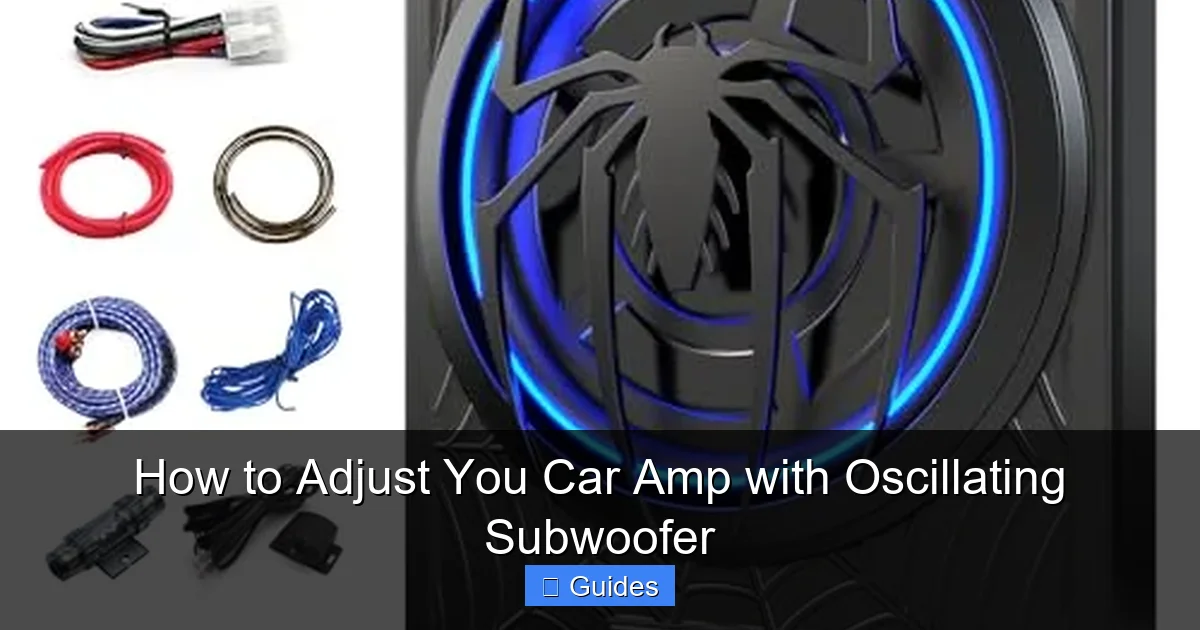
Visual guide about How to Adjust You Car Amp with Oscillating Subwoofer
Image source: m.media-amazon.com
Test Tone Tracks
These are audio files with pure sine waves at specific frequencies—usually 50Hz or 60Hz for subwoofers. You can find free test tones on YouTube or audio tuning websites. Play a 50Hz tone at 75% volume on your head unit, then adjust the gain until the multimeter reads the correct voltage. This ensures your amp isn’t clipping (distorting) the signal.
Oscilloscope (Optional but Powerful)
If you really want to geek out, an oscilloscope lets you see the waveform of your audio signal. Clipping shows up as flat tops on the wave—meaning the amp is being pushed too hard. With an oscilloscope, you can fine-tune the gain to the exact point just before clipping occurs. This is the gold standard for precision tuning.
Sound Pressure Level (SPL) Meter
While not essential, an SPL meter helps measure how loud your system is. This is useful for balancing the subwoofer with your main speakers. You want the bass to blend smoothly, not dominate the mix.
Familiar Music Tracks
After using test tones, switch to songs you know well. Choose tracks with deep bass lines—like “Another One Bites the Dust” by Queen or “Uptown Funk” by Bruno Mars. These help you judge real-world performance and make final adjustments based on how it *feels* to listen.
Step-by-Step Guide to Adjusting Gain and Preventing Clipping
Now that you have your tools, let’s get into the nitty-gritty: setting the gain. This is arguably the most important step. Done wrong, and you risk distortion, blown subs, or a fried amp. Done right, and your system will sound clean and powerful.
Step 1: Turn All Settings to Zero
Start with a clean slate. Turn the gain knob all the way down (counterclockwise). Also, set the bass boost to zero, the low-pass crossover to its highest setting (usually 200Hz), and the phase switch to 0°. This ensures you’re not introducing any unwanted effects during setup.

Visual guide about How to Adjust You Car Amp with Oscillating Subwoofer
Image source: carxplorer.com
Step 2: Set Head Unit Volume to 75%
On your car stereo, play a 50Hz test tone and set the volume to about 75% of maximum. This gives you headroom—preventing the source signal from clipping before it even reaches the amp. Never use 100% volume during tuning; it distorts the signal and gives false readings.
Step 3: Connect the Multimeter
Set your multimeter to measure AC voltage. Connect the probes to the amp’s speaker output terminals (positive to positive, negative to negative). Make sure the subwoofer is connected and powered on.
Step 4: Adjust the Gain
Slowly turn the gain knob clockwise while watching the multimeter. Stop when you reach the target voltage based on your sub’s RMS power. For example, a 400-watt RMS sub at 4 ohms needs about 40 volts (40² ÷ 4 = 400). Don’t go over—this is where clipping starts.
Step 5: Verify with an Oscilloscope (If Available)
If you have an oscilloscope, connect it to the amp’s output. Play the test tone and look at the waveform. It should be a smooth sine wave. If the tops are flat or squared off, you’re clipping—turn the gain down slightly until the wave is clean.
Step 6: Test with Music
Switch to your favorite bass-heavy track. Listen carefully. If the bass sounds muddy or distorted, your gain might still be too high. If it’s weak, you may need to adjust the head unit’s EQ or crossover settings.
Setting the Low-Pass Crossover for Optimal Bass
The low-pass crossover is a filter that blocks high frequencies from reaching your subwoofer. Since subs are designed for bass, sending them mid or high frequencies can cause distortion and damage. Setting this correctly ensures your sub only plays what it’s meant to.
Why the Crossover Matters
Imagine your subwoofer trying to play a guitar solo—it can’t. Its cone isn’t built for fast, high-frequency movements. The crossover prevents this by cutting off frequencies above a certain point, usually between 80Hz and 120Hz.
Visual guide about How to Adjust You Car Amp with Oscillating Subwoofer
Image source: m.media-amazon.com
Where to Set the Crossover
For most cars, 80Hz is a sweet spot. This allows your main speakers to handle mids and highs while the sub focuses on deep bass. If your front speakers are small (like factory 3.5-inch drivers), you might set it higher—around 100Hz—to fill in the lower midrange. If you have large 6x9s or component speakers, 80Hz is ideal.
How to Adjust It
On your amp, find the low-pass crossover knob or switch. Start at 80Hz. Play a song with a clear bass line and listen. If the bass sounds disconnected or “boomy,” try lowering the crossover to 70Hz. If it’s too weak, go up to 90Hz. The goal is a smooth transition between your speakers and sub.
Avoid Overlapping Frequencies
Don’t set the crossover too high. If your main speakers are already playing 80Hz, and your sub is also playing 80Hz, they can interfere with each other—causing phase cancellation and a hollow sound. Use your ears and make small adjustments.
Fine-Tuning Phase, Polarity, and Bass Boost
Once gain and crossover are set, it’s time for the finishing touches: phase, polarity, and bass boost. These settings affect how your subwoofer integrates with the rest of your system.
Understanding Phase
Phase determines whether your subwoofer’s cone moves in or out at the same time as your main speakers. If they’re out of phase, the sound waves can cancel each other out, making the bass disappear. Most amps have a phase switch (0° or 180°).
How to Set Phase
Play a bass-heavy track and flip the phase switch while listening. Choose the setting where the bass sounds fuller and more powerful. You can also do this test with a friend: one person flips the switch while the other listens and gives feedback.
Check Polarity
Polarity refers to the wiring: positive to positive, negative to negative. If reversed, the subwoofer moves opposite to the signal, which can cause phase issues. Double-check your wiring. If you’re unsure, swap the wires and see if the bass improves.
Use Bass Boost Sparingly
Bass boost amplifies low frequencies, but it can easily cause distortion if overused. Most experts recommend leaving it off or setting it to the minimum. If you must use it, apply it gently—no more than +3dB—and only if your music lacks depth. Remember: boosting doesn’t add real bass; it just makes existing bass louder, which can strain your sub.
Testing, Listening, and Final Adjustments
You’ve set the gain, crossover, phase, and polarity. Now it’s time to test your system in real-world conditions.
Use a Variety of Music
Don’t just test with one genre. Try rock, jazz, classical, and electronic music. Each stresses your system differently. A well-tuned sub should handle all of them without distortion or muddiness.
Listen for Distortion
At high volumes, listen for crackling, popping, or “farting” sounds. These are signs of clipping or mechanical stress. If you hear them, turn the volume down or reduce the gain slightly.
Check for Overheating
After 20–30 minutes of play, feel the amp. It should be warm, not hot. If it’s too hot to touch, your settings may be pushing it too hard. Let it cool down and recheck your gain and impedance match.
Make Small Tweaks
Audio tuning is iterative. You might need to adjust the gain by 5% or shift the crossover by 10Hz. Keep notes so you can track what works.
Consider Room Acoustics
Your car’s interior affects sound. Hard surfaces reflect bass, while soft materials absorb it. If your bass sounds boomy, try adding sound-deadening material to the trunk or doors. This reduces resonance and improves clarity.
Common Mistakes to Avoid
Even experienced car audio fans make these errors. Avoid them to get the best sound:
- Setting gain by ear: This almost always leads to clipping. Always use a multimeter or oscilloscope.
- Ignoring impedance: Running a 2-ohm sub on a 4-ohm stable amp can cause overheating.
- Using bass boost as a crutch: It masks poor tuning. Fix the root issue instead.
- Overpowering the sub: More watts isn’t always better. Match RMS ratings closely.
- Skipping the test tones: They’re essential for accurate gain setting.
- Neglecting phase and polarity: These can make or break your bass response.
Maintaining Your System for Long-Term Performance
Tuning isn’t a one-time task. Over time, components can drift, and your ears may adapt. Here’s how to keep your system sounding great:
- Recheck settings every 6 months: Temperature changes and vibration can loosen connections.
- Clean connections: Use contact cleaner on RCA jacks and speaker terminals to prevent signal loss.
- Monitor amp temperature: Install a cooling fan if your amp runs hot.
- Update firmware (if applicable): Some modern amps have software updates for better performance.
- Listen critically: Your ears are the best tool. If something sounds off, investigate.
Conclusion
Adjusting your car amp with an oscillating subwoofer might seem intimidating at first, but it’s totally doable with the right approach. Start by understanding your gear, use the proper tools, and follow a methodical process. Set the gain accurately, tune the crossover, check phase and polarity, and always test with real music.
Remember, the goal isn’t just loud bass—it’s clean, powerful, and balanced sound that enhances your driving experience. Take your time, trust your ears, and don’t be afraid to make small adjustments. With patience and practice, you’ll have a system that turns every ride into a concert on wheels.
Frequently Asked Questions
What is an oscillating subwoofer?
An oscillating subwoofer, often called a free-air sub, uses the natural air movement in your car’s trunk or hatchback to produce sound. It doesn’t require a sealed or ported box, making it space-efficient but sensitive to proper tuning.
Can I adjust my car amp without a multimeter?
While possible, it’s not recommended. Setting gain by ear often leads to clipping and distortion. A multimeter ensures accurate voltage readings, protecting your subwoofer and amp from damage.
What happens if I set the gain too high?
High gain causes clipping, which distorts the audio signal. This can overheat your amp, damage your subwoofer’s voice coil, and result in poor sound quality. Always use test tones and a multimeter to set gain safely.
Should I use bass boost on my amp?
Bass boost should be used sparingly, if at all. It amplifies low frequencies but can easily cause distortion. It’s better to tune your system properly than rely on boost to enhance bass.
How do I know if my subwoofer is out of phase?
If the bass sounds weak or hollow, your subwoofer may be out of phase. Flip the phase switch (0° to 180°) and listen. Choose the setting where the bass feels fuller and more integrated with your main speakers.
Can I damage my car battery by running a powerful subwoofer?
A high-powered subwoofer can strain your electrical system, especially at high volumes. Ensure your alternator and battery can handle the load. Upgrading to a high-output alternator or adding a capacitor can help maintain stable power.

At CarLegit, we believe information should be clear, factual, and genuinely helpful. That’s why every guide, review, and update on our website is created with care, research, and a strong focus on user experience.
Set your multimeter to measure AC voltage. Connect the probes to the amp’s speaker output terminals (positive to positive, negative to negative). Make sure the subwoofer is connected and powered on.
Step 4: Adjust the Gain
Slowly turn the gain knob clockwise while watching the multimeter. Stop when you reach the target voltage based on your sub’s RMS power. For example, a 400-watt RMS sub at 4 ohms needs about 40 volts (40² ÷ 4 = 400). Don’t go over—this is where clipping starts.
Step 5: Verify with an Oscilloscope (If Available)
If you have an oscilloscope, connect it to the amp’s output. Play the test tone and look at the waveform. It should be a smooth sine wave. If the tops are flat or squared off, you’re clipping—turn the gain down slightly until the wave is clean.
Step 6: Test with Music
Switch to your favorite bass-heavy track. Listen carefully. If the bass sounds muddy or distorted, your gain might still be too high. If it’s weak, you may need to adjust the head unit’s EQ or crossover settings.
Setting the Low-Pass Crossover for Optimal Bass
The low-pass crossover is a filter that blocks high frequencies from reaching your subwoofer. Since subs are designed for bass, sending them mid or high frequencies can cause distortion and damage. Setting this correctly ensures your sub only plays what it’s meant to.
Why the Crossover Matters
Imagine your subwoofer trying to play a guitar solo—it can’t. Its cone isn’t built for fast, high-frequency movements. The crossover prevents this by cutting off frequencies above a certain point, usually between 80Hz and 120Hz.
Visual guide about How to Adjust You Car Amp with Oscillating Subwoofer
Image source: m.media-amazon.com
Where to Set the Crossover
For most cars, 80Hz is a sweet spot. This allows your main speakers to handle mids and highs while the sub focuses on deep bass. If your front speakers are small (like factory 3.5-inch drivers), you might set it higher—around 100Hz—to fill in the lower midrange. If you have large 6x9s or component speakers, 80Hz is ideal.
How to Adjust It
On your amp, find the low-pass crossover knob or switch. Start at 80Hz. Play a song with a clear bass line and listen. If the bass sounds disconnected or “boomy,” try lowering the crossover to 70Hz. If it’s too weak, go up to 90Hz. The goal is a smooth transition between your speakers and sub.
Avoid Overlapping Frequencies
Don’t set the crossover too high. If your main speakers are already playing 80Hz, and your sub is also playing 80Hz, they can interfere with each other—causing phase cancellation and a hollow sound. Use your ears and make small adjustments.
Fine-Tuning Phase, Polarity, and Bass Boost
Once gain and crossover are set, it’s time for the finishing touches: phase, polarity, and bass boost. These settings affect how your subwoofer integrates with the rest of your system.
Understanding Phase
Phase determines whether your subwoofer’s cone moves in or out at the same time as your main speakers. If they’re out of phase, the sound waves can cancel each other out, making the bass disappear. Most amps have a phase switch (0° or 180°).
How to Set Phase
Play a bass-heavy track and flip the phase switch while listening. Choose the setting where the bass sounds fuller and more powerful. You can also do this test with a friend: one person flips the switch while the other listens and gives feedback.
Check Polarity
Polarity refers to the wiring: positive to positive, negative to negative. If reversed, the subwoofer moves opposite to the signal, which can cause phase issues. Double-check your wiring. If you’re unsure, swap the wires and see if the bass improves.
Use Bass Boost Sparingly
Bass boost amplifies low frequencies, but it can easily cause distortion if overused. Most experts recommend leaving it off or setting it to the minimum. If you must use it, apply it gently—no more than +3dB—and only if your music lacks depth. Remember: boosting doesn’t add real bass; it just makes existing bass louder, which can strain your sub.
Testing, Listening, and Final Adjustments
You’ve set the gain, crossover, phase, and polarity. Now it’s time to test your system in real-world conditions.
Use a Variety of Music
Don’t just test with one genre. Try rock, jazz, classical, and electronic music. Each stresses your system differently. A well-tuned sub should handle all of them without distortion or muddiness.
Listen for Distortion
At high volumes, listen for crackling, popping, or “farting” sounds. These are signs of clipping or mechanical stress. If you hear them, turn the volume down or reduce the gain slightly.
Check for Overheating
After 20–30 minutes of play, feel the amp. It should be warm, not hot. If it’s too hot to touch, your settings may be pushing it too hard. Let it cool down and recheck your gain and impedance match.
Make Small Tweaks
Audio tuning is iterative. You might need to adjust the gain by 5% or shift the crossover by 10Hz. Keep notes so you can track what works.
Consider Room Acoustics
Your car’s interior affects sound. Hard surfaces reflect bass, while soft materials absorb it. If your bass sounds boomy, try adding sound-deadening material to the trunk or doors. This reduces resonance and improves clarity.
Common Mistakes to Avoid
Even experienced car audio fans make these errors. Avoid them to get the best sound:
- Setting gain by ear: This almost always leads to clipping. Always use a multimeter or oscilloscope.
- Ignoring impedance: Running a 2-ohm sub on a 4-ohm stable amp can cause overheating.
- Using bass boost as a crutch: It masks poor tuning. Fix the root issue instead.
- Overpowering the sub: More watts isn’t always better. Match RMS ratings closely.
- Skipping the test tones: They’re essential for accurate gain setting.
- Neglecting phase and polarity: These can make or break your bass response.
Maintaining Your System for Long-Term Performance
Tuning isn’t a one-time task. Over time, components can drift, and your ears may adapt. Here’s how to keep your system sounding great:
- Recheck settings every 6 months: Temperature changes and vibration can loosen connections.
- Clean connections: Use contact cleaner on RCA jacks and speaker terminals to prevent signal loss.
- Monitor amp temperature: Install a cooling fan if your amp runs hot.
- Update firmware (if applicable): Some modern amps have software updates for better performance.
- Listen critically: Your ears are the best tool. If something sounds off, investigate.
Conclusion
Adjusting your car amp with an oscillating subwoofer might seem intimidating at first, but it’s totally doable with the right approach. Start by understanding your gear, use the proper tools, and follow a methodical process. Set the gain accurately, tune the crossover, check phase and polarity, and always test with real music.
Remember, the goal isn’t just loud bass—it’s clean, powerful, and balanced sound that enhances your driving experience. Take your time, trust your ears, and don’t be afraid to make small adjustments. With patience and practice, you’ll have a system that turns every ride into a concert on wheels.
Frequently Asked Questions
What is an oscillating subwoofer?
An oscillating subwoofer, often called a free-air sub, uses the natural air movement in your car’s trunk or hatchback to produce sound. It doesn’t require a sealed or ported box, making it space-efficient but sensitive to proper tuning.
Can I adjust my car amp without a multimeter?
While possible, it’s not recommended. Setting gain by ear often leads to clipping and distortion. A multimeter ensures accurate voltage readings, protecting your subwoofer and amp from damage.
What happens if I set the gain too high?
High gain causes clipping, which distorts the audio signal. This can overheat your amp, damage your subwoofer’s voice coil, and result in poor sound quality. Always use test tones and a multimeter to set gain safely.
Should I use bass boost on my amp?
Bass boost should be used sparingly, if at all. It amplifies low frequencies but can easily cause distortion. It’s better to tune your system properly than rely on boost to enhance bass.
How do I know if my subwoofer is out of phase?
If the bass sounds weak or hollow, your subwoofer may be out of phase. Flip the phase switch (0° to 180°) and listen. Choose the setting where the bass feels fuller and more integrated with your main speakers.
Can I damage my car battery by running a powerful subwoofer?
A high-powered subwoofer can strain your electrical system, especially at high volumes. Ensure your alternator and battery can handle the load. Upgrading to a high-output alternator or adding a capacitor can help maintain stable power.
At CarLegit, we believe information should be clear, factual, and genuinely helpful. That’s why every guide, review, and update on our website is created with care, research, and a strong focus on user experience.
If you have an oscilloscope, connect it to the amp’s output. Play the test tone and look at the waveform. It should be a smooth sine wave. If the tops are flat or squared off, you’re clipping—turn the gain down slightly until the wave is clean.
Step 6: Test with Music
Switch to your favorite bass-heavy track. Listen carefully. If the bass sounds muddy or distorted, your gain might still be too high. If it’s weak, you may need to adjust the head unit’s EQ or crossover settings.
Setting the Low-Pass Crossover for Optimal Bass
The low-pass crossover is a filter that blocks high frequencies from reaching your subwoofer. Since subs are designed for bass, sending them mid or high frequencies can cause distortion and damage. Setting this correctly ensures your sub only plays what it’s meant to.
Why the Crossover Matters
Imagine your subwoofer trying to play a guitar solo—it can’t. Its cone isn’t built for fast, high-frequency movements. The crossover prevents this by cutting off frequencies above a certain point, usually between 80Hz and 120Hz.
Visual guide about How to Adjust You Car Amp with Oscillating Subwoofer
Image source: m.media-amazon.com
Where to Set the Crossover
For most cars, 80Hz is a sweet spot. This allows your main speakers to handle mids and highs while the sub focuses on deep bass. If your front speakers are small (like factory 3.5-inch drivers), you might set it higher—around 100Hz—to fill in the lower midrange. If you have large 6x9s or component speakers, 80Hz is ideal.
How to Adjust It
On your amp, find the low-pass crossover knob or switch. Start at 80Hz. Play a song with a clear bass line and listen. If the bass sounds disconnected or “boomy,” try lowering the crossover to 70Hz. If it’s too weak, go up to 90Hz. The goal is a smooth transition between your speakers and sub.
Avoid Overlapping Frequencies
Don’t set the crossover too high. If your main speakers are already playing 80Hz, and your sub is also playing 80Hz, they can interfere with each other—causing phase cancellation and a hollow sound. Use your ears and make small adjustments.
Fine-Tuning Phase, Polarity, and Bass Boost
Once gain and crossover are set, it’s time for the finishing touches: phase, polarity, and bass boost. These settings affect how your subwoofer integrates with the rest of your system.
Understanding Phase
Phase determines whether your subwoofer’s cone moves in or out at the same time as your main speakers. If they’re out of phase, the sound waves can cancel each other out, making the bass disappear. Most amps have a phase switch (0° or 180°).
How to Set Phase
Play a bass-heavy track and flip the phase switch while listening. Choose the setting where the bass sounds fuller and more powerful. You can also do this test with a friend: one person flips the switch while the other listens and gives feedback.
Check Polarity
Polarity refers to the wiring: positive to positive, negative to negative. If reversed, the subwoofer moves opposite to the signal, which can cause phase issues. Double-check your wiring. If you’re unsure, swap the wires and see if the bass improves.
Use Bass Boost Sparingly
Bass boost amplifies low frequencies, but it can easily cause distortion if overused. Most experts recommend leaving it off or setting it to the minimum. If you must use it, apply it gently—no more than +3dB—and only if your music lacks depth. Remember: boosting doesn’t add real bass; it just makes existing bass louder, which can strain your sub.
Testing, Listening, and Final Adjustments
You’ve set the gain, crossover, phase, and polarity. Now it’s time to test your system in real-world conditions.
Use a Variety of Music
Don’t just test with one genre. Try rock, jazz, classical, and electronic music. Each stresses your system differently. A well-tuned sub should handle all of them without distortion or muddiness.
Listen for Distortion
At high volumes, listen for crackling, popping, or “farting” sounds. These are signs of clipping or mechanical stress. If you hear them, turn the volume down or reduce the gain slightly.
Check for Overheating
After 20–30 minutes of play, feel the amp. It should be warm, not hot. If it’s too hot to touch, your settings may be pushing it too hard. Let it cool down and recheck your gain and impedance match.
Make Small Tweaks
Audio tuning is iterative. You might need to adjust the gain by 5% or shift the crossover by 10Hz. Keep notes so you can track what works.
Consider Room Acoustics
Your car’s interior affects sound. Hard surfaces reflect bass, while soft materials absorb it. If your bass sounds boomy, try adding sound-deadening material to the trunk or doors. This reduces resonance and improves clarity.
Common Mistakes to Avoid
Even experienced car audio fans make these errors. Avoid them to get the best sound:
- Setting gain by ear: This almost always leads to clipping. Always use a multimeter or oscilloscope.
- Ignoring impedance: Running a 2-ohm sub on a 4-ohm stable amp can cause overheating.
- Using bass boost as a crutch: It masks poor tuning. Fix the root issue instead.
- Overpowering the sub: More watts isn’t always better. Match RMS ratings closely.
- Skipping the test tones: They’re essential for accurate gain setting.
- Neglecting phase and polarity: These can make or break your bass response.
Maintaining Your System for Long-Term Performance
Tuning isn’t a one-time task. Over time, components can drift, and your ears may adapt. Here’s how to keep your system sounding great:
- Recheck settings every 6 months: Temperature changes and vibration can loosen connections.
- Clean connections: Use contact cleaner on RCA jacks and speaker terminals to prevent signal loss.
- Monitor amp temperature: Install a cooling fan if your amp runs hot.
- Update firmware (if applicable): Some modern amps have software updates for better performance.
- Listen critically: Your ears are the best tool. If something sounds off, investigate.
Conclusion
Adjusting your car amp with an oscillating subwoofer might seem intimidating at first, but it’s totally doable with the right approach. Start by understanding your gear, use the proper tools, and follow a methodical process. Set the gain accurately, tune the crossover, check phase and polarity, and always test with real music.
Remember, the goal isn’t just loud bass—it’s clean, powerful, and balanced sound that enhances your driving experience. Take your time, trust your ears, and don’t be afraid to make small adjustments. With patience and practice, you’ll have a system that turns every ride into a concert on wheels.
Frequently Asked Questions
What is an oscillating subwoofer?
An oscillating subwoofer, often called a free-air sub, uses the natural air movement in your car’s trunk or hatchback to produce sound. It doesn’t require a sealed or ported box, making it space-efficient but sensitive to proper tuning.
Can I adjust my car amp without a multimeter?
While possible, it’s not recommended. Setting gain by ear often leads to clipping and distortion. A multimeter ensures accurate voltage readings, protecting your subwoofer and amp from damage.
What happens if I set the gain too high?
High gain causes clipping, which distorts the audio signal. This can overheat your amp, damage your subwoofer’s voice coil, and result in poor sound quality. Always use test tones and a multimeter to set gain safely.
Should I use bass boost on my amp?
Bass boost should be used sparingly, if at all. It amplifies low frequencies but can easily cause distortion. It’s better to tune your system properly than rely on boost to enhance bass.
How do I know if my subwoofer is out of phase?
If the bass sounds weak or hollow, your subwoofer may be out of phase. Flip the phase switch (0° to 180°) and listen. Choose the setting where the bass feels fuller and more integrated with your main speakers.
Can I damage my car battery by running a powerful subwoofer?
A high-powered subwoofer can strain your electrical system, especially at high volumes. Ensure your alternator and battery can handle the load. Upgrading to a high-output alternator or adding a capacitor can help maintain stable power.
At CarLegit, we believe information should be clear, factual, and genuinely helpful. That’s why every guide, review, and update on our website is created with care, research, and a strong focus on user experience.