
Featured image for how-to-change-battery-in-2021-acura-rdx-key-fob
Image source: i.ytimg.com
Changing the 2021 Acura RDX key fob battery is a quick, tool-free process anyone can do in under a minute. Simply use the physical key to gently pry open the fob’s case, replace the old CR2032 battery, and snap the housing back together.
In This Article
- 1 How To Change Battery In 2021 Acura Rdx Key Fob Easy Steps
- 1.1 Key Takeaways
- 1.2 📑 Table of Contents
- 1.3 Understanding Your 2021 Acura RDX Key Fob
- 1.4 Tools and Materials You’ll Need
- 1.5 Step-by-Step Guide to Changing the Battery
- 1.6 Testing Your Key Fob After Battery Replacement
- 1.7 Common Mistakes to Avoid
- 1.8 Maintaining Your Key Fob for Longevity
- 1.9 Conclusion
- 1.10 Frequently Asked Questions
- 1.10.1 What type of battery does the 2021 Acura RDX key fob use?
- 1.10.2 How do I open the 2021 Acura RDX key fob to change the battery?
- 1.10.3 Can I change the battery in my 2021 Acura RDX key fob myself?
- 1.10.4 What are the easy steps to change the battery in a 2021 Acura RDX key fob?
- 1.10.5 How often should I change the battery in my 2021 Acura RDX key fob?
- 1.10.6 What should I do if my 2021 Acura RDX key fob doesn’t work after changing the battery?
How To Change Battery In 2021 Acura Rdx Key Fob Easy Steps
Hey there! If you’re reading this, chances are your 2021 Acura RDX key fob is acting up. Maybe the buttons aren’t responding as they should, or the remote start feature is being finicky. I’ve been there—fumbling with my keys in a parking lot, pressing the unlock button repeatedly while nothing happens. It’s frustrating, but don’t worry! Changing the battery in your 2021 Acura RDX key fob is a simple task you can do at home in just a few minutes.
I remember the first time my key fob died. I was running late for an appointment, and my car just wouldn’t lock. After a quick panic, I realized it was probably the battery. With a little research and some hands-on experience, I learned how to change it myself. Now, I want to share that knowledge with you. This guide will walk you through the entire process, from understanding your key fob to testing it after the swap. By the end, you’ll feel confident tackling this small but essential maintenance task.
Think of this as a friendly chat over coffee. I’ll explain everything in plain English, without any confusing jargon. Whether you’re a DIY newbie or a seasoned pro, these steps are designed to be easy and stress-free. So, grab your key fob, and let’s get started on how to change battery in 2021 Acura RDX key fob the right way.
Key Takeaways
- Use a small flathead tool: to safely pry open the key fob case.
- The correct battery is a CR2032: confirm this before purchasing a replacement.
- Handle the internal circuit board carefully: avoid touching it directly to prevent damage.
- Note the battery’s orientation: the positive (+) side must face up.
- Test all key fob buttons: after reassembly to ensure proper function.
- Snap the case halves firmly together: until you hear a secure click.
📑 Table of Contents
Understanding Your 2021 Acura RDX Key Fob
Before we dive into the battery replacement, it’s helpful to know what you’re working with. The 2021 Acura RDX key fob is a sleek, modern device that does more than just lock and unlock your car. It likely has buttons for trunk release, panic alarm, and remote start. Inside, it houses a small circuit board and a battery that powers all these functions.
When the battery starts to die, you might notice signs like reduced range, unresponsive buttons, or a warning message on your dashboard. Ignoring these signs can lead to being locked out or unable to start your vehicle. That’s why learning how to change battery in 2021 Acura RDX key fob is so important—it keeps you in control and saves a trip to the dealership.
Key Fob Components and Functions
Your key fob isn’t just a plastic shell; it’s a mini-computer for your car. Here’s a quick breakdown:
- Buttons: Each button sends a specific signal to your car. For example, the lock button secures the doors, while the unlock button opens them.
- Battery Compartment: This is where the CR2032 battery sits. It’s usually hidden under a cover that you can pry open.
- Circuit Board: This tiny board processes your button presses and communicates with your car. Handle it gently to avoid damage.
- Emergency Key: Most 2021 Acura RDX key fobs have a physical key hidden inside for manual entry if the battery dies completely.
Knowing these parts will make the battery change process smoother. You’ll see that replacing the battery is just about accessing the compartment and swapping out the old cell for a new one.
Tools and Materials You’ll Need
One of the best parts about learning how to change battery in 2021 Acura RDX key fob is that you don’t need fancy tools. In fact, you probably have everything at home already. Here’s a list to gather before you start:

Visual guide about how-to-change-battery-in-2021-acura-rdx-key-fob
Image source: i.ytimg.com
Essential Items for the Job
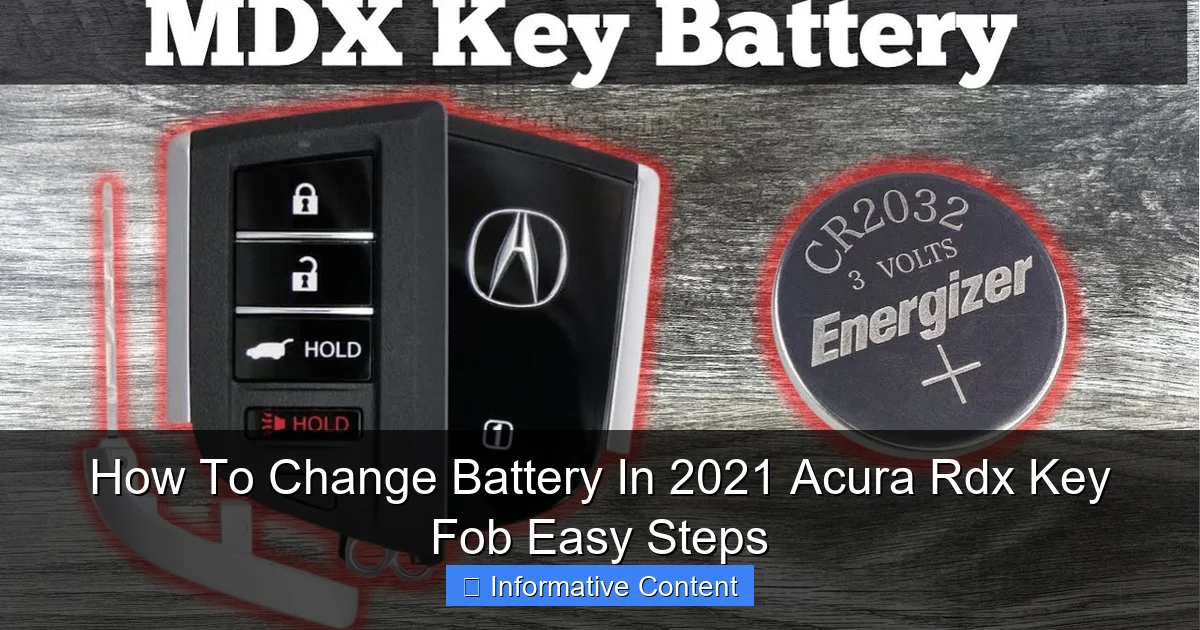
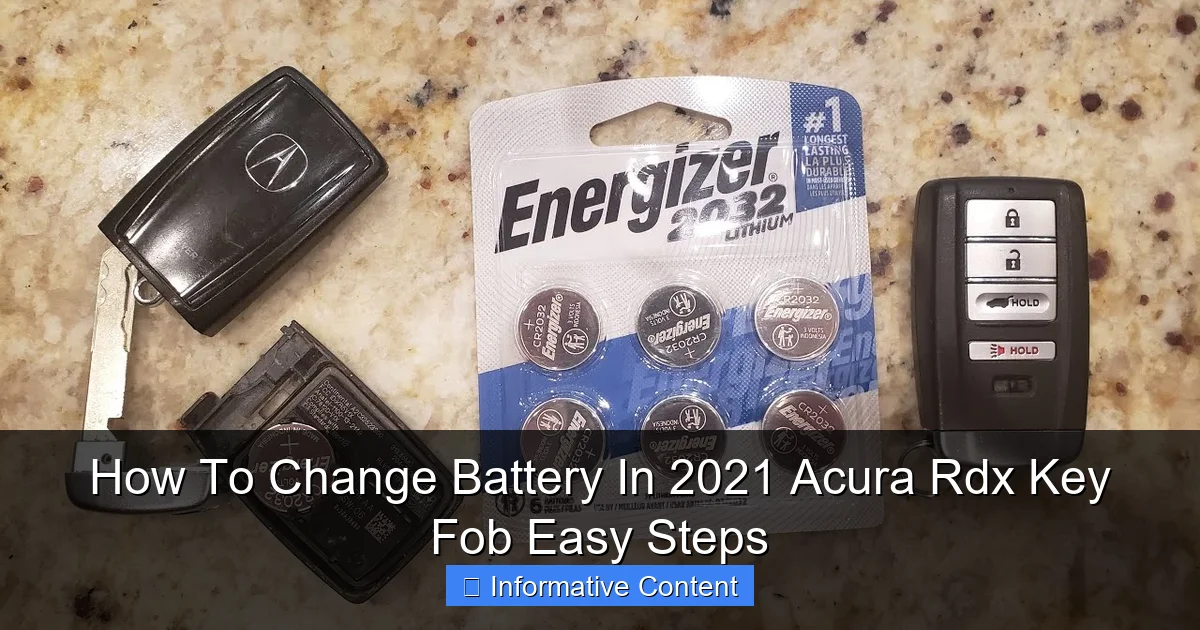
- New CR2032 Battery: This is the standard battery for most Acura key fobs, including the 2021 RDX. You can find it at any electronics store, supermarket, or online. I recommend buying a name-brand like Duracell or Energizer for longer life.
- Small Flat-Head Screwdriver or Pry Tool: A tiny screwdriver or a plastic pry tool helps open the key fob without scratching it. If you don’t have one, a butter knife or a coin can work in a pinch, but be careful to avoid damage.
- Clean Workspace: A table with good lighting ensures you don’t lose any small parts. I like to use a towel or a mat to catch anything that might fall.
- Optional: Gloves: Wearing gloves can prevent fingerprints on the battery and circuit board, but it’s not necessary.
That’s it! With these simple items, you’re ready to tackle the battery replacement. I always keep a spare CR2032 battery in my glove compartment for emergencies—it’s a handy tip I learned after my first key fob died.
Data Table: Battery and Tool Specifications
Here’s a quick reference table to summarize what you need:
| Item | Specification | Notes |
|---|---|---|
| Battery Type | CR2032 3V Lithium Coin Battery | Standard for 2021 Acura RDX key fobs; check your manual to confirm. |
| Tool for Opening | Small flat-head screwdriver or plastic pry tool | Width should be less than 5mm to fit into seams. |
| Battery Life | Typically 2-3 years | Depends on usage; remote start features may drain it faster. |
| Replacement Time | 5-10 minutes | Beginner-friendly with no technical skills required. |
This table shows how straightforward the process is. With the right battery and a simple tool, you’ll master how to change battery in 2021 Acura RDX key fob in no time.
Step-by-Step Guide to Changing the Battery
Now, let’s get into the heart of the matter. Follow these easy steps, and you’ll have a fresh battery in your key fob before you know it. I’ve broken it down into clear phases to keep things simple.
Visual guide about how-to-change-battery-in-2021-acura-rdx-key-fob
Image source: i.ytimg.com
Step 1: Locate the Seam and Open the Key Fob
First, examine your key fob. You’ll see a seam running around the edge. This is where the two halves meet. Take your small flat-head screwdriver or pry tool and gently insert it into the seam. I like to start near the key ring hole—it’s usually a bit looser there. Apply slight pressure to pop the case open. Don’t force it; if it feels stuck, wiggle the tool slowly. Remember, patience is key to avoid cracking the plastic.
Once open, you’ll see the internal components. Take a moment to note how everything is arranged. This makes reassembly easier later. If your key fob has a physical emergency key, remove it by pressing the release button if needed.
Step 2: Remove the Old Battery
Inside, you’ll spot the battery—a small, silver coin-like cell. It’s usually held in place by a plastic clip or a small bracket. Use your fingernail or the screwdriver to gently lift the battery out. Be careful not to touch the circuit board with metal tools, as static electricity can damage it. If the battery is stuck, you can pry it from the side with a non-conductive item like a toothpick.
Dispose of the old battery properly. Many stores have recycling bins for batteries. This is an eco-friendly habit I’ve adopted after changing batteries in my devices.
Step 3: Insert the New Battery
Take your new CR2032 battery. Notice it has a positive side (usually marked with a “+” sign) and a negative side. The compartment will have markings indicating which side faces up. Typically, the positive side faces outward, toward the key fob buttons. Align the battery correctly and press it down until it snaps into place. You should hear a faint click.
Double-check the orientation. Installing the battery backwards can prevent the key fob from working. This is a common mistake, so take your time here. When I first learned how to change battery in 2021 Acura RDX key fob, I almost made this error, but a quick glance at the markings saved me.
Step 4: Reassemble the Key Fob
Now, place the two halves of the key fob back together. Line up the seams and press firmly around the edges until you hear clicks. Make sure all parts are snug and there are no gaps. If you removed the emergency key, reinsert it now. Give the key fob a gentle shake—nothing should rattle inside. If it does, open it again to ensure everything is seated properly.
Reassembly is often the quickest part. Once done, you’re ready to test your handiwork. Congrats! You’ve just completed the core of how to change battery in 2021 Acura RDX key fob.
Testing Your Key Fob After Battery Replacement
You’ve swapped the battery, but the job isn’t done until you confirm it works. Testing is crucial to avoid surprises later. Here’s how to make sure your key fob is back in action.
Visual guide about how-to-change-battery-in-2021-acura-rdx-key-fob
Image source: i.ytimg.com
Immediate Function Checks
Stand near your 2021 Acura RDX and press the buttons. Start with the lock and unlock buttons. You should see the car’s lights flash or hear the locks engage. If you have remote start, try that too—but be mindful of your surroundings. If the buttons respond, great! If not, don’t panic. Double-check the battery orientation and ensure the key fob is fully assembled.
Sometimes, the key fob might need to be resynced with the car. This is rare for a simple battery change, but if things aren’t working, consult your owner’s manual for resync instructions. Usually, it involves pressing buttons in a specific sequence or starting the car with the key in the ignition.
Long-Term Reliability Tips
After testing, keep an eye on performance over the next few days. If the range seems shorter than usual, it might be interference from other electronics or a low-quality battery. I recommend testing from different distances to ensure consistency. Also, store your key fob in a cool, dry place—extreme temperatures can affect battery life.
By following these steps, you’ll ensure that your effort to change battery in 2021 Acura RDX key fob pays off with reliable operation. It’s a small task that brings big peace of mind.
Common Mistakes to Avoid
Even with a simple task like this, it’s easy to slip up. I’ve made a few blunders myself, so let me share some pitfalls to steer clear of when learning how to change battery in 2021 Acura RDX key fob.
Using the Wrong Battery
Not all coin batteries are the same. Using a CR2025 instead of a CR2032, for example, might fit but won’t last as long. Always verify the battery type before purchasing. Your owner’s manual or the old battery itself should have the model number. I once grabbed a similar-looking battery from my junk drawer, only to find it died within weeks. Stick to the CR2032 for best results.
Forcing the Key Fob Open
Aggressive prying can crack the plastic case or damage the internal clips. Use gentle, even pressure. If the seam isn’t budging, check for hidden screws—some key fobs have tiny ones under labels. The 2021 Acura RDX key fob typically doesn’t, but it’s worth noting. A broken case can lead to moisture getting in, which ruins the electronics.
Ignoring Battery Polarity
As mentioned earlier, inserting the battery backwards is a common error. Always match the “+” and “-” signs. If you’re unsure, take a photo of the old battery’s position before removing it. This simple habit has saved me from frustration multiple times.
Avoiding these mistakes will make your battery replacement smooth and successful. Remember, taking your time is better than rushing and causing damage.
Maintaining Your Key Fob for Longevity
Changing the battery is just one part of key fob care. With a little maintenance, you can extend its life and avoid frequent replacements. Here are some tips I’ve picked up over the years.
Regular Cleaning and Inspection
Dirt and grime can build up on the buttons and inside the case, leading to poor contact. Every few months, wipe the key fob with a soft, dry cloth. If you’re comfortable, open it up and use compressed air to blow out dust. Check for signs of wear, like cracked buttons or loose parts. Catching issues early can prevent bigger problems.
Smart Storage Habits
Don’t toss your key fob into a bag with sharp objects or expose it to liquids. I use a simple key organizer to keep it protected. Also, avoid leaving it in hot cars or near magnets, as heat and magnetic fields can drain the battery faster. Storing it in a consistent environment helps maintain battery health.
When to Seek Professional Help
If your key fob still doesn’t work after a battery change, there might be a deeper issue, like a damaged circuit board or a problem with the car’s receiver. In such cases, visit an Acura dealership or a trusted auto locksmith. They can diagnose and fix complex problems. While DIY is great for battery changes, some tasks require expert hands.
By incorporating these practices, you’ll reduce the frequency of needing to change battery in 2021 Acura RDX key fob. It’s all about proactive care.
Conclusion
And there you have it—a complete guide on how to change battery in 2021 Acura RDX key fob with easy steps. From understanding the key fob to testing it afterward, I’ve shared everything I’ve learned through personal experience. This isn’t just about saving money on dealership visits; it’s about empowering yourself with a handy skill that makes life easier.
I hope this guide felt like a chat with a friend. Remember, changing the battery is quick, simple, and something anyone can do. Keep a spare CR2032 battery handy, and you’ll never be caught off guard by a dead key fob again. Thanks for reading, and happy driving in your 2021 Acura RDX!
If you found this helpful, share it with other Acura owners. We’re all in this together, figuring out the small things that keep our cars running smoothly. Until next time, take care and drive safe!
Frequently Asked Questions
What type of battery does the 2021 Acura RDX key fob use?
The 2021 Acura RDX key fob uses a standard CR2032 3-volt lithium coin battery. This common battery is widely available at electronics, hardware, and automotive stores for easy replacement.
How do I open the 2021 Acura RDX key fob to change the battery?
Locate the small release notch or button on the side of the key fob. Gently insert a flathead screwdriver or coin into the seam and twist to separate the two halves, taking care not to force it and damage the housing.
Can I change the battery in my 2021 Acura RDX key fob myself?
Yes, changing the battery is a simple DIY task that most owners can do quickly. You only need a CR2032 battery and a small tool, following the easy steps to avoid a dealership visit.
What are the easy steps to change the battery in a 2021 Acura RDX key fob?
The easy steps involve opening the fob, removing the old battery, placing the new CR2032 with the positive side facing up, and snapping the halves back together. Always test the key fob’s buttons to confirm it works after assembly.
How often should I change the battery in my 2021 Acura RDX key fob?
The battery typically lasts 2 to 3 years with normal use, but factors like frequent use can shorten this. If you notice reduced range or slow response, it’s time for a replacement.
What should I do if my 2021 Acura RDX key fob doesn’t work after changing the battery?
Double-check that the battery is correctly oriented and securely seated in the compartment. If problems persist, try reprogramming the key fob by following your vehicle’s manual or consult a professional for assistance.

At CarLegit, we believe information should be clear, factual, and genuinely helpful. That’s why every guide, review, and update on our website is created with care, research, and a strong focus on user experience.