
Changing the battery in your Honda Civic key fob is a simple DIY task that takes just minutes and costs under $5. With the right tools and a little patience, you can restore full functionality to your key fob without visiting a dealership.
In This Article
- 1 Key Takeaways
- 2 📑 Table of Contents
- 3 Why Your Honda Civic Key Fob Battery Dies (And Why It Matters)
- 4 Identifying Your Honda Civic Key Fob Model
- 5 Tools and Materials You’ll Need
- 6 Step-by-Step Guide to Changing the Battery
- 7 Testing Your Key Fob After Battery Replacement
- 8 Tips to Extend Your Key Fob Battery Life
- 9 Common Mistakes to Avoid
- 10 Conclusion
- 11 Frequently Asked Questions
- 11.1 How often should I replace my Honda Civic key fob battery?
- 11.2 Can I use a different battery type in my Honda Civic key fob?
- 11.3 Do I need to reprogram my key fob after changing the battery?
- 11.4 What if my key fob still doesn’t work after replacing the battery?
- 11.5 Can I change the battery without removing the physical key?
- 11.6 Where can I recycle my old key fob battery?
Key Takeaways
- Know your key fob model: Honda Civic key fobs vary by year, so identify your model (e.g., 2010–2015, 2016–2021, or 2022+) before starting.
- Use the correct battery: Most Honda Civic key fobs use a CR2032 3V lithium coin cell battery—always double-check your fob’s requirements.
- Gather basic tools: You’ll typically need a small flathead screwdriver, a plastic prying tool, or even a butter knife to open the fob safely.
- Handle with care: Avoid forcing the fob open, as internal components like the circuit board and buttons can be easily damaged.
- Test after replacement: Always test all functions (lock, unlock, trunk, panic) after installing the new battery to ensure proper operation.
- Keep the old battery safe: Store it away from children and pets, and recycle it properly at an electronics or battery recycling center.
- No programming needed: In most cases, replacing the battery doesn’t require reprogramming—your key fob should work immediately.
📑 Table of Contents
- Why Your Honda Civic Key Fob Battery Dies (And Why It Matters)
- Identifying Your Honda Civic Key Fob Model
- Tools and Materials You’ll Need
- Step-by-Step Guide to Changing the Battery
- Testing Your Key Fob After Battery Replacement
- Tips to Extend Your Key Fob Battery Life
- Common Mistakes to Avoid
- Conclusion
Why Your Honda Civic Key Fob Battery Dies (And Why It Matters)
If you’ve ever stood in the driveway, pressing the button on your Honda Civic key fob only to hear a weak beep or see no response at all, you’re not alone. A dead key fob battery is one of the most common—and frustrating—issues Civic owners face. It’s not just an inconvenience; it can leave you locked out of your car, especially if you rely on keyless entry or push-button start.
The good news? Replacing the battery is easier than you might think. Unlike some car repairs that require specialized tools or a trip to the mechanic, this is a quick DIY fix that anyone can do at home. Most Honda Civic key fobs use a standard CR2032 battery, which costs less than $5 and is widely available at grocery stores, pharmacies, and online retailers like Amazon or AutoZone. With just a few minutes and a small flathead screwdriver, you can restore full functionality to your key fob and avoid the hassle—and cost—of a dealership visit.
Identifying Your Honda Civic Key Fob Model
Before you start prying open your key fob, it’s essential to know which model you have. Honda has updated the design of the Civic key fob several times over the years, and while the battery replacement process is similar across models, there are subtle differences in how the fob opens and where the battery is located.
Visual guide about How to Change Battery in Honda Civic Key Fob
Image source: i.ytimg.com
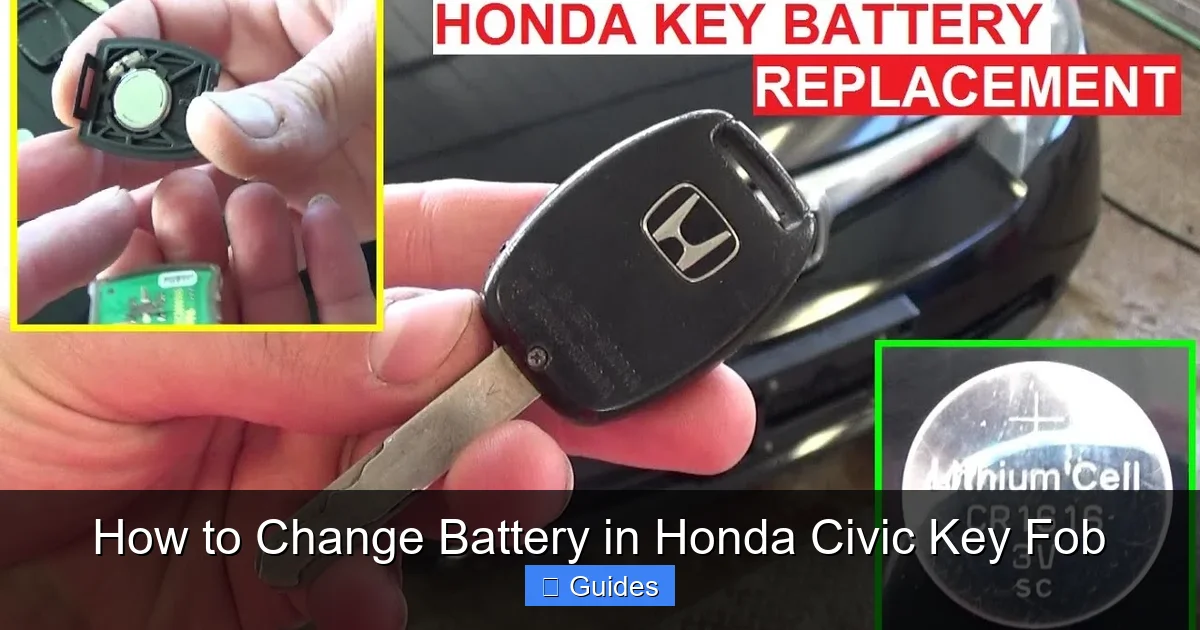
2010–2015 Honda Civic Key Fob
This model features a compact, rectangular design with four buttons: lock, unlock, trunk, and panic. The fob has a physical key blade that slides out from the side. To access the battery, you’ll need to remove the key blade first, then use a flathead screwdriver to gently pry open the two halves of the fob along the seam.
2016–2021 Honda Civic Key Fob
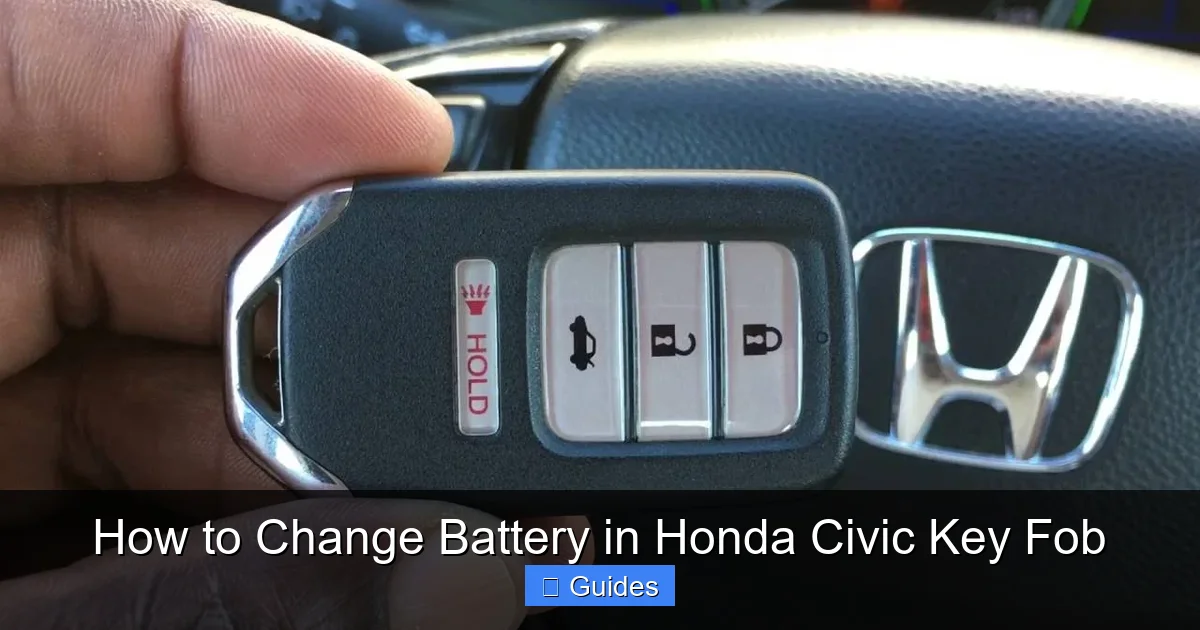
The 2016 redesign introduced a sleeker, more modern look with a rounded shape and a larger button layout. This model also includes a physical key blade, but it’s accessed by pressing a small release button on the side. Once the key is removed, the fob can be opened by inserting a flathead screwdriver into the seam near the key release.
2022 and Newer Honda Civic Key Fob
The latest Civic models feature a premium key fob with a glossy finish and a more ergonomic design. Some versions include proximity sensors for keyless entry and push-button start. The battery compartment is accessed similarly to older models—remove the physical key and carefully separate the two halves of the fob.
Pro Tip: If you’re unsure which model you have, check your owner’s manual or look up your vehicle’s VIN on Honda’s official website. You can also compare your fob to images online—most retailers list compatible key fob models when selling replacement batteries.
Tools and Materials You’ll Need
One of the best things about changing a Honda Civic key fob battery is that you don’t need a full toolbox. In fact, you probably already have everything you need at home. Here’s a quick checklist to make sure you’re prepared:
Visual guide about How to Change Battery in Honda Civic Key Fob
Image source: i.ytimg.com
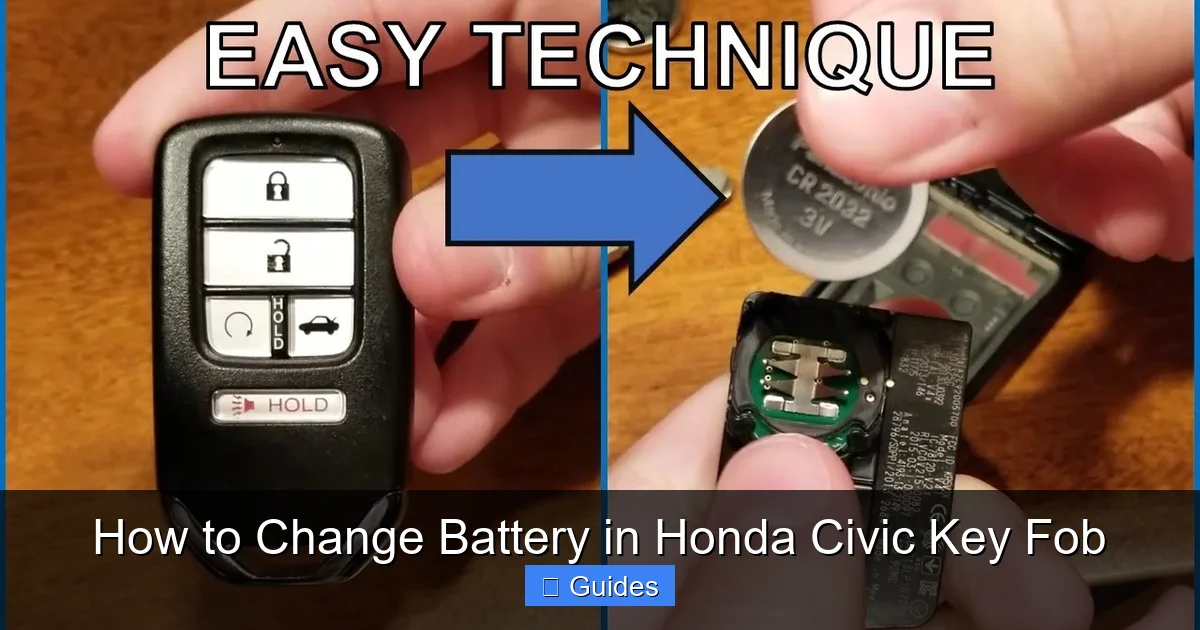
- New CR2032 3V lithium battery: This is the most common battery used in Honda key fobs. Buy a fresh one from a reputable brand like Energizer, Duracell, or Panasonic for best results.
- Small flathead screwdriver: A precision screwdriver (around 3–4mm wide) works best. Avoid using large or metal tools that could scratch or damage the plastic casing.
- Plastic prying tool (optional): If you have a plastic spudger or guitar pick, it’s ideal for gently separating the fob halves without leaving marks.
- Soft cloth or towel: Place this on your work surface to protect the key fob from scratches.
- Magnifying glass (optional): Helpful if you have trouble seeing small components or battery orientation.
Where to Buy the Battery: You can find CR2032 batteries at Walmart, Target, CVS, AutoZone, or online. A pack of two usually costs under $5. Some stores even offer battery recycling programs—bring your old battery for safe disposal.
Step-by-Step Guide to Changing the Battery
Now that you’ve identified your key fob model and gathered your tools, it’s time to get started. Follow these detailed steps to replace the battery safely and effectively. Remember: go slow, be gentle, and take your time. Rushing can lead to cracked plastic or damaged internal components.
Visual guide about How to Change Battery in Honda Civic Key Fob
Image source: i.ytimg.com
Step 1: Remove the Physical Key
Most Honda Civic key fobs have a small metal key hidden inside for manual door entry. To access it:
- Locate the small release button or lever on the side of the fob (usually near the base).
- Press or slide it to release the key blade.
- Gently pull the key out and set it aside in a safe place.
Note: On some older models, the key slides out horizontally; on newer ones, it may pop out vertically. If the key feels stuck, don’t force it—double-check the release mechanism.
Step 2: Open the Key Fob Casing
With the key removed, you’ll see a seam running around the edge of the fob. This is where the two halves connect. To open it:
- Insert the tip of your flathead screwdriver (or plastic prying tool) into the seam near the key release area.
- Gently twist the screwdriver to create a small gap between the two halves.
- Slowly work your way around the fob, applying light pressure to separate the casing.
- Once the halves begin to separate, use your fingers to carefully pull them apart.
Warning: Avoid using excessive force. The plastic clips inside can break easily. If you feel resistance, reposition the screwdriver and try a different spot. Never use a hammer or pliers—this will damage the fob.
Step 3: Locate and Remove the Old Battery
Inside the fob, you’ll see a small circular battery seated in a plastic holder. Here’s how to remove it:
- Look for the battery—it’s usually held in place by a small metal clip or plastic tab.
- Use the flathead screwdriver to gently pry the battery out. Start at the edge and lift it upward.
- Be careful not to touch the circuit board or buttons with the screwdriver—these are delicate.
- Once the battery is free, set it aside (don’t throw it away yet—you’ll need to recycle it).
Pro Tip: Take a photo of the battery’s orientation before removing it. This will help you remember which side (positive or negative) faces up when installing the new one.
Step 4: Install the New Battery
Now it’s time to insert the fresh CR2032 battery:
- Check the polarity: the positive side (marked with a “+”) should face up, toward the buttons.
- Align the new battery with the holder and press it down gently until it clicks into place.
- Make sure it sits flat and secure—don’t force it.
Double-Check: If the battery doesn’t fit easily, you may have it upside down. Flip it over and try again. Never bend the metal clip to make it fit—this can damage the fob.
Step 5: Reassemble the Key Fob
With the new battery in place, it’s time to put the fob back together:
- Align the two halves of the casing carefully.
- Press them together firmly, starting at the top and working your way down.
- Listen for a series of soft clicks as the clips snap back into place.
- Once fully closed, test the seam—there should be no gaps or loose areas.
Important: Don’t use glue or tape to hold the fob together. This can prevent future battery changes and may interfere with the internal electronics.
Step 6: Reinsert the Physical Key
Finally, slide the metal key back into its slot until it clicks securely. Make sure it’s fully inserted and doesn’t wobble.
Testing Your Key Fob After Battery Replacement
You’re almost done! Now it’s time to make sure everything works properly. Follow these steps to test your key fob:
- Stand within 10–15 feet of your Honda Civic.
- Press the lock button—you should hear the doors lock and see the lights flash.
- Press the unlock button—the doors should unlock.
- Test the trunk release and panic button (if equipped).
- If your Civic has push-button start, try starting the car with the fob inside.
What If It Doesn’t Work? If the key fob still doesn’t respond, double-check the following:
- Is the battery installed correctly (positive side up)?
- Is the battery fully seated in the holder?
- Are the fob halves fully closed and secure?
- Is the battery brand new and fully charged?
In rare cases, the fob may need to be reprogrammed. However, this is uncommon with simple battery replacements. If problems persist, consult your owner’s manual or visit a Honda dealership for assistance.
Tips to Extend Your Key Fob Battery Life
While CR2032 batteries typically last 3–5 years, certain habits can help prolong their life and reduce the frequency of replacements:
- Avoid extreme temperatures: Don’t leave your key fob in direct sunlight or in a freezing car. Heat and cold can drain the battery faster.
- Keep it clean: Wipe the fob with a dry cloth regularly to prevent dirt and moisture from affecting the contacts.
- Don’t press buttons unnecessarily: Avoid “testing” the fob repeatedly when it’s working fine—each press uses a small amount of power.
- Store it properly: If you have a spare fob, keep it in a cool, dry place away from metal objects that could cause interference.
- Replace before it dies: If you notice weaker signals or delayed responses, replace the battery proactively instead of waiting for a complete failure.
Bonus Tip: Consider keeping a spare CR2032 battery in your glove compartment or emergency kit. You never know when you’ll need it—especially during a road trip or late at night.
Common Mistakes to Avoid
Even simple tasks can go wrong if you’re not careful. Here are some common pitfalls to watch out for when changing your Honda Civic key fob battery:
- Using the wrong battery: Always confirm your fob uses a CR2032. Using a CR2025 or CR2016 may seem similar, but they’re thinner and won’t make proper contact.
- Forcing the fob open: If it won’t budge, stop and reassess. Forcing it can crack the plastic or damage internal clips.
- Touching the circuit board: Oils from your fingers can interfere with electrical connections. Handle the fob by the edges whenever possible.
- Ignoring polarity: Installing the battery upside down is a common mistake. Always check the “+” symbol before inserting.
- Skipping the test: Don’t assume it works just because you reassembled it. Always test all functions to confirm success.
Final Reminder: If you’re ever unsure or uncomfortable doing this yourself, don’t hesitate to visit a Honda service center. The cost is usually minimal, and it ensures the job is done right.
Conclusion
Changing the battery in your Honda Civic key fob is a quick, affordable, and empowering DIY task that every Civic owner should know how to do. With just a few minutes and basic tools, you can restore full functionality to your key fob and avoid the frustration of a dead battery at the worst possible moment. Whether you drive a 2010 model or the latest 2024 Civic, the process is straightforward and well within your capabilities.
Remember: identify your key fob model, use the correct CR2032 battery, handle the components with care, and always test your fob after replacement. By following this guide, you’ll save time, money, and stress—and gain the confidence to tackle other simple car maintenance tasks on your own. So the next time your key fob starts acting up, don’t panic. Just grab a screwdriver, a fresh battery, and get to work. Your Honda Civic will thank you.
Frequently Asked Questions
How often should I replace my Honda Civic key fob battery?
Most Honda Civic key fob batteries last between 3 to 5 years, depending on usage and environmental conditions. If you notice weaker signals or delayed responses, it’s time to replace the battery.
Can I use a different battery type in my Honda Civic key fob?
No, you should only use a CR2032 3V lithium coin cell battery. Other sizes like CR2025 or CR2016 may fit but won’t provide proper contact or voltage, leading to malfunction.
Do I need to reprogram my key fob after changing the battery?
In most cases, no reprogramming is needed. The key fob should work immediately after battery replacement. However, if it doesn’t respond, consult your owner’s manual or a Honda dealer.
What if my key fob still doesn’t work after replacing the battery?
Double-check the battery orientation, ensure the fob is fully closed, and test near the car. If issues persist, the fob may have internal damage or require professional reprogramming.
Can I change the battery without removing the physical key?
No, the physical key must be removed first to access the seam where the fob opens. Attempting to force it open without removing the key can damage the casing.
Where can I recycle my old key fob battery?
Many retailers like Best Buy, Home Depot, and AutoZone offer free battery recycling. You can also check with your local waste management service for safe disposal options.

At CarLegit, we believe information should be clear, factual, and genuinely helpful. That’s why every guide, review, and update on our website is created with care, research, and a strong focus on user experience.