
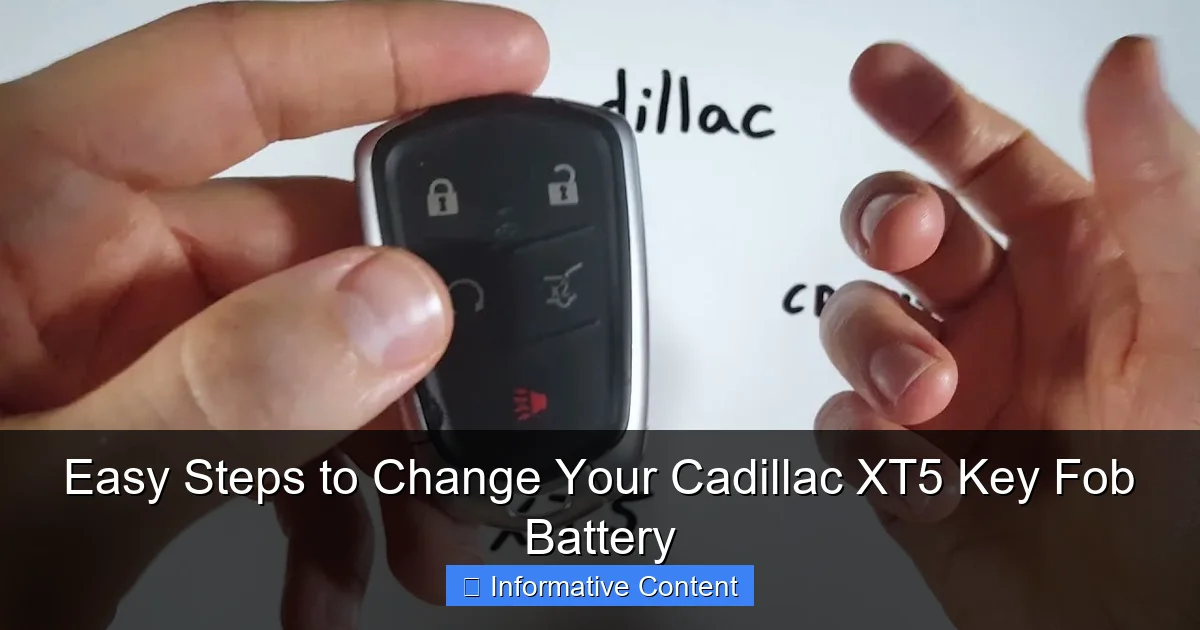
Replacing your Cadillac XT5 key fob battery is a quick, do-it-yourself task that takes just minutes. By carefully prying the fob open with a small tool, you can access and swap the standard CR2032 battery, then snap the housing back together. This simple process restores full remote functionality and saves you a trip to the dealership.
Have you ever been rushing out the door, coffee in one hand, briefcase in the other, only to press the unlock button on your Cadillac XT5 key fob and get… nothing? That little red light doesn’t blink, the doors stay firmly locked, and your day gets a frustratingly slow start. We’ve all been there. That moment of panic when you wonder if it’s the car, the fob, or some mysterious electrical gremlin. More often than not, the culprit is a simple, tired battery.
Your Cadillac XT5 key fob is a marvel of modern convenience. It locks, unlocks, starts your engine from a distance, and even opens the liftgate with a wave of your foot. But at its heart, it’s powered by a small, coin-shaped battery that doesn’t last forever. The good news? Changing it is one of the easiest and most satisfying DIY tasks you can do for your vehicle. You don’t need a mechanic’s appointment, special tools, or a degree in electrical engineering. With a few minutes and the right know-how, you can restore that fob to full power and save yourself time and money.
In this guide, I’ll walk you through the entire process, step-by-step. We’ll cover everything from recognizing the early warning signs of a dying battery to the specific type of battery your fob needs. I’ll share some practical tips I’ve learned along the way to make the swap smooth and stress-free. So, grab your key fob, and let’s get that convenience back at your fingertips.
In This Article
- 1 Key Takeaways
- 2 📑 Table of Contents
- 3 Recognizing the Signs of a Dying Key Fob Battery
- 4 Gathering Your Tools and Supplies
- 5 A Step-by-Step Walkthrough to Change Your Cadillac XT5 Key Fob Battery
- 6 Testing and Reprogramming Your Key Fob
- 7 Helpful Data and Maintenance Tips
- 8 Knowing When to Call a Professional
- 9 Frequently Asked Questions
- 9.1 How do I open my Cadillac XT5 key fob to change the battery?
- 9.2 What type of battery does a Cadillac XT5 key fob use?
- 9.3 Can I change the Cadillac XT5 key fob battery myself?
- 9.4 What are the steps to change your Cadillac XT5 key fob battery?
- 9.5 Will I need to reprogram my key fob after a battery change?
- 9.6 What should I do if my key fob doesn’t work after changing the battery?
Key Takeaways
- Identify your fob type first: The process differs for standard and advanced key fobs.
- Use a small flat tool: Gently pry the fob open at the designated seam.
- Note the battery orientation: The positive (+) side must face up upon installation.
- Use a CR2032 battery: This is the correct, widely available battery type.
- Test all functions immediately: Ensure the lock, unlock, and remote start work.
- Handle the internal circuit board carefully: Avoid touching contacts to prevent static damage.
📑 Table of Contents
Recognizing the Signs of a Dying Key Fob Battery
Your Cadillac XT5 key fob is pretty smart about giving you a heads-up before it completely gives up the ghost. Ignoring these signs usually leads to that dreaded “no response” moment. By paying attention, you can be proactive and change the battery on your terms, not in a dark parking lot.
Decreased Operational Range
This is usually the first clue. You used to be able to unlock your XT5 from across the grocery store parking lot. Now, you have to be right next to the door for the button press to register. This diminishing range is the battery’s voltage dropping, making the signal weaker.
Inconsistent Response
The fob works sometimes and not others. You might press the button once with no result, press it again, and it works. This intermittency is a classic symptom of a battery that’s on its last legs.
Dashboard Warning Messages
Your Cadillac’s driver information center is your best friend here. It’s designed to help. You may see a clear message like “REMOTE KEY BATTERY LOW” or “REPLACE BATTERY IN REMOTE KEY” displayed on your instrument cluster. Don’t ignore this direct communication from your car!
Keyless Start Issues
For models with keyless push-button start, you might find that the vehicle doesn’t always detect the fob when you try to start it. You may have to place the fob directly against the steering column or in the center console backup slot, which is a surefire indicator the battery is too weak for passive detection.
Gathering Your Tools and Supplies
One of the best parts of this job is that you likely already have the main “tool” you need at home. The key is having the correct replacement battery on hand before you start. There’s nothing worse than prying the fob open only to realize you have the wrong battery type.
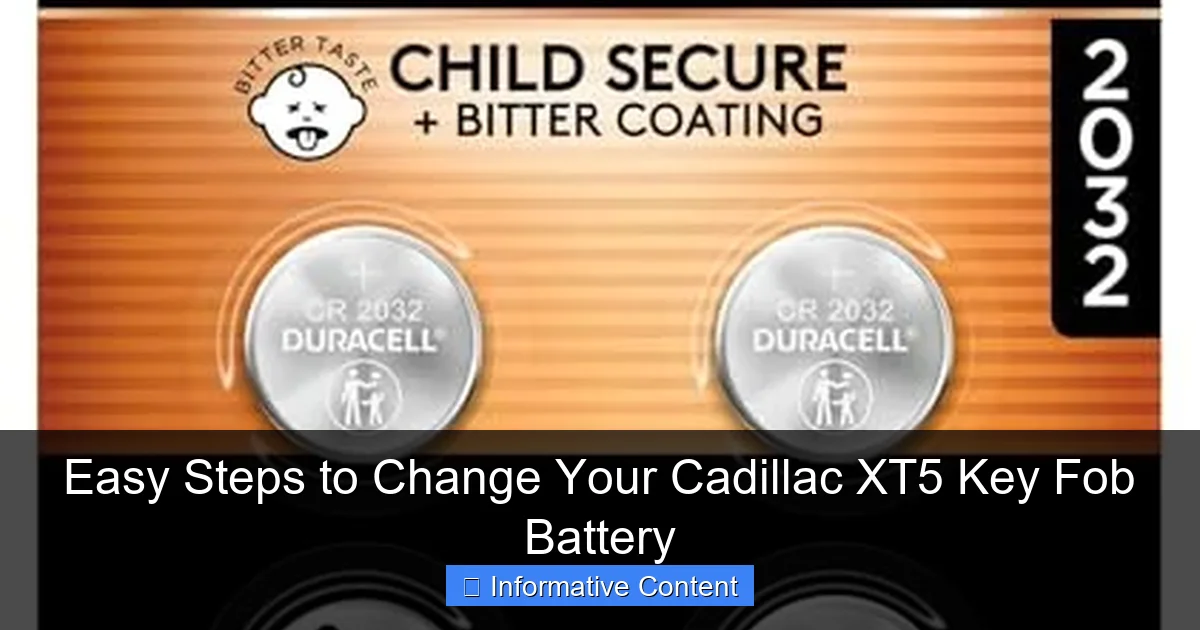
Visual guide about Cadillac XT5 key fob battery
Image source: m.media-amazon.com
The Essential Battery: CR2032
Nearly all Cadillac XT5 key fobs (for model years 2017 and onward) use a standard 3-volt CR2032 lithium coin battery. It’s a very common battery used in watches, calculators, and many other small electronics. Double-check your owner’s manual to be absolutely certain, but the CR2032 is the industry standard for GM key fobs of this era.
- Buy Quality: Stick with reputable brands like Duracell, Energizer, or Panasonic. A fresh, name-brand battery will last longer and provide more reliable voltage.
- Check the Expiry Date: Batteries have a shelf life. Look for the freshest one on the store rack to ensure maximum longevity once installed.
- Buy a Multipack: They’re inexpensive, and you’ll have spares for your other key fob or household devices.
The Only Tool You Need (Probably)
You need a thin, flat object to pry the fob case apart. A small flathead screwdriver is perfect, but you can also use:
- A butter knife (be gentle!)
- A guitar pick
- A plastic spudger (a prying tool from an electronics repair kit)
- Even a sturdy fingernail might work on some models.
Pro Tip: If you’re using a metal tool like a screwdriver, wrap the tip with a bit of masking tape. This prevents you from accidentally scratching or marring the plastic casing of your key fob.
A Step-by-Step Walkthrough to Change Your Cadillac XT5 Key Fob Battery
Now for the main event. Follow these steps carefully, and you’ll have a like-new key fob in under five minutes. I recommend doing this on a clean, well-lit table so you don’t lose any small parts.

Visual guide about Cadillac XT5 key fob battery
Image source: m.media-amazon.com
Step 1: Locate the Seam and Physical Key Release
First, look at your key fob. You’ll see a seam running around the entire outer edge. This is where the two halves of the plastic shell come together. On one end of the fob, you’ll find a small, black mechanical button or slide. Press or slide this to release the physical emergency key blade from inside the fob. Set this metal key aside in a safe spot.
Step 2: Carefully Pry the Case Open
With the emergency key removed, you’ll see a small notch or gap in the seam. This is your entry point. Insert your flat tool (like your taped screwdriver) into this notch. Apply gentle, steady pressure to twist and separate the two halves. Work your way around the seam, prying a little bit at a time. The case is held together by small plastic clips. Don’t force it; a firm, steady pressure will pop the clips open one by one.
Step 3: Identify and Remove the Old Battery
Once the case is open, you’ll see the circuit board. The battery is housed in a circular compartment. Look closely at how the battery is seated. Note the orientation: the positive side (marked with a “+” and usually facing up) and the negative side (facing down into the compartment). Use your fingernail or a non-conductive tool to pop the old battery out. You can also gently push it from the side to flip it out.
Step 4: Insert the New CR2032 Battery
Take your new CR2032 battery. Wipe it with a clean, dry cloth to remove any oils from your fingers. Place it into the compartment with the positive (+) side facing up, exactly as the old one was. You should feel it click or snap securely into place. Double-check the orientation—installing it backward is the most common mistake and will prevent the fob from working.
Step 5: Reassemble the Key Fob
This is the easiest part. Simply align the two halves of the plastic shell and press them firmly together around all edges until you hear a series of clicks, indicating all the plastic clips have re-engaged. Make sure the seam is even all the way around. Finally, re-insert the physical emergency key blade back into its slot until it clicks and locks into place.
Testing and Reprogramming Your Key Fob
You’ve done the physical swap. Now it’s time to make sure everything works. The great news is that for a simple battery change, you typically do not need to reprogram your Cadillac XT5 key fob. The memory is stored on the circuit board, not in the battery.
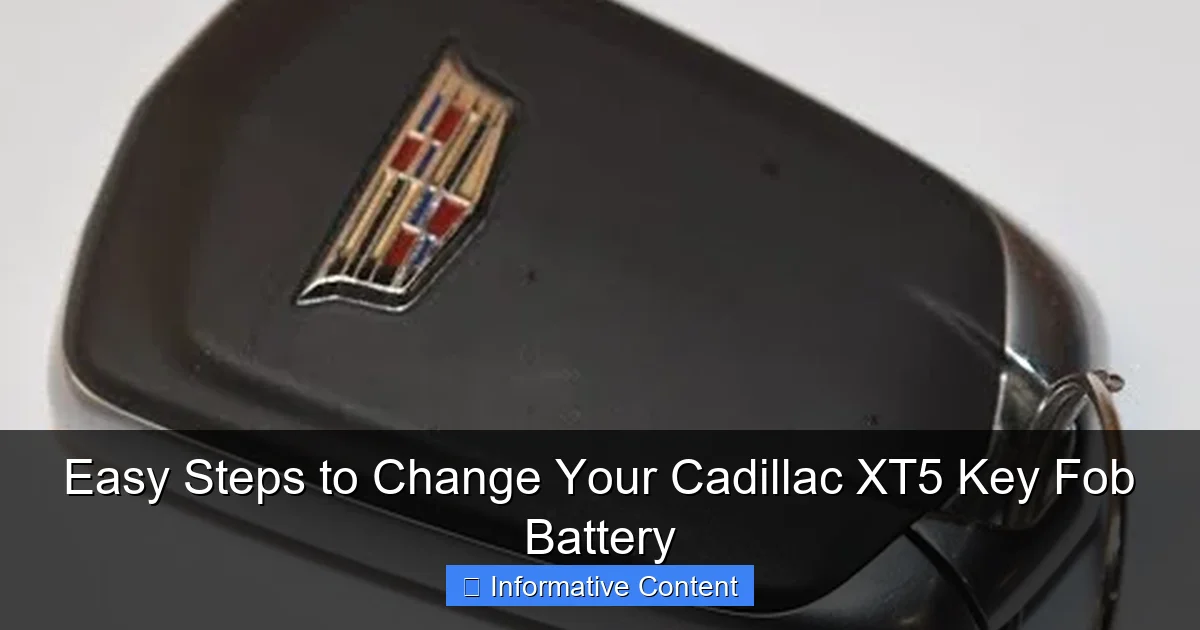
Visual guide about Cadillac XT5 key fob battery
Image source: i.ytimg.com
How to Test All Functions
Stand near your vehicle and test every button:
- Press Lock and Unlock. The lights should flash, and you should hear the locks cycle.
- Press and hold the Liftgate button to open it.
- If equipped, press and hold the Panic button briefly (be ready for the alarm!).
- For keyless start, get in the car with the fob in your pocket and press the brake pedal and the ENGINE START/STOP button. The car should start normally.
If all functions work, congratulations! You’re done.
What to Do If It Doesn’t Work
If the fob is unresponsive after the battery change, don’t panic. Try these troubleshooting steps:
- Re-check Battery Orientation: Open the fob again and verify the “+” side is facing up.
- Check for Plastic Insulator Tabs: Some new batteries have a clear plastic tab over one side to prevent discharge. Make sure you removed it.
- Ensure a Secure Fit: The battery must be seated flat and not crooked in its holder.
- Try the Second Key Fob: If you have a second fob, test it. If it works, the issue is with your first fob/battery. If neither works, there may be a vehicle issue.
- Reset the System: Get in the car, close all doors, and insert the physical emergency key into the ignition (or place the dead fob in the center console backup slot if equipped). Turn the ignition to the “ON” position (don’t start the engine) and then back off. Remove the key/fob. Now try the remote buttons again. This can sometimes re-sync the fob.
Helpful Data and Maintenance Tips
A little knowledge goes a long way in preventing future headaches. Here’s a quick reference table and some pro tips to keep your key fob functioning perfectly for years to come.
Cadillac XT5 Key Fob Battery Reference
The table below summarizes the key information you need for this maintenance task.
Battery Type: CR2032 3V Lithium Coin
Average Lifespan: 2-4 years (varies heavily with usage)
Tool Needed: Small flat tool (screwdriver, spudger)
Re-programming Needed? Typically NO for battery-only change
Cost of Battery: $3 – $10 for a quality single or multipack
Dealer Cost for Service: $25 – $50+ (for the same 5-minute task)
Extending Your Key Fob Battery Life
- Avoid Extreme Conditions: Don’t leave your fob in direct sunlight on the dashboard or out in freezing cold for prolonged periods. Heat and cold are hard on batteries.
- Mind the Buttons: Try not to press buttons while the fob is in your pocket or bag, as this can activate it and drain the battery.
- Store a Spare Properly: If you have a second key fob you rarely use, store it in a cool, dry place. Some owners even remove the battery from a long-term storage fob to prevent any potential slow discharge or corrosion.
- Keep it Clean: Periodically open the fob and use a dry cotton swab to gently clean any dust or debris off the circuit board and battery contacts.
Knowing When to Call a Professional
While changing the battery is a simple DIY fix, there are times when the problem might be more serious. If you’ve gone through all the steps—changed the battery with a confirmed fresh CR2032, checked the orientation, and tried a reset—and the fob is still dead, the issue could be elsewhere.
Potential Issues Beyond the Battery
Damaged Circuit Board: If you’ve dropped the fob in water or subjected it to a severe impact, the internal electronics could be damaged. Look for visible corrosion (a white or green powdery substance) on the circuit board.
Worn-Out Buttons: The conductive pads under the rubber buttons can wear out after years of use. You might need to replace the internal rubber mat or the entire circuit board.
Vehicle Receiver Issues: In rare cases, the antenna or receiver module in the car itself could be faulty, meaning it won’t recognize any key fobs. If neither of your fobs works, this is a possibility.
Your Next Steps
If you suspect damage to the fob itself, your options are:
- Contact a Cadillac Dealership: They can diagnose the fob and order a replacement. This is the most straightforward but often the most expensive option.
- Use a Locksmith or Key Specialist: Many automotive locksmiths can repair or reprogram GM key fobs at a lower cost than a dealership.
- Consider a Certified Replacement: You can sometimes purchase OEM or certified aftermarket replacement fobs online and have them programmed locally. Ensure they are compatible with your XT5’s model year.
Changing the battery in your Cadillac XT5 key fob is a perfect example of a small task with a big payoff. It restores a critical piece of your vehicle’s convenience, saves you a trip to the service department, and puts you back in control. That moment of frustration when the fob doesn’t work is completely avoidable. By recognizing the early warning signs, keeping a spare CR2032 battery in your junk drawer, and following these clear steps, you’ve added a useful skill to your car-ownership toolkit.
Remember, your key fob is a hard-working little device. Giving it a fresh battery every couple of years is simple preventative maintenance. The next time you unlock your XT5 from across the lot or start it up with effortless ease, you’ll have the satisfaction of knowing you did it yourself. Here’s to many more miles of reliable, convenient driving.
Frequently Asked Questions
How do I open my Cadillac XT5 key fob to change the battery?
Look for the small release notch on the side of the fob. Insert a flathead screwdriver or a coin into this slot and gently twist to separate the two halves of the key fob casing, revealing the battery compartment inside.
What type of battery does a Cadillac XT5 key fob use?
The Cadillac XT5 key fob typically uses a standard 3-volt CR2032 coin cell battery. It’s a very common battery type, so you can find it at most electronics, hardware, or big-box stores.
Can I change the Cadillac XT5 key fob battery myself?
Yes, changing the battery is a simple DIY task that takes only a minute. You just need the correct CR2032 battery and a small tool to open the fob’s case, following a few easy steps.
What are the steps to change your Cadillac XT5 key fob battery?
First, open the fob using the side release. Then, carefully remove the old battery, noting its orientation. Finally, insert the new CR2032 battery with the positive (+) side facing up and snap the fob halves back together.
Will I need to reprogram my key fob after a battery change?
No, you typically will not need to reprogram your Cadillac XT5 key fob after a simple battery replacement. The fob’s memory is retained, and it should sync with your vehicle automatically once the new battery is installed.
What should I do if my key fob doesn’t work after changing the battery?
First, double-check that the new battery is installed correctly with the positive side up. If it still doesn’t work, try resynchronizing the fob by pressing any button while near the vehicle, or consult your owner’s manual for specific reset instructions.

At CarLegit, we believe information should be clear, factual, and genuinely helpful. That’s why every guide, review, and update on our website is created with care, research, and a strong focus on user experience.