
The green key light on your Honda Civic indicates an issue with the immobilizer system, often preventing the engine from starting. This guide walks you through diagnosing and fixing common causes—from a dead key fob battery to faulty sensors—so you can get back on the road quickly and safely.
In This Article
- 1 Key Takeaways
- 2 📑 Table of Contents
- 3 Understanding the Green Key Light on Your Honda Civic
- 4 Step-by-Step Guide to Fixing the Green Key Light
- 5 Advanced Troubleshooting for Persistent Issues
- 6 When to Call a Professional
- 7 Preventing Future Green Key Light Problems
- 8 Conclusion
- 9 Frequently Asked Questions
- 9.1 Why is the green key light blinking on my Honda Civic?
- 9.2 Can I drive my Honda Civic if the green key light is on?
- 9.3 How much does it cost to fix the green key light?
- 9.4 Will disconnecting the car battery reset the green key light?
- 9.5 Can a locksmith fix the green key light issue?
- 9.6 Is the green key light the same as the check engine light?
Key Takeaways
- Green key light means immobilizer system issue: This light signals that your car’s anti-theft system isn’t recognizing your key fob, which can prevent the engine from starting.
- Start with the key fob battery: A weak or dead battery in your key fob is the most common cause—replace it first before diving into complex repairs.
- Check key fob signal strength: Test your fob’s range and responsiveness; if it doesn’t work from close range, the battery or internal circuitry may be faulty.
- Inspect the ignition cylinder and key chip: Dirt, wear, or damage to the key or ignition can disrupt communication between the key and immobilizer.
- Try the spare key: If you have a second key, test it—this helps determine if the issue is with the key or the car’s system.
- Reset the immobilizer system: Turning the key to “ON” for 10 seconds or disconnecting the battery can sometimes reset the system and clear the light.
- Seek professional help if needed: If DIY fixes don’t work, a certified Honda technician can diagnose deeper electrical or ECU issues.
📑 Table of Contents
Understanding the Green Key Light on Your Honda Civic
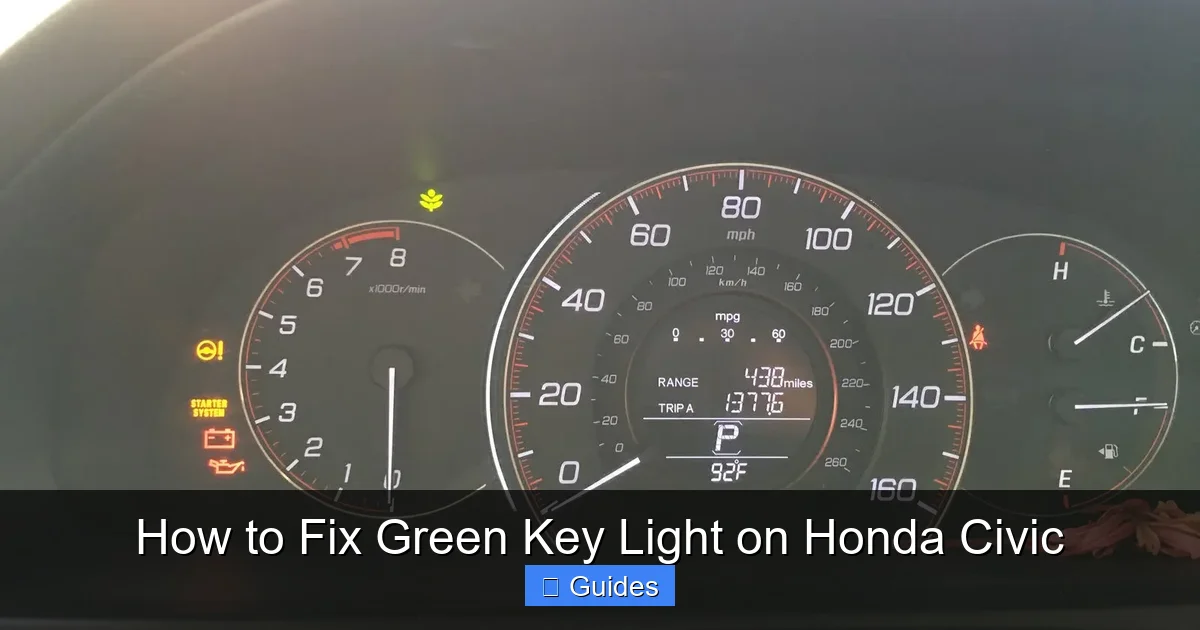
You’re ready to head out, you insert your key into the ignition, turn it—and nothing happens. Instead, you notice a small green key symbol blinking on your dashboard. That’s the green key light, and it’s your Honda Civic’s way of saying, “I don’t recognize this key.” This isn’t just a random warning—it’s tied directly to your car’s immobilizer system, a built-in anti-theft feature designed to prevent unauthorized starting of the engine.
The immobilizer system uses a tiny transponder chip embedded in your key fob. When you insert the key, the car’s computer reads this chip and verifies it matches the one programmed into the vehicle. If it doesn’t recognize the key—whether because the chip is damaged, the battery is dead, or there’s a communication glitch—the system locks the engine and flashes that green key light. It’s frustrating, especially when you’re in a hurry, but the good news is that in most cases, it’s fixable without a trip to the dealership.
Why Does the Green Key Light Come On?
There are several reasons why your Honda Civic might display the green key light. The most common cause is a weak or dead battery in your key fob. The transponder chip needs power to communicate with the car, and if the battery is low, the signal may not reach the immobilizer. Other causes include a dirty or damaged ignition cylinder, a faulty key chip, interference from other electronic devices, or even a software glitch in the car’s ECU (Engine Control Unit).
It’s also worth noting that extreme temperatures can affect battery performance. If you’ve recently left your keys in a hot car or exposed them to cold weather, that could be enough to drain the battery faster than usual. Additionally, if you’ve recently replaced your key fob or had your car serviced, the system might need to be reprogrammed to recognize the new key.
Step-by-Step Guide to Fixing the Green Key Light
Don’t panic—most green key light issues can be resolved with a few simple steps. The key is to work methodically, starting with the easiest and most common fixes before moving on to more complex solutions. Here’s a step-by-step guide to help you get your Honda Civic running again.
Visual guide about How to Fix Green Key Light on Honda Civic
Image source: i2.wp.com
Step 1: Replace the Key Fob Battery
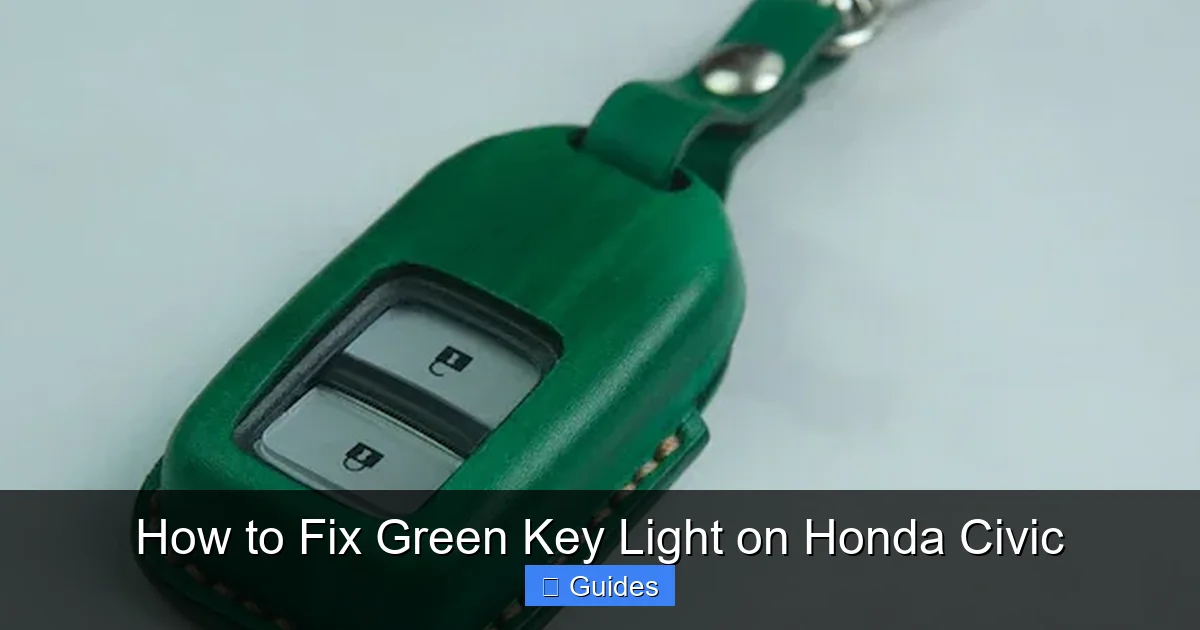
The first thing you should do is check the battery in your key fob. This is the #1 cause of the green key light, and it’s also the easiest fix. Most Honda Civic key fobs use a CR2032 coin cell battery, which is widely available at drugstores, electronics shops, and online. To replace it, you’ll need a small flathead screwdriver or a plastic prying tool.
Start by locating the seam on the side of your key fob. Gently insert the tool and twist to pop the two halves apart. Inside, you’ll see the battery seated in a small compartment. Carefully remove the old battery, noting its orientation (positive side up), and insert the new one the same way. Snap the fob back together and test it by pressing the lock or unlock button. If the buttons respond, try starting the car again.
Pro tip: If you’re not sure whether the battery is the issue, try holding the key fob directly against the start button (if your Civic has push-to-start) or inserting it into the ignition while pressing the fob against the keyhole. This can help boost the signal and bypass a weak battery temporarily.
Step 2: Test the Key Fob’s Range and Functionality
After replacing the battery, test how well your key fob is working. Stand a few feet away from your car and press the lock button. If the doors don’t respond, the fob may still have a weak signal or internal damage. Try standing right next to the car—sometimes, even a fresh battery needs to be within a few inches to communicate properly.
Also, check if the remote functions (lock, unlock, trunk release) are working. If they’re not, the issue might be with the fob’s internal circuitry, not just the battery. In that case, you may need to replace the entire fob or have it reprogrammed by a Honda dealer or locksmith.
Step 3: Clean the Key and Ignition Cylinder
Over time, dirt, dust, and grime can build up inside the ignition cylinder and on the key itself. This can interfere with the electrical contact needed for the immobilizer to read the chip. Take a close look at your key—does it look worn or dirty? If so, gently clean it with a soft cloth and a bit of rubbing alcohol. Avoid using water or harsh chemicals that could damage the chip.
Next, inspect the ignition cylinder. Use a can of compressed air to blow out any debris. You can also use a small brush (like a clean toothbrush) dipped in alcohol to gently scrub the inside. Be careful not to force anything into the cylinder, as this could cause damage. Once it’s clean, insert the key and turn it slowly to see if the green light still appears.
Step 4: Try the Spare Key
If you have a spare key, now is the time to use it. Insert the backup key into the ignition and try starting the car. If the green light doesn’t appear and the engine starts, the problem is likely with your primary key fob—either the battery, the chip, or the fob itself.
If the spare key also triggers the green light, the issue is probably with the car’s immobilizer system or ECU, not the key. This means you may need professional diagnostics. But don’t worry—having a working spare key confirms that the car itself is capable of starting, which narrows down the problem significantly.
Step 5: Reset the Immobilizer System
Sometimes, the immobilizer system just needs a quick reset. This can clear temporary glitches and restore communication between the key and the car. Here’s how to do it:
- Insert the key into the ignition and turn it to the “ON” position (but don’t start the engine).
- Wait for about 10 seconds. You should see the green key light flash or stay on.
- Turn the key back to the “OFF” position and wait another 10 seconds.
- Remove the key and wait 30 seconds.
- Reinsert the key and try starting the car.
If that doesn’t work, you can try a battery reset. Disconnect the negative terminal of your car’s battery for about 15 minutes. This cuts power to the ECU and can reset the immobilizer system. Reconnect the battery and try starting the car again. Note: This may reset your radio presets and clock, so be prepared to reprogram them.
Advanced Troubleshooting for Persistent Issues
If you’ve tried all the basic steps and the green key light is still on, it’s time to dig deeper. While most issues are simple to fix, some require more advanced troubleshooting or professional help. Here’s what to consider when the problem persists.
Visual guide about How to Fix Green Key Light on Honda Civic
Image source: i2.wp.com
Check for Electrical Interference
Electronic devices like smartphones, GPS units, or even other key fobs can sometimes interfere with the immobilizer signal. If you’ve recently started carrying your keys in a pocket with your phone or placed them near a wireless charger, this could be the culprit.
Try starting the car with your key fob away from other electronics. Remove your phone, smartwatch, or any other devices from your pocket or nearby. If the car starts, you’ve found the issue. To prevent future problems, consider using a Faraday pouch (a signal-blocking wallet) for your keys, or simply keep them away from strong electronic fields.
Inspect the Immobilizer Antenna Ring
Inside the ignition cylinder, there’s a small antenna ring that reads the key’s chip. If this ring is damaged, loose, or corroded, it won’t be able to communicate with the key. This is a more complex issue that usually requires removing the steering column covers to access.
Look for signs of wear, rust, or loose wires around the ignition area. If you’re comfortable with basic car repairs, you can inspect it yourself. Otherwise, it’s best to take your Civic to a mechanic or Honda service center. They can test the antenna ring with a multimeter and replace it if needed.
Consider a Faulty ECU or Immobilizer Module
In rare cases, the problem isn’t with the key or the antenna—it’s with the car’s computer system. The immobilizer module or ECU may have a software glitch or hardware failure. This is more common in older Civics or vehicles that have experienced electrical issues.
If you suspect this is the case, a diagnostic scan tool is needed to read error codes from the immobilizer system. Most auto parts stores offer free scans, or you can take your car to a Honda dealer. They can check for codes like “P1602” (Immobilizer No Signal) or “P1610” (Immobilizer Malfunction) and determine if a module needs replacement or reprogramming.
When to Call a Professional
While many green key light issues can be fixed at home, there are times when you should leave it to the experts. If you’ve tried replacing the battery, cleaning the key and ignition, using the spare key, and resetting the system—and the light still won’t go away—it’s time to seek professional help.

Visual guide about How to Fix Green Key Light on Honda Civic
Image source: i2.wp.com
A certified Honda technician has access to specialized tools and software that can diagnose immobilizer problems more accurately. They can also reprogram your key fob or replace the immobilizer module if needed. While dealership service can be expensive, it’s often the fastest and most reliable solution for complex electrical issues.
Additionally, if you’ve recently lost your keys or need a new fob, a locksmith or dealer can cut and program a replacement. Just make sure they’re experienced with Honda immobilizer systems—generic keys won’t work without proper programming.
Preventing Future Green Key Light Problems
Once you’ve fixed the issue, you’ll want to avoid it happening again. Here are some tips to keep your Honda Civic’s immobilizer system running smoothly:
- Replace the key fob battery every 1–2 years: Even if it seems to be working, a weak battery can cause intermittent issues.
- Keep your keys clean and dry: Avoid exposing them to moisture, extreme heat, or dirt.
- Use a key cover or case: This protects the fob from drops and wear.
- Don’t overload your keychain: Heavy keychains can damage the fob or ignition cylinder over time.
- Store spare keys properly: Keep them in a cool, dry place away from electronics.
- Schedule regular maintenance: Include ignition and electrical system checks during routine service.
By taking these simple precautions, you can reduce the chances of seeing that green key light again and keep your Civic starting reliably for years to come.
Conclusion
The green key light on your Honda Civic can be alarming, but it’s usually a sign of a fixable issue—not a major mechanical failure. In most cases, a dead key fob battery or dirty ignition is to blame, and a quick battery replacement or cleaning can solve the problem. By following the steps in this guide, you can troubleshoot and resolve the issue yourself, saving time and money.
Remember to start simple: check the battery, test the fob, clean the key and ignition, and try the spare key. If those don’t work, consider a system reset or professional diagnostics. With a little patience and the right approach, you’ll have your Civic running smoothly again in no time. And by taking preventive measures, you can avoid future immobilizer headaches and enjoy peace of mind every time you turn the key.
Frequently Asked Questions
Why is the green key light blinking on my Honda Civic?
The blinking green key light indicates that your car’s immobilizer system doesn’t recognize your key fob. This usually happens due to a dead battery, dirty ignition, or a faulty key chip.
Can I drive my Honda Civic if the green key light is on?
No, if the green key light is on, the engine typically won’t start. The immobilizer system prevents the car from running until it recognizes a valid key.
How much does it cost to fix the green key light?
If it’s just a battery issue, you can fix it for under $5. If you need a new key fob or professional reprogramming, costs can range from $100 to $300 depending on the model and service provider.
Will disconnecting the car battery reset the green key light?
Yes, disconnecting the negative battery terminal for 15 minutes can reset the ECU and immobilizer system, which may clear the light. However, this doesn’t fix underlying issues like a dead fob battery.
Can a locksmith fix the green key light issue?
Yes, a qualified locksmith with experience in Honda immobilizer systems can replace or reprogram your key fob. They may also diagnose ignition or antenna issues.
Is the green key light the same as the check engine light?
No, the green key light is specific to the immobilizer system and anti-theft function. The check engine light relates to engine performance and emissions issues.

At CarLegit, we believe information should be clear, factual, and genuinely helpful. That’s why every guide, review, and update on our website is created with care, research, and a strong focus on user experience.