
Want a digital speedometer on your Nissan Rogue? You’re not alone. Many drivers prefer the clarity and modern look of a digital display over traditional analog gauges. This guide walks you through every option—from factory upgrades to aftermarket solutions—so you can get a digital speedometer safely and affordably.
In This Article
- 1 Key Takeaways
- 2 📑 Table of Contents
- 3 Why Upgrade to a Digital Speedometer on Your Nissan Rogue?
- 4 Understanding Your Nissan Rogue’s Current Instrument Cluster
- 5 Factory Options: Trims That Include a Digital Speedometer
- 6 Aftermarket Solutions: Affordable Ways to Add a Digital Speedometer
- 7 Professional Installation and Retrofitting
- 8 Software Hacks and DIY Programming
- 9 Safety, Legality, and Best Practices
- 10 Conclusion: Finding the Right Digital Speedometer for Your Rogue
- 11 Frequently Asked Questions
- 11.1 Can I add a digital speedometer to a 2018 Nissan Rogue S?
- 11.2 Will a digital speedometer void my Nissan warranty?
- 11.3 Do I need a special tool to enable the digital speedometer?
- 11.4 Are head-up displays legal in all states?
- 11.5 Can I install a digital speedometer myself?
- 11.6 Will a digital speedometer work with cruise control?
Key Takeaways
- Check your trim level first: Higher trims like SL and Platinum often come with a digital speedometer or a configurable digital instrument cluster.
- Use the Advanced Drive Assist Display (ADAD): Available on many Rogue models, this 7-inch screen can show digital speed, navigation, and safety alerts.
- Aftermarket HUDs are a budget-friendly option: Plug-and-play head-up displays mount on your dash and show speed via OBD-II connection.
- Professional installation ensures safety: Modifying your instrument cluster yourself can void warranties or damage electronics.
- Software updates may unlock features: Some Nissan Rogues can enable hidden digital displays through dealership or third-party programming tools.
- Always prioritize legality and safety: Ensure any modification complies with local laws and doesn’t distract you while driving.
📑 Table of Contents
- Why Upgrade to a Digital Speedometer on Your Nissan Rogue?
- Understanding Your Nissan Rogue’s Current Instrument Cluster
- Factory Options: Trims That Include a Digital Speedometer
- Aftermarket Solutions: Affordable Ways to Add a Digital Speedometer
- Professional Installation and Retrofitting
- Software Hacks and DIY Programming
- Safety, Legality, and Best Practices
- Conclusion: Finding the Right Digital Speedometer for Your Rogue
Why Upgrade to a Digital Speedometer on Your Nissan Rogue?
Let’s face it—driving a Nissan Rogue is already a smooth, comfortable experience. But if you’ve ever squinted at your analog speedometer while trying to maintain the speed limit on a busy highway, you’ve probably wished for something clearer, brighter, and more modern. That’s where a digital speedometer comes in.
A digital speedometer replaces or supplements the traditional needle-and-dial setup with a crisp, easy-to-read numeric display. Whether it’s integrated into your instrument cluster, shown on a central screen, or projected onto your windshield, a digital readout gives you instant, accurate speed information without guessing. No more estimating whether you’re at 64 or 66 mph—just a clean number that updates in real time.
But it’s not just about convenience. Digital speedometers can improve safety by reducing eye movement and cognitive load. Instead of glancing down and interpreting a needle position, you see a direct number. This is especially helpful in low-light conditions, during long drives, or when using cruise control. Plus, let’s be honest—digital displays just look cooler. They give your Rogue a more high-tech, premium feel, even if you didn’t buy the top trim.
So, how do you get one? The good news is that there are several ways to add or enable a digital speedometer on your Nissan Rogue, depending on your model year, trim level, and budget. Whether you’re driving a 2017 Rogue Sport or a 2023 Rogue Platinum, there’s likely a solution that fits your needs. In this guide, we’ll explore every option—from factory features you might not know about, to affordable aftermarket gadgets, and even professional upgrades.
Understanding Your Nissan Rogue’s Current Instrument Cluster

Visual guide about How to Get Digital Speedometer on Nissan Rogue
Image source: ahparts.com
Before you start shopping for upgrades, it’s important to know what you’re working with. Not all Nissan Rogues come with the same dashboard setup, and the availability of a digital speedometer depends heavily on your trim level and model year.
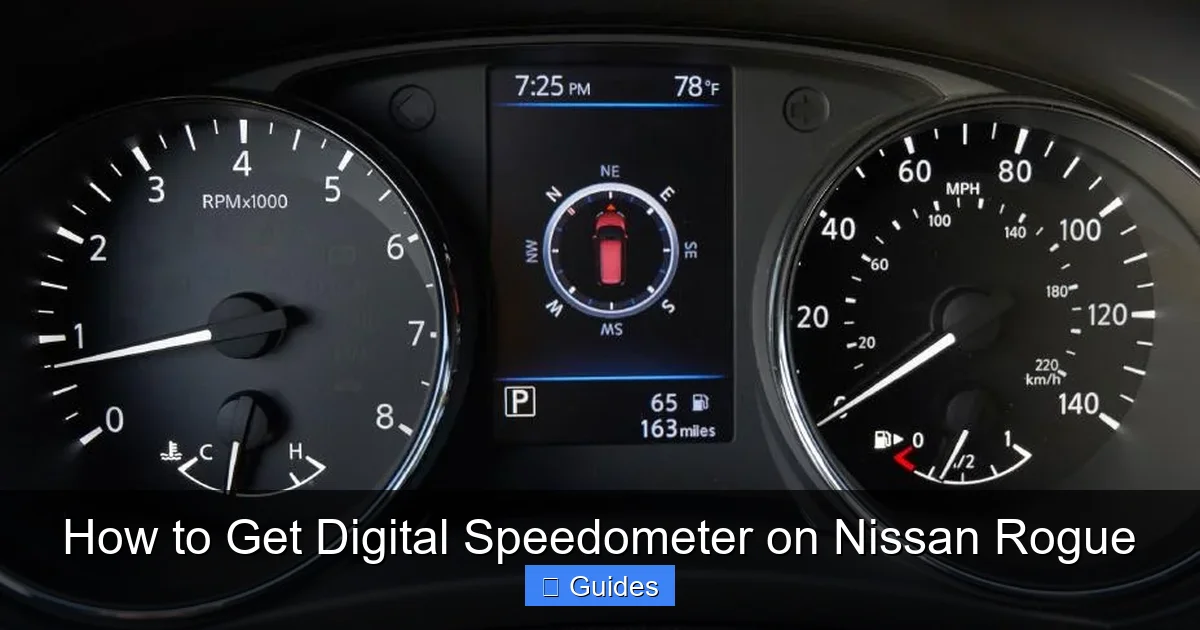
Starting with the 2014 redesign, Nissan introduced the Rogue with a more modern interior, including a multi-information display (MID) between the analog gauges. On base models like the S trim, this is a small monochrome screen that shows basic info like fuel economy, trip data, and warning lights. But it doesn’t display digital speed.
However, as you move up the trim ladder—to SV, SL, and especially Platinum—you gain access to more advanced displays. The 2021 and newer models, for example, feature a fully digital 7-inch Advanced Drive Assist Display (ADAD) in higher trims. This screen sits directly behind the steering wheel and can show a digital speedometer, navigation directions, driver assistance alerts, and even customizable themes.
So, how do you know if your Rogue already has this feature? Look at your instrument cluster. If you see a large color screen between or instead of the analog gauges, you might already have a digital speedometer—or at least the hardware to support one. Even if it’s not showing speed by default, it might be programmable.
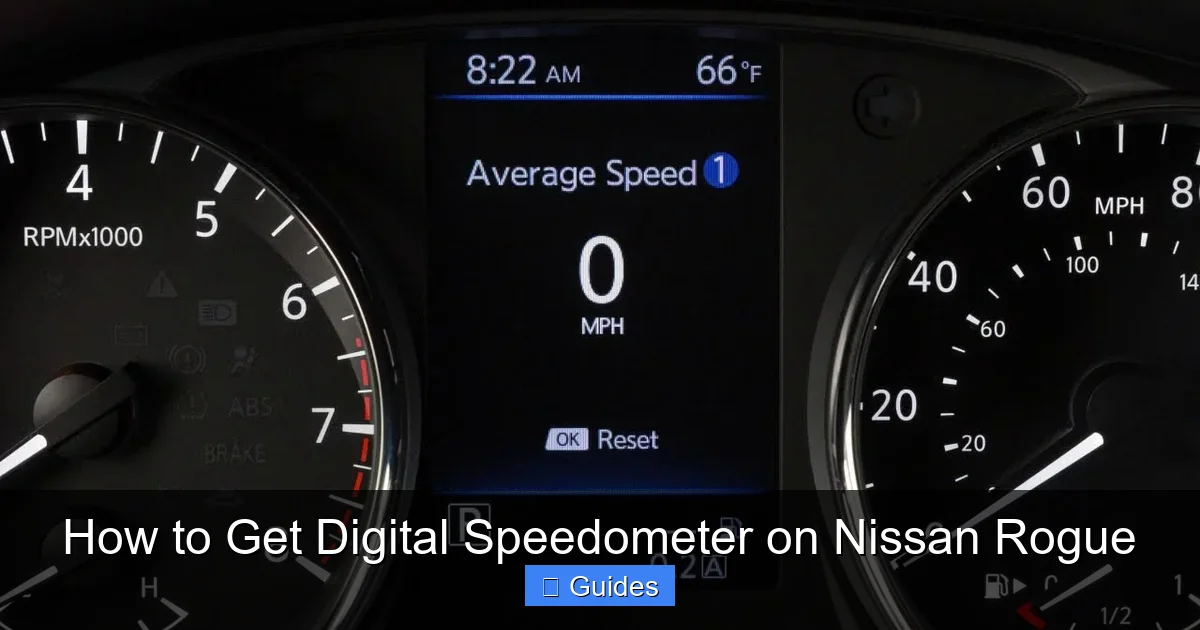
For older models (2014–2020), the story is a bit different. Most Rogues from this era use a hybrid cluster: analog speedometer and tachometer with a smaller digital display in the center. While this center screen can show trip info and warnings, it typically doesn’t show digital speed unless activated through specific settings or software.
How to Check for Hidden Digital Speedometer Features
Believe it or not, some Nissan Rogues come with digital speedometer capabilities that are turned off by default. This is especially true for models sold in regions where digital speedometers aren’t legally required or commonly used.
To check if your Rogue has this hidden feature, try this simple test:
1. Turn the ignition to the “ON” position (don’t start the engine).
2. Press and hold the “Trip” button on your steering wheel or instrument cluster.
3. While holding it, turn the ignition off and then back on.
4. Keep holding the button until the display changes or shows a menu.
On some models, this will bring up a service menu where you can enable digital speed display. However, be cautious—tinkering with these menus can reset settings or cause errors if done incorrectly. If you’re not comfortable doing this yourself, visit a Nissan dealership or a trusted mechanic.
Another way to unlock digital features is through software updates. Nissan occasionally releases firmware updates that enable new functions or improve existing ones. A visit to the dealership for a routine service might include a free software update that activates your digital speedometer—especially if you’re driving a newer model.
Factory Options: Trims That Include a Digital Speedometer
Visual guide about How to Get Digital Speedometer on Nissan Rogue
Image source: wieck-nissanao-production.s3.amazonaws.com
If you’re in the market for a new or used Nissan Rogue and a digital speedometer is a must-have, your best bet is to choose a higher trim level. Starting with the 2021 model year, Nissan made significant upgrades to the Rogue’s interior, including a more advanced instrument cluster.
The 2021–2024 Nissan Rogue Platinum and SL trims come standard with the 7-inch Advanced Drive Assist Display (ADAD). This full-color digital screen replaces the traditional analog gauges and shows a large, easy-to-read digital speedometer front and center. It also displays navigation, audio info, driver assistance alerts, and even customizable backgrounds.
Even the mid-level SV trim (on newer models) may include a semi-digital cluster with a digital speed readout in the center display. While not as expansive as the Platinum’s setup, it still gives you that clear numeric speed display you’re looking for.
For older models (2017–2020), the story is more mixed. The Rogue SL trim sometimes includes a larger digital display, but it’s not guaranteed. The best way to confirm is to check the vehicle’s window sticker or ask the dealer for a feature list.
What If You Already Own a Lower Trim?
Don’t worry—just because you bought an S or SV trim doesn’t mean you’re stuck with an analog speedometer forever. There are still ways to upgrade, either through software, hardware, or aftermarket solutions.
One option is to have your instrument cluster replaced with one from a higher trim. This is a more involved process and usually requires professional installation, but it’s possible. You’ll need to source a compatible cluster (often from a salvage yard or parts dealer) and have it programmed to match your vehicle’s VIN and mileage. This ensures it works correctly and doesn’t trigger warning lights.
Another factory-friendly approach is to use Nissan’s built-in settings. On some models, you can enable digital speed display through the vehicle settings menu. To access this:
1. Press the “Menu” button on your steering wheel.
2. Navigate to “Settings” > “Display” > “Speedometer.”
3. Select “Digital” instead of “Analog.”
If this option isn’t available, it may be because your trim doesn’t support it—or it’s hidden behind a software lock. In that case, a dealership or specialized technician with Nissan diagnostic tools (like Consult III+) may be able to enable it.
Aftermarket Solutions: Affordable Ways to Add a Digital Speedometer
Visual guide about How to Get Digital Speedometer on Nissan Rogue
Image source: thecarhow.com
If factory upgrades aren’t in the cards, aftermarket solutions offer a flexible and often more affordable way to get a digital speedometer on your Nissan Rogue. These range from simple plug-and-play devices to more advanced systems that integrate with your car’s electronics.
One of the most popular options is a head-up display (HUD). These small devices mount on your dashboard or windshield and project your speed (and sometimes other data like RPM or fuel level) onto the glass in your line of sight. This means you never have to look down—just glance ahead and see your speed floating in front of you.
Most HUDs connect to your vehicle’s OBD-II port, which is usually located under the dashboard near the steering column. The OBD-II port provides power and access to real-time data from your car’s computer, including speed. Once plugged in, the HUD reads this data and displays it digitally.
Top HUD Options for Nissan Rogue
Here are a few highly rated HUDs that work well with the Nissan Rogue:
– **Veepeak OBDCheck Mini**: Compact, affordable, and easy to install. Shows speed, engine RPM, and fault codes. Compatible with most 1996 and newer vehicles.
– **Autool V600**: Features a larger display and customizable layouts. Can show speed, temperature, and battery voltage. Some models include GPS for location-based alerts.
– **Car HUD+ by Bouncie**: Includes GPS and cellular connectivity, so it can send speed alerts to your phone and track your location. Great for families or fleet use.
These devices typically cost between $30 and $100, making them a budget-friendly upgrade. Installation takes just a few minutes—just plug into the OBD-II port, mount the display, and you’re ready to go.
Other Aftermarket Displays
If you prefer a display inside your cabin rather than on the windshield, consider a digital gauge pod or a standalone speedometer. These mount on your dashboard or A-pillar and connect to your OBD-II port or directly to your vehicle’s speed sensor.
For example, the **P3 Cars Vent Integrated Gauge** replaces your passenger-side air vent with a digital display that shows speed, boost, and other metrics. It’s sleek, integrated, and looks factory-installed.
Another option is a **digital instrument cluster overlay**, which fits over your existing analog gauges and displays digital readouts. These are less common but can be a creative way to modernize your dashboard without a full replacement.
Professional Installation and Retrofitting
For those who want a truly integrated, factory-like digital speedometer, professional retrofitting is the way to go. This involves replacing your current instrument cluster with a digital one from a higher trim or a third-party manufacturer.
Cluster Replacement: What to Expect
Replacing your instrument cluster isn’t a DIY job for most people. It requires specialized tools, software, and knowledge of your vehicle’s electrical system. Here’s what the process typically involves:
1. **Source a compatible cluster**: Find a digital cluster from a Nissan Rogue SL or Platinum trim (same model year range). Salvage yards, eBay, and auto parts stores are good places to look.
2. **Remove the old cluster**: This usually involves removing the dashboard trim, unscrewing the cluster, and disconnecting wiring harnesses.
3. **Install the new cluster**: Connect the new cluster and secure it in place.
4. **Program the cluster**: Use a diagnostic tool to program the new cluster with your vehicle’s VIN, mileage, and settings. This ensures it communicates properly with the car’s computer and doesn’t trigger errors.
Because of the programming step, it’s highly recommended to have this done by a professional. Many Nissan dealerships and independent shops offer this service, though it can cost several hundred dollars.
Third-Party Digital Clusters
If you can’t find a factory cluster, third-party manufacturers like Dakota Digital and Acewell offer universal digital instrument clusters that can be customized for your Rogue. These are more expensive (often $500–$1,500) but offer advanced features like customizable layouts, GPS integration, and smartphone connectivity.
Installation is complex and usually requires wiring into your vehicle’s CAN bus system. Again, professional help is strongly advised.
Software Hacks and DIY Programming
For tech-savvy owners, software modifications offer a way to unlock hidden digital speedometer features without hardware changes. This involves using diagnostic tools to access your vehicle’s computer and change settings.
Using OBD-II Scanners and Apps
Some advanced OBD-II scanners, like the **BlueDriver** or **Foxwell NT510**, allow you to access manufacturer-specific menus and enable hidden features. With the right app and cable, you can connect your smartphone to your Rogue and modify settings like speedometer display type.
However, this approach comes with risks. Incorrect changes can cause warning lights, malfunctioning gauges, or even immobilize your vehicle. Always back up your original settings before making changes, and proceed with caution.
Professional Programming Services
If you’re not comfortable doing it yourself, consider hiring a mobile technician or visiting a shop that specializes in Nissan programming. These experts use tools like the Nissan Consult III+ or aftermarket equivalents to safely enable digital speed display and other features.
Prices vary, but expect to pay $100–$300 for programming services. It’s a small price to pay for peace of mind and a factory-like result.
Safety, Legality, and Best Practices
Before you upgrade to a digital speedometer, it’s important to consider safety and legal implications.
Is It Legal?
In most U.S. states and countries, digital speedometers are legal as long as they are accurate and don’t obstruct your view. However, some jurisdictions have specific rules about aftermarket displays, especially those that project onto the windshield.
Always check local laws before installing a HUD or external display. In general, if the device is small, mounted low, and doesn’t distract you, it’s usually fine.
Safety Tips
– Choose a display that’s easy to read at a glance.
– Avoid overly bright or flashing displays that can distract you.
– Mount devices securely to prevent them from becoming projectiles in a crash.
– Never modify your vehicle’s wiring without proper knowledge—this can cause electrical fires or system failures.
Maintaining Accuracy
Digital speedometers rely on your vehicle’s speed sensor, which can be affected by tire size, gear ratios, and calibration. If you’ve changed your tires or wheels, your speedometer may read incorrectly. Use a GPS-based app (like Speedometer GPS) to verify accuracy and adjust if needed.
Conclusion: Finding the Right Digital Speedometer for Your Rogue
Upgrading to a digital speedometer on your Nissan Rogue is more achievable than you might think. Whether you’re driving a base model or a top-tier Platinum, there’s a solution that fits your needs and budget.
Start by checking your current trim and instrument cluster. You might already have the hardware—just not the right settings. If not, explore aftermarket HUDs for a quick, affordable fix. For a more integrated look, consider professional cluster replacement or software programming.
No matter which path you choose, prioritize safety, accuracy, and legality. A digital speedometer should enhance your driving experience, not distract from it.
With the right approach, you can enjoy the clarity and modern feel of a digital display every time you get behind the wheel. Your Nissan Rogue will feel more high-tech, more responsive, and more enjoyable to drive—all thanks to a simple upgrade that makes a big difference.
Frequently Asked Questions
Can I add a digital speedometer to a 2018 Nissan Rogue S?
Yes, you can add a digital speedometer to a 2018 Rogue S using an aftermarket HUD or by replacing the instrument cluster. However, the base S trim doesn’t include a digital display by default, so you’ll need an external solution or professional upgrade.
Will a digital speedometer void my Nissan warranty?
Modifying your instrument cluster or using aftermarket devices could void parts of your warranty, especially if damage occurs. Always check with your dealer before making changes, and consider professional installation to minimize risk.
Do I need a special tool to enable the digital speedometer?
Some Rogues require a Nissan diagnostic tool like Consult III+ to enable hidden digital features. Basic OBD-II scanners may not have this capability, so professional help is often needed.
Are head-up displays legal in all states?
Most states allow HUDs as long as they don’t obstruct your view or distract you. However, some states have restrictions on windshield projections. Check your local laws before installing.
Can I install a digital speedometer myself?
Simple HUDs can be installed in minutes with no tools. Cluster replacements and software programming, however, should be done by professionals to avoid damage or errors.
Will a digital speedometer work with cruise control?
Yes, digital speedometers read data from your vehicle’s computer, so they work seamlessly with cruise control and other systems. The display updates in real time, just like your analog gauge.

At CarLegit, we believe information should be clear, factual, and genuinely helpful. That’s why every guide, review, and update on our website is created with care, research, and a strong focus on user experience.