
Featured image for How To Get Toyota Tacoma Out Of 4 Wheel Drive
Image source: paultan.org
To disengage 4-wheel drive in your Toyota Tacoma, first ensure the vehicle is stopped or moving slowly in a straight line before shifting. Then, firmly move the transfer case lever from 4H or 4L back to the 2H position, confirming the 4WD indicator light turns off. Always reference your owner’s manual for exact procedures, as methods can differ by model year and drivetrain type.
In This Article
- 1 Key Takeaways
- 2 📑 Table of Contents
- 3 Quick Guide On How To Get Toyota Tacoma Out Of 4 Wheel Drive
- 4 Understanding Your Tacoma’s 4WD System
- 5 The Universal First Steps: What To Do Before You Shift
- 6 Step-by-Step: Getting Out of 4WD for Manual Lever Tacomas (1995.5-2015)
- 7 Step-by-Step: Getting Out of 4WD for Electronic Switch Tacomas (2016-Present)
- 8 Troubleshooting: When Your Tacoma Still Feels Stuck
- 9 Proactive Care: Keeping Your 4WD System Happy
- 10 4WD Mode Comparison Table for Toyota Tacoma
- 11 Conclusion: Mastering Your Machine
- 12 Frequently Asked Questions
- 12.1 Why won’t my Toyota Tacoma come out of 4 wheel drive?
- 12.2 What’s the proper way to shift my Tacoma from 4WD to 2WD?
- 12.3 Is there a difference between shifting out of 4H and 4L?
- 12.4 Can I drive my Tacoma in 4WD on dry pavement?
- 12.5 The 4WD light is still on after shifting to 2WD. What should I do?
- 12.6 How fast can I go when trying to disengage 4WD?
Key Takeaways
- Stop or shift to neutral first: This is often required for disengaging 4Lo.
- Use the correct transfer case shifter: Move it firmly from 4H or 4L to 2H.
- Wait for the 4WD indicator light to turn off: This confirms successful disengagement.
- Check for manual locking hubs if stuck: Ensure they are fully unlocked.
- Consult your manual or a mechanic if problems persist: Avoid forcing the shifter.
📑 Table of Contents
- Quick Guide On How To Get Toyota Tacoma Out Of 4 Wheel Drive
- Understanding Your Tacoma’s 4WD System
- The Universal First Steps: What To Do Before You Shift
- Step-by-Step: Getting Out of 4WD for Manual Lever Tacomas (1995.5-2015)
- Step-by-Step: Getting Out of 4WD for Electronic Switch Tacomas (2016-Present)
- Troubleshooting: When Your Tacoma Still Feels Stuck
- Proactive Care: Keeping Your 4WD System Happy
- 4WD Mode Comparison Table for Toyota Tacoma
- Conclusion: Mastering Your Machine
Quick Guide On How To Get Toyota Tacoma Out Of 4 Wheel Drive
We’ve all been there. You had a fantastic day out on the trail, conquered a muddy path, or just needed that extra traction on a snowy road. Your Toyota Tacoma’s legendary 4-wheel drive system did its job perfectly. But now you’re back on smooth, dry pavement, and there it is—that telltale binding or clunking sensation when you turn. You try to switch it back, but the lever or knob isn’t cooperating. A little knot of anxiety forms in your stomach. Is it stuck? Did I break something?
Take a deep breath. You’re not alone. Getting a Tacoma out of 4-wheel drive can sometimes be a bit finicky, but it’s almost always a simple fix. Whether you’re a seasoned off-roader or a new truck owner who just tried 4WD for the first time, this guide is here to walk you through the process, step-by-step, for every generation of Tacoma. Think of me as that knowledgeable friend in the passenger seat, talking you through it calmly. We’ll cover the “why” behind the resistance, the exact steps for your model, and some pro tips to make the transition smooth every single time.
By the end of this article, that feeling of being “stuck” will be a thing of the past. You’ll understand your truck’s 4WD system intimately and have the confidence to engage and disengage it properly, preserving your drivetrain and keeping your adventures stress-free. Let’s get that Tacoma back into 2WD and rolling free again.
Understanding Your Tacoma’s 4WD System
Before you start yanking on levers or pushing buttons, it helps to know what’s happening underneath you. Your Tacoma’s 4WD isn’t just a simple switch that magically sends power everywhere. It’s a mechanical system that physically connects your front wheels to the engine’s power. When you’re in 2WD, only the rear wheels are powered. The front wheels are just along for the ride, free to turn at different speeds (which is crucial for pavement driving).
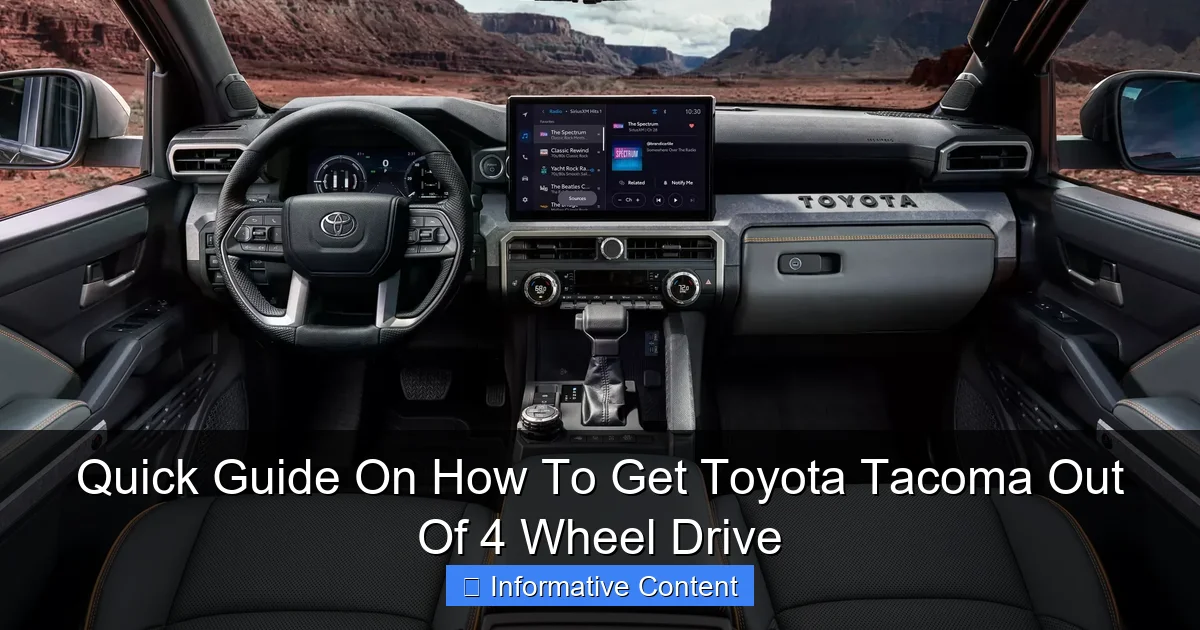
Visual guide about How To Get Toyota Tacoma Out Of 4 Wheel Drive
Image source: mystrongad.com
The Heart of the Matter: The Transfer Case
When you shift into 4WD, you’re telling the transfer case—a gearbox bolted to the back of your transmission—to send power to the front driveshaft. This engages the front differential and axles. In “part-time” 4WD systems (like most Tacomas have), this creates a solid connection between the front and rear axles. On pavement, where tires need to rotate at different speeds around corners, this connection causes “binding,” which feels like the truck is chattering or hopping. The system is designed to be used on loose surfaces where the tires can slip a bit.
Different Models, Different Controls
Toyota has used three main types of 4WD controls in the Tacoma over the years:
- Manual Lever (1995.5-2015): The classic floor shifter, often next to the regular gear shifter. It’s purely mechanical and directly moves parts in the transfer case.
- Electronic Switch (2016-Present): A rotary knob or button on the dashboard. You turn it, and an electric motor does the shifting for you in the transfer case.
- Automatic Transmission “4WD Auto” (Optional on some models): This is a different beast. It uses a center differential or a clutch pack to allow for full-time use on any surface. Getting out of “4WD Auto” is usually just a turn of the knob.
Knowing which one you have is the first step to a smooth disengagement.
The Universal First Steps: What To Do Before You Shift
No matter what year your Tacoma is, these steps are the golden rules. Skipping them is the number one reason people think their 4WD is stuck.
Visual guide about How To Get Toyota Tacoma Out Of 4 Wheel Drive
Image source: s1.cdn.autoevolution.com
Stop, Straighten, and Roll
This is non-negotiable. To relieve the drivetrain binding that’s preventing the shift:
- Come to a Complete Stop: Not a rolling stop. A full, foot-on-the-brake halt.
- Straighten Your Wheels: Turn the steering wheel so your front wheels are pointing completely straight ahead.
- Roll Gently Forward or Backward: This is the magic trick. After stopping, shift your transmission into Drive (or first gear for manuals) and let the truck creep forward just 3-10 feet. If you can’t go forward, try reversing the same distance. This slight movement allows the gears in the transfer case to un-mesh and align properly for the shift back to 2WD.
Ease Off the Throttle
You must be completely off the gas pedal when you attempt the shift. The transfer case cannot disengage under power. Think of it as being in neutral for your 4WD system. A gentle, slow creep is all you need for the “roll” step.
Once you’ve done these three things—Stopped, Straightened, and Rolled—you’re ready to actually make the shift. 90% of “stuck” situations are solved right here.
Step-by-Step: Getting Out of 4WD for Manual Lever Tacomas (1995.5-2015)
For owners of these generations, you have a direct mechanical link to the transfer case. You’ll feel the shift happen through the lever. Here’s exactly what to do.
Visual guide about How To Get Toyota Tacoma Out Of 4 Wheel Drive
Image source: cdn.motor1.com
Shifting from 4H (High) to 2H
- Follow the Universal First Steps above. Come to a stop, straighten wheels, and roll gently.
- With the truck still creeping slowly forward (about 1-3 mph), firmly and smoothly pull the lever straight back from “4H” to “2H.” Do not force it. It should slide with a firm but manageable pull.
- You will likely feel a solid “clunk.” This is normal! It’s the front driveline disconnecting.
- Once the lever is in “2H,” you’re done. You can drive normally on dry pavement.
Shifting from 4L (Low) to 4H or 2H
This requires an extra step because you’re also changing gear ranges in the transfer case.
- Come to a Complete Stop. For shifting out of 4L, you must be fully stopped. Do not roll.
- Put your automatic transmission in “Neutral” (or hold the clutch in for manuals). This relieves all load from the drivetrain.
- Firmly push the lever from “4L” through “N” (Neutral) and into “4H.” You’ll feel it click into place.
- Shift your transmission back to Drive (or release the clutch into gear).
- Now, follow the steps for getting from 4H to 2H: Roll gently forward and pull the lever back to 2H.
Pro Tip: If the lever is stubborn, try the “rocking” technique. After stopping and straightening, shift from Drive to Reverse a few times, rocking the truck back and forth just a foot each direction. This can help the gears realign.
Step-by-Step: Getting Out of 4WD for Electronic Switch Tacomas (2016-Present)
The process here is simpler in action but requires you to trust the electronics and wait for the system to do its job.
Shifting from 4H to 2H
- Follow the Universal First Steps. Stop, straighten wheels, and roll gently forward.
- While rolling slowly (1-3 mph), turn the rotary knob from “4H” to “2H.”
- CRUCIAL: Take your finger off the knob and wait. Do not turn it again. You will see the “4WD” light on your dashboard begin to blink. This means the electric motor is working to disengage the system.
- Continue driving straight at a low speed. After a few seconds (sometimes up to 10-15 seconds), the blinking light will turn off completely. This indicates the shift to 2WD is successful.
Shifting from 4L to 4H or 2H
- Come to a Complete Stop. The computer will often prevent any shift out of 4L unless you are fully stopped.
- With your foot on the brake, turn the knob from “4L” to “4H.” The lights will blink.
- Wait for the blink to stop and the “4H” light to stay solid. You may need to gently press the accelerator to encourage the shift.
- Now, you can follow the steps above to shift from 4H to 2H, usually while rolling slowly.
Important Note: Never force the knob or rapidly switch modes. One click and a patient wait is the key with electronic systems.
Troubleshooting: When Your Tacoma Still Feels Stuck
What if you’ve done everything right and it’s still not coming out? Don’t panic. Let’s troubleshoot.
The “Binding” Sensation After a Successful Shift
You shifted to 2WD, the light is off, but the truck still feels tight on turns. This is usually residual tension in the driveline.
- The Fix: Drive in a perfectly straight line on dry pavement for a quarter to half a mile. Then, make several slow, full-lock figure-eight turns in an empty parking lot. This helps work out any remaining bind.
Lever or Knob Won’t Budge
If the manual lever is completely immobile:
- Ensure you are following the “Stop, Straighten, and Roll” procedure exactly.
- Try the “rocking” technique more aggressively, shifting between Drive and Reverse 5-6 times.
- For manual levers, very rarely, the linkage underneath the truck can become misaligned or corroded. This may require a professional glance.
Lights Are Blinking Continuously or Flashing
For electronic models, endless blinking usually indicates the system cannot complete the shift.
- Turn the truck completely off, wait 30 seconds, and restart it. This resets the computer.
- Ensure you are on a flat, level surface.
- If the problem persists, there could be a fault with the actuator motor or a sensor. It’s time for a diagnostic scan at a dealership or trusted shop.
Proactive Care: Keeping Your 4WD System Happy
An ounce of prevention is worth a pound of cure, especially with 4WD systems.
Regular Use is Key
Engage your 4WD system at least once a month, even if you don’t need it. Drive in 4H on a straight, loose gravel road or empty dirt lot for 5-10 miles. This circulates fluid in the transfer case and front differential and keeps the internal components from seizing up from lack of use. A system that never gets used is the most likely to get stuck.
Maintenance Matters
Refer to your owner’s manual and stick to these service intervals:
- Transfer Case Fluid: Change it every 30,000 to 60,000 miles, especially if you do a lot of low-range crawling or water crossings.
- Front Differential Fluid: Same interval as the transfer case. Clean fluid prevents wear.
- Lubricate Linkage: For manual lever models, a periodic spray of white lithium grease on the external shift linkage can keep it moving smoothly.
4WD Mode Comparison Table for Toyota Tacoma
This table helps visualize the differences and proper use cases, which is key to knowing when and how to shift.
| Mode | Best Used On | Max Speed | Key Shift Tip |
|---|---|---|---|
| 2H (2 Wheel Drive High) | Dry pavement, normal highway driving. Saves fuel. | Normal Driving Speeds | Default mode. Always shift TO this on dry pavement. |
| 4H (4 Wheel Drive High) | Wet roads, gravel, snow, sand, loose surfaces where extra traction is needed. | Generally up to 55-65 mph (check manual) | Shift while rolling slowly (1-3 mph). Stop & straighten wheels first. |
| 4L (4 Wheel Drive Low) | Extreme off-road: rock crawling, deep mud, steep descents, when you need maximum torque and control at very low speeds. | Typically under 25 mph | Shift ONLY when completely stopped. Transmission in Neutral. |
| 4WD Auto (if equipped) | Variable conditions like wet pavement, intermittent snow. Can be used full-time. | Normal Driving Speeds | Shift on the fly at any speed. Computer manages power split. |
Conclusion: Mastering Your Machine
Getting your Toyota Tacoma out of 4-wheel drive isn’t about brute force; it’s about understanding and finesse. Remember the mantra: Stop, Straighten, and Roll. For the classic manual lever, feel the mechanical clunk and know it’s working. For the modern electronic knob, practice patience and let the blinking lights do their job.
By following this guide, you’ve not only solved an immediate problem but also gained valuable knowledge about one of your truck’s most important systems. Regular use and simple maintenance will ensure that your Tacoma’s go-anywhere capability is always ready when you need it and easily tucked away when you don’t. So next time you’re coming off the trail, do it with confidence. Your Tacoma is built for this, and now, so are you.
Frequently Asked Questions
Why won’t my Toyota Tacoma come out of 4 wheel drive?
This is a common issue often caused by being on a high-traction surface like dry pavement, which creates binding in the drivetrain. To release the bind, try reversing in a straight line for 10-20 feet, as this can relieve tension and allow the system to disengage into 2WD.
What’s the proper way to shift my Tacoma from 4WD to 2WD?
For most models, simply come to a complete stop or roll very slowly (under 3 mph). Then, move the 4WD selector dial or lever firmly from 4H or 4L back to the 2H position. You should see the 4WD indicator light on your dashboard turn off.
Is there a difference between shifting out of 4H and 4L?
Yes. Shifting out of 4-High (4H) to 2-High (2H) can often be done while rolling slowly. However, to get your Toyota Tacoma out of 4-Low (4L), you must come to a complete stop, place the transmission in Neutral, and then shift the transfer case to 4H or 2H.
Can I drive my Tacoma in 4WD on dry pavement?
No, you should not use part-time 4WD (4H or 4L) on dry, high-traction pavement. This can cause severe drivetrain binding, damage, and make it very difficult to get your Toyota Tacoma out of 4 wheel drive. It is designed for loose or slippery surfaces only.
The 4WD light is still on after shifting to 2WD. What should I do?
First, ensure the vehicle has fully disengaged by driving forward and backward in a straight line on a loose surface like gravel. If the light remains on, there may be a sensor or actuator issue, and it’s best to have the system diagnosed by a professional.
How fast can I go when trying to disengage 4WD?
For a safe and successful shift, reduce your speed significantly. To shift out of 4H, slow to under 60 mph for electronic systems, but it’s safest to be below 50 mph and not accelerating. To leave 4L, you must be at a complete stop or under 3 mph.

At CarLegit, we believe information should be clear, factual, and genuinely helpful. That’s why every guide, review, and update on our website is created with care, research, and a strong focus on user experience.