
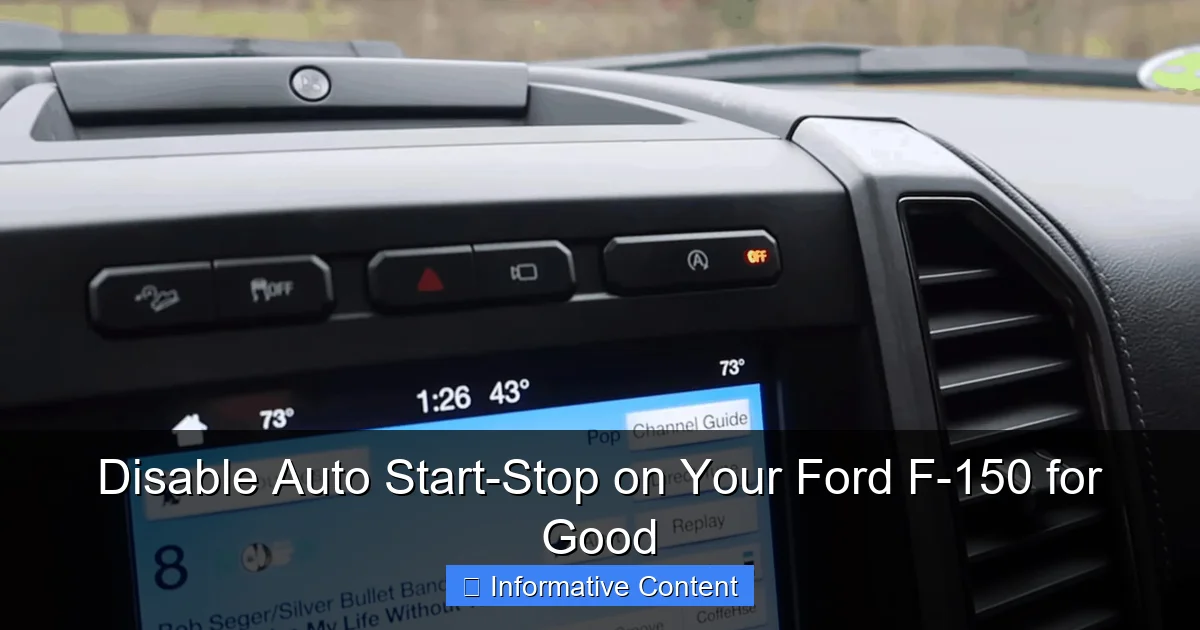
You can permanently disable the auto start-stop system on your Ford F-150 with a simple, aftermarket plug-in module. This device, which installs in minutes by connecting behind the dash, remembers your preference to keep the engine running, eliminating the need to manually press the disable button every time you start the truck. It’s a definitive solution for drivers who find the fuel-saving feature intrusive.
In This Article
- 1 Disable Auto Start-Stop on Your Ford F-150 for Good
- 1.1 Key Takeaways
- 1.2 📑 Table of Contents
- 1.3 Understanding Your F-150’s Auto Start-Stop System
- 1.4 Method 1: The “Every Time You Start” Button Press
- 1.5 Method 2: Using Tow/Haul or Sport Drive Modes
- 1.6 Method 3: The Battery Sensor Trick (A Popular Hack)
- 1.7 Method 4: Permanent Solutions with Aftermarket Devices
- 1.8 Method 5: Using Forscan Software (For the Tech-Savvy)
- 1.9 Comparing Your Options: A Quick Reference
- 1.10 Making the Right Choice for Your Truck
- 1.11 Frequently Asked Questions
- 1.11.1 What is the auto start-stop feature on my Ford F-150?
- 1.11.2 Why would I want to permanently disable auto start-stop?
- 1.11.3 Can I disable auto start-stop with the button on the dash?
- 1.11.4 What is the best way to disable auto start-stop on a Ford F-150 for good?
- 1.11.5 Is it safe to use an auto start-stop disabler module?
- 1.11.6 Will disabling auto start-stop affect my Ford F-150’s warranty or fuel economy?
Disable Auto Start-Stop on Your Ford F-150 for Good
Let’s be honest. That moment your Ford F-150’s engine cuts out at a red light can be… jarring. You’re sitting there, maybe with the A/C blasting, and suddenly there’s a quiet lurch and silence. Then, the light turns green, there’s a slight shudder, and the V8 roars back to life. If you’re like me and countless other F-150 owners, you’ve probably found yourself instinctively hitting the “disable auto start-stop” button every single time you start the truck. It becomes a ritual: buckle up, start engine, press the annoying button.
Why is this feature even here? It’s a well-intentioned system designed to save a tiny bit of fuel and reduce emissions during idle times. But for many of us who use our trucks for work, towing, or just prefer a seamless driving experience, the cons often outweigh the pros. The constant cycling can feel rough on the engine and starter, and the delay in power return can be unnerving, especially in traffic. You might be wondering if there’s a way to disable auto start-stop on your Ford F-150 permanently, without having to remember that button press. The good news? There absolutely is.
This guide is for you, the driver who wants full, uninterrupted command of your truck’s powertrain. We’ll walk through every legitimate method, from simple tricks to permanent hardware solutions. I’ll share what I’ve learned from personal experience and the broader F-150 community, so you can make an informed choice and finally disable auto start-stop on your Ford F-150 for good.
Key Takeaways
- Use a dedicated plug-in module: The most reliable permanent solution.
- Disconnect the hood latch sensor: A simple, common workaround method.
- Permanent disable requires hardware: Software settings only provide temporary deactivation.
- The system resets after each start: You must manually turn it off every time.
- Consider warranty implications: Some methods may affect related electrical systems.
- Installation is typically quick: Most hardware solutions plug into existing connectors.
📑 Table of Contents
- Understanding Your F-150’s Auto Start-Stop System
- Method 1: The “Every Time You Start” Button Press
- Method 2: Using Tow/Haul or Sport Drive Modes
- Method 3: The Battery Sensor Trick (A Popular Hack)
- Method 4: Permanent Solutions with Aftermarket Devices
- Method 5: Using Forscan Software (For the Tech-Savvy)
- Comparing Your Options: A Quick Reference
- Making the Right Choice for Your Truck
Understanding Your F-150’s Auto Start-Stop System
Before we dive into disabling it, it helps to know what we’re dealing with. This isn’t your average starter motor from the 90s. The system is sophisticated, but understanding its logic is the first step to outsmarting it.
How the System Actually Works
The auto start-stop system is governed by your truck’s body control module (BCM). It doesn’t just randomly shut off the engine. It constantly monitors a suite of conditions to see if it’s “safe” to do so. These include engine temperature, battery state of charge, HVAC settings (if you need max A/C or heat), whether the transmission is in Drive, and even the angle of the steering wheel. If all its parameters are met, it will kill the engine when you come to a complete stop. A separate, heavy-duty starter and a robust battery are used to handle the frequent cycles.
Why Ford (and the EPA) Loves It
The primary reason is fuel economy. In standardized EPA testing cycles that involve a lot of idling, disabling auto start-stop can show a 1-3% improvement in mpg. For Ford, this helps them meet increasingly strict corporate average fuel economy (CAFE) standards. It’s a relatively low-cost way to gain a fractional MPG boost across their entire fleet. For the daily driver in stop-and-go city traffic, you might see a slight benefit. For the highway cruiser or the tower, the savings are virtually nil.
Method 1: The “Every Time You Start” Button Press
This is the factory-approved, temporary method. It’s simple but, as you know, gets old fast.
Visual guide about disable auto start stop Ford F150
Image source: tiremeetsroad.com
The Official Procedure
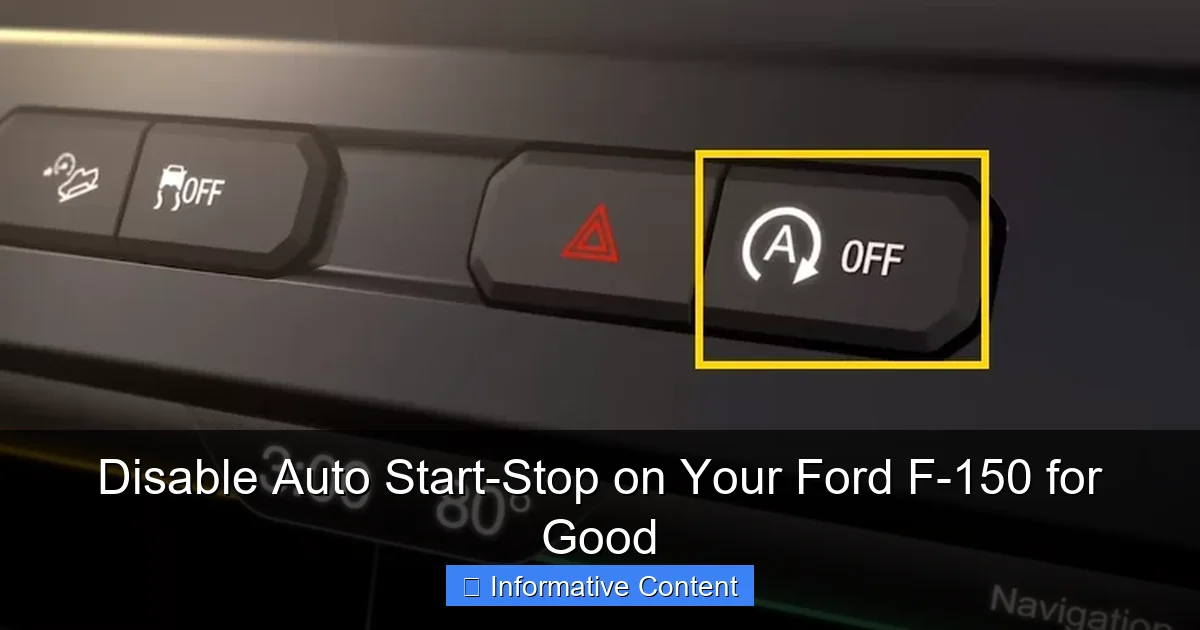
Locate the auto start-stop button on your center console. It has an “A” with an arrow circling around it. Simply press this button after you start your engine. You’ll see an indicator light illuminate on the button and a message on your instrument cluster saying “Auto StartStop Off.” This will disable auto start-stop on your Ford F-150 for that drive cycle. Once you turn the truck off and restart it, the system will be active again.
When This Method Makes Sense
This is a perfectly fine solution if you only occasionally want to disable the system. For example, if you’re about to engage in heavy city traffic where you think the constant cycling will be a nuisance, or if you’re hooking up a trailer. It requires no tools, voids no warranties, and is instantly reversible. The downside, of course, is the need for repetitive action.
Method 2: Using Tow/Haul or Sport Drive Modes
Your F-150’s brain is smart. When it thinks you’re working the truck or want sportier performance, it automatically disables certain comfort/economy features—including auto start-stop.
Visual guide about disable auto start stop Ford F150
Image source: hiride.com
Engaging Tow/Haul Mode
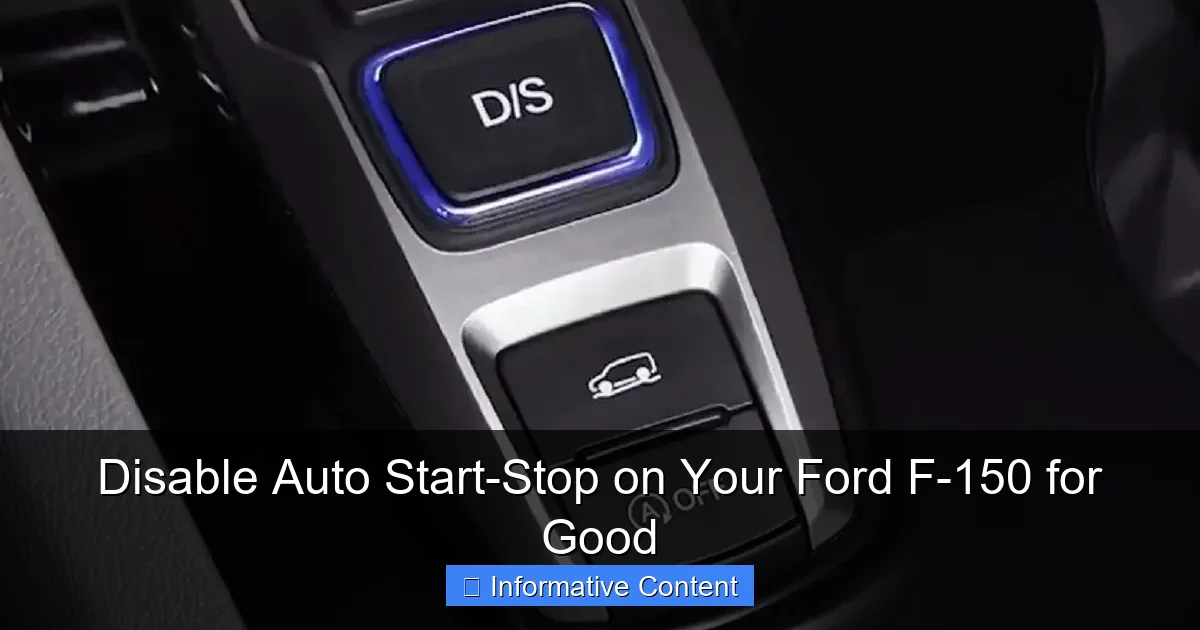
This is one of the easiest “semi-permanent” tricks. When you press the Tow/Haul button (usually on the gear shift stalk), the truck assumes you are towing or carrying a heavy load. It changes shift patterns and, critically, it disables the auto start-stop system for as long as Tow/Haul mode is active. You can drive around town in Tow/Haul mode all day, and your engine will not shut off at lights.
Switching to Sport Mode
Similarly, if your F-150 is equipped with a selectable drive mode system (like on the center console dial), putting the truck into “Sport” mode will also typically disable auto start-stop. Sport mode prioritizes throttle response and performance over fuel economy, so this makes sense. This is a great option if you prefer the sharper driving dynamics anyway.
Tip: Remember, using these modes does affect transmission behavior and fuel economy in other ways, so it’s not a perfectly neutral solution, but it’s a very effective one.
Method 3: The Battery Sensor Trick (A Popular Hack)
This method works by tricking the truck’s computer into thinking the battery is never sufficiently charged for the auto start-stop system to operate safely. It’s a clever, low-tech hardware intervention.
Visual guide about disable auto start stop Ford F150
Image source: carglassadvisor.com
How the Battery Monitor Sensor Works
Your F-150 has a Battery Management Sensor (BMS) attached to the negative battery terminal. This little device monitors voltage, current, and temperature to determine the battery’s state of charge. The auto start-stop system will not activate if it believes the battery is below a certain charge level, as it needs reserve power to restart the engine.
Executing the Trick
The hack involves unplugging the connector from the BMS sensor. This puts the system into a default state. The truck’s computer, no longer getting data, often assumes the battery is low and will keep auto start-stop disabled to preserve charge.
- Step 1: Open the hood and locate the negative battery terminal.
- Step 2: Find the small sensor with a wire harness attached to the terminal clamp.
- Step 3: Gently unplug the wire connector.
- Step 4: Secure the connector so it doesn’t dangle.
Important Note: This may cause a battery warning light on your dashboard, and it can interfere with the vehicle’s proper charging algorithm, potentially leading to an under or over-charged battery over a very long period. Some owners report no issues, while others have. It’s a mixed bag.
Method 4: Permanent Solutions with Aftermarket Devices
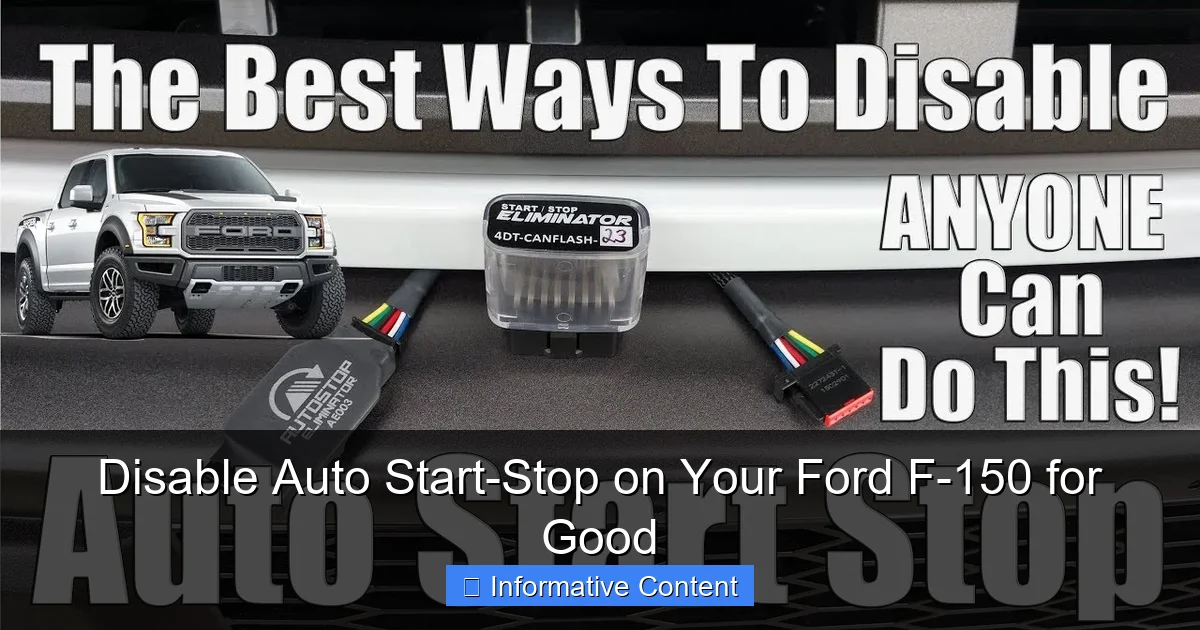
This is the “set it and forget it” category. Aftermarket companies have created simple plug-in devices designed specifically to permanently disable auto start-stop on your Ford F-150.
How an Auto Start-Stop Eliminator Works
These devices are typically small modules that plug into the back of the physical auto start-stop button on your console. They work by mimicking the button press signal every time you start the truck. The truck thinks you pressed the button, so the system stays off. It happens automatically, seamlessly, and instantly upon startup.
Installation and Considerations
Installation usually takes 10-20 minutes. You gently pry off the trim panel around your gear selector, unplug the harness from the back of the auto start-stop button, plug the eliminator module in-line, and then reassemble. It requires no cutting or splicing of wires.
- Pros: Truly permanent for each drive cycle, reversible (just unplug it), no dashboard warning lights, generally considered safe for vehicle electronics.
- Cons: It is an aftermarket modification. While rare, it’s theoretically possible a dealer could flag it, though most do not care as it doesn’t alter engine tuning.
I installed one of these on my own F-150 over two years ago, and it has worked flawlessly every single day. It was the best $100 I’ve spent on the truck in terms of improving daily driving satisfaction.
Method 5: Using Forscan Software (For the Tech-Savvy)
This is the deepest level of intervention—directly programming the truck’s body control module (BCM) via the OBD-II port.
What is Forscan?
Forscan is third-party diagnostic software (like a more powerful version of what dealers use) that can access and modify configuration settings in Ford vehicles. With a compatible OBD-II adapter (like an OBDLink EX), you can connect a laptop to your truck and change system parameters.
The Programming Process to Disable Auto Start-Stop
Within the Forscan software, you navigate to the BCM configuration. There is a specific line of code (ASCII value) related to the auto start-stop system. By changing this value, you can tell the truck the feature is not equipped. This makes the button inactive and removes the feature from the truck’s logic entirely.
Warning: This method is only for those comfortable with computer software and vehicle electronics. Making incorrect changes in Forscan can affect other vehicle systems. Always, always save a backup of your factory “as-built” data before changing anything. The F-150 forum communities have extensive guides on the exact steps.
Comparing Your Options: A Quick Reference
To help you visualize the differences between the main permanent and semi-permanent methods, here’s a breakdown.
| Method | Permanence | Cost | Difficulty | Warranty Impact | Best For |
|---|---|---|---|---|---|
| Button Press | Per Drive Cycle | Free | Very Easy | None | The occasional disable |
| Tow/Haul Mode | While Active | Free | Very Easy | None | Towing or mixed-use drivers |
| BMS Sensor Trick | Until Replugged | Free | Easy | Potential | The DIY experimenter |
| Aftermarket Eliminator | Permanent (Automatic) | $$ | Moderate | Very Low Risk | Most owners wanting a reliable fix |
| Forscan Programming | Permanent (Software) | $ (for adapter) | Difficult | Potential | Tech enthusiasts who use Forscan for other mods |
Making the Right Choice for Your Truck
So, which method should you choose to disable auto start-stop on your Ford F-150? It comes down to your comfort level, budget, and how “done” you want to be with the issue.
Considering Your Warranty
If your truck is under a factory warranty, your safest bets are the button press or using Tow/Haul mode. These are factory functions. The aftermarket eliminator is very low risk, as it’s passive and easily removed before service. The BMS trick and Forscan modifications carry a higher, though still relatively low, chance of being questioned by a dealer if you have unrelated electrical issues.
My Personal Recommendation
For the vast majority of F-150 owners who just want the feature gone without hassle or ongoing compromise, a quality aftermarket auto start-stop eliminator is the sweet spot. It’s a one-time, 15-minute install that provides a factory-like, automatic solution. It returns full control of your engine to you, which is what driving a truck like the F-150 is all about. After living with it, the difference in driving smoothness and peace of mind is genuinely noticeable.
You bought your Ford F-150 for its capability, its power, and its feel. The auto start-stop feature, while well-meaning, can feel like it detracts from that experience. The good news is you have power, too—the power to change it. Whether you opt for the simple button press, a clever mode trick, or decide on a permanent hardware solution, you now have the knowledge to disable auto start-stop on your Ford F-150 for good. Take back control, enjoy the consistent rumble of your engine, and never think about that little “A” button again. Happy driving.
Frequently Asked Questions
What is the auto start-stop feature on my Ford F-150?
The auto start-stop system is a fuel-saving feature that automatically shuts off the engine when you come to a complete stop, like at a traffic light. It restarts the engine instantly when you release the brake pedal. While designed for efficiency, many drivers find the sensation annoying and seek to disable it permanently.
Why would I want to permanently disable auto start-stop?
Common reasons include disliking the engine shudder during restarts, concerns about added wear on the starter and battery, and preferring consistent engine operation, especially in stop-and-go traffic. Permanently disabling it provides a more traditional driving feel without the system reactivating every time you start the truck.
No, the factory “Auto Start-Stop Off” button on the dashboard only deactivates the system for a single drive cycle. It will reset and be active again the next time you start your Ford F-150. To disable it permanently, you need an aftermarket solution.
What is the best way to disable auto start-stop on a Ford F-150 for good?
The most reliable and popular method is to install a dedicated auto start-stop eliminator module or harness. These small devices, like those from brands such as Autostop Eliminator, plug into the wiring behind the dash button and remember your “off” preference permanently, requiring no programming.
Is it safe to use an auto start-stop disabler module?
Yes, when you purchase a quality module from a reputable manufacturer, it is generally considered safe. These devices are plug-and-play, meaning they don’t require cutting wires and simply intercept the signal from the dash button. They do not interfere with other vehicle systems or void your entire powertrain warranty.
Will disabling auto start-stop affect my Ford F-150’s warranty or fuel economy?
Using an aftermarket disabler could potentially affect warranty coverage specifically related to the start-stop system components, like the enhanced battery or starter, if a failure is directly linked to the modification. You will see a minor decrease in fuel economy, typically 1-3%, as you lose the system’s fuel-saving function.

At CarLegit, we believe information should be clear, factual, and genuinely helpful. That’s why every guide, review, and update on our website is created with care, research, and a strong focus on user experience.