
Programming your BMW garage opener without a remote is easier than you think. Using the integrated Homelink system, you can sync your car directly to your garage door—no extra hardware or remote needed. This guide walks you through every step, even if you’ve lost your remote or bought a used BMW.
So, you’ve got your shiny BMW parked outside, but you’ve lost the garage remote—or maybe you just bought a used car and the previous owner never showed you how to set up the garage opener. Don’t panic. You’re not stuck pressing a button on a flimsy plastic remote every time you come home. Your BMW already has a built-in solution: the Homelink system.
Yes, that little panel in your sun visor with three buttons? That’s Homelink—a universal garage door opener system designed to work with most garage doors, gates, and even outdoor lighting systems. And the best part? You don’t need the original remote to program it. Whether you’re dealing with a Genie, Chamberlain, LiftMaster, or Craftsman opener, your BMW can learn the signal directly from the motor unit on your garage ceiling.
In this guide, we’ll walk you through exactly how to program your BMW garage opener without a remote. No jargon, no confusion—just clear, step-by-step instructions that even your tech-wary cousin could follow. We’ll cover everything from locating the Homelink buttons to troubleshooting common issues. By the end, you’ll be rolling into your garage with the smooth, silent confidence only a BMW owner knows.
In This Article
- 1 Key Takeaways
- 2 📑 Table of Contents
- 3 Understanding the BMW Homelink System
- 4 Preparing Your Garage Door Opener for Programming
- 5 Step-by-Step Guide to Programming Without a Remote
- 6 Troubleshooting Common Issues
- 7 Alternative Methods and Professional Help
- 8 Maintaining Your Homelink System
- 9 Conclusion
- 10 Frequently Asked Questions
- 10.1 Can I program my BMW garage opener if I don’t have the original remote?
- 10.2 What if my BMW doesn’t have Homelink buttons?
- 10.3 Why won’t my garage door close after programming?
- 10.4 How do I know if my garage door opener is compatible with Homelink?
- 10.5 Can I program multiple devices to one Homelink button?
- 10.6 What should I do if the Homelink light doesn’t flash during programming?
Key Takeaways
- BMW vehicles come with built-in Homelink technology: Most BMW models from 2000 onward include the Homelink system in the sun visor, allowing you to program garage doors, gates, and lights without a remote.
- You don’t need the original remote to program: As long as you have access to your garage door opener motor unit, you can sync your BMW using the “Learn” or “Smart” button on the motor.
- Clear existing codes first for better results: Before programming, clear all stored Homelink buttons to avoid interference from old or conflicting signals.
- Use the correct programming method based on your opener type: Different garage door openers (fixed code, rolling code, Security+ 2.0) require slightly different steps—knowing your opener type is key.
- Test the connection immediately after setup: Always verify that the Homelink button works before leaving the garage to ensure successful programming.
- Battery replacement may be needed in older models: If your BMW is over 10 years old, the Homelink system may have a weak internal battery—replace it if buttons don’t respond.
- Professional help is available if needed: If DIY methods fail, BMW dealerships and certified locksmiths can assist with reprogramming or troubleshooting.
📑 Table of Contents
Understanding the BMW Homelink System
Before we dive into programming, let’s get familiar with what Homelink actually is and how it works in your BMW. Think of Homelink as a universal remote built right into your car. It’s not just for garage doors—it can control gate operators, home security lights, and even some smart home devices. But for most drivers, the main use is opening and closing the garage door without fumbling for a separate remote.
The Homelink system has been standard in BMW vehicles since the early 2000s. You’ll typically find the three-button panel on the driver’s side sun visor. Each button can be programmed to control a different device—so you could have one for the garage door, one for the gate, and one for the porch lights. The system uses radio frequencies (usually 315 MHz or 390 MHz) to communicate with your garage door opener, just like a traditional remote.
One of the biggest advantages of Homelink is convenience. No more digging through your purse or glove compartment for a remote. Just press the button on your visor, and your garage door opens as you approach. It’s seamless, quiet, and adds a touch of luxury to your daily routine.
But here’s the real game-changer: Homelink doesn’t rely on the original remote to function. Unlike some aftermarket systems that require you to clone a remote’s signal, Homelink can be programmed directly from the garage door opener’s motor unit. That means even if you’ve lost your remote or never had one, you can still set it up.
How Homelink Communicates with Your Garage Door
Homelink works by sending a coded radio signal to your garage door opener. When you press the programmed button, the system transmits a specific frequency and code that the opener recognizes. Modern openers use rolling code technology (also called hopping code), which changes the code each time the button is pressed. This prevents hackers from “capturing” your signal and replaying it later.
BMW’s Homelink system is compatible with both fixed code and rolling code openers. Fixed code systems use the same signal every time—these are older models and less secure. Rolling code systems, like those from LiftMaster or Chamberlain with Security+ 2.0, are more common today and offer better protection against unauthorized access.
When programming, Homelink “learns” the correct frequency and code sequence from your garage door opener. It doesn’t store the actual remote—it syncs directly with the motor unit. That’s why you don’t need the original remote. As long as you can access the “Learn” button on your opener, you’re good to go.
Locating the Homelink Buttons in Your BMW
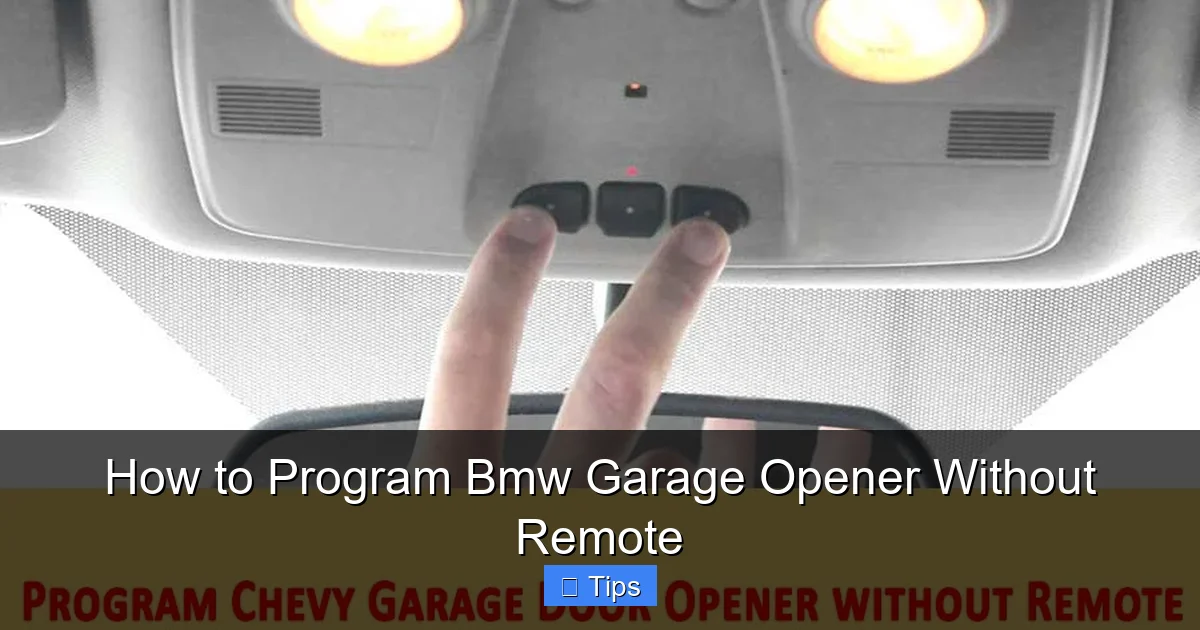
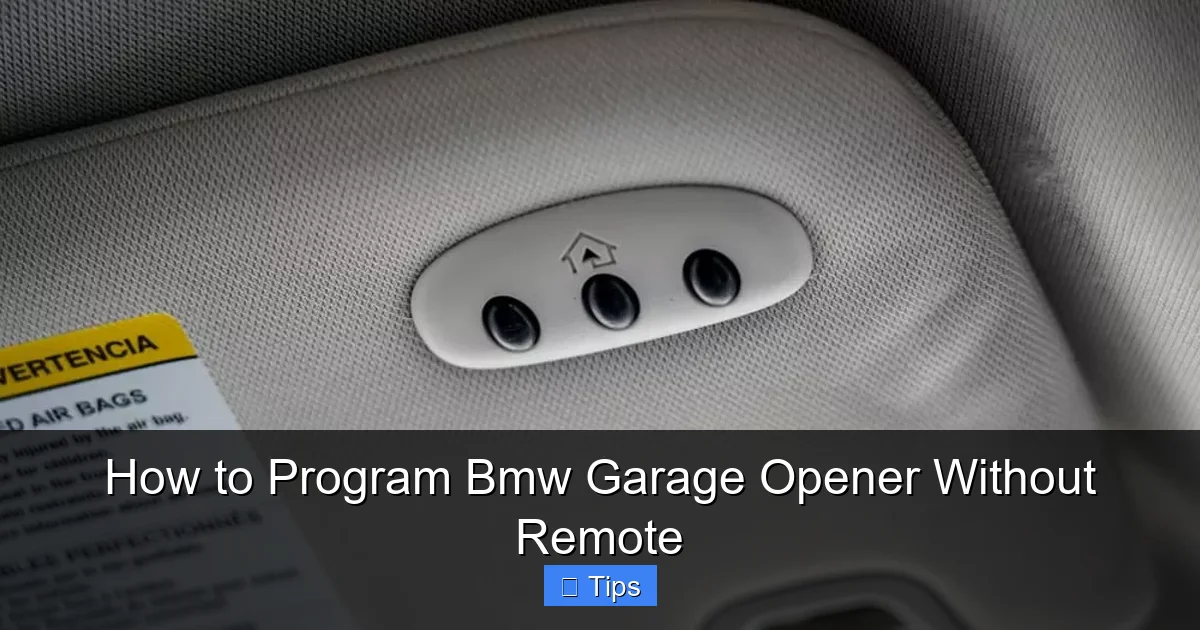
Finding the Homelink panel is easy. Open the driver’s side sun visor and look for a small panel with three buttons labeled “1,” “2,” and “3.” These are your Homelink buttons. Some newer BMW models may have a slightly different design—like a touch-sensitive panel or integrated into the overhead console—but the function remains the same.
If you’re unsure whether your BMW has Homelink, check your owner’s manual or look for the Homelink logo (a house with radio waves). You can also visit the official Homelink website and use their vehicle compatibility tool by entering your BMW’s year, make, and model.
Once you’ve located the buttons, make sure your car is parked close to the garage door—within 3 to 6 feet is ideal. You’ll need to be able to see the garage door opener motor unit on the ceiling, as you’ll be pressing a button on it during programming.
Preparing Your Garage Door Opener for Programming
Visual guide about How to Program Bmw Garage Opener Without Remote
Image source: cars-care.net
Now that you know where the Homelink buttons are, it’s time to get your garage door opener ready. This step is crucial—if your opener isn’t in programming mode, your BMW won’t be able to sync with it.
First, locate the garage door opener motor unit. It’s usually mounted on the ceiling of your garage, near the center. Look for a small light or LED indicator—this is often near the “Learn” or “Smart” button. The button may be yellow, red, purple, or green, depending on the brand.
Before you start, make sure the garage door is fully closed. This prevents accidental activation during programming. Also, ensure the area around the motor is clear—no tools, ladders, or pets in the way.
Identifying Your Garage Door Opener Type
Not all garage door openers are the same, and the programming method depends on the type you have. Here’s how to tell which one you’re dealing with:
– **Fixed Code Openers:** These are older models (pre-1990s) that use the same code every time. They’re less secure and may not be compatible with all Homelink systems. Look for a DIP switch inside the remote—these are small toggle switches that set the code manually.
– **Rolling Code Openers:** These are modern systems that change the code with each use. Most openers made after 1998 use rolling code technology. You’ll know it’s rolling code if the “Learn” button is labeled as such and the opener has a rolling code logo.
– **Security+ 2.0 Openers:** This is a newer version of rolling code used by Chamberlain and LiftMaster. It offers enhanced encryption and is fully compatible with Homelink. These openers have a purple or green “Learn” button and may require an extra step during programming.
To find your opener’s model number, check the label on the motor unit. It’s usually on the side or back. You can also look up the brand and model online to confirm the type.
Clearing Existing Homelink Codes
Before programming a new device, it’s a good idea to clear any old codes stored in your Homelink system. This ensures there’s no interference from previous programming attempts or old remotes.
To clear the codes:
1. Turn on your BMW’s ignition (you don’t need to start the engine, just turn the key to the “On” position).
2. Press and hold the first and third Homelink buttons simultaneously.
3. Keep holding them for about 20 seconds, or until the indicator light begins to flash rapidly.
4. Release the buttons. The system is now cleared.
You’ll know it worked when the light blinks quickly. This means all previously stored codes have been erased, and the buttons are ready for new programming.
Step-by-Step Guide to Programming Without a Remote
Visual guide about How to Program Bmw Garage Opener Without Remote
Image source: cdn-fastly.upgradedhome.com
Now for the main event: programming your BMW garage opener without a remote. Follow these steps carefully, and you’ll have your Homelink system working in under 10 minutes.
Step 1: Activate Programming Mode on the Garage Opener
Start by pressing the “Learn” or “Smart” button on your garage door opener motor unit. This button is usually located under a light lens or on the back of the unit. When you press it, a light will turn on or blink—this means the opener is in programming mode and ready to receive a signal.
Hold the button for about 3 seconds, then release. The light should stay on or blink slowly. If it turns off immediately, press it again. Some openers require you to press it twice quickly.
Note: On Security+ 2.0 openers, you may need to press the “Learn” button twice within 30 seconds to enter programming mode.
Step 2: Program the Homelink Button
Now it’s time to sync your BMW. Here’s how:
1. Sit in your driver’s seat with the ignition on (or engine running).
2. Choose which Homelink button you want to use (e.g., Button 1 for the garage door).
3. Press and hold the chosen Homelink button.
4. While holding it, press and release the “Learn” button on the garage opener again.
5. Continue holding the Homelink button for about 30 seconds, or until the garage door opener light blinks or turns off.
During this time, Homelink is transmitting a signal to the opener. The opener “learns” the frequency and code, allowing it to recognize your BMW in the future.
Step 3: Test the Connection
Once the programming is complete, test it immediately. Press the Homelink button you just programmed. The garage door should begin to open or close.
If it works, great! You’re all set. If not, don’t worry—there are a few common fixes.
– Make sure you’re within range (3–6 feet of the opener).
– Try pressing the Homelink button multiple times—some systems need a few attempts to sync.
– Check that the garage door isn’t obstructed or in manual mode.
If the door still doesn’t respond, repeat the process from the beginning. Sometimes the first attempt doesn’t take, especially with rolling code systems.
Programming Rolling Code Openers (Extra Step)
For rolling code openers, there’s an additional step to ensure full compatibility. After the initial programming, you’ll need to “train” the opener to recognize your BMW as a trusted device.
Here’s how:
1. Press and release the “Learn” button on the garage opener (the light should blink).
2. Within 30 seconds, press the Homelink button three times.
3. The opener light should blink or turn off, confirming the sync.
This extra step tells the opener that your BMW is authorized to send rolling codes. Without it, the door may open once but not respond afterward.
Troubleshooting Common Issues
Visual guide about How to Program Bmw Garage Opener Without Remote
Image source: geniedoortips.com
Even with perfect steps, things don’t always go smoothly. Here are some common problems and how to fix them.
Homelink Button Doesn’t Respond
If the button doesn’t light up or respond when pressed, the issue could be a weak battery in older BMW models. The Homelink system has a small internal battery that powers the indicator light. Over time, this battery can die.
To check, try programming a new device. If the light doesn’t flash during programming, the battery may need replacement. This requires removing the sun visor panel—consult your BMW service manual or visit a dealership for assistance.
Garage Door Opens but Doesn’t Close
This usually happens with rolling code systems. The opener recognizes the signal to open but not to close. The fix is simple: repeat the rolling code training step (pressing the Homelink button three times after programming).
Also, make sure the safety sensors near the floor are aligned and unobstructed. If the sensors detect an object, the door won’t close for safety reasons.
Interference from Other Devices
Radio frequency interference can disrupt the signal. Common culprits include LED lights, Wi-Fi routers, or other electronic devices near the garage.
Try turning off nearby electronics during programming. If the issue persists, consider using a different Homelink button or moving the opener motor slightly.
Programming Fails Repeatedly
If you’ve tried multiple times and nothing works, the opener may not be compatible. Check the Homelink compatibility list on their website. Some very old or proprietary systems (like certain European models) may not work.
In such cases, you may need a Homelink repeater or a universal remote as a backup.
Alternative Methods and Professional Help
If DIY programming isn’t working, don’t give up. There are still options.
Using a Compatible Remote as a Bridge
If you have access to any compatible remote (even a neighbor’s), you can use it to program Homelink. This method, called “cloning,” involves holding the remote near the Homelink button while programming. However, this only works with fixed code systems—not rolling code.
Visiting a BMW Dealership or Locksmith
BMW dealerships have specialized tools to diagnose and program Homelink systems. They can also check for software updates or hardware issues. Certified automotive locksmiths often offer the same service at a lower cost.
Bring your vehicle and garage opener model number for the best results.
Upgrading Your Garage Door Opener
If your opener is over 15 years old, consider upgrading to a modern, Homelink-compatible model. Newer openers offer better security, quieter operation, and smart features like smartphone control.
Brands like Chamberlain, LiftMaster, and Genie offer models specifically designed to work with Homelink.
Maintaining Your Homelink System
Once programmed, your Homelink system should work reliably for years. But a little maintenance goes a long way.
– Test the buttons monthly to ensure they’re working.
– Keep the sun visor clean—dirt and debris can interfere with the buttons.
– If you move or change garage doors, reprogram the system.
– Replace the internal battery every 5–7 years (if applicable).
With proper care, your BMW garage opener will remain a seamless part of your daily routine.
Conclusion
Programming your BMW garage opener without a remote isn’t just possible—it’s straightforward. Thanks to the built-in Homelink system, you can sync your car directly to your garage door, gate, or lights with just a few button presses. No need for lost remotes, extra hardware, or complicated tools.
By following the steps in this guide—clearing old codes, identifying your opener type, and using the correct programming method—you’ll have your Homelink system up and running in no time. And if you run into issues, remember that help is available through BMW service centers or professional locksmiths.
So next time you pull up to your garage, you can enjoy the quiet, effortless convenience of pressing a button on your sun visor and watching the door glide open. That’s the BMW experience—smart, seamless, and always in control.
Frequently Asked Questions
Can I program my BMW garage opener if I don’t have the original remote?
Yes, you can. The Homelink system in your BMW can be programmed directly from the garage door opener’s motor unit using the “Learn” button. You don’t need the original remote.
Most BMWs from 2000 onward include Homelink. If your car doesn’t have the buttons, it may not be equipped with the system. Check your owner’s manual or contact a BMW dealer to confirm.
Why won’t my garage door close after programming?
This often happens with rolling code openers. Repeat the training step—press the Homelink button three times after programming—and ensure the safety sensors are aligned.
How do I know if my garage door opener is compatible with Homelink?
Visit the official Homelink website and use their compatibility tool. Most major brands (Chamberlain, LiftMaster, Genie) are supported, especially models made after 1998.
No, each Homelink button can only control one device. However, you can program up to three different devices using the three buttons (e.g., garage door, gate, lights).
What should I do if the Homelink light doesn’t flash during programming?
This could indicate a weak internal battery in older BMWs. Try replacing the battery or visit a BMW service center for assistance. Also, ensure the ignition is on during programming.

At CarLegit, we believe information should be clear, factual, and genuinely helpful. That’s why every guide, review, and update on our website is created with care, research, and a strong focus on user experience.