
Replacing a battery in a BMW key is simpler than you think—and you don’t need to visit the dealership. With just a few tools and a few minutes, you can restore your key fob’s functionality and avoid costly service fees. This guide walks you through every step, from identifying your key type to testing the new battery.
In This Article
- 1 Key Takeaways
- 2 📑 Table of Contents
- 3 Why Your BMW Key Battery Might Be Dying
- 4 Identifying Your BMW Key Type
- 5 Tools and Materials You’ll Need
- 6 Step-by-Step Guide to Replacing the Battery
- 7 Common Mistakes to Avoid
- 8 When to Seek Professional Help
- 9 Conclusion
- 10 Frequently Asked Questions
- 10.1 What type of battery does a BMW key use?
- 10.2 How often should I replace my BMW key battery?
- 10.3 Can I use a different battery if I don’t have a CR2032?
- 10.4 Will replacing the battery reset my key fob?
- 10.5 Can I replace the battery in a BMW Display Key?
- 10.6 Where can I buy a replacement battery for my BMW key?
Key Takeaways
- Know your key type: BMW keys vary by model and year—identify whether you have a Comfort Access, standard remote, or smart key before starting.
- Use the right battery: Most BMW key fobs require a CR2032 3V lithium coin cell battery—check your owner’s manual or existing battery to confirm.
- Handle with care: Avoid touching the circuit board or metal contacts with your fingers to prevent static damage or corrosion.
- Open the key gently: Use a plastic pry tool or thin flathead screwdriver to avoid scratching or cracking the casing.
- Reassemble properly: Ensure all components are aligned and snapped securely to maintain water resistance and functionality.
- Test immediately: After replacement, test all functions—lock, unlock, trunk release, and panic button—to confirm success.
- Keep a spare battery: Batteries last 2–4 years; having a replacement on hand saves time and hassle when the next change is due.
📑 Table of Contents
Why Your BMW Key Battery Might Be Dying
You’re heading out for a morning coffee run, reach into your pocket, press the unlock button on your BMW key—and nothing happens. No chirp, no flash of lights. Your first thought? “Did I forget my keys?” But no, they’re right there. The real culprit? A dead battery.
BMW key fobs are sleek, high-tech devices that do way more than just lock and unlock your car. They communicate with your vehicle via radio frequency, enable keyless entry, start the engine remotely (in some models), and even sense when you’re approaching to unlock the doors automatically. All of this convenience runs on a small but mighty coin cell battery—typically a CR2032. And like any battery, it doesn’t last forever.
Most BMW key fob batteries last between two to four years, depending on usage. If you use your key frequently—say, you’re constantly locking and unlocking your car, using the panic button, or relying on Comfort Access—the battery drains faster. Signs of a dying battery include reduced range (you have to be closer to the car for it to respond), intermittent button responses, or the key fob not working at all. In some cases, your BMW’s dashboard may even display a warning message like “Key Battery Low” when you start the car.
The good news? You don’t need to visit a BMW dealership or pay $50–$100 for a simple battery swap. With a few basic tools and about five minutes of your time, you can replace the battery yourself. It’s a quick, cost-effective fix that empowers you to maintain your vehicle without relying on service centers. Plus, knowing how to do this gives you peace of mind—especially if you’re traveling and your key suddenly stops working.
Identifying Your BMW Key Type
Before you pop open your key fob, it’s essential to know which type of BMW key you have. BMW has used several key designs over the years, and the replacement process varies slightly depending on the model. Using the wrong method could damage the casing or internal components.
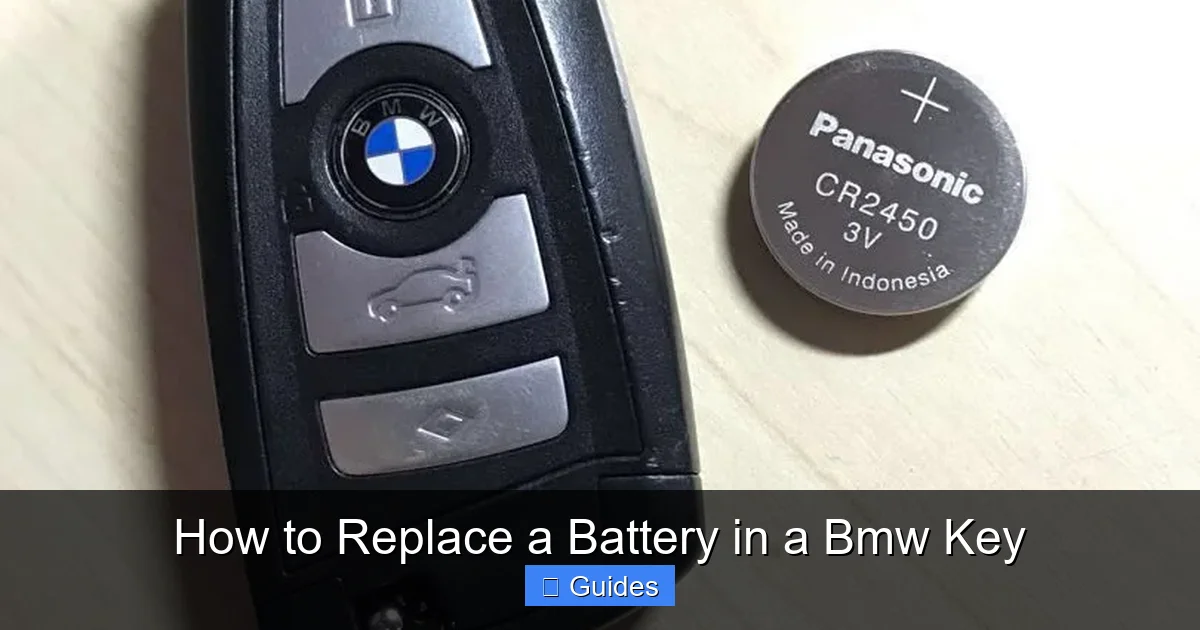
Visual guide about How to Replace a Battery in a Bmw Key
Image source: quickprolocksmith.com
Standard Remote Key (Pre-2010 Models)
If your BMW was manufactured before 2010, you likely have a standard remote key. This key looks like a traditional car key with a flip-out metal blade and a plastic fob on top. The fob contains the electronics and battery, while the metal blade is used to manually unlock the door if the battery dies. These keys usually have three or four buttons: lock, unlock, trunk release, and sometimes a panic button.
Comfort Access Key (2010–2015)
Introduced around 2010, the Comfort Access key features a more modern, rounded design with a smooth surface and no visible seams. It often has a small groove or indentation along the side. This key allows for keyless entry—simply walk up to your car with the key in your pocket, and the doors unlock automatically. The metal key blade is hidden inside and can be released by pressing a small button on the side.
Smart Key or Display Key (2016 and Newer)
The latest BMW models come with a Smart Key or Display Key, which includes a small LCD screen. This high-tech fob shows information like fuel level, lock status, and even allows you to control climate settings remotely. These keys are more complex and require extra care during battery replacement to avoid damaging the screen or internal electronics.
How to Confirm Your Key Type
Still unsure? Check your owner’s manual—it will specify the key type and battery model. Alternatively, look at the back of the key fob. Most BMW keys have a small label or engraving that includes the model number (e.g., “BMW 6612”) and the battery type (usually “CR2032”). You can also visit the BMW website or use online forums to match your key’s appearance with images of known models.
Once you’ve identified your key type, you’re ready to move on to the next step: gathering your tools and preparing for the replacement.
Tools and Materials You’ll Need
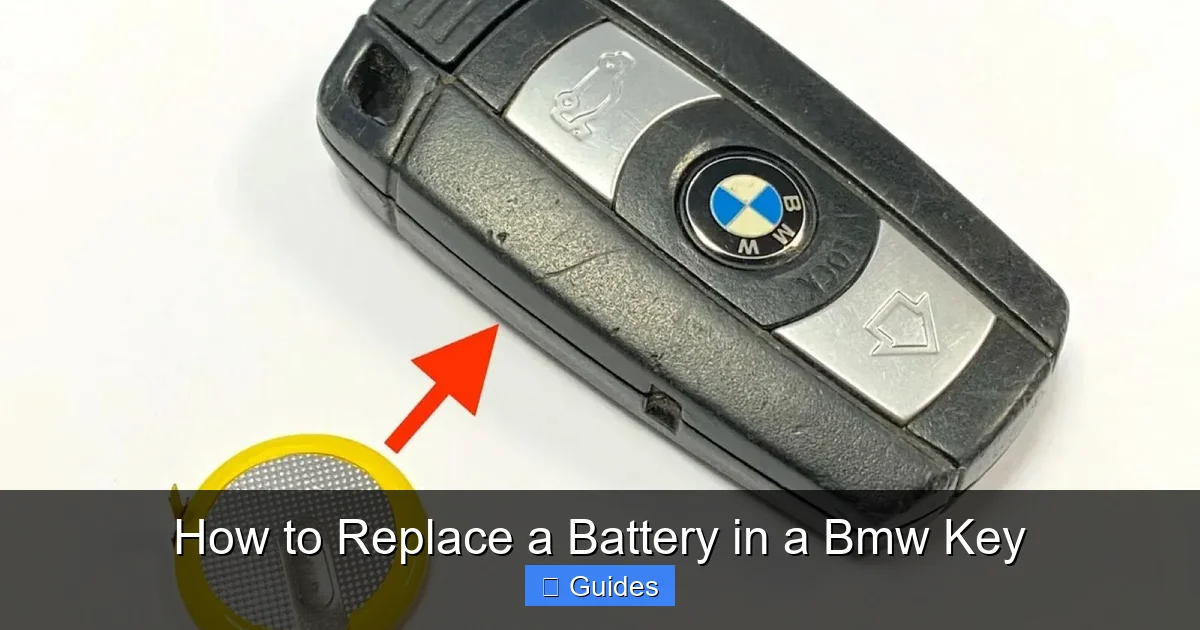
One of the best things about replacing a BMW key battery is that you don’t need a full toolbox. In fact, you probably already have most of what you need at home. Here’s a simple checklist to ensure you’re prepared:
Visual guide about How to Replace a Battery in a Bmw Key
Image source: citizenside.com
Essential Tools
- Plastic pry tool or spudger: This is the safest way to open your key fob without scratching or cracking the plastic. If you don’t have one, a thin, flat plastic card (like an old gift card) works in a pinch.
- Small flathead screwdriver (optional): Only use this if you don’t have a plastic tool. Be extremely careful—metal can scratch or damage the casing.
- Tweezers: Helpful for handling the small battery and aligning components during reassembly.
- Clean, dry cloth: Use this to wipe down the interior of the key fob and remove any dust or debris.
Battery Requirements
Most BMW key fobs use a CR2032 3V lithium coin cell battery. This is a common battery used in watches, calculators, and other small electronics. You can find CR2032 batteries at drugstores, electronics stores, or online retailers like Amazon. A pack of five usually costs under $10, so it’s worth buying extras for future use.
⚠️ Important: Do not substitute with a different battery type (like CR2025 or CR2016). While they may look similar, they have different thicknesses and voltages, which can damage your key fob or cause it to malfunction.
Optional but Helpful
- Magnifying glass: If you have trouble seeing small components, a magnifier can help.
- Anti-static wrist strap: While not required, this can prevent static electricity from damaging the key’s electronics—especially useful if you’re working in a dry environment.
- Small container: Use a bowl or cup to hold screws, clips, or the old battery so you don’t lose them.
Once you’ve gathered your tools, find a clean, well-lit workspace. A kitchen table or desk with good lighting is ideal. Avoid working on carpeted surfaces—small parts can easily get lost. Now you’re ready to begin the replacement process.
Step-by-Step Guide to Replacing the Battery
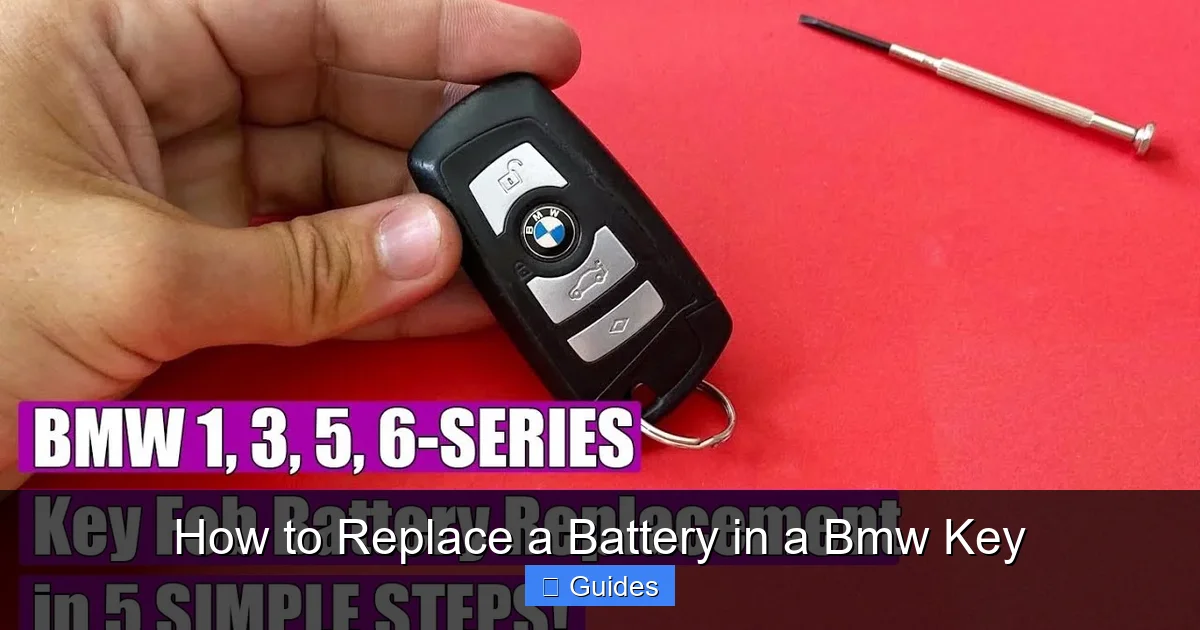
Now for the main event: replacing the battery in your BMW key. The process is straightforward, but it requires patience and attention to detail. Follow these steps carefully to avoid damaging your key fob.
Visual guide about How to Replace a Battery in a Bmw Key
Image source: i.ytimg.com
Step 1: Locate the Key Release Button
Start by examining the side of your key fob. On most BMW keys, there’s a small button or slider that releases the metal key blade. Press or slide this button to eject the key. This step is crucial—it gives you access to the seam where the two halves of the fob meet.
For example, on a Comfort Access key, the release button is usually on the top edge. On older models, it might be on the side. If you can’t find it, refer to your owner’s manual or look for a small indentation or raised area.
Step 2: Open the Key Fob
With the metal key removed, you’ll see a thin seam running along the edge of the fob. This is where the two plastic halves are joined. Insert your plastic pry tool into this seam, starting at the end opposite the key release button.
Gently twist the tool to create a small gap. Work your way around the perimeter, applying even pressure. Don’t force it—BMW key fobs are designed to snap apart, but excessive pressure can crack the casing. If you feel resistance, try a different spot or wiggle the tool slightly.
Once the halves begin to separate, carefully pull them apart. You’ll see the internal circuit board and the battery compartment. Take note of how the components are arranged—this will help during reassembly.
Step 3: Remove the Old Battery
The battery is held in place by a small metal clip or bracket. Use your tweezers or fingernails to gently lift the clip and slide the old battery out. Be careful not to touch the circuit board with your fingers—oils and moisture can cause corrosion over time.
Dispose of the old battery properly. CR2032 batteries contain lithium and should not be thrown in the regular trash. Many hardware stores and recycling centers accept used batteries for safe disposal.
Step 4: Insert the New Battery
Take your new CR2032 battery and check the polarity. The positive side (marked with a “+”) should face up, toward the circuit board. Align the battery with the compartment and gently press it into place under the metal clip. You should feel it click securely.
Double-check that the battery is seated correctly. A loose or misaligned battery can cause intermittent operation or prevent the key from working altogether.
Step 5: Reassemble the Key Fob
Carefully align the two halves of the key fob. Make sure the circuit board and any small components (like the metal key blade housing) are properly positioned. Press the halves together firmly until you hear a series of clicks—this indicates the clips have snapped back into place.
Reinsert the metal key blade by sliding it back into the slot until it locks. Test the key release button to ensure it works smoothly.
Step 6: Test the Key
Now it’s time to test your work. Stand near your BMW and press the lock and unlock buttons. The car should respond immediately. Try the trunk release and panic button as well. If your key has Comfort Access, walk up to the car and see if the doors unlock automatically.
If the key doesn’t work, double-check the battery orientation and ensure the fob is fully reassembled. In rare cases, the key may need to be resynchronized with the car—this is usually done by inserting the key into the ignition (or pressing the start button with the key) and holding the lock button for 10–15 seconds.
Common Mistakes to Avoid
Even with the best intentions, it’s easy to make small mistakes during the battery replacement process. Here are some common pitfalls and how to avoid them:
Using the Wrong Tool
Using a metal screwdriver instead of a plastic pry tool is one of the most common errors. Metal tools can scratch, crack, or even short-circuit the internal components. Always opt for plastic or non-conductive tools to protect your key fob.
Forcing the Key Open
If the key isn’t opening easily, don’t force it. Check that the metal key blade is fully removed and that you’re prying along the correct seam. Forcing the fob can break the plastic clips, making it impossible to reassemble.
Touching the Circuit Board
Your fingers contain oils and moisture that can damage sensitive electronics. Always handle the battery and internal components with tweezers or clean, dry hands. If you accidentally touch the board, wipe it gently with a dry cloth.
Installing the Battery Backward
It’s easy to mix up the positive and negative sides of a coin cell battery. Always double-check the “+” symbol and ensure it faces the correct direction. A reversed battery won’t power the key and could potentially damage the circuit.
Skipping the Test
Don’t assume the job is done just because the key looks reassembled. Always test all functions immediately. If something isn’t working, you can troubleshoot before the problem becomes more serious.
Ignoring the Owner’s Manual
Every BMW model is slightly different. Your owner’s manual contains specific instructions for your key type. Skipping this step could lead to confusion or damage.
When to Seek Professional Help
While most BMW key battery replacements are DIY-friendly, there are situations where it’s best to consult a professional:
- The key fob is cracked or damaged: If the casing is already broken, opening it could cause further damage. A locksmith or BMW dealer can replace the entire fob.
- The key still doesn’t work after replacement: This could indicate a deeper issue, such as a faulty circuit board or a problem with the car’s receiver.
- You have a Display Key with an LCD screen: These keys are more complex and may require specialized tools or software to reset.
- You’re uncomfortable doing it yourself: If you’re nervous about damaging your key, it’s worth paying a professional for peace of mind.
In most cases, however, a simple battery swap is well within the capabilities of any car owner. With the right tools and a little patience, you can save time and money while keeping your BMW running smoothly.
Conclusion
Replacing a battery in a BMW key is a quick, easy, and rewarding task that every owner should know how to do. Not only does it save you a trip to the dealership, but it also gives you greater control over your vehicle’s maintenance. With just a CR2032 battery, a plastic pry tool, and a few minutes of your time, you can restore your key fob’s full functionality and avoid the frustration of a dead key.
Remember to identify your key type, use the correct tools, and handle the components with care. Test your key immediately after replacement, and keep a spare battery on hand for future use. By following this guide, you’ll be prepared the next time your BMW key starts to fade—and you’ll feel confident knowing you can handle it yourself.
So the next time your key stops responding, don’t panic. Grab a new battery, follow these steps, and get back on the road in no time. Your BMW—and your wallet—will thank you.
Frequently Asked Questions
What type of battery does a BMW key use?
Most BMW key fobs use a CR2032 3V lithium coin cell battery. This is a standard battery found in many small electronics. Always check your owner’s manual or the existing battery to confirm the correct type.
How often should I replace my BMW key battery?
BMW key batteries typically last between 2 to 4 years, depending on usage. If you notice reduced range or intermittent button responses, it’s time for a replacement.
Can I use a different battery if I don’t have a CR2032?
No. Using a different battery type (like CR2025 or CR2016) can damage your key fob or cause it to malfunction. Always use the correct CR2032 battery.
Will replacing the battery reset my key fob?
In most cases, no. The key fob retains its programming after a battery change. However, if the key doesn’t work after replacement, you may need to resynchronize it by holding the lock button while near the car.
Can I replace the battery in a BMW Display Key?
Yes, but it requires extra care due to the LCD screen and more complex internal components. Follow the same steps, but avoid pressing on the screen or applying excessive force.
Where can I buy a replacement battery for my BMW key?
CR2032 batteries are widely available at drugstores, electronics stores, hardware stores, and online retailers like Amazon. A pack of five usually costs under $10.

At CarLegit, we believe information should be clear, factual, and genuinely helpful. That’s why every guide, review, and update on our website is created with care, research, and a strong focus on user experience.