
If your 2017 Nissan Altima’s airbag light is on, it’s not just annoying—it could mean a real safety issue. This guide walks you through safe, proven methods to reset the airbag light, including using a scanner, checking seat sensors, and when to see a professional.
In This Article
- 1 Key Takeaways
- 2 📑 Table of Contents
- 3 Why Is the Airbag Light On in Your 2017 Nissan Altima?
- 4 Understanding the 2017 Nissan Altima’s Airbag System
- 5 Common Causes of the Airbag Light in a 2017 Nissan Altima
- 6 Tools You’ll Need to Reset the Airbag Light
- 7 Step-by-Step Guide to Reset the Airbag Light
- 8 What to Do If the Light Comes Back On
- 9 Preventing Future Airbag Light Issues
- 10 Final Thoughts: Safety First
- 11 Frequently Asked Questions
- 11.1 Can I reset the airbag light without a scanner?
- 11.2 How much does it cost to reset the airbag light?
- 11.3 Will the airbag light reset itself?
- 11.4 Is it safe to drive with the airbag light on?
- 11.5 Can a dead battery cause the airbag light to come on?
- 11.6 How often do airbag sensors fail in a 2017 Nissan Altima?
Key Takeaways
- Never ignore the airbag light: It indicates a potential fault in the SRS (Supplemental Restraint System) that could prevent airbags from deploying in a crash.
- Use an OBD2 scanner with SRS capability: Generic code readers won’t work—you need a scanner that can access the airbag module.
- Check the passenger seat sensor: A common cause of the airbag light is a faulty or misaligned seat weight sensor, especially after seat repairs or spills.
- Inspect wiring and connectors: Loose, corroded, or damaged wires under the seats can trigger the light.
- Reset the system properly: After repairs, the system must be reset using a diagnostic tool—manual resets rarely work on modern vehicles.
- When to visit a dealer or mechanic: If the light returns after resetting, there may be a deeper electrical or module issue requiring professional diagnosis.
- Always prioritize safety: Never disable the airbag system or bypass warnings—your safety depends on a fully functional SRS.
📑 Table of Contents
- Why Is the Airbag Light On in Your 2017 Nissan Altima?
- Understanding the 2017 Nissan Altima’s Airbag System
- Common Causes of the Airbag Light in a 2017 Nissan Altima
- Tools You’ll Need to Reset the Airbag Light
- Step-by-Step Guide to Reset the Airbag Light
- What to Do If the Light Comes Back On
- Preventing Future Airbag Light Issues
- Final Thoughts: Safety First
Why Is the Airbag Light On in Your 2017 Nissan Altima?
The airbag light—also known as the SRS (Supplemental Restraint System) warning light—is one of the most important dashboard indicators in your 2017 Nissan Altima. When it illuminates and stays on, it’s not just a minor annoyance. It’s your car’s way of saying, “Hey, something’s wrong with the safety system.” And since airbags are designed to save lives during a collision, ignoring this warning could put you and your passengers at serious risk.
So why does the airbag light come on? There are several common causes. It could be something as simple as a loose connection under the passenger seat, or as complex as a failing airbag control module. Sometimes, the light appears after routine maintenance—like replacing the battery or cleaning the interior—because sensors were disturbed. Other times, it’s triggered by a fault in the seatbelt pretensioners, clockspring in the steering wheel, or even a spilled drink that seeped into the seat wiring.
Understanding the root cause is the first step toward fixing it. But before you panic, know that many airbag light issues on the 2017 Altima are fixable at home with the right tools and knowledge. However, it’s crucial to approach this task with care. The airbag system is highly sensitive and involves electrical components that can deploy airbags unexpectedly if mishandled. That’s why we’ll walk you through safe, step-by-step methods to diagnose and reset the airbag light—without taking unnecessary risks.
Understanding the 2017 Nissan Altima’s Airbag System
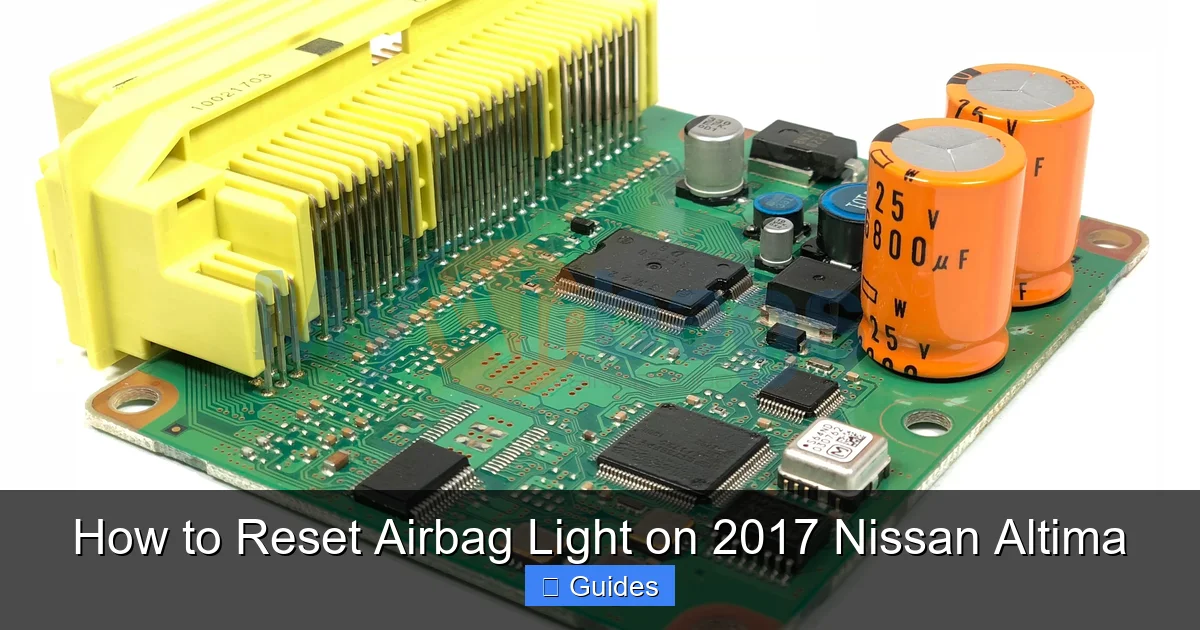
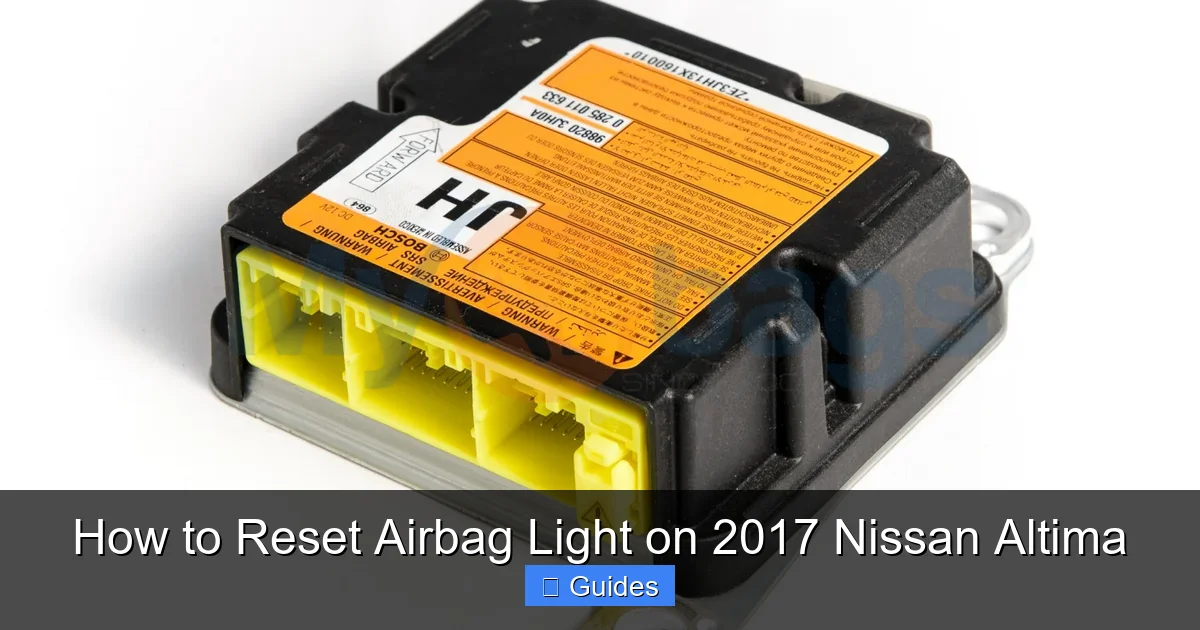
To effectively reset the airbag light, it helps to understand how the system works. The 2017 Nissan Altima is equipped with a sophisticated SRS that includes front airbags, side-impact airbags, curtain airbags, and seatbelt pretensioners. All of these components are controlled by the Airbag Control Module (ACM), often located under the center console or front seats.
The ACM constantly monitors the system for faults. It checks things like sensor signals, wiring integrity, and power supply. If it detects an anomaly—such as a disconnected sensor, low resistance in a circuit, or a communication error—it triggers the airbag warning light on the dashboard. The light will stay on until the fault is repaired and the system is reset.
One of the most common triggers is the passenger seat occupancy sensor. This sensor detects whether someone is sitting in the front passenger seat and how much they weigh. If the sensor malfunctions or gets dirty (from spilled liquids, for example), it can send incorrect signals to the ACM, causing the light to come on—even if no one is sitting there.
Another frequent culprit is the clockspring, a coiled wire assembly behind the steering wheel that maintains electrical connection to the driver’s airbag as the wheel turns. Over time, the clockspring can wear out, leading to intermittent connections and triggering the airbag light.
Wiring issues are also common, especially under the front seats where connectors are exposed to movement, moisture, and dirt. The 2017 Altima uses flat ribbon cables and multi-pin connectors that can become loose or corroded, especially if the seats have been removed or adjusted frequently.
Common Causes of the Airbag Light in a 2017 Nissan Altima
Before attempting to reset the airbag light, it’s essential to identify what might be causing it. Here are the most frequent reasons the airbag light appears on a 2017 Nissan Altima:
Loose or Disconnected Seat Connectors
The front seats in the Altima are equipped with multiple sensors and connectors that communicate with the airbag module. These include the seat position sensor, seatbelt buckle switch, and occupant classification system (OCS) sensor. If any of these connectors become loose—perhaps after cleaning under the seat or moving the seat forward or back—the system may detect a fault and trigger the light.
Tip: Gently unplug and reconnect the seat connectors under both front seats. Make sure they click into place securely. Use a flashlight to check for bent pins or corrosion.
Visual guide about How to Reset Airbag Light on 2017 Nissan Altima
Image source: myairbags.com
Visual guide about How to Reset Airbag Light on 2017 Nissan Altima
Image source: i.ytimg.com
Faulty Passenger Seat Weight Sensor
The OCS sensor under the passenger seat measures the weight of the occupant to determine whether the front airbag should deploy. If the sensor is damaged, misaligned, or contaminated (e.g., from a spilled drink), it can send incorrect data. This often results in the airbag light staying on, even when the seat is empty.
Example: A common scenario is someone spilling coffee or soda on the passenger seat. The liquid seeps into the sensor pad, causing it to short or give false readings. In such cases, the sensor may need cleaning or replacement.
Worn or Damaged Clockspring
The clockspring is a critical component that allows the steering wheel to turn while maintaining electrical contact with the driver’s airbag, horn, and cruise control buttons. Over time, the internal wires can wear out, especially if the steering wheel is turned frequently to full lock. A failing clockspring often causes the airbag light to come on, along with a non-functional horn or cruise control.
Warning: Never attempt to remove the steering wheel or clockspring without disconnecting the battery and waiting at least 15 minutes. Airbags can deploy accidentally, causing injury.
Low Battery Voltage or Recent Battery Replacement
The airbag system relies on stable voltage to function correctly. If your battery was recently replaced or died completely, the system may have lost power and stored a fault code. Even after the battery is reconnected, the light may remain on until the system is reset.
Pro Tip: After replacing the battery, drive the car for 10–15 minutes to allow the system to relearn. If the light persists, a reset is likely needed.
Faulty Airbag Control Module
In rare cases, the ACM itself may be defective. This module is expensive and difficult to replace, but it’s responsible for processing all airbag-related signals. If it fails, the light will stay on, and no amount of resetting will fix it without professional intervention.
Aftermarket Modifications or Repairs
Installing aftermarket seats, seat covers, or even certain types of seat heaters can interfere with the OCS sensor. Similarly, if the seats were removed during repairs and not reinstalled correctly, the connectors may not be fully seated.
Tools You’ll Need to Reset the Airbag Light
Resetting the airbag light on a 2017 Nissan Altima isn’t as simple as pressing a button. Unlike older cars, modern vehicles like the Altima require specialized tools to communicate with the SRS module. Here’s what you’ll need:
OBD2 Scanner with SRS Capability
A standard OBD2 scanner can read engine and transmission codes, but it won’t access the airbag system. You need a scanner that specifically supports SRS diagnostics. Popular options include:
- BlueDriver Bluetooth Scanner: Works with iOS and Android, offers full SRS diagnostics, and provides detailed repair suggestions.
- Autel MaxiCOM MK808: A professional-grade tool with advanced features, including airbag reset and live data.
- Foxwell NT510 Elite: Affordable and reliable, with Nissan-specific software updates.
Note: Avoid cheap, generic scanners—they often lack SRS functionality and can’t reset the airbag light.
Visual guide about How to Reset Airbag Light on 2017 Nissan Altima
Image source: forum.myairbags.com
Basic Hand Tools
You may need a screwdriver, socket set, or trim removal tools to access connectors under the seats or behind the steering column. A flashlight is also helpful for inspecting tight spaces.
Cleaning Supplies
If you suspect a spilled liquid caused the issue, have isopropyl alcohol, cotton swabs, and a soft cloth ready to clean connectors and sensors.
Laptop or Smartphone (Optional)
Some advanced scanners require a mobile app or software to perform resets. Make sure your device is compatible and fully charged.
Safety Gear
Always wear safety glasses and work in a well-ventilated area. Disconnect the battery before handling any airbag components.
Step-by-Step Guide to Reset the Airbag Light
Now that you understand the causes and have the right tools, let’s walk through the process of resetting the airbag light on your 2017 Nissan Altima.
Step 1: Disconnect the Battery (Safety First)
Before doing anything, disconnect the negative terminal of the battery. Use a wrench to loosen the clamp and remove the cable. Wait at least 15 minutes to ensure the airbag system is fully powered down. This prevents accidental deployment during repairs.
Step 2: Inspect Under the Front Seats
Slide both front seats all the way back and use a flashlight to inspect the wiring and connectors underneath. Look for:
- Loose or unplugged connectors
- Damaged or frayed wires
- Signs of moisture or corrosion
- Bent or broken pins
Gently unplug each connector, inspect it, and reconnect it firmly. Listen for a click to ensure it’s secure.
Step 3: Check the Passenger Seat Sensor
If the light came on after a spill or seat cleaning, the OCS sensor may be affected. Carefully lift the seat cushion (if removable) and inspect the sensor pad. Clean any residue with isopropyl alcohol and a soft cloth. Avoid using water or harsh chemicals.
Caution: Do not puncture or cut the sensor pad—it’s a delicate component.
Step 4: Reconnect the Battery
After inspecting and cleaning, reconnect the negative battery terminal. Tighten it securely.
Step 5: Use an OBD2 Scanner to Read and Clear Codes
Turn the ignition to the “ON” position (do not start the engine). Connect your SRS-compatible scanner to the OBD2 port, usually located under the dashboard near the driver’s knee.
Follow the scanner’s instructions to:
- Access the SRS module
- Read any stored fault codes
- Clear the codes
The scanner should display a message like “SRS codes cleared” or “Airbag light reset.”
Step 6: Test the System
Start the engine and observe the dashboard. The airbag light should flash briefly during startup (normal) and then turn off. If it stays on, the issue hasn’t been resolved.
Drive the car for 10–15 minutes to allow the system to complete its self-check. If the light returns, there may be a persistent fault.
What to Do If the Light Comes Back On
If the airbag light returns after resetting, don’t panic—but don’t ignore it either. A recurring light means the underlying issue wasn’t fixed. Here’s what to do:
Recheck All Connections
Sometimes, a connector appears secure but isn’t fully seated. Go back and double-check every connection under the seats and behind the steering column.
Scan for New or Persistent Codes
Use your scanner to read the codes again. The scanner may provide more specific information, such as “Passenger Seat Sensor Circuit Low” or “Driver Airbag Resistance High.” These clues can help pinpoint the problem.
Test the Clockspring
If the horn or cruise control buttons aren’t working, the clockspring may be faulty. A professional mechanic can test its resistance with a multimeter.
Consider Professional Diagnosis
If you’ve tried everything and the light keeps coming back, it’s time to visit a Nissan dealership or certified mechanic. They have advanced diagnostic tools and access to technical service bulletins (TSBs) that may reveal known issues with your model.
For example, some 2017 Altimas have had recalls related to the airbag control module or seat sensors. A dealer can check if your VIN is included in any service campaigns.
Preventing Future Airbag Light Issues
Once you’ve reset the airbag light, take steps to prevent it from coming back:
- Keep the seats clean and dry: Avoid spilling liquids on the seats, especially the passenger side.
- Handle seat connectors carefully: When cleaning or adjusting seats, unplug connectors gently and reconnect them securely.
- Avoid aftermarket seat modifications: Seat covers, heaters, or cushions can interfere with sensors.
- Schedule regular inspections: Include the airbag system in your routine maintenance checks.
- Use genuine Nissan parts: If replacements are needed, choose OEM components for compatibility.
Final Thoughts: Safety First
Resetting the airbag light on your 2017 Nissan Altima is a task that blends technical know-how with safety awareness. While many issues can be resolved at home with the right tools, it’s crucial to approach the job methodically and cautiously. Remember, the airbag system is designed to protect you in the event of a crash—so never take shortcuts or ignore warning signs.
If you’re ever unsure, don’t hesitate to consult a professional. A few hundred dollars spent on a proper diagnosis could save your life. And when it comes to safety systems, peace of mind is priceless.
By following this guide, you’ve taken an important step toward ensuring your Altima’s airbags are ready when you need them most. Stay safe, stay informed, and drive with confidence.
Frequently Asked Questions
Can I reset the airbag light without a scanner?
No, you cannot reliably reset the airbag light on a 2017 Nissan Altima without a scanner that supports SRS diagnostics. Manual methods like disconnecting the battery may temporarily turn off the light, but it will likely return if the underlying issue isn’t fixed.
How much does it cost to reset the airbag light?
If you use your own scanner, the reset is free. Professional shops typically charge $50–$150 for diagnosis and reset, depending on the issue. Dealerships may charge more but offer warranty coverage.
Will the airbag light reset itself?
No, the airbag light will not reset itself. Once triggered, it requires a manual reset using a diagnostic tool after the fault is repaired.
Is it safe to drive with the airbag light on?
It’s not recommended. The light indicates a potential fault in the SRS, meaning airbags may not deploy in a crash. Have the issue diagnosed and repaired as soon as possible.
Can a dead battery cause the airbag light to come on?
Yes, a dead or disconnected battery can cause the airbag light to illuminate. The system may store a fault code due to voltage loss, requiring a reset after the battery is reconnected.
How often do airbag sensors fail in a 2017 Nissan Altima?
Airbag sensor failures are not extremely common but do occur, especially after spills, seat repairs, or prolonged use. Regular maintenance and careful handling can reduce the risk.

At CarLegit, we believe information should be clear, factual, and genuinely helpful. That’s why every guide, review, and update on our website is created with care, research, and a strong focus on user experience.